 |
by Courtney Lynch on (#5N0BN)
The best connected techSamsung Galaxy Watch 3From $350 at AmazonProsOptional LTE connectivityGPS, HRM, NFCBlood oxygen monitoringImproved health/fitness trackingTwo size optionsConsShorter battery life than predecessorToo expensive for some peopleTizen O needs work with third-party supportIf you've been on the hunt for a wearable that will keep you as connected as possible, you'll love the Samsung Galaxy Watch 3. You'll enjoy many essential features, including onboard GPS, heart-rate monitoring, health/activity tracking, and NFC payments. You'll also have the option of choosing a model with LTE connectivity.Detail-oriented trackingGarmin Vivoactive 4$260 at AmazonProsGPS, HRM, NFCPulse Ox sensorBody Battery energy monitoringExcellent battery lifeTwo size optionsConsNo LTE connectivityLacks AMOLED displayNot a lot of app supportThere's a lot to admire about the Garmin Vivoactive 4. In addition to detailed health/fitness trac...
|
 Latest from Android Central
| Link | https://www.androidcentral.com/feeds.xml |
| Feed | http://www.androidcentral.com/rss.xml |
| Updated | 2026-10-25 03:32 |
 |
by Jeramy Johnson on (#5N0BP)
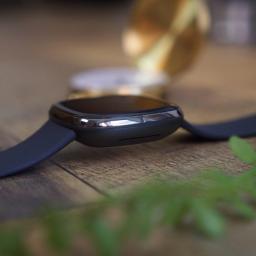
A Sensible upgrade to the premier Fitbit smartwatch?Jump to:Announcement & release datePriceDesignNew features and specsThe Fitbit Sense burst onto an already crowded smartwatch scene in late 2020, promising advanced health metrics and tracking features in a premium wrist-wrapping package. While it eventually delivered on most of its early promises, the wearable stumbled a bit out of the gate. When it launched, it lacked some of its most anticipated features like an ECG app, Google Assistant support, and audio responses from smart voice assistants.The original Sense was a thing of beauty, and thankfully, Fitbit and Google have maintained an update cadence that not only brought those aforementioned features to the watch but added new ones like the ability to personalize low and high heart notifications, additional language options, and improved reliability of notifications and UI performance.Now that the Sense is approaching its first birthday, we are wondering ...
|
 |
by Babu Mohan on (#5N0BQ)
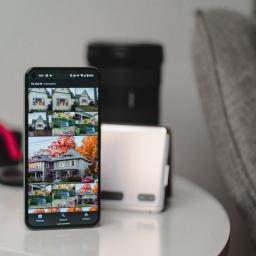
A similar widget has been available for Google Photos on iOS since October last year.What you need to knowA new "Memories" widget has started rolling out to Google Photos users on Android.Currently, the widget can show Memories from "This week" or "1 year go."It may take a little longer for the feature to become more widely available.Google Photos is rolling out a new "Memories" widget for some Android users, according to a report from XDA Developers. The new Memories widget works similarly to the iOS widget that Google released last year, letting you "rediscover moments from Google Photos."It appears that the widget has rolled out to users running Google Photos app v5.52.0.0387241369 via a server-side switch. This means that you won't be able to get the widget just by updating to the latest version of the Google Photos app on your phone.If you're among the lucky few users to have received the Memories widget, you will be able to access it from the widget picker. By d...
|
 |
by Howard Wen on (#5N0BS)
ExpressVPNMore appsFrom $6.67/mo. at ExpressVPNProsUnlimited bandwidthSix VPN protocols supportedSoftware for ten OSes, three browsers, 11 routersP2P supportSplit tunnelingVirtual serversConsNo dedicated IPFewer servers than NordVPNMore expensiveExpressVPN has apps for several operating systems and device platforms, which include ones for Android TV, Nook HD and several Amazon devices. European countries are where ExpressVPN's 3,000+ servers are mostly located, with Asian countries being second.NordVPNMore serversFrom $3.67/mo. at NordVPNProsUnlimited bandwidthThree VPN protocols supportedApps/extensions for six OSes, two browsersP2P supportDouble VPNBetter valueConsSplit-tunneling through browser extensions onlyLess apps than ExpressVPNMost of NordVPN's 5,500+ servers are in Europe, followed by the Americas. NordVPN provides apps for several OS platforms and web browsers, and features extras such as a double VPN and access...
|
 |
by Harish Jonnalagadda on (#5N0BR)
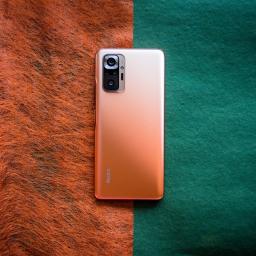
The best Xiaomi phones offer incredible value on a budget and often set the standard for the category. The Chinese manufacturer now sells phones in the U.K. and other Western markets, making it easier for customers to get their hands on Xiaomi's products. From $100 entry-level phones to true flagships with innovative cameras, Xiaomi makes some of the best phones you can buy today.Budget winnerXiaomi Redmi Note 10 Pro smartphoneStaff PickThe Redmi Note 10 Pro takes the best of Xiaomi's features in the budget segment and kicks things into gear. You get a massive 6.67-inch AMOLED panel with a 120Hz refresh rate, Snapdragon 732G chipset, 108MP camera at the back, 16MP front camera, and a 5020mAh battery with 33W fast charging. With two-day battery life between charges, the Redmi Note 10 Pro dominates its rivals.$348 at Amazon £260 at Amazon UK ₹20,690 at FlipkartBattery beastPOCO M3 smartphoneThe POCO M3 combines a gorgeous design with a massive 6000mAh battery tha...
|
 |
by Harish Jonnalagadda on (#5N0BV)
The best cheap NAS (network-attached storage) enclosure gives you all the features that you'd look for in an internet-connected storage drive for less. Ideally, it should be able to back up the data and photos on all devices on your home network, play your media collection across devices, and provide adequate storage for all your data needs. There are plenty of great options that do just that, but our favorite is the Synology DiskStation DS220j, which is a great starter model if you're looking to upgrade your home network.1. Synology DiskStation DS220j: Best overallIf you're looking to build a NAS for backing up data from all the phones and Windows and macOS machines in your house or storing your audio and media library, Synology is the ideal place to start. The brand makes the best home NAS enclosures and sells dozens of enclosures across all price points. If you're looking at a budget model to get started, the DiskStation DS220j is a great option.The DS220j has two drive ba...
|
 |
by Luke Edwards on (#5N0BT)
IPVanish Why choose IPVanish VPNA deeply customizable VPN that's great for streaming, torrenting and use on lots of devices at once.Works withMacWindowsAndroidiPhone & iPadLinuxRoutersBest VPN forNetflix, Hulu, and streamingGamingTorrenting and downloadingSecurity and privacySee at IPVanishProsNetflix unblockingFast live chat supportUnlimited connectionsU.S.-owned serversConsShort trialOdd issue with usabilityNo Bitcoin supportIPVanish is a VPN that's U.S. based. For some that might be a red flag for security but in this case the provider owns and runs its own servers, meaning it can offer privacy and anonymity. It also means, if you're U.S. based, you can get some great speeds on closer servers with over 1,900 dotted about more than 75 locations worldwide.It's not only the local s...
|
 |
by Ara Wagoner on (#5MZBJ)
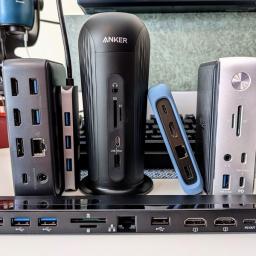
The best Chromebook docking stations can turn your laptop from on-the-go ready to comfortably cozy by plugging in a single USB-C cable. When you're home and want to use a clicky mechanical keyboard, an ergonomic mouse, or add a secondary display, docking stations are here to keep things tidy and organized. While you could maybe get by with some tiny USB-C hub, the cables are usually too short and leave your desk cluttered, while docking stations help keep things connected while staying out of your way. If you need to get your Chromebook connected, these are the best docking stations.Keep it tidyPlugable USB-C Mini Docking Station with 85W ChargingStaff PickThis compact docking station won't take up much desk space, but it still has enough space for four USB-A peripherals, an HDMI monitor, Ethernet, and an audio jack for some speakers. It can also charge your Chromebook at full speed.$149 at Amazon $149 at WalmartTall or flat, your choiceBaseus 16-in-1 USB-C Dock...
|
 |
by Keegan Prosser on (#5MZ97)
All the best movies streaming on HBO Max today.HBO Max launched in 2020 as the digital hub for all of HBO's exclusive content. It features a rotating lineup of hundreds of television series and movies from Warner Bros., DC, Studio Ghibli, and more. HBO Max will also launch brand new films from WarnerMedia in 2021 without waiting for them to play in theaters first. Here are the best movies on HBO Max right now, from new drama and comedy films to the best in action franchises and classic films.The best movies on HBO MaxJust added on HBO MaxBest action filmsBest comedy filmsKids & family filmsBest documentary filmsMovies and moreHBO MaxFrom $10 at HBO MaxFind new releases and old favorites on HBO MaxHBO Max provides streamers with access to film and television content from HBO, WarnerMedia, and DC, among other studios. Subscribe now to check out new blockbusters or your longtime faves.Just Added on HBO MaxWarnerMedia announced at the end of 2020 t...
|
 |
by Ted Kritsonis on (#5MZ98)
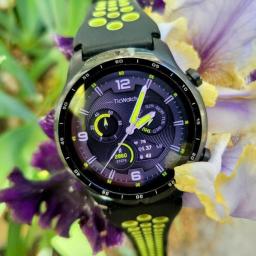
The best bone conduction headphones are unique because they don't pour sound into your ears, but rather through your jaw and skull. As a result, the vibration through your skin, which is great for those who might be hard-of-hearing or who want to hear the sounds of traffic as they ride their bike, may not be the niche you're looking for. If you are in the market, though, the AfterShokz Aeropex are the best combination of sound quality, comfort, and performance.Best overall: AfterShokz AeropexFit and comfort are important for any pair of headphones, but those factors only multiply with a bone conduction pair. AfterShokz is all over this niche category, and after a few tries, I finally got the combination of functionality and flexibility just right with the Aeropex.What works so well is how the sound spreads out across the entire pad so that more of your skull absorbs the audio output. The company also managed to improve the bass, which is always the most difficult part of the ...
|
 |
by Babu Mohan on (#5MZ99)
Qualcomm's Snapdragon 4100 successor may come with a quad-core CPU featuring ARM Cortex-A73 cores.What you need to knowA new leak suggests the next wearable chip from Qualcomm will be called Snapdragon Wear 5100.The next-gen platform is apparently codenamed "monaco."The leak also hints at the Snapdragon Wear 4100 successor being based on Qualcomm's existing "bengal" mobile platform. Qualcomm could be working on a new wearable chip to compete with Samsung's rumored Exynos W920 chipset. The folks at XDA Developers have spotted code for an upcoming Qualcomm wearable chipset codenamed "monaco." The upcoming platform will likely succeed the Snapdragon Wear 4100, which powers some of the best Android smartwatches.The new code was uploaded by Qualcomm to its Code Aurora Forum last week with build ID "LAW.UM.2.0-00700-SW5100.0." "LAW" is said to stand for "Linux Android Wear," while "SW5100" is believed to be short for the platform's possible marketing name, Snapdragon Wear 5100....
|
 |
by Christine Persaud on (#5MZ61)
Arguably the easiest way to smarten up your home is with one of the best cheap smart LED light bulbs. All you need to do is unscrew your existing traditional bulb, replace it with a smart one, download the app, connect, and voila! You can control the bulb from your phone, or even sometimes by voice with Google Assistant or Alexa. There are plenty of amazing smart light bulbs out there, but when it comes to simplicity and affordability, the LiFX 1,100-lumen bulb is an excellent option because it has built-in Wi-Fi and thus doesn't require a separate hub. It can also display up to 16 million colors, and works with all major voice control platforms.Best overall: LiFX A19 BulbWhen it comes to simplicity of use and affordable pricing, you can't go wrong with this handy light bulb. It can replace any standard A19-sized 11W dimmable bulb to display up to 16 million colors, including both warm and cool whites. Because it has built-in Wi-Fi, you don't need a separate hub, making it easy...
|
 |
by Namerah Saud Fatmi on (#5MZ62)
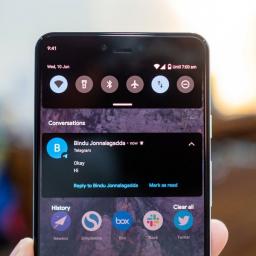
Android 11 brought many changes that mainly focused on user privacy. We also got a few other tweaks here and there, including the new chat bubble feature, a tool called Conversation Notifications, and smart reply options for messaging. You can also set reminders or create events directly from an Android notification on select apps like Google Messages. The following tutorial will show you how you can set reminders right out of Android notifications.How to set a reminder directly from an Android notificationThe ability to set reminders right out of notifications is pretty nifty, but it doesn't work perfectly yet. You won't always get the prompt for every notification. Make sure your chat bubbles are enabled before following the next steps. If you don't know how to turn them on, here's a guide to teach you how to use chat bubbles on Android 11.Tap on the chat bubble option on your notification. If chat bubbles are enabled, the message bubble will pop up automatically.If your ...
|
 |
by Luke Edwards on (#5MZ63)
One of the most popular ways to use the best VPNs, aside from ensuring your privacy and security, is to unblock region restrictions on streaming platforms like Netflix. NordVPN strikes the balance between these top features making it a powerful option when it comes to unblocking Netflix.While streaming on Netflix can be a wonderful experience, with that clever buffering that has 4K and HDR quality video up and running with immersive Dolby Atmos sound near right away, it's not always so easy. Netflix, like many other streaming services, does restrict access to content based on your location.Why does Netflix block you? This is based on licenses bought for a particular show or movie to be shown in that region or country. Since pricing varies by place, Netflix is still limited by frankly dated region-based licensing deals. But there is a way around this by using a VPN.Using a Netflix VPN allows you to appear to be somewhere you're not, thanks to bouncing your signal through a secur...
|
 |
by Derrek Lee on (#5MZ64)
Google wants YouTube Shorts to hit the ground running.Update, Aug 4 (12:30 p.m. ET): Google provides more details about YouTube Shorts fund.What you need to knowGoogle is launching a $100M fund for YouTube Shorts creators.Creators with popular or viral Shorts will receive rewards from the fund.The $100 YouTube Shorts Fund will be distributed throughout 2021, 2022.Google hopes to bolster its new YouTube Shorts platform by announcing a new fund to entice creators to the platform. The YouTube Shorts Fund will distribute $100 million to creators throughout 2021 and 2022, rewarding creators for posts that garner the most engagement.According to Google, the company will reach out to creators every month to reward them. The fund is available to anyone who creates original, engaging shorts, not just those of the YouTube Partner Program. Shorts must be original and follow community guidelines to be considered for the fund. Google is holding onto additional details about the fund...
|
|
by Harish Jonnalagadda on (#5MZ32)
The best Xiaomi phones offer incredible value on a budget and often set the standard for the category. The Chinese manufacturer now sells phones in the U.K. and other Western markets, making it easier for customers to get their hands on Xiaomi's products. From $100 entry-level phones to true flagships with innovative cameras, Xiaomi makes some of the best phones you can buy today.Budget winnerXiaomi Redmi Note 10 Pro smartphoneStaff PickThe Redmi Note 10 Pro takes the best of Xiaomi's features in the budget segment and kicks things into gear. You get a massive 6.67-inch AMOLED panel with a 120Hz refresh rate, Snapdragon 732G chipset, 108MP camera at the back, 16MP front camera, and a 5020mAh battery with 33W fast charging. With two-day battery life between charges, the Redmi Note 10 Pro dominates its rivals.$348 at Amazon £260 at Amazon UK ₹20,690 at FlipkartBattery beastPOCO M3 smartphoneThe POCO M3 combines a gorgeous design with a massive 6000mAh battery tha...
|
 |
by Rachel Mogan on (#5MZ33)
As it turns out, there are more life sims out there than just Stardew Valley. Who knew, right?If you're like me and you've never played a single "life sim" outside of Stardew Valley and/or Animal Crossing, it can be a gamble to break out of those shells and try new games within the genre. After all, why would you need another sim game if you've already got two of the best ones on the market? Well, My Time at Portia is here to answer that question, and I will try my best to give it room to breathe without constantly comparing it to the established titans of the genre.The setup to My Time at Portia is laughably in line with Stardew Valley: a relative has left you a piece of property in a small town, so you set off for adventure, leaving your old life behind in the dust. In this case, you've inherited a workshop right outside the gates to the bustling town of Portia (Por-tee-ah? Por-shee-a? Everyone you talk to pronounces it differently, so pick whichever one you like). My T...
|
 |
by Samuel Tolbert on (#5MZ34)
A new way to play the dark, mythical multiplayer mode.What you need to knowGhost of Tsushima: Legends is a multiplayer mode for Sucker Punch Productions' samurai tale, Ghost of Tsushima.Sucker Punch announced that a standalone version of Ghost of Tsushima: Legends is coming on September 3.A new mode called Rivals will This follows the upcoming Ghost of Tsushima: Director's Cut upgrade which is set to launch on August 20 for PS4 and PS5.Ghost of Tsushima: Legends, the multiplayer co-op experience added for free to Ghost of Tsushima, is getting some new modes and a new way to be experienced by players. Sucker Punch Productions announced on Wednesday that a new mode called Rivals is being added to the game, where teams compete to score points and unlock Shades that inhibit the other team's progress.Rivals is coming in a free update for existing PS4 and PS5 players. You can check out some gameplay footage for Ghost of Tsushima: Legends new Rivals mode below:Additionall...
|
 |
by Ara Wagoner on (#5MYZD)
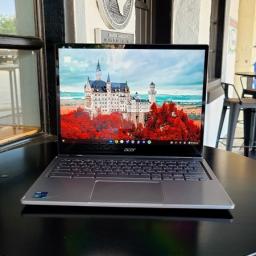
Best answer: How much storage you need depends on how many apps you download and if you intend to use Linux. If you don't plan on using either, you can make do with 32GB of storage. However, I highly recommend getting 64GB or more of Chromebook storage so you have more room for offline files, downloaded media, and any apps you may start using the future.Bigger is better, but how much Chromebook storage you need depends on youWhile many of the best Chromebooks these days come with 64-256GB of storage, the vast majority of Chromebooks sold today still come with 32GB of storage, less than even most cheap phones. Less storage helps keep prices down on budget-minded laptops — this is important for school districts and Fortune 500 companies that buy tens of the thousands of Chromebooks at a time — but thanks to more stability for Android apps on Chromebooks and Linux support finally coming out of beta, storage levels are rising, especially for mid-range and premium Chromebooks.Of...
|
 |
by Adam Oram on (#5MYZE)
Wondering how you download NordVPN? Being one of the best VPN services on the market, you've probably heard of NordVPN but might not yet know how to get started.If you've never used a VPN before, it might seem like a daunting task but we're here to guide your through the process for installing NordVPN on various platforms.Whether you want to get set up with NordVPN on Windows PCs, a Mac, iPhone, or Android device, our step-by-step guides will help you get up and running.How to download NordVPN on AndroidDownloading NordVPN on Android is not too difficult, though youll want to start the process by purchasing a plan in its site first.Once you've got an account and subscription set up, you have a couple of choices when it comes to actually downloading and using the app. The easiest route is via the Google Play store, you can access it via NordVPN's 'Apps' page on its mobile site or by searching in the store itself, just make sure to avoid any copycat apps that may be in ther...
|
 |
by Ara Wagoner on (#5MYZF)
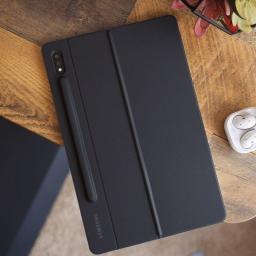
The best Samsung Galaxy Tab S7 cases protect your investment without masking the tablet's incredible screen or svelte design. While it's the smaller of the two S7 models, the Tab S7 still sports an 11-inch screen and some noticeable heft, which means it needs protection as well as something to prop it up on the table, so you don't crane your neck staring down at it all day. These are the best Galaxy Tab S7 cases with kickstands, folios, and keyboard covers to keep your device well protected.Robust kickstandSpigen Tough Armor ProStaff PickFolio kickstands are great, but they can be a bit bulky, whereas the kickstand on the Tough Armor Pro is stable and sturdy without taking up tons of table space.$26 at AmazonOfficial colorsSamsung Electronics Galaxy Tab S7 Book CoverYou will pay more for the fit and finish of Samsung's first-party folio case, but it's hard to understate how thin and luxurious it feels in hand.$63 at Amazon $68 at Best Buy $39 at B&H PhotoV...
|
 |
by Babu Mohan on (#5MYZG)
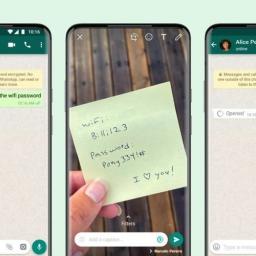
WhatsApp recommends sending photos or videos with View Once only to trusted contacts.What you need to knowWhatsApp has started rolling out its "View Once" feature to users globally.The new feature lets you send photos and videos that disappear after they are opened by the recipient. WhatsApp says the feature gives users more control over their privacy. WhatsApp introduced a new feature called "View Once" for beta users in June this year. The feature has now started rolling out for everyone on Android, iOS, KaiOS, Web and Desktop.As you may have already figured, the View Once feature enables you to share photos and videos that disappear after they are opened. What's more, any photo or video that you send using View Once will not be saved in the recipient's camera roll.Like other personal messages on WhatsApp, View Once media is protected using end-to-end encryption. They are marked with a "one-time" icon and will appear as "opened" as soon as the message is viewed. In ca...
|
 |
by Keegan Prosser on (#5MYZH)
These are the series and movies you don't want to miss on Disney+Disney Plus is a relatively new streaming service from Disney that brings the best of Disney, Pixar, Marvel, National Geographic, and more into one place.There is a whole lot of content on Disney+, which could make finding something new to watch a little overwhelming. Luckily, we've done the hard work and rounded up some of the best shows and movies that you should be watching on Disney+ right now. From original series meant for kids to action-packed or endearing films for the whole family, see our guide to the best Disney+ shows and movies below.What is Disney+, and how do I sign up?If you aren't familiar with Disney+ or have been holding out on signing up, now may be the time to learn more and get a subscription started. It brings pretty much the full collection of shows and movies from Disney, Pixar, National Geographic, Marvel, and more into one service for a low monthly cost that doesn't require a long-term...
|
 |
by Babu Mohan on (#5MYWW)
The Tab S7 FE is Samsung's most affordable 5G tablet yet.What you need to knowSamsung's mid-range Galaxy Tab S7 FE is now official in the U.S.The 5G version of the tablet will be available to purchase from August 5 for a starting price of $669. It was announced for global markets in May this year.The Galaxy Tab S7 FE, which made its debut in Europe and a few other markets earlier this year, has finally landed in the U.S. Although it isn't as impressive as Samsung's best Android tablets, the Galaxy Tab S7 FE does offer 5G connectivity and a sleek design.The Galaxy Tab S7 FE comes with a 12.4-inch LCD display featuring 2,560 x 1,600 WQXGA resolution. While the Wi-Fi-only model runs on a Snapdragon SM7325 chipset, the 5G model is powered by the Snapdragon 750G. Both models feature 4GB of RAM and 64GB of internal storage. They also include an 8MP rear camera, a 5MP front camera, stereo speakers tuned by AKG, a low-latency S Pen, and a 10,090mAh battery with 45W fast charging....
|
 |
by Jeramy Johnson on (#5MYWV)
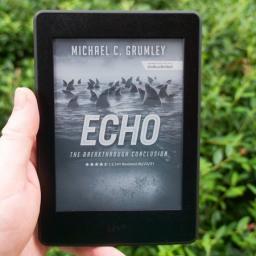
Amazon's devices have always been extremely affordable, especially its Kindle e-readers and Fire Tablets. Meant almost exclusively for content consumption, these entertainment devices are subsidized largely by Amazon's ecosystem. You see, the company knows you'll buy Kindle books, music, videos, and other services from Amazon directly, so it has no problem selling the gadgets at or below cost to get that juicy services revenue. Another way it makes these devices cheaper is by offering you ad-supported versions, which can save $20 or so on the initial purchase price. Most people think the tradeoff is clear and fair, but if you're tired of seeing them, here's how to remove those lock screen ads from your Amazon Kindle or Fire tablet.How to remove lock screen ads from your Amazon Kindle or Fire TabletFrom a web browser, go to Amazon.com and login to your account.Click on the drop-down menu under your name, and then click Account & Lists.Click on Content & Devices.Cli...
|
 |
by Luke Edwards on (#5MYWX)
Turkey might be a beautiful holiday destination but its virtual world is less welcoming. In fact Turkey has some of the most imposing censorships and restrictions worldwide. The best VPN (Virtual Private Network) services can help you with this.From accessing your social media feeds to watching YouTube videos, this could all prove challenging in Turkey. With YouTube blocked entirely and evidence that lots of specific URLs have been banned, you never know if what you're getting is the truth. This is why a VPN can help to keep you safe and secure.A VPN, or virtual private network, will allow you to access content as if you were outside the country. That means Netflix from home. But also you can get email and personal data accessed without any government snooping.How does a Turkey VPN get me access?A VPN diverts your signal through another server, often in another country, using a different IP address. This means that you can appear to be anywhere else in the world, anonymously, h...
|
 |
by Chris Wedel on (#5MYWY)
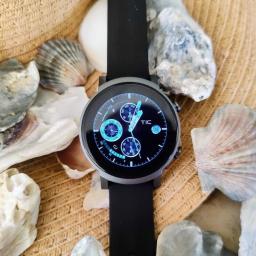
As only the second watch to run the Snapdragon 4100, the TicWatch E3 is one to watch.For fans of Google's wearable platform, Wear OS, we're in a bit of limbo right now — which is why putting together a TicWatch E3 review initially put me in a bit of a pickle. While we know that Google and Samsung are partnering to rebuild Wear OS, we didn't find out until the tail end of July 2021 that the E3 would get the update — but that still won't happen until mid-2022.Fossil has said that it doesn't plan to upgrade current watches, and though it's been confirmed that one of the best Android smartwatches available will be upgraded — the delay until later next year is still a cause for pause. Traditionally the line of E devices from Mobvoi has been in the realm of entry-level smartwatches due to the barebones design and hardware used to get the price down.Interestingly, the TicWatch E3, while still offering a very understated design, is one of two smartwatches on the market running th...
|
 |
by Jaz Brown on (#5MYT3)
Those of us who've felt the crushing weight of the ban hammer upon our fragile skulls know the pain all too well. There are few things as sad as pulling up to your favorite digital hangout only to find that you're no longer allowed inside. If you've turned on your PS4 or PS5 to discover that you've been banned from participating, we wrote the advice below with you in mind. We'll show you how to get unbanned from PlayStation Network so you can get back to hanging out online.Identify your error messagesIf you cannot connect to the PSN, you will receive an error message. While the details given are somewhat sparse, they can give you an idea of where you stand. Start by writing down your error message and comparing it to the list below.8002A227: You cannot use PlayStation Network with this account.8002A231: Your PlayStation Network account has been suspended.80710016: For more information, go to WS-37397 Error Code (most often means PSN doesn't like something about your IP).WS-...
|
 |
by Jeramy Johnson on (#5MYT4)
All the pretty colors!Earlier this week, Google let the cat out of the bag on the designs for its forthcoming flagships, the Pixel 6 and Pixel 6 Pro. In the "leaks," we got to see the stunning new designs, learned about Google's new custom Tensor SOC, and perhaps most importantly, we got to see the pretty new colors! Okay, I'm joking a bit, but I'd wager that many of you are going to pick which Pixel 6 you want at least in part based on the available colors, right?True to form for the Pixel line, the 6 series will have some fun colors for us to choose from in addition to more traditional offerings like white/silver and black. In fact, as our own Nicholas Sutrich pointed out, these colors harken back to some of the most beloved Pixel (and Nexus) phones of the past few years, a nice touch indeed!The "regular" Pixel 6 will be available in a light orange reminiscent of the Pixel 4 lineup, a sage green that looks a lot like that on the Pixel 5, and a matte black color. The Pixel 6 P...
|
 |
by Jay Bonggolto on (#5MYT5)
The Galaxy Buds 2 are turning out to be an affordable version of the Buds Pro.What you need to knowMore details about Samsung's upcoming Galaxy Buds 2 have leaked.The leak suggests the earbuds will include active noise cancellation, contrary to previous rumors.Samsung could unveil the earbuds at its Galaxy Unpacked event next week.Samsung's upcoming Galaxy Buds 2 could come with active noise cancellation (ANC), among other specs that have surfaced in a fresh leak, revealing some promising details about the earbuds. The new leak is courtesy of a Twitter user going by the handle @snoopytech, and it pretty much suggests some promising improvements from the previous-generation Buds.The Buds 2 could last up to 28 hours with ANC turned off, thanks to their supposed 61mAh battery per earbud and 472mAh battery for the charging case. That's 8 hours on a single charge and 20 hours from the charging case. Otherwise, the battery could get you up to 18 hours of use (5 hours on a singl...
|
 |
by Chris Wedel on (#5MYT6)
A familiar design that has trimmed down where it counts most while increasing performance and battery.With the TicWatch Pro 3 smartwatch, Mobvoi seems to be trying to make a name as something more than just a Wear OS watchmaker with low-cost devices that performs okay for the price. That started with the TicWatch E in 2017, but it wasn't until the Pro line of watches came shortly after that Mobvoi moved to the Qualcomm Snapdragon 2100 series of processors that debuted in 2016. Unfortunately, the company stayed with that SoC for every watch since — that changes with the TicWatch Pro 3, and wow, is the change well worth it.Now, I've owned watches from Huawei, Misfit, LG, and even going outside of the Wear OS platform with the Samsung Galaxy Watch Active 2. Unfortunately, outside of the Samsung watch, all of these have had the same fault — relatively sluggish performance. However, with the TicWatch Pro 3 sporting the newest Snapdragon 4100, the overall experience gets a massive ...
|
 |
by Babu Mohan on (#5MYT7)
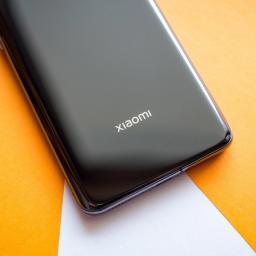
The phone is likely to be exclusive to China, at least initially.What you need to knowXiaomi will announce the Mi Mix 4 in China next week.It is expected to be Xiaomi's first phone to feature an under-screen front camera.The Mi Mix 4 is also rumored to have a Snapdragon 888 chipset and support for 120W charging speeds.Xiaomi will finally unveil the follow-up to the Mi Mix 3 5G at an event in China on August 10, just a day before Samsung's Galaxy Unpacked event. As per a teaser posted by the company on its official Weibo page, the launch event will begin at 7:30 PM local time (7:30 AM ET).Like the Mi 11 Ultra, the Mi Mix 4 is expected to be a premium flagship that will take on the best Android phones — including Samsung's Galaxy S21 Ultra. Rumors suggest the phone will come equipped with Qualcomm's 5nm Snapdragon 888 chipset, along with up to 12GB of LPDDR5 RAM and 256GB of UFS 3.1 storage.Sadly, the teaser posted by Xiaomi doesn't reveal any details about the upcomi...
|
 |
by Samuel Contreras on (#5MYR2)
The best Wi-Fi routers can be lifesavers. The difference between good Wi-Fi in your house and poor connectivity can be the difference between a good day and a bad one. So whether you need something with a ton of speed and connections or just want to make sure you don't drop your connection when you move around your home, there's a router that's right for you. Here's our reliable guide to some of the best wireless routers you can buy today.What are the best Wi-Fi routers?The TP-Link Archer AX21 is the best Wi-Fi router thanks to its AX1800 speeds being enough for most people and offering the capacity for future Wi-Fi 6 devices. It also has an easy setup procedure thanks to the TP-Link Tether app for smartphones. So if you're looking for something to keep up with most households without going overboard, the AX21 is a great fit.The best value option is the TP-Link Archer A7. While cheaper routers are available, the AC1750 speeds should keep up with HD media streaming and browsing wi...
|
 |
by Samuel Tolbert on (#5MYPG)
Best answer: Yes, at early levels, Call of Duty: Mobile is going to throw bots at you. You'll fight mostly bots for your first few levels until the game turns you loose on real players at around level 10.Does Call of Duty: Mobile have bots?Call of Duty: Mobile has quickly become one of the biggest mobile games in the world, hitting 20 million players in just two days after its initial launch and rising to become one of the best Android games available. However, after a few rounds of play, many players also started to suspect that there could be bots in the game, helping new players find their feet when they begin.As of now, Activision hasn't confirmed or denied the existence of bots in the lower rungs of the game's multiplayer mode. However, it seems like your first game is almost entirely against bots, which is a real shame if you've got a 7.2 kill/death ratio on your first go. As you slide up towards rank 10, you'll steadily play against a few more players each time. After th...
|
 |
by Jennifer Locke on (#5MYPH)
Save the world with these fantastic remasters from the iconic series.Jumping into the Final Fantasy Pixel Remasters without having any previous experience with the original games or their ports was interesting for me. Of course, I had nothing to compare them to, so I can't say whether they're worthy "remasters" in that sense. What I can say is that playing them as though they're newly released — with the knowledge that they're older and have dated mechanics — made me appreciate them more. They're perfect for mobile devices, and while I think it's a glaring omission that they haven't released on consoles, I'd wager that they're some of the best Android games available right now.And you don't even need to use some of the best mobile controllers to play them. The Final Fantasy Pixel Remasters have perfectly competent touch controls, no doubt in part because of how old and simple the games are. As someone with a contentious relationship with touch controls, this is a big plus in ...
|
 |
by Samuel Contreras on (#5MYKV)
Which carrier delivers the best 5G experience?5G coverage is rapidly expanding across thousands of U.S. cities. AT&T, T-Mobile, and Verizon have launched 5G networks with high-capacity mmWave and long-range sub-6 bands. If you're ready to jump into a new 5G phone, make sure to keep up to date on which carrier has the best coverage for you. Notably, T-Mobile's 5G network has covered 165 million people with Ultrac Capacity 5G, thanks to the spectrum it got from Sprint. Once fully deployed, 5G service will provide faster speeds and reduced response times, allowing for new services and cloud computing not previously available. However, for now, it's still very much a work in progress.5G is taking hold in the U.S., and it's no coincidence that many of the best cell phone plans now include 5G and most of the best Android phones work with 5G. For now, the major difference between LTE and 5G will be speed, but as coverage continues to roll out to new areas, more services that rely on...
|
 |
by Babu Mohan on (#5MYA4)
OPPO's new under-screen camera solution claims to solve many of the issues affecting devices like the Axon 20 5G.What you need to knowOPPO has unveiled its next-gen under-screen camera (UPC) for phones.The company claims the new solution strikes the perfect balance between screen and camera quality. Sadly, it doesn't look like OPPO plans to launch a phone with the new under-display camera (UPC) tech anytime soon.Back in September last year, ZTE launched the world's first phone with an under-display camera. While the tech looked promising, it was plagued with several major issues — including poor image quality and inconsistent display quality in the area right above the under-screen camera. OPPO has now unveiled its next-generation under-screen camera technology, which brings several major improvements and promises to take the full-screen experience to new levels.To solve the technical challenges that have plagued first-gen under-screen camera technologies, OPPO has made...
|
 |
by Harish Jonnalagadda on (#5MY90)
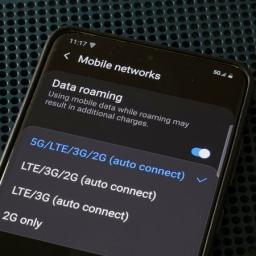
Google is introducing phones that feature custom silicon — just like Apple and Samsung.Google makes some of the best Android phones money can buy, and a large part of what makes its phones stand out is the cameras. Although Google hasn't changed the hardware sensor itself in over three years, it was able to leverage its software prowess to deliver truly outstanding photos from Pixel phones — including the $350 Pixel 4a.While Google likes to focus on software as a differentiator for its phones, the company is now turning to custom silicon to give Pixels an added edge. With the Pixel 6 announcement, Google has confirmed that the upcoming Pixel 6 and 6 Pro will run its custom Tensor SoC, a custom silicon platform that offers huge gains in on-device AI.The custom chipsets could end up eventually powering all of its phones and even its Chromebooks, and with it set to debut in the Pixel 6 later this year, we don't have to wait long to find out what's in store. Here's everything y...
|
 |
by Samuel Contreras on (#5MY6S)
What you need to knowAT&T has the best 5G experience according to RootMetrics Everyday 5G experience score.T-Mobile has the best availability with at least 25% 5G availability in every market tested.Verizon's 5G network has the best reliability for devices getting and staying connected.RootMetrics has released its 5G report for the first half of 2021, and Verizon is the big winner with the Best Everyday 5G experience. This is a combination of RootMetrics Everyday 5G availability, data speed, and reliability. While AT&T didn't come out on top in every category, it scored well enough in all of them to come out ahead with all things considered.Regarding availability, T-Mobile won easily with a score of 80 markets compared to AT&T with 44 and Verizon with just nine. T-Mobile had some level of 5G coverage available in all of the 125 tested markets. Notably, T-Mobile had greater than 25% availability in every market tested, and 72 markets showed more than 85% availabi...
|
 |
by Derrek Lee on (#5MY6T)
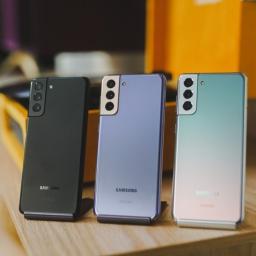
The Galaxy Watch 4 is going to be all about choice.What you need to knowA new rumor claims the Galaxy Watch 4 will let users select their assistant.Previous Galaxy watches only gave users access to Bixby.Google Assistant isn't known to be very reliable on the current iteration of Wear OS.Samsung is gearing up for the launch of its next smartwatch, but until then, there are many questions surrounding the device. With it running the upcoming Wear OS 3 update, one point that remained unclear is whether or not the Samsung Galaxy Watch 4 would include Google Assistant or stick with Bixby. The latest rumor might give fans a good reason to celebrate.According to known leaker SnoopyTech, the upcoming smartwatch will allow users to select between the two AI assistants.Also: Google Assistant or Bixby— Snoopy (@_snoopytech_) August 2, 2021It's not much to go by, but 9to5Google was also able to find a line of code in the Wear OS app that may help support the claim:com.googl...
|
 |
by Adam Oram on (#5MY3F)
At its Unpacked event earlier this year, Samsung unveiled the latest Galaxy S21 models. If you want to get your hands on one as soon as possible and make a saving, we're here to let you know the best place to pick one up.Best Samsung Galaxy S21 Deals Available NowSamsung Galaxy S21 Deals: Get one for FREESamsung Galaxy S21+ Deals: Free with trade-inSamsung Galaxy S21 Ultra Deals: Save up to $1,300We've been used to Samsung releasing three S series phones a year for a little while now. Back in 2019, we saw the release of the Galaxy S10e, S10, and S10+, with 2020 giving us the Galaxy S20, S20+, and S20 Ultra. The 2021 lineup follows that trend with Samsung unveiling the Galaxy S21, S21+, and S21 Ultra phones.Though the Samsung Galaxy S21 devices are still rather new, there are a whole bunch of deals already available at this early stage so you can save money while also pocketing the latest flagship device on the market.Best Cheap Samsung Galaxy S21 DealsThe Samsung ...
|
 |
by Derrek Lee on (#5MY1F)
We should at least see a bigger launch than the Pixel 5a.What you need to knowGoogle officially announced the Pixel 6 and 6 Pro this week.The company did not provide details around availability, but splash pages give us an idea of where it will launch.Google will provide full details during the launch later this fall.The Google Pixel 6 and 6 Pro are official, thanks to the company's teaser announcement on Monday. And while the company gave us a good idea of what to expect from these devices, many details were still left out, like availability. However, thanks to some internet sleuths, we might have an idea of where the Pixel 6 will launch.As pointed out by Android Police, the landing page for the Pixel 6 is live in several countries, including the United States, making it likely that the upcoming flagship will launch in these countries:United StatesCanadaAustraliaUnited KingdomGermanyFranceJapanTaiwanThe current batch of Pixel phones isn't widely available, w...
|
 |
by James Bricknell on (#5MY1G)
Blizzard is bringing the Diablo series to your mobile phone, and we cannot wait.Diablo Immortal was announced in late 2018 by Blizzard, and will be the first Diablo entry designed for play on mobile devices. While there are many mobile RPGs to play, Immortal will be the first full Diablo game designed from the ground up to be played on a mobile device, and thus carries a ton of excitement with it. Ever since its announcement, we've gotten a slow trickle of Diablo Immortal footage, including some gameplay.With two Technical Alpha's for Diablo Immortal having been released in 2020, Blizzard has also released a ton of new information on the game, including news on how monetization works, gameplay, and much more.Here is everything we know about the game so far.Jump to:What is Diablo Immortal?What type of game is it?What's gameplay like?When does it release?Closed Alpha Paragon levelingPvP gameplay What is gear like?What classes are there?Is it free-to-play?Is there...
|
 |
by Jeramy Johnson on (#5MY1H)
Ring is one of the most well-known home security solutions providers and offers a massive variety of products to consider. That's why we've rounded up the best Ring products to help you fill out your smart home. Ring continues to make some of the best home security devices around. In recent months, the company has done a much better job of responding to and addressing the increased demand for additional data privacy controls and promises additional customer controls. With regular releases and new products coming to market all the time, our list of best Ring products can help you pick the best of the best.Best Ring products: Video doorbellRing - Video Doorbell Pro 2 Smart WiFi Video Doorbell WiredStaff PickRing Video Doorbell Pro 2 might require hard-wired power to keep it going, but hooking it up is well worth the effort. Incredible video quality, a super-useful head-to-toe aspect ratio, and radar-powered 3D Motion round out a sleek and attractive product.$227 at Dell $...
|
 |
by Samuel Contreras on (#5MXZ5)
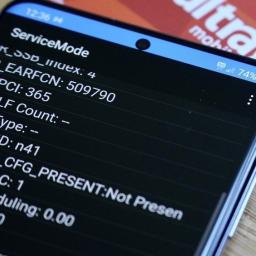
Spring's dying network will boost T-Mobile's new network.What you need to knowSprint 3G (CDMA) is shutting down on January 1, 2022, followed by LTE on June 30, 2022.Most Sprint LTE phones simply need a SIM swap to keep working, and free phones will be available to others.T-Mobile 2G and 3G are also planned to be retired with no date set.T-Mobile will contact customers with incompatible phones.T-Mobile has been extremely aggressive in gaining access to valuable wireless spectrum for its growing 5G network. T-Mobile purchased Sprint in April of 2020 and was quick to start moving customers with compatible phones over to the T-Mobile network while preparing to shut down Sprint's legacy 3G and LTE networks. This makes sense as operating two networks with a lot of overlap is extremely expensive.T-Mobile has already taken down portions of Sprint's network, starting with band n41 5G, which has become the foundation of T-Mobile's Ultra Capacity 5G coverage. Most recently, T-Mobil...
|
 |
by Courtney Lynch on (#5MXZ6)
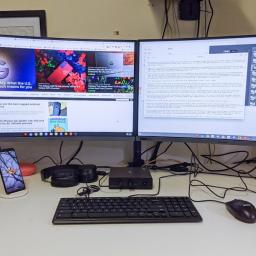
As much as we love the functionality that the best Android smartwatches offer, there's no denying that traditional, non-smart watches tend to look much better on the wrist. Thanks to the highly competitive market for hybrid wearables, you have the option of finding something that looks like a regular watch but still offers some of the best features of a smartwatch. If you think this is the type of wearable you're looking for, check out some of the best hybrid smartwatches below!A hybrid done rightFossil Men's Collider Hybrid HRStaff pickFossil is one of the most popular watch brands on the market and its hybrid models are no exception. The Fossil Men's Collider Hybrid HR provides over 2 weeks of battery life and has heart-rate monitoring, activity tracking, smartphone notifications, and music controls. The 42mm case comes in a variety of fashionable styles, too.$195 at Amazon$195 at WalmartRose gold lifeFossil Carlie Hybrid SmartwatchIf you're looking for s...
|
 |
by Jerry Hildenbrand on (#5MXN2)
Chrome OS comes on two types of devices: laptops called Chromebooks and desktop machines called Chromeboxes. While the best Chromebooks are more widely known and more diverse in their options, Chromeboxes are a relatively small market where you have one option from each of the major manufacturers that gets updated every few years. 2021 is a good year to be a Chromebox user, as we're getting updates to the two most popular Chromeboxes on the market. While we may see another Chromebox or two come out in the second half of 2021, the ASUS Chromebox 4 is the one you'll want to buy for the extra ports and the extra power.Best overall: ASUS Chromebox 4ASUS makes some of the best Chromebooks for work, and it's never afraid to squeeze in every little feature and port it can to try and stand out in an increasingly competitive Chrome Enterprise space. This means that whether you're buying the business version or consumer-grade, we all benefit from ASUS's dedication to being the most power...
|
 |
by Samuel Tolbert on (#5MXN3)
Set a fire in your navigation system, Spartan.What you need to knowMicrosoft announced a crossover between Halo Infinite and the Waze navigation app.For a limited time, users of Waze get a Halo experience, with a "mood" befitting that of Master Chief or Banished leader Escharum.Users can also represent their vehicle on the road with either a Warthog or Ghost.Ever wished for a SPNKr rocket launcher when traffic was really bad? You still can't do that but a new parntership between Microsoft and Waze might be the closest you'll get. As announced on Xbox Wire, Waze is getting a crossover with the upcoming blockbuster Xbox title, Halo Infinite.Available today, Waze users can choose a Halo theme that further allows the selection of one of two factions: the human UNSC forces, or the alien Banished. Depending on the faction you choose, your vehicle will then be represented on the road by either a Warthog or Ghost. You can even set your "mood" to fit that of the heroic Master Chie...
|
 |
by Jim Metzendorf on (#5MXN4)
There's more to say about the Activision Blizzard debacle, including a few rays of hope for change. The team also chat about a delay of Horizon Forbidden West to 2022, the painfulness of SSD expansion options for PS5, and loads more.Hosted by: Jennifer Locke, Carli Velocci, and Rebecca SpearGot feedback? Hit up Podcast@androidcentral.com and tell us something!LISTEN NOW:LINKS:Activision Blizzard employees walk out in protest of leadership's response to lawsuit. But they're hopeful. | Windows CentralActivision Blizzard CEO Bobby Kotick calls initial response to lawsuit 'tone deaf' | Windows CentralNearly 500 Ubisoft employees sign letter standing with Activision Blizzard walkout | Windows CentralHorizon Forbidden West for PS5 and PS4 is reportedly delayed to 2022 | Android CentralSony's PS5 SSD storage expansions suck, but only for now | Android CentralPS5: SSD storage expansion guide | Android Central...
|
 |
by Nicholas Sutrich on (#5MXJF)
The only way to become a sniper rifle-wielding Knight of the Round Table.As Population: One enters its ninth month of existence, developers BigBox VR are ramping up the seasonal content in the biggest way yet. It almost immediately made the list of best Quest 2 games upon launch last October thanks to its innovative free-roam climb-and-glide movement system — something that continues to set it apart in the crowded battle royale segment — and its success caught the attention of Facebook as BigBox VR became part of the first-party Oculus Studios fold last month.Population: One Season 2 was a huge new expansion that saw an entire section of the map remade in a completely new theme, along with a bunch of new weapons and a handful of changes to the game's mechanics. Season 3: Kingdom Age begins with a similar premise — transforming an entire section of the map into a massively different-looking area — but it holds back some of the bigger immediate changes with the promise of m...
|