 |
by Jeramy Johnson on (#5KABK)
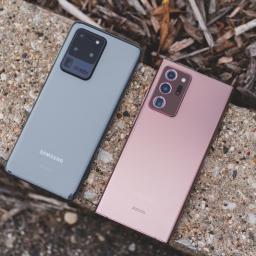
It's hard to believe, but Amazon Prime Day is finally here, which means tons of great Prime Day phone deals! This two-day savings event happens on June 21 and 22 this year and is one of the best times of the year to shop for all sorts of things, including Android smartphones. With phone prices seeming to increase all the time, having an opportunity to pick up a quality handset for less is a big deal.Whether you're in the market for a top-of-the-line flagship or something more affordable, Amazon Prime Day has you covered for Android deals and discounts. We've rounded up the best ones we've found so far. But remember, Prime Day isn't just about phones, so be sure to check out other Prime Day deals available; you might be surprised at what you can find! So, without further ado, here are the best Android phone deals you can't miss during Prime Day 2021.Best Amazon Prime Day Android Phone Deals:Flagship phones: Save up to $425Budget options From $157More info Pricing history, whi...
|
 Latest from Android Central
| Link | https://www.androidcentral.com/feeds.xml |
| Feed | http://www.androidcentral.com/rss.xml |
| Updated | 2026-10-26 04:09 |
 |
by Daniel Bader on (#5KAPP)
Google gets the basics right with its latest pair of true wireless earbuds.The life cycle of a Google hardware product usually takes one of two directions: it starts out full of bugs and slowly, with software updates, ends up being a solid product with a whiff of reputation damage; or it starts out seemingly flawless and, over time, loses its luster as small issues crop up and don't get solved.The company's first true wireless earbuds, 2020's Pixel Buds, were the latter. In April 2020, as the pandemic started raging across the country, Google appeared triumphant as early reviews praised the earbuds' sound quality, comfort, and general ease of use. But it became quickly apparent that there were endemic connectivity issues users would discover as they spent more time wearing their new buds. Google chalked it up to early firmware and promised fixes, but even after several updates the problems have yet to fully abate — even today, Google's support forums are full of posts about the...
|
 |
by Harish Jonnalagadda on (#5KAPS)
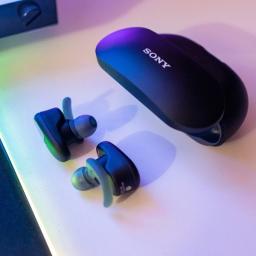
We've rounded up the best Prime Day wireless earbud deals, but one particular deal I want to highlight is the Sony WF-SP800N. Sony's WF-1000XM3 are among the best wireless earbuds in the market, and the WF-SP800N are a fitness-focused version of those earbuds, with wing tips for a secure fit, IP55 ingress protection, and nine-hour battery life.The WF-SP800N launched last year for $200, but they went down to $150 a few times over the course of the year. In April 2021, Sony started selling them for $118, and for Prime Day, they're getting an additional $30 discount, bringing them down to just $88. That's a 56% discount from their launch price just over a year ago, and for what you're getting here, that's a fantastic deal.Sony WF-SP800N | $112 off at AmazonThe WF-SP800N are among the best wireless workout earbuds you can buy today, with sublime sound quality, an IP55-rated design, nine-hour battery life, and a secure fit that provides decent noise isolation.$88 at AmazonI used...
|
 |
by Harish Jonnalagadda on (#5KAPR)
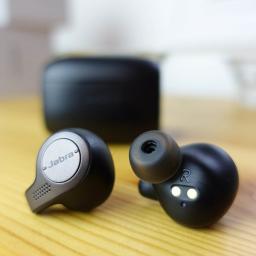
Jabra makes some of the best wireless earbuds around, and the Elite 65t continue to be a solid option nearly three years after their introduction. They have a comfortable fit that's great for all-day use, the sound quality is on par with the latest earbuds, and at $50, this is a Prime Day wireless earbud deal you don't want to miss.The Elite 65t launched for $170, but following the introduction of the Elite 75t and the Elite 85t, they were discounted to $80. With Prime Day, you're getting an additional $30 savings, bringing the cost down to a very enticing $50. For context, that's nearly three times what you'll have to pay for the Elite 75t, and while I like the 75t a lot, they're not three times as good. So if you want a great pair of wireless earbuds on a budget, you should get on this Prime Day deal right now.Jabra Elite 65t | $30 off at AmazonThe Jabra Elite 65t deliver in several key areas: they have a comfortable fit, great sound quality, are ideal for calls, last five ho...
|
 |
by Jeramy Johnson on (#5KAPQ)
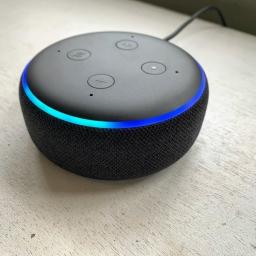
Some of the best Amazon device deals this Prime Day are not just on the newest Echo speakers. In fact, big bargains can be found all over the site if you're willing to look at Amazon's previous generation products.Take the Echo Dot (3rd Gen) for example. This device is the pinnacle of the original hockey puck disc design that inspired an entire generation of smart speakers like the Google/Nest Mini devices. It may not be the newest product in the lineup, but it is still a big seller. Why? Well, not only is it half the size of the Echo Dot (4th Gen), it's also generally much more affordable than the newer device. That's a pretty compelling proposition for a lot of people.Amazon Echo Dot (3rd Gen) | $20 off at AmazonThe iconic Echo Dot (3rd Gen) may not be the most amazing speaker ever, but it is one of the best smart speakers that you can buy. Its petite footprint means that it can fit just about anywhere you want to put it, and it makes for the perfect discrete smart home con...
|
 |
by Chris Wedel on (#5KAPW)
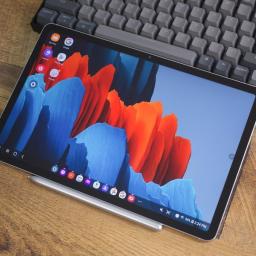
There may not be many premium Android tablets on the market these days, but if you're in the market for one, Prime Day is definitely when you should be picking out the best Android tablet available. With this deal, you'll be picking up the Samsung Galaxy Tab S7 with the S Pen at close to its lowest price ever — 25% off its MSRP.Samsung Galaxy Tab S7 Wi-Fi 128GB | 25% off at AmazonThe Samsung Galaxy Tab S7 brings unmatched build quality and performance in the world of Android tablets. With the included S Pen, you'll have a device that is not only excellent for entertainment but also a powerhouse productivity tablet.$485 at AmazonFor years, Samsung has had some of the most amazing screens and top-notch performance even when pitted against some of the best Android phones out there. So, it's not surprising that its tablets offer the same spectacular benefits as well, and with the Galaxy Tab S7 — you get it all.Out front is the 11-inch high-resolution AMOLED display to ...
|
 |
by Jennifer Locke on (#5KAPV)
Anyone in the market for a new headset will want to take advantage of Prime Day. Not only are some of the best wireless earbuds and accessories on sale, but you can get an amazing wireless PS5 headset for a steal. We don't always want to be tethered to our consoles or controllers, and because wireless headsets tend to be more expensive than wired, you'll always want to be on the lookout for great deals.Among some of the deals today include $50 off an a HyperX Cloud Flight S headset, a fully wireless model that's compatible with Qi wireless charging. It sports up to 30 hours of battery life and has an easy-to-use button that instantly switches from stereo to 7.1 surround sound, allowing you to truly hear what a difference it makes while playing your favorite games.HyperX Cloud Flight S | $50 off at AmazonHyperX is offering a discount on its more premium headset, the Cloud Flight S. Packed with 7.1 surround sound, 30 hours of battery life, 90-degree rotating earcups, and a deta...
|
 |
by Alex Dobie on (#5KAPT)
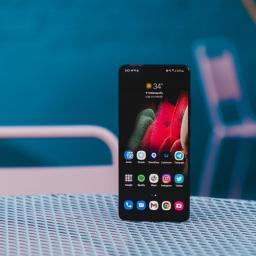
The Samsung Galaxy S21 Ultra is an overachiever across the board, with top-tier specs for an Android flagship and a frankly bonkers rear camera array. And this Amazon Prime Day you can bag an unlocked S21 Ultra for $899, a saving of 25% off the list price. The Galaxy S21 Ultra debuted earlier in the year with a $1,199 price tag, easily making this one of the best Prime Day deals on an Android phone. This deal is for the U.S. unlocked Galaxy S21 Ultra with 128GB of storage in matte midnight black.Samsung Galaxy S21 Ultra | 25% off at AmazonA big, beautiful display, all-day battery life, and the most impressive camera system in any smartphone make the S21 Ultra one of the top smartphones of 2021. This is the best unlocked price we've seen so far for Samsung's flagship.$899 at AmazonAmazon UK also has its own S21 Ultra deal, with the phone listed for 20% off the standard unlocked price for the 256GB model.Samsung's standard-bearer for 2021 is one of the best Android phones, bu...
|
 |
by Jeramy Johnson on (#5KAMD)
Everybody knows that Prime Day is the time to score the best deals on Amazon devices like Echo smart speakers and Fire TVs, but there is one Alexa device you may have forgotten about and which just might be the most interesting of them all — the Echo Frames (2nd Gen).The category of smart glasses is a relatively new one when it comes to wearable tech. And yet, it's quickly growing with entries by the likes of Bose, Oakley, Razer, and Fauna. We've tested and reviewed many of these devices, but for my money, the best smart glasses to date come from Amazon. Not only does Amazon offer a superior voice assistant experience to the competition, but its frames are more comfortable, (arguably) more stylish, but during Prime Day, they're more affordable.Amazon Echo Frames (2nd Gen) Classic Black | $75 off at AmazonThe second-generation Echo Frames are a great way to gain hands-free Alexa access on the go. They're stylish and comfortable and sport much-improved battery life and batter...
|
 |
by Nicholas Sutrich on (#5KAMC)
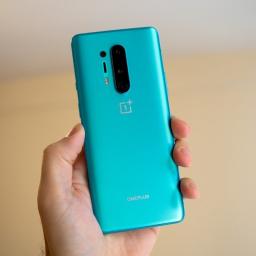
The OnePlus 8 was one of our favorite flagship phones in 2020, but it came with one big problem: a very high price. That problem has finally been solved, but only for Prime Day, so you'll have to act fast! This price makes the OnePlus 8 Glacial Green 128GB one of the very best Prime Day smartphone deals you'll find, as it's nearly half off the launch price.Other colors of the OnePlus 8, like silver and black, have been permanently discounted down to $500 on a regular day, and are even on sale for around $470 right now. Conversely, the lowest price we've ever seen the Glacial Green OnePlus 8 on Amazon was during the launch window for the OnePlus 9 at the end of March. for $473.68 on Amazon. This deal is still more than $100 less than that.The best deal right now is straight from OnePlus, which you can find at the link to its website below.OnePlus 8 Glacier Green 128GB | $350 off at OnePlusThe OnePlus 8 was already a great phone, but this deal makes it an incredible value, as...
|
 |
by Shruti Shekar on (#5KAMG)
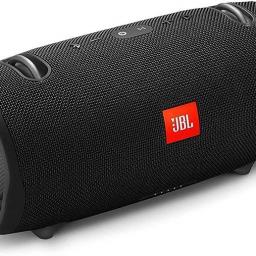
It's Amazon Prime Day, which means there are going to be a million deals everywhere for good Bluetooth waterproof speakers. And if that's what you want, you've come to the right page, because you might want to look into getting JBL's Xtreme 2 speaker.The deal is great because it's 57% off the original $350 price for a total of $150. The JBL Xtreme 2 is really great for people who love to blast their music loud. Despite it's big size, it comes in some great colors, including black, blue, green, red, and camoflauge.JBL Xtreme 2 waterproof speaker | 57% off at AmazonThe JBL Xtreme 2 features a 10,000mAh battery that will last 16 hours and takes only 3.5 hours to charge. It is waterproof and is great for summer pool parties.$150 at AmazonThere are a ton of Bluetooth speakers on the market, and a lof of them will be on sale this Prime Day. However, if sound and volume are important to you, than you'll want to check out the JBL Xtreme 2 Bluetooth speaker. It might be bigger t...
|
 |
by Jeramy Johnson on (#5KAMF)
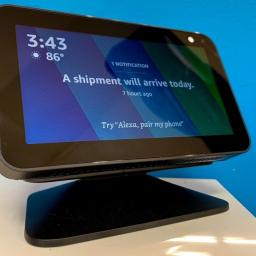
Some of the most popular and best-loved Echo smart speakers are also some of the smallest. Like its sibling, the Echo Dot, the Echo Show 5 may be small in stature, but it packs a mighty punch for usability and functionality in the home. It's already one of the cheapest Echo devices, but of course, it's being discounted even further for Prime Day 2021. Indeed, one of the best Amazon device deals available right now is this bundle on the original Echo Show 5 paired with a convenient adjustable stand.You like saving money, right? How about paying half as much as the regular retail price? Well, that's what's on offer with this Prime Day deal.Amazon Echo Show 5 Charcoal (1st Gen) with Adjustable Stand | $50 off at AmazonThe Echo Show 5 (1st Gen) is a super-handy device to have in your home. Whether you use it on your bedside table or in your office next to your computer screen, you'll benefit from seeing visual information and responses to your Alexa queries. With this adjustable ...
|
 |
by Jennifer Locke on (#5KAJN)
With company's like Google and Amazon developing their own game streaming services, there's a need for new controllers. Amazon designed its Luna controller specifically for the service, and you can buy it today for less, thanks to Amazon Prime Day. While it's also compatible with Xbox and PlayStation controllers, Amazon built its own that boasts features the competition surely lacks.With a connection over Wi-Fi, the Luna controller reduces latency from anywhere between 17 and 30 milliseconds. That may not seem like much, but that can make all the difference when you're playing a game over the cloud. Not only that, but it allows you to easily transition between devices whether you're playing on Windows PC, Fire TV, Android, and more — without the need to pair it to a specific device. And with its built-in Amazon Alexa button, you'll be able to launch your games on Fire TV by just speaking to the controller.Amazon Luna Controller | $20 off at AmazonBuilt specifically for Amaz...
|
 |
by Jeramy Johnson on (#5KAJQ)
The best Amazon device deals are really starting to pour in now that Prime Day 2021 has officially kicked off, and we're particularly pleased to see some significant discounts on newer products like the Echo Show 8 (2nd Gen).The latest edition to the Echo Show family is also the best Echo Show that you can buy right now — at least for the money. It may not have the fancy rotating display found on the Echo Show 10 (3rd Gen), but it shares the same high-quality camera, and it can fit in more places. It was already a good value at its normal price, but this deal makes it even more tempting!Amazon Echo Show 8 (2nd Gen) | $35 off at AmazonAmazon followed the "if it ain't broke, don't fix it" mantra with its newest Echo Show 8, electing not to make major changes to its style or function. What is much improved is the 13MP camera that can pan and tilt to keep you in the frame, thus making you look even better on video calls. Its processor also got a bit of a bump to make things run...
|
 |
by Babu Mohan on (#5KAH3)
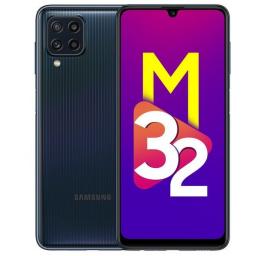
Aside from a high-refresh-rate display, the Galaxy M32 isn't really an "upgrade" over last year's Galaxy M31.What you need to knowGalaxy M32 is the latest addition to Samsung's Galaxy value-focused M series.The phone features a 90Hz Super AMOLED display and a massive 6,000mAh battery. It will go on sale in India from June 28 for a starting price of ₹14,999 ($203).Samsung has launched a new Galaxy M series budget phone in India to challenge the best cheap Android phones from Xiaomi, Realme, and Motorola. The new Galaxy M32 is a follow-up to last year's Galaxy M31.The latest budget Android phone from Samsung comes with a 6.4-inch Super AMOLED display featuring FHD+ resolution, a 90Hz refresh rate, and a U-shaped notch housing the 20MP selfie camera. Samsung claims the panel can achieve a peak brightness of 800 nits in High Brightness Mode, which is automatically activated for surroundings that are 20,000 lux or higher. Unlike the Galaxy M31 and M31s, which feature an in-h...
|
 |
by Nicholas Sutrich on (#5KAH6)
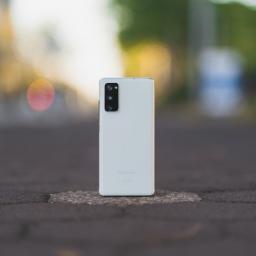
The Galaxy S21 might be Samsung's latest phone, but thanks to this Prime Day deal, you can safely skip this year's flagships in favor of the best premium value flagship Samsung has ever produced. Other Prime Day smartphone deals might feature steeper discounts, but this is still the best value Prime Day smartphone deal we've yet seen.In fact, when you look at the spec sheet, you'd be hard-pressed to find too many substantial differences between the Galaxy S20 FE and the Galaxy S21, despite the $100 price difference in this year's Prime Day sales. That Galaxy S21 Prime Day deal is certainly tempting, but if you don't absolutely need the latest processor, you're better off saving the money and picking up the Galaxy S20 FE instead. It's called Fan Edition for a reason, after all!Samsung Galaxy S20 FE | $200 off at AmazonThe Galaxy S20 FE sheds the price without shedding the specs. It was a surprising release from Samsung that made everyone reconsider what a premium flagship phon...
|
 |
by Courtney Lynch on (#5KAH4)
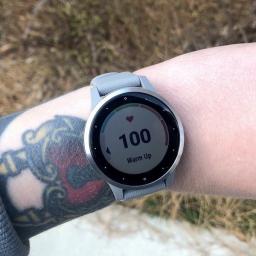
Wearable companies may slash their prices occasionally but Prime Day is the perfect opportunity to score an unbeatable deal on a smartwatch, like the Garmin Vivoactive 4, for example. This watch is more than a year old now, but it's still a solid option for fitness enthusiasts. What's more, this is just one of many Prime Day Android smartwatch deals that might catch your eye.The Garmin Vivoactive 4 was initially released with a hefty price tag of $349.99, but you can get it for nearly half-off at $189.99 on Prime Day. See? This deal truly is unbeatable. As Garmin has rolled out some new watches in recent months, prices for the Vivoactive 4 models have hovered closer to $300. If you're not fixated on having the newest smartwatch on the market, this one is a great place to start. It comes with a wide array of features that's ideal for both beginners and experienced smartwatch users. Not to mention that you won't have to spend a fortune, either.Garmin Vivoactive 4 | $160 off at Amaz...
|
 |
by Jeramy Johnson on (#5KAH8)
The best wireless earbuds enhance every screen we use, from phones to tablets to Chromebooks and laptops. Not only are they convenient, sound great, and have a pretty good battery life, but you can use them while relaxing while working or while working out! With Prime Day tech deals nearly here, we're about to see some of the best discounts on the most popular wireless earbuds.Another great thing about true wireless earbuds is that no matter what kind of device you have, be it an Android phone or iPhone, Chromebook, smartwatch or tablet, the Bluetooth connectivity means that they will work across devices.Amazon Echo Buds (2nd Gen) | $80 at AmazonChoose between a wired charging case or wireless charging case with the new Amazon Echo Buds. These upgraded earbuds offer active noise-cancellation and last for up to 15 hours while traveling using the charging case. Plus, they work with Alexa, Siri, and Google Assistant. For Prime Day, they're already $40 off, down to $80 for the wi...
|
 |
by Jerry Hildenbrand on (#5KAF9)
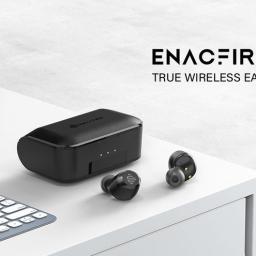
Wireless headphones of some sort are a must nowadays. Trust me, nobody wants to hear whatever show or music you happen to be streaming on the bus during the evening commute. And since most people don't want a big pair of over-ear headphones hanging off their heads, it's time to look at the best wireless earbud deals on Prime Day.You don't have to spend a fortune and get the most expensive set of earbuds if you're just looking for something basic and solid, and that's where Enacfire's F1 earbuds come into the picture. They have the features most of us need, like water resistance, touch controls, long battery life, and a charging case plus one more great one — a low price.ENACFIRE F1 wireless earbudsYou don't have to spend a lot to get a pair of solid wireless earbuds with the features most people really want. This Prime Day deal gets you there for only $32!$32 at AmazonSound quality shouldn't be a problem either since these earbuds share the same Qualcomm chip you'll f...
|
 |
by Christopher Close on (#5KAFG)
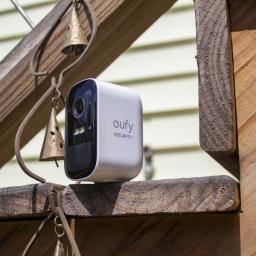
Smart home security cameras are a must these days, but as we all know, covering every corner of our homes can be a little pricey — especially if you need a wire-free camera system. With Amazon's biggest shopping event, Prime Day, in full swing, now is the absolute best time to stock up on smart home accessories like this two camera wireless security kit from eufy. Now just $150, the eufyCam 2C 2-Cam kit gives you the ability to keep an eye on your home from anywhere in the world with crystal-clear HD visuals, app controls, and free local recording without a subscription.eufy Security, eufyCam 2C 2-Cam Kit | 32% off at Amazoneufy's two-camera security kit gives you freedom from wires and subscriptions with 180-day battery life and local recording. An integrated floodlight and 1080p HD resolution allow you to see in color at night.$150 at AmazonAs the name suggests, the eufyCam 2C 2-Cam Kit includes two IP65 weather-resistant wireless cameras and the HomeBase 2 hub. eufy's ca...
|
 |
by Chris Wedel on (#5KAFF)
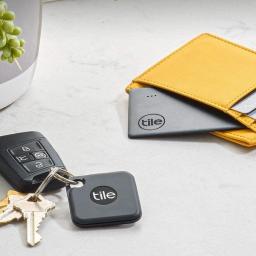
Isn't losing your stuff the worst! Thankfully, it's Prime Day, and Amazon has awesome deals to help solve the problem of our lost items. Tile has been making some of the best Bluetooth trackers for years, and you can save 30% off the Tile Performance Pack. Slip the credit card-sized Slim into your wallet, clip the Pro tracker onto your keys, and never lose them again!Tile Performance PackThis Tile two-pack snags you both a Pro and a Slim Bluetooth tracker to help you keep tabs on your most essential items. The Slim is perfect for a wallet or purse and the Pro can be attached to your keys or almost anything else.$42 at AmazonWhether you're a forgetful person and always misplacing things, your kids like to play with your keys and inevitably lose them, or you just want to be prepared if something gets lost, Tile trackers can help. Simply pair your tracker with the Tile app and attach it to whatever it is that you want to keep track of, and you're covered.With this deal, yo...
|
 |
by Jennifer Locke on (#5KAFE)
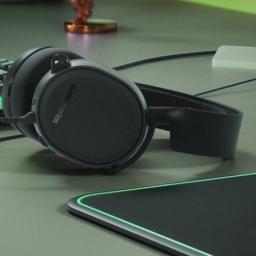
Some of the best PS5 headsets are on sale for Prime Day, so this is the perfect time to pick one up if you're in the market for a new one. Your regular television speakers just can't compare, and a headset is especially convenient if you're gaming early in the morning or late at night and don't want to wake anyone up. When it comes to these headsets, very few beat what SteelSeries offers with its Arctis lineup.The Arctis 3, on sale for $20 off today, is a versatile headset compatible with most systems, including PlayStation, Xbox, Switch, and mobile. With its signature ski goggle suspension headband, its comfort is nearly unparalleled. You likely won't find a better headset at just $50.SteelSeries Arctis 3 | $20 off at AmazonSteelSeries makes some of the most comfortable gaming headsets in the business, and the Arctis 3 is no different. Compatible with PlayStation, Xbox, Nintendo Switch, VR, and mobile, you'll be able to use it on almost any device. Its ski goggle suspension ...
|
 |
by Ara Wagoner on (#5KAFD)
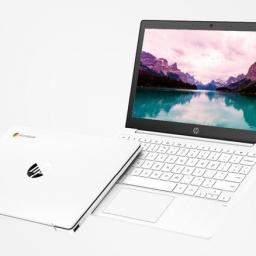
While many of us have spent the last year working from home and distance learning, with the world opening back up, it's time to take a trip and explore. Taking your primary laptop with you on vacations and afternoon jaunts to the coffee shop can be risky business — what if it gets stolen? Or breaks? — and let's be real, when you're out in the world, you're usually just using your laptop to check email and kill time.You don't need your clunky old 15 or 17-inch laptop for any of that! Instead, you can save your back, your sanity, and your private data by taking advantage of fantastic Prime Day Chromebook deals to grab a lightweight, quick-to-boot Chromebook that's ready for all-day excursions and whatever vacation you're planning this summer.HP Chromebook 11a | $32 off at AmazonIt may lack a touchscreen, but this Chromebook has the essentials you need to browse the web, play some Android games, and get homework done. It features the same MediaTek 8183 processor many top compa...
|
 |
by Jennifer Locke on (#5KAFC)
Prime Day already has deals on some of the best wireless earbuds out there, but earbuds aren't always the best for longer gaming sessions. That's when a nice headset comes into play. Unless you have a ridiculous setup, your television speakers are likely no match for a dedicated headset that can deliver immersive directional audio. Speaking from experience, there are some noises that I can't hear with my television speakers, but I can with a headset.HyperX offers discounts on several headset models today, including the HyperX Cloud, officially licensed for PlayStation. If the fact that it's a wired connection isn't a deal-breaker, you should absolutely consider picking it up. The HyperX Cloud features 53-millimeter drivers, a detachable microphone, memory foam earcups, in-line audio controls, and an aluminum frame to keep it all together.HyperX Cloud | $30 off at AmazonThe HyperX Cloud wired headset is officially licensed for PlayStation and features memory foam padding, in-l...
|
 |
by Jeramy Johnson on (#5KABH)
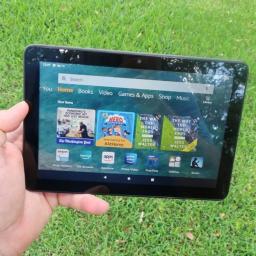
Amazon makes some of the most affordable and most popular Android tablets, and to no one's surprise, many of its Fire Tablets go on sale during Prime Day.Fire Tablet devices can run most of the popular media, streaming, and social media apps that you'll find on more expensive tablets, plus they can handle quite a bit of productivity work. They're also great for mobile gaming and for entertaining your little ones. And with multi-user and multi-account support, as well as Amazon's Kids+ service, they make the perfect family tablet even more of a good value. The non-kid versions of the Fire Tablets can be had in an ad-free, or a cheaper, ad-supported option (and you can always upgrade to ad-free for an additional fee at a later time).These Fire Tablets often go on sale throughout the year, but you're unlikely to find a better deal on Amazon Devices than during Prime Day 2021. Here are the best Fire Tablet deals that we've seen so far.Amazon Fire HD 8 Plus w/ charging dock | $10 ...
|
 |
by Ara Wagoner on (#5KABG)
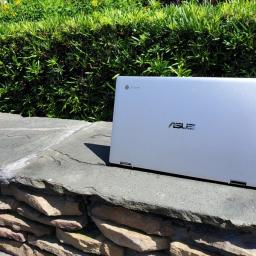
As millions of us continue to learn and work from home, Prime Day deals will make a great time to replace your aging desktop or add another Chromebook to your family's collection. Most of the best Chromebooks have been available for over a year now, which means that deals are much more likely this year than they were last year — when we were also in the midst of the 2020 Chromebook shortage.Part of why Chromebooks have (almost) always had great deals on Prime Day is that mid-range Chromebooks come down to budget prices, and budget Chromebooks come down to impulse-buy prices. Considering that Chrome OS is designed to run on more affordable hardware to begin with, and that means that Prime Day is the best time to get a laptop, especially a budget laptop. Premium Chromebooks like the Samsung Galaxy Chromebook are already seeing deep discounts ahead of Prime Day, so you can grab a great Chromebook and have it in time for Prime Day on Monday.No matter your budget this Prime Day, Goo...
|
 |
by Joe Maring on (#5KABF)
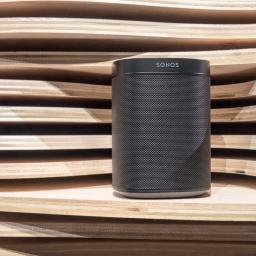
If you're a fan of buying new gadgets at great prices, Prime Day is one of the most exciting times for deals of the year. The two-day event taking place this summer is jam-packed with endless savings for just about everything you can imagine, including the Sonos speakers.We're big fans of Sonos here at Android Central, as the speakers are among the most impressive and versatile money can buy. The only problem with Sonos speakers, however, is that they tend to be a bit pricey. During Amazon Prime Day, this isn't an issue. Sonos hardware usually sees big discounts during this shopping event, and we've rounded up the best ones below. Check 'em out!Best Amazon Prime Day Sonos Deals:Sonos speakers: Starting at just $179Sonos home theater From $399More info Pricing history, which to buy, and moreIf you've been looking to get into the Sonos ecosystem for a while but haven't been able to justify the cost, Prime Day is exactly what you've been waiting for. With generous saving...
|
 |
by Jeramy Johnson on (#5KABE)
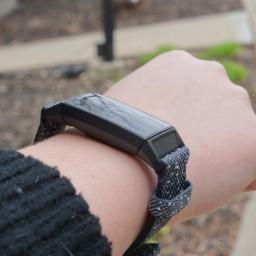
It's never too late to get in shape with these great Prime Day deals on Fitbit smartwatches, fitness trackers, and smart scales. These devices are perfect for helping motivate you to move more and providing the data and metrics you need to understand your holistic health picture better.If you're in the market for a great smartwatch, Fitbit has you covered with the new Versa 3 or the health-focused Sense, both of which are packed to the gills with tons of sensors and features. Alternatively, Fitbit also makes the most popular fitness bands around, like the Inspire 2 and Charge 4, which are perfect for those who just want good health tracking and don't want to fuss with superfluous smart features and notifications. And don't forget about maintaining a healthy body weight with a smart scale like the Aria line from Fitbit.Fitbit Charge 4 | $100 at Amazon ($50 off)The last update to the best all-around Fitbit tracker ticked nearly all of the boxes that fans wanted from previous ...
|
 |
by Ara Wagoner on (#5KABD)
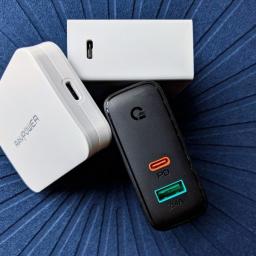
From phones to laptops and beyond, USB-C Power Delivery chargers are simply the best.Trying to keep all of your tech and toys charged day after day is no small challenge, but having a good Power Delivery charger to center your gear around is a godsend. Whether you need a newer, smaller charger for your phone since the new iPhones and Galaxy S21 don't include one in the box anymore, or you want to use one singular charger for both your laptop and phone — these are the USB-C charger deals that stand out the most right now.Though Prime Day isn't live just yet, we're already beginning to see some excellent deals appearing on USB-C chargers and other products. Below we're gathering some of our favorites and you'll also find the best Prime Day USB-C Charger deals right here once they go live.Anker PowerPort III Pod 65W PIQ 3.0 PPS Fast Charger | 30% off at AmazonA couple of weeks ago, Anker announced a new Nano II 65W charger that's about 40% smaller than this one, and it also ...
|
 |
by Chris Wedel on (#5KA6C)
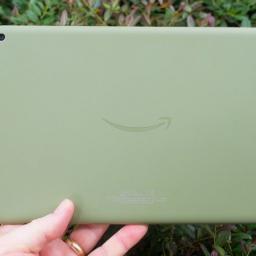
Each year Amazon's Prime Day you're going to find some savings on a lot of products, especially when it comes to Amazon devices — and this year's no different. The company recently updated its most powerful tablet, the Amazon Fire HD 10, and lucky for you, it's getting a killer discount for Prime Day, knocking almost 50% off the regular price.Amazon Fire HD 10 32GB | $70 off at AmazonNot only does this tablet offer Amazon's biggest and best display, but also the most powerful. With all of that power at your fingertips, there no task you can't accomplish with it.$80 at AmazonThe Amazon Fire HD 10 has been a stalwart on our list of best Android tablets, and with its recent upgrade, it won't be leaving that list anytime soon. That's because Amazon has done an excellent job of offering great hardware and solid performance at its usual pretty great price of $149.99, but for Prime Day, you get to pick it up for a fantastic price of $79.99.The Fire HD 10 has a 10.1" HD displ...
|
 |
by Jeramy Johnson on (#5KA58)
Whether it's for a birthday, the winter holidays, or some other special occasion, chances are you've received a gift or two that you're not wild about. Even though the gift was undoubtedly well-intentioned, it just wasn't the right fit — figuratively or literally. Heck, maybe you bought something over Prime Day that you ended up not loving. No matter the reason, we'll show you how to return a gift or order to Amazon so that you can exchange it for something even better (or just get the money back).How to return a gift or order to Amazon starting from the websiteIf you purchased a "gift" for yourself that you wish to return, or if you purchased a gift for a friend or family member who lives with you or close by, it might just be easier on you if you return it to Amazon yourself. Here's how to do it.Go to Amazon.com and click on Returns & Orders at the top right of the website.Scroll through your orders to find the one you wish to return, or search in the box at the top...
|
 |
by Chris Wedel on (#5KA59)
If you've been waiting to pick up Amazon's upgraded Fire HD 10 Kids tablet, this year's Prime Day event is the perfect time to do it. If you aren't sure, as a parent, I can tell you that when it comes to kids tech, Amazon devices are some of the best out there. So when you have a chance to pick up one of best Android tablets for kids and save 40% — it's too good of a deal not to take advantage of.Amazon Fire HD 10 Kids | $80 off at AmazonThe Amazon Fire HD 10 Kids tablet is the perfect device for media consumption for kids. It has the hardware and software to grow up with your child, so they'll be able to get everything they need doing on one device.$120 at AmazonIf you're new to the Amazon Fire Kids line of tablets, not to worry because we can help you know all you need to so you can make the best decision for you and your child. Firstly, Amazon doesn't tone down its hardware for kids. Instead, it takes the same Amazon Fire 10 HD tablet for adults and adds things to ma...
|
 |
by Andrew Myrick on (#5KA5A)
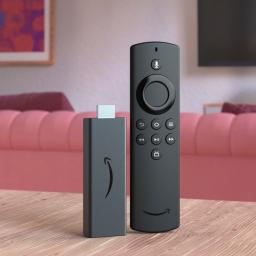
Looking back at the best streaming devices of the past year, it's hard to argue with the value offered by the Amazon Fire TV Stick Lite. Yes, you're missing out on 4K playback, but it includes everything that you would expect from the best Amazon Fire TV Stick and even has an upgraded Alexa Voice Remote to boot.Like the Fire TV Stick 4K deal and many the other Amazon devices, the Fire TV Stick Lite has been deeply discounted for Prime Day. You can grab this bad boy for 40% off its retail price, bringing it down to just $18.Amazon Fire TV Stick Lite with Alexa Voice Remote LiteNot only does this tablet offer Amazon's biggest and best display, but it also is its most powerful. With all of that power at your fingertips, there no task you can't accomplish with it.$18 at AmazonSeriously, I don't know if you're going to find a better value on a streaming device than with the Fire TV Stick Lite for Prime Day. For under $20 (that's less than the price of two movie tickets), Ama...
|
 |
by Andrew Myrick on (#5KA5B)
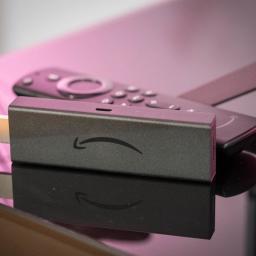
There are some great streaming devices, and then there's the Amazon Fire TV Stick 4K. This little stick plugs right into the HDMI port on your TV, and unlocks the world of streaming apps and Amazon Prime services. As you would expect for Prime Day, it's time to save big on arguably the best Amazon Fire TV Stick. To celebrate, we have one of the deals on an Amazon device as the company has knocked 50% off of the Fire TV Stick 4K, bringing the price down to just $25.Amazon Fire TV Stick 4K with Alexa Voice RemoteGet the best Amazon Fire TV Stick that the company has to offer with one of the best remotes that we've seen. You'll get access to all of your favorite streaming services, while being able to ask Alexa to turn off the lights or look up the score of the game without switching remotes or using your phone.$25 at AmazonWhile it's great for one of the best streaming devices to feature 4K Ultra HD quality, Amazon takes it up a notch with the Fire TV Stick 4K. You'll also ...
|
 |
by Joe Maring on (#5KA5C)
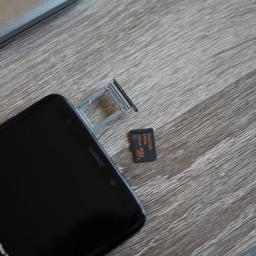
With options for 64GB, 128GB, and 256GB in storage, the Samsung Galaxy S9 has you covered no matter what you need. However, should you buy the phone and realize you need more space after the fact, the Galaxy S9's microSD card slot makes it easy to upgrade your storage at any time. There are a ton of microSD cards out there to choose from, but which is the best Galaxy S9 microSD card? Without a doubt, these are the very best ones you can get.Best overall pickSAMSUNG 128GB EVO Plus Class 10 Micro SDXCStaff PickSamsung's Evo Plus is the best option for most people. The 128GB card delivers 100Mb/s read speeds and 90Mb/s write speeds at a great value.$19 at AmazonBest on a budgetSAMSUNG (MB-ME32GA/AM) 32GB 95MB/s (U1) microSDHCEven the base 64GB Galaxy S9 offers plenty of space out of the box, so if you just need a bit more wiggle room, 32GB is an excellent affordable option.$7 at AmazonDurable and fastSanDisk Extreme 64GB microSDXCDouble your phone storage w...
|
 |
by Ara Wagoner on (#5KA5D)
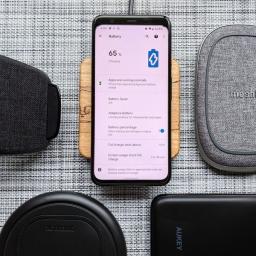
The best wireless chargers are a bit of a dream, breaking you out of the old rut of having to plug in your phone every time to sit down to work or sleep. Ditch your cables and quit wearing out your phone's charging port by getting yourself a handy wireless charger. It's easier than ever now that more wireless chargers are switching to USB-C so you can stick to one cable.Cool and compactAnker PowerWave AlloyStaff pick$30 at Amazon$30 at WalmartThis Qi charger can output 15W for the few devices that support it right now, plus 10W/7.5W/5W for everyone else as supported, including the Pixel 4's 11W profile. It's got a sleek look and takes Power Delivery or Qualcomm QuickCharge.Best for GalaxySamsung Wireless Charger Trio Pad$54 at Amazon$70 at Best BuyThis is the perfect charger for those who have a Galaxy smartwatch and/or Galaxy Buds, as you can charge all three here at the same time. The pad will also support 7.5W for iPhones and standard 5W charging for no...
|
 |
by Alex Dobie on (#5KA5E)
OnePlus's new "merger" with Oppo codifies and publicizes a previously low-key relationship.One of the more surprising Android stories of the past week was the news that, after the two companies combined their research and development efforts a few months back, OnePlus would be undergoing a "deeper integration" with Oppo. The latter, which depending on who you asked over the years, was either OnePlus's parent company, sister brand, babysitter, casual acquaintance, or completely unrelated competitor, will apparently exert more influence over OnePlus going forward as part of this integration. That's as a result of the positive impact the two have seen from earlier resource-sharing efforts. (In other words, the strong performance of the OnePlus 9 series, particularly in European markets.)While both OnePlus and Oppo fall under the umbrella of Chinese giant BBK Electronics — whose other tentacles include Vivo and Realme — the exact relationship between the two has been shrouded in ...
|
 |
by Jim Metzendorf on (#5KA5F)
We've got a roundup of new Bluetooth earbuds this week, followed by more thoughts about the latest Android 12 beta. The gang also talk about Wear OS support, Google's new retail store, and more.Listen nowSubscribe in Spotify: AudioSubscribe in iTunes: AudioSubscribe in RSS: AudioDownload directly: AudioLinks:Sony WF-1000XM4 review: Magical ANC + long battery = close to perfect | Android CentralJaybird Vista 2 review: Workout earbuds to like with an app to love | Android CentralMobvoi TicWatch E3 review: An instant buy with one enormous question | Android CentralGoogle says it's not that simple, future Wear OS support is still being worked out | Android CentralOnePlus announces 'deeper integration' with OPPO, promises faster updates | Android CentralOnePlus' relentless launch cycle is hurting its software updates | Android CentralHonor 50 Pro is here with Google apps support, Snapdragon 778G, 100W charging | Android CentralHonor reportedly plans to launch its ...
|
 |
by Jerry Hildenbrand on (#5K9WW)
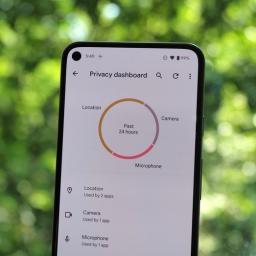
Android 12's new Privacy Dashboard is the one place where you can see exactly what apps are using which permissions and when they are doing it. It's not perfect — Android's permissions can be a little confusing, and Google isn't giving up much information about what each of them actually means, but it's a great addition nonetheless. Getting there isn't difficult once you know where to look. And remember, the best Android phone doesn't have Android 12 just yet, so you'll need to be using a Google Pixel with the Android 12 beta installed.How to open the Privacy Dashboard in Android 12Open your phone's settings menu.Scroll to the Privacy section and tap the entry.In the new window that opens choose Privacy Dashboard at the top of the list.Once you have the Privacy Dashboard open, you can choose a category to see which apps have used the associated permission. You'll find obvious things like Google Maps using your location and the phone app using your microphone. Still, y...
|
 |
by Anthony Spadafora on (#5K9WX)
The WWE is rolling out its ThunderDome for the last time at Hell in a Cell 2021 at the Yuengling Center in Tampa, Florida and we have all the details on how you can watch the event on TV or online.First held back in 2009, Hell in a Cell is a pay-per-view (PPV) event that is typically held in October. This year though will be the first time the event is held in June and while fans will be in attendance at future WWE events, there won't be any in the crowd tonight. Instead, select fans will be able to take part in the action virtually through the promotion's ThunderDome which is a video conferencing system for crowds. Hell in a Cell gets its name from the fact that a cage will be lowered over the ring for select matches at the event.This year Drew McIntyre will challenge Bobby Lashley for the WWE Championship in the first of two Hell in a Cell matches. While signing the contract ahead of the event, McIntyre requested that his match against Lashley take place inside Hell in a Cell. ...
|
 |
by Samuel Contreras on (#5K9NY)
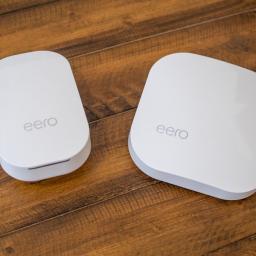
Amazon Prime Day is here and the Eero line of routers from Amazon has made it to the party. As a matter of fact, there are tons of great Prime Day deals on Amazon devices.Building an Eero mesh is one of the easiest ways to get great Wi-Fi coverage all over your house. The Eero 6 is Eero's debut Wi-Fi 6 router with AX1800 speeds in a compact housing. Each Eero 6 node covers up to 1,500 square feet and is easily set up and managed with the powerful Eero app. It's no wonder the Eero 6 is one of the best Wi-Fi 6 mesh routers. With this pack, you get one Eero 6 router and two extenders for a total of 5,000 square feet of coverage, and the compact size makes it easy to place them in the optimal location.For Prime Day, you can grab this kit for 35% off. That's $98 off the list price. Just make sure you don't need any Ethernet connections on your nodes since this kit will only come with one free. If you need the extra connectivity, you should buy the variant with three Eero 6 routers, whic...
|
 |
by Samuel Contreras on (#5K9NX)
Amazon's Prime Day is a great time to grab an Eero mesh solution. There are a handful of great Eero deals as well as deals on a lot of other Amazon devices. If you've been on the fence about upgrading your Wi-Fi's performance, it's a good time to act.The standard Eero is our favorite mesh Wi-Fi routers and the Eero Pro is an upgrade in nearly every way with a tri-band Wi-Fi 5 connection. The tri-band connection helps this router keep speeds high even with a fully loaded mesh. This Eero Pro system comes with an Eero Pro router and two Eero Beacons. The Beacons operate at a lower speed but can help deliver a consistent Wi-Fi connection to the furthest reaches of your home while only occupying the space of a single power outlet.This pack is a good starter kit for a large house, and luckily, this Eero Pro mesh is a fairly massive 40% off for Prime Day. That's $128 off of the sticker price.Eero Pro mesh Wifi system (1 Pro + 2 Beacons) | $128 off at AmazonThe Eero Pro mesh system...
|
 |
by Kevin Lynch on (#5K9NW)
After the twists and turns of a dramatic Azerbaijan Grand Prix last time out, the drivers today face the notoriously tough Circuit Paul Ricard.Read on to find out how to get a French Grand Prix live stream and watch the F1 action from anywhere in the world.Neither Max Verstappen nor Lewis Hamilton could muster a point in Baku, with Red Bull's Sergio Perez finishing first, Aston Martin's Sebastian Vettel finishing in second followed by AlphaTauri's Pierre Gasly in third.That unexpected podium line up came as a result of Verstappen suffering a tire failure while way ahead in the lead with just three laps from home, causing him to miss out on what was shaping up to be a crucial win and leaving the Belgian star seething.The only plus point for Verstappen was that his big rival was unable to capitalise, with Hamilton left to rue a rare mistake after a lockup on the penultimate lap saw him end the race in a hugely disappointing 15th.The unlikely result means the drivers champions...
|
 |
by Jeramy Johnson on (#5K9NV)
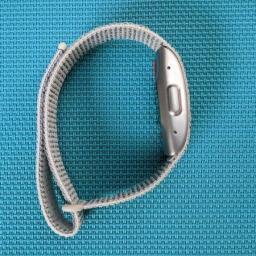
Prime Day is the best time of year to score big savings on fitness trackers and health wearables, and it happens that one of the best Amazon device deals is on just such a wearable. This deal on the Amazon Halo fitness band is one that you're not going to want to pass up. Right now, Prime members can save $30 on one of the most innovative and interesting wearables around.If you haven't yet heard about the Amazon Halo, you're probably not alone. It was sort of introduced under the radar last fall, and it hasn't yet gotten quite the attention that more recognizable fitness tracker brands like Fitbit, Garmin, or even Whoop have. However, just because the Halo is the new kid on the block, doesn't mean that you should ignore it.Amazon Halo | $30 off at AmazonThe Amazon Halo might not look like much at first glance, but it packs a lot of powerful health and wellness tech for such a subtle strap. Track all the basics like steps, heart rate, and sleep, enjoy guided workouts and medit...
|
 |
by Nicholas Sutrich on (#5K9NT)
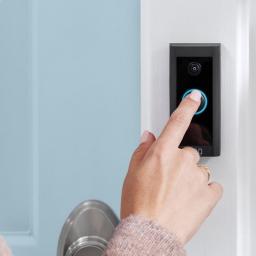
Ring Video Doorbell Wired was already the most economical way to get into the video doorbell game, and this Prime Deal makes it impossible to say no. It's our pick for best value Ring Video Doorbell for a reason. At just $45 for Prime Day, it's basically impossible to beat Ring Video Doorbell Wired's ability to deliver clear, high-resolution 1080p video, advanced motion notifications, and a smaller, sleeker design than most Ring Video Doorbells offer.As the name implies, Ring Video Doorbell Wired needs to be wired up to your home's electrical system using the right transformer. Your existing doorbell wiring might even be able to power the doorbell, depending on the voltage. While this isn't the steepest discount we've seen on Prime Day Amazon device deals, it's hard to argue with this type of product available for under $50.Ring Video Doorbell Wired | $15 off at Amazon25% off might not sound like a crazy deal for Prime Day, but it's the price that counts in this case. A high-...
|
 |
by Jeramy Johnson on (#5K9NS)
Amazon Prime Day is finally upon us, which of course means tons of great discounts and the best Amazon Device deals of the year. One of these amazing deals just so happens to be on one of the best Alexa speakers — the beloved Amazon Echo Dot (4th Gen).Over the past five years or so, the Echo Dot has evolved from its hockey puck-style origins into an entire family of spherical smart speakers. In addition to the Echo Dot (4th Gen) and Echo Dot with Clock (4th Gen), there is the Echo Dot Kids (4th Gen), as well as several great accessories and bundles that add function and whimsy to one of the most popular smart speakers on the planet.During the Prime Day 2021 event, you can snag a brand new Amazon Echo Dot (4th Gen) for half off its regular price, or just $25. That's an incredible value by itself, but you could also do what I've done and get two for the price of one to set up a stereo pair in your home office, den, or even your bedroom.Amazon Echo Dot (4th Gen) | $25 off at Ama...
|
 |
by Nicholas Sutrich on (#5K9NR)
Alexa-powered smart homes have the widest variety of products available, but even with all this choice, Amazon's own Ring brand makes the best do-it-yourself kit you can buy. Thanks to Prime Day, Ring Alarm (2nd Gen) is on sale for 40% off the regular list price, putting it at the lowest price the alarm system has ever been. That also makes it one of the best Prime Day Amazon device deals!The second-generation Ring Alarm kit is at its lowest price since Black Friday — that's six months ago if you're counting — and is sitting well below its usual sale price, as well. At $150, Ring Alarm (2nd Gen) represents the best value in DIY home security and offers the best experience for homes with Alexa.Ring Alarm (2nd Gen) 8-piece | $100 off at AmazonAmazon Prime members can save a whopping 40% off Ring's best DIY alarm system, which includes everything you need to get started. The 8-piece kit is best for smaller 1-2 bedroom homes and includes one base station, one keypad, four co...
|
 |
by Kevin Lynch on (#5K9NZ)
The anticlockwise circuit of the Sachsenring awaits the riders as they prepare to battle it out in Saxony.Don't miss a single lap with our guide to getting a German MotoGP 2021 live stream.The first race in another set of back-to-back races comes after a dramatic Catalan GP at the start of June that saw Miguel Oliveira overcome championship leader Fabio Quartararo to claim his first win of the season.The Portuguese KTM rider also held off a late challenge from Frenchman Johann Zarco, who finished second, with Frenchman Quartararo eventually finishing the race off the podium in fourth place.Six-time champion Marc Marquez's mediocre return after his long injury lay off continued in Spain after he crashed out for a third race in a row.Despite his recent struggles, the Repsol Honda rider is nevertheless being tipped by many pundits to finally get back to winning ways, thanks to his incredible record on this track which has seen him notch up seven wins from seven Moto GP races a...
|
 |
by Ara Wagoner on (#5K9BD)
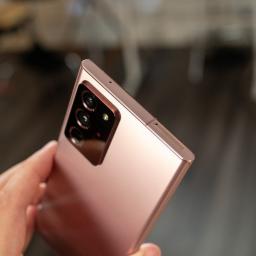
The regular Samsung Galaxy Note 20 left out a microSD slot, but, in comparison, the Note 20 Ultra supports microSD cards up to 1TB in size. While most of us won't quite need that level of DOWNLOAD ALL THE THINGS storage, it's a great idea to invest in a good microSD card so that you can store music, movies, and photos on it and leave the internal storage for more intensive files like games and apps. Here are the best microSD cards for the Note 20 Ultra, whether you need a little room or a lot.All-around excellenceSamsung EVO Select 256GB MicroSDXCStaff PickA Samsung phone deserves a Samsung memory card, right? This is easy when Samsung makes our favorite microSD card on the market. This 4K capable card will triple the storage on your Note 20 Ultra.$35 at AmazonJust a little moreSanDisk Extreme 64GBIf you just need a little extra breathing room, the SanDisk Extreme is a long-lasting microSD card optimized for storing and running apps. The V30 rating means it shou...
|
 |
by Jerry Hildenbrand on (#5K9BE)
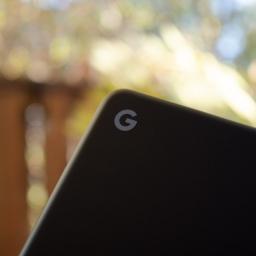
Millions of people use Chromebooks, but despite their simple and "for everyone" nature, not every power feature is easy to access. All the best Chromebooks are powerful tools that are just waiting to be used to their full potential, and once you know a few tricks, you'll feel like you're getting even more value out of your inexpensive computer. We've rounded up 25 Chromebook tips and tricks for you to try so that you can start making the most of your machine.Chromebook tips and tricks:Use third-party DNSType in UnicodeUse Chrome overviewKeyboard shortcutsRefresh Google DriveChromebook perksMove the shelfUse an SD card for extra storageShow hidden files and foldersShare your Chromebook safelyDo a barrel rollTake a screenshotUse app shortcutsSee your system infoUse Powerwash to clean upOpen new tabs easilyLove the LauncherOpen apps quicklyControl your open windowsGet organized with foldersTURN ON CAPS LOCKLocking things downControl your notificationsUse Ni...
|