 |
by Android Central on (#4X59D)
Smartphone manufacturers are slowly getting rid of the headphone jack, and soon enough, you’ll need a solid pair of Bluetooth earbuds if you want to enjoy your favorite music on the go. Luckily, you don’t have to wait for the headphone jack apocalypse to hit. Here are five deals on high-quality Bluetooth earbuds that you can get before the end of the year.HUB: Hi-Fi Wireless Noise Cancelling EarbudsMusic might just be the best way to drown out loud noises, but without proper noise cancellation, you won’t be able to enjoy your music the way it was meant to be heard. These HUB Audio earbuds offer an ergonomic fit and ambient noise cancellation so that you can jam out without outside distractions.MSRP: $250Sale Price: $71.99 HUB: Hi-Fi Wireless Noise Cancelling Earbuds – $71.99See DealKharbon IP67 Wireless EarbudsOne of the biggest reasons why many people haven’t migrated to Bluetooth earbuds is because of poor battery life, but these Kharbon Aud...
|
 Latest from Android Central
| Link | https://www.androidcentral.com/feeds.xml |
| Feed | http://www.androidcentral.com/rss.xml |
| Updated | 2026-08-01 23:02 |
 |
by Jerry Hildenbrand on (#4X519)
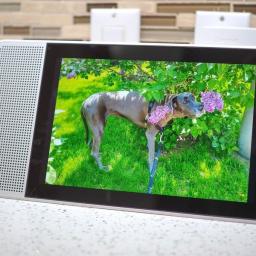
Of all the gadgets and gizmos I've picked up during the year, buying a second Lenovo Smart Display was my best.2019 was filled to the brim with new products from every major tech company. Amazon, Microsoft, Apple, Google and everyone else released some super innovative stuff that people love, and a few things that people didn't love so much. A lot of these products stepped on each others toes a bit when it came to functionality, too, just like my favorite product purchase of 2019 did.You can buy a connected display that has a built-in virtual assistant from Amazon, Facebook, or Google and its many Android ecosystem partners. They all offer the same basics and can act as tiny televisions to watch videos, be kitchen assistants, play some music, and other things. The thing that sets the Lenovo Smart Display apart is its beautiful 10-inch display and bamboo back. Yes you can buy a 7-inch model, but unless you really need to save space, don't.I was a late adopter on this one. Leno...
|
 |
by Samuel Tolbert on (#4X4KR)
More patents are showing up.What you need to knowA new patent filed by Sony shows some sort of revised controller.The patent images also show two back buttons or paddles on the controller.The design in these images seemingly contradicts another patent that had previously shown up. As we wait for more official next-generation information, new patents keep showing glimpses of what could be coming in the future. Today, a new patent surfaced that was filed on December 26 by Sony. You can take a look at the patent design below.This patent is also similar in idea to a recent attachment that was announced by Sony for the DualShock 4. The Back Button Attachment adds two new buttons which can be programmed through an OLED screen. The placement of the buttons is different though. It's also worth noting that the charging port is for a USB mini cable, while the PlayStation 5 controller is already confirmed to use USB-C charging.This also comes into conflict with a previous patent...
|
 |
by Courtney Lynch on (#4X4DQ)
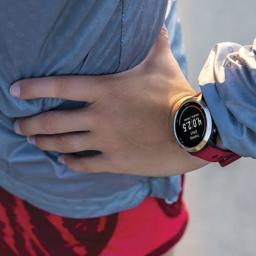
When it comes to your running smartwatch, it's crucial to find a band that blends seamlessly with your active lifestyle. Whether you're a professional athlete or a casual runner, a perfect fit makes all the difference in your overall experience. The Garmin Forerunner 645 is equipped with 20mm quick release bands, which is great news considering that's an industry standard. This means you'll have more than enough options to choose from.Durability for daysBarton Elite Silicone Watch BandStaff pickSilicone is always a top choice for fitness bands because it's both durable and flexible. This one boasts a premium textured top, stainless steel buckle, 2mm taper, and proprietary locking feature. Additionally, each band comes standard with two lengths of the 'long side' to ensure a perfect fit for nearly any wrist size.$20 at AmazonLightweight but toughOlytop NATO BandFor those who prefer a lightweight band that's tougher than ever, this one comes with NATO straps, ...
|
 |
by Chris Wedel on (#4X4DS)
Huawei says it's treated like all other tech companies in China.What you need to knowIn a report published on December 25, The Wall Street Journal claimed that support from China greatly aided Huawei's rise in the global market.Huawei claims it receives no special treatment and is under the same rules as other tech companies.Huawei says that the report has seriously damaged its reputation, and it may take legal action.Once again, Huawei is in the headlines for reasons it would rather not be. This time, in response to a report published December 25 by The Wall Street Journal, in which it was alleged that Huawei received $75 billion in Chinese state financial assistance over the past two decades.On December 26, Huawei responded. In a Twitter post that included several tweets as well as a letter, the company says: Like other tech companies that operate in China, including those from abroad, Huawei receives some policy support from the Chinese government. But we have neve...
|
 |
by Jennifer Locke on (#4X4DT)
Best answer: Yes, you can play Stadia on your Chromebook even if you have one with incredibly low specs. Google wants Stadia to be accessible to everyone regardless of how powerful their devices are.Entry level: Lenovo Chromebook 2-in-1 Convertible Laptop ($310 at Amazon)Go wireless: Google Stadia controller ($69 at Google)Bigger and better: ASUS C302 Chromebook Flip ($521 at Amazon)What's the catch?No catch, according to Google. It really can work with any model Chromebook, even if you decided to pick up the cheapest thing you could find on sale one day. Because of how Stadia works, you shouldn't need anything more than what you already have to play it.How does it work in practice? While some folks have run into trouble consistently playing on extremely high definition settings on older Chromebook models, there doesn't seem to be an issues with Stadia simply not working on one. The company's whole motto with this is, "Game where you want, when you want," and that seems t...
|
 |
by Courtney Lynch on (#4X4DW)
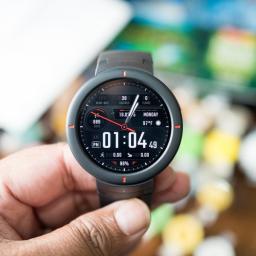
The Amazfit Verge smartwatch is one of the most competitive wearables on the market thanks to its incredibly affordable price tag and long list of desirable features. However, not everyone is a fan of the band that comes in the box. If you're struggling to find the right band for your needs, you're not alone. The good news is there are tons of options to choose from.Top-notch durabilitySIKAI Silicone BandStaff pickIf you've been searching for a durable watch band for your Amazfit Verge, you'll be in good hands with this silicone option. It promises top-notch durability while also being extremely flexible. It's the perfect pick for athletes and is available in seven bright colors. This band will fit wrists between 5.7-9.06 inches.$13 at AmazonLightweight breathabilityOldDream Loop Nylon BandWhen you're looking for soft and lightweight breathability, this is the band for you. The double-layer nylon weave keeps your wrist feeling comfortable all day long. You'l...
|
 |
by Marc Lagace on (#4X4DY)
Mobile gaming on your phone often offers the flexibility of gaming everywhere just using touchscreen controls. But let's be real — there's nothing better than gaming with a trusty controller in hand. The best option is the Razer Raiju Mobile which is a premium Bluetooth controller that will let you play all your favorite old-school games using emulators or the best Android games that support Bluetooth controls.Best Overall: Razer Raiju MobileWhen you consider everything that the Razer Raiju Mobile brings to the table — dual Bluetooth and wired connections, four multifunction buttons that can be remapped to fit your needs, hair-trigger mode for both left and right triggers, and a phone mount with a 60-degree tilt for comfortable viewing angles — the only thing that might give you pause is the price.The Razer Raiju Mobile is a pro controller that feels perfectly balanced in your hand, even with a phone mounted. That makes this a great controller for extended gaming sessio...
|
 |
by Nicholas Sutrich on (#4X4E0)
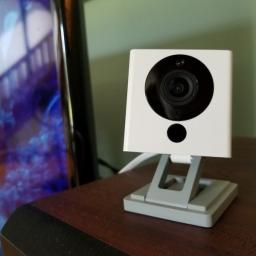
The breach was not responsibly disclosed and remains unconfirmed.What you need to knowWyze's database was allegedly publicly exposed to the Internet, a breach reported by a security blog.Wyze has yet to confirm the breach but has signed out all users as a security measure.The breach was not reported in a responsible manner and leaves several questions surrounding its validity.Wyze, the maker of affordable home security products, has allegedly suffered a data breach in which 2.4 million customer database records have been publicly exposed to the Internet. Twelve Security ran an article on December 26, 2019, stating that they found an open path to the company's Elasticsearch database which contained some extremely sensitive information including exact home network details, locations of the cameras in the home, and even personal information on users.In response to the post, Wyze issued a force sign-out of all users connected to its system and doubled down on its database sec...
|
 |
by Samuel Contreras on (#4X4E2)
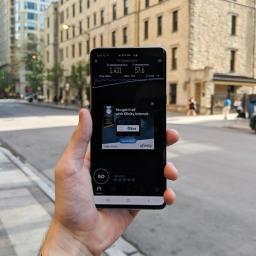
Everything you need to know about the next big thing when it comes to mobile broadband.If you follow phones or technology, you've seen 5G popping up everywhere. New phones are listing 5G as a feature and carriers love to tell you that they have the best 5G, but what does 5G actually mean to a normal customer? For now, 5G means that if you live in just the right area and have just the right phone or hotspot, you can get a faster and more reliable phone connection that won't bog down when the network is congested. Beyond that, it gets a bit more complicated.The next step for mobile broadband5G is spreading fast and for many people, it's not quite what they expected. 5G refers to many different technologies with different implementations currently in the works. What a 5G connection actually means varies greatly between carriers but one thing it has in common across the board is the promise for better speed and capacity.Technically speaking, 5G is the next generation of mobile br...
|
 |
by Samuel Contreras on (#4X46Z)
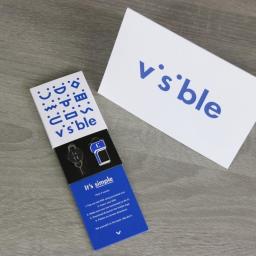
Verizon's networkVisible$40/month at VisibleProsUnlimited talk, text, and dataVerizon's LTE networkFree hotspot accessTaxes and fees includedConsOnly works with select Android phonesNo international supportWant access to Verizon's incredible LTE network for a fraction of the cost? That's what Visible brings to the table. For just $40/month all-in, you get unlimited talk, text, and LTE data. We love that hotspot usage is included at 5Mbps, but we aren't fans of the limited support for Android phones. With a current promotion, you can try Visible for $25 for the first month.Buy in bulkMint MobileFrom $15/month at MintProsCheaper monthly ratesLots of plans to choose fromUnlimited talk and textFree hotspot accessWorks with most unlocked phonesConsCoverage isn't quite as good as Visible'sNo unlimited optionMint Mobile uses T-Mobile to power its network, and while that means coverage isn't quite as expansive, you get a lot of bang fo...
|
 |
by Jerry Hildenbrand on (#4X471)
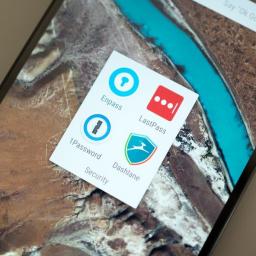
Keep you and your loved ones safe and secure.So much of what we do every day, day in and day out, is either done online or has a record kept online. Things like your email or a shopping website are obvious, but your bank, mortgage holder, health insurance provider and more are also online companies even if that's not how we interact with them. There is a pretty complete fingerprint of your life stored where plenty of other people can (and often do) look for it.So what should we do about it? That's easy — use a good password for everything, make sure you don't use the same password in more than one place, and secure things with a second step anytime you can.You can't remember all those passwordsDon't feel bad because nobody else can, either. A good password simply means one that someone else who is really good at figuring this stuff out isn't likely to be able to use. That means they aren't something you can remember, especially when there are more than a few of them. That's...
|
 |
by Babu Mohan on (#4X473)
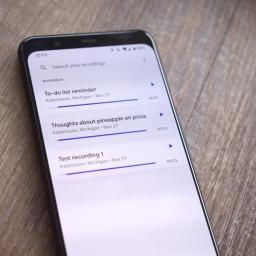
As long as your phone runs Android 9 or Android 10, you can now install Google's latest Recorder app on it.What you need to knowYou can now download a modified version of the latest Google Recorder app.While the app is officially compatible with only Google Pixel phones, the modified version works on most phones running Android 9 Pie or Android 10. Xiaomi smartphones running MIUI 10 or MIUI 11, unfortunately, aren't supported yet. Earlier this month, Google made its powerful Recorder app compatible with older Pixel smartphones. Unfortunately, though, the app still remains incompatible with the original Pixel and Pixel XL. It is also not compatible with smartphones from other Android OEMs. Fortunately, the folks over at XDA Developers have come up with a modified version of the app, which is not only compatible with the first-generation Pixels but phones from other manufacturers as well.Since the app wasn't designed for older versions of Android, it will only work on devic...
|
 |
by Android Central on (#4X475)
The amount of data we consume has skyrocketed in the past decade, and it’s only expected to increase as we enter 2020. Thankfully, cloud storage services are more affordable and reliable than ever. If you’re looking for a reliable cloud storage service to use for work or storing precious family photos, we have four amazing deals that you can get at massive discounts.ThunderDrive Cloud Storage: Lifetime SubscriptionIf you’re looking for a way to store extra movies, projects, or even entire system backups, ThunderDrive’s massive 2TB plan is the way to go. You can upload anything from small to large files with blazing-fast speeds, plus your data is kept secure in Tier IV data centers using 256-bit AES encryption.MSRP: $1,200Sale Price: $39 ThunderDrive Cloud Storage: Lifetime Subscription – $39See DealPolar Backup Cloud Storage: Lifetime SubscriptionPolar Backup is the cloud storage provider of choice if you’re looking for unparalleled reliabil...
|
 |
by Chris Wedel on (#4X477)
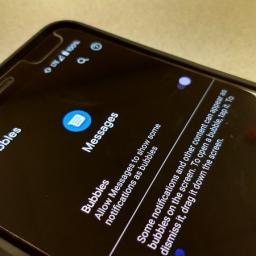
Bubbles will give an on-screen floating notification, much like Facebook Messenger.What you need to knowThe Bubbles feature was first seen in Android 10 Beta 2 on Pixels.Currently, the feature can be enabled within the Developer Options on Android 10 devices.Bubbles can be enabled and disabled within the Google Messages app notification settings.Google apps have been getting a fair number of updates as of late, and Google Messages is no different. Shortly after RCS Chat for Messages was widely enabled for everyone in the U.S., now we may be getting floating notifications called Bubbles.We first saw indications of a new Bubbles API in the Android 10 Beta 2 that rolled out earlier in the year. However, that option wasn't functioning for any apps at that time. Over at XDA Developers, it was found that enabling the Bubbles option with the Developer Options on an Android 10 device makes this usable in the Google Messages app. In the latest version of the Messages app, version ...
|
 |
by Marc Lagace on (#4X479)
Best answer: It depends on which tablet you're looking to get, but no one has ever complained about having too much storage on a tablet. Given how affordable the Amazon Fire Tablets are, your best bet is to always go for the largest storage option available.Best-seller: Fire 7 Tablet (32GB) ($70 at Amazon)Slightly faster and bigger: Fire HD 8 (32GB) ($110 at Amazon)A smart save: Fire HD 10 (32GB) ($160 at Amazon)For the kids: Fire 7 Kids Edition (16GB) ($100 at Amazon)Bigger is almost always betterThe first thing you need to know about buying an Amazon Fire tablet is that the listed storage space is not actually representative of the usable storage space you end up with. Amazon builds its tablets on the Android operating system, which requires a decent chunk of storage for core system functions and Amazon's own apps and services. This is worth keeping in mind especially when considering a tablet that offers both 16GB and 32GB options. That 16GB tablet will, in actuality, g...
|
 |
by Chris Wedel on (#4X47B)
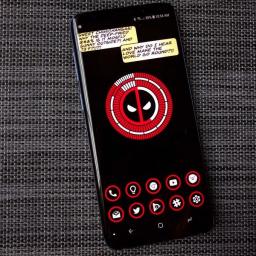
Reynolds and his team are working with Marvel in creating the next Deadpool.What you need to knowDuring an interview on Live with Kelly and Ryan, Reynolds confirmed that Deadpool 3 was in the works.Previously, as part of Fox, Deadpool 1 & 2 were rated R films.It was not revealed whether Deadpool would be integrated into the Marvel Cinematic Universe or not.It seems the Merc with a Mouth is heading over to Disney to join forces with Marvel. In a recent appearance on Live with Kelly and Ryan, Ryan Reynolds confirmed that Deadpool 3 was indeed in the works at Marvel. "Yeah, we're working on it right now with the whole team," Reynolds said. "We're over at Marvel now, which is like the big leagues all of a sudden. It's kinda crazy. So yeah, we're working on it."The two previous Deadpool movies were both huge successes and proved that rated R superhero movies had an audience — combined the two films made $1.2 billion. Joining forces with Marvel Studios could bring so...
|
 |
by Babu Mohan on (#4X3YE)
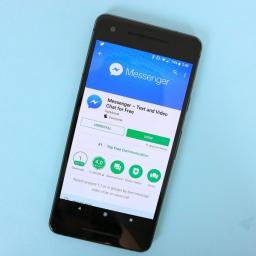
Facebook says existing Messenger users will not be affected.What you need to knowFacebook will no longer allow new users to sign up for Messenger without a Facebook account.The company says users who already use Messenger without a Facebook account can continue using it without having to do anything. Facebook had introduced the ability to sign up for Messenger without a Facebook account in 2015. Facebook is removing the ability to sign up for Messenger without a Facebook account. This means all new users who sign up for Messenger will have to use their Facebook account, instead of a phone number.Confirming the change in an email sent to VentureBeat, a Facebook spokesperson wrote: If you're new to Messenger, you'll notice that you need a Facebook account to chat with friends and close connections. We found that the vast majority of people who use Messenger already log in through Facebook and we want to simplify the process. If you already use Messenger without a Facebo...
|
 |
by Nicholas Sutrich on (#4X3YG)
Huawei France jumped the gun.What you need to knowHuawei France tweeted that the P40 Pro would have a graphene battery.Huawei Frane has since pulled the tweet and issued an apology, stating that this was merely a rumor, not a fact.Graphene batteries will provide larger capacity, faster charging, and longer life, but aren't ready for mass-production just yet.When searching for your next great smartphone, it's not likely that you've paid too much attention to the type of battery the phone uses. Rather, most folks who look at battery specs specifically pay attention to the size of the battery. That all will change as graphene batteries are slowly introduced into the world of smartphones, but it turns out that Huawei France jumped the gun on its expectations of exactly when we'll see graphene batteries inside those water-resistant glass-and-metal shells.Turns out that a tweet sent out by Huawei France a few days back sparked quite the controversy, as it cited that the Huawei ...
|
 |
by Joe Maring on (#4X3YJ)
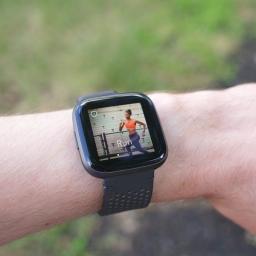
Chances are you recently bought a Fitbit for yourself or received one as a gift from a loved one. Fitbits are great tools for monitoring your physical activity and leading a healthier lifestyle, but sticking with one throughout the entire year can prove to be a challenge. Here are a few tips to keep you going throughout all of 2020!Products used in this guideTrack it all: Fitbit Charge 3 ($150 at Fitbit)Smarts galore: Fitbit Versa 2 ($200 at Fitbit)Just the basics: Fitbit Inspire ($70 at Fitbit)Connected scale: Fitbit Aria 2 ($130 at Fitbit)Customize your goalsOut of the box, the Fitbit app will help you set certain activity goals to meet each day. These goals are designed to help you keep moving so that you have a visual finish line to reach, but at any point throughout your fitness journey, you may find yourself needing to increases or decrease these goals.Whatever your reasons for needing to shake things up, here's how you do it.Open the Fitbit app.Tap the Accou...
|
 |
by Harish Jonnalagadda on (#4X3YM)
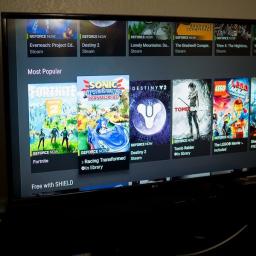
GeForce Now showcases the limitless potential of cloud gaming — provided you can get into the beta.Cloud game streaming has gotten a lot of attention in recent months thanks to Google's foray into this category with Stadia, and Microsoft is also set to introduce its take with Project xCloud. The idea of streaming AAA games from the cloud is not new, but bandwidth limitations and network infrastructure were bottlenecks in getting such a project off the ground.Both Google and Microsoft are getting their efforts off the ground, but NVIDIA has been plugging away at its own solution — GeForce Now — for several years now. The first version of GeForce Now launched back in 2013, but the service in its current iteration debuted in 2017 as a beta and is continuing in that state to this day.I managed to snag an invite code to the beta and used GeForce Now extensively on the NVIDIA Shield TV Pro (2019) and the Lenovo Yoga X1 Gen. 4 over the course of the last month. Here's why you ne...
|
 |
by Nirave Gondhia on (#4X3YP)
Finally, a way to sync your Hue lights with your TV without needing to use your computer!Philips Hue is one of the best smart lighting systems you can buy, offering precise color reproduction and compatability with a series of accessories like dimmer switches and motion sensors. However, its biggest competitor, LIFX, has a key advantage in that it makes it easy to show off your range of smart lighting and can use the microphone on your phone to sync the beat with lighting effects.For Hue users, unless you controlled the input source via your computer and the Sync app, there was no way to have your lights dynamically change depending on the source being played... until now. The Philips Hue Play HDMI Sync Box lets you unplug your computer from your TV and have your lights dynamically change to whatever is being played on screen. It works as you'd expect, albeit with a few caveats thanks to certain choices the company made.If you have a large collection of Philips Hue lights, here...
|
 |
by Chris Wedel on (#4X3YR)
It's unclear if/when it'll be widely released.What you need to knowThe new video pinch-to-zoom is hidden away in the app's code and not yet available.Pinch-to-zoom for videos would work much as it does for standard photos.The appearance of the new feature in the Google Photos code doesn't guarantee that the feature will actually be released.Google Photos has been on a bit of a run in terms of adding features lately with the introduction of in-app messaging, manual photo tagging, and now it may be getting video zoom.The team over at XDA Developers noticed that in the most recent update for Google Photos, version 4.33, showed testing code for a potential pinch-to-zoom in for videos. Though the new feature is in a testing phase within the Photos app, that doesn't mean it will for sure make it to a public release.A member of the XDA team was even able to manually access the feature to give a glimpse of how it might work. It seems that pinch-to-zoom in videos will work muc...
|
 |
by Nicholas Sutrich on (#4X3YT)
Sony is having trouble keeping up with demand.What you need to knowThe number of cameras on smartphones keeps increasing, putting a strain on the supply lines of camera sensor manufacturers.Sony factories are running 24-hour and holiday shifts in an attempt to keep up with demand.A new Sony camera sensor factory in Nagasaki is scheduled to open in April 2021, possibly meeting demand by then.Sony has a problem that any company would be happy to have: its camera sensors are back-ordered and the company is having a hard time keeping up with demand. Despite smartphone sales stagnating, companies like Huawei and Sony are making products that people just can't get enough of. In Sony's case, its camera sensors for smartphones have been the best in the business for a very long time.This pedigree, complete with the fact that smartphones are shipping with more cameras than ever nowadays, means that most phone manufacturers are pinning their hopes on Sony to continue innovating and ...
|
 |
by Nicholas Sutrich on (#4X3YW)
Demonetization is slowly becoming a thing of the past.What you need to knowCreators will no longer be required to pull an entire video off YouTube in the event of a ContentID copyright infringement.Assisted Trim is an easy-to-use tool that will trim the infringing sections out of videos without re-uploading.Assisted Trim will help fight demonetization and prevent video statistics from being thrown off.One of the biggest frustration points of posting videos to YouTube is the rampant copyright strikes that happen any time music, movies, or games are found in the video. While this doesn't happen with every single song or other copyrighted type of media, I've had plenty of my own personal videos get flagged for copyright infringement simply because I had music playing in the background. Previously, the only option for creators was to completely remove the video from YouTube, edit the infringing content out, and re-upload it back to the platform.That's a lot of work for what s...
|
 |
by Joe Maring on (#4X3PS)
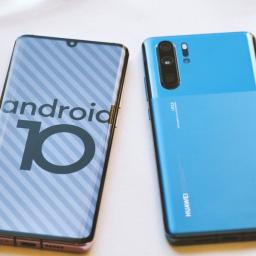
Updating any phone is hugely important. Software updates bring improved security, new features, and sometimes even a complete visual overhaul through new Android platform versions. Everyone likes getting updates, and often your phone will notify you of them automatically. On Huawei phones, the process for updating is as simple as it is on most Android devices. Here's how to handle updates on your Huawei or Honor device.How to update the software on your Huawei phoneOpen the Settings app on your phone.Tap System.Tap Software update.Tap Check for updates to manually see if there's an available update.If you want even more control over your software updates, tap the settings icon in the upper-right corner of the update page. Here, you'll find settings for automatically downloading updates when connected to a Wi-Fi network, along with an option to have updates install to your phone automatically overnight (between 2:00 and 4:00 a.m.).Before we head out, it's worth noting t...
|
 |
by Adam Oram on (#4X3PV)
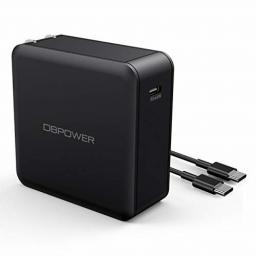
Powering up your devices could be much quicker if you had the appropriate charger. If you have any Power Delivery-compatible devices, then the Dbpower 45W USB-C PD Wall Charger is a stellar option, and today you can grab one for only $5.99 when you enter code IJUGGKYA during checkout. The charger usually sells for $17 which is already affordable, but today's price drop takes over half off making it a total no-brainer buy. In fact, it's probably worth picking a couple up at this price.This wall charger features a USB-C Power Delivery port with a powerful 45W output that is compatible with devices like models of the Apple MacBook, the Nintendo Switch, smartphones, and more. It's pretty slim as well and even features a foldable plug, along with built-in safeguards to protect against overcharging, short-circuiting, and overheating. Your $5 purchase even includes a USB-C to USB-C cable for use with Android phones, iPad Pro, and more, though you might want to pick up a few USB-C to Light...
|
 |
by Babu Mohan on (#4X3PX)
There may still be a maximum size limit, but it is expected to be significantly higher than the current 4GB limit.What you need to knowWith Android 11, Google may finally enable smartphones to save video files larger than 4GB in size.The 4GB maximum file size limit for video recordings has been in place since 2014. A new commit in the AOSP gerrit suggests Android will switch to 64bit offset in mpeg4writer, which will allow phones to save files around 32GB in size. Starting next year, many Android OEMs are expected to launch their first phones with support for video recording at up to 8K resolution. However, Google's mobile operating system currently does not allow phones to save video files larger than 4GB. Fortunately, new evidence suggests the restriction may finally be removed in 2020.Once a video recording hits the 4GB size limit, Android phones currently save the recorded video and begin recording another video immediately. Even though users don't actually notice it ...
|
 |
by Harish Jonnalagadda on (#4X3PZ)
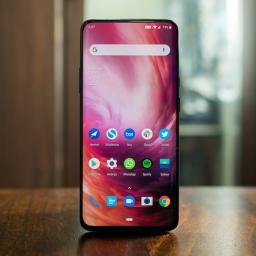
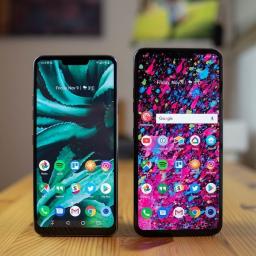
Dual-SIM phones have always been popular in global markets, and they're now starting to catch on in the U.S. A dual-SIM phone offers more flexibility in that you can use two different numbers on the same device, making it a great choice for those who travel a lot. You can effectively use your primary SIM and pick up a local SIM to use on the same device, negating the need to carry two phones.Fast has a new nameOnePlus 7 ProStaff pickAll variants of the OnePlus 7 Pro come with a dual SIM card slot as standard. The device features Qualcomm's Snapdragon 855 chipset, and with the front camera now hidden behind a motorized slider, you get an all-screen front that's immersive. The 90Hz display delivers buttery-smooth scrolling, there's a 48MP camera at the back, and you get 6GB of RAM and 128GB of storage with the base variant.$669 at OnePlusTake great selfiesASUS ZenFone 6The motorized slider is just one way of getting rid of the cutout; brands like ASUS have ins...
|
 |
by Andrew Martonik on (#4X37B)
LG's reputation for releasing timely software updates isn't stellar, but it's improving. Whether it comes early or late, you'll want to get the update as soon as it's available for your phone rather than waiting. Your V40, G7, or other modern LG phone will alert you when new software is available, but it doesn't always show up right away since LG rolls out the updates in phases, but you can check manually to hopefully speed up the process.Products used in this guideLatest and greatest: LG G8X ($700 at Amazon)Good value: LG V40 ($590 at Amazon)How to do the thingOpen your phone's Settings and scroll down to System.Tap on Update center and then tap Software Update.You will either be prompted by an update or can tap Check now to perform a check.If an update is available, it will prompt you to download it.If you tap "later," you can return to the update screen and start the process whenever it is convenient.An update could already be partially installed as well — y...
|
 |
by Harish Jonnalagadda on (#4X37D)
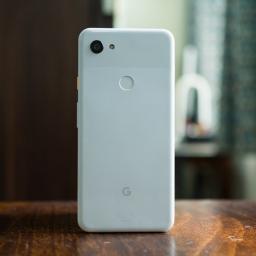
Here at Android Central we use dozens of phones every year, from $1,000 flagships to $100 entry-level devices. That's why we're ideally suited to help you choose the right phone for your needs.Google Pixel 3aIncredible value$350 at AmazonProsSame great rear camera as Pixel 3Astounding value for moneyHeadphone jackStereo speakersThree years of software updatesConsNo wireless chargingNo IP ratingPlastic buildThe Pixel 3a is particularly interesting because it brings the Pixel 3's excellent camera to the mid-range segment. That means you get the same image quality as a true flagship for much less. You also get the same great software experience, though the fringe extras of hardware quality and flagship-style features are missing.Google Pixel 3Last year's flagship$465 at AmazonProsGreat for one-handed useDual front camerasExcellent rear camerasWireless chargingThree years of updatesConsNo headphone jackWeak battery lifeIf you're look...
|
 |
by Joe Maring on (#4X31W)
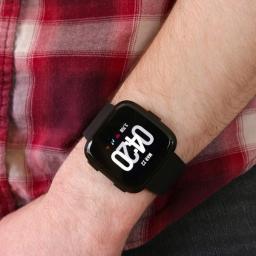
Have a Fitbit Versa and want to pair it with your phone? Let's get started!Fitbit's latest smartwatch is the Versa 2, and it's quickly proven itself to be one of the company's best products in years. It's affordable, stylish, and packed to the gills with both fitness and other smartwatchy features.Whether you're setting up the Versa for the very first time or just want to remove it from your old phone and pair it with a new one, the process for doing so isn't too bad as long as you know what you're doing.We've got a bit of work ahead of us, so let's stop talking and get right to it.Open the Fitbit app and tap your Account icon (it's at the very top right and looks like the silhouette of a business card).Tap Set up a Device.Tap Versa or Versa 2 from the list of available trackers.Tap Switch to Versa or Set up Your Versa (depends on if you have another watch linked to your account).Scroll through the terms & policies and tap I Agree.Tap Next once you've read the "Be...
|
 |
by Peter Cao on (#4X31Y)
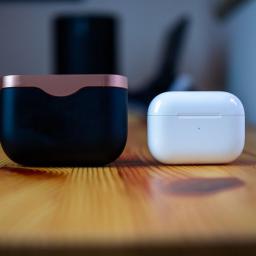
Both the Sony WF-1000XM3 and AirPods Pro are major updates to its previous counterparts and you can't go wrong with either pair. It really just boils down to whether or not you care about ecosystem integration or customization.AirPods ProExcellent all-around buds$249 at AmazonProsSeamless integration with Apple devices24 hours of audio with wireless charging caseExcellent sound qualityGreat ANC performanceClass-leading microphone quality for phone callsConsProprietary ear tipsBattery life could be better with ANC enabledNo customizability on non-Apple devicesLightning for chargingWhile the battery life with ANC enabled isn't all that great, the AirPods Pro still has its advantages, such as great microphone quality and seamless integration with your Apple devices.Sony WF-1000XM3Extra battery life$198 at AmazonPros24 hours of battery life with charging caseExcellent bud battery lifeUSB-C for chargingGood app to customize sound signature and ...
|
 |
by Courtney Lynch on (#4X31Z)
While some fitness fanatics are perfectly content with the original band that comes with their smartwatch, others who crave more. Whether you want a different material for better comfort or a more eye-catching look, there are plenty of options. Keep your active lifestyle in mind as you shop for a new band for your Garmin Forerunner 245. You want something that's going to complement your style while still being a functional choice.For the eliteBarton Elite Silicone Watch BandStaff pickIf you're looking for a high-quality watch band that can go the distance on every workout, this is an ideal choice for you. The durable silicone combined with the proprietary locking feature ensures your watch will stay in place during all of your adventures.$20 at AmazonAdd a splash of colorMolitec Silicone BandIf you'd prefer to add a splash of color to your fitness tracker, the Molitec silicone band is an excellent option. In addition to this painting band, there's also flora...
|
 |
by Asher Madan on (#4X321)
It's like Xbox Live Games with Gold.What you need to knowGoogle Stadia is a game streaming service that launched a few weeks ago.Stadia Pro members are getting more games in January. Rise of the Tomb Raider: 20 Year Celebration and Thumper will be "free" for Stadia Pro members next month.As long as you subscribe to Stadia Pro, you can access the games. Google Stadia is a game streaming service that lets you play games on a number of devices by streaming through the cloud. Every month, the company gives select free games to Stadia Pro owners. Stadia Pro is a monthly subscription that lets you play these "free" games as long as you're a subscriber. It's like Xbox Live Games with Gold and PlayStation Plus games.In January 2020, Rise of the Tomb Raider: 20 Year Celebration and Thumper will be free for everyone. You can read about the games below.The new year is upon us so let's start it off with new Stadia Pro games. Rise of the Tomb Raider: 20 Year Celebration and Thump...
|
 |
by Joe Maring on (#4X2W5)
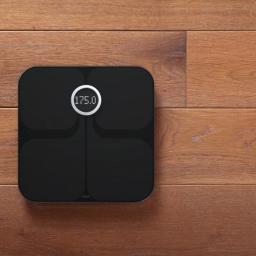
Whether you're just beginning your weight loss journey or you're deep into a workout regimen and just want to start tracking your weight, BMI, and more, a smart scale is an awesome way to keep your fitness goals in check. These scales connect to a corresponding app on your phone or tablet and show you comprehensive results that you wouldn't get from a regular ol' bathroom scale.Best valueEufy Smart Scale P1Staff pickThere's not much the Eufy P1 can't do. It tracks 14 different measurements, can work with up to 16 users, and syncs with popular health apps.$45 at AmazonGreat ecosystemFitbit Aria 2The Aria 2 is another powerful scale, tracking your weight, lean mass, BMI, and more. The biggest downside is that it only syncs with the Fitbit app.$129 at AmazonAlexa integrationWithings Body+What's better than a smart scale? A smart scale that works with Alexa. That's what the Withings Body+ brings to the table, and it's a great pickup.From $79 at AmazonBud...
|
 |
by Ara Wagoner on (#4X2W7)
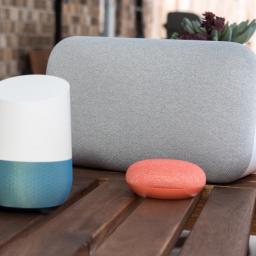
Whether your Google Assistant speaker is made by Google or a third-party manufacturer, setup is the same.Once upon a time, the only way to get Google Assistant into your home was with a Google Home, but now there are dozens of speakers with Google Assistant built in! From the cute, little Google Nest Mini to the roof-raising Sony XB501G, setting up any Google Assistant speaker uses the same, simple app and the same, simple process.How to set up a Google Home or other Google Assistant speakerPlug the power cord into the base of your Google Assistant speaker.Plug the power adapter into an outlet. The unit will automatically boot up, introducing itself and directing you to the Google Home app to finish setup.Open the Google Home app on your phone.Tap the + in the top left corner of the Home View tab.Tap Set up device.Tap Set up new devices in your home.Tap the home you wish to attach the Google Assistant speaker to.Tap Next.Google will search for devices to be set up....
|
 |
by Android Central on (#4X2W8)
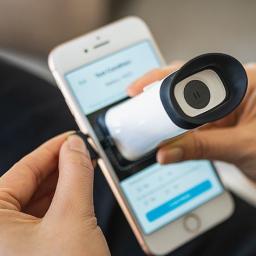
We all get older, and part of getting old means your eyesight will get worse over time. Frequent checkups are important if you want to ensure that your eyes are still healthy, but visiting your eye doctor often can be time-consuming, not to mention expensive. With the EyeQue Vision Check, you can skip your trip to the optometrist and test your eyes from the comfort of your own home for just $59.99. The EyeQue VisionCheck is a handy ophthalmic refractometer that lets you test your eyesight without going to the doctor’s office. This device will measure your eyesight within three tests and give you an accurate set of EyeGlass numbers that you can use to order new glasses. You can also upload your old prescriptions to measure how much your eyesight has changed. We recommend using the VisionCheck at least once a month to measure your eye health so you can better determine the next time to meet your optometrist.Getting your vision tested regularly is necessary to keep track of your...
|
 |
by Ara Wagoner on (#4X2WA)
Android Central's top-ranking Chromebook reviews rankedThe best Chromebooks of 2019 can provide a top-notch computing experience, perfect for students and anyone looking for a trouble-free laptop with long battery life. We've reviewed and rated the absolute best Chromebooks so that you can find the best value at any budget. Our buyer's guide will help you find the perfect Chrome OS laptop or tablet.Best OverallLenovo Chromebook C340 (11.6")$250 at Best Buy (32GB)$320 at Amazon (64GB)The best Chromebook just got better.With double the USB ports and 8GB models on the horizon, Lenovo's aluminum-lidded laptop is more than a pretty face.Lenovo Chromebook C340 (11.6") Features11.6-inch 10-point IPS touchscreenAluminum lid, plastic bodyIntel Celeron N40004-8GB RAM, 32-64GB storageUp to 10 hour battery lifePretty pink color optionThe best Chromebook balances size with productivity, style with substance, and panache with a price. It's a Chromebook that anyone can...
|
 |
by Harish Jonnalagadda on (#4X2MB)
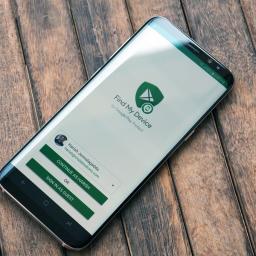
Find My Device is an invaluable resource for finding your lost phone.There are several options available for remotely tracking your phone, but Google's own Find My Device service is one of the most convenient around. In addition to locating your phone, Find My Device lets you ring, remotely lock, or even erase the data if your phone goes missing or stolen.Find My Device is enabled out of the box on most devices, but it doesn't hurt to see if it's running on your phone. Doing so is a straightforward process that doesn't take more than a few minutes, so let's get started.Install and enable Find My DeviceIf your phone doesn't already come with Find My Device pre-installed, you can download the app from the Play Store. The service is available for download even on older devices — all phones running Android 4.0 Ice Cream Sandwich and above are eligible.Once the app is installed, you'll have to sign into it with your Google account. Doing so allows the service to essentially ...
|
 |
by Babu Mohan on (#4X2MD)
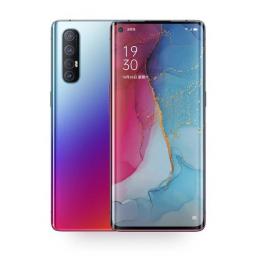
Thanks to VOOC 4.0 Flash Charge technology, both phones can be fully charged in just 56 minutes.What you need to knowOPPO today unveiled the Reno 3 and Reno 3 Pro 5G smartphones at an event in China.The Reno 3 Pro runs on Qualcomm's new Snapdragon 765G chipset and has a 6.5-inch OLED display with a 90Hz refresh rate. On the other hand, Reno 3 is the first phone to run on MediaTek's Dimensity 1000L chipset. Just eight months after the launch of the first-generation Reno phones, OPPO today unveiled the all-new Reno 3 series at an event held in China. Both the phones offer 5G connectivity and boast impressive hardware specs.The Reno 3 Pro is powered by Qualcomm's 7nm Snapdragon 765G processor and has a large 6.5-inch OLED panel with a hole-punch cutout and 90Hz refresh rate. OPPO claims the panel covers 100% of the DCI-P3 color space and comes with HDR10+ support as well. On the back of the phone is a quad-camera setup comprising a 48MP main sensor, an 8MP ultra-wide angle l...
|
 |
by Rich Edmonds on (#4X2MF)
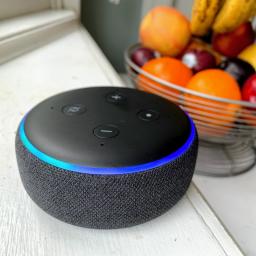
Boxing Day in the UK is still a good time to spend a little cash you received from family members, whether you're after a new graphics card for your PC or an Amazon Echo device to kick-start your smart home experience. We've rounded up a handful of highlighted deals to get you started.Boxing Day DealsAmazon Echo DotHome cinema discountsSamsung RU7100Microsoft Surface HeadphonesRing Video Doorbell 2Amazon Echo Dot — £25 (Save £25)Amazon always discounts its budget-friendly smart speaker and the Echo Dot remains on sale right now for Boxing Day. You can save 50% off the original price, allowing you to play music, control smart devices, ask Alexa questions, and much more.Smart SpeakerAmazon Echo DotIf you're looking for a strong centrepiece for your smarthome, Amazon's Echo Dot is a strong contender. It's also 50% off for Boxing Day.£25 £50 £25 offSee at AmazonUp to 30% off Home Cinema hardwareSure, you can pay to enjoy a movie at the cinema, but w...
|
 |
by Jeramy Johnson on (#4X2MG)
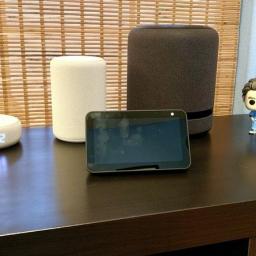
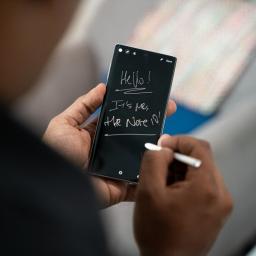
Now that your Echo is out of the box, we're here to help you set it up properly.It's that most wonderful time of the year! Families are getting together, meals are being shared, and presents are being exchanged. If you were one of the millions of fortunate folks who happened to be gifted an Amazon Echo smart speaker or a smart screened device, then congratulations! You're surely excited to set it up, put it through its paces, and see just what Alexa can do for you.Since I play with smart speakers and Echo devices all the time, I've come up with a list of the top eight things you should consider doing after you've unwrapped that Amazon Echo.Step 1: Register your Echo deviceIt's possible that if one of your more tech-savvy friends or family members bought your Echo online from Amazon that they might have been able to register it for you, but that's probably not the case. Thankfully, the Amazon Echo speakers are some of the simplest tech devices to set up.First, plug in and p...
|
 |
by Cale Hunt on (#4X2F2)
Boxing Day is a great time to spend a bit of that cash Grandma slipped into your holiday card, whether on a big ticket item deeply discounted or on some smaller tech accessories you don't want to buy for full price. In any case, we've rounded up a bunch of the best deals you'll find Canada-wide on the hottest tech from 2019.Boxing Day DealsLG 75-inch 4K Smart TVAmazon Echo DotRing Doorbell 2 with Echo Show 5 BundleMicrosoft Surface Pro 7Instant Pot DuoPhilips Hue Colour Starter KitXbox One X 1TB Star Wars Jedi: Fallen Order BundleDell UltraSharp U2717DSamsung Galaxy Note10 256GBAmazon eero mesh Wi-Fi and Echo Dot BundleInsignia 58-inch 4K TVOculus Rift SLG 75-inch 4K Smart TV — $1,000 (Save $800)LG's 75-inch 4K HDR Smart TV is no doubt Best Buy's biggest Boxing Day sale of the year, but it doesn't start until December 24 at 6 p.m. EST. Once the sale kicks in, this $1,800 TV drops down to just $1,000, which is frankly kind of nuts. It has all your favorite str...
|
 |
by Babu Mohan on (#4X2F3)
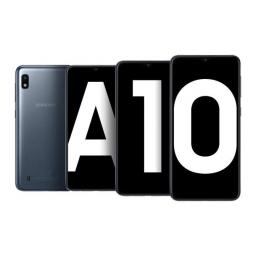
The second most popular Android phone during the period was Samsung's Galaxy A50.What you need to knowCounterpoint Research has revealed in its latest report that the Samsung Galaxy A10 was the best-selling Android phone globally in Q3 2019.Samsung's mid-range Galaxy A50 was the second most popular Android phone during the same period.The top-selling smartphone globally, however, was Apple's iPhone XR. Counterpoint Research's latest Market Pulse report has revealed that the best-selling Android smartphone during the third quarter of the year was the Samsung Galaxy A10. The entry-level A series smartphone managed to capture 2.6% of the global market share during the July-September period.Samsung actually had two more Galaxy A series phones in the top 10 list: Galaxy A50 and Galaxy A20. The mid-range Galaxy A50 was actually the second most popular Android smartphone during Q3 2019, with 1.9% market share. Surprisingly, however, no flagship Galaxy smartphone made it to the...
|
 |
by Jeramy Johnson on (#4X215)
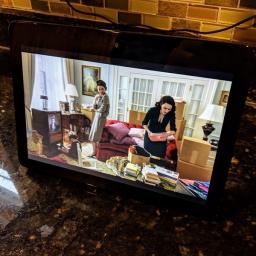
The Ring Doorbell and Amazon's Echo Show are a match made in heaven. The Ring Doorbell offers a smart doorbell experience that'll let you know exactly who's at the door without having actually to answer it. You can then use that cross-functionality to manage visitors by viewing them through the Ring Doorbell's camera and communicating with them using the Show's microphone. Thanks to Amazon Alexa, you don't even have to use your hands.Products used in this guideAlexa, Show Me the Door!: Amazon Echo Show (2nd Gen) ($230 at Amazon)Hear and See Who's There: Ring Doorbell ($100 at Amazon)How to connect your Ring Doorbell with Amazon Echo ShowConnecting your Ring Doorbell with your Amazon Echo Show is easy. It'll just involve adding the Ring Alexa skill through the Amazon Alexa smartphone app. Here's how:Open the Amazon Alexa app.Tap the three lines in the upper left-hand corner of the app to open the side menu.Tap Skills & Games.On this screen, tap the search butt...
|
 |
by Ara Wagoner on (#4X216)
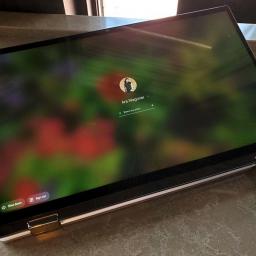
Originally called "Better Together", Google's pairing of Android phone and Chromebook allows you to get back into your computer quicker and stay connected thanks to SMS syncing and Instant tethering. Turning on this connected device feature on your Chromebook is easy, and you should absolutely use it, especially if you're already using Smart Lock to keep your phone unlocked when it's on your person or paired to your smart watch.Products used in this guidePretty practical laptop: Lenovo Chromebook C340-11 ($250 at Best Buy)Google's software in a durable shell: Google Pixel 3a ($400 at Amazon)How to pair your Android phone to your ChromebookClick the time and battery indicator on the right side of your Chromebook's dock.Click the gear icon to open Settings.Under Connected devices, click Set up.In the setup window, you can select a single Android phone to link to your Chromebook for Connected device. If the phone listed under Select a device is not the one you wish ...
|
 |
by Ara Wagoner on (#4X218)
Finally. The most anticipated streaming service is here. Home to not just Star Wars, the Marvel Cinematic Universe, and all your Pixar favorites, but educational entertainment like National Geographic and storied series like The Simpsons. Oh, and all the Disney movies and TV shows you could ever want to watch.Welcome to Disney Plus (Disney+).A magical streaming serviceDisney+$7/month at Disney+All your Disney favorites, and so much moreFrom DCOMs to National Geographic, from Marvel to Lucasfilm to 20th Century Fox and beyond, Disney+ delivers a streaming service for all ages.What is Disney Plus?When is my country getting it?All the devices you can watch Disney Plus onSo much to watch, here's where to startParental controls, profiles, and account limitsDisney Plus tips and troubleshootingWhat's the best price for Disney Plus?How Disney Plus stacks up to the competitionWhat is Disney Plus?Disney+ is a streaming service that brings together all of the conten...
|
 |
by Christine Chan on (#4X219)
Best Answer: Yes, you can get Disney+ on PlayStation 4, allowing you to stream your favorite shows and movies on your trust console rather than relying on apps on your smart TV.Disney, Disney, Disney!: Disney+ ($7/month at Disney+)So I can get Disney+ on my PlayStation console?As long as you have a PlayStation 4, yes. Disney+ is available on PlayStation 4 consoles, but if you are still using a PlayStation 3, Disney+ will not be coming to it. Sony ended PlayStation 3 support in March 2019, so it will not be coming to the older gen consoles.What if I don't have a PlayStation 4?Don't worry, Disney+ is available on a plethora of platforms and devices. Here are all of the devices that you can watch Disney+ on, and there's a high chance that you own at least one of these already:Android phones and tabletsAndroid TV devicesAmazon Fire TV devicesGoogle ChromecastApple phones and tabletsApple TVDesktop web browsersXbox OnePlayStation 4Android-based Sony TVsSamsung smart...
|
 |
by Ara Wagoner on (#4X21A)
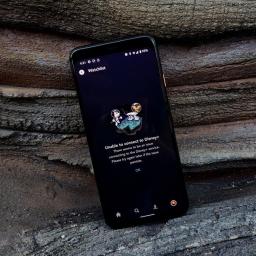
Disney+ is here and it seems to be a hit. With hundreds of films from the most popular franchises on the planet — not to mention thousands of TV episodes from our childhood — it's little wonder that Disney+ is popular. However, when errors invade your movie marathon, things are anything but magical. There's a few different errors Disney+ can spit out when things go awry, but Error 83 is by far the most prevalent error you come across. Here's a few of the reasons you may be seeing it, and what you can do about it.Reason #1 — Server timeoutError 83 is one of the most common errors. When the servers are overloaded and your Disney+ session can't connect to the servers fast enough to pass a DRM/account check — or can't connect at all — Error 83 is what Disney+ displays when it can't play your video as requested.This is far and away the most common reason to see Error 83, and dealing with it can take a few forms:Try again. Server issues tend to be intermittent, so if at ...
|