Asus B850-Creator Wifi Neo motherboard review: AM5 Creator mobo looks the part, but is missing useful features
Asus' B850-Creator Wifi Neo motherboard is designed to serve the creator community (think 3D modeling and rendering, animation, and other media production). This community tends to use a lot of bandwidth, particularly for storage when you're dealing with large files, either via physical connections to external drives (think USB-C) or via a NAS over Ethernet. With that, Creator boards tend to focus on faster networking, storage, and USB ports to speed up workflows.
The B850-Creator Neo is a ProArt-class board for creators that tries to serve that niche, offering dual 5 GbE ports and two PCIe 5.0 x4 M.2 sockets, neither of which is often found on a $299.99 motherboard. However, it doesn't have any USB4/40 Gbps ports for connecting external storage (unlike the more expensive X870E-Creator Wifi), so any work that requires speed from your storage will have to come from the internal connections.
Outside of that, the X850-Creator Wifi Neo has enough ports and sockets to keep most budget users happy. On top of the 160 MHz Wi-Fi 7 and dual 5 GbE ports, you get eight total USB ports, though only six Type-A ports will leave some wanting. You also get three M.2 sockets (two PCIe 5.0) and a solid last-gen flagship-class audio codec. If you need more USB ports, you can use one of the two extra PCIe expansion slots for more, and even faster ports. Aside from the hardware specifications, the ProArt uses a clean, professional design with a black PCB and black heatsinks, along with metallic gold accents that spell out the ProArt branding on the VRM heatsinks.
Performance testing went as expected and was quite similar to most other boards we tested. Overall, it performed well across most of our benchmark suite. It was competent at gaming and also above average at most tests, including rendering (as we'll see in detail later), so there's nothing to worry about in terms of performance, no matter how you want to use this motherboard.
Below, we'll examine the B850-Creator Neo's performance and other features, although as you have probably guessed from the score above, it won't make it to our list of the best motherboards. But before we share test results and discuss details, here are the specifications from Asus' website:
Specifications of the Creator Wifi NeoSocket | AM5 (LGA 1718) |
|---|---|
Chipset | B850 |
Form Factor | ATX |
Voltage Regulator | 17 Phase (14x 80A DrMOS MOSFETs for Vcore) |
Video Ports | (1) DisplayPort |
USB Ports | (2) USB 3.2 Gen 2 (10 Gbps) Type-C (4) USB 2.0 (480 Mbps) |
Network Jacks | (2) 5 GbE |
Audio Jacks | (2) Analog |
Legacy Ports/Jacks | |
Other Ports/Jack | |
PCIe x16 | (2) v5.0 (x16, x8/x8) |
PCIe x8 | |
PCIe x4 | |
PCIe x1 | (1) v 4.0 (x1) |
CrossFire/SLI | |
DIMM Slots | (4) DDR5-8400(OC), 256GB Capacity |
M.2 Sockets | (2) PCIe 5.0 x4 (128 Gbps) / PCIe (up to 110/80mm) |
SATA Ports | (4) SATA3 6 Gbps |
USB Headers | (1) USB v3.2 Gen 2x2 (20 Gbps) Type-C (up to 30W PD/QC4+) |
Fan/Pump Headers | (7) 4-Pin (Accepts PWM and DC) |
RGB Headers | (3) 3-pin ARGB Gen2 headers |
Diagnostics Panel | (1) EZ Debug LED |
Internal Button/Switch | |
SATA Controllers | |
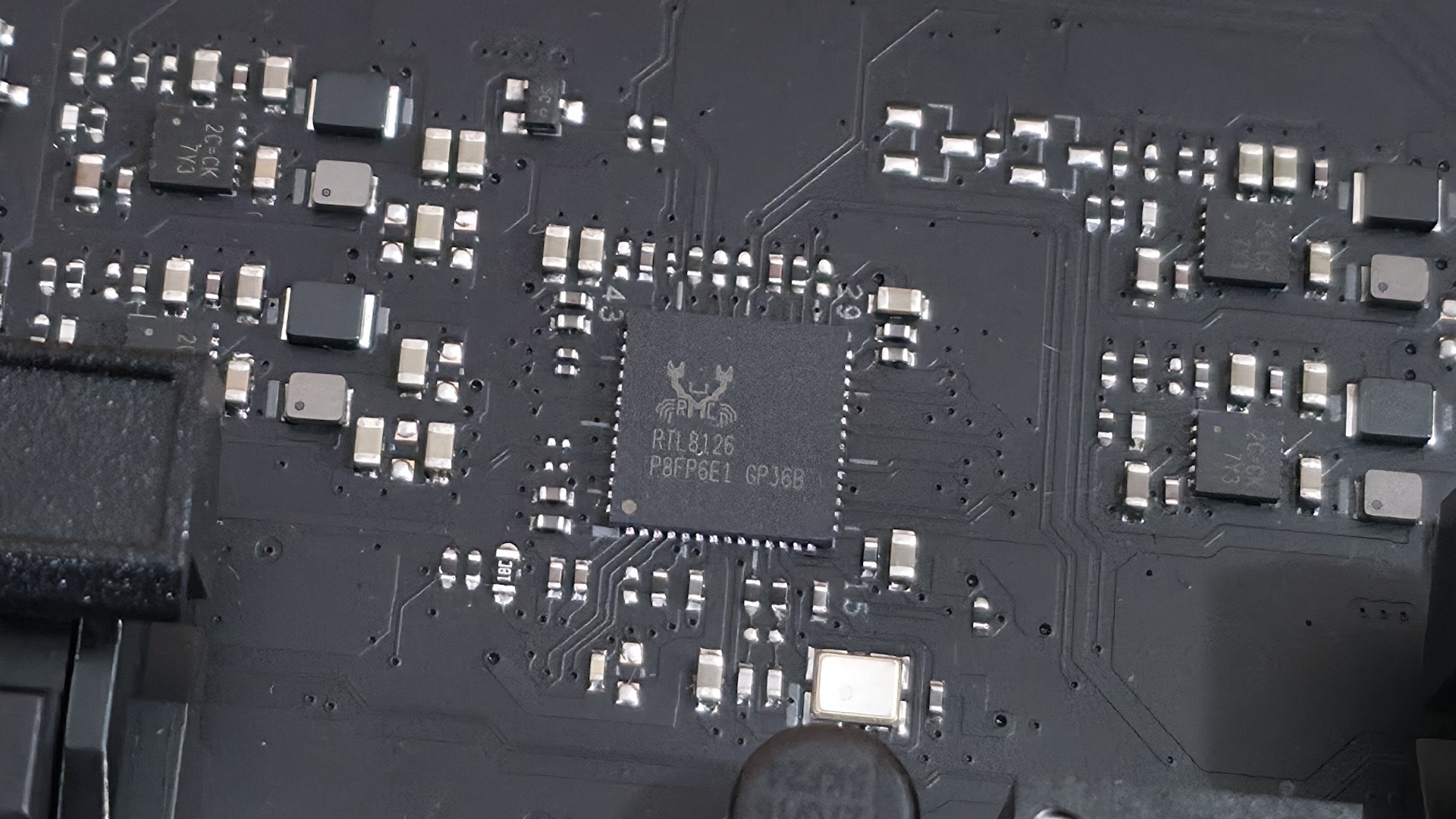
Ethernet Controller(s) | (2) Realtek 8126 (5 GbE) |
Wi-Fi / Bluetooth | Realtek 5922AE Wi-Fi 7 - 160 MHz, 6 GHz, 5.8 GHz, BT 5.4 |
USB Controllers | |
HD Audio Codec | Realtek ALC1220P |
DDL/DTS | / |
Warranty | 3 Years |
Asus includes a few accessories to get you started, including the typical collection of cables, antennas, and guides, but not much else, as is typical for this class of motherboard. We've listed the accessories inside the box below:
- (4) SATA 6Gb/s cables
- Thermal pad for M.2 22110
- ASUS WiFi Q-Antenna
- Q-connector
- (3) M.2 Q-Slide package
- (5) M.2 backplate rubber packages
- ROG stickers
- ROG screwdriver
- Quick start guide
 Future
 Future
 Future
 Future
 Future
 Future
 Future
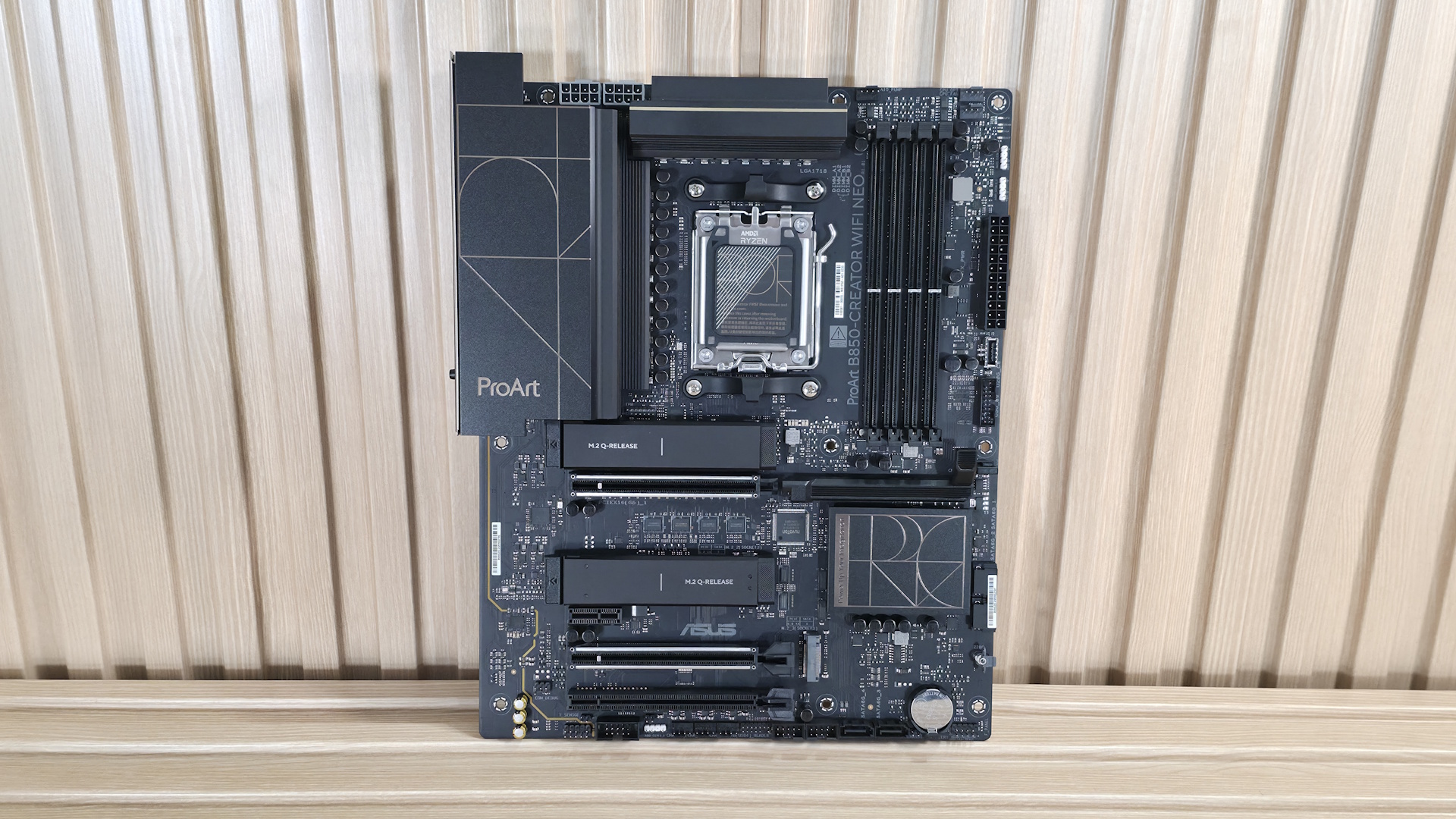
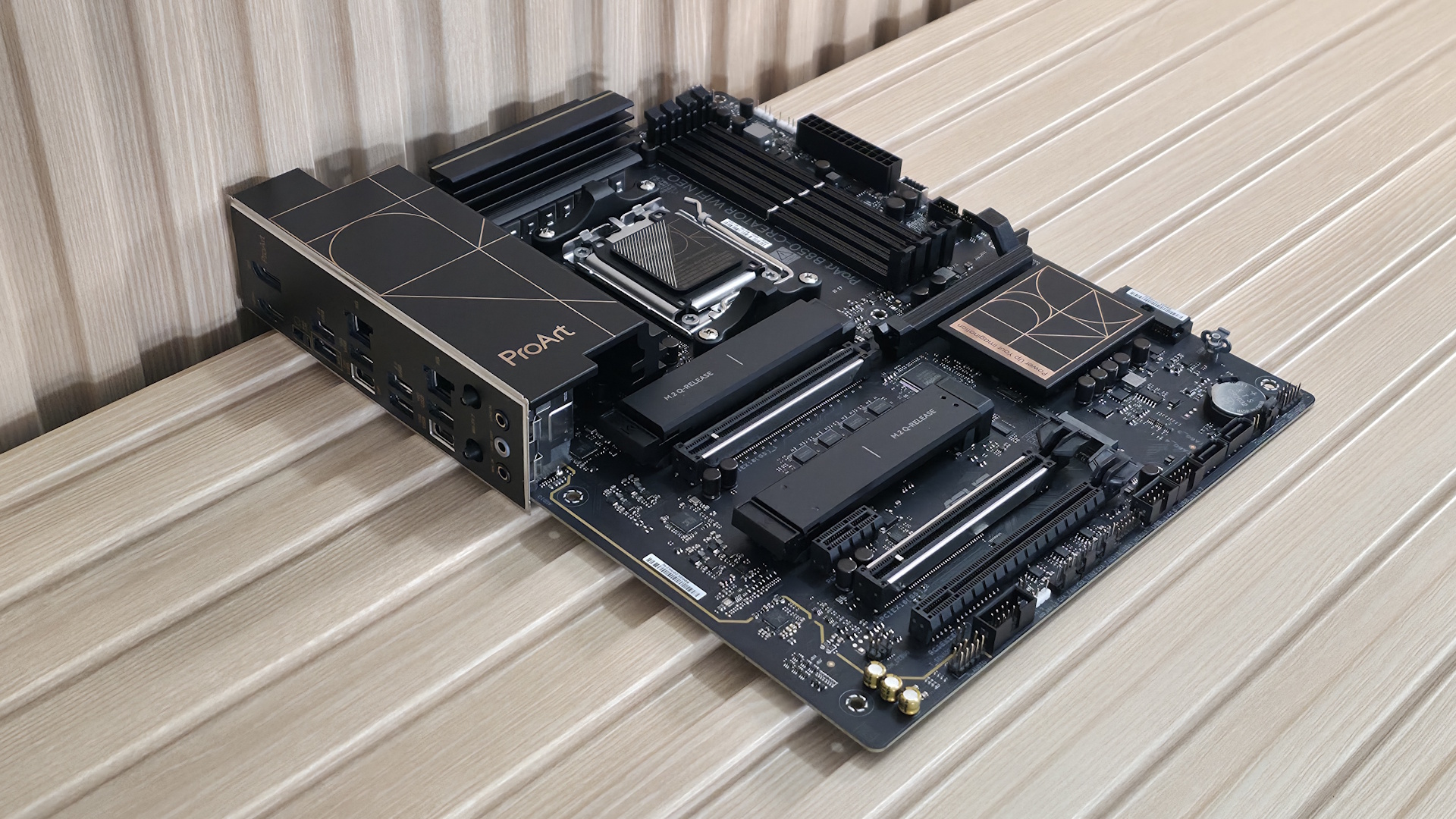
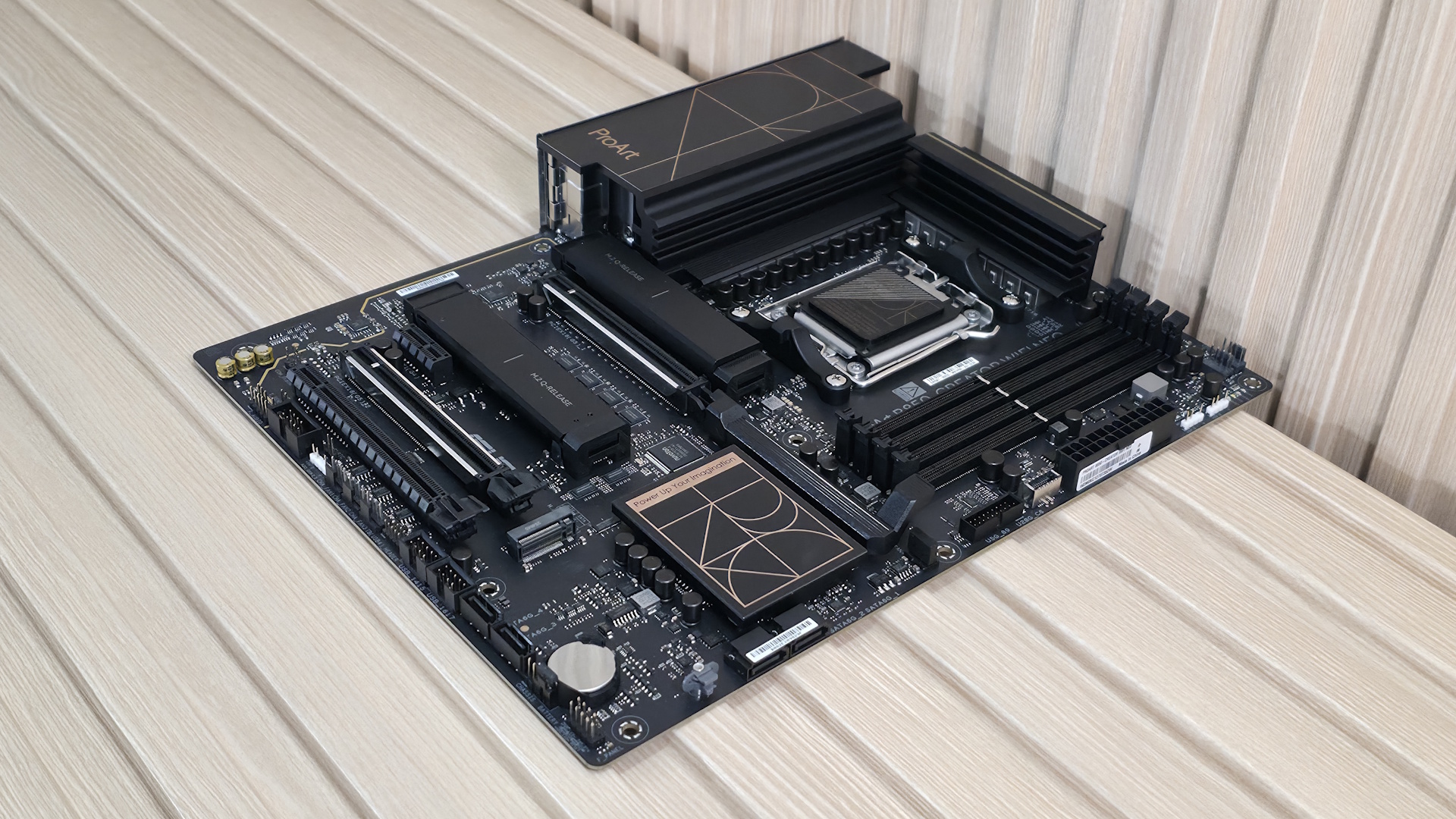
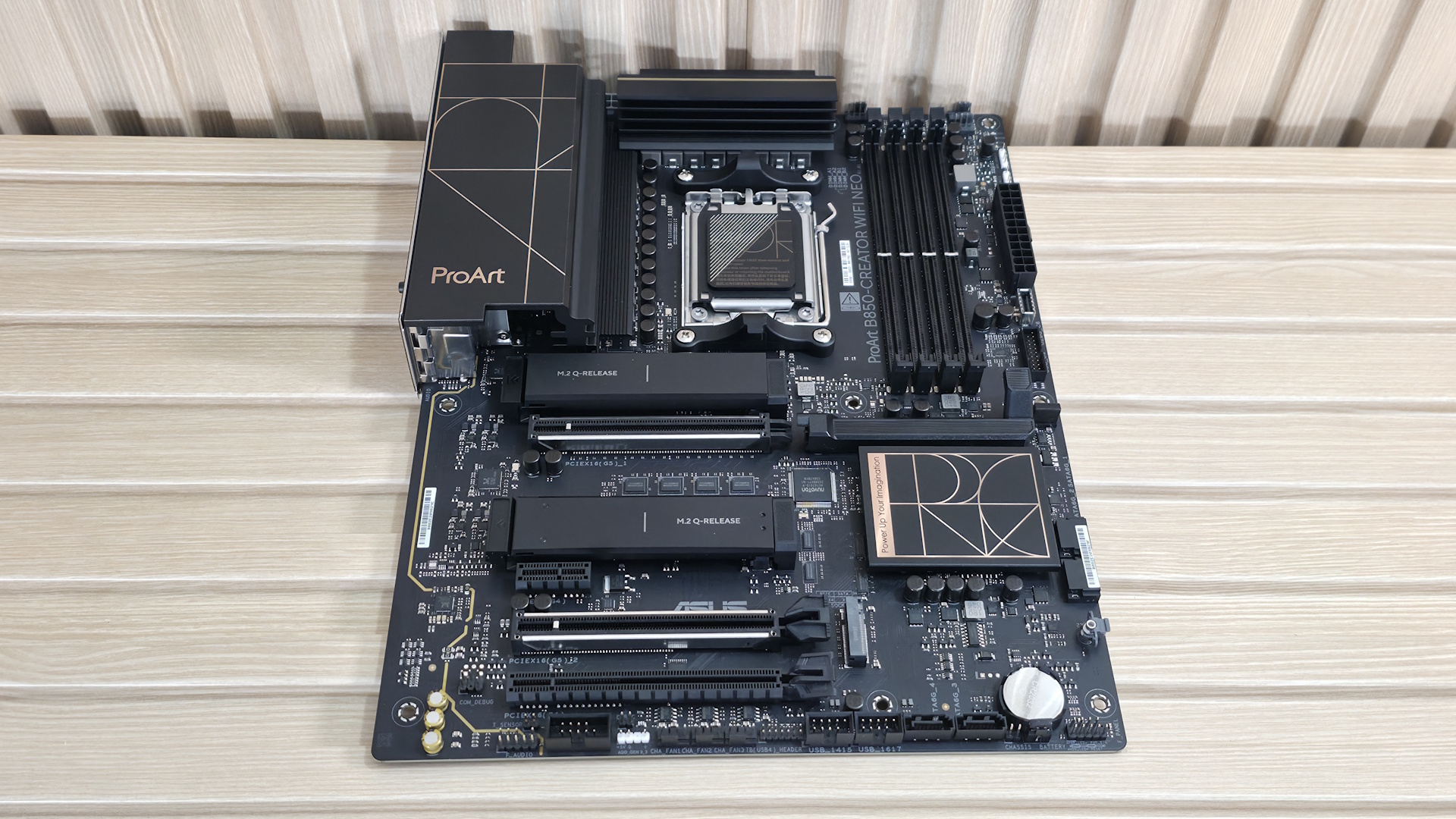
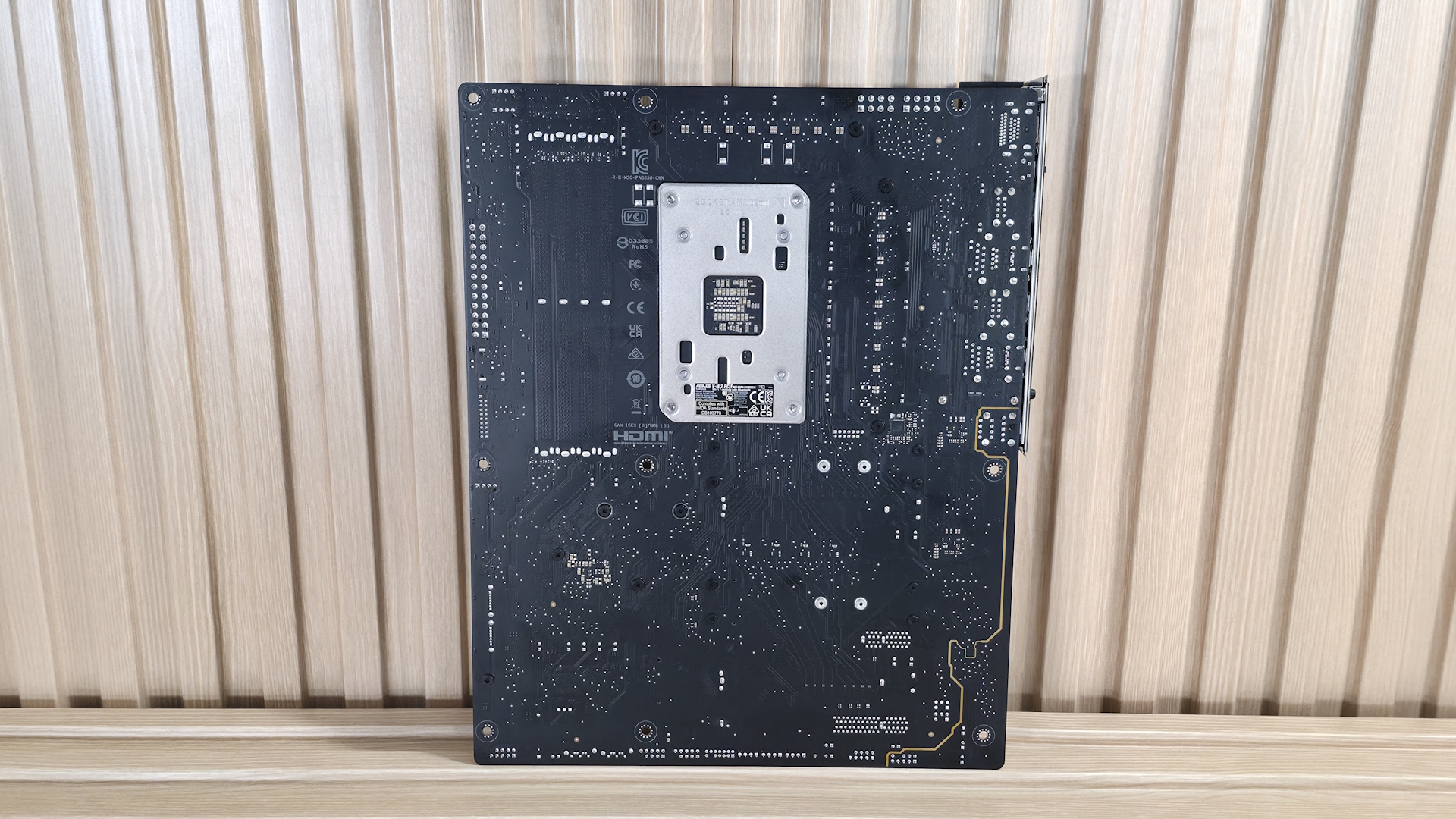
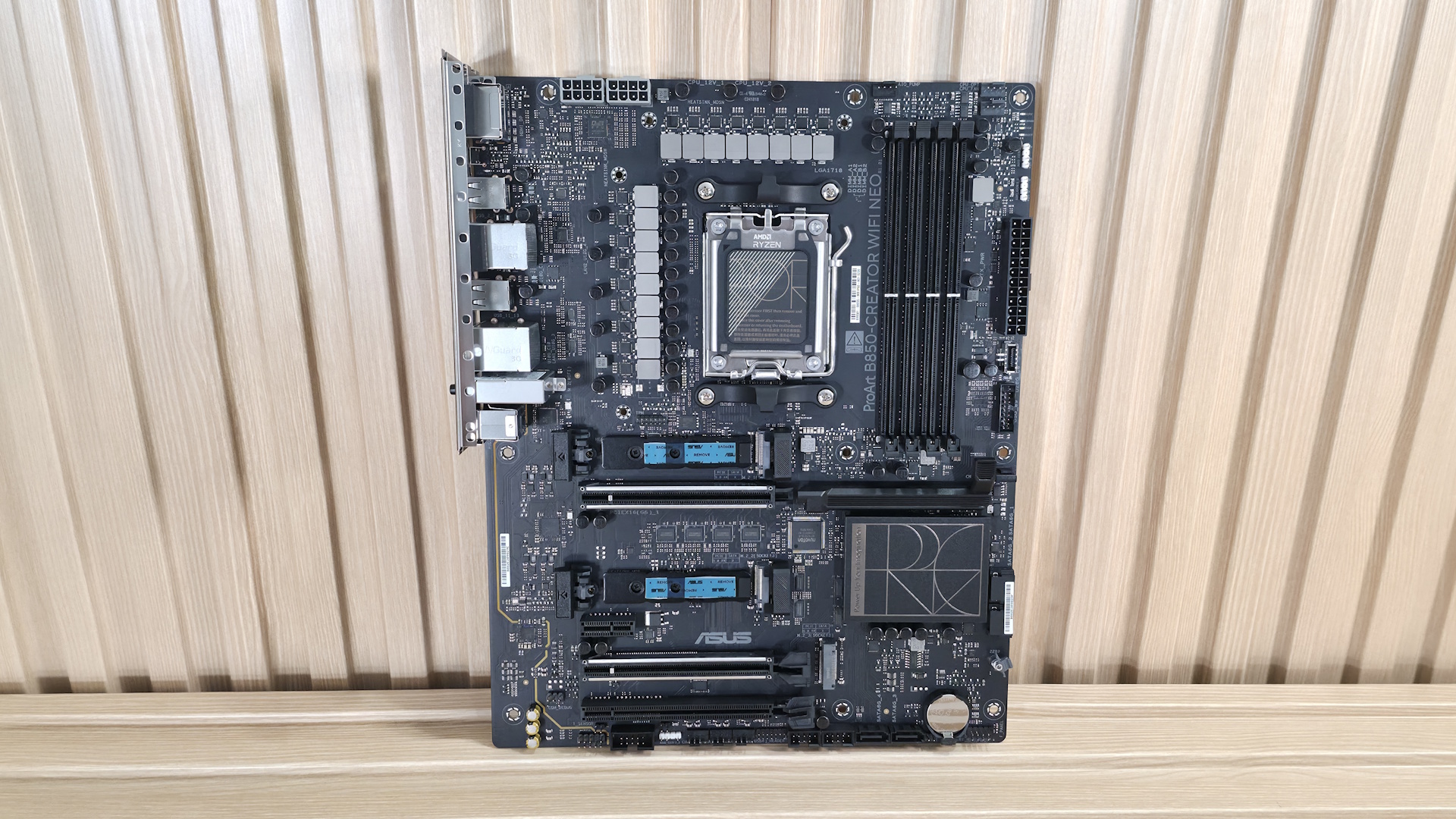
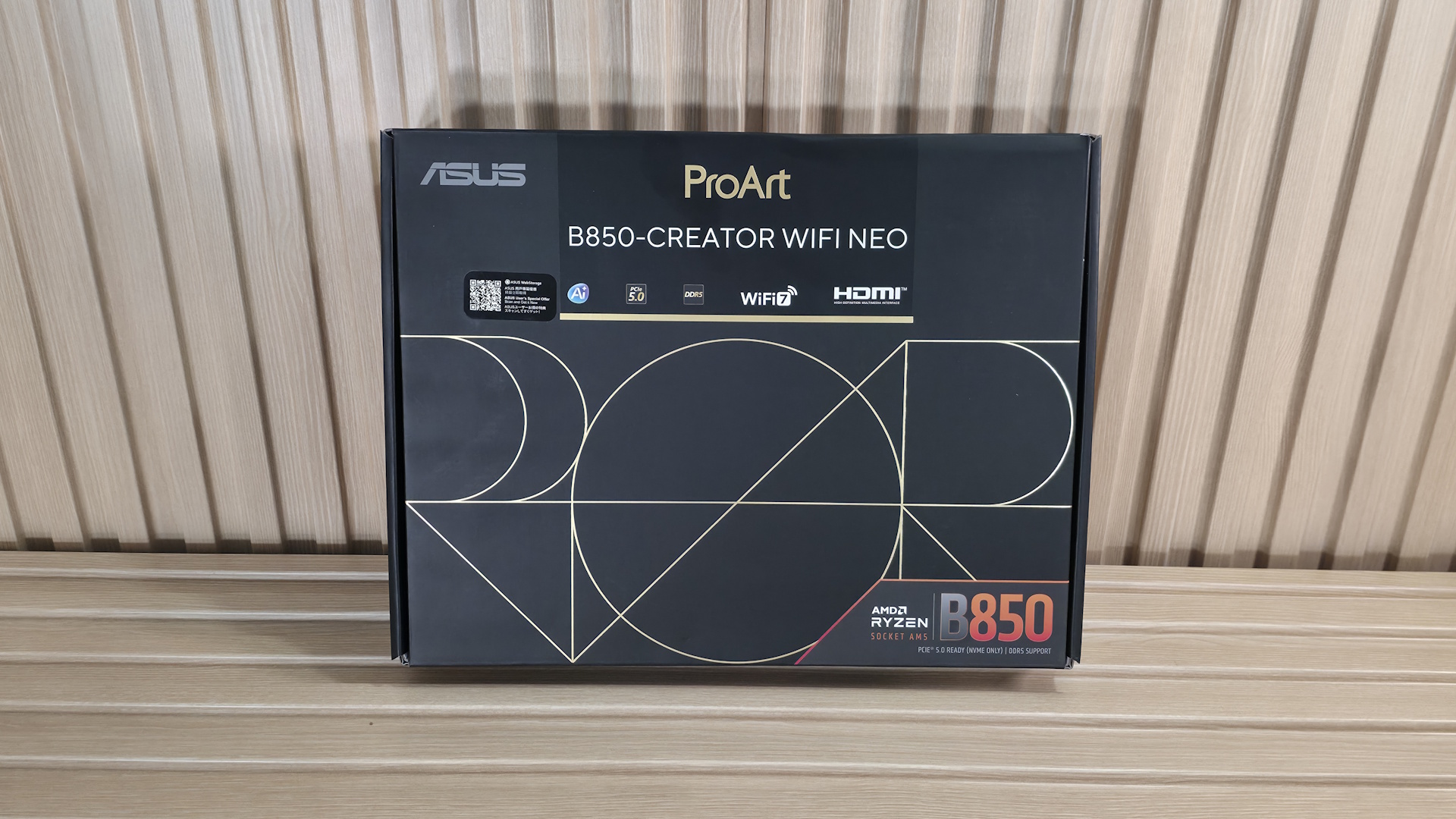
The B850-Creator Wifi Neo is decidedly a ProArt board. With its all-black, 8-layer server-grade PCB design, gold accents on the heatsinks spelling out Pro Art in some form (Pro on the chipset heatsinks and Art on the left VRM heatsink. The M.2 heatsinks cover the PCIe 5.0-capable sockets, but I wouldn't call them sufficient for extended use of hot-running 5.0 drives without throttling. Outside of that, there isn't much bling, like RGB lighting. So if that's a part of your vision, it would need to come from the case and fans through the onboard headers.
Overall, I like the professional appearance. And what you see, a lot of motherboard showing, is typical for the price point. I just wish at least one of the PCIe 5.0 x4 sockets included a heavier heatsink.
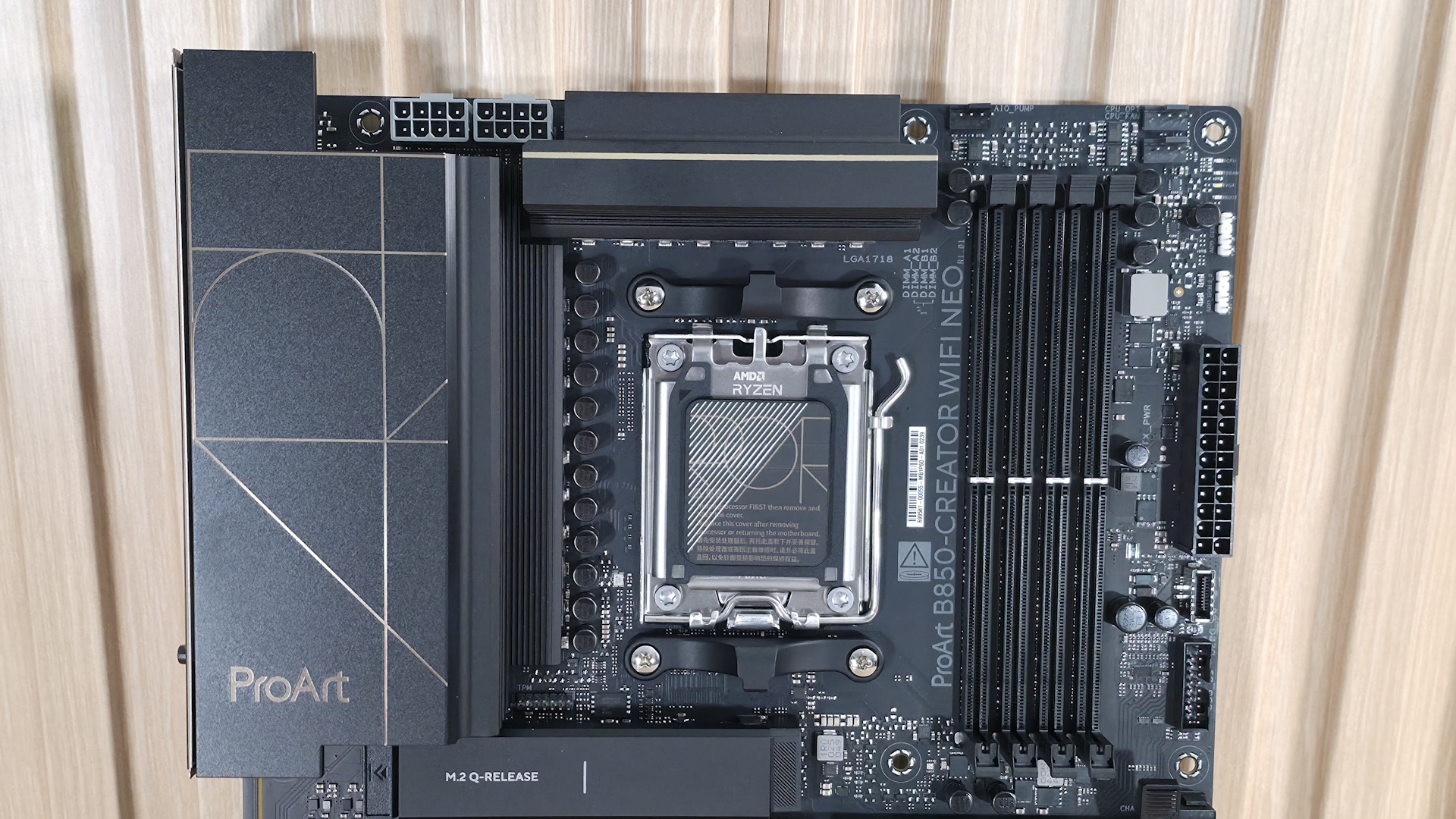
Starting with the top-left corner, we get a better look at the two 8-pin ProCool EPS connectors (one required) to feed the processor. Next, we get a better look at the gold-accented ProArt design on the matte-finish VRM heatsinks. Moving past the socket area, the next feature we encounter is the four DRAM slots, with the locking mechanism located only on the top. Asus lists support for DDR5-8400 with 9000-series processors and higher, and DDR5-8600 for 8000-series APUs. We didn't have any issues running our DDR5-6000 and DDR5-7200 kits with the 9900X. But, as is typical with our test hardware, we needed to break out the APU for our DDR5-8000 kit to work. If you want to get the most out of your RAM, you can use Asus' AEMP (Asus Enhanced Memory Profile) functionality, which detects the memory ICs in the kit and provides optimized frequency, timing, and voltage profiles that you can easily apply to increase performance.
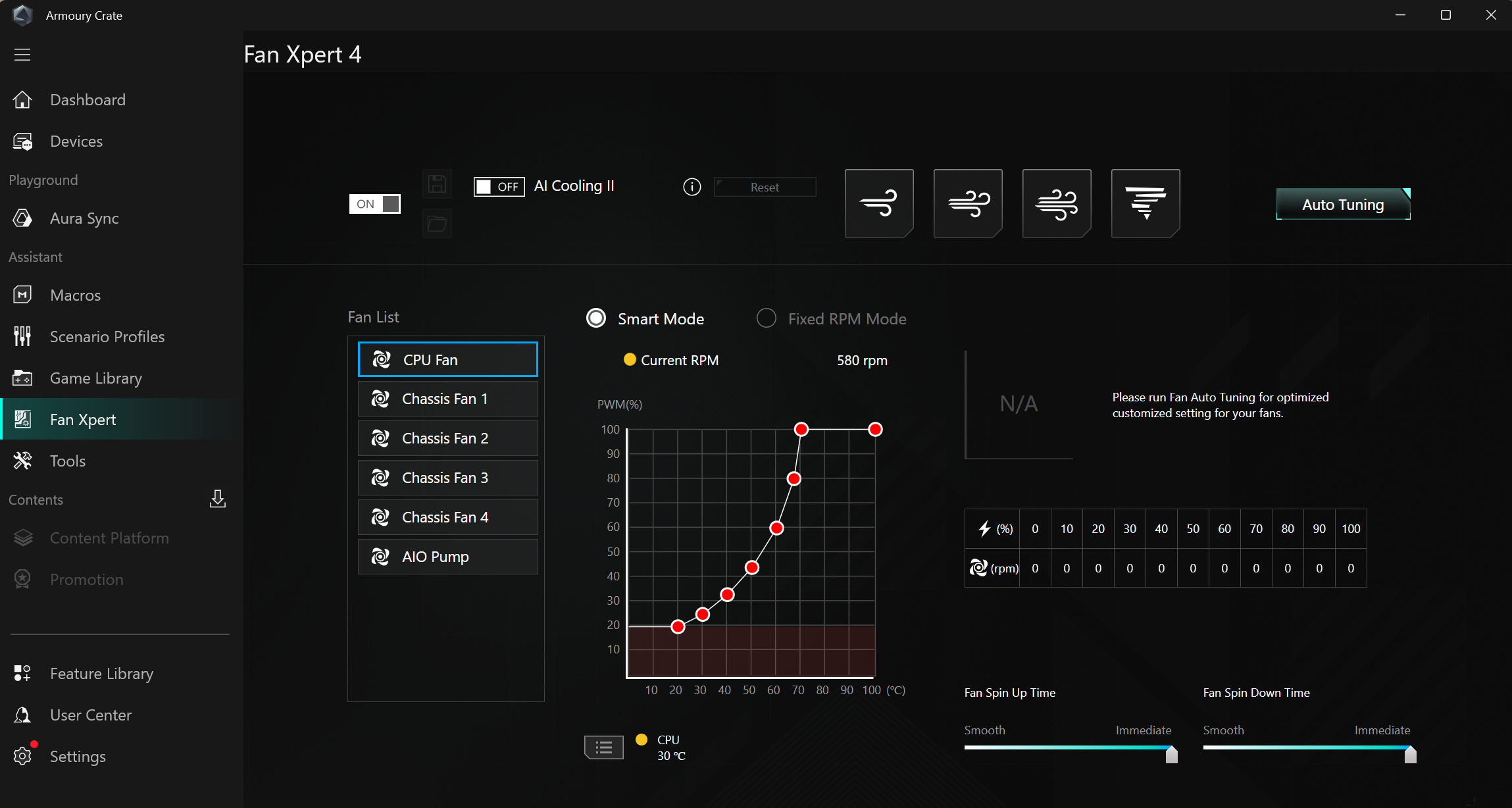
Above the DRAM slots are the first three (of seven) 4-pin fan headers. Each header supports PWM and DC-controlled devices. Each header outputs up to 3A/36W, which is plenty of output for any pump-and-fan configuration. You can even run a custom loop off the headers without worrying about power. Control of any attached devices is handled via the BIOS or Fan Expert 4 in the Armory Crate software suite. Or you can use ProArt Creator Hub to monitor PC status, switch fan profiles, and adjust performance modes.
Continuing right and moving down the long edge, the first thing we run into is the 4-LED debug header, which lights up during the POST process. If something goes wrong during this critical time, one of the LEDs corresponding to the problem (CPU, DRAM, VGA, Boot) remains lit, indicating where the hiccup is. Moving down the same edge, we then see the first two (of three) 4-pin ARGB connectors. The ProArt Creator hub or Armory Crate controls each. Next, we see the 24-pin ATX connector for board power, a front-panel USB 3.2 Gen 2x2 (20 Gbps) connector that also supports 30W PD/QC4+ charging, and a 19-pin front-panel USB 3.2 Gen 1 (5 Gbps) header.
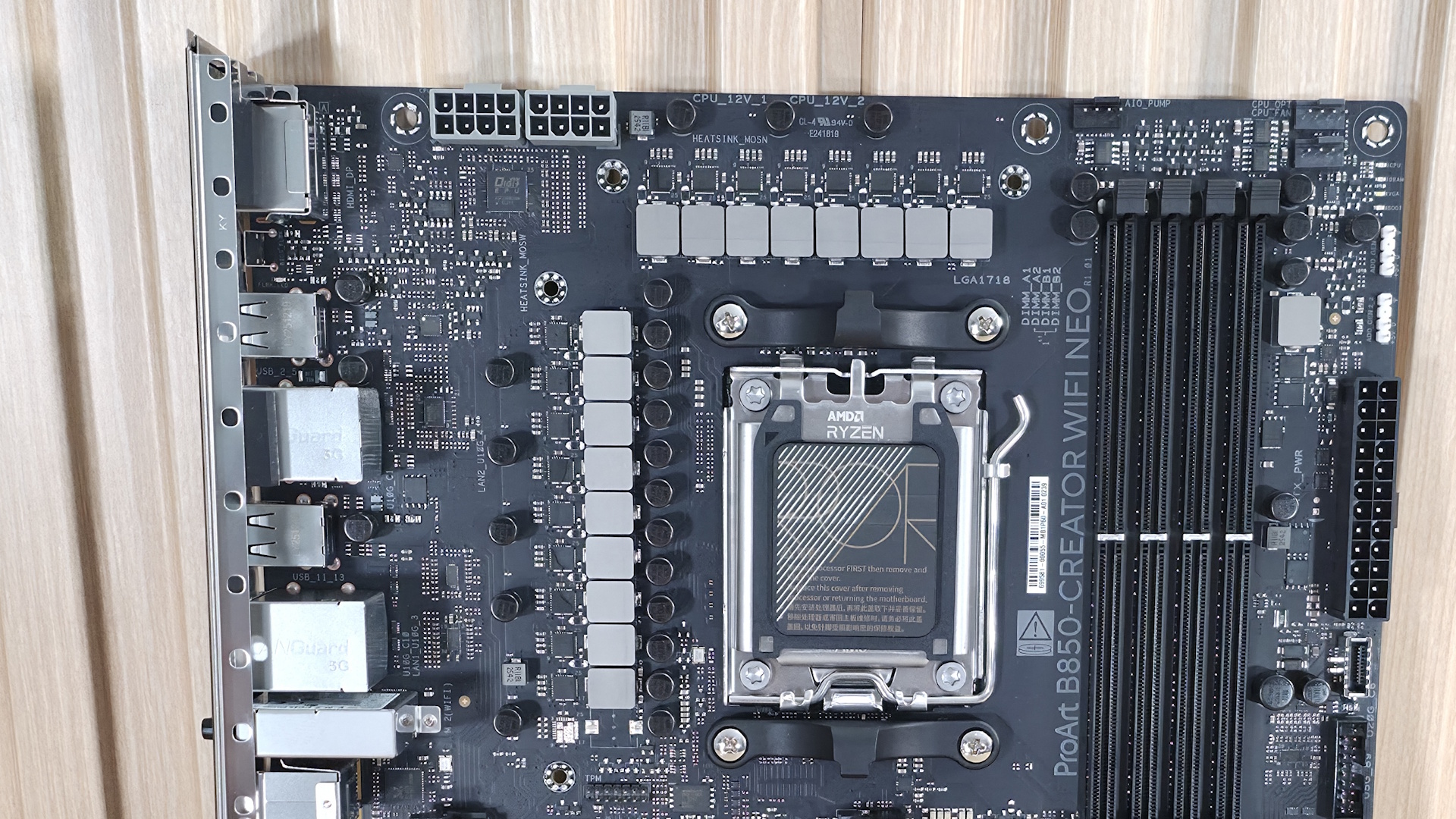
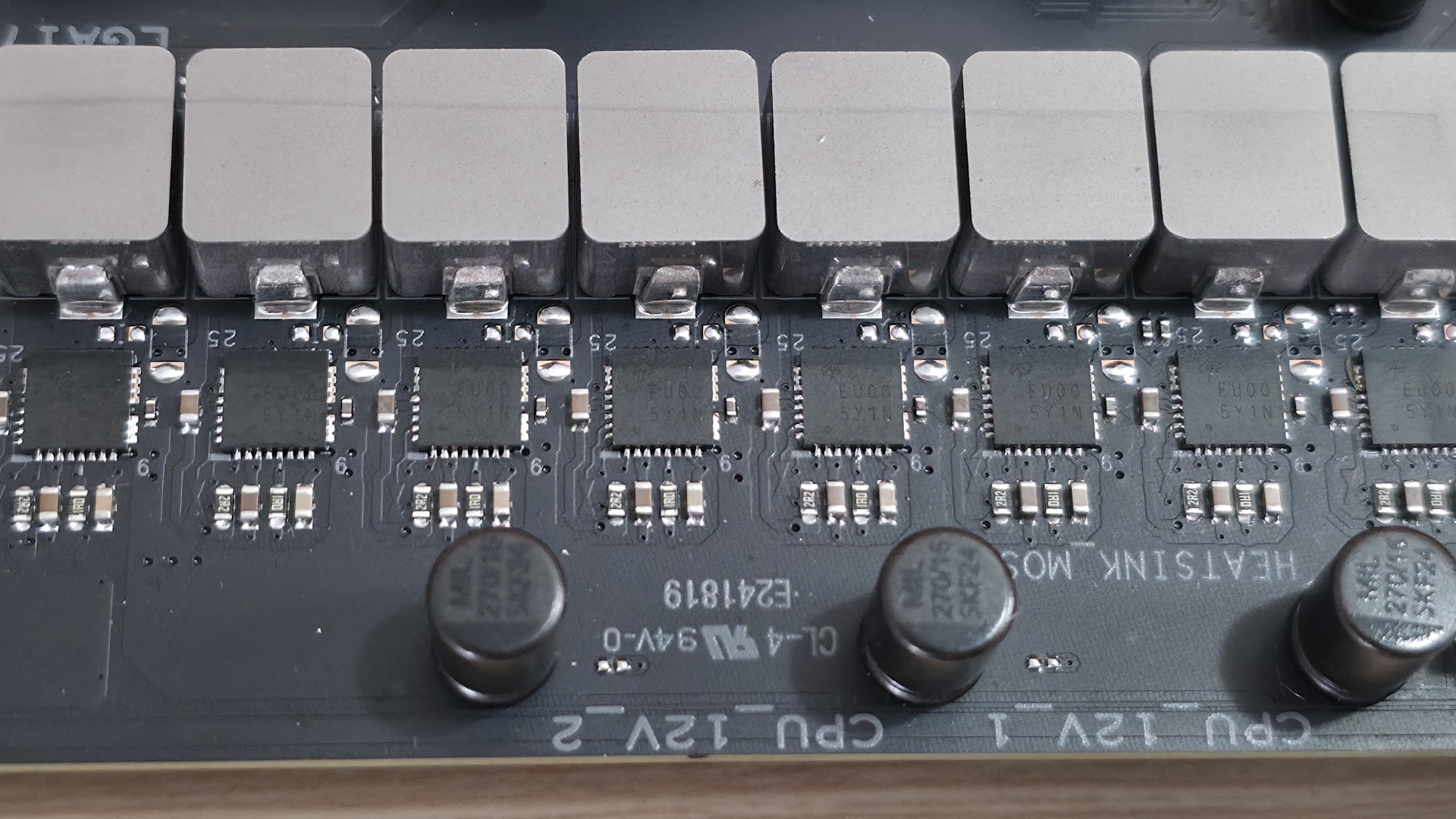
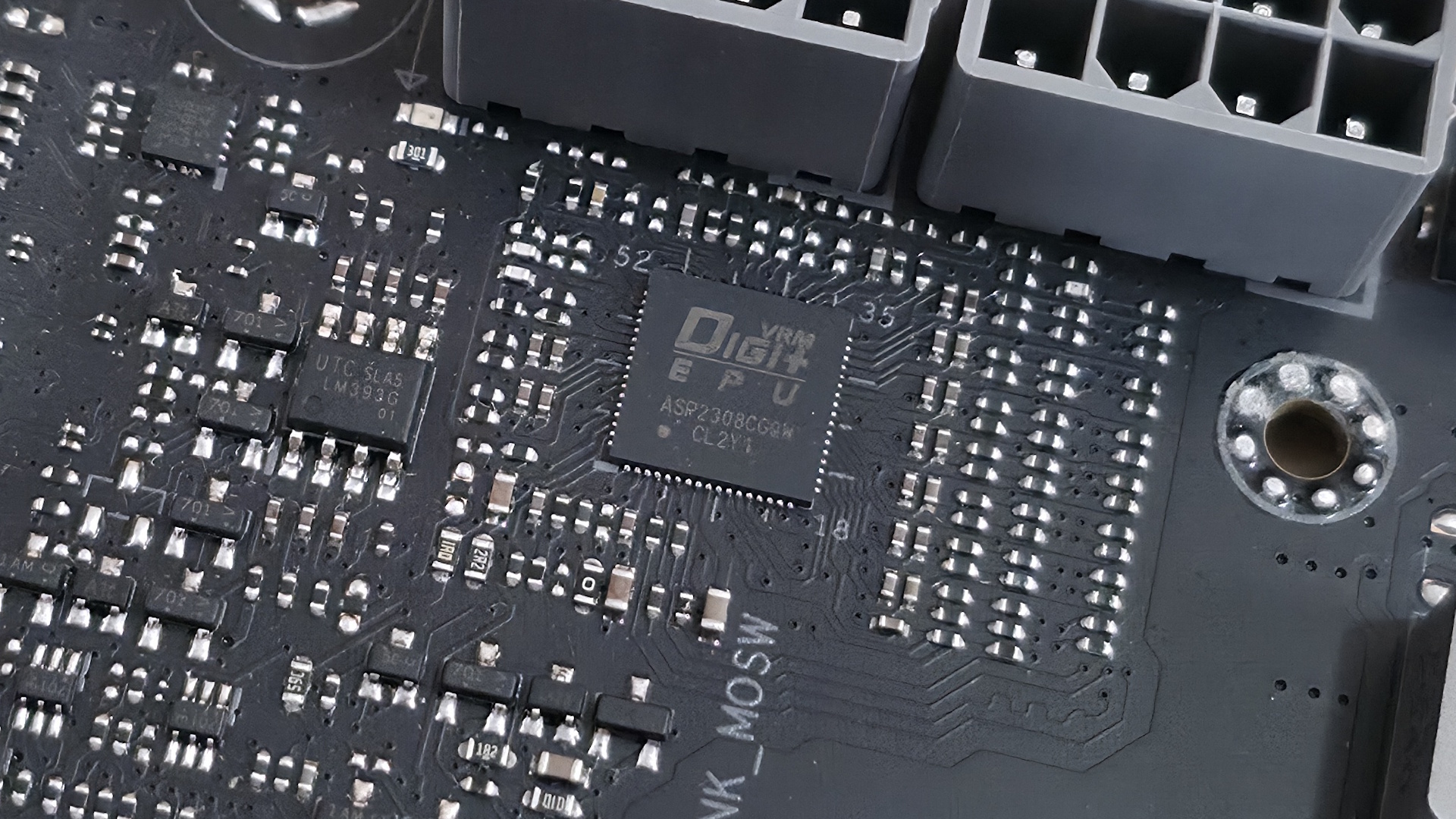
Power delivery on the B850-Creator Wifi Neo is plenty capable, sporting 17 phases, with 14 dedicated to Vcore. Power heads from the 8-pin EPS connectors and onto the Digi+ EPU (ASP2205) voltage regulator. From there, it moves to the 80A DrMOS MOSFETs. The 1,120 Amps available isn't a ton, but it will handle any CPU you throw at it, including the Ryzen 9 9950X or the Ryzen 9 9950X3D2.
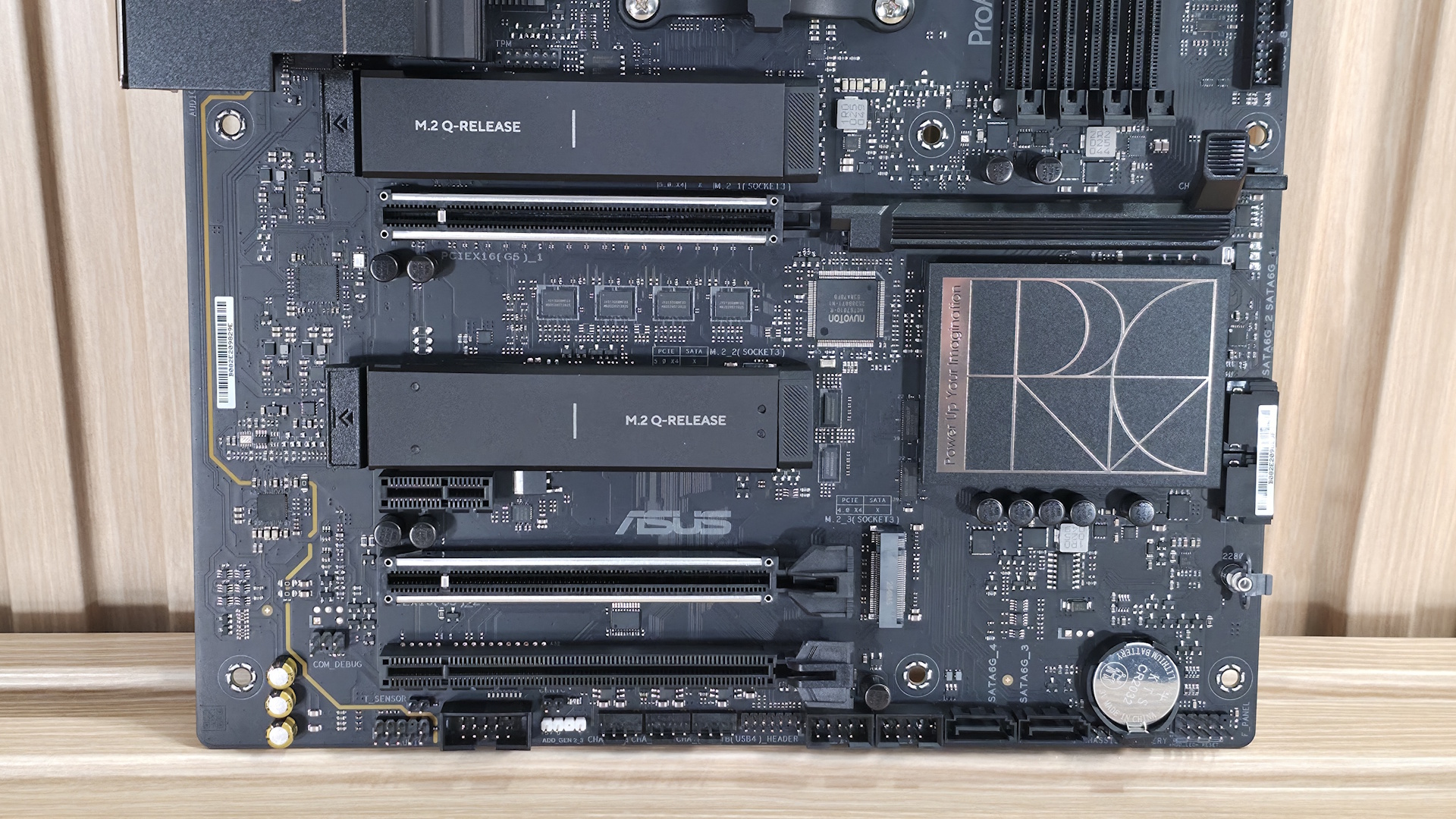
At the bottom of the board, on the left, are the last-gen flagship Realtek ALC1220P codec and a couple of dedicated audio capacitors. This audio solution is typical for the price point, and most users won't have any issues with it.
Next are four PCIe slots in the middle of the board. The top full-length slot uses reinforcement, connects to the CPU, supports PCIe 5.0 x16 speeds, and uses the PCIe Slot Q-Release to simplify removing a PCIe card from the motherboard. The other reinforced full-length slot also connects via the CPU and supports PCIe 5.0 x8 speeds. If both slots are in use, they run at x8/x8. The bottom full-length slot (not reinforced) connects via the chipset and supports PCIe 4.0 x4 (but it shares lanes with M.2_3). The tiny x1 slot also connects through the chipset and runs up to PCIe 4.0 x1 speeds.
There are three M.2 sockets, with the top two (under heatsinks) connecting to the processor and supporting PCIe 5.0 x4 (128 Gbps) speeds. The last M.2 socket, M.2_3 on the right, connects through the chipset and runs up to PCIe 4.0 x4 (64 Gbps) speeds. This socket shares bandwidth with the PCIe_3 slot. If either one is populated, the other gets disabled. So keep that in mind if you need to use that slot, as it will take away an M.2 socket.
Along the right edge, we find another 4-pin fan header and two (of four) SATA ports. If you need to run RAID, the SATA ports and M.2 sockets support RAID0/1/5/10 modes.
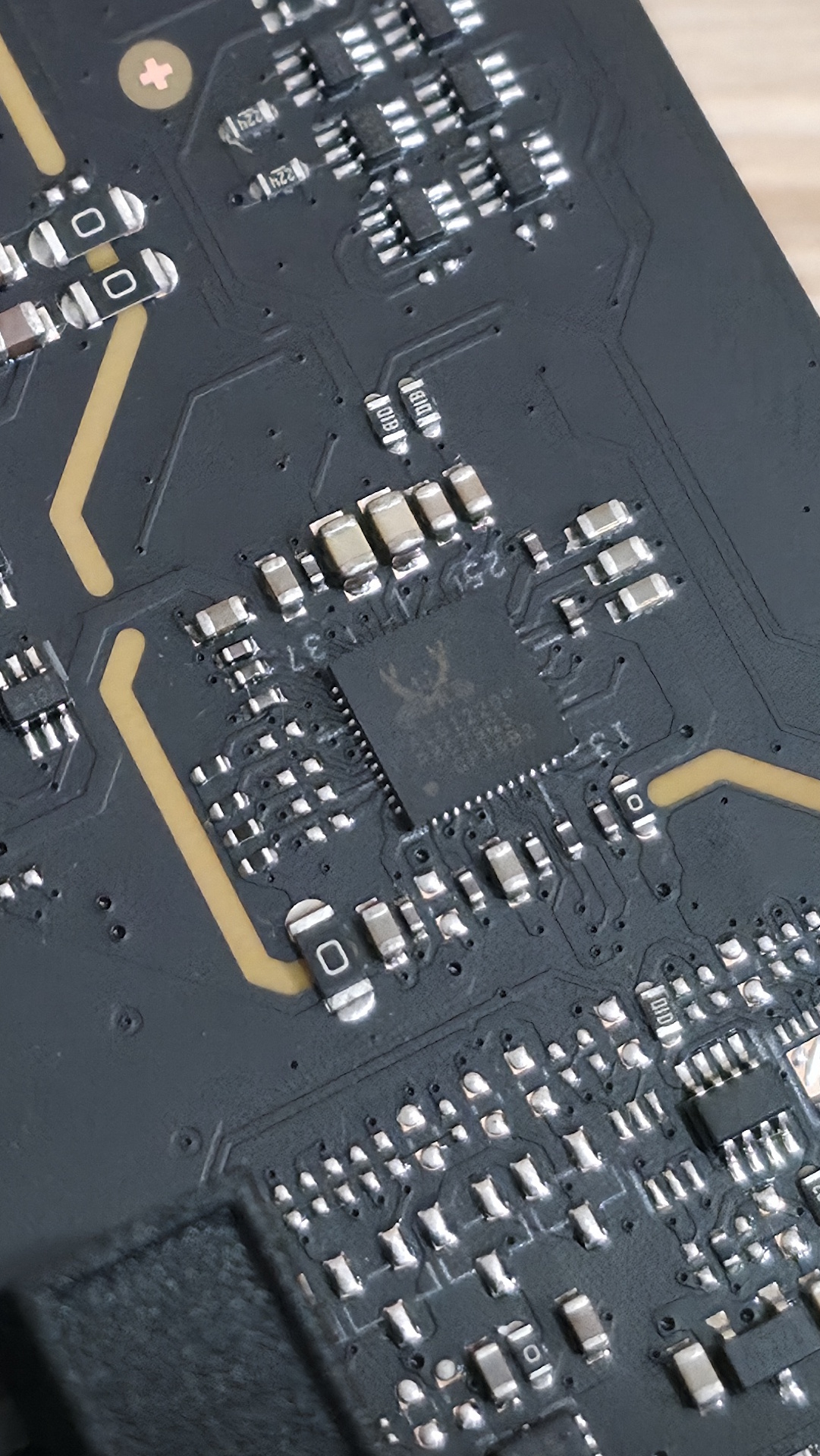
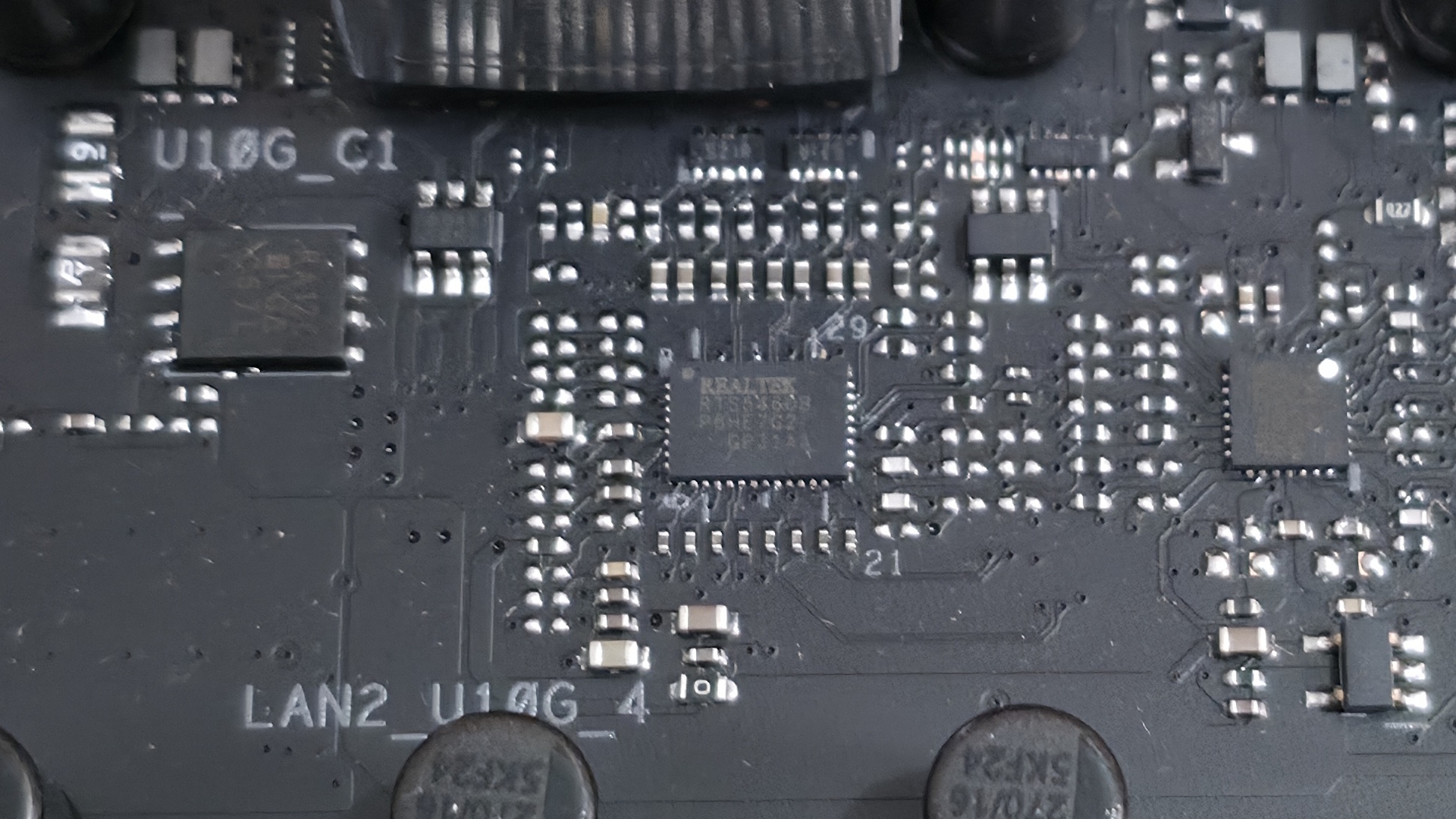
We also included images of several chips used on the board. Asus uses mainly Realtek (audio, networking), and it's own PWM ICs.
 Future
 Future
 Future
 Future
 Future
At the bottom are several headers, including front-panel audio and USB ports. A complete list of connectivity is listed below (from L to R):
- Front panel audio
- 2-pin thermal sensor header
- COM port
- 2-pin Clear CMOS
- 3-pin ARGB header
- (3) 4-pin fan headers
- TB/USB4 header
- (2) USB 2.0 headers
- (2) SATA ports
- Front panel
- Battery
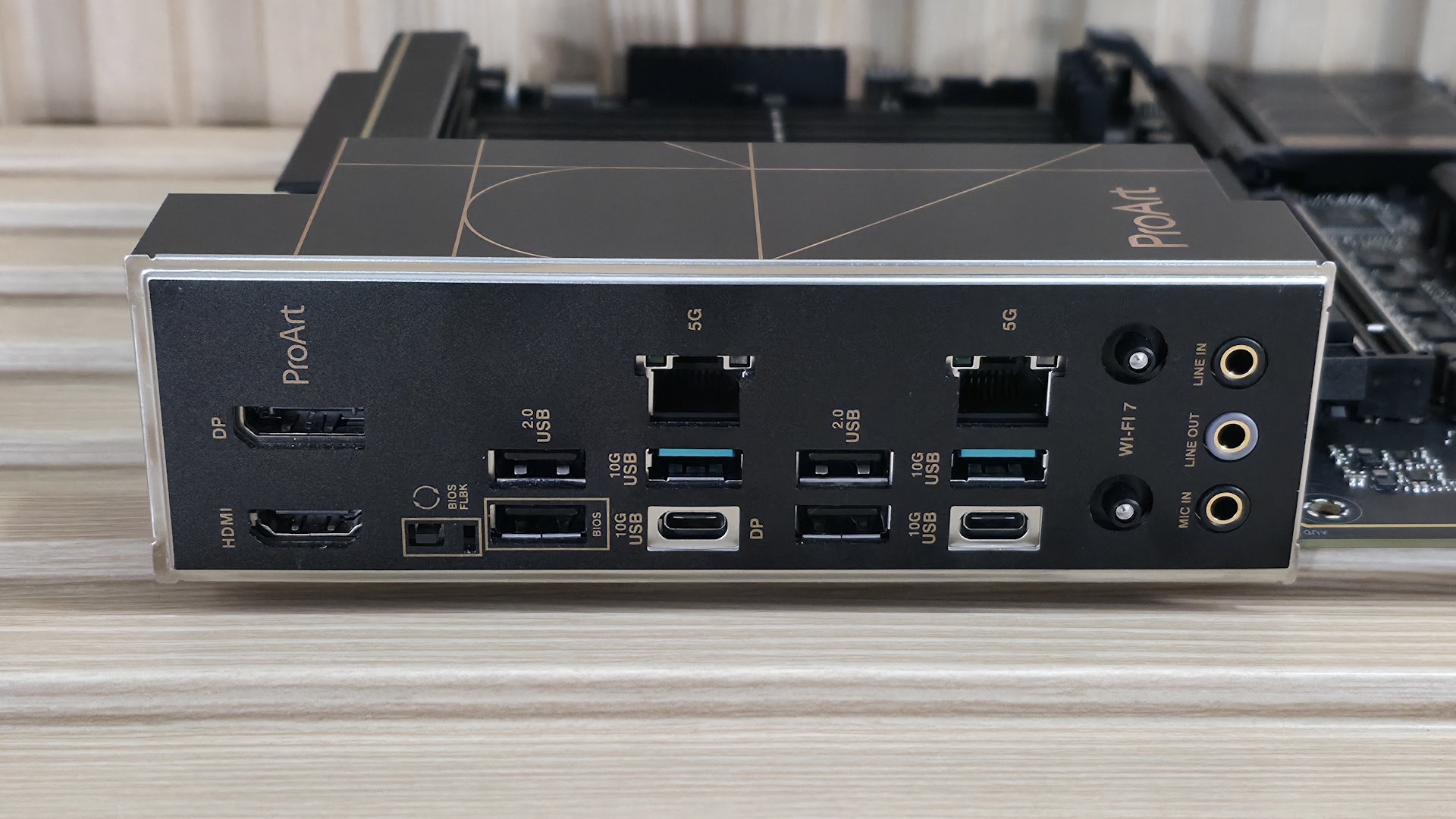
The rear I/O on the B850-Creator Neo has all the basics, but lacks native 40 Gbps USB ports, which could be a concern for creators whose files are on an external drive. Outside of that, it does come with two USB-C ports, both running at 10 Gbps (USB 3.2 Gen 1), and one supporting DP Alt Mode (for video). You get two 10 Gbps and four 480 Mbps Type-A ports for a total of six, which can be limiting for some users (including me). Additionally, there are DisplayPort and HDMI for video output, a BIOS Flashback button, dual 5 GbE ports, quick-connect Wi-Fi 7, and three 3.5mm audio jacks (no SPDIF).
Note: this board uses a slower' Wi-Fi 7 that's limited to 2.9 Gbps. It's still plenty fast, and faster than Wi-Fi 6, but it's worth mentioning in case you're one of the few who actually need the fastest Wi-Fi around and have the hardware to use it.
MORE: Best Motherboards
MORE: Best Motherboard Deals
MORE: Best RAM Combo Deals
MORE: How To Choose A Motherboard
MORE: All Motherboard Content
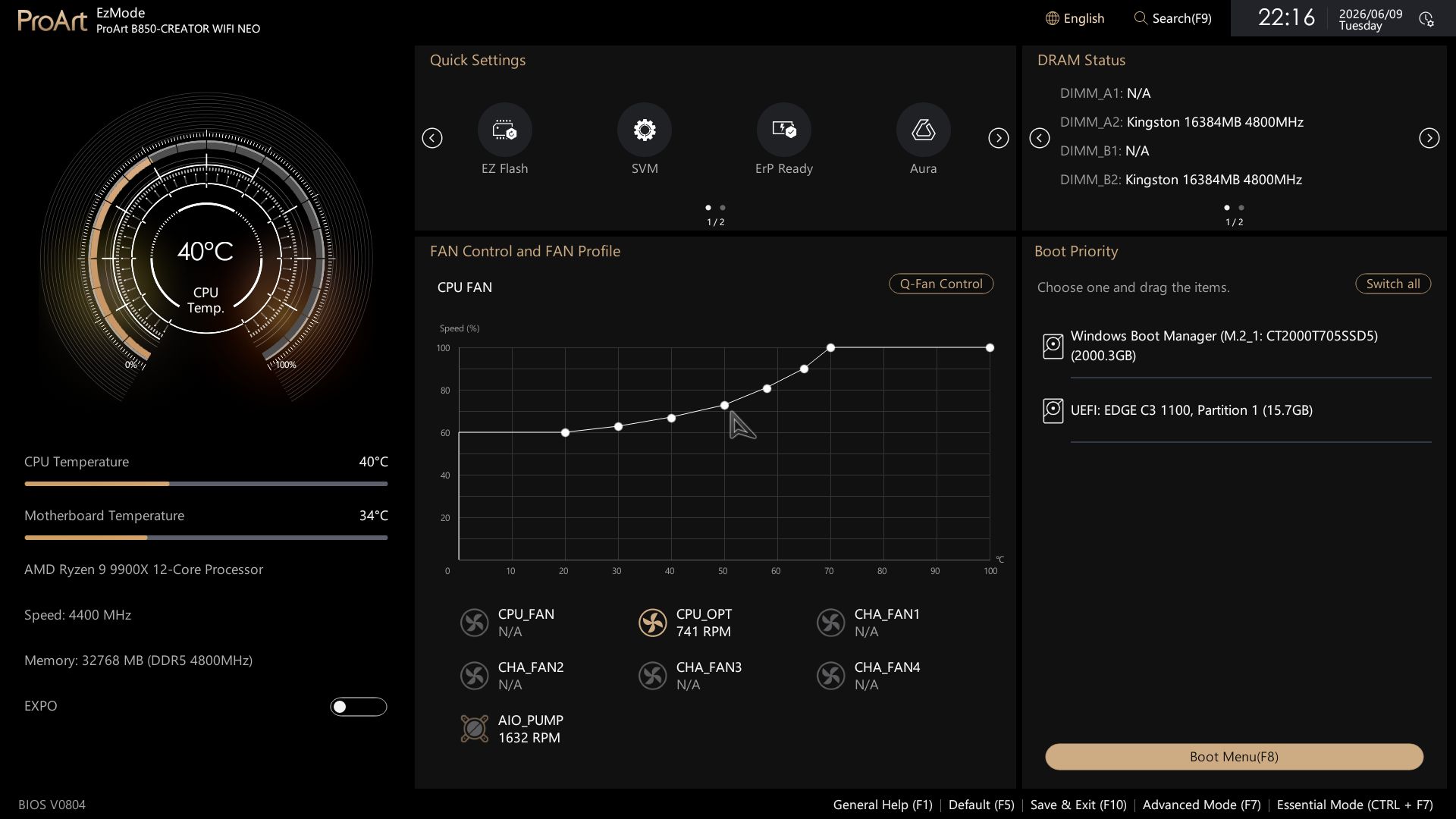
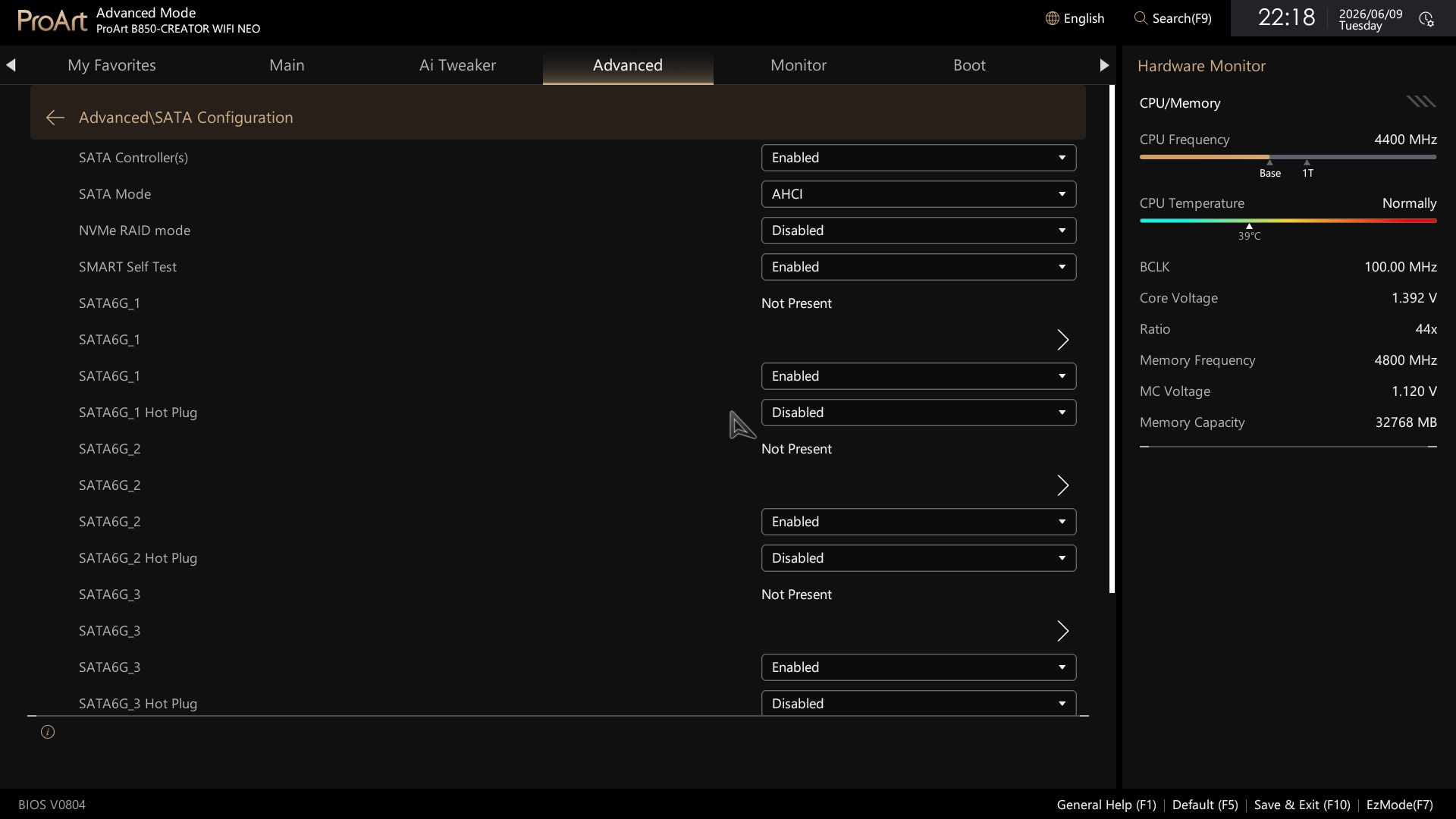
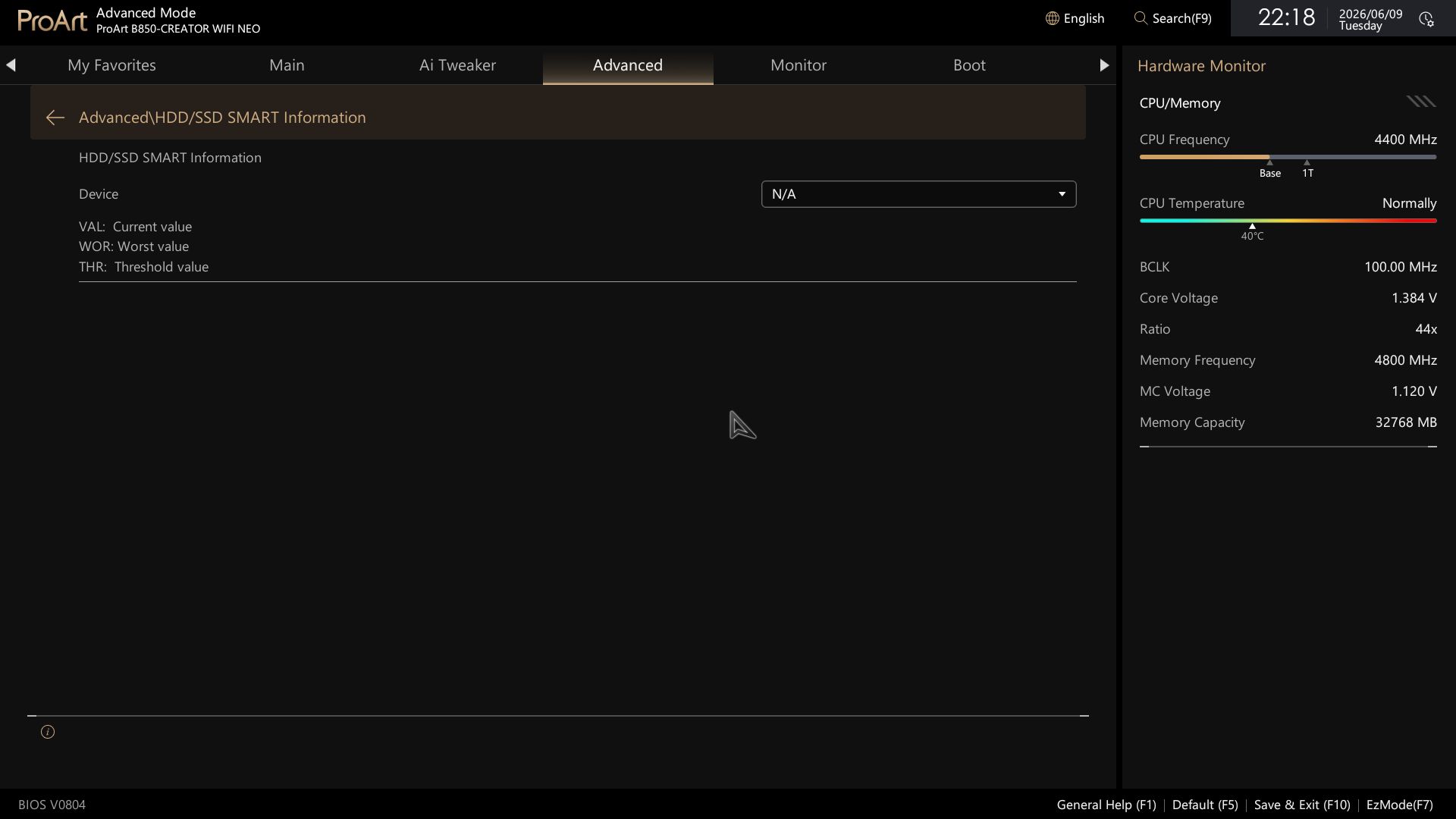
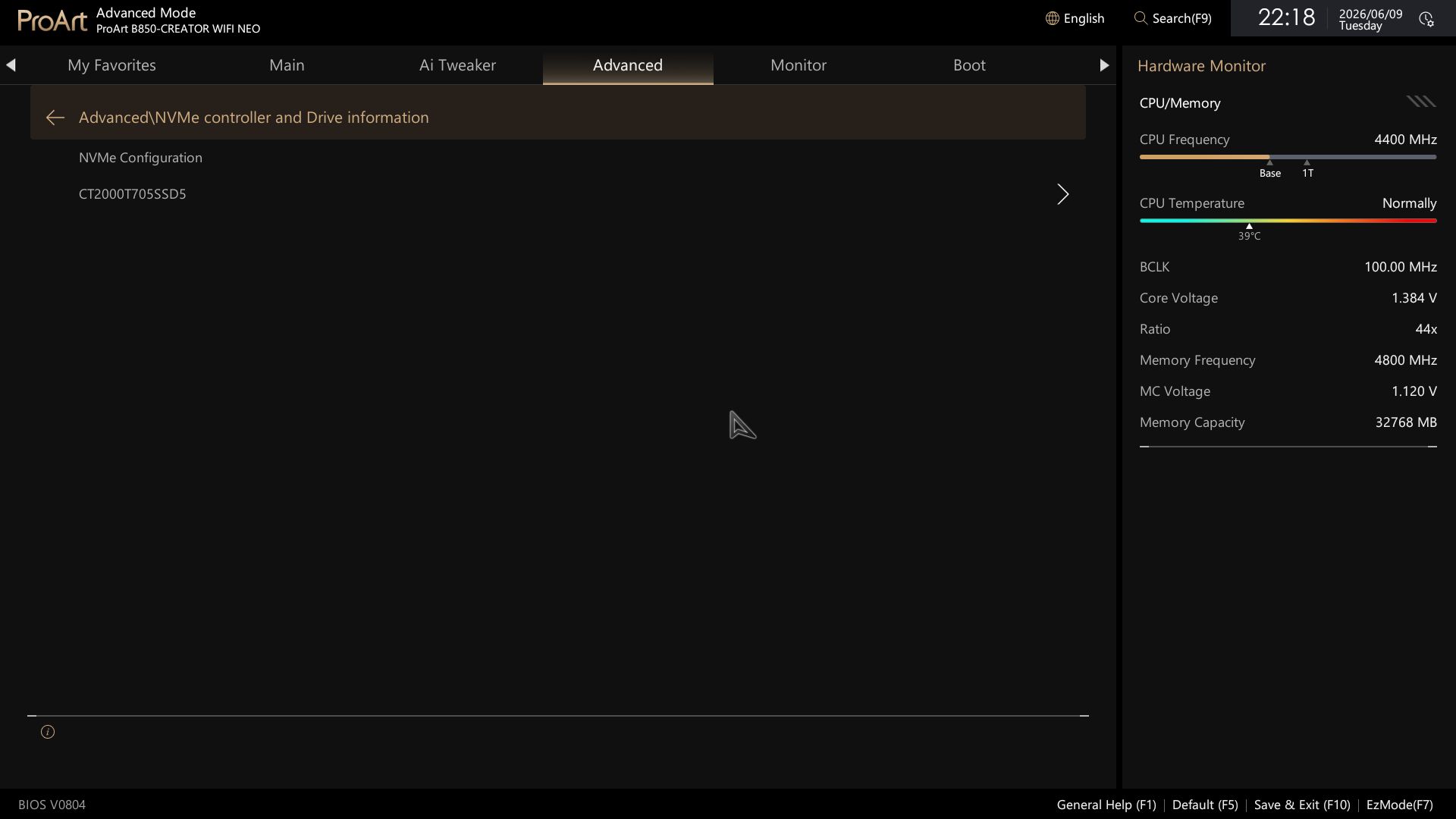
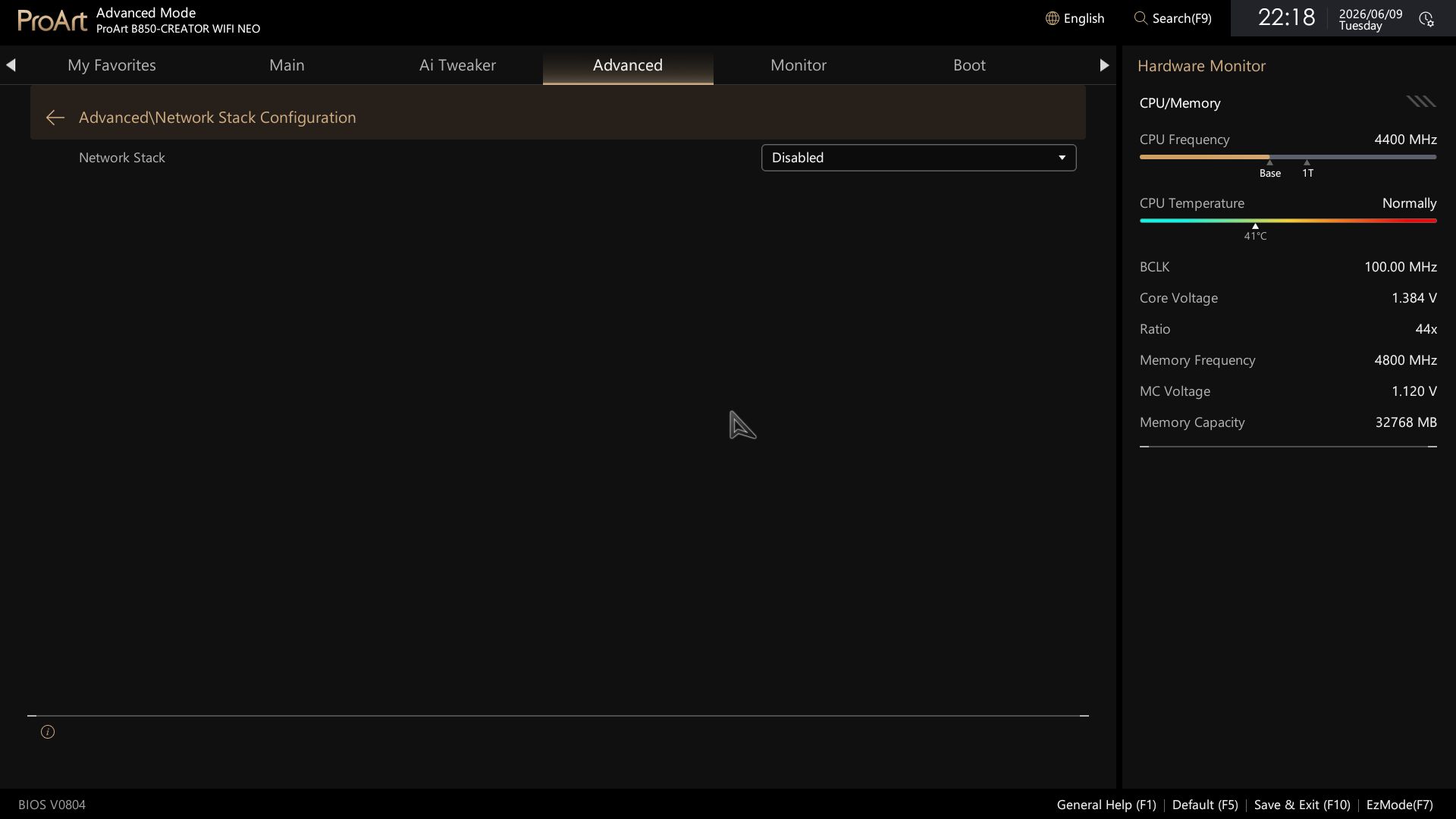
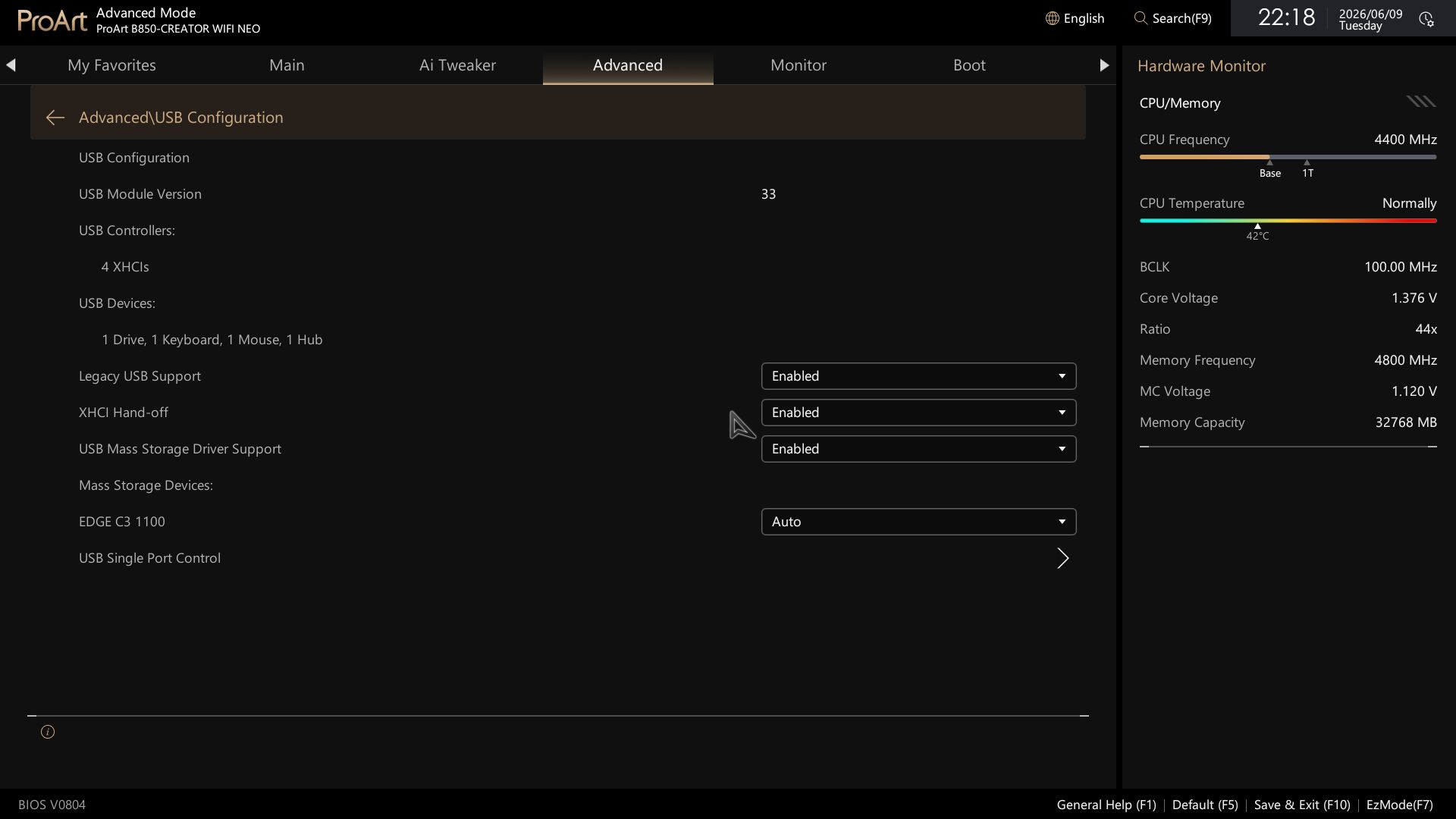
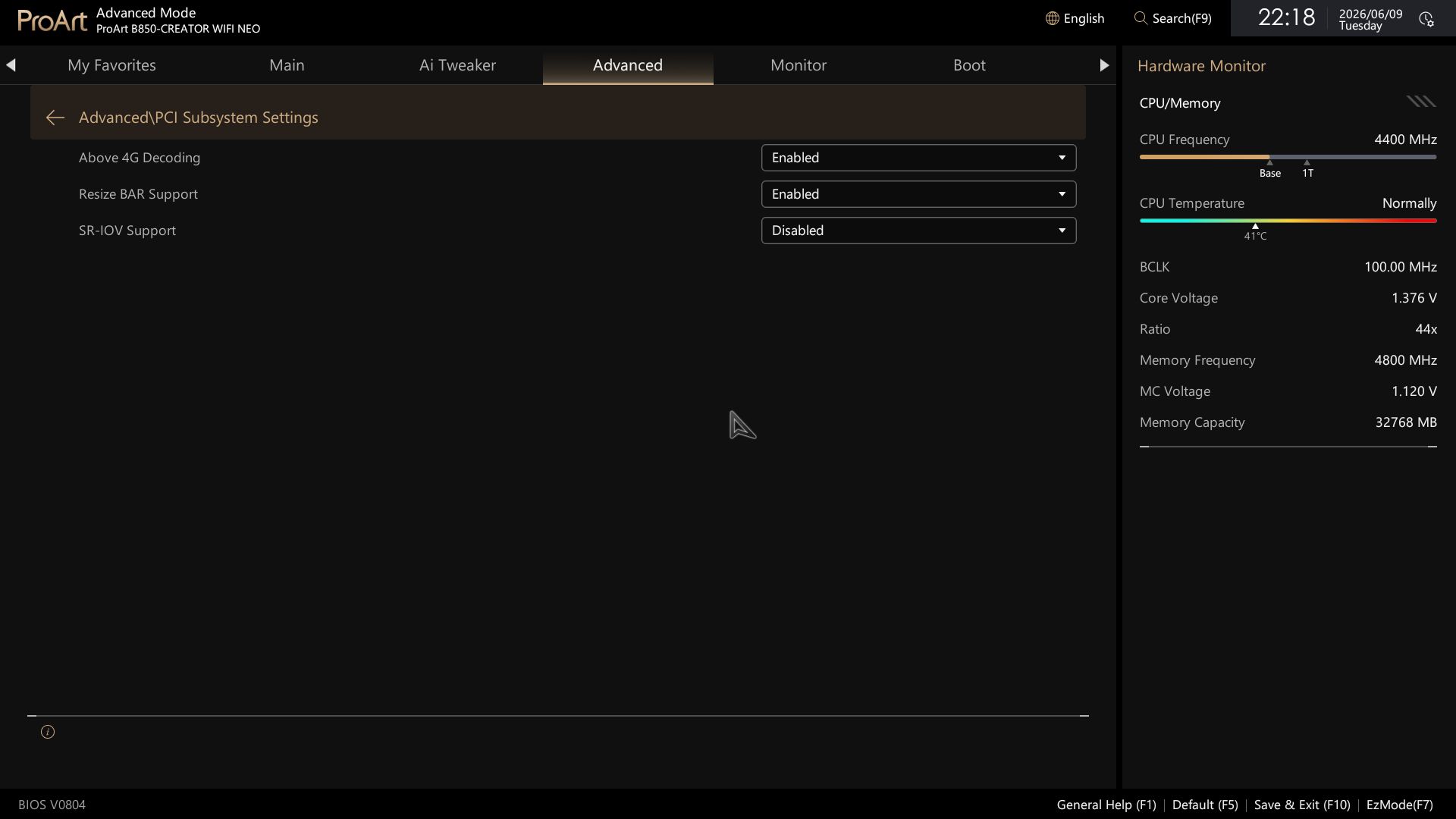
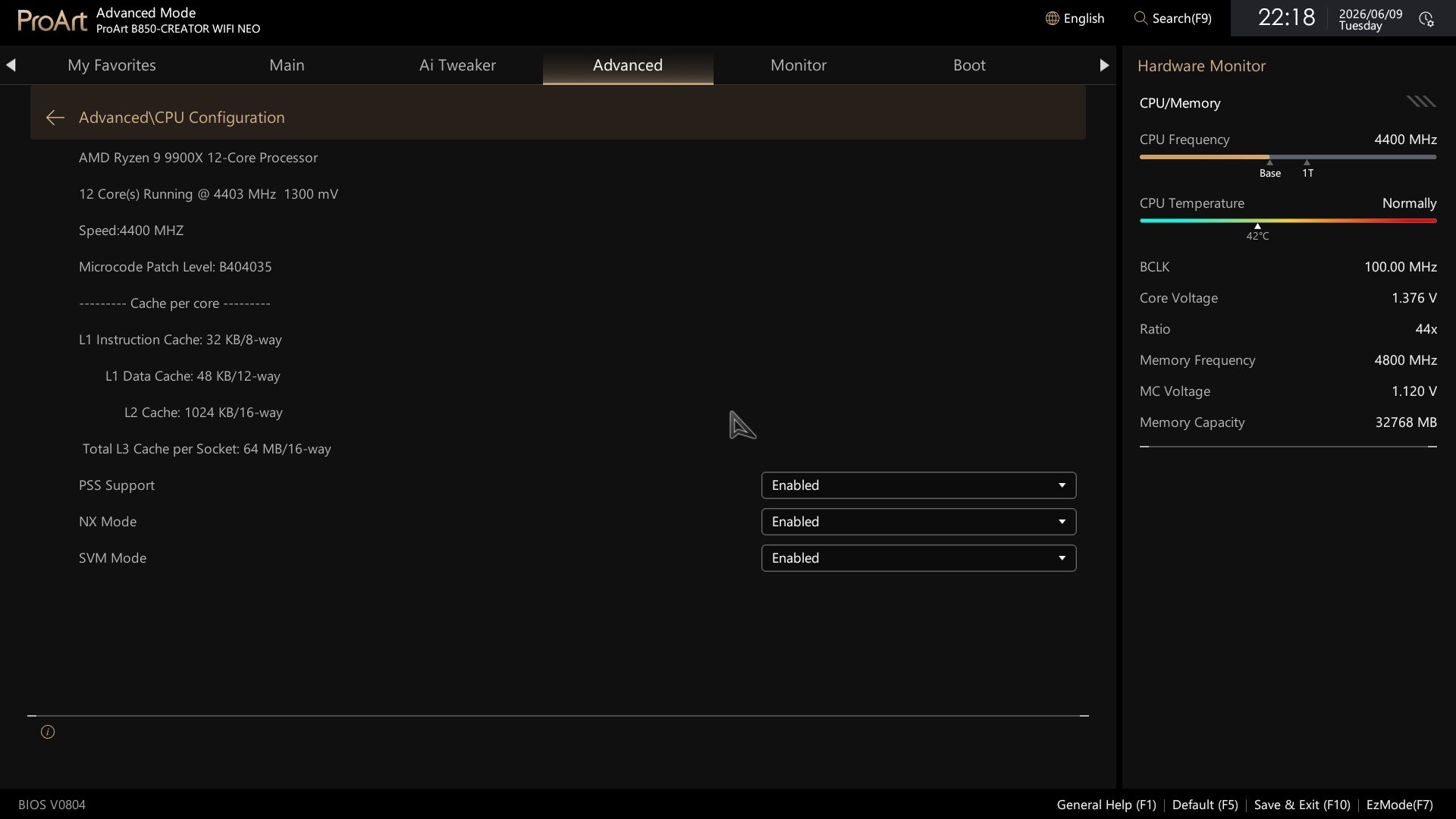
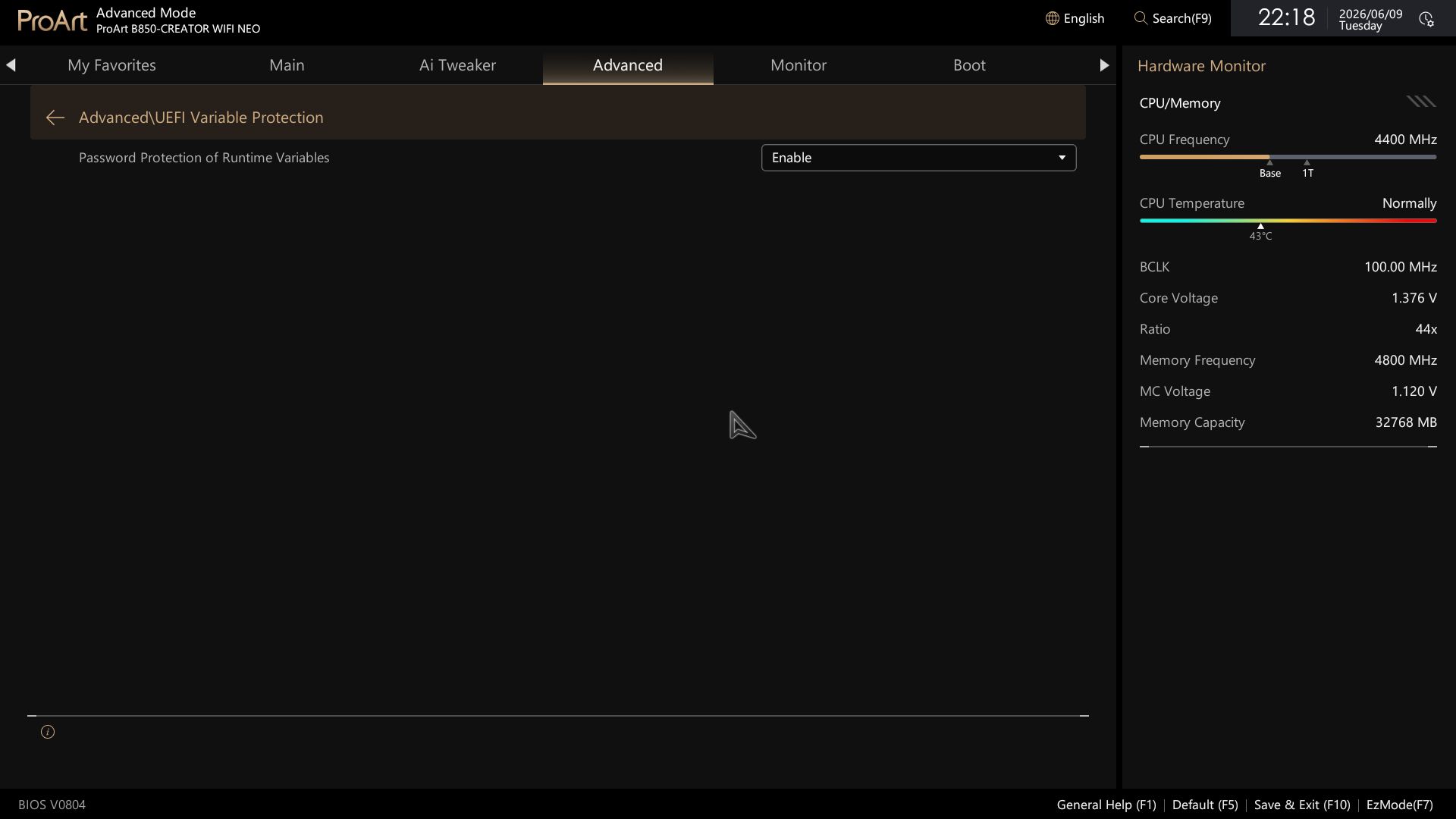
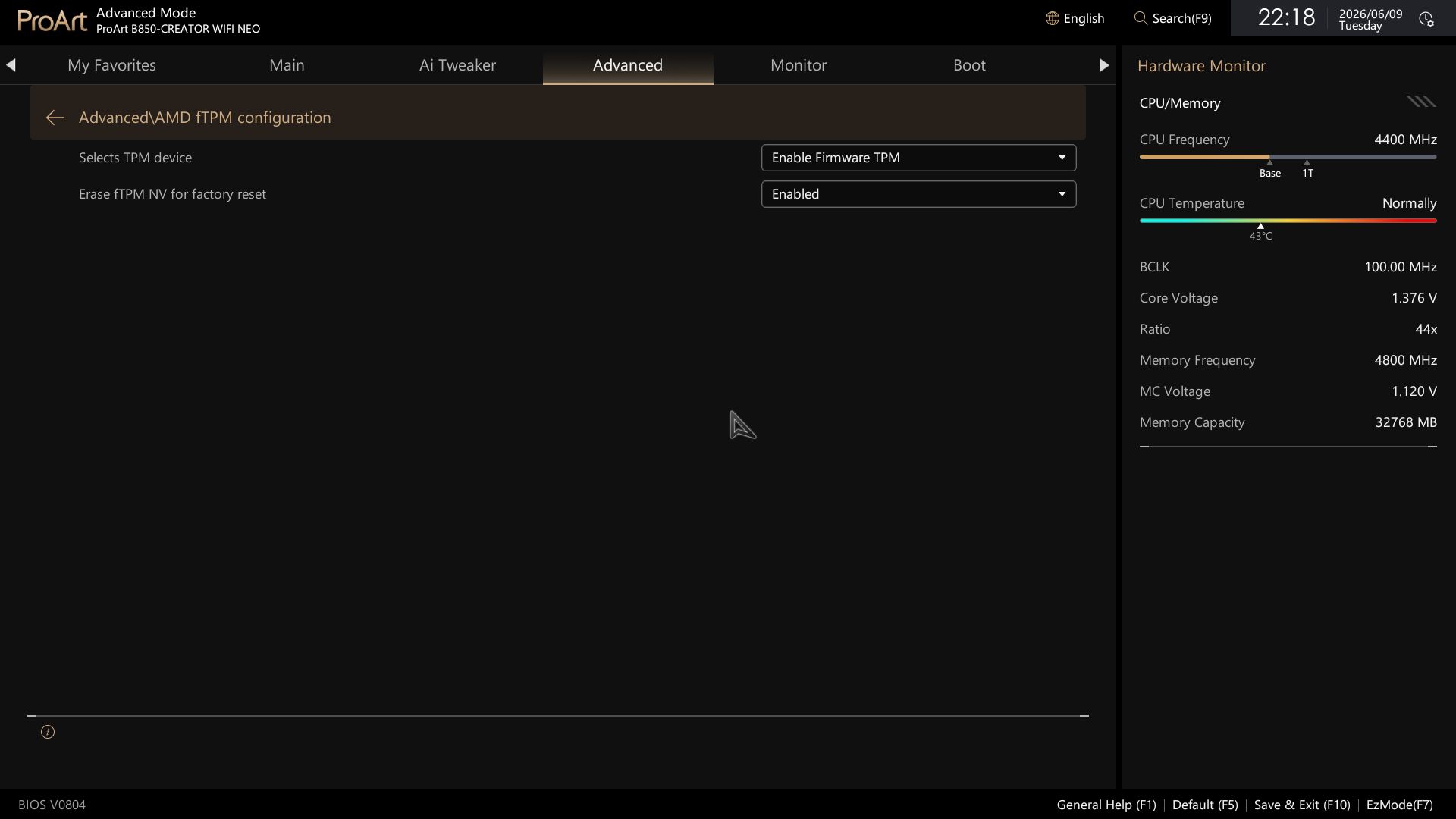
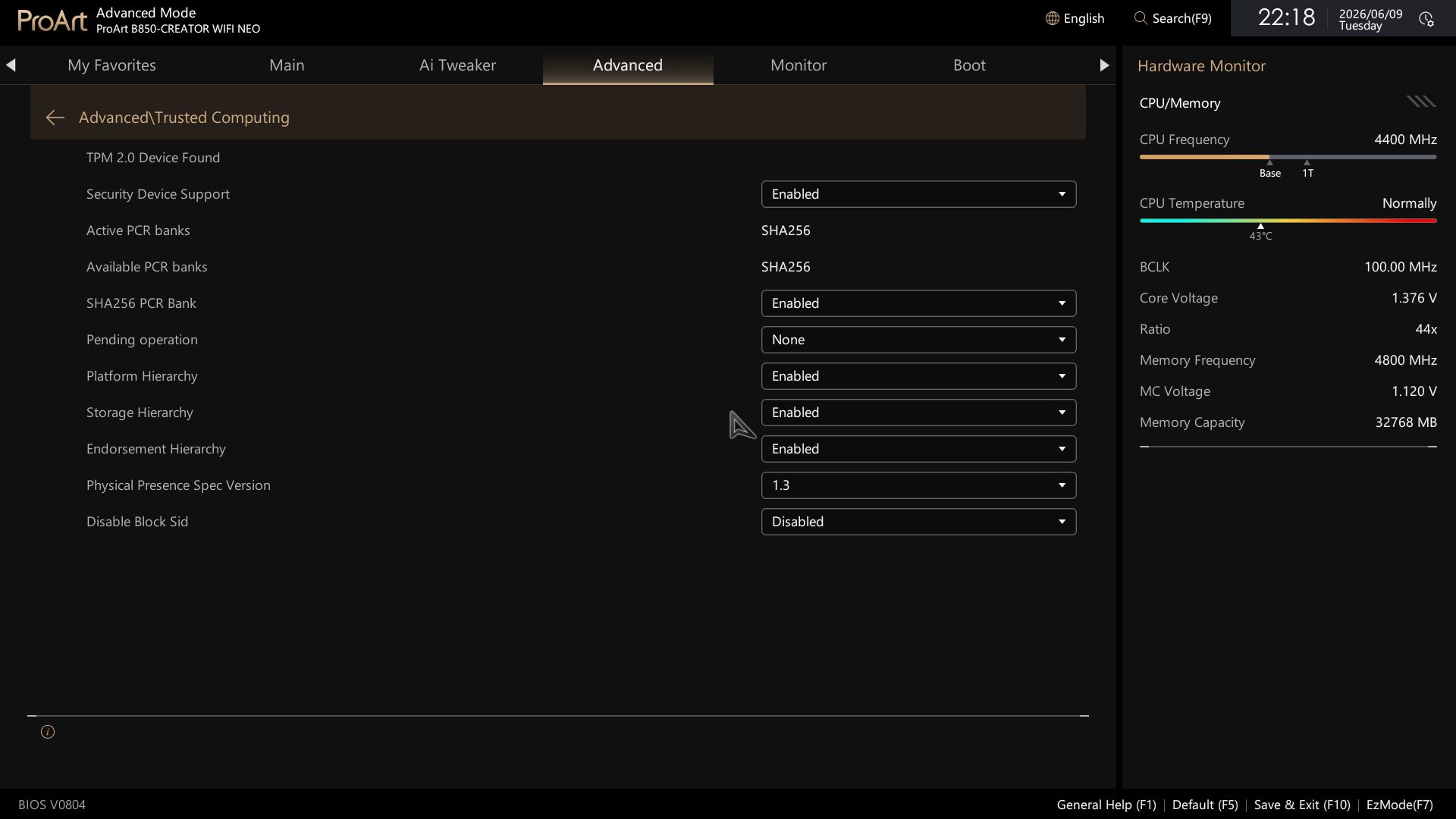
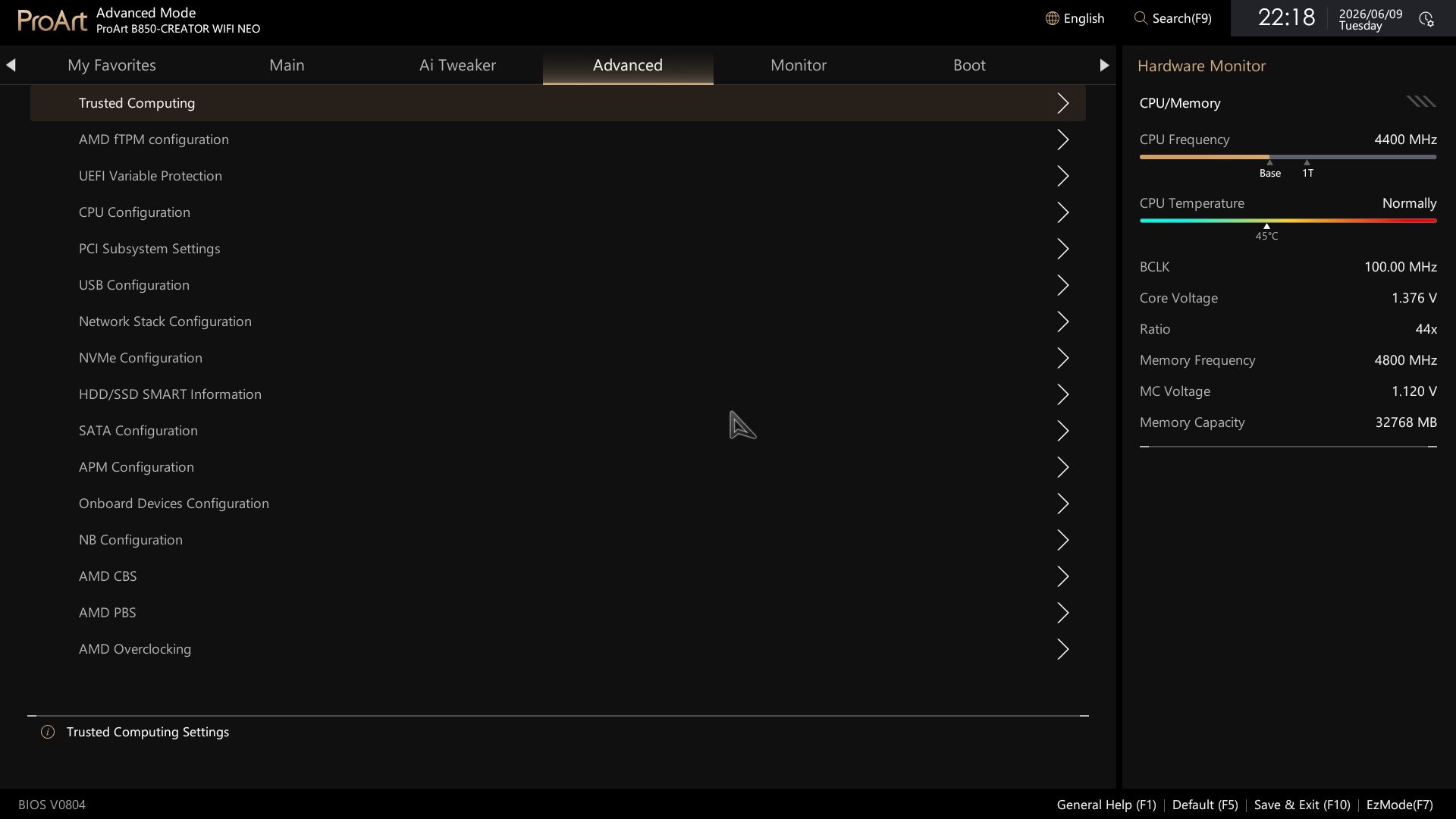
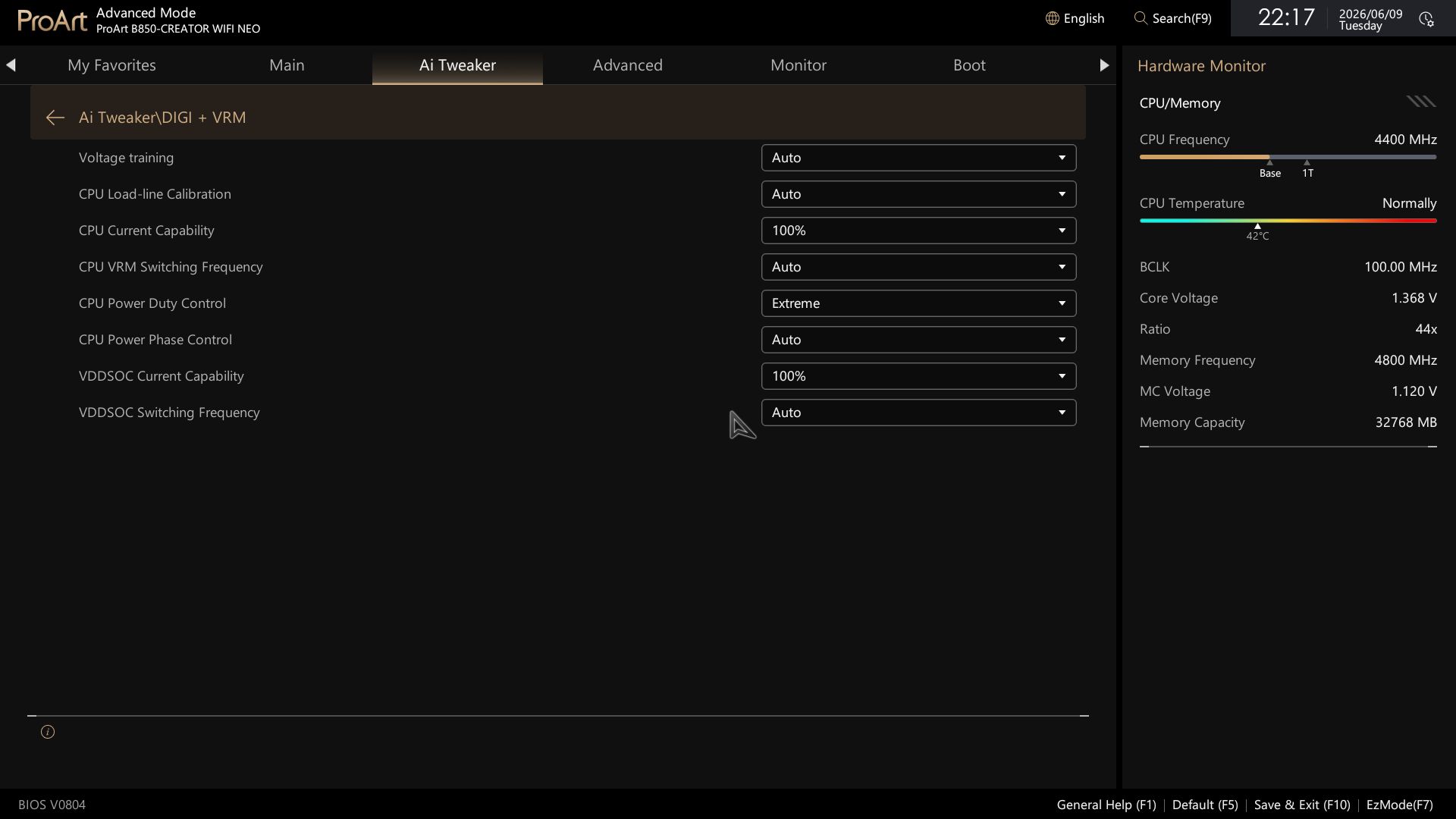
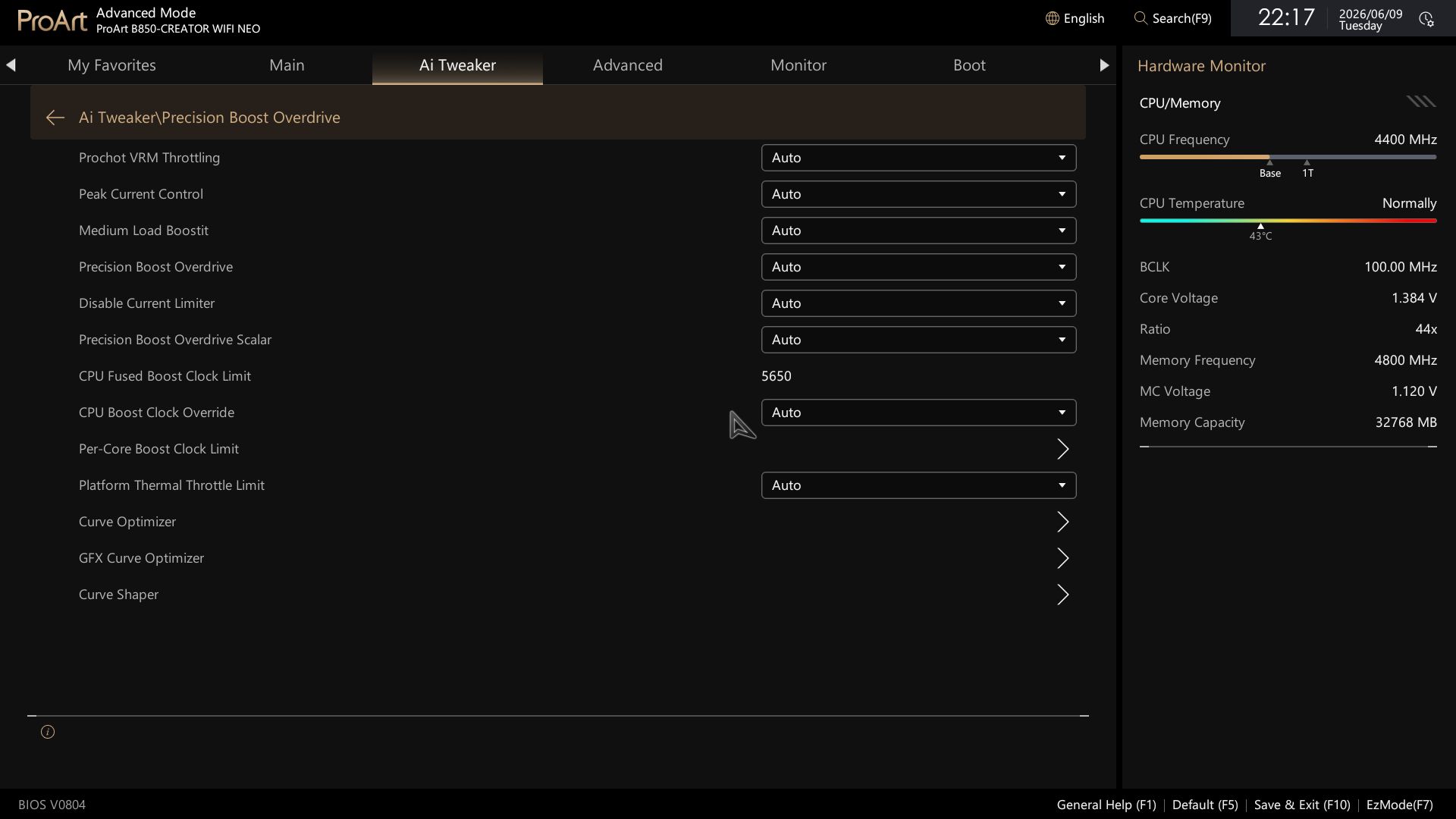
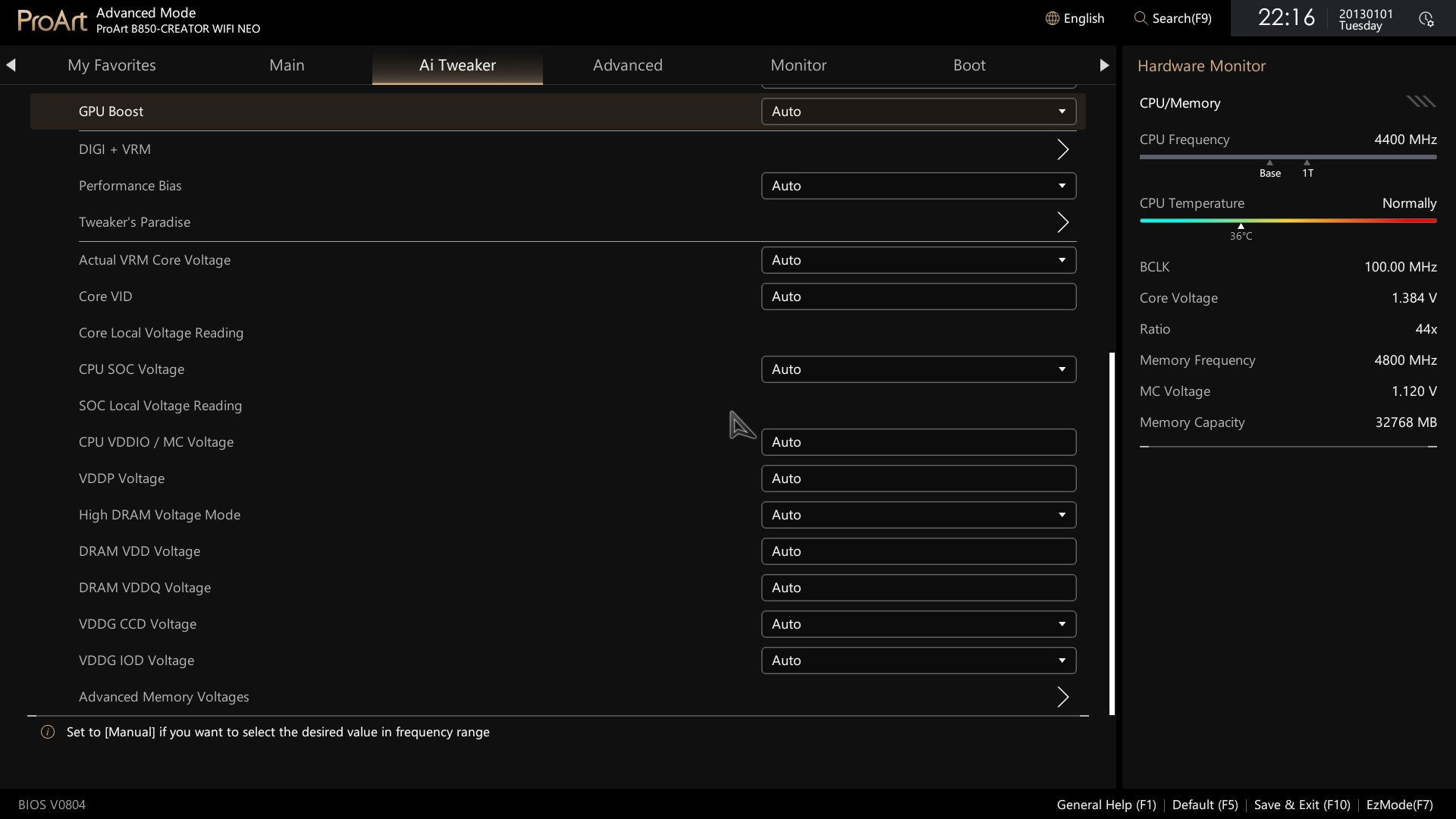
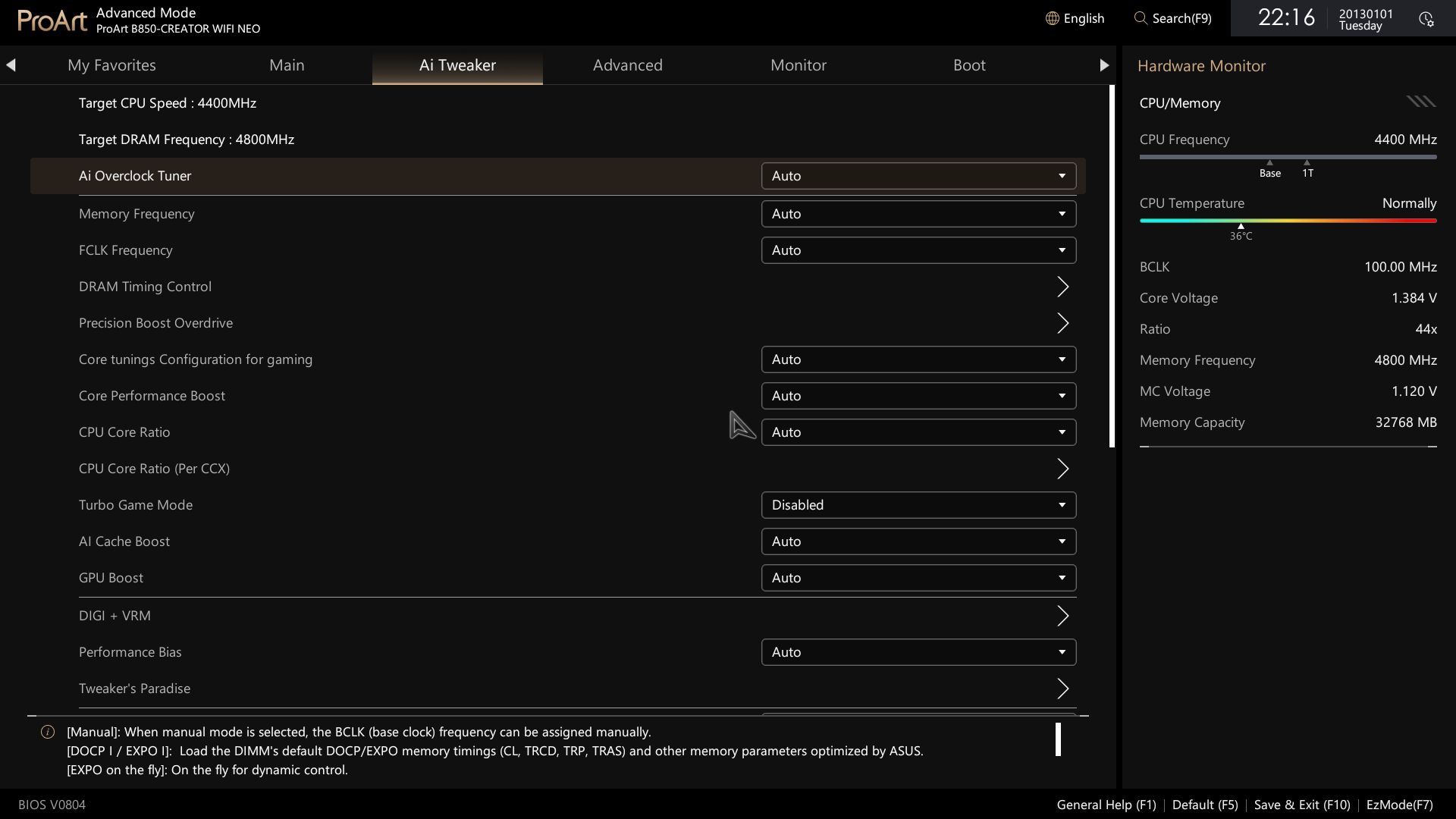
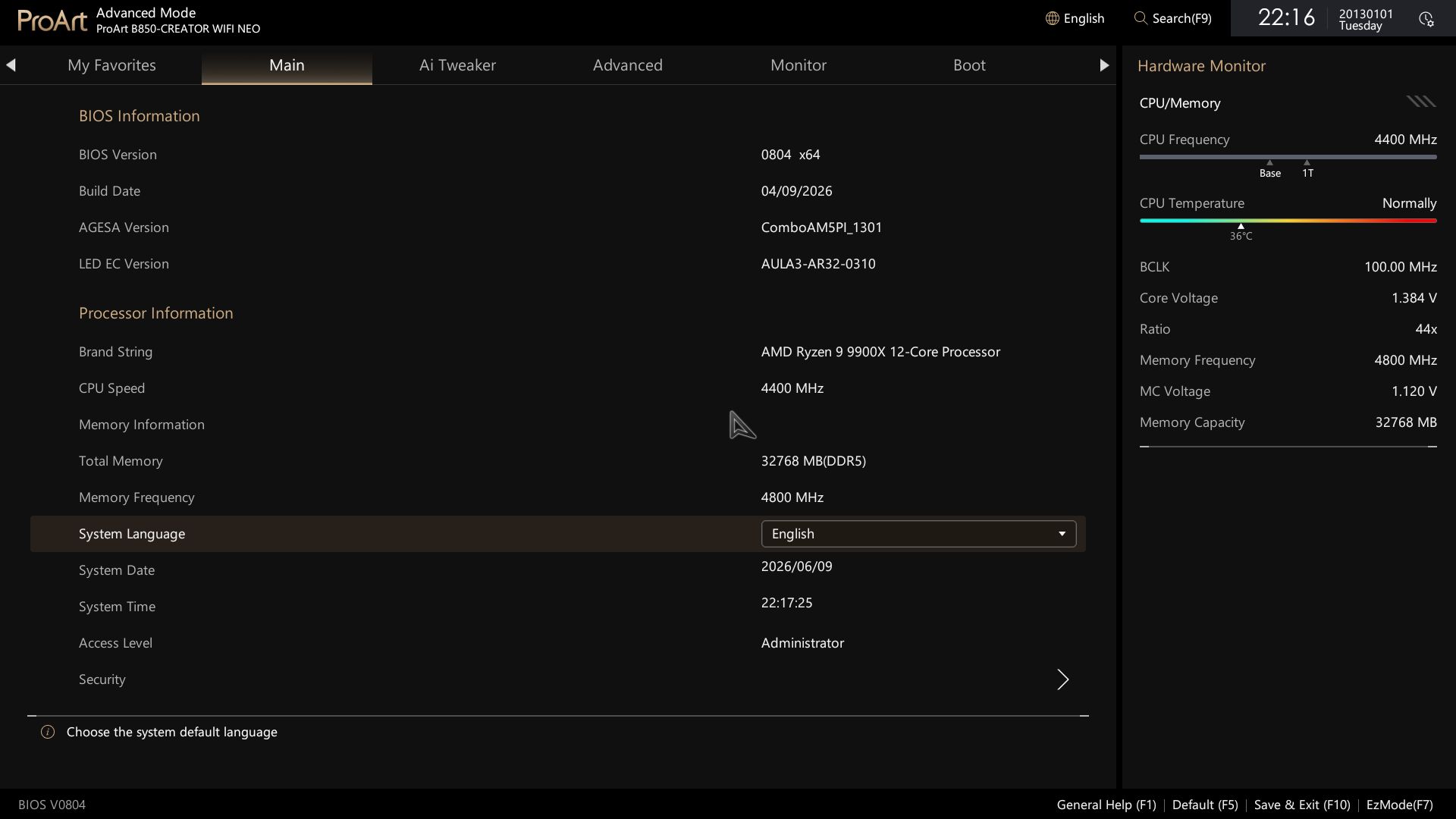
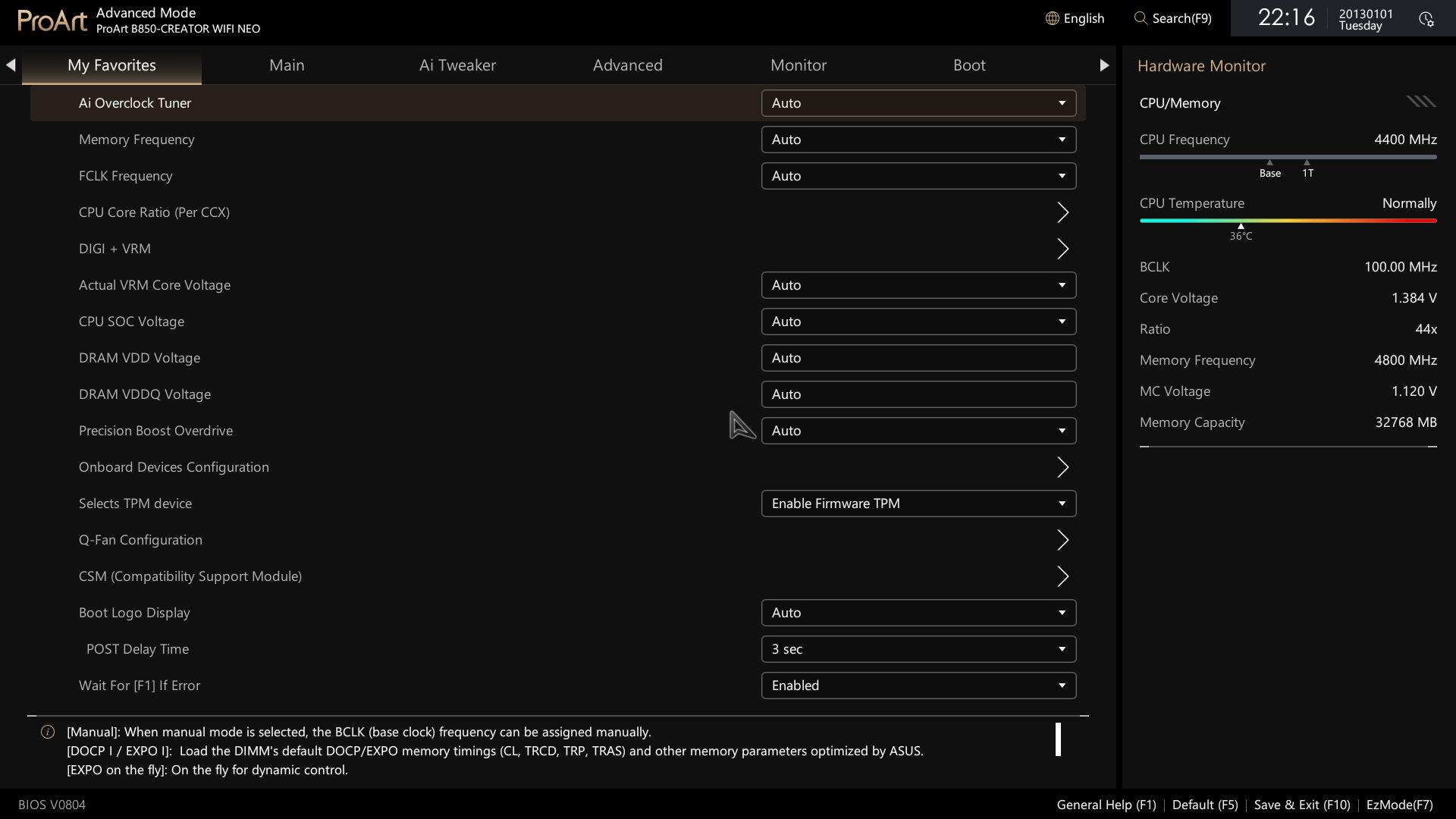
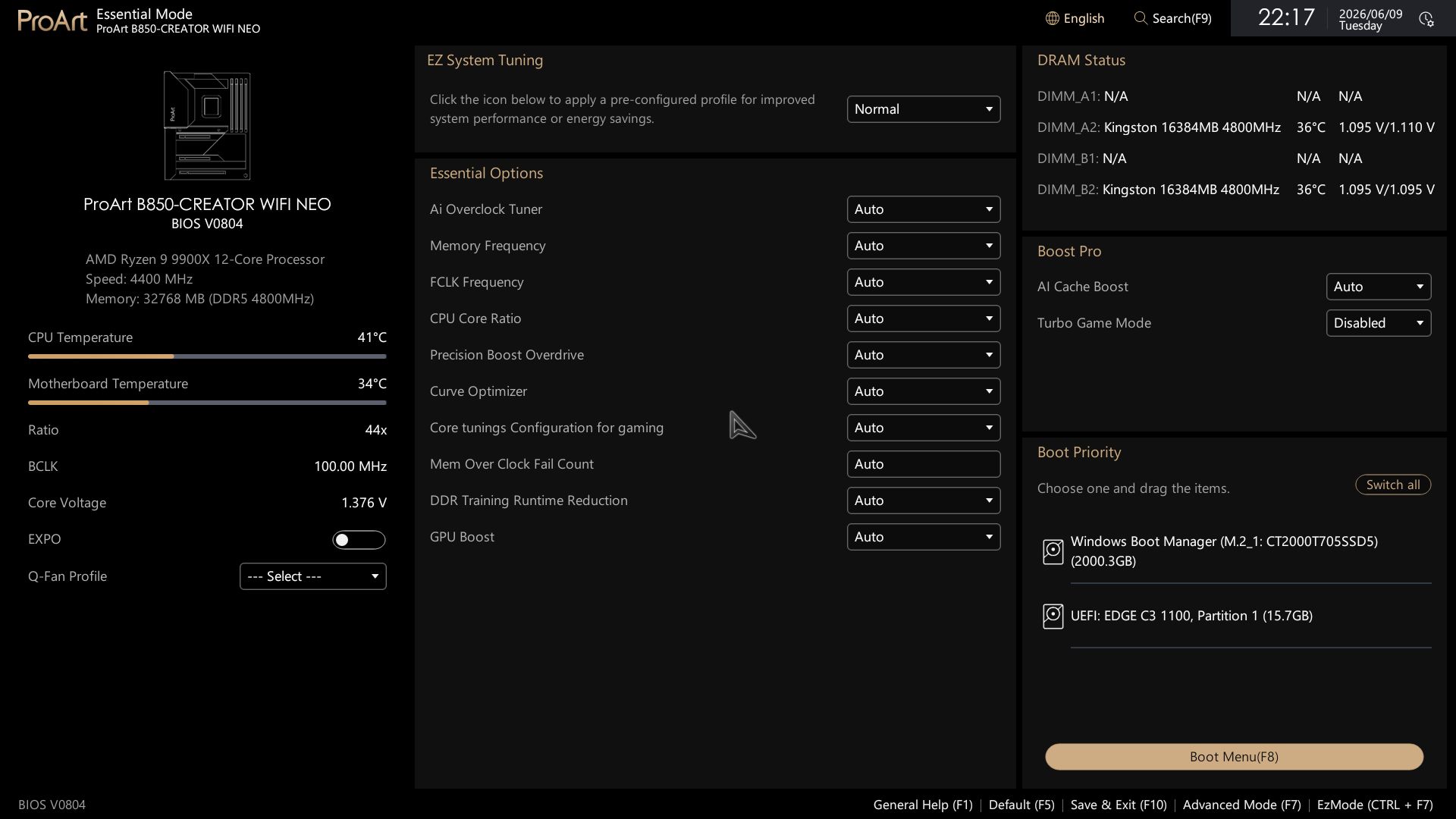
FirmwareAsus updated the BIOS layout and for the Creator Neo, using the familiar white/tan/gold that matches the ProArt theme and the mostly black board. EZ Mode is mostly informative, with system information and temperatures on the left, and quick settings for EZ Flash, Aura RGB, the Driver Hub for easy driver installation, and more in the middle. Fan control and access to full Q-Fan functionality are below. The right block displays DRAM and storage status, and Boot Priority is self-explanatory.
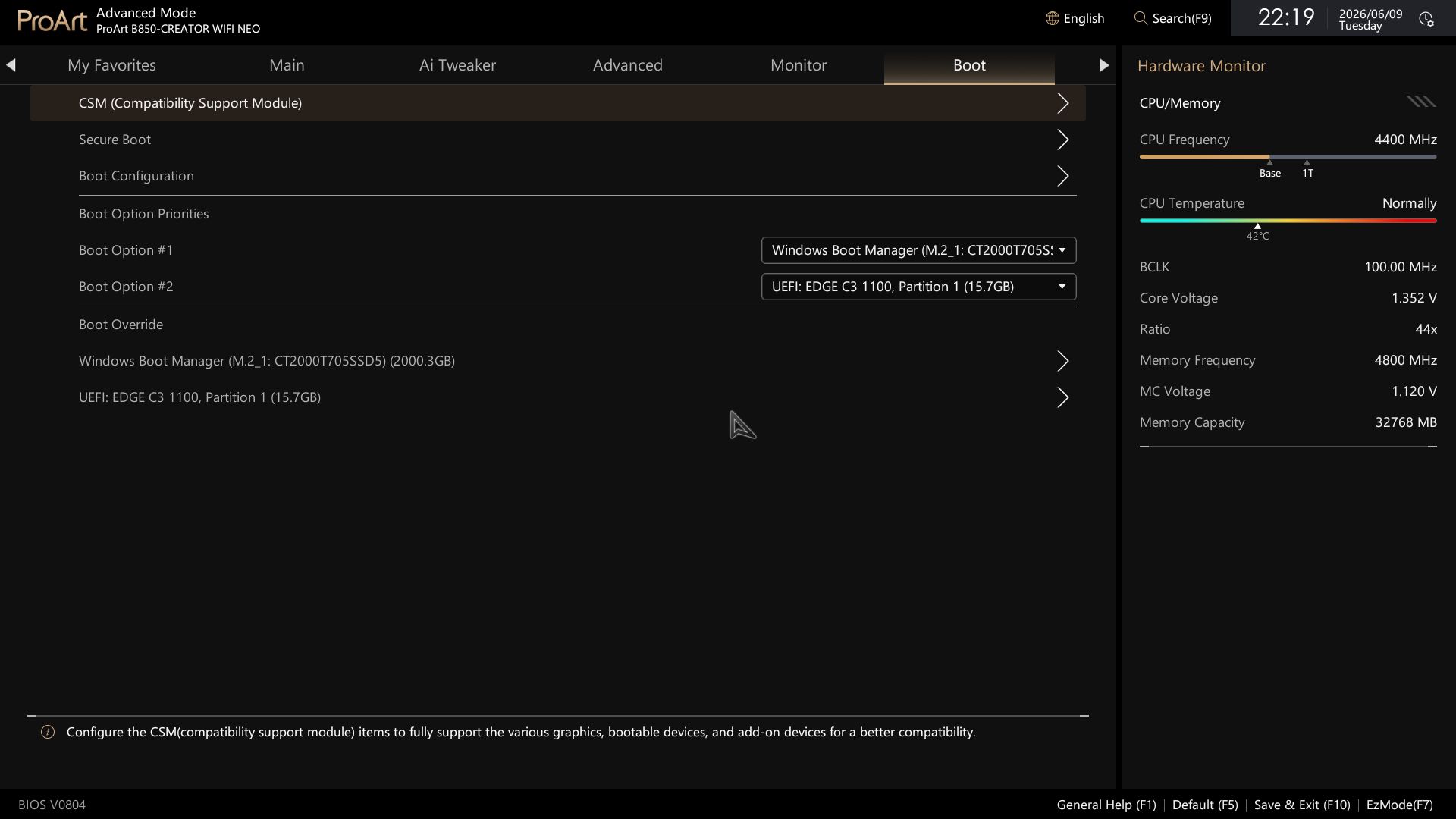
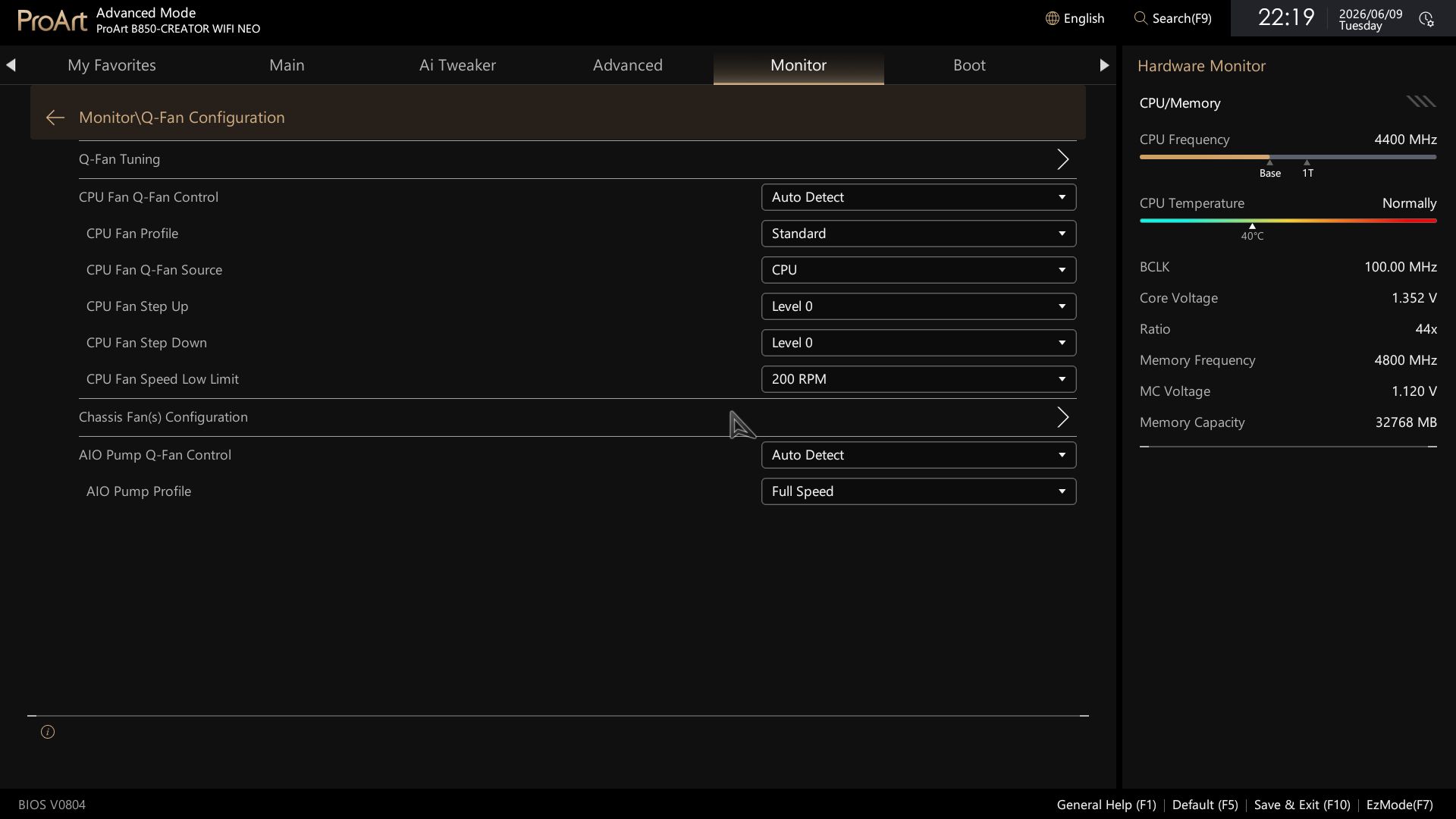
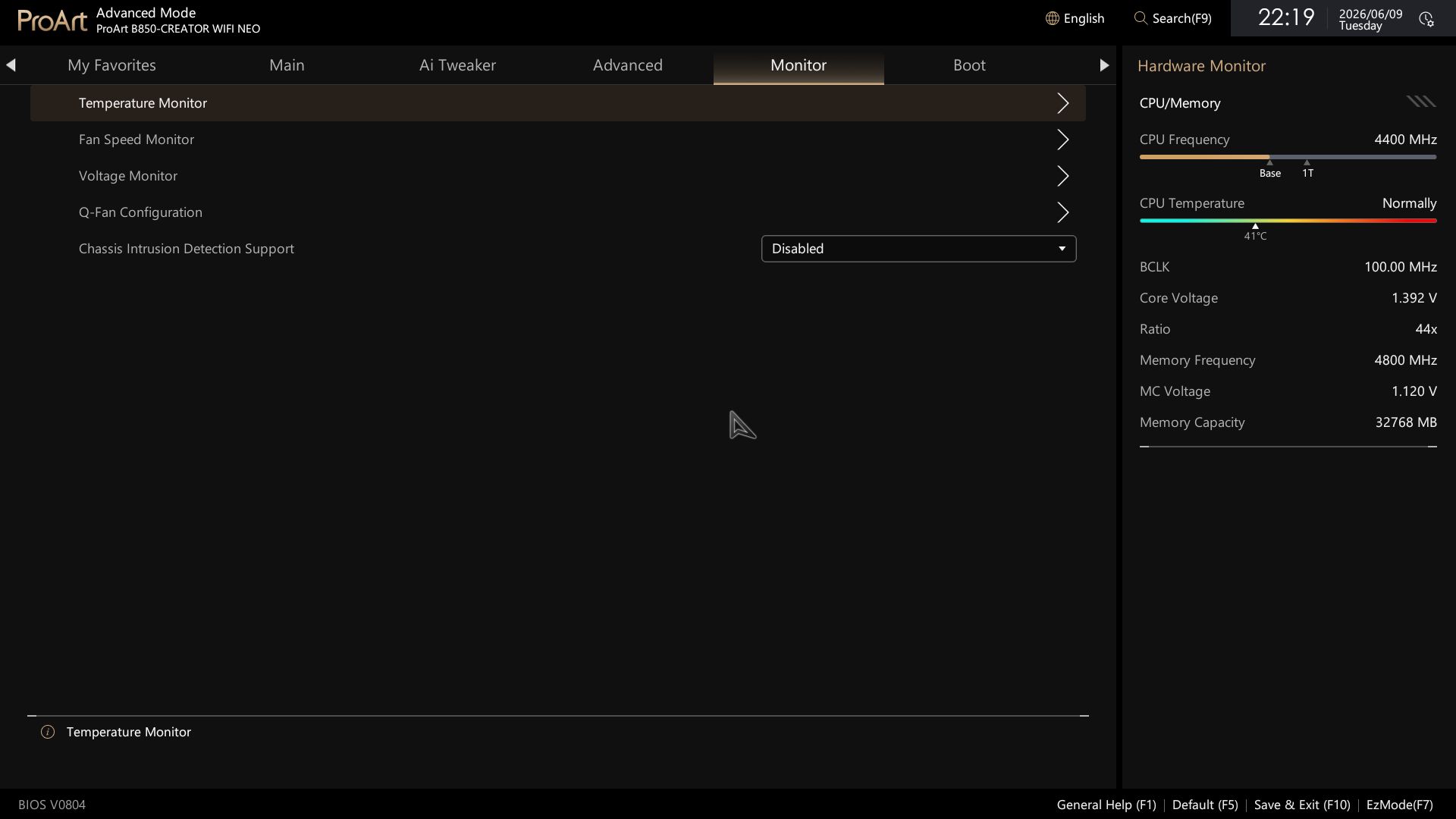
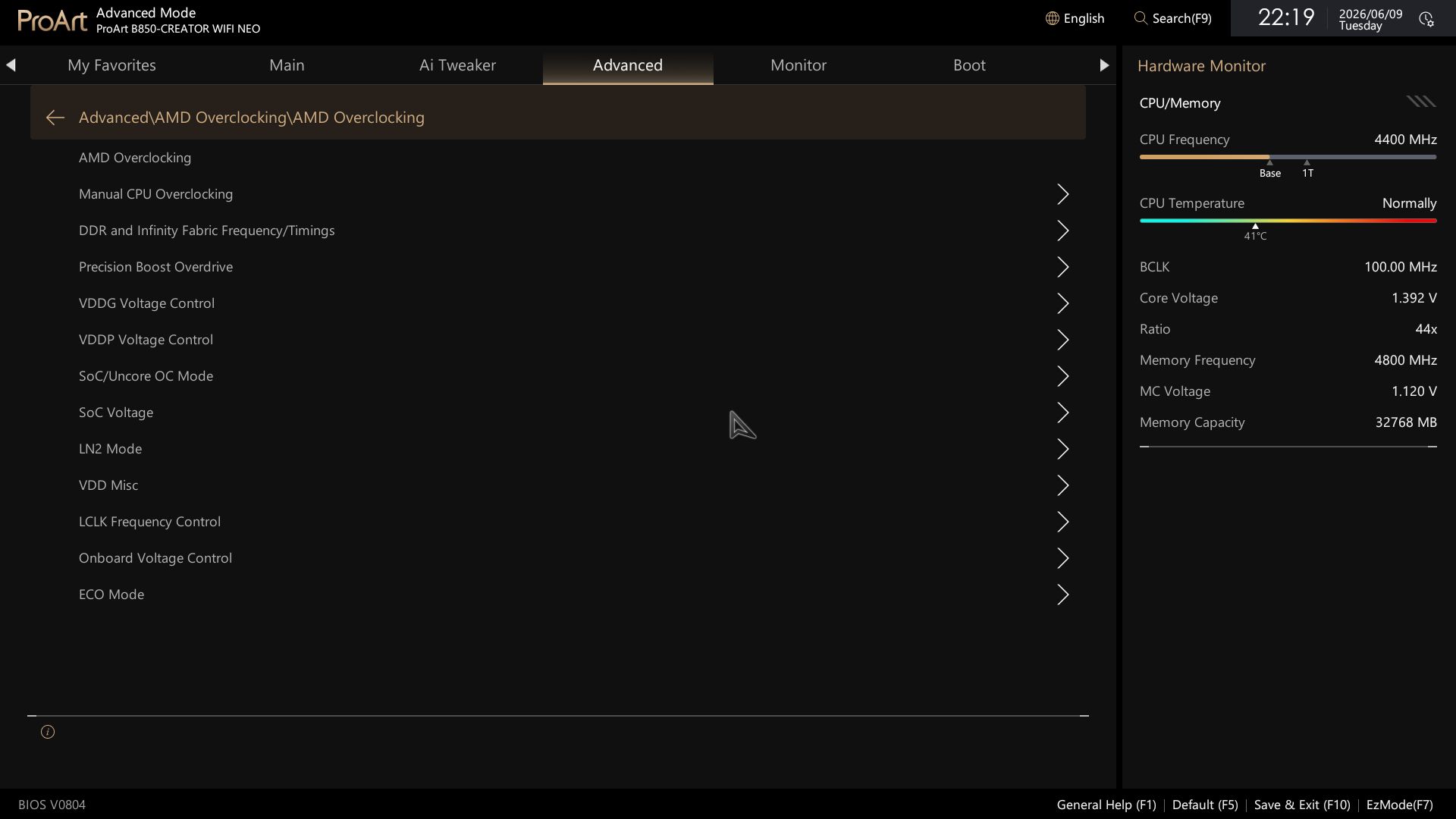
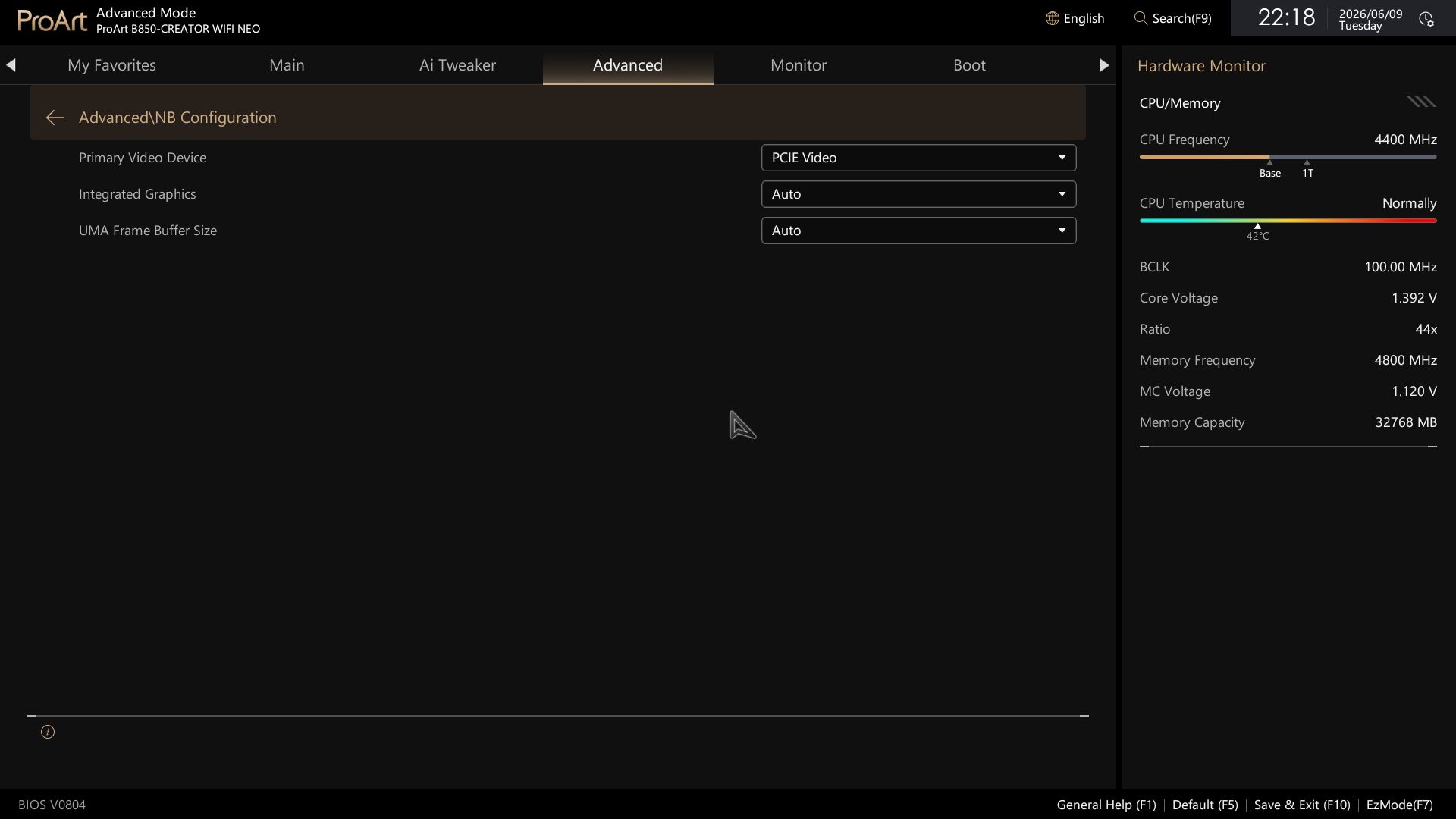
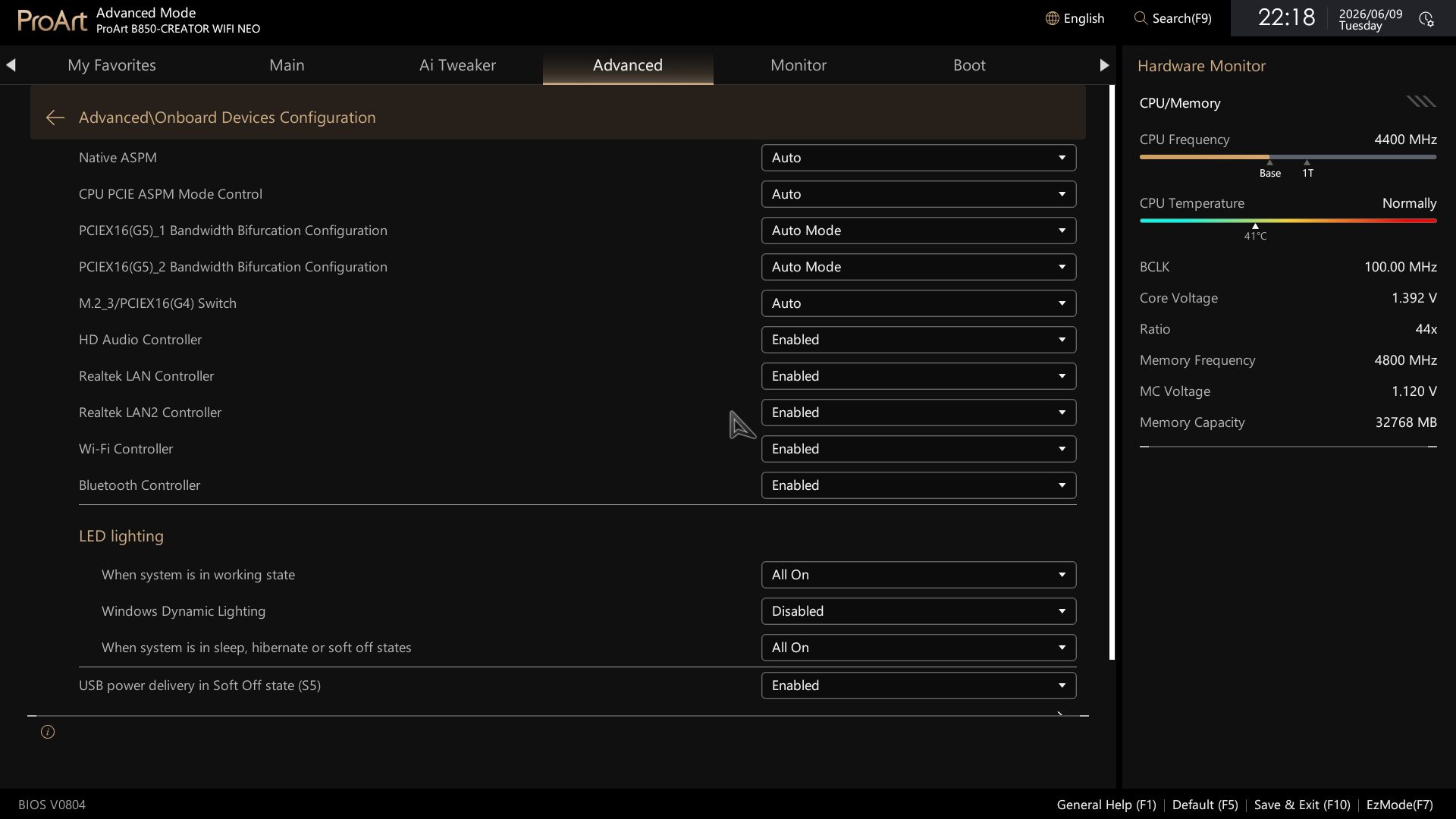
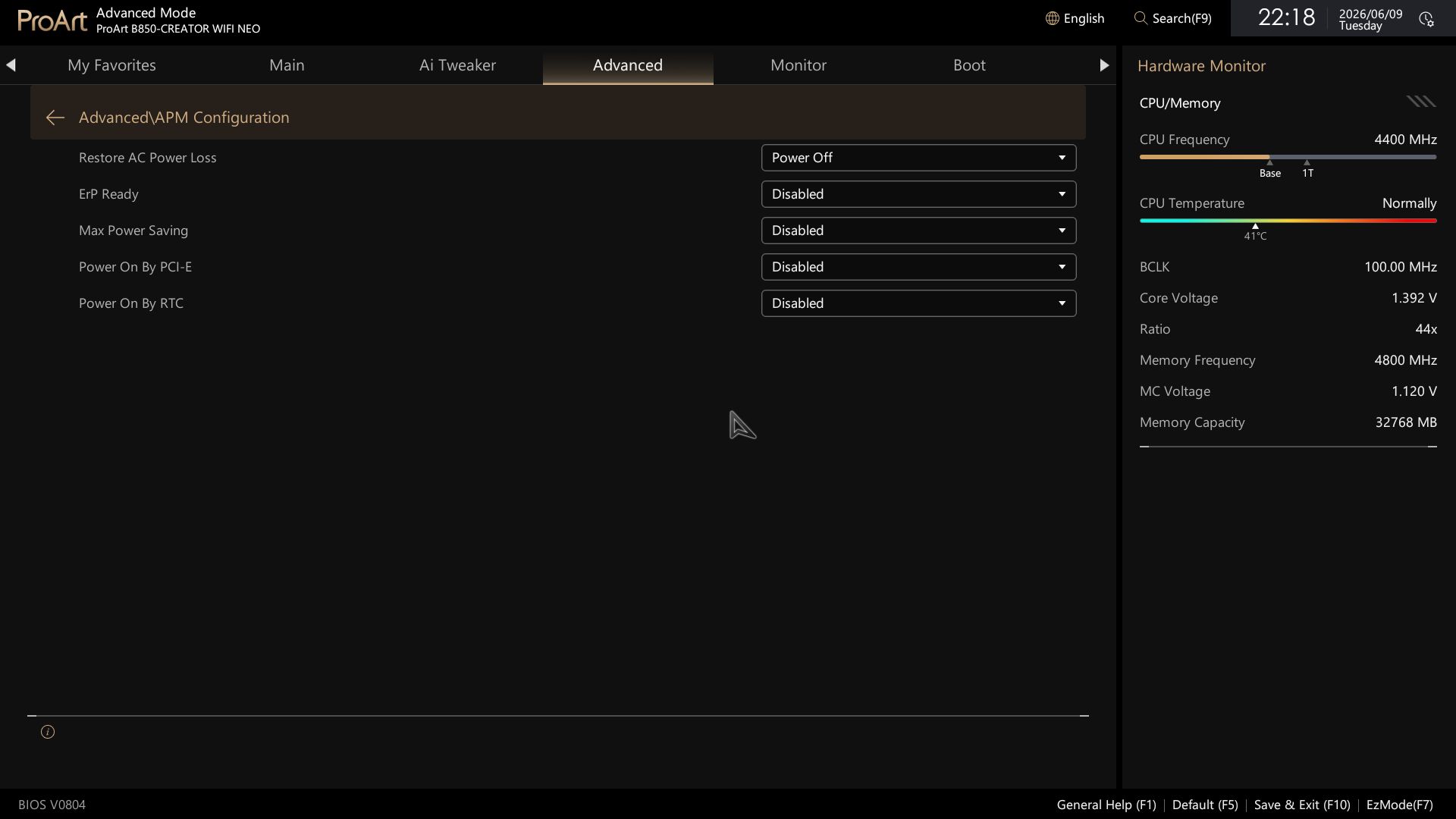
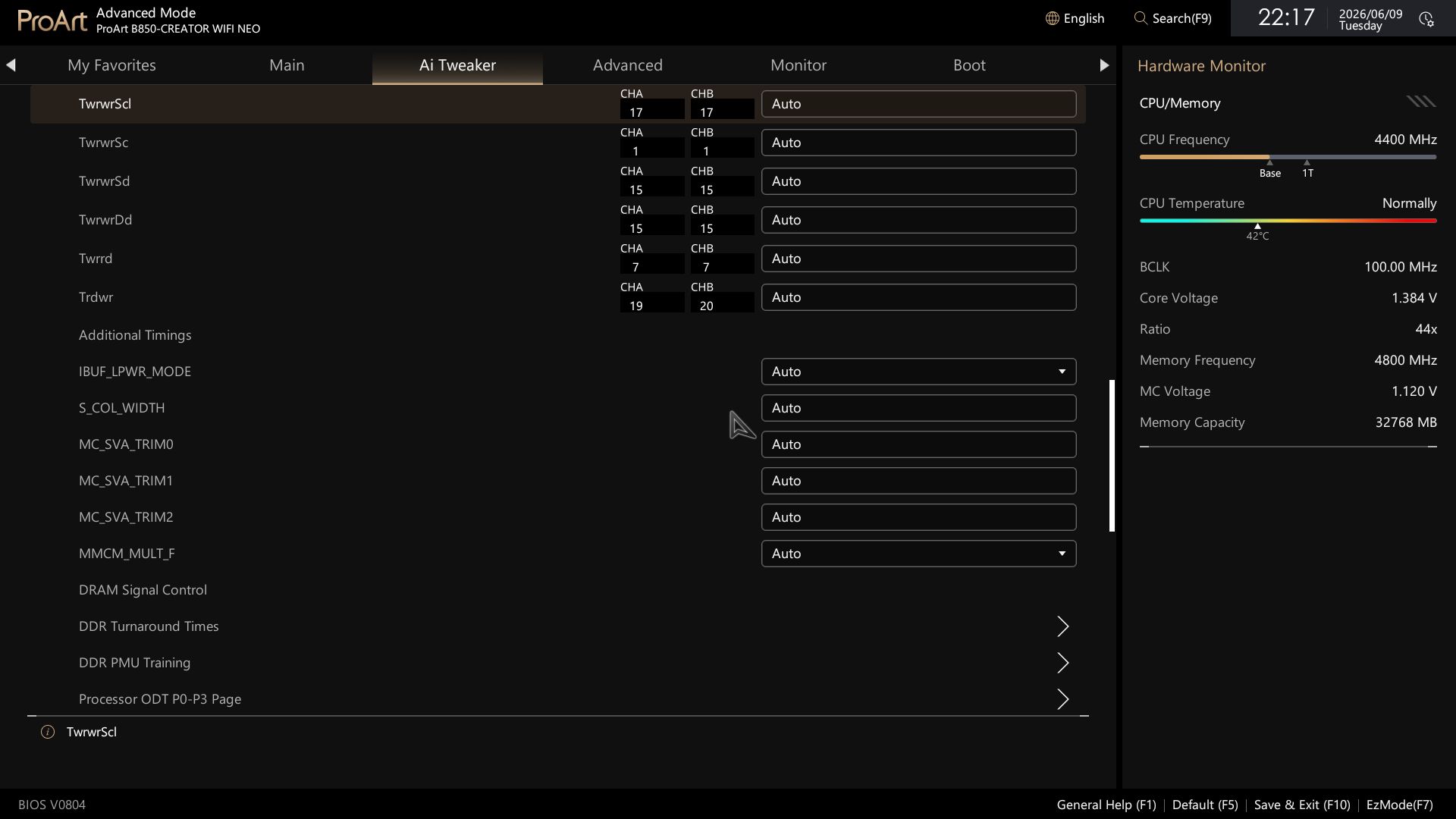
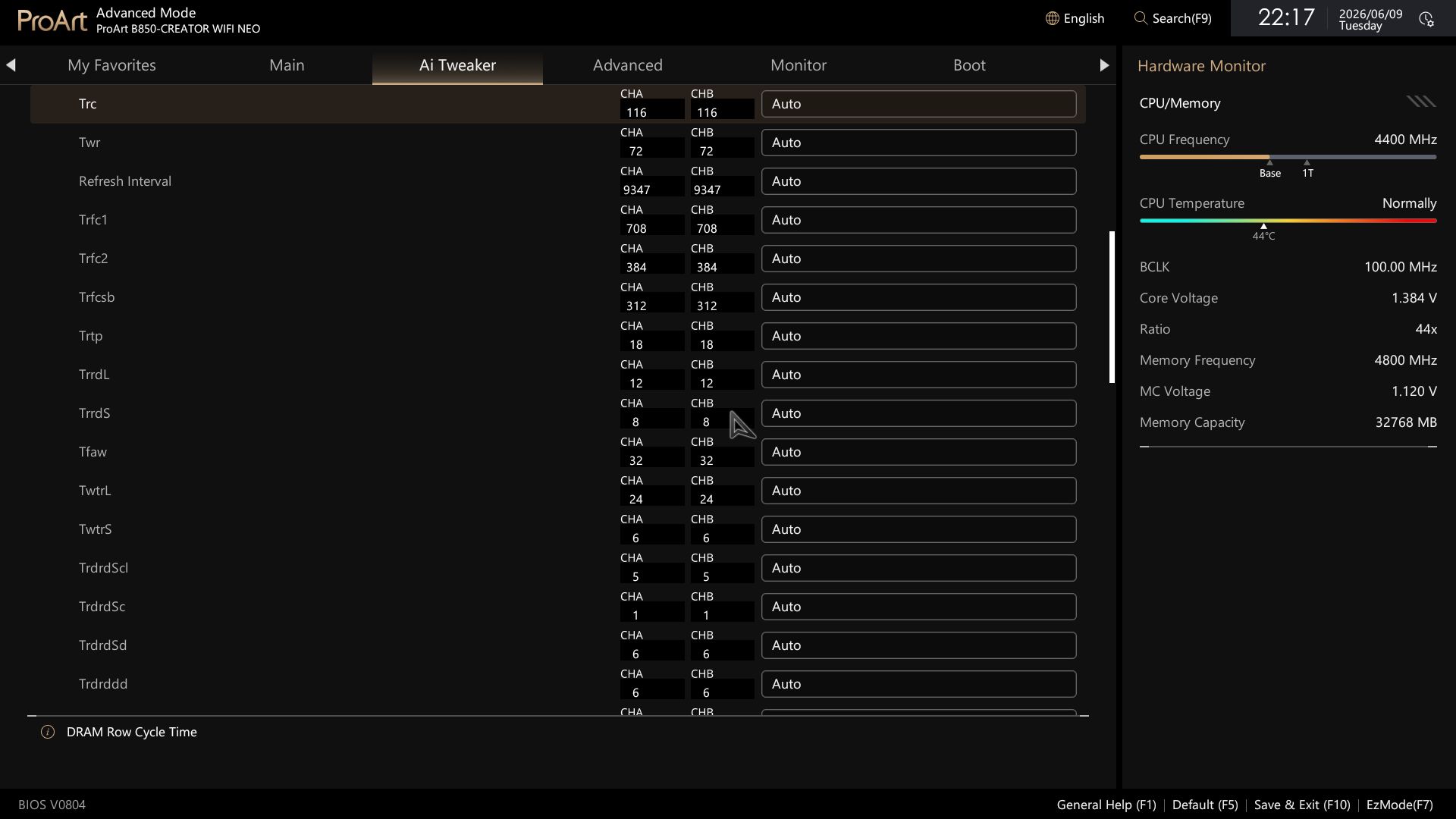
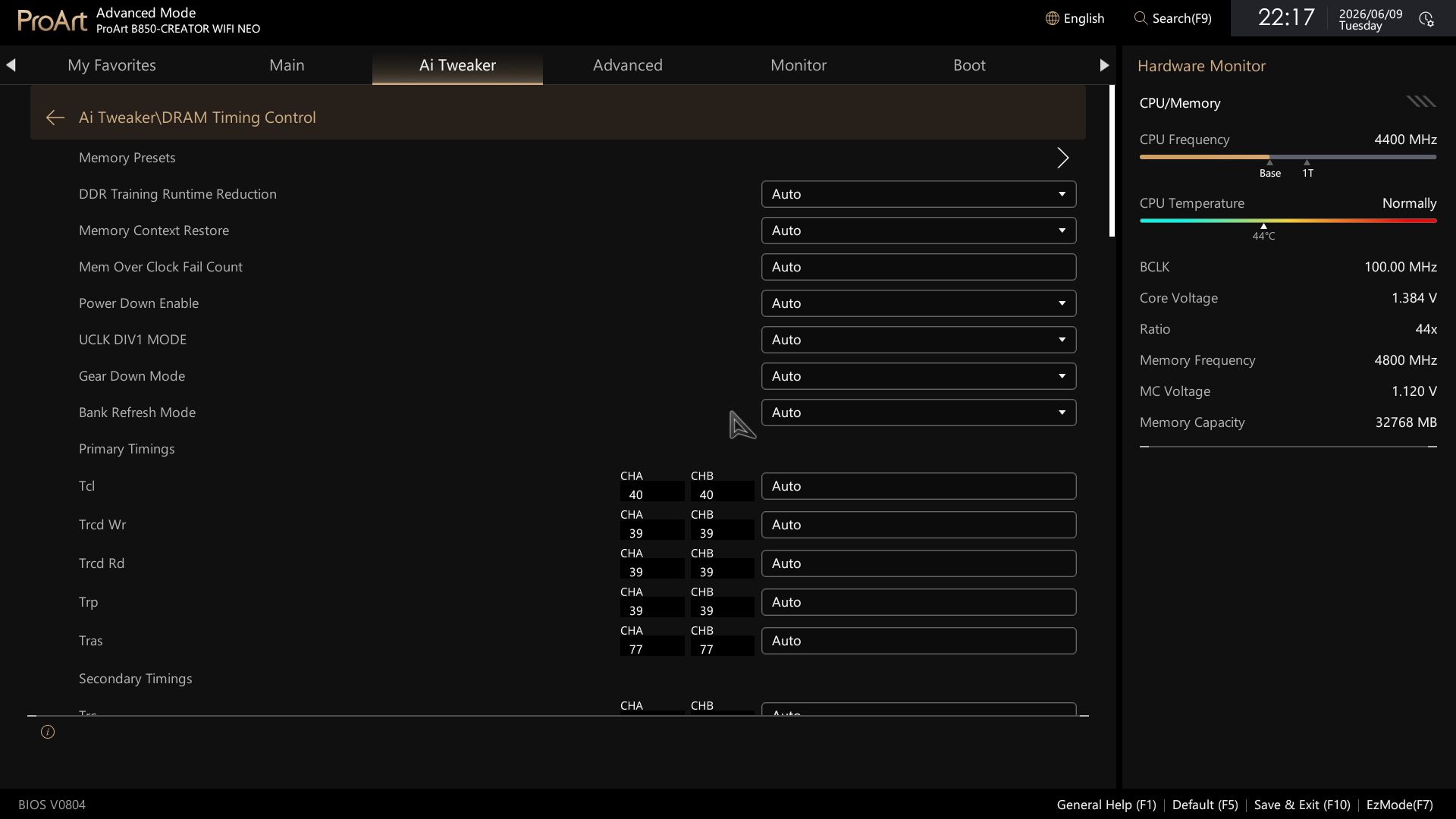
Advanced mode still has the headers across the top, but the shortcuts to Q-Fan and AI OC have been moved to quick settings and other locations. The right panel holds system information, including CPU frequency and temperature, in a colorful display. The main body has all the editable functionality.
Overall, I like the aesthetic update for the BIOS. It's easy to read, and, as usual with Asus' BIOS, frequently used items are easy to find and not buried too deeply in their menus. Anything that's a pain to access can be added to the customizable favorites screen.
 Future
 Future
 Future
 Future
 Future
 Future
 Future
 Future
 Future
 Future
 Future
 Future
 Future
 Future
 Future
 Future
 Future
 Future
 Future
 Future
 Future
 Future
 Future
 Future
 Future
 Future
 Future
 Future
 FutureSoftware
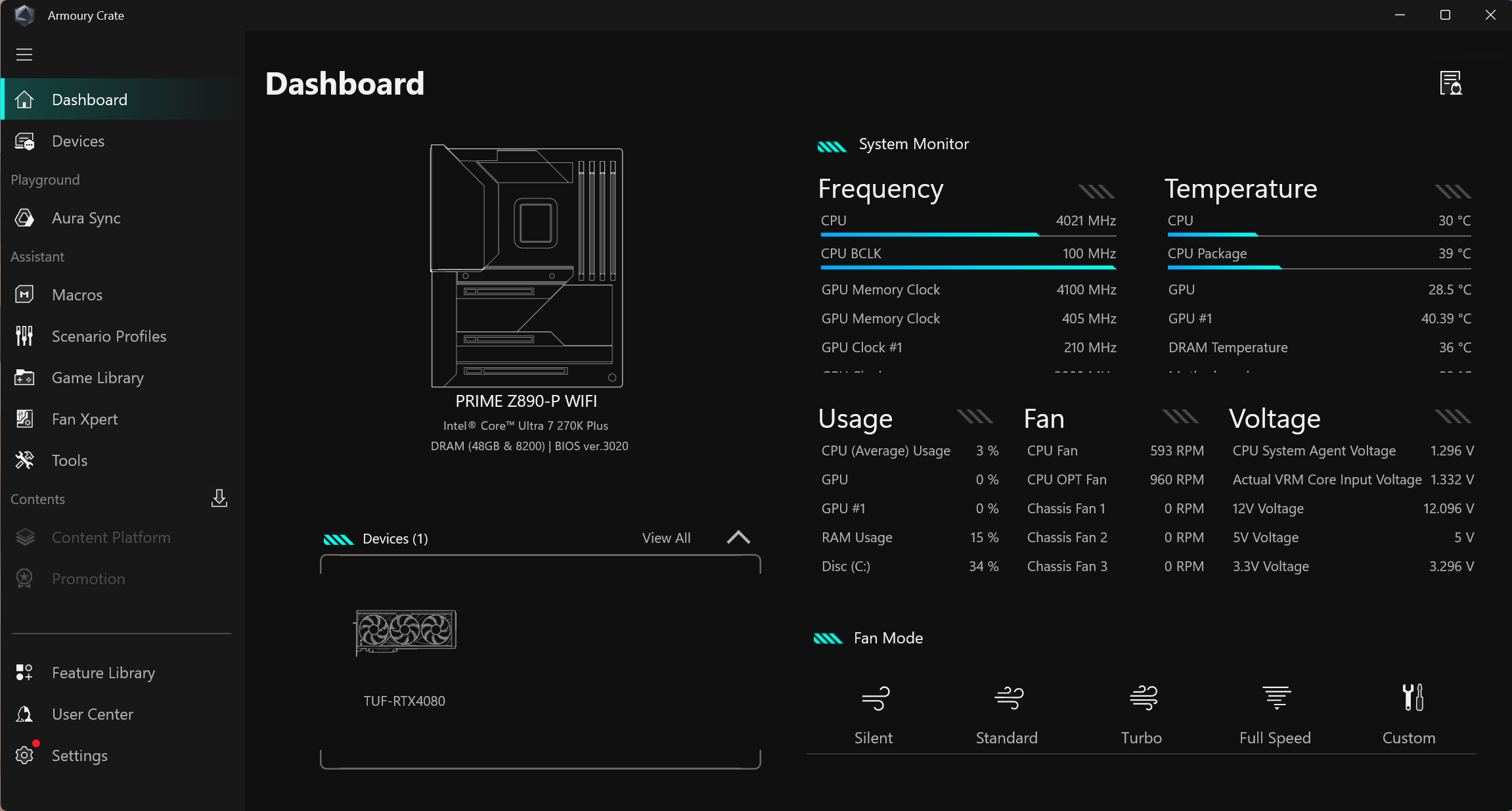
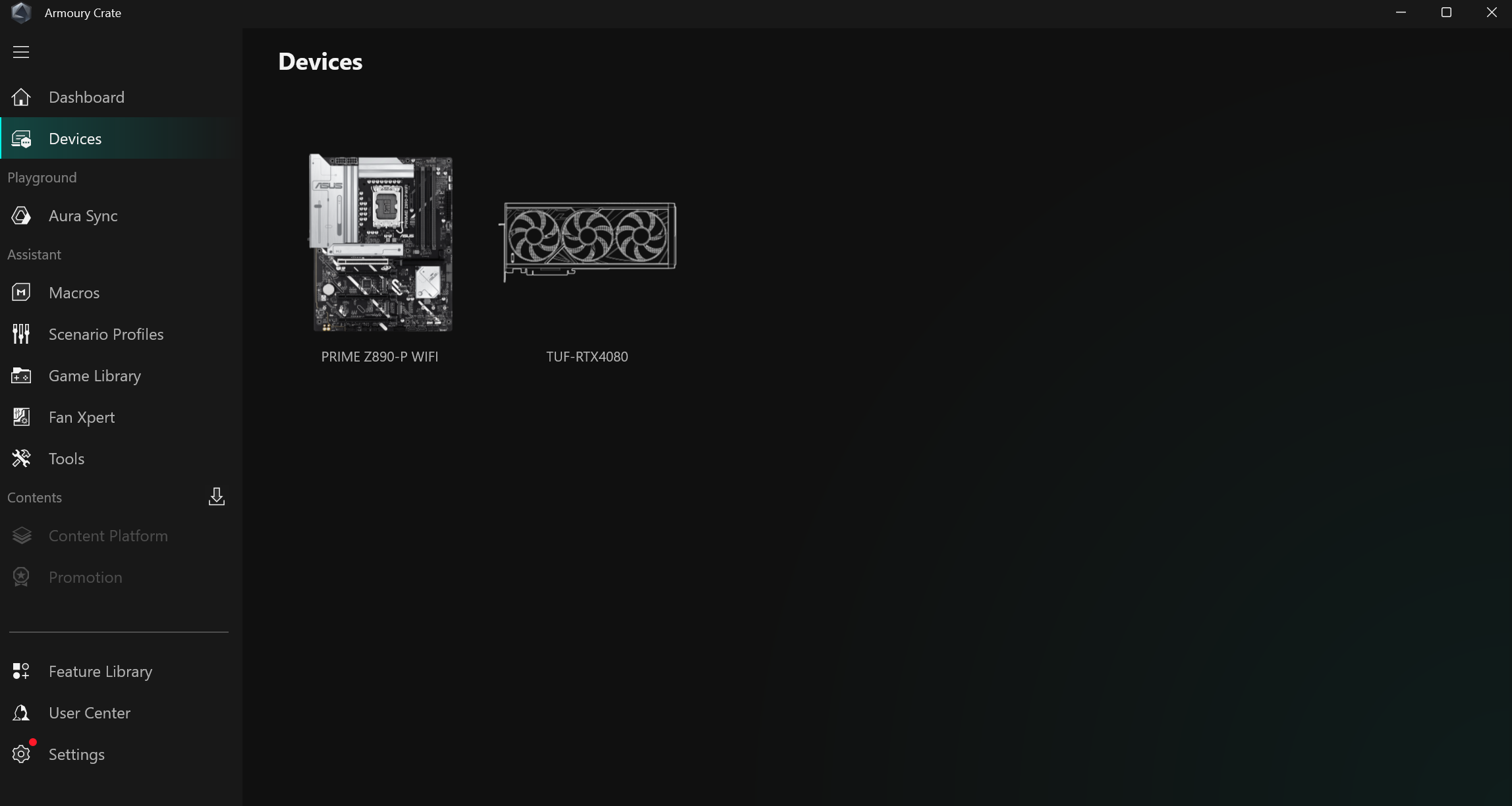
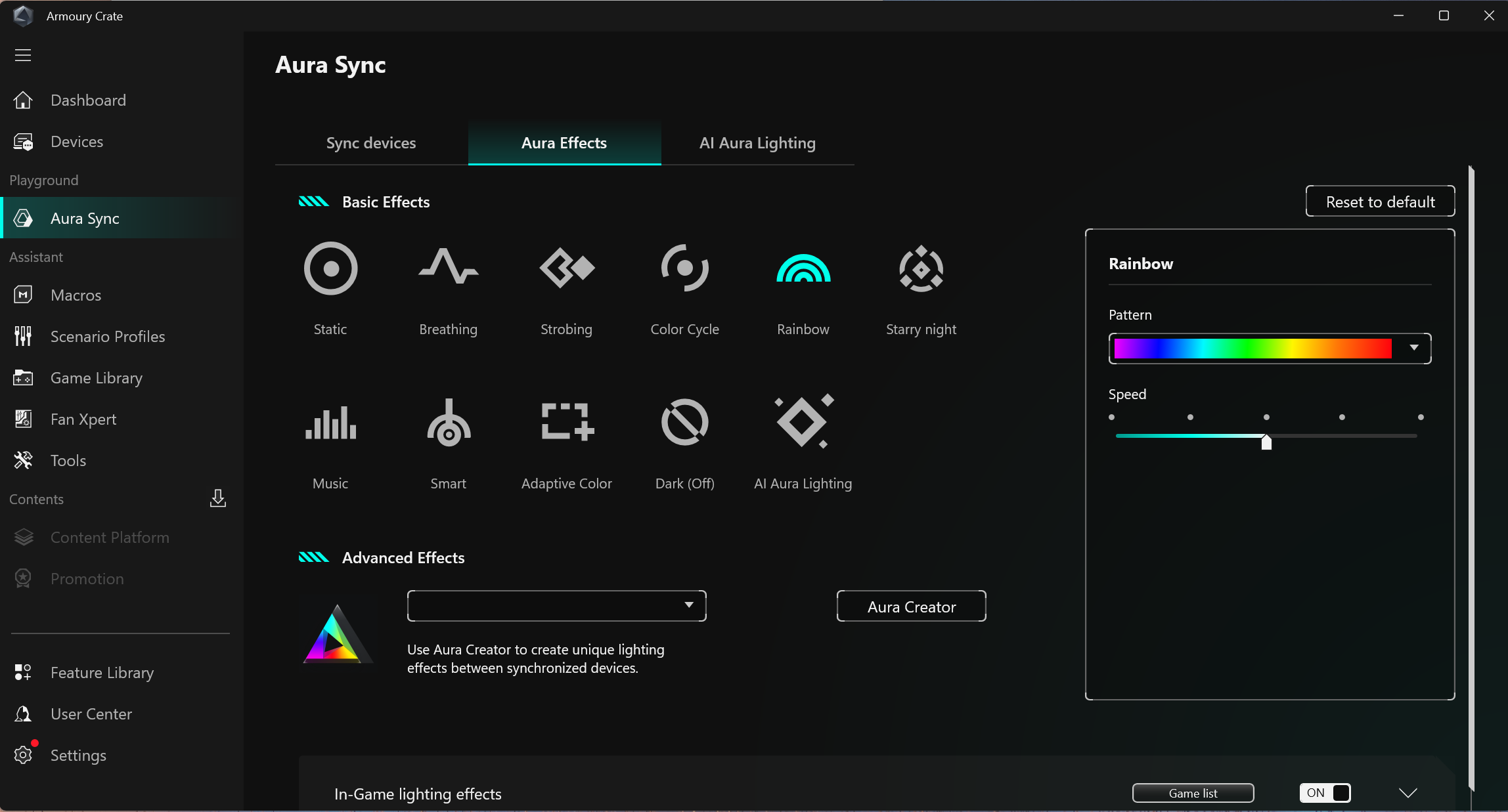
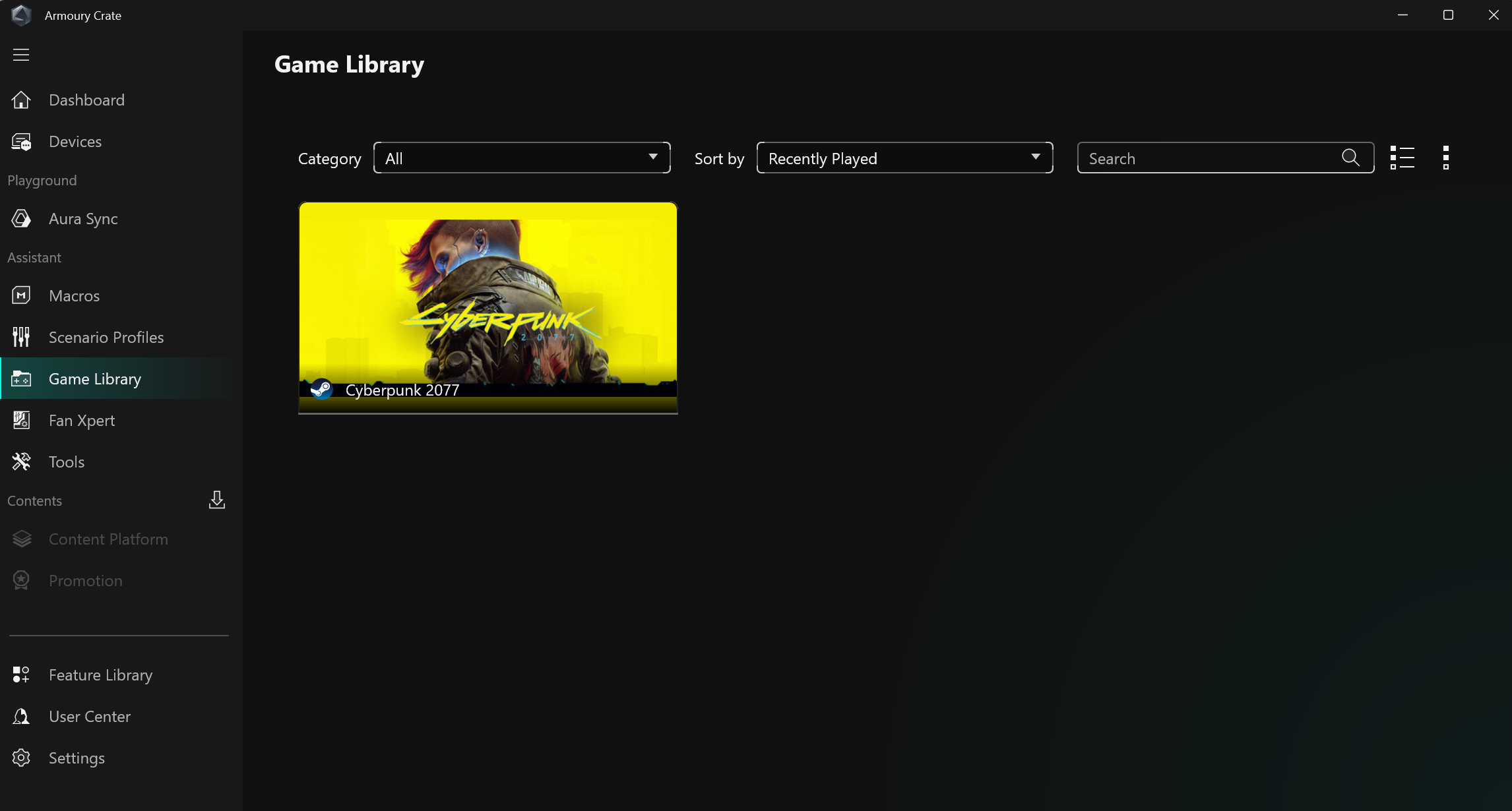
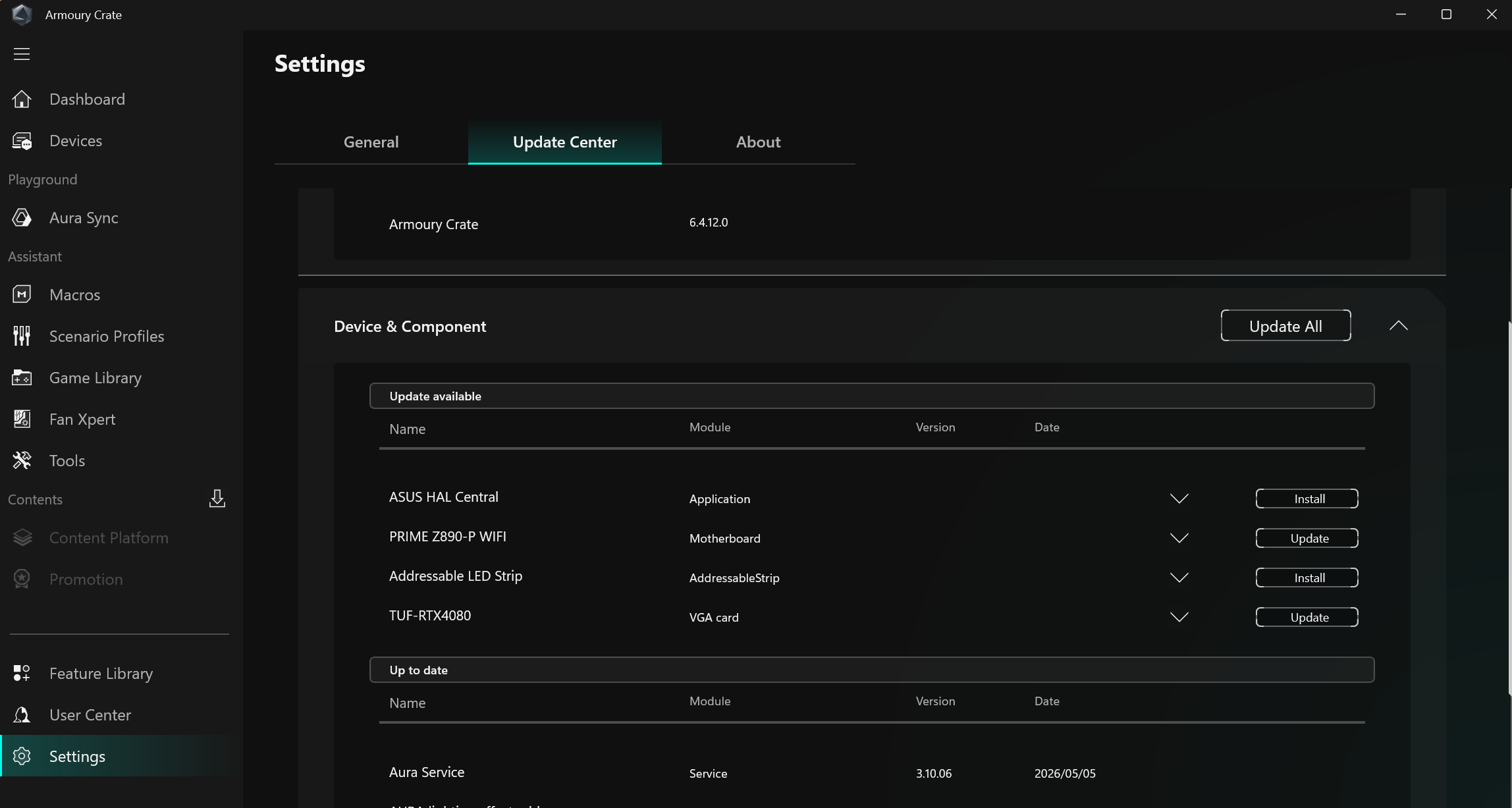
Armoury Crate has Several applications exist for various functions, ranging from RGB lighting control and audio to system monitoring and overclocking. It's also worth mentioning the included software. When purchasing this Asus motherboard, you get a one-year AIDA64 license - a helpful application for stress and performance testing; Asus' Driver Hub (get your updated drivers here); Dolby Atmos (for audio); and a custom version of Hwinfo for real-time monitoring - all are helpful applications. We've captured a few screenshots of the applications below.
 Future
 Future
 Future
 Future
 Future
 FutureTest System / Comparison Products
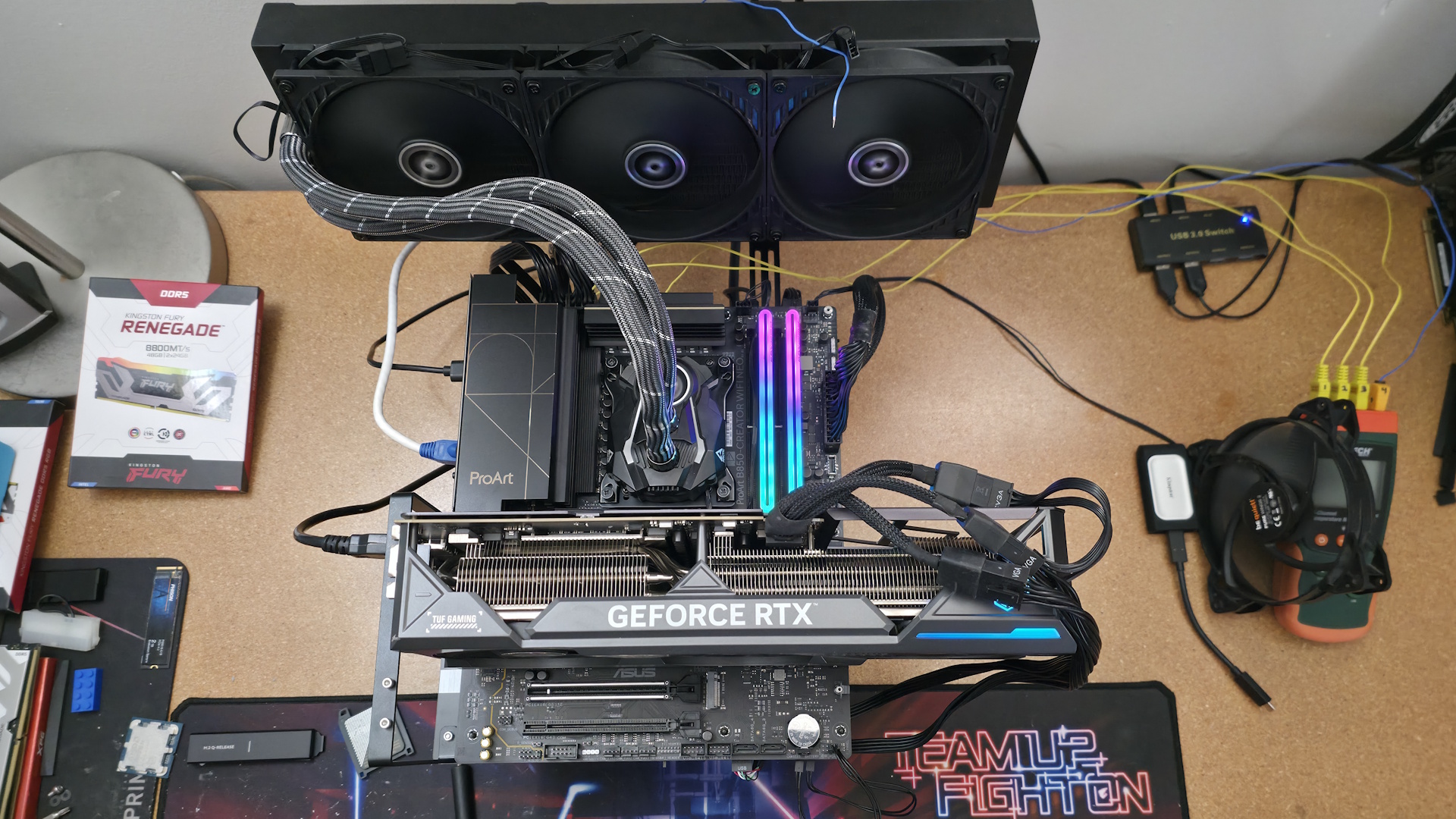
We've updated our test system to Windows 11 (23H2) 64-bit OS with all updates applied as of late September 2024 (this includes the Branch Prediction Optimizations for AMD). Hardware-wise, we've updated the RAM kits (matching our Intel test system), cooling, storage, and video card. Unless otherwise noted, we use the latest publicly available non-beta motherboard BIOS. The hardware we used is as follows:
TEST SYSTEM COMPONENTS
- CPU - AMD Ryzen 9 9900X
- Cooling - Arctic Liquid Freezer II 420
- Storage - Crucial 2TB T705 M.2 PCIe 5.0 NVMe SSD
- RAM - Kingston Fury Beast DDR5-6000 CL36 (KF560C36BBEAK2-32)
- RAM - Teamgroup T-Froce Delta DDR5-7200 CL34 (FF3D518G7200HC34ABK)
- RAM - Klevv Cras XR5 RGB DDR5-8000 (KD5AGUA80-80R380S)
- GPU - Asus TUF RTX 4080 16G
- PSU - EVGA Supernova 850W P6
- Windows 11 64-bit (24H2)
- NVIDIA Driver 561.09
Sound | Integrated HD audio |
Network | Integrated Networking (GbE to 10 GbE) |
Graphics Driver | GeForce 561.09 |
Synthetic Benchmarks and Settings | |
Procyon | Version 2.8.1352 64 Office 365, Video Editing (Premiere Pro 24.6.1), Photo Editing (Photoshop 25.1.2, Lightroom Classic 13.5.1) |
3DMark | Version 2.29.8294.0 64 Speed Way and Steel Nomad (Default) |
Cinebench R24 | Version 2024.1.0 |
Blender | Version 4.2.0 |
Application Tests and Settings | |
LAME MP3 | Version SSE2_2019 Mixed 271MB WAV to mp3: Command: -b 160 --nores (160Kb/s) |
HandBrake CLI | Version: 1.8.2 Sintel Open Movie Project: 4.19GB 4K mkv to x264 (light AVX) and x265 (heavy AVX) |
Corona 1.4 | Version 1.4 Custom benchmark |
7-Zip | Version 24.08 Integrated benchmark (Command Line) |
Game Tests and Settings | |
Cyberpunk 2077 | Ultra RT: - 1920 x 1080, DLSS - Balanced. |
F1 2024 | Ultra High Preset - 1920 x 1080, 16xAF/TAA, Great Britain (Clear/Dry), FPS Counter ON |
MORE: Best Motherboards
MORE: Best Motherboard Deals
MORE: Best RAM Combo Deals
MORE: How To Choose A Motherboard
MORE: All Motherboard Content
Benchmark ResultsOur standard benchmarks and power tests are performed using the CPU's stock frequencies (including any default boost/turbo) with all power-saving features enabled. We set optimized defaults in the BIOS and the memory by enabling the XMP profile. For this baseline testing, the Windows power scheme is set to Balanced (default) so the PC idles appropriately.
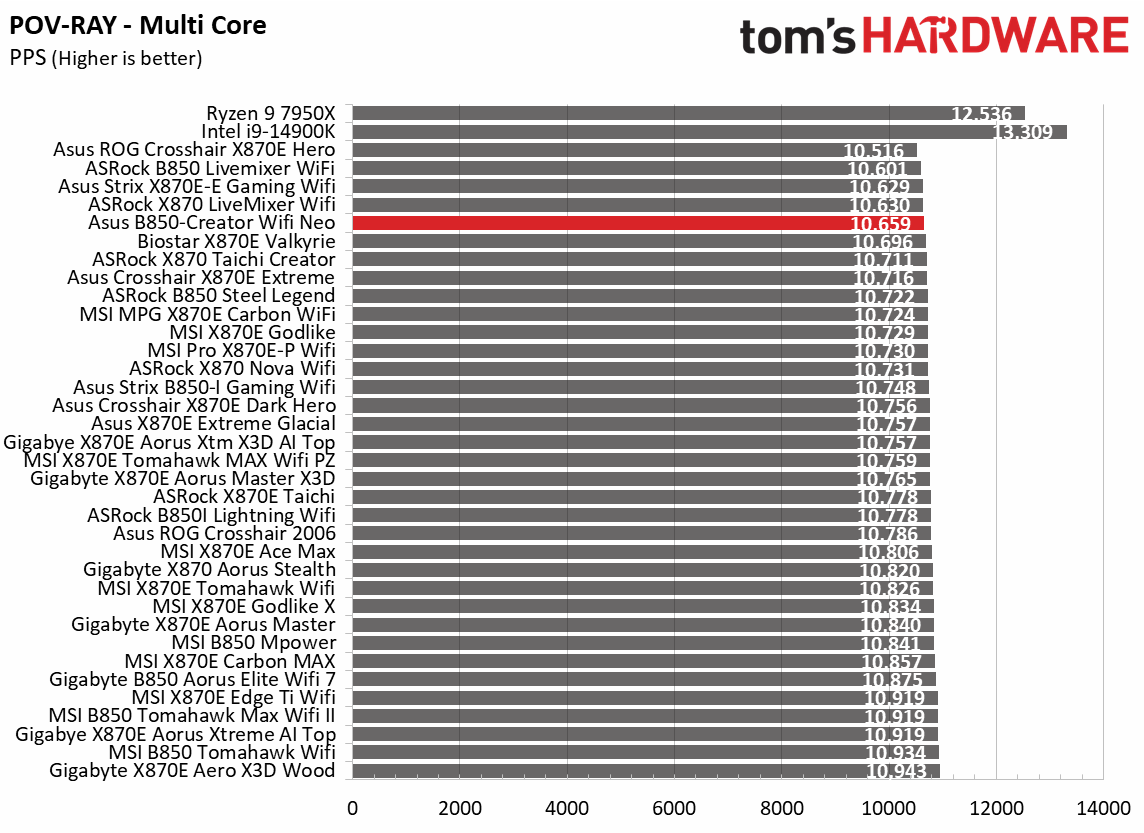
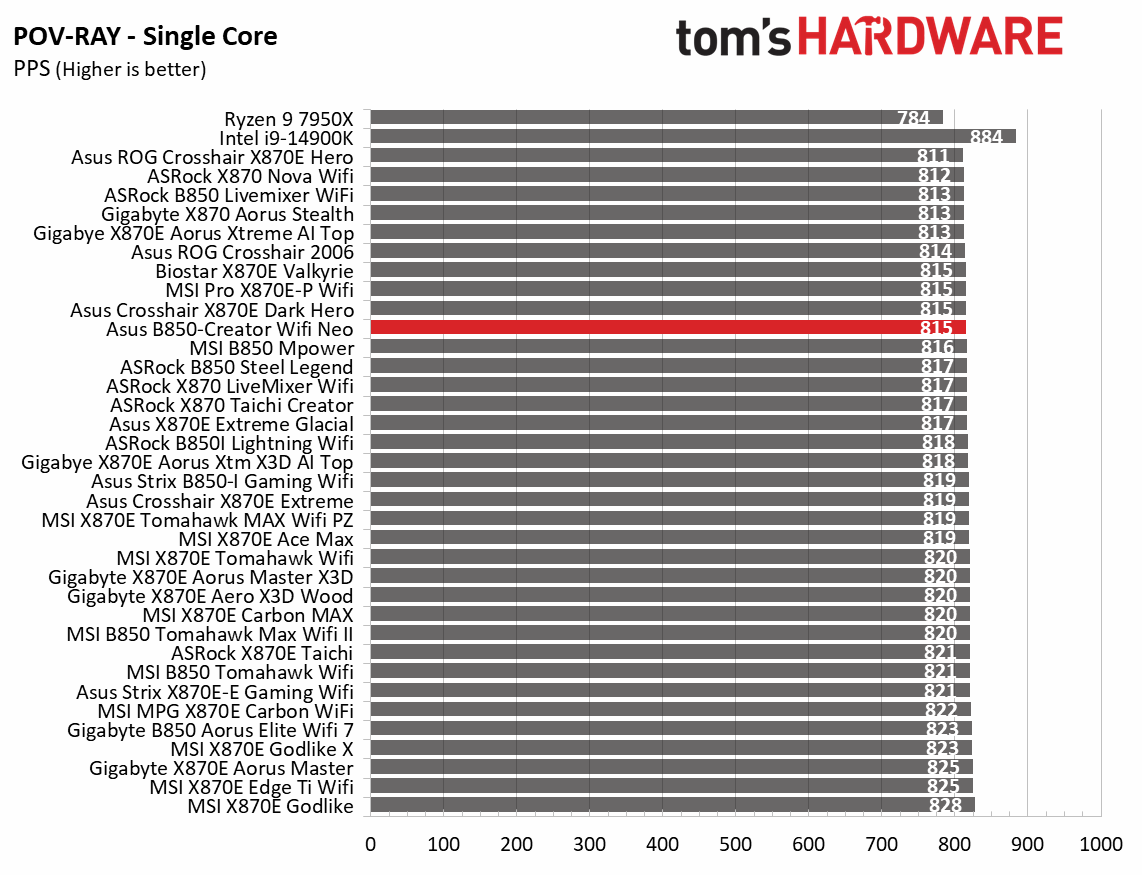
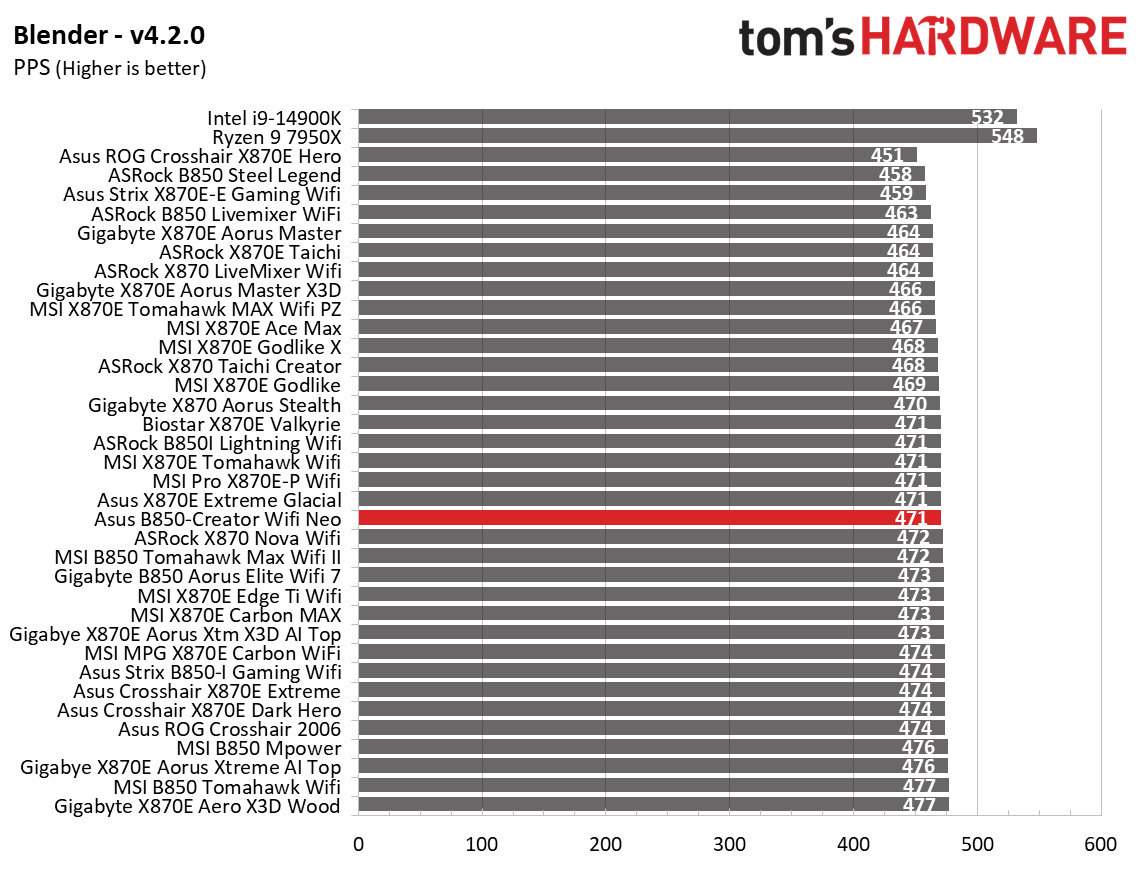
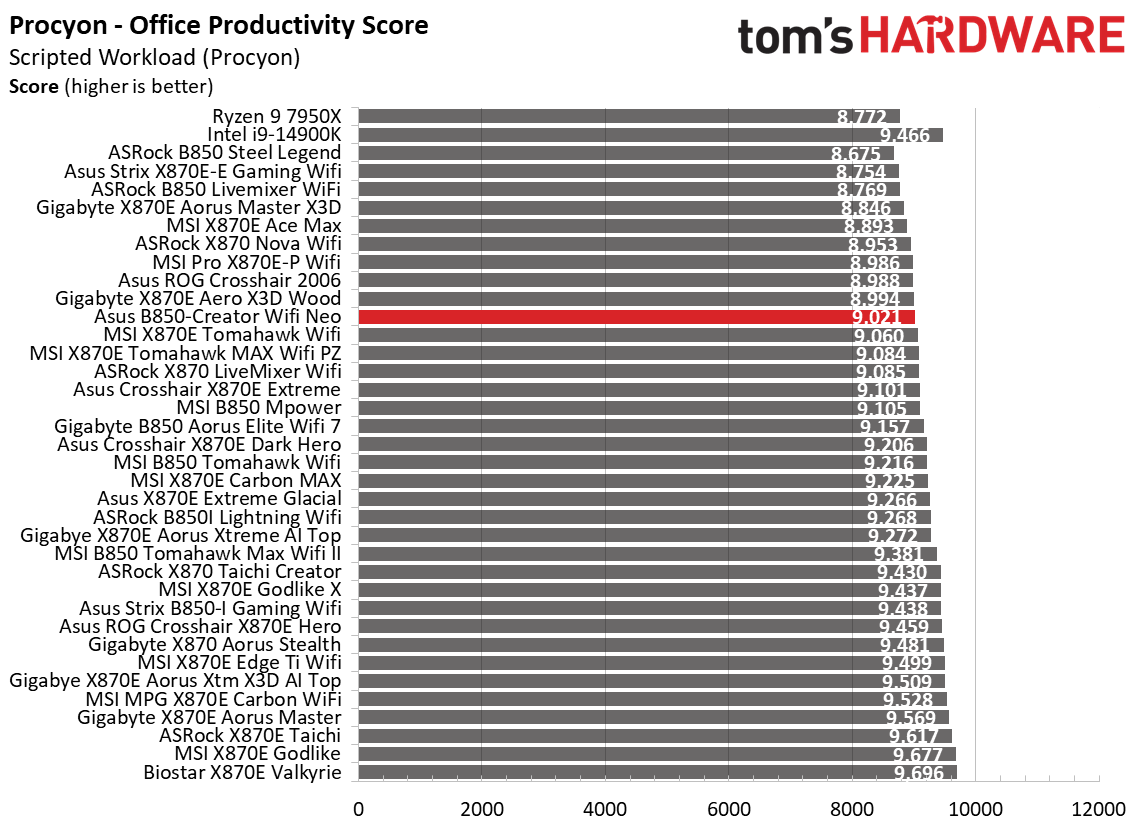
Synthetic BenchmarksSynthetics offer a valuable method for evaluating a board's performance, as identical settings are expected to yield similar results. Turbo boost wattage and advanced memory timings are areas where motherboard manufacturers can still optimize for stability or performance, though, and these settings can impact specific testing scenarios.
 Future
 Future
 Future
 Future
 Future
 Future
 Future
 Future
 Future
 Future
 Future
 Future
 Future
 Future
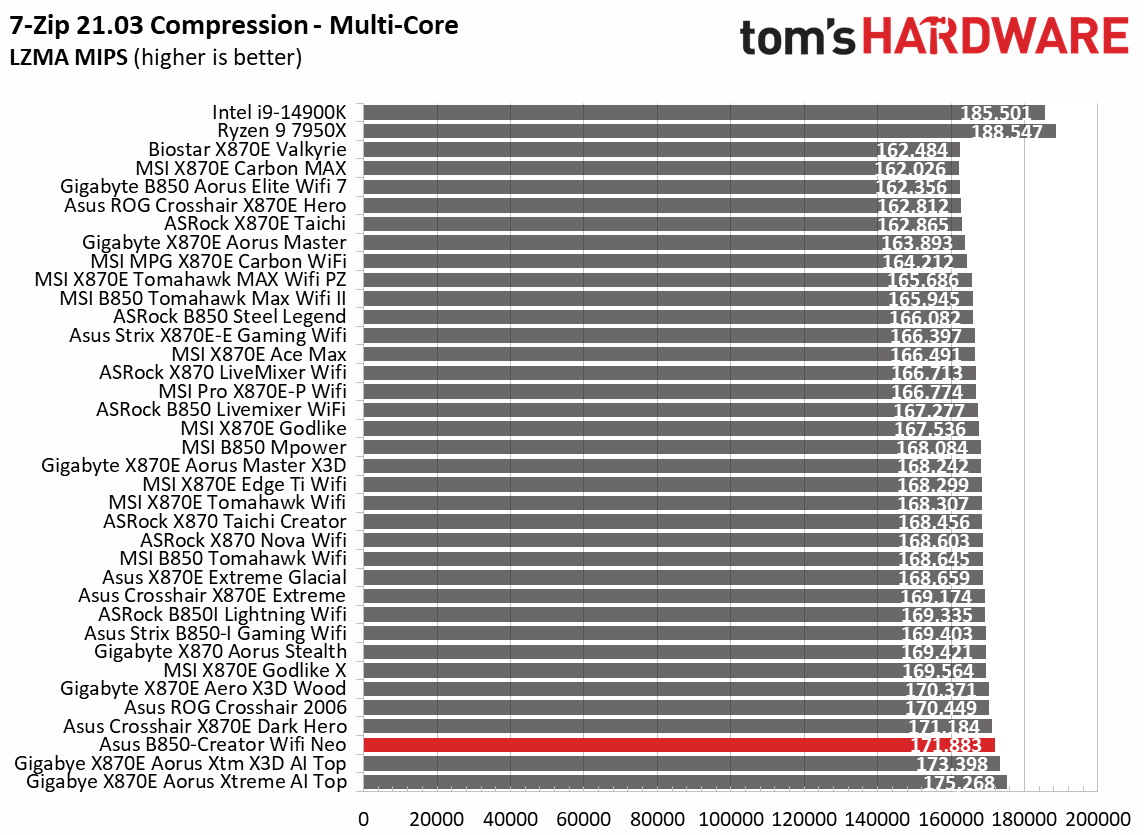
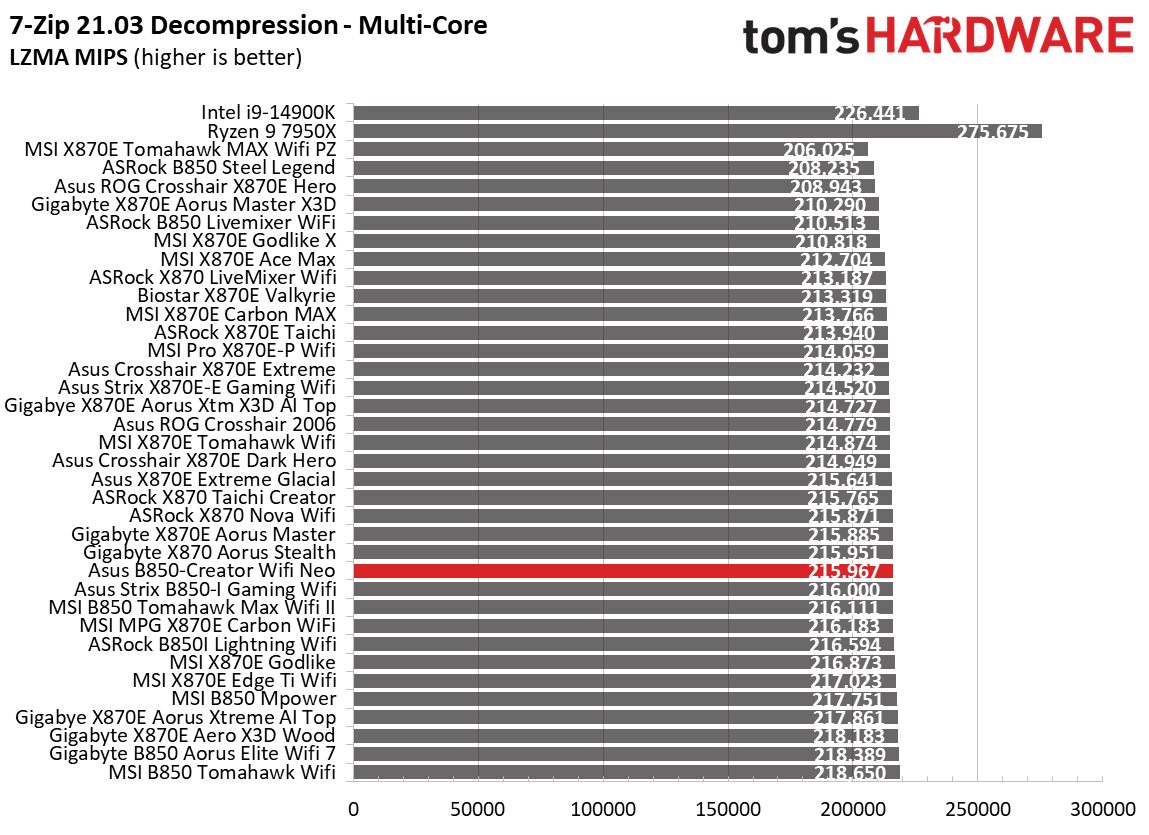
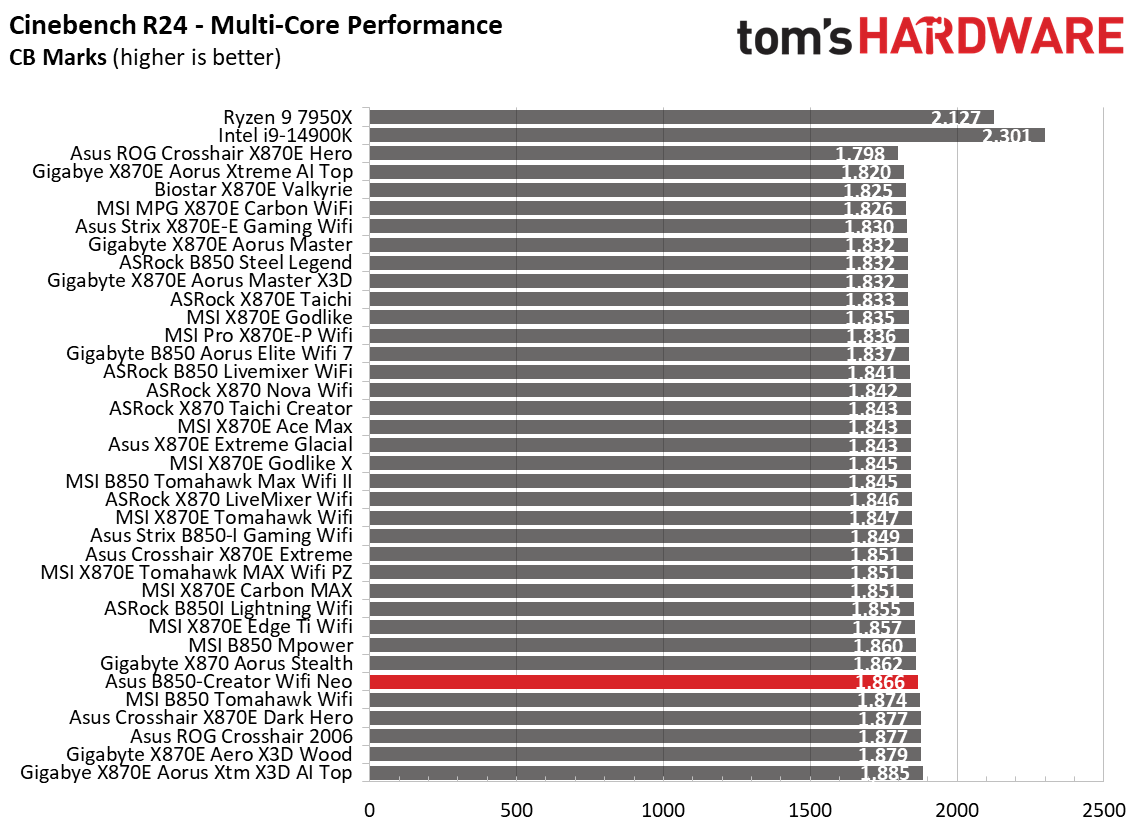
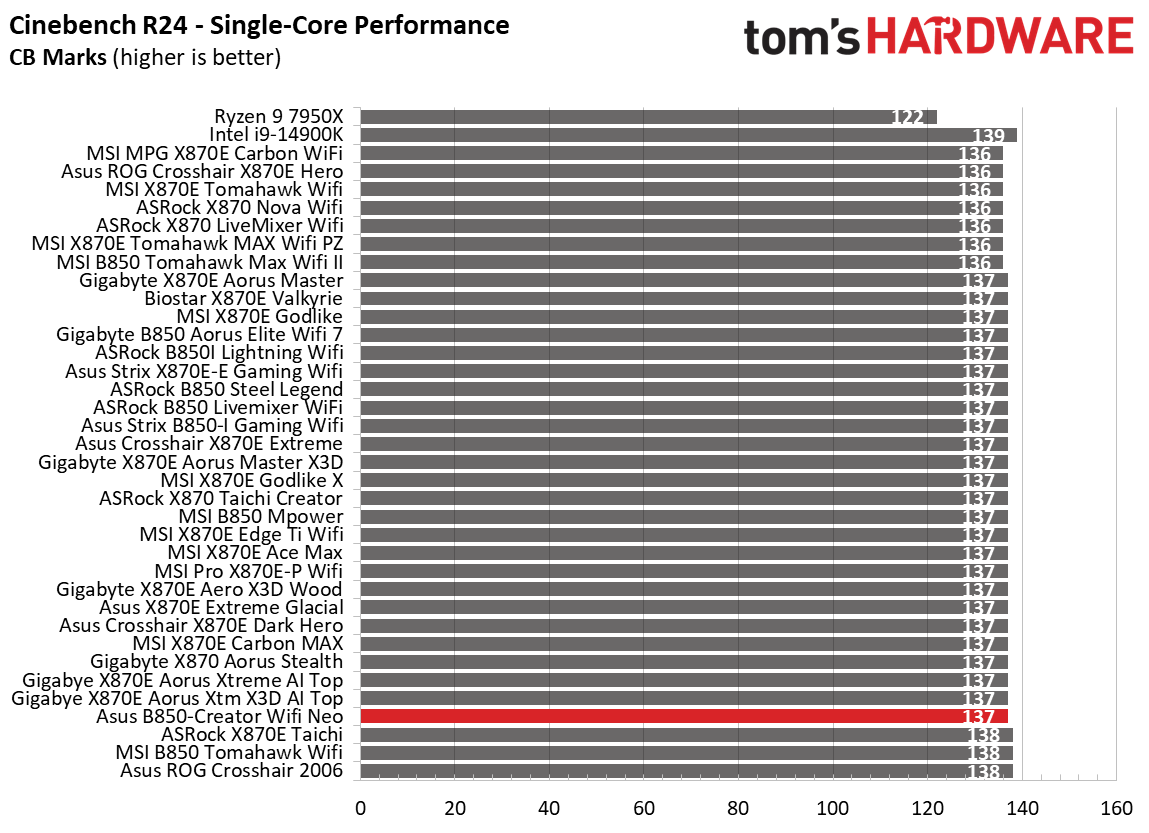
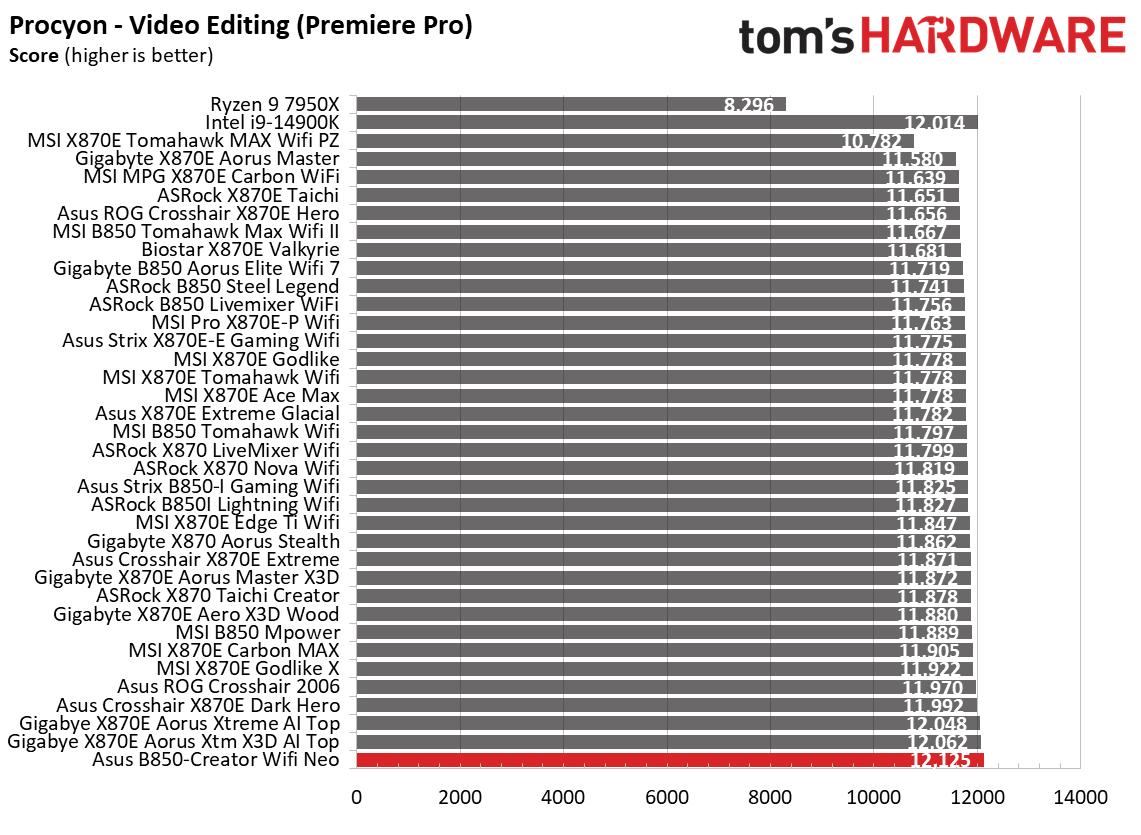
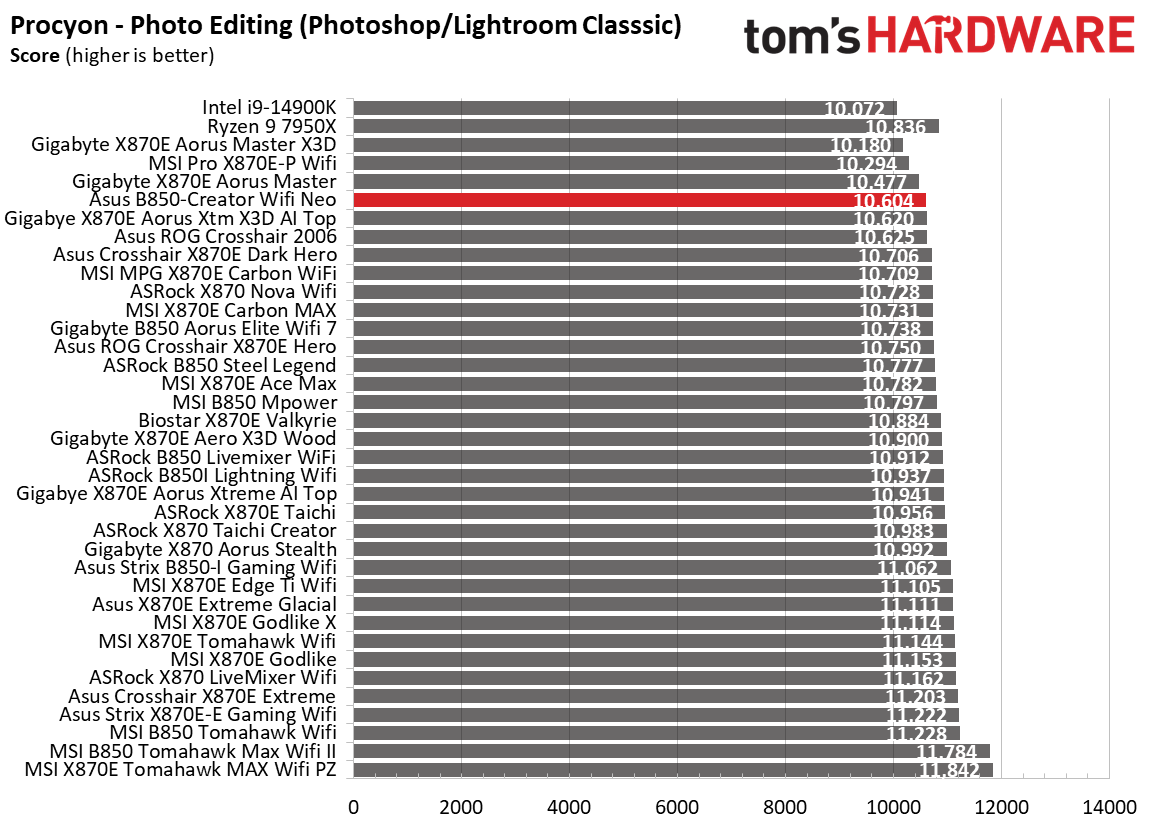
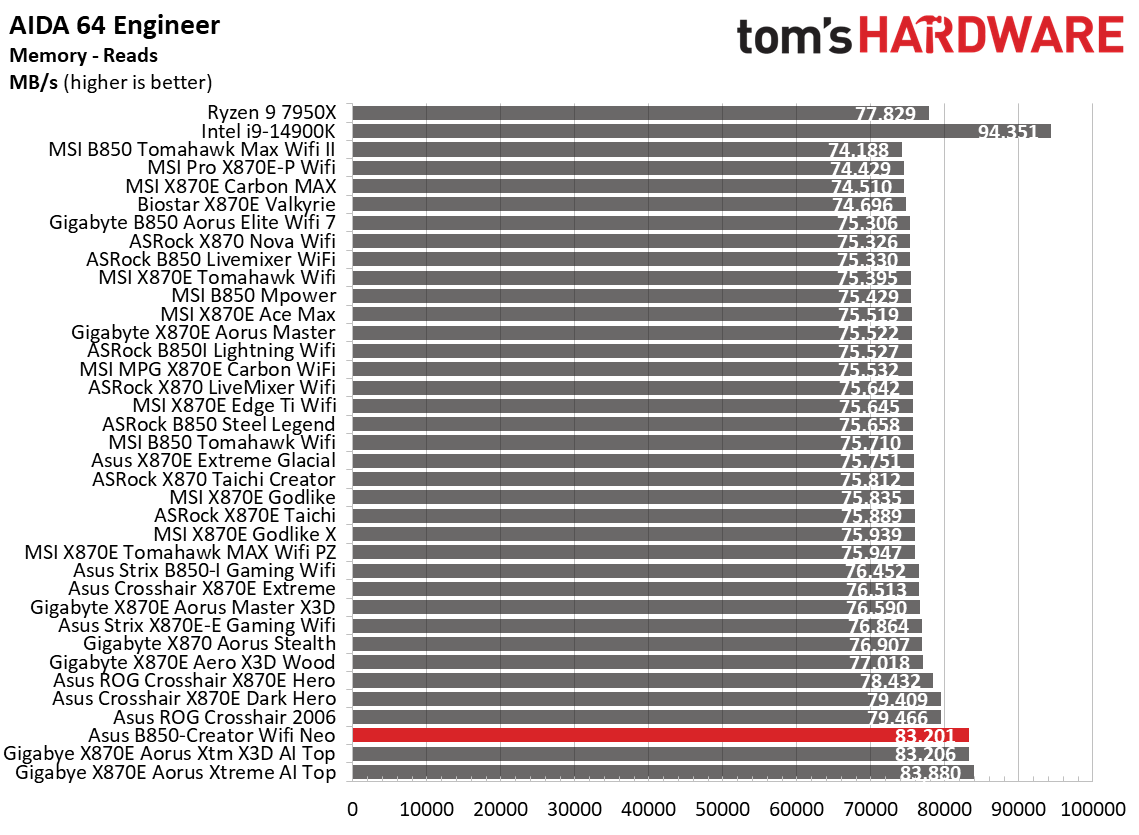
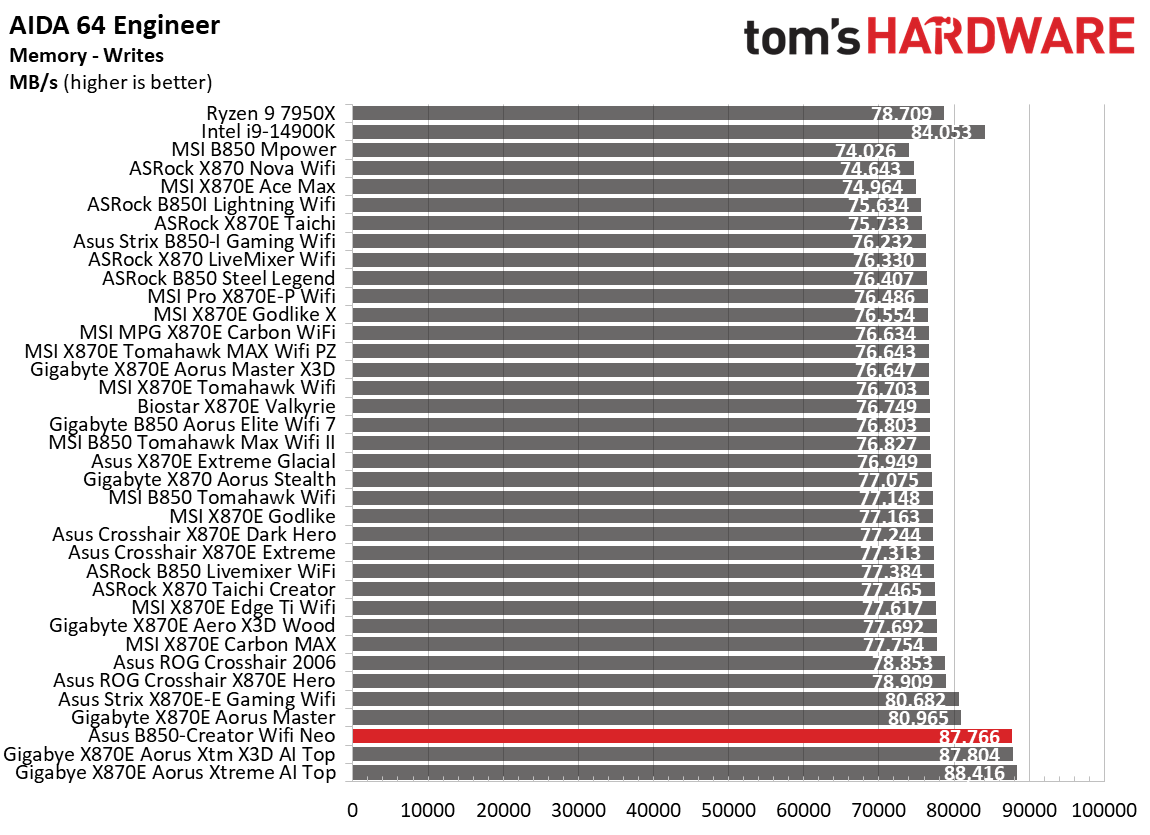
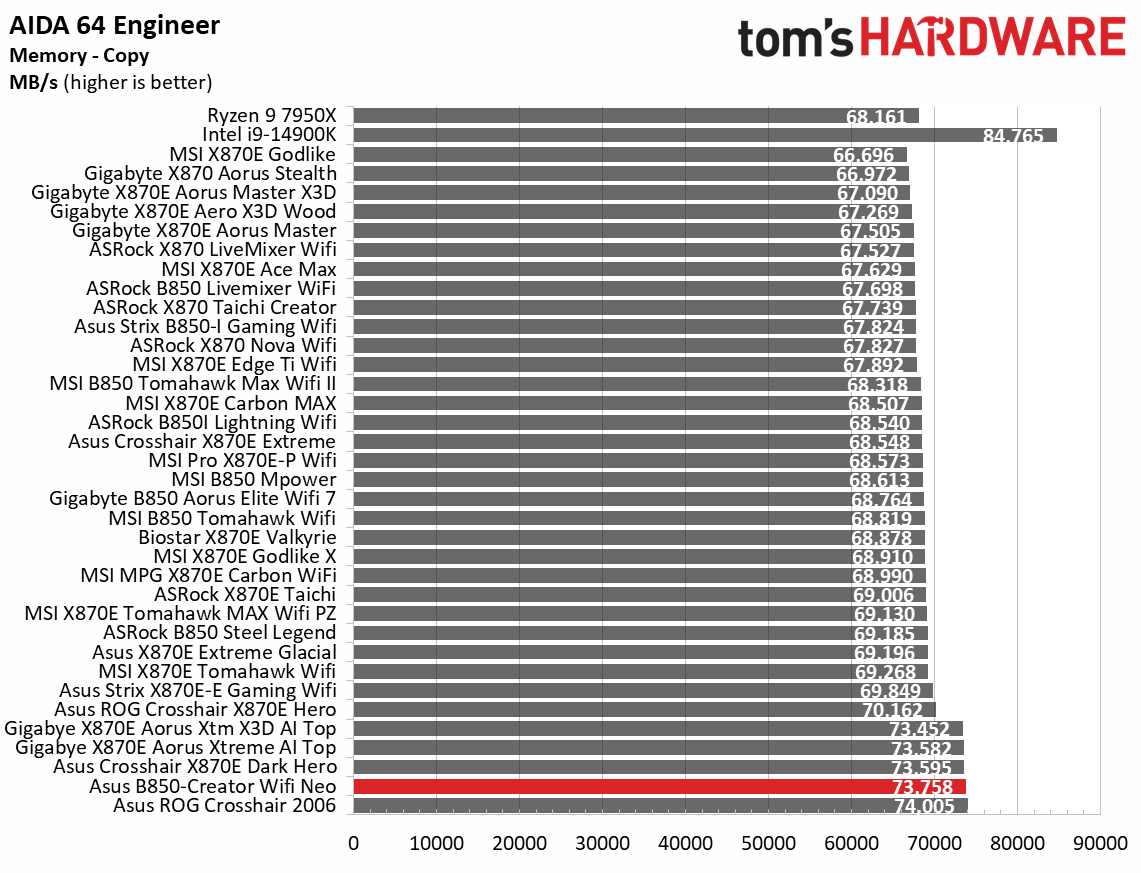
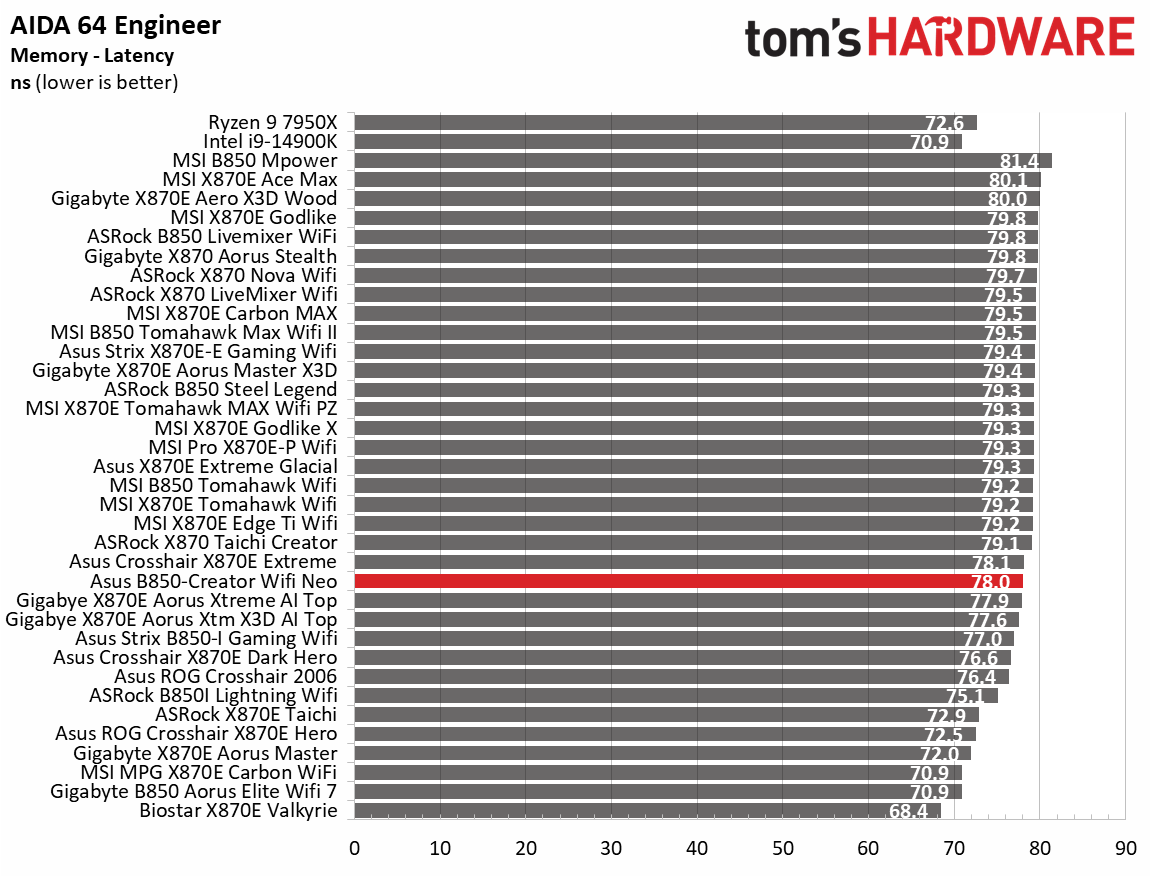
Starting with our synthetic benchmarks, the Creator Neo was average to above average among the other tested boards. In some tests, such as 7-Zip compression, it was among the fastest. It was average elsewhere and rarely below. This is what we see from most boards-nothing to worry about so far.
Timed Applications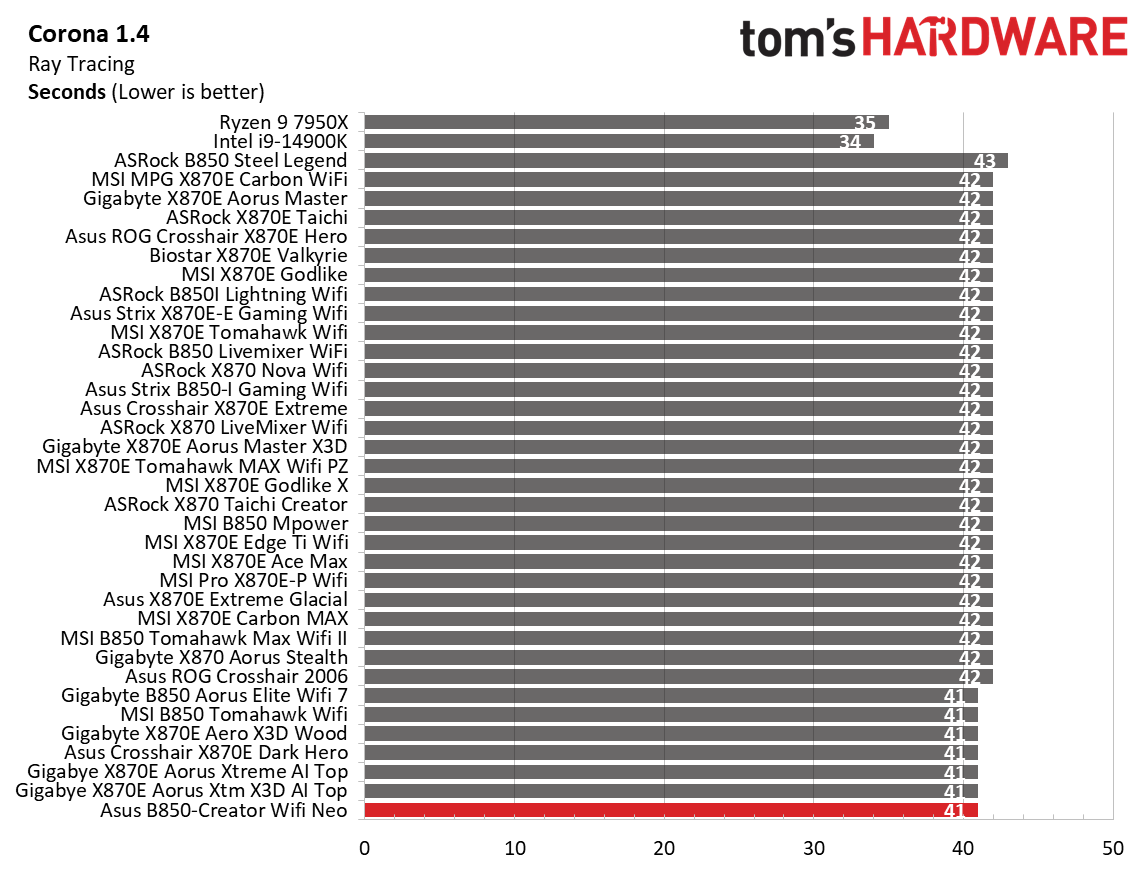 Future
 Future
 Future
 Future
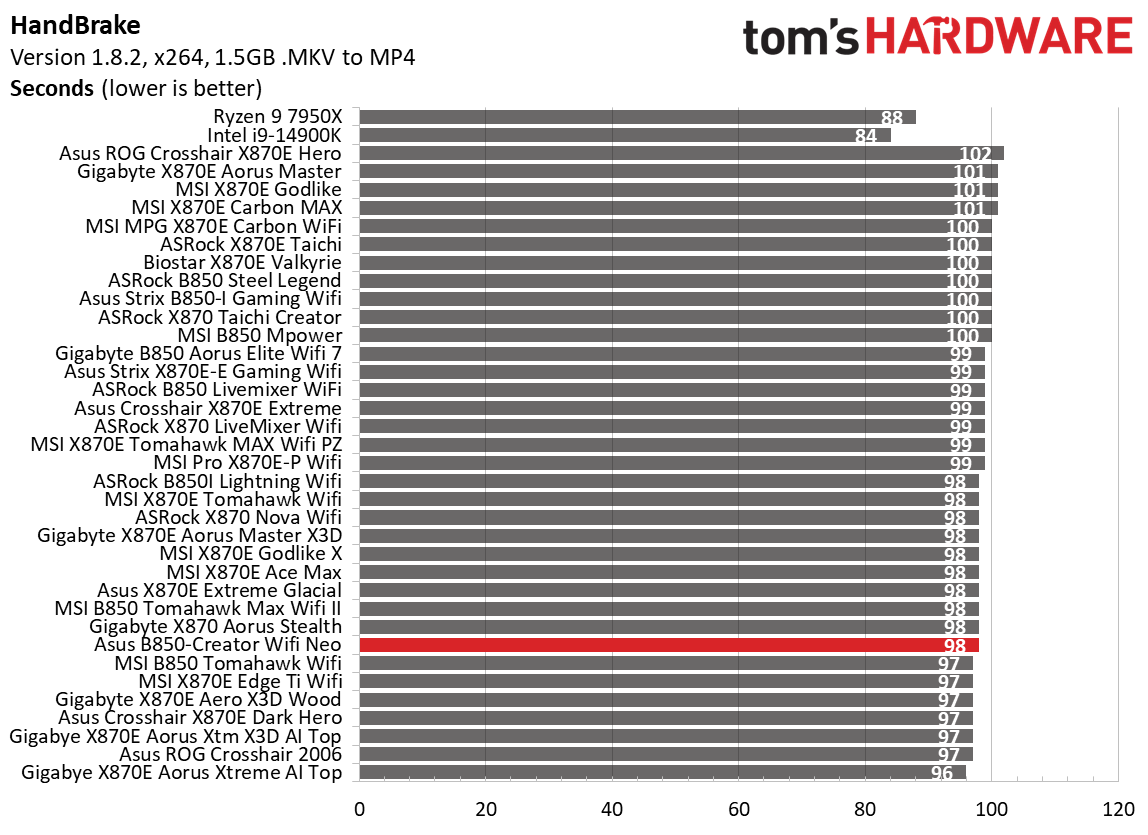
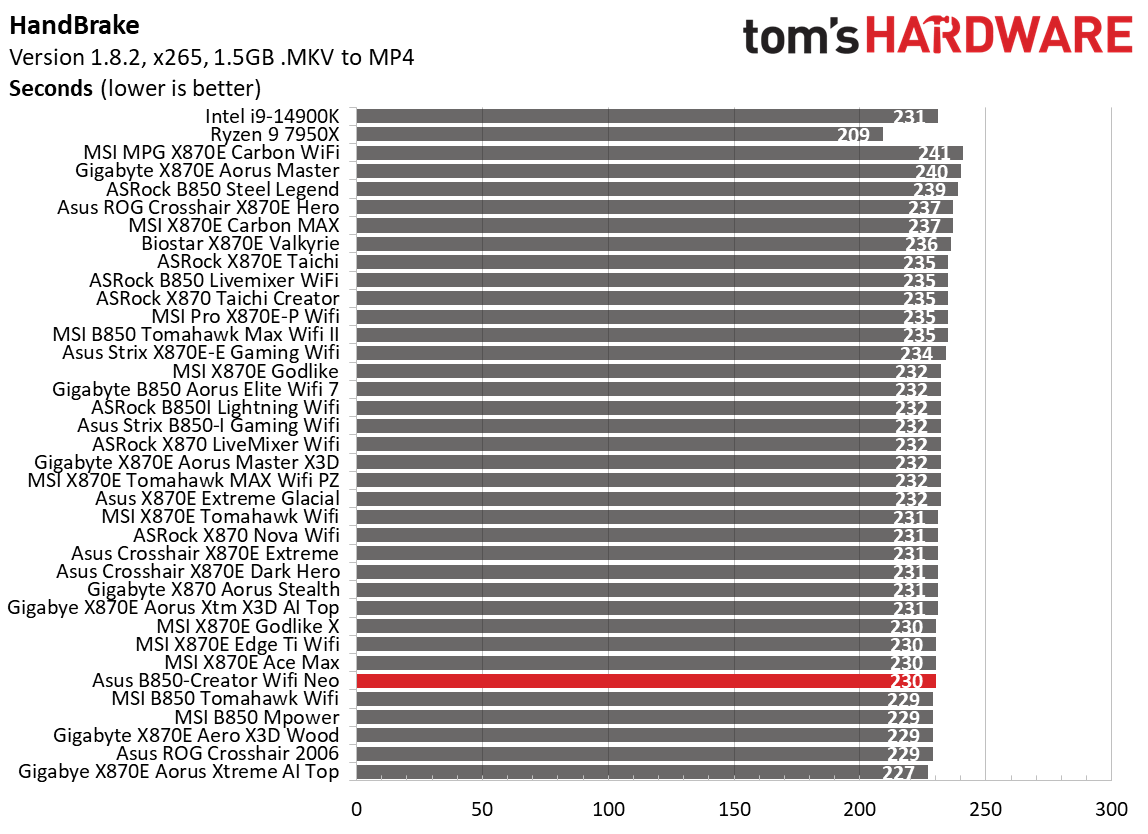
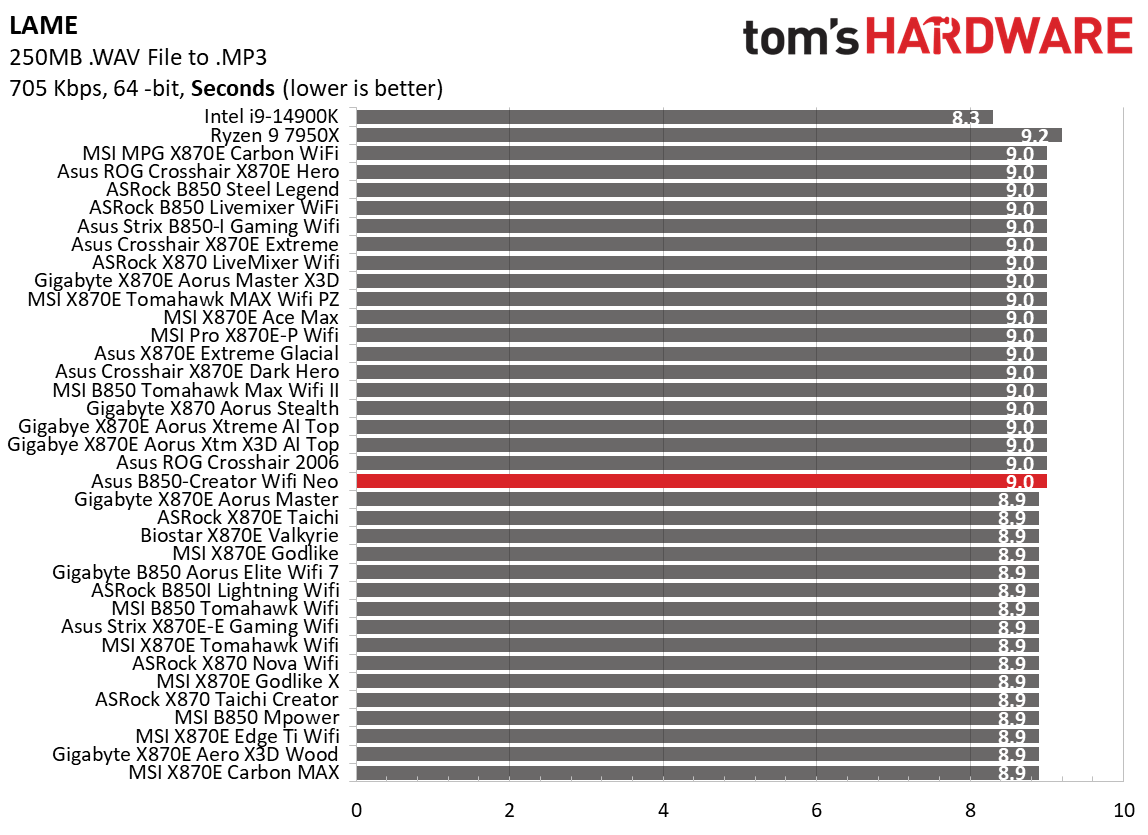
Timed applications also went well. It delivered the slower of the two times in LAME (9.0 seconds) but faster in Corona (41 seconds). Handbrake results were also good, running above average across both sub-tests. Nothing out of the ordinary here, either.
3D Games and 3DMark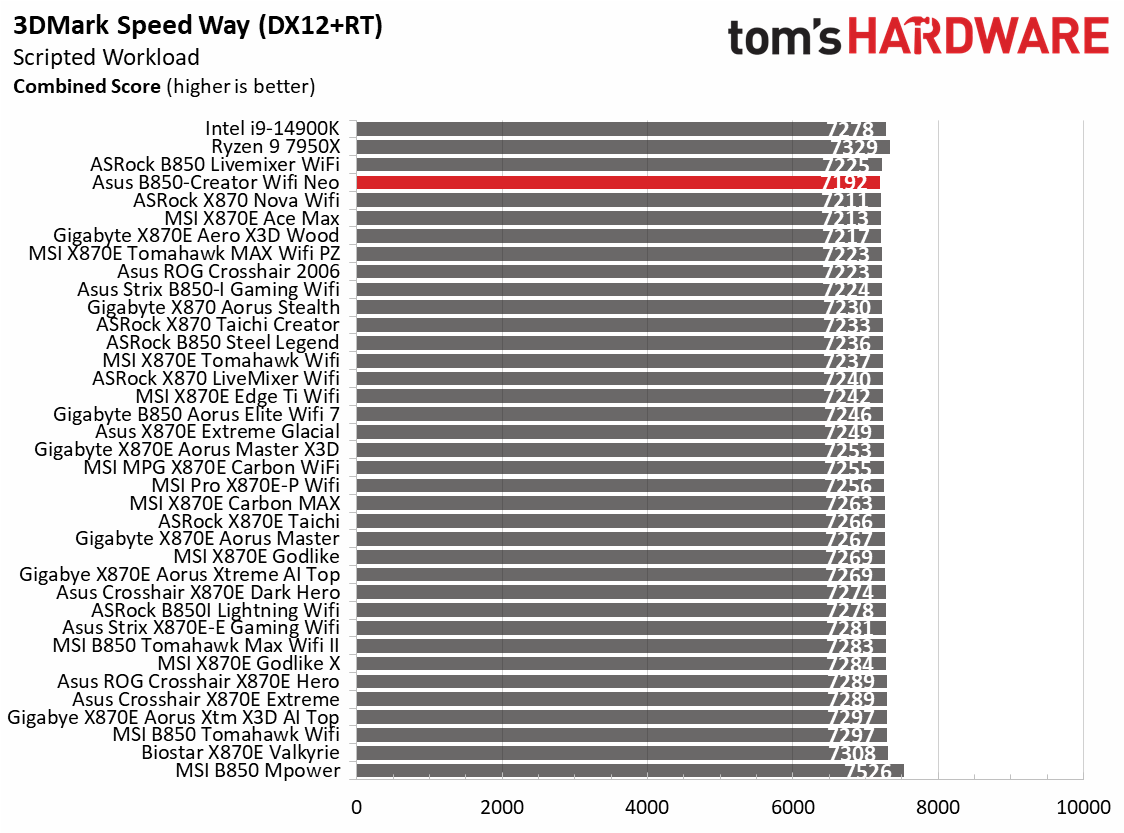 Future
 Future
 Future
 Future
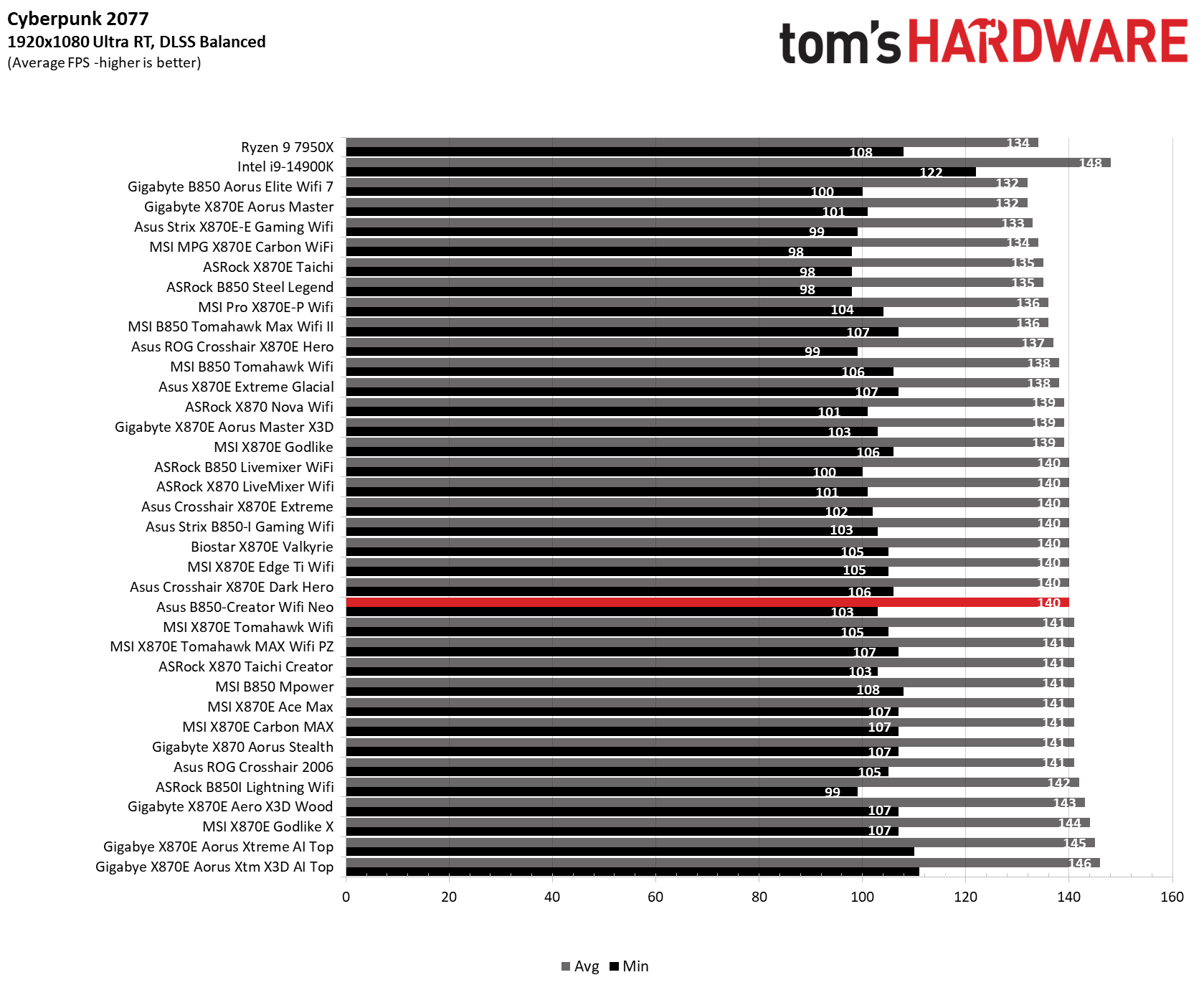
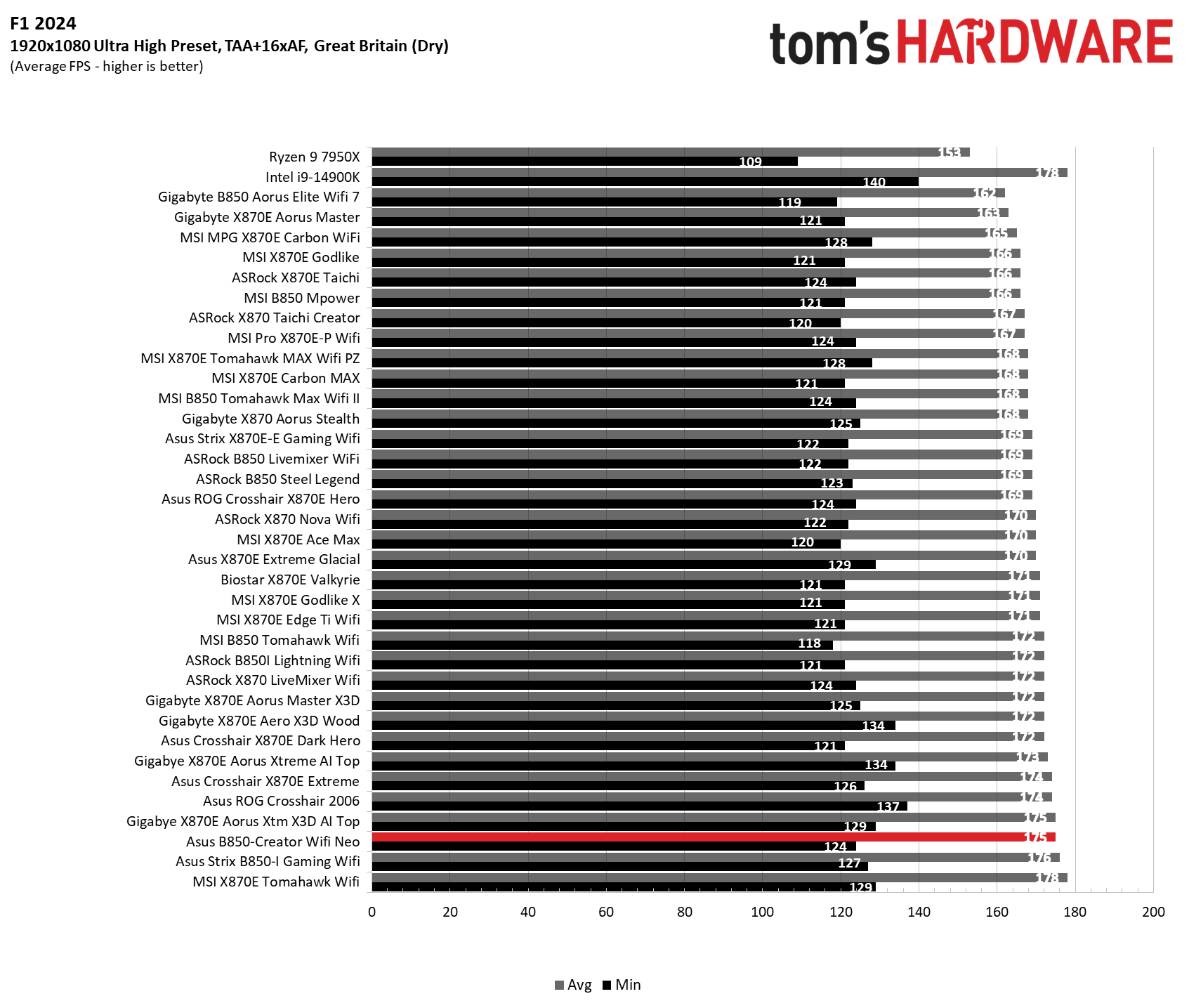
Starting with the launch of Zen 5, we've updated our game tests. We're keeping the F1 racing game but have upgraded to F1 24. We also dropped Far Cry 6 in favor of an even more popular game in Cyberpunk 2077. We run both games at 1920x1080 resolution using the Ultra preset (details listed above). Cyberpunk 2077 uses DLSS, while we left F1 24 to native resolution scaling.
The goal with these settings is to determine if there are differences in performance at the most commonly used (and CPU/system-bound) resolution with settings most people use or strive for (Ultra). We expect the difference between boards in these tests to be minor, with most falling within the margin of error. We've also added a minimum FPS setting, which can affect your gameplay and immersion.
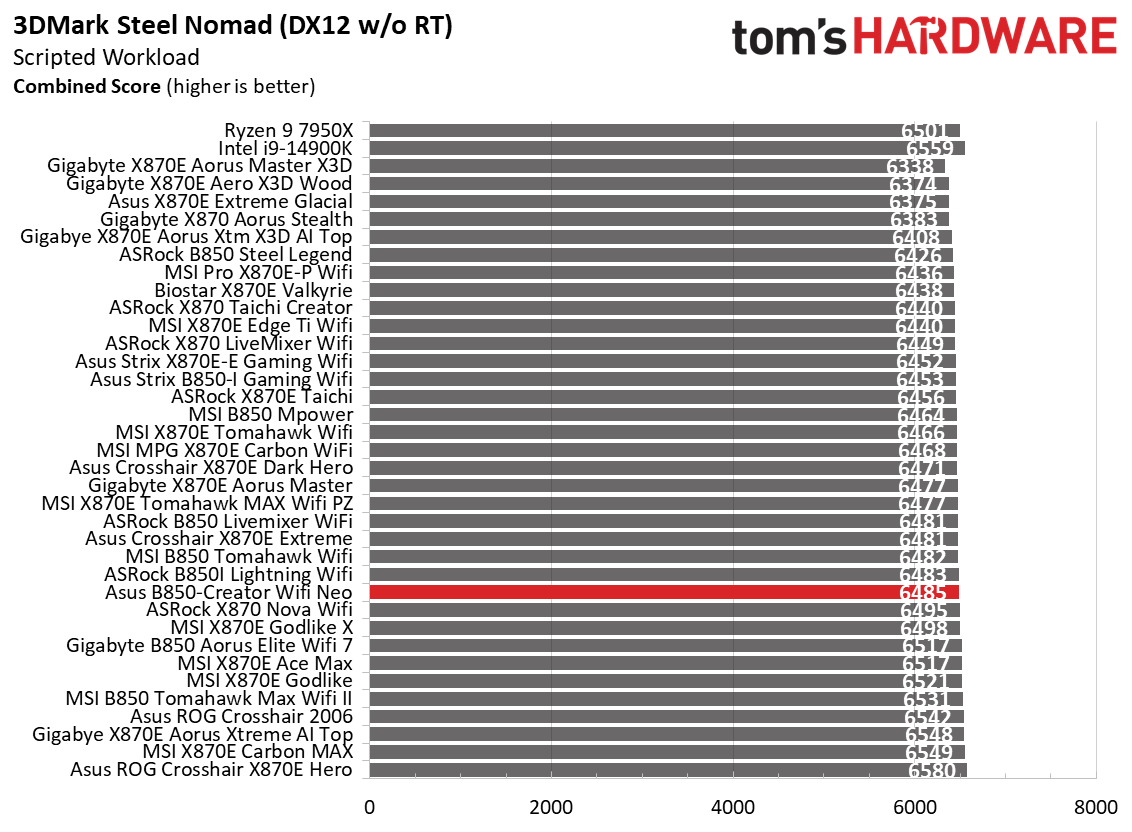
In our 3DMark and game tests, the Creator Neo was average overall. It scored slightly lower on the 3DMark Speedway test but slightly faster than average on Steel Nomad. In our games, Cyberpunk 2077 results were right around average, while F1 24 was slightly above average at 124/175 FPS (minimum/average, respectively). To summarize, this board has no issues running games or any productivity/creator-related activities.
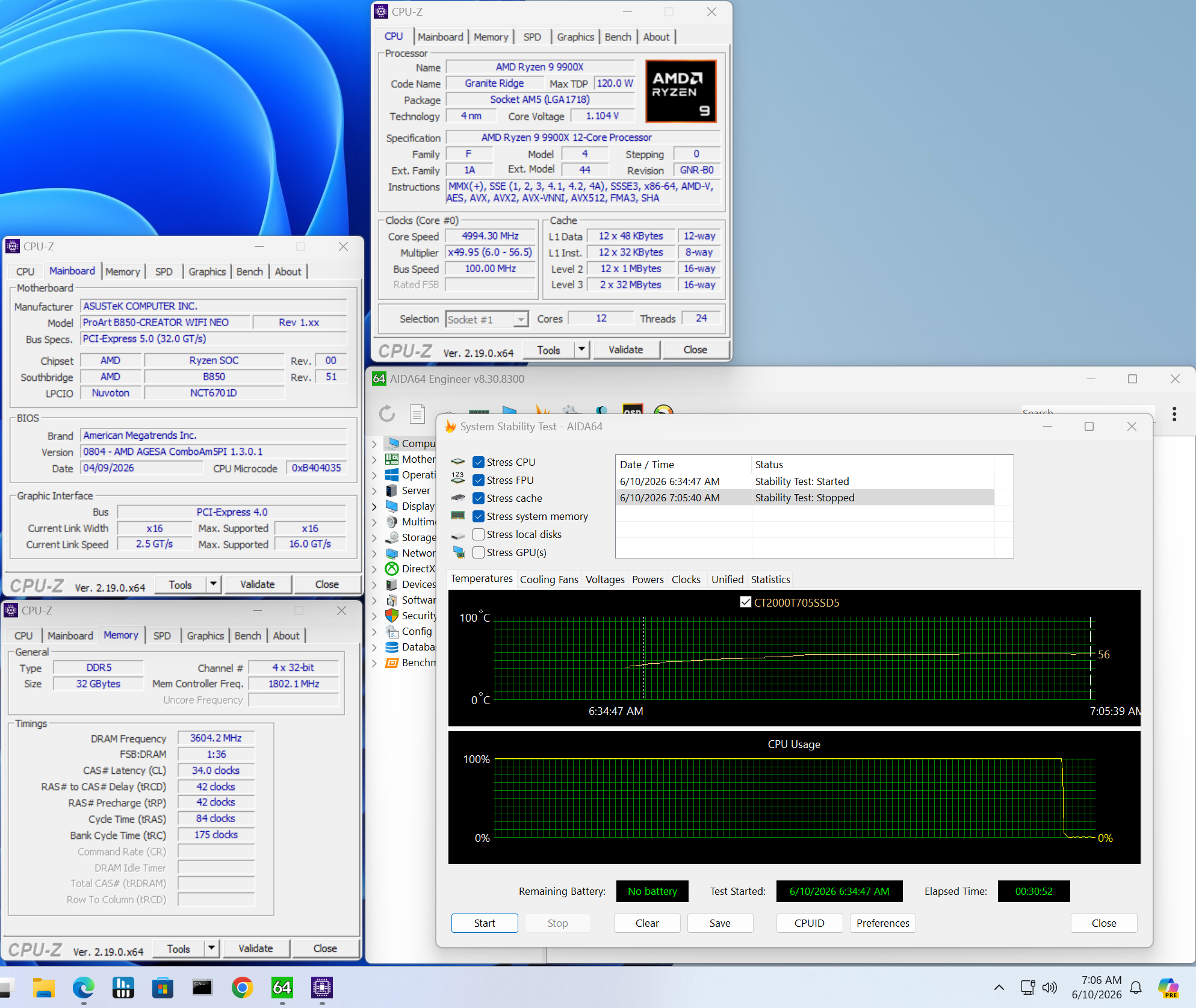
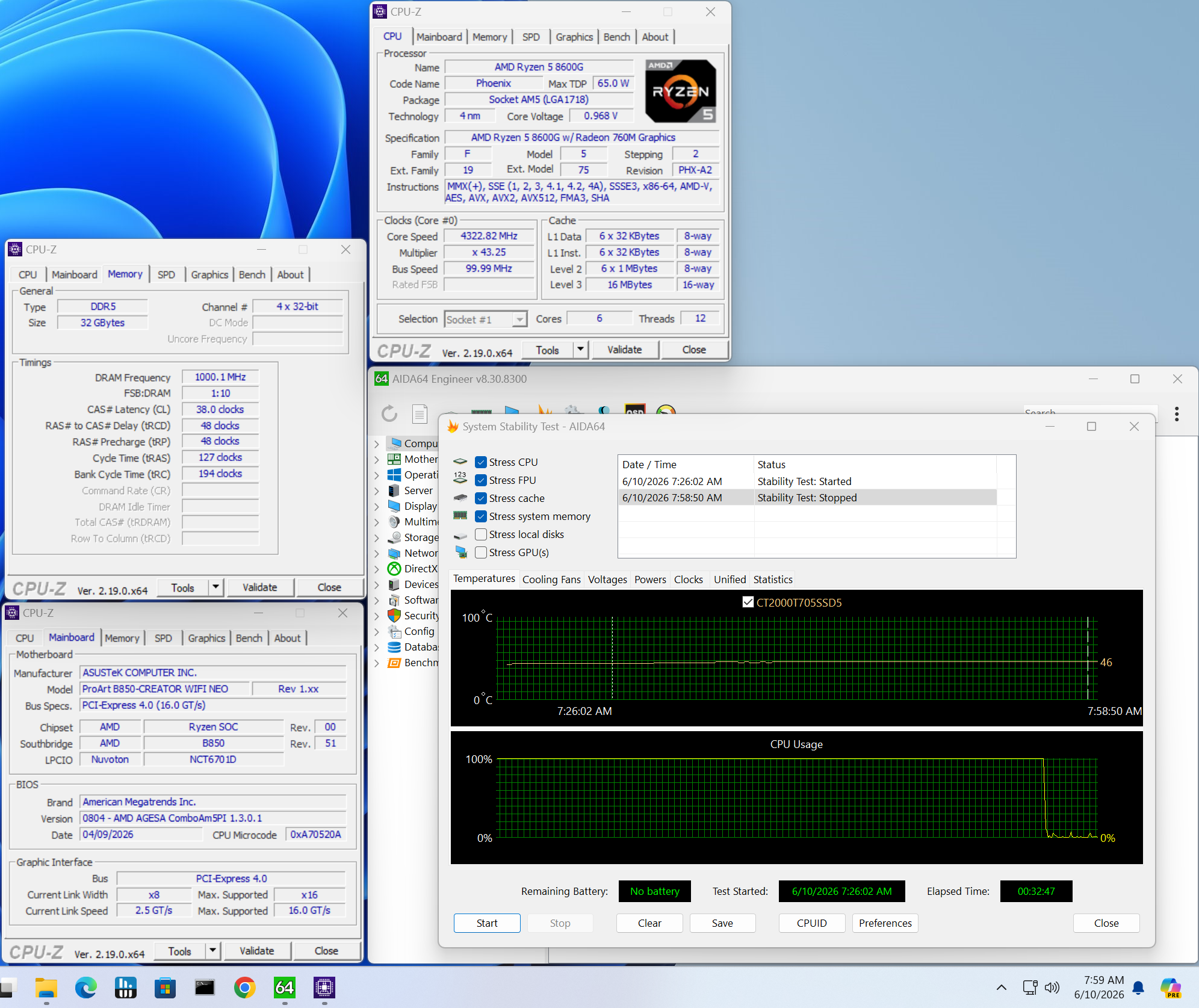
OverclockingOver the past few CPU generations, overclocking headroom has been shrinking on both sides of the fence, while the out-of-the-box potential has increased. For overclockers, this means there's less fun to have. For the average consumer, you're getting the most out of the processor without manual tweaking. Today's motherboards are more robust than ever, and they easily support power-hungry flagship-class processors; We know the hardware can handle them. There are multiple ways to extract even more performance from these processors: enabling a canned PBO setting, manually tweaking the PBO settings, or just going for an all-core overclock. Results will vary and depend on the cooling as well. In other words, your mileage may vary. Considering all the above, we will not be overclocking the CPU. However, we will try out our different memory kits to ensure they meet the specifications.
 Future
 Future
For memory testing, we start with our fastest non-clock driver kit: Klevv 32GB (2x16) DDR5-8000. Per usual on this platform, it booted to Windows but wouldn't pass a stress test with our 9900X. The Team Group DDR5-7200 kit worked without issue. Those speeds are well past the sweet spot' for the AMD platform, and with today's RAM prices, we doubt many people are looking at these higher speeds in the first place.
Dropping in the Ryzen 5 8600G APU, we were able to run our Klevv DDR5-8000 kit without issue, which is a trend we've seen since we started using the APU (the IMCs on the APUs are generally better than those on desktop processors). Again, AMD's sweet spot is around 6000-6400 MT/s, and this board (really any X870E board we've tested) can handle that and then some. Asus also offers AI Overclocking for the CPU if you don't want to adjust settings manually.
Power Consumption / VRM Temperatures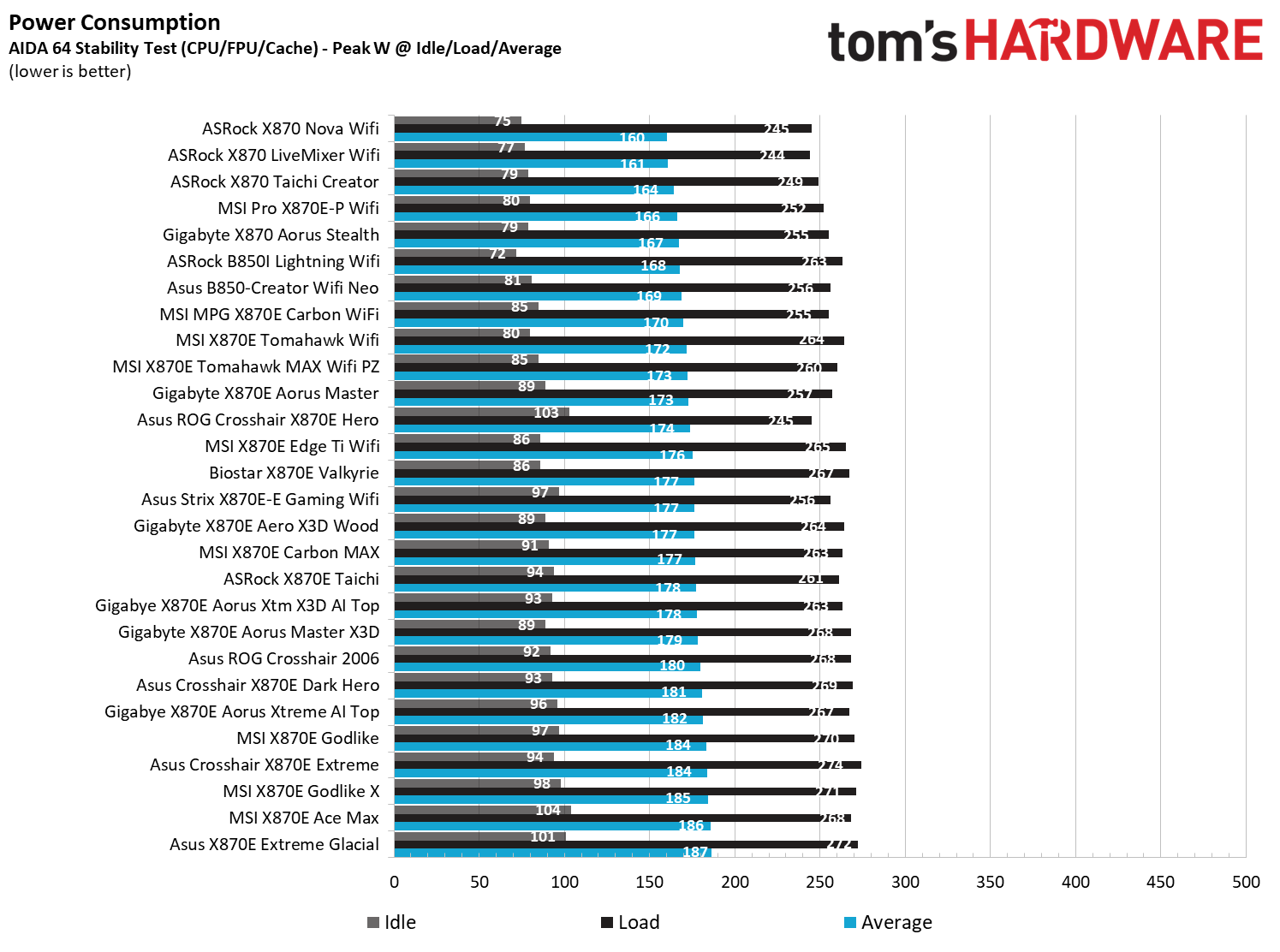
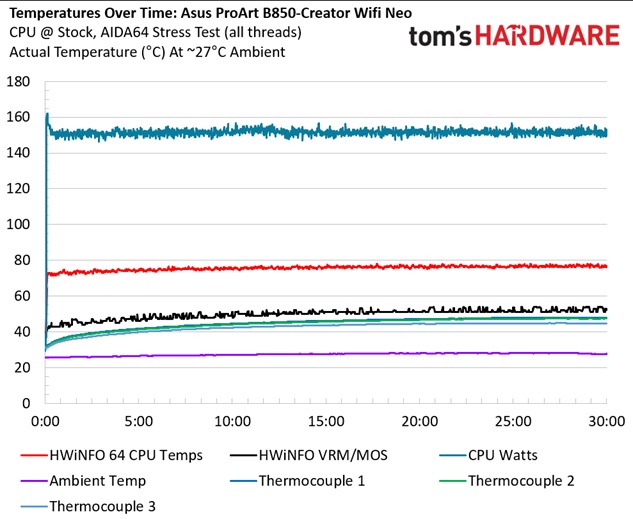
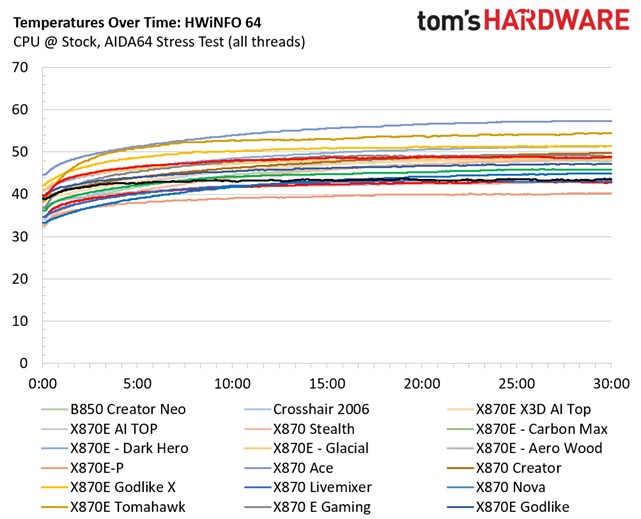
We used AIDA64's System Stability Test with Stress CPU, FPU, cache, and Memory enabled for power testing, using the processor's peak power consumption value. The wattage reading is obtained from the wall via a Kill-A-Watt meter, capturing the entire PC (excluding the monitor). The only variable that changes is the motherboard; all other parts remain the same. We've moved to using only the stock power use/VRM temperature charts, as this section aims to ensure the power delivery can handle flagship-class processors.
Stress testing the Creator with our DDR5-7200 kit showed it to be less power-hungry than most boards. At idle, it sat around 81W and peaked at 256W. This averages out to 169W, which is again slightly lower than the average B850/X870/X870E-based boards.
 Future
 Future
VRM temperatures are good, peaking at just under 48 degrees Celsius on our sensor (internal sensor readings were off and not listed). Between the capable power delivery and large heatsinks, you won't have any trouble running flagship-class processors or even overclocking.
Bottom LineAsus' B850-Creator Wifi Neo is an OK budget motherboard for Creators. Priced at $299.99, you get dual 5 GbE ports, three display output options, and several of Asus' EZ DIY and AI Features that all help to make this a viable option for the budget-minded creator. That said, you are lacking in a couple of areas compared to the X870E version of the board, which offers faster USB (40 Gbps USB4 ports) and more USB ports. If you're hung up on the port count, the next Asus Creator option costs almost $250 more ($549.99), and at that point, there are plenty of other options that would work for less.
One example, ASRock's X870 Taichi Creator ($319.99), is arguably a better option in the creator space and a direct competitor to the Asus B850 Creator. For $20 more, you get 10GbE and 5 GbE, dual USB4 (40 Gbps) ports, and more USB Type-A ports, along with even more robust power delivery. If this isn't the board for you, check out our best motherboards article to see if one of our best picks are right for you.
MORE: Best Motherboards
MORE: Best Motherboard Deals
MORE: Best RAM Combo Deals
MORE: How To Choose A Motherboard
MORE: All Motherboard Content