DeepCool AK620 and AK400 G2 Review: Quiet and powerful, with woodgrain or a digital display
DeepCool has been delivering innovative, interesting, and often budget-conscious PC cases and cooling products for more than a decade. Its current lineup includes air and AIO coolers, computer cases, keyboards, power supplies, and other accessories.
We were impressed by the company's AK620 and Assassin VC Elite air coolers in the past. In 2024, the Beijing-based company was banned from selling products in the U.S., but has continued to produce and improve its cooling products for markets elsewhere. US consumers also have the option of importing the cooler, if you don't mind paying for extra shipping costs.
Here, we're looking at DeepCool's second-generation AK series coolers, the AK400 G2 and AK620 G2. These are available in two styles: one with woodgrain top covers, the other featuring a digital display.
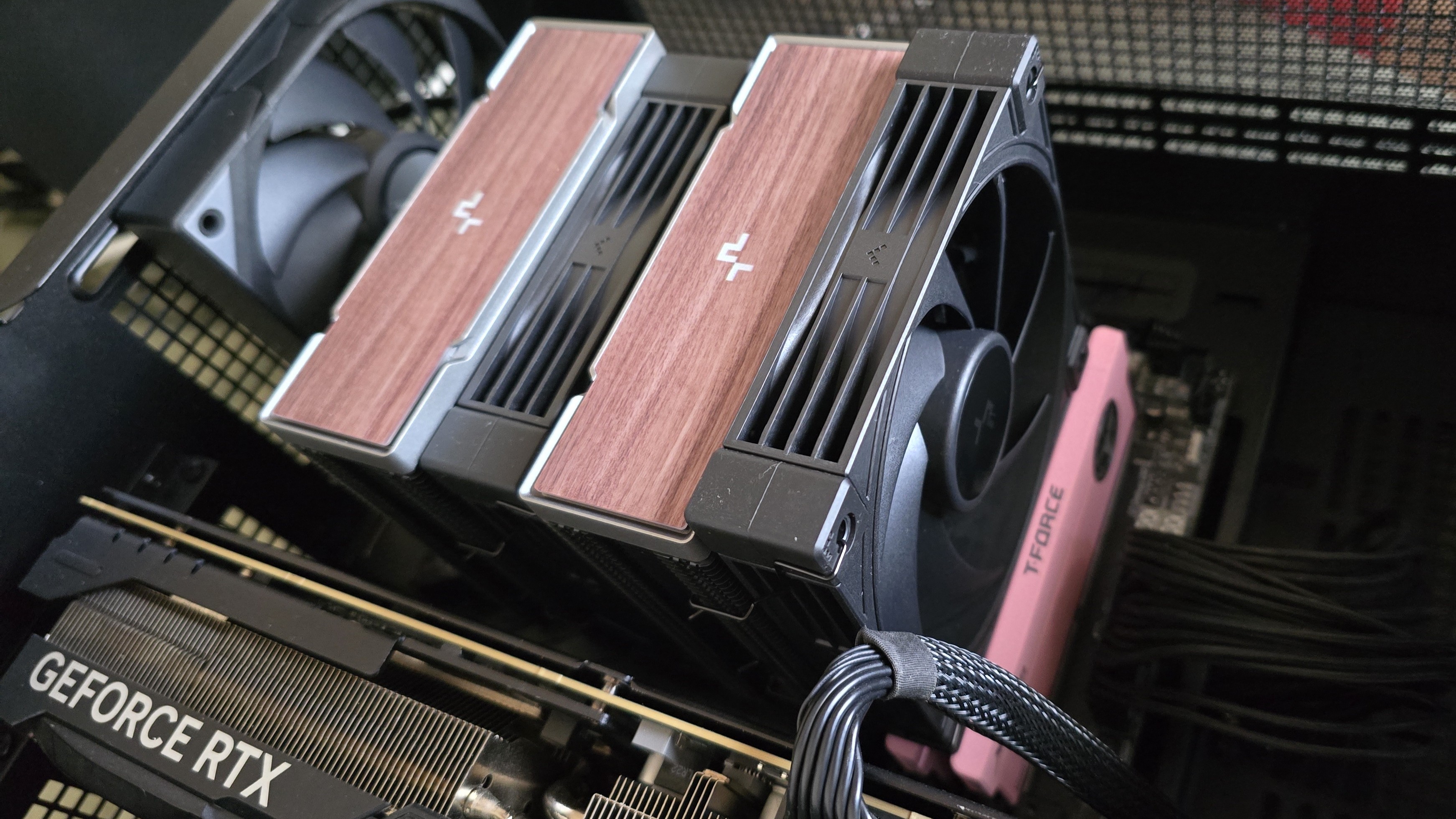
Let's take a look at the specifications and features of the coolers, then we'll go over thermal and noise benchmarks and decide if DeepCool's AK G2 series coolers deserve to make our list of the best CPU coolers.
DeepCool AK620 G2/AK400 G2 specificationsCooler | DeepCool AK620 G2/AK400 G2 |
Colors | Black or white, with woodgrain or digital display options |
MSRP | N/A |
Lighting | None |
Warranty | 3 years |
Socket Compatibility | AMD AM5/AM4 |
Heatsink dimensions | AK620 G2: 125 (L) x 115 (W) x 159mm (H) AK400 G2: 130 (L) x 92 (W) x 151 (H) |
Maximum TDP (Our Testing) | >251W with AMD's Ryzen 9 9950X3D for the AK620 G2, >244W for the AK400 G2 |
Heatpipes and heatsink
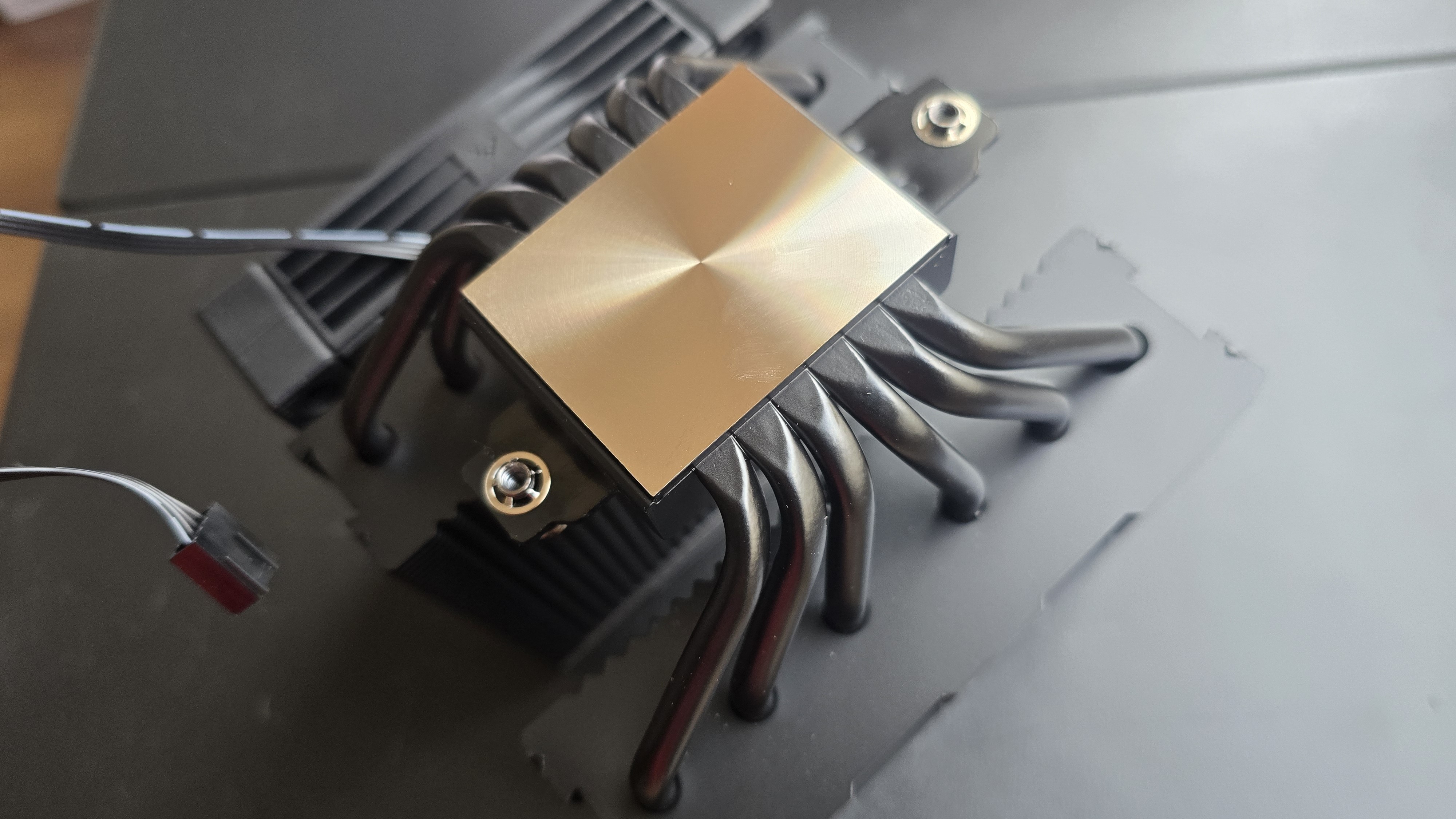
With the single-tower AK400 G2, four slightly staggered direct-touch copper heatpipes are embedded in the base to transfer heat from the CPU into the heatsink and its fins.
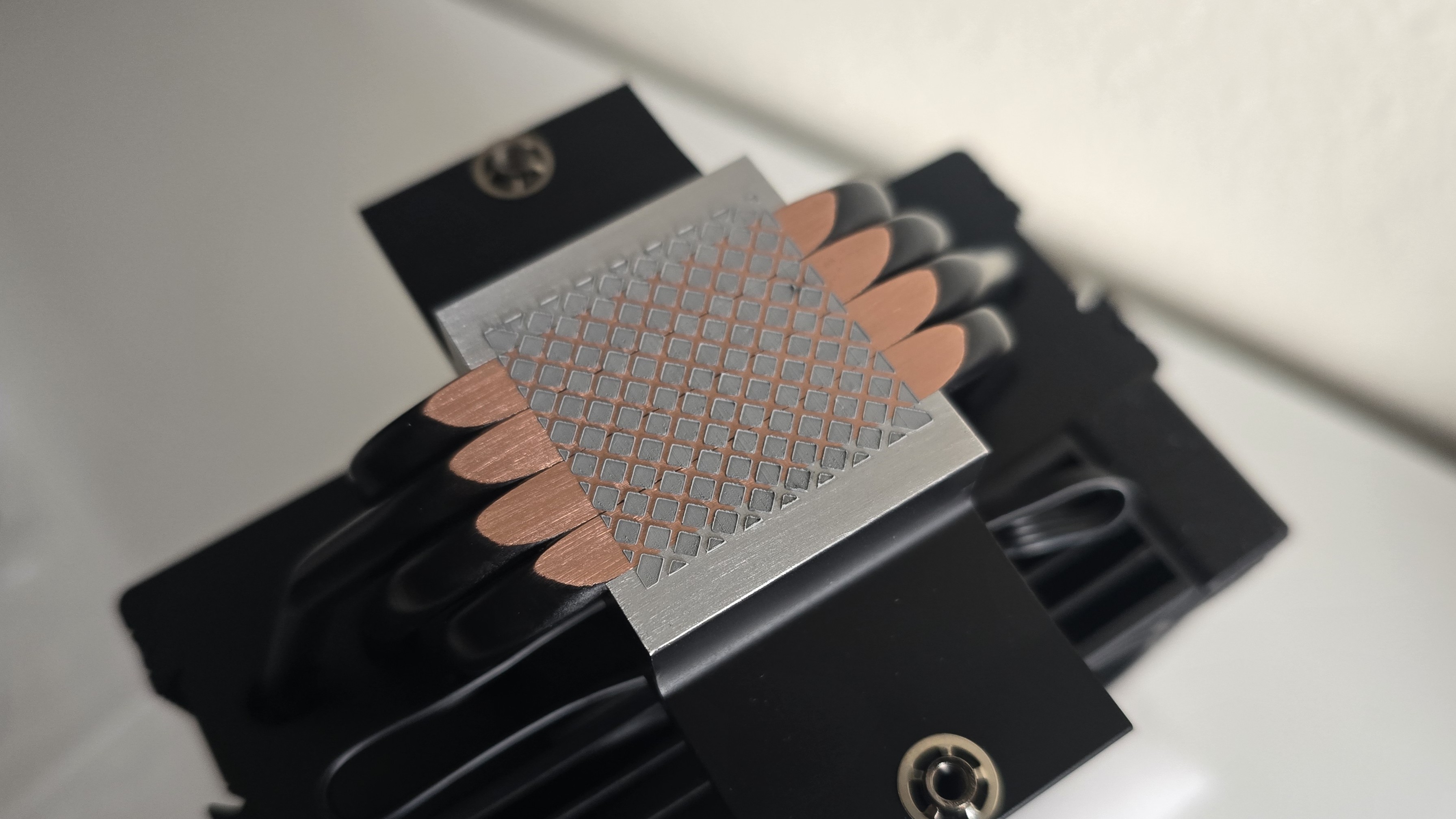
The larger, dual-tower AK620 G2 features six evenly spaced copper heatpipes.
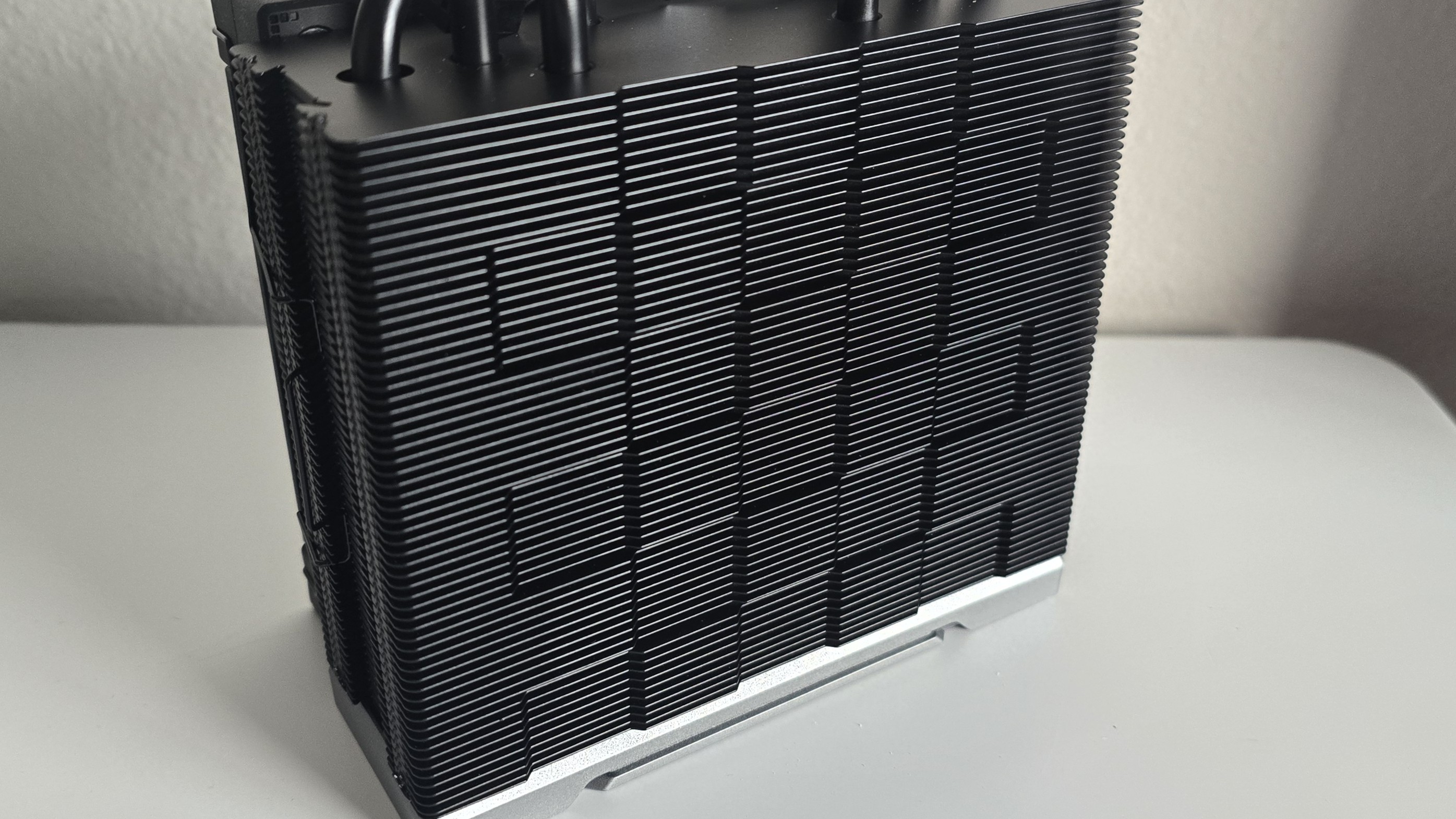
The heatsink fin designs are similar in both models. The front ends feature a jigsaw-type design, shown below.
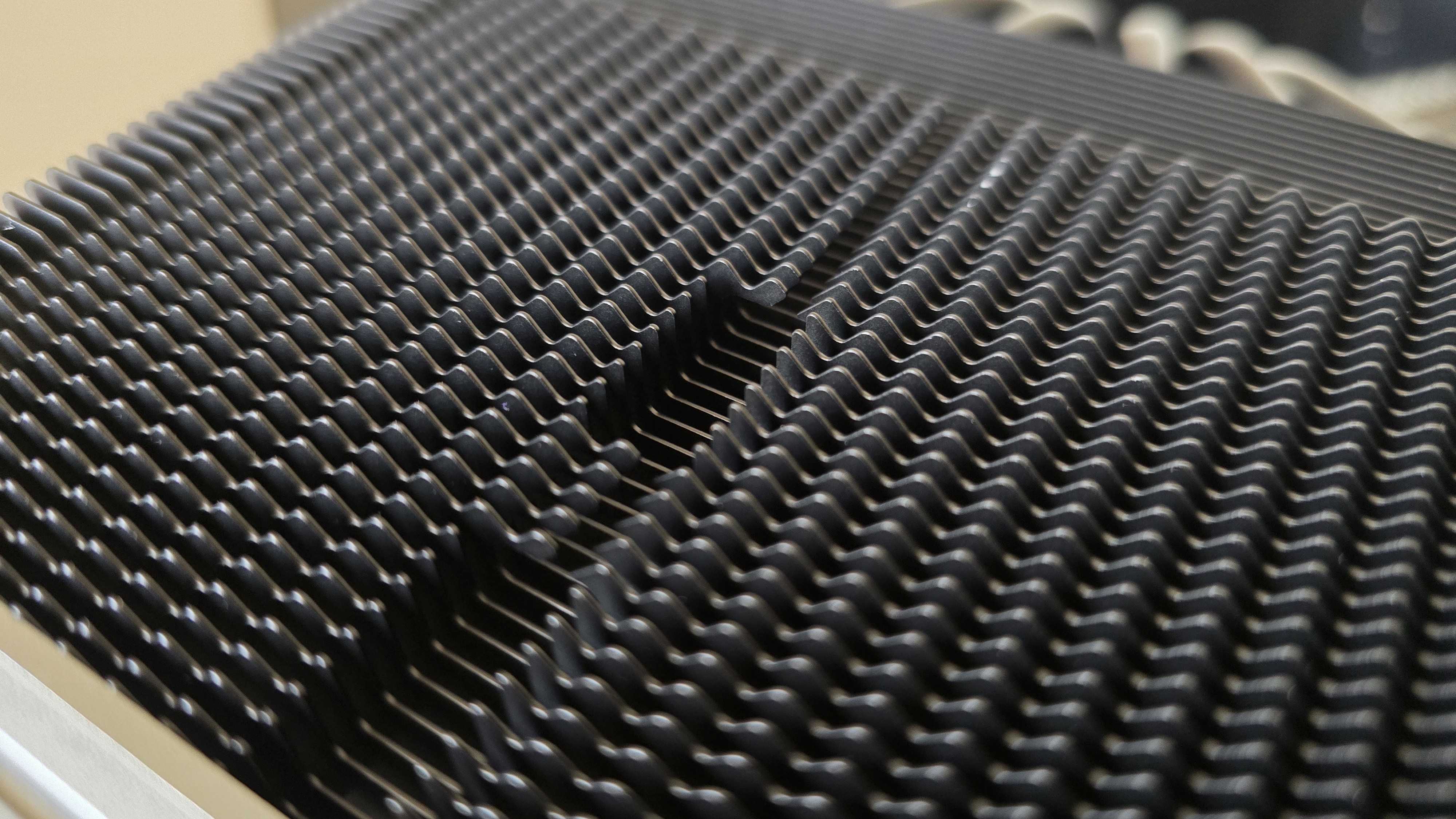
The exhaust side features the checkerboard matrix style DeepCool's air coolers are known for, a design choice which the company says improves static pressure.
High-performance 120 mm fans
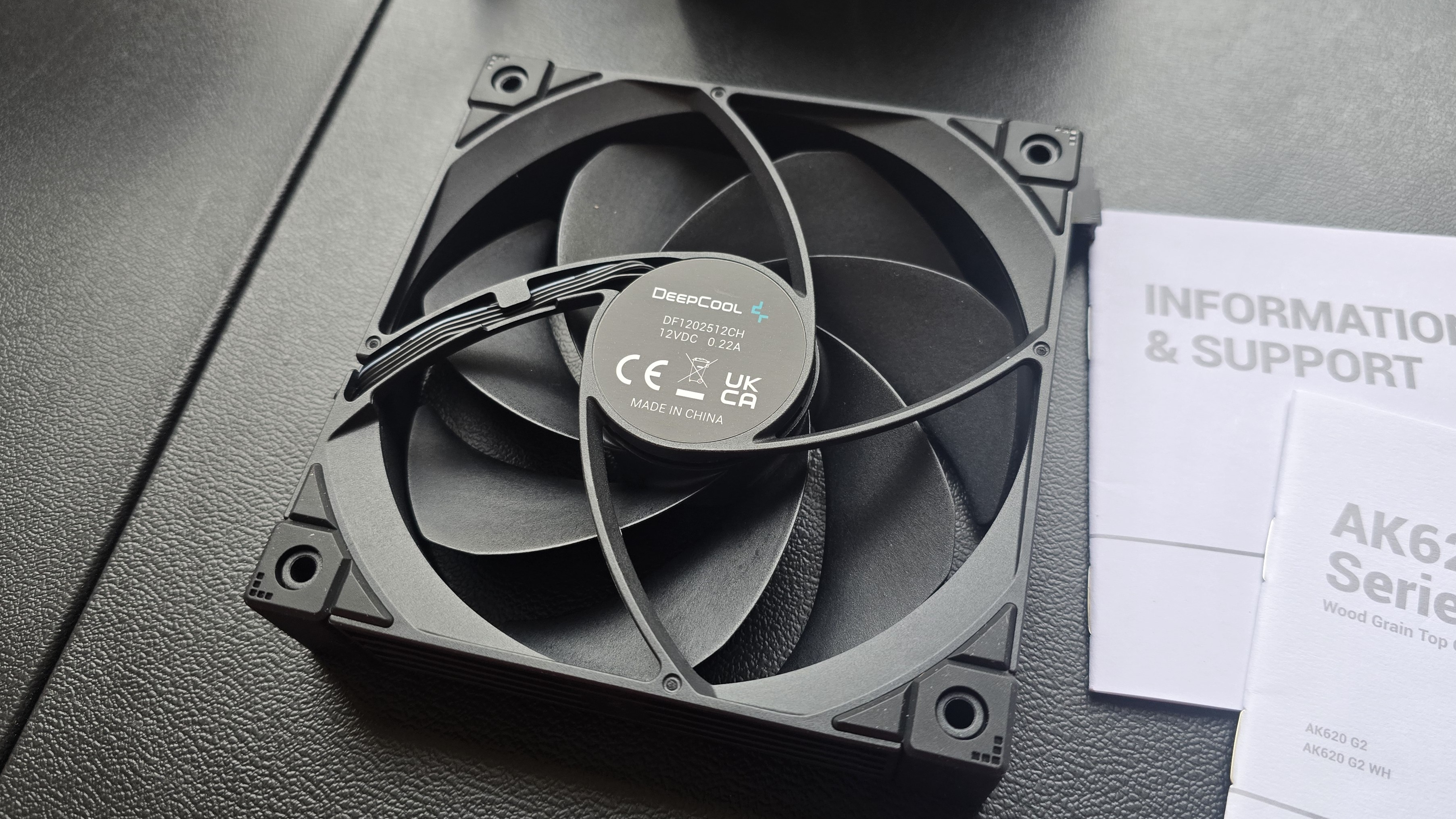
There's more to a cooler than just the heatsink. The included fans directly impact noise levels and cooling performance. The fans included on both AK400 and AK620 G2 models are essentially the same - but the AK400's single fan runs up to 10% faster than the two fans included with the AK620 G2.
Fan Speed | AK400 G2: 2200 RPM ( 10%) |
Airflow | AK400 G2: 63.4 CFM |
Air Pressure | AK400 G2: 3.33 mmAq |
Woodgrain and digital display styles available
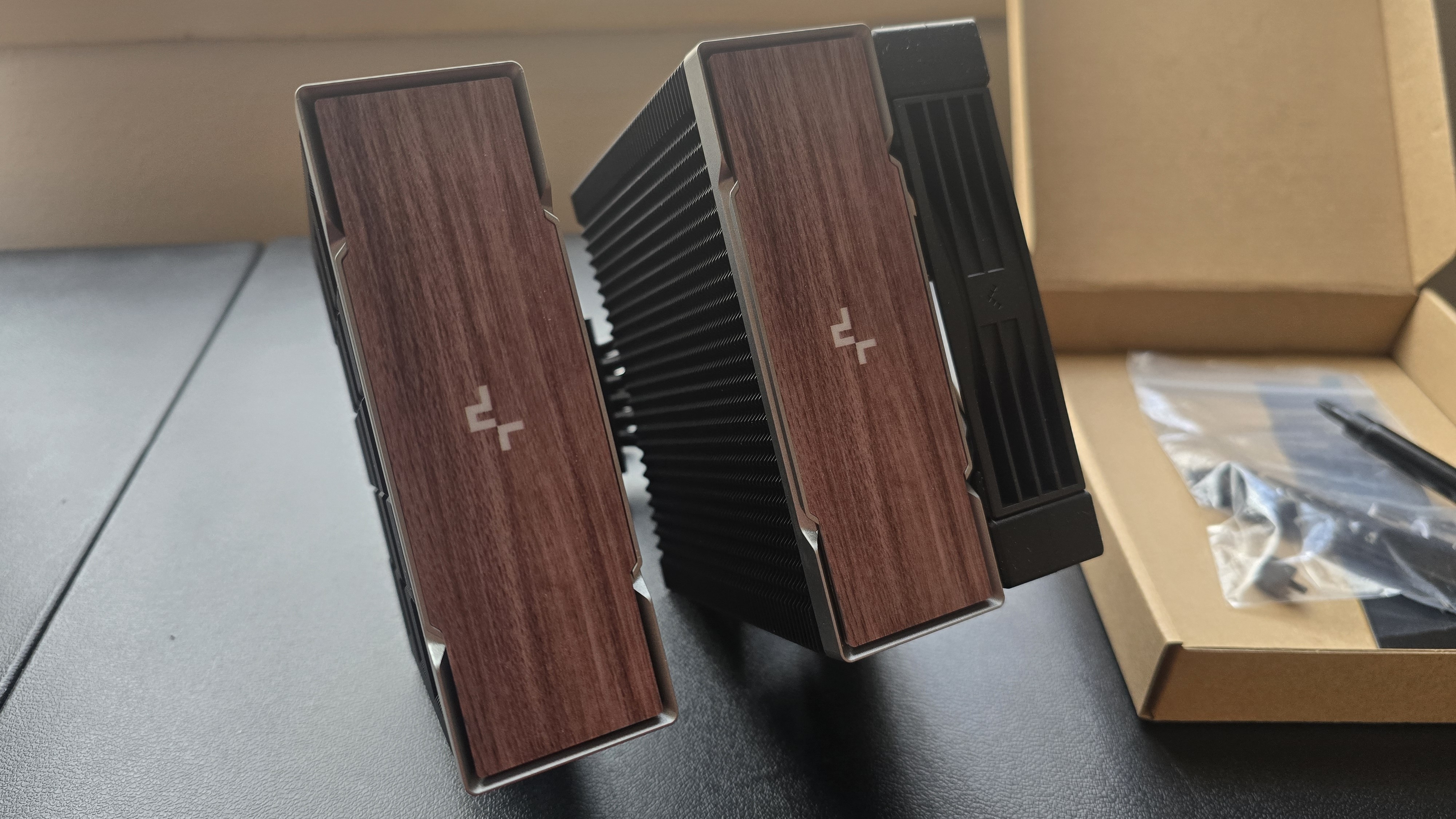
Both the AK400 and AK620 are available in black or white, but there are two sub-choices for the aesthetic. The versions we've tested for this review feature woodgrain, a motif that's been increasing in popularity in DIY PCs since the release of Fractal's North computer case.
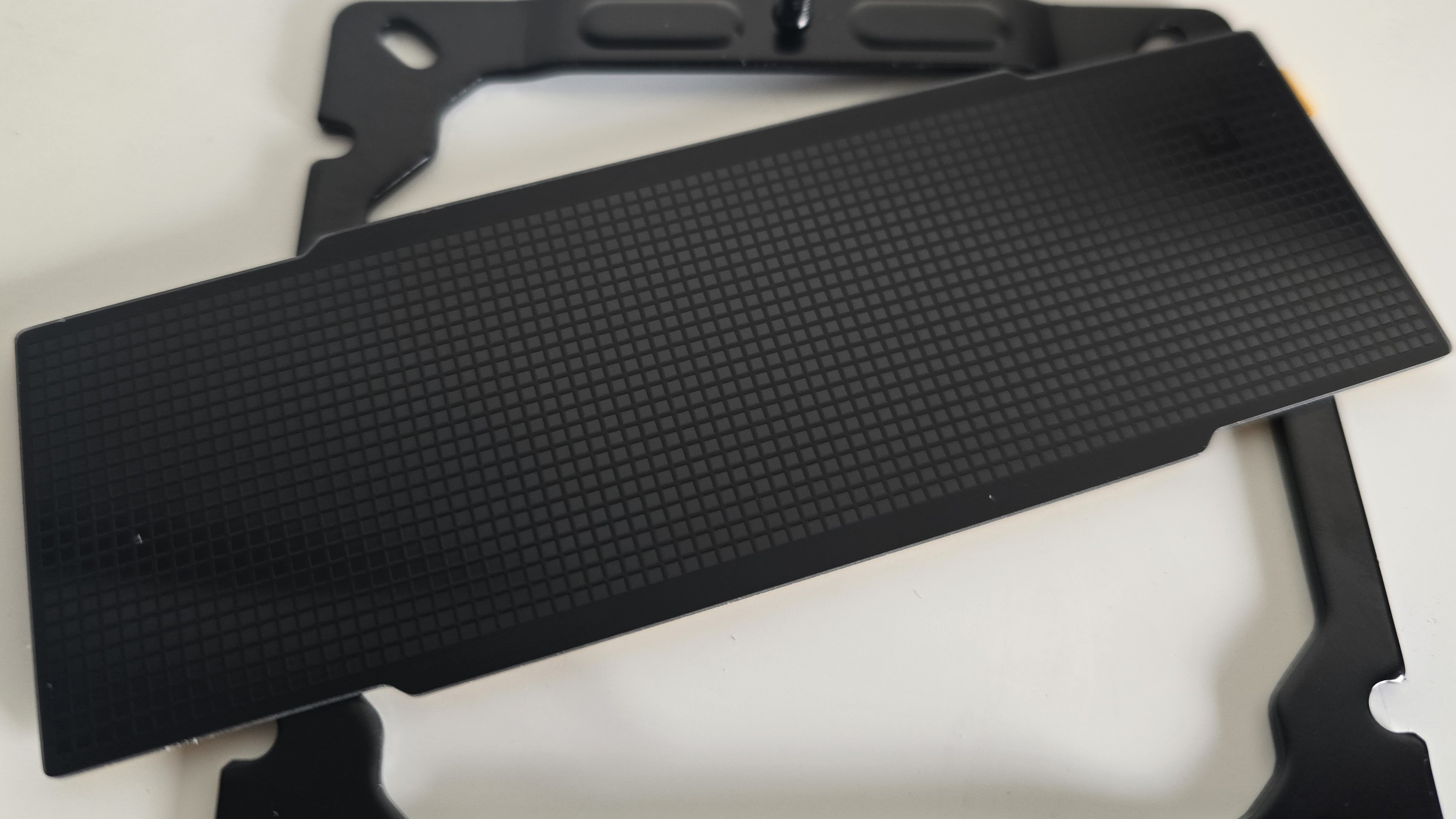
If you don't like woodgrain, DeepCool also includes a checkerboard black cover that you can use in place of the woodgrain covers.
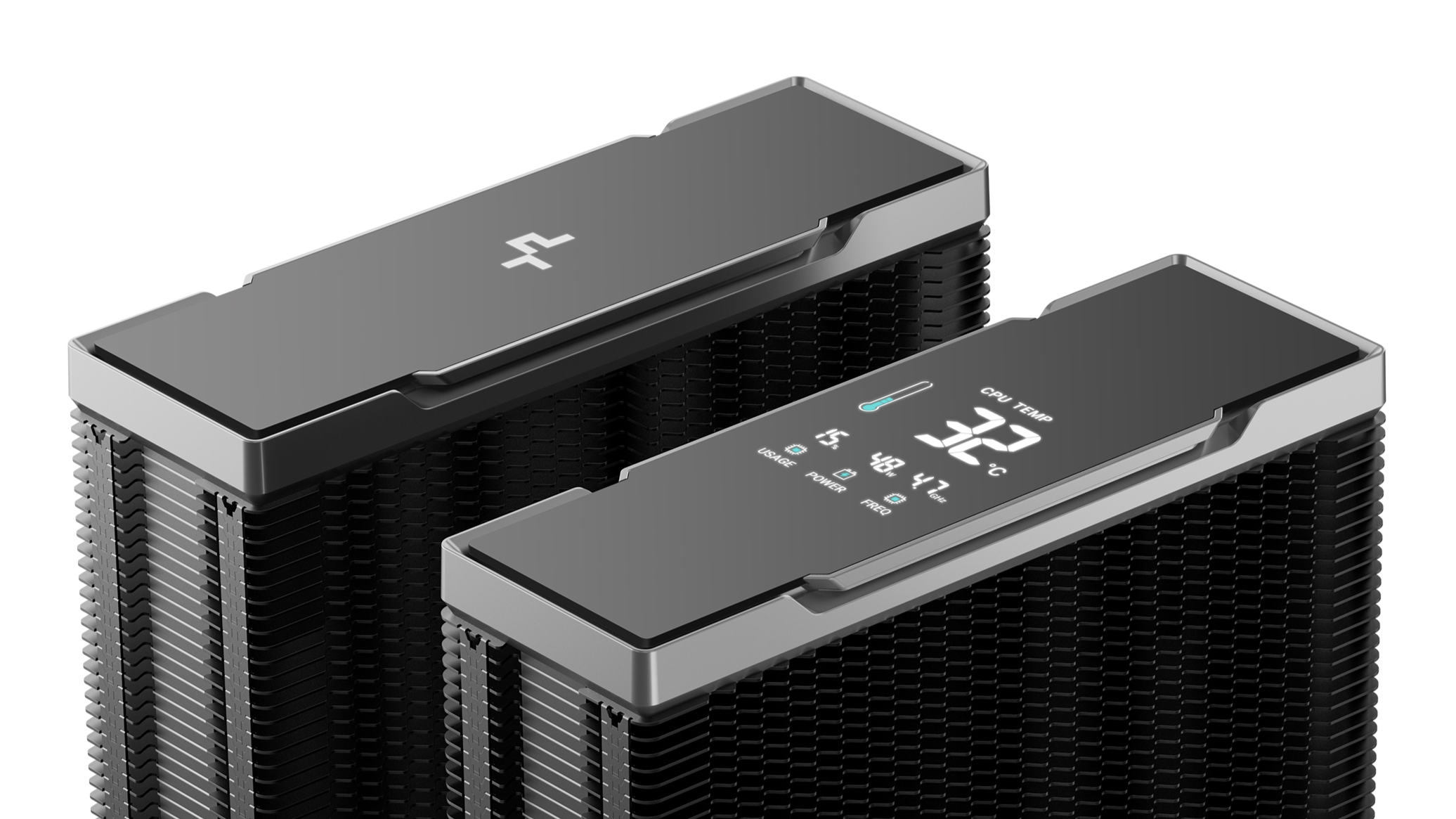
There's also the Nyx version of the AK620 G2 available, which features a digital display showing CPU performance metrics - temperature, frequency, power consumption, and overall CPU usage.
RAM Clearance
The AK400 G2's design is such that it doesn't overhang or interfere with the DIMM slots, ensuring that all sizes of RAM, no matter how tall, are compatible.
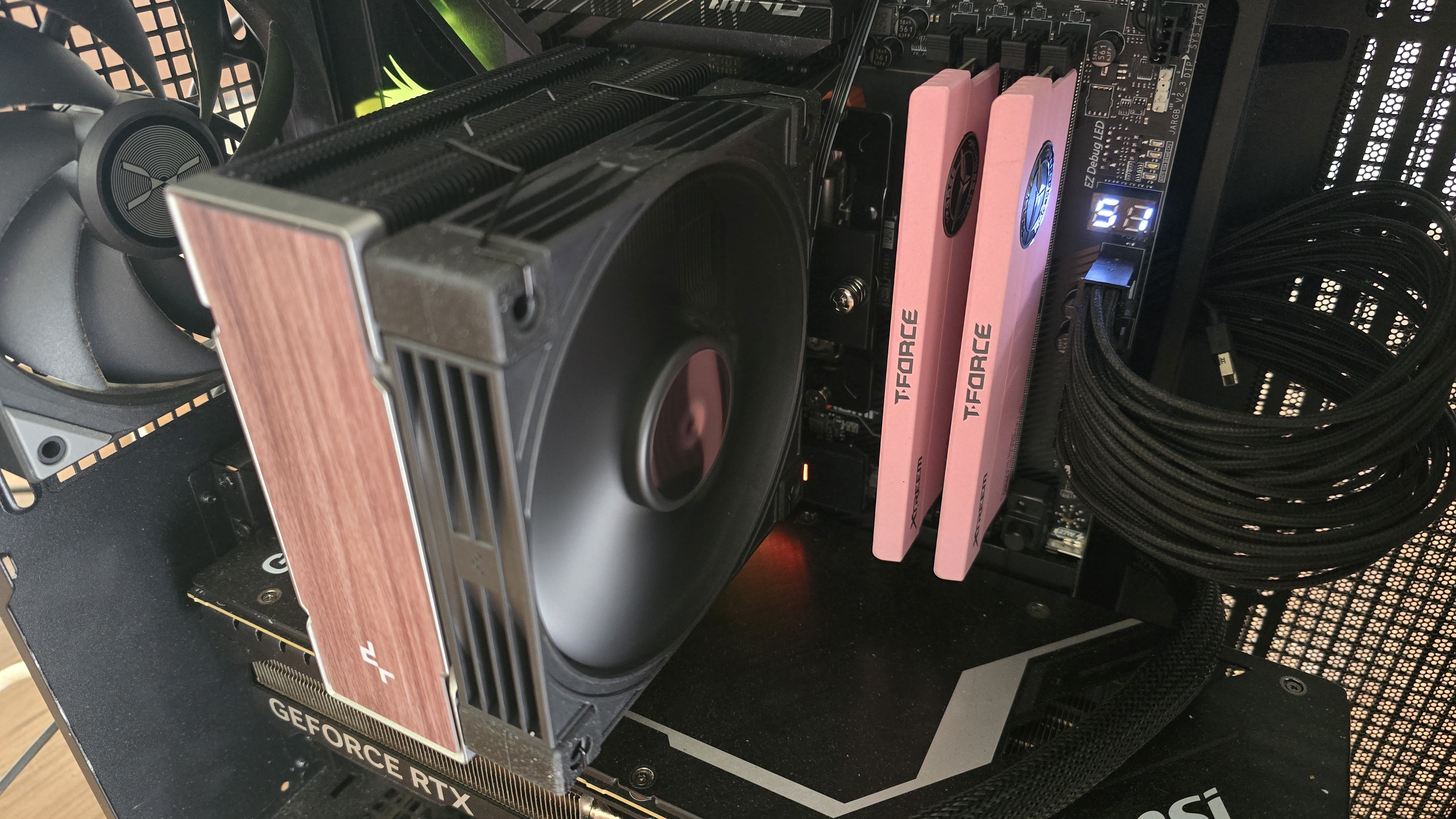
Standard-height DDR5 sticks 40mm tall fit well under the larger AK620 G2, but taller sticks won't fit perfectly underneath. Our current CPU cooler test bench incorporates TeamGroup's Sakura Rose T-Force Xtreem DDR5-7200 sticks, which are 48.8mm (1.92 inches) tall.
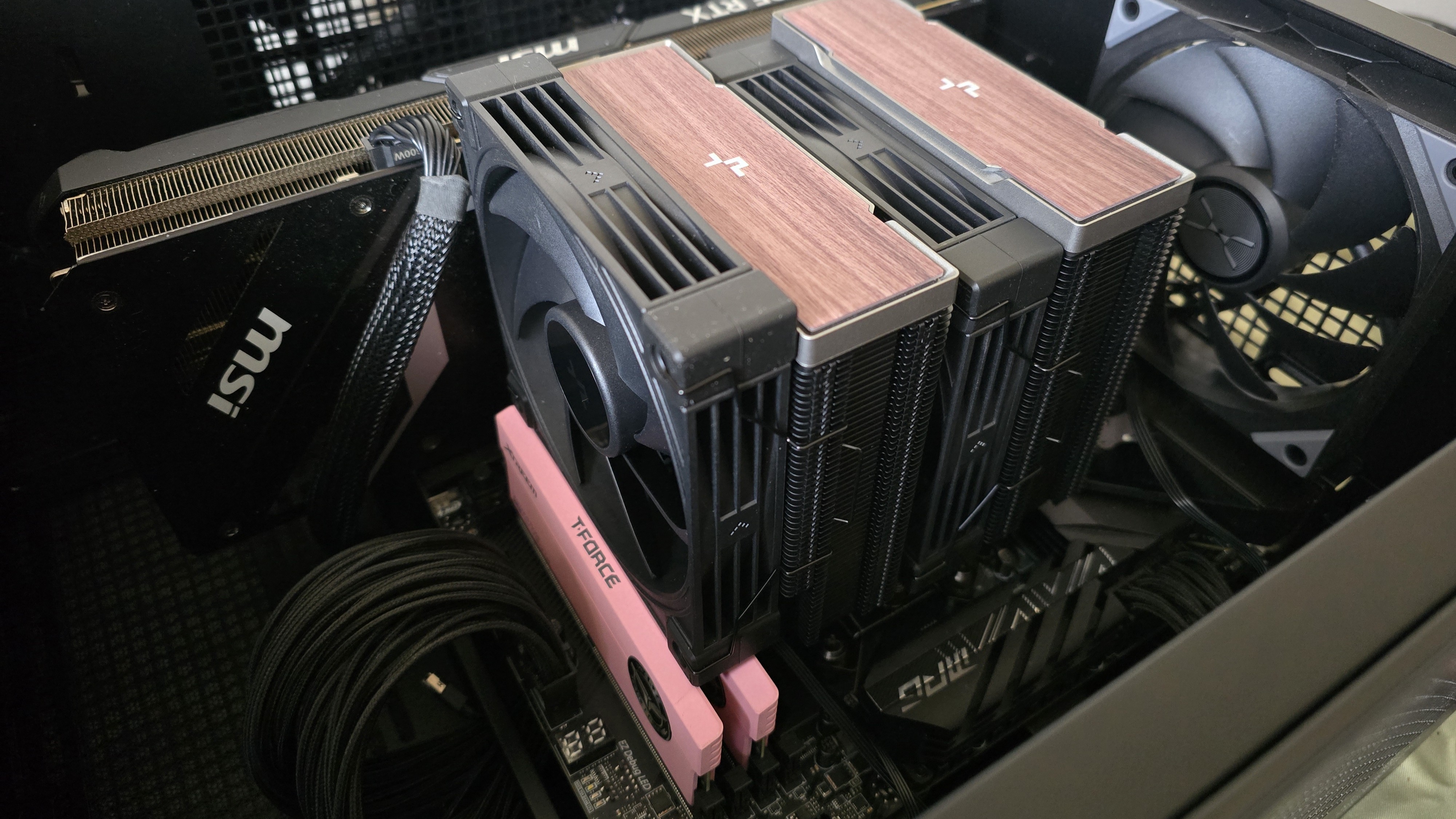
If you also use taller RAM DIMMs, you'll have to raise the intake fan's placement by a few millimeters for things to fit properly, as we did (see image, above). This might result in slightly lower cooling performance in certain scenarios. But even so, the AK620 G2 performed excellently, as you'll see in the benchmarks section.
Packaging
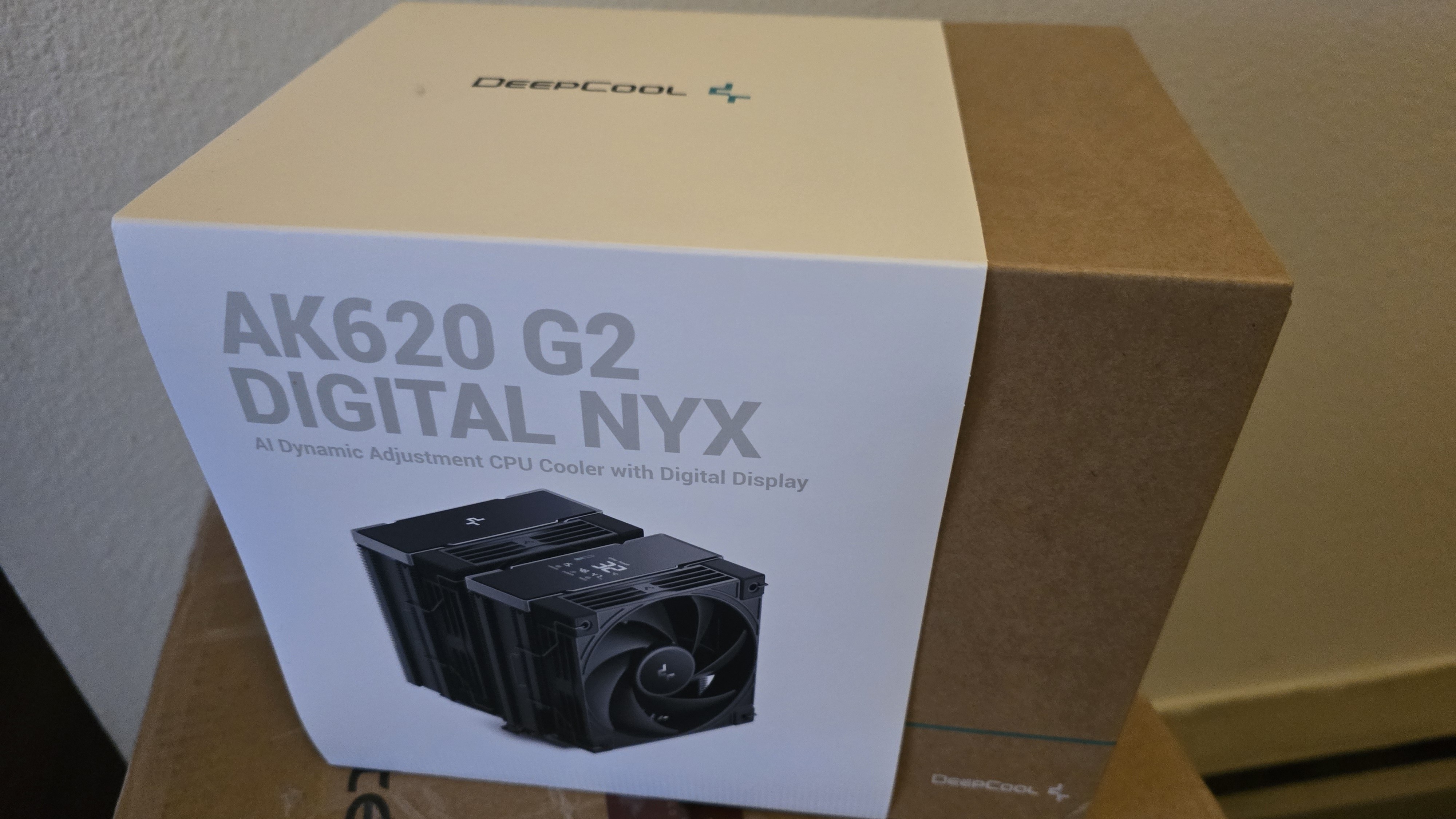
The outer packaging is typical of DeepCool products: a basic brown box with a blue line and DeepCool's logo, covered by a wraparound showing a picture of the cooler.
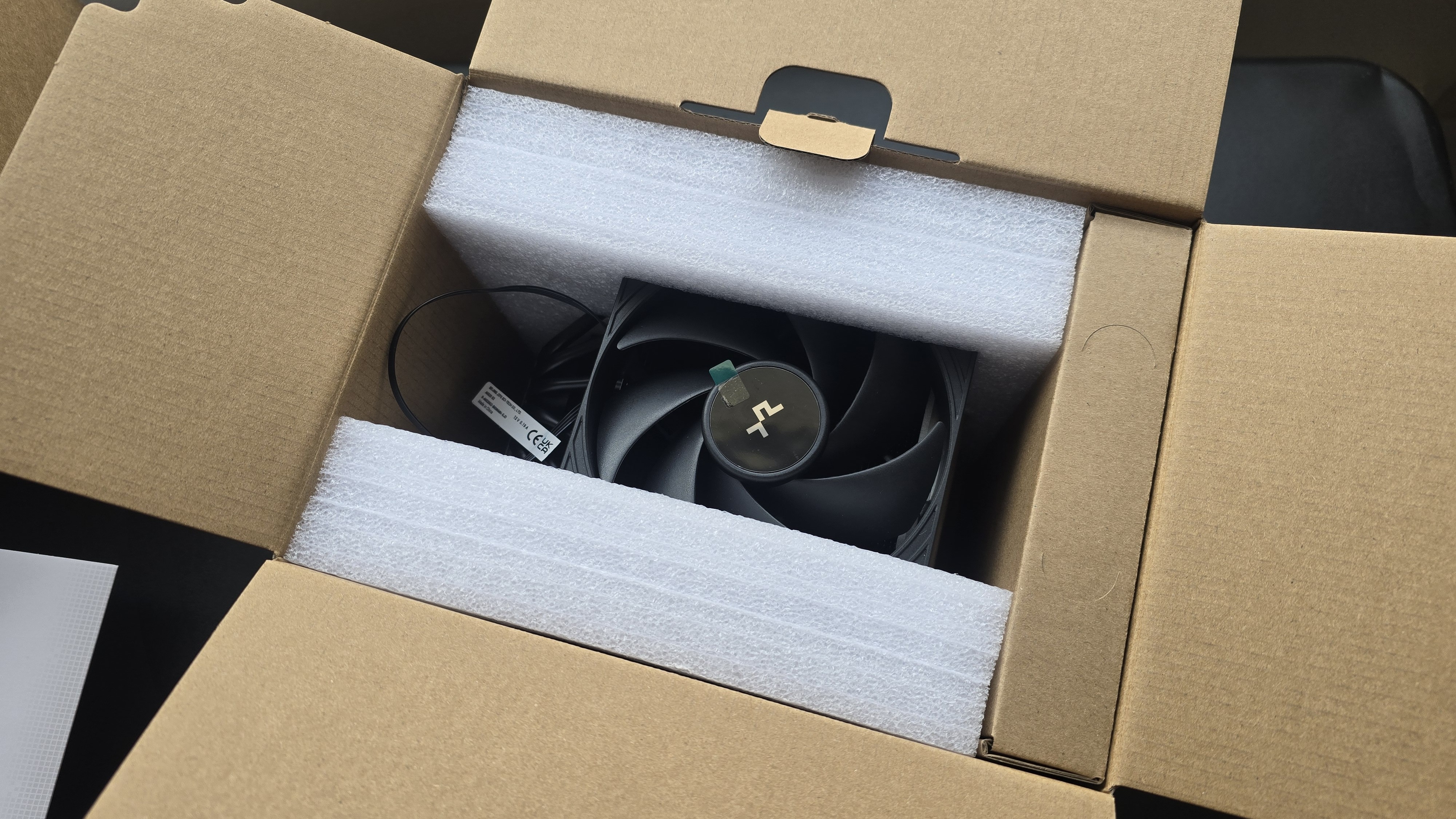
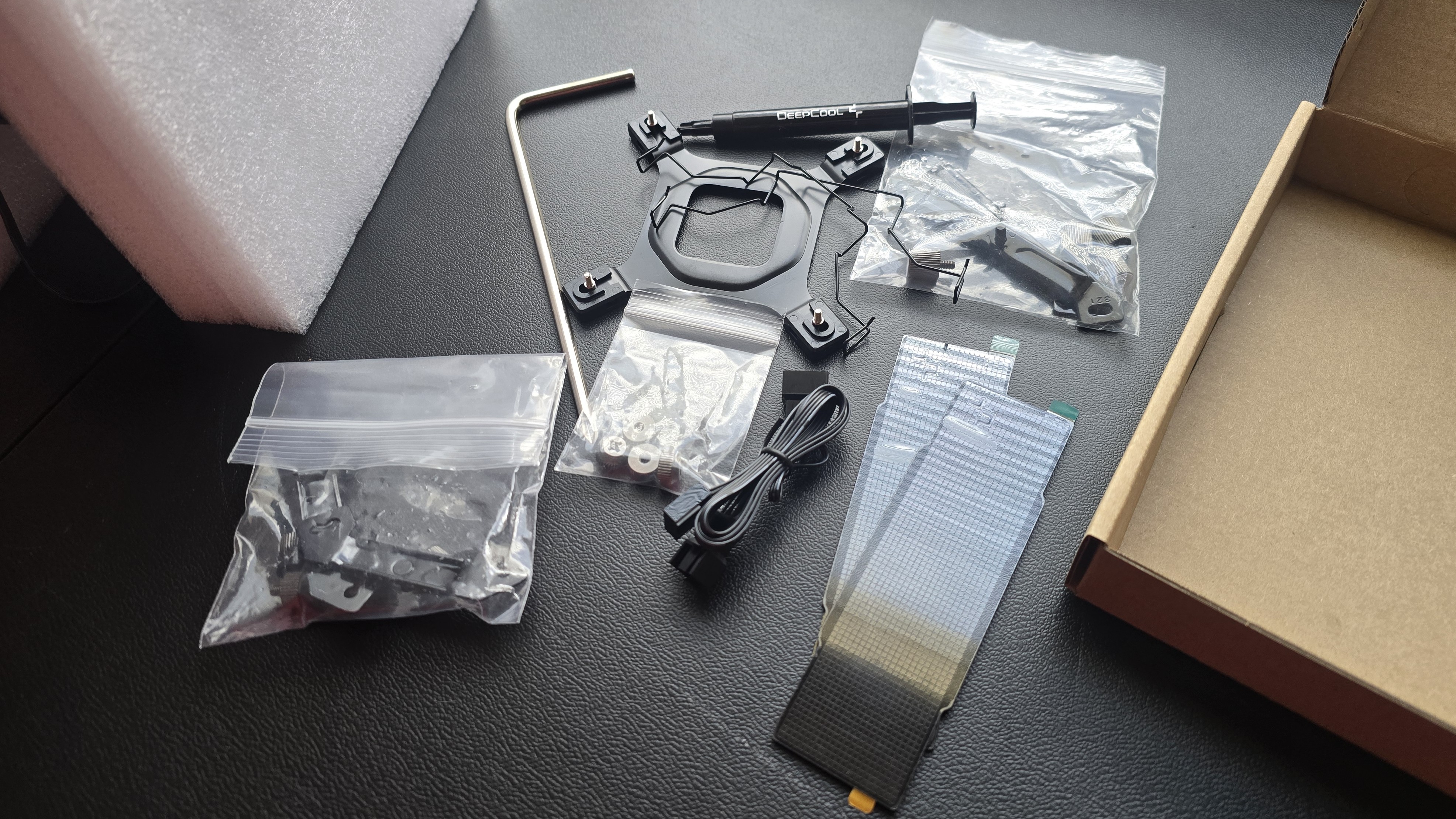
The heatsink and fans are protected by molded foam, and the accessories are contained in a small cardboard box. Included with the package are:
- Mounting hardware for AMD and Intel platforms
- Alternative top covers
- Screwdriver (AK620 G2 only)
- The AK620 G2 includes a tube of thermal paste; the AK400 G2 includes pre-installed thermal paste
- Single-tower (AK400 G2) or dual-tower (AK620 G2) heatsink
- 120 mm fans and fan clips
- Installation manual
AK620 G2 AM5 Installation
You'll need to first remove the default AM4/5 retention mechanism and then place the mounting studs around the exposed screw holes.
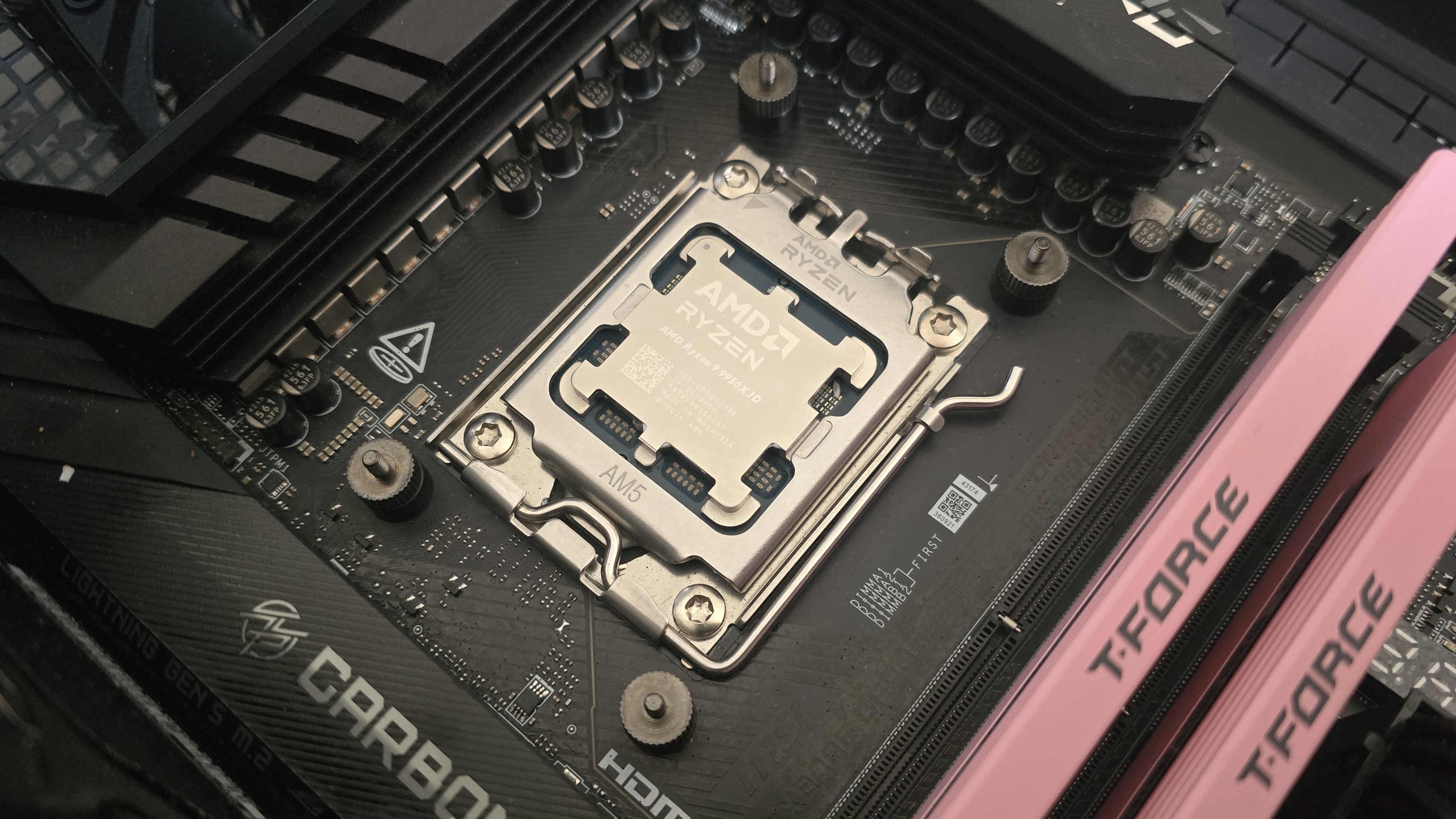
The next step is to place the mounting bars on top of the studs, securing them with the included screws, and then apply the included thermal paste. If you're not sure how to do that, we have a handy thermal paste application guide that covers the different methods you can use. Afterwards, place the heatsink tower against the CPU and mounting bars, and use a screwdriver to secure it.
Once the heatsink is secured, attach the 120 mm fans to the heatsinks. Lastly, connect the PWM cables of the fans to the corresponding headers of your motherboard.
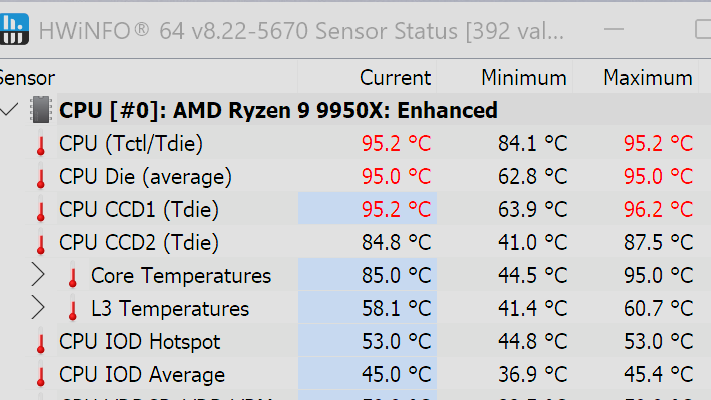
We've tested coolers with both the Ryzen 9950X3D and its non-V-Cache sibling, the 9950X. There are some differences in how the 9950X and 9950X3D CPUs are impacted by thermal events. While the heat output of the CCDs of AMD's 9950X3D is relatively balanced, the 9950X has one CCD that runs much hotter than the other, with a difference of over 10 degrees Celsius in some scenarios, shown below.
The benchmark results shared in these reviews may differ from others because I emphasize results that are comparable to real-world use. This means I generally test CPU coolers inside of a closed desktop case, which increases cooling difficulty compared to other testing methods.
Many reviewers test coolers on an open test bench, which has lesser airflow needs and lowered ambient temperatures. This results in weak coolers appearing stronger than they really are. Some have also used generic thermal plates to test cooling solutions. I feel that these methods don't accurately reflect real-world cooler conditions.
CPU | AMD Ryzen 9 9950X3D |
GPU | MSI Ventus 3X RTX 4070Ti Super |
RAM | TeamGroup Diamond Rose T-Force Xtreem DDR5-7200 |
Motherboard | MSI X870E Carbon Wifi |
Case | Tryx Flova F50 |
Our latest testing setup uses the Flova F50 computer case from Tryx.
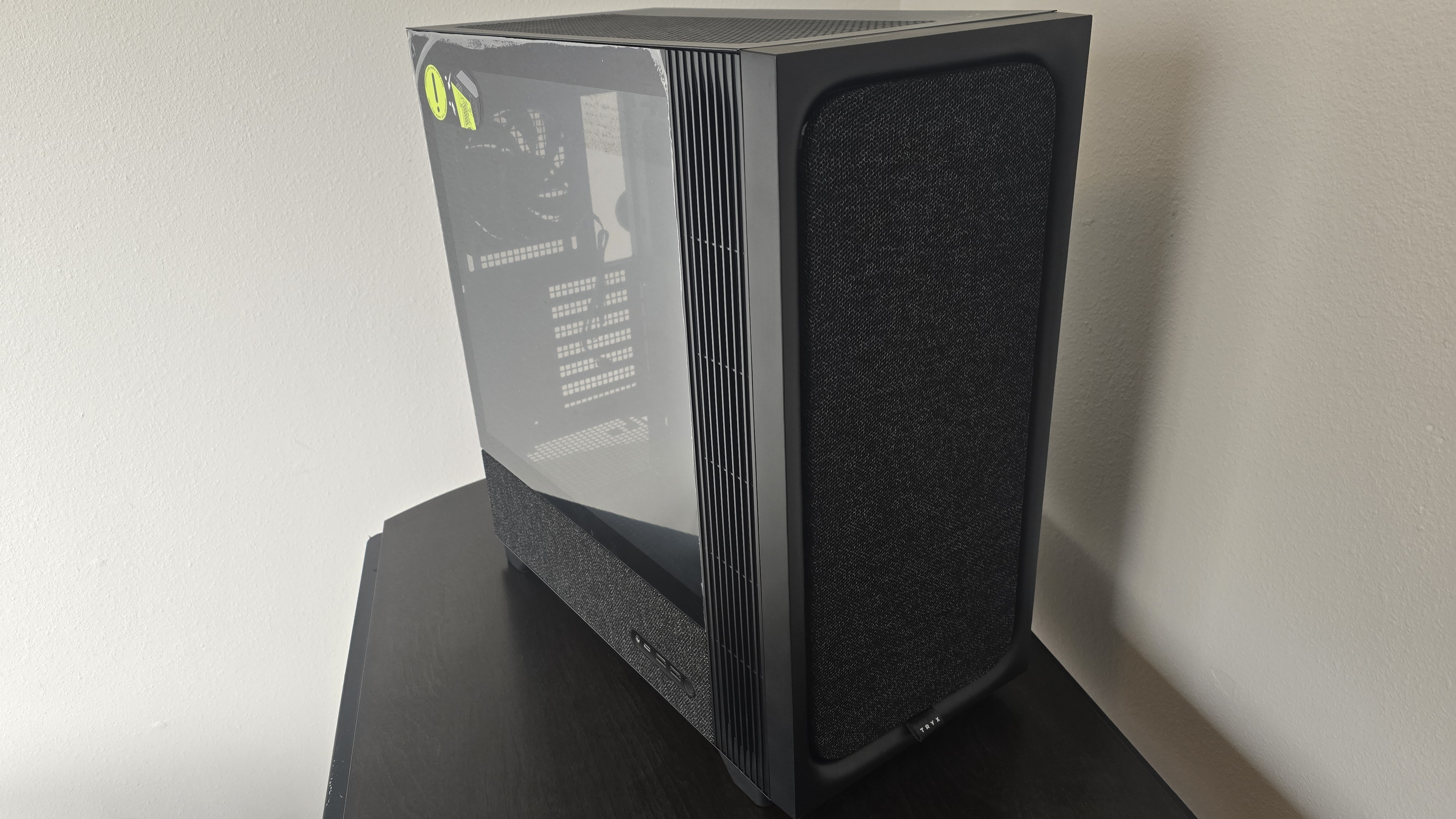
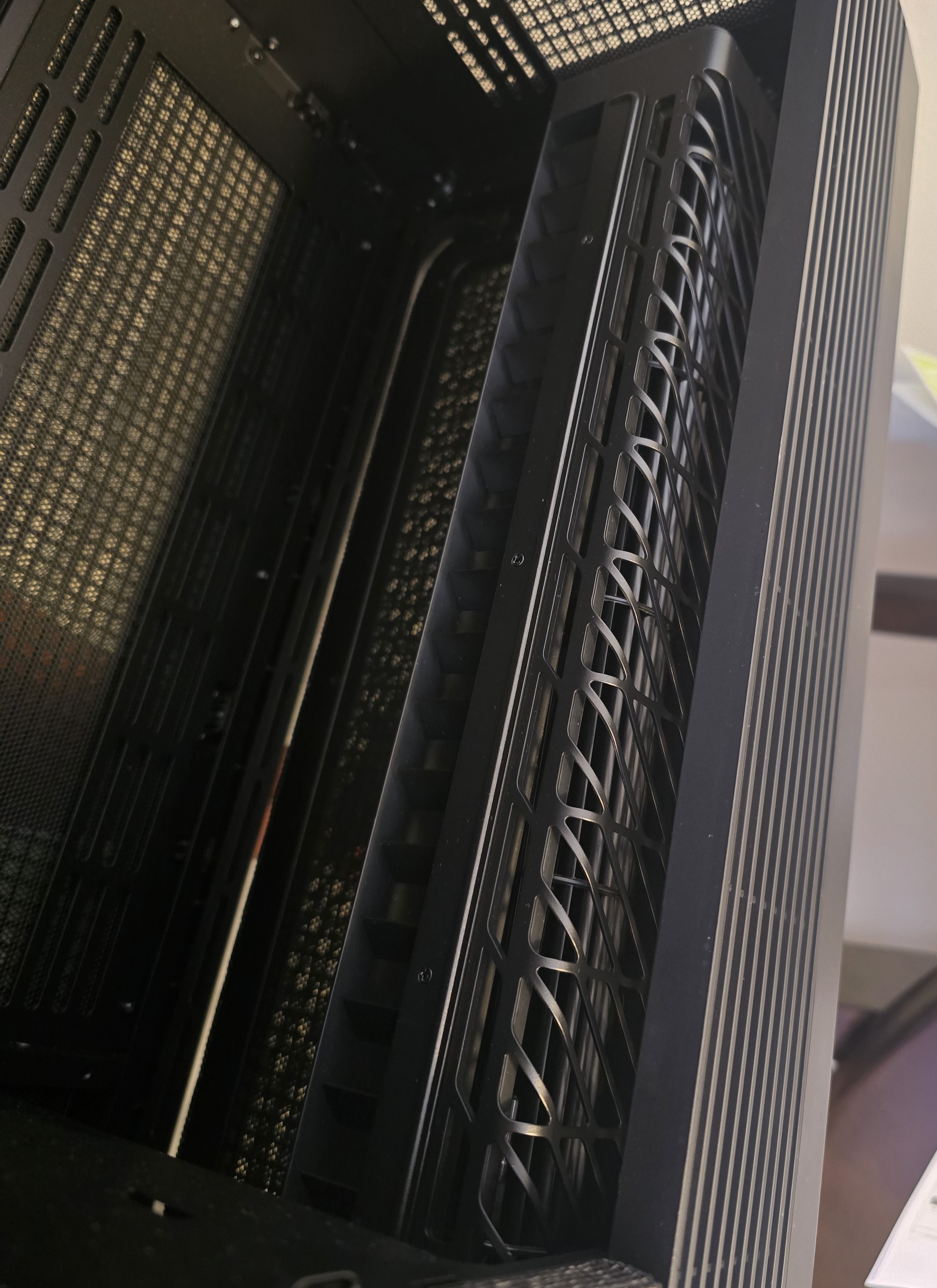
This case features a unique crossflow" fan that pulls air from the side, which the company claims is more effective than traditional intake fans. For air cooling tests, we've added a single Noctua NF-A12 G2 intake fan.
We're going to start by focusing on a traditional maximum performance test, with the CPU cooler's fans allowed to reach their fastest speeds, for the best cooling possible.
Turning on PBO allows AMD's Ryzen 9 9950X3D to stretch its legs to an extent, and all air coolers I have tested with PBO enabled using MSI's X870E Carbon Wifi motherboard reach the maximum CPU temperature of 95 degrees Celsius (203 degrees Fahrenheit) and thermally throttle to some extent.
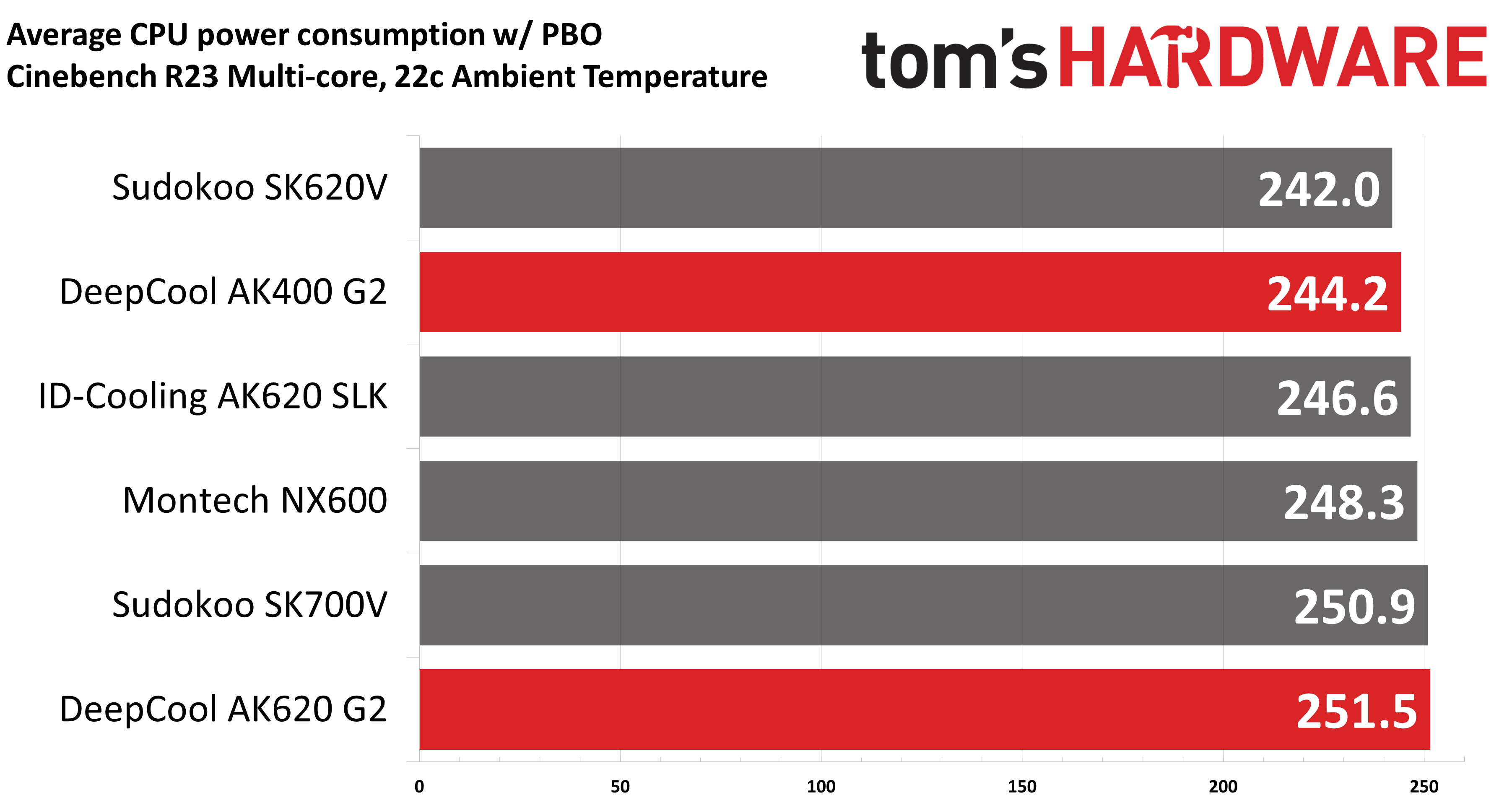
Results from the liquid coolers we've recently tested aren't shown above because they are able to keep AMD's Ryzen 9 9950X3D under TJ Max, and as such, power consumption figures aren't quite comparable.
The performance of DeepCool's AK620 G2 is simply excellent, outperforming every air cooler we've tested on our current test bench. Its little sibling, the AK400 G2, also does fairly well for a single-tower air cooler, slightly outperforming Sudokoo's SK620V and only trailing ID-Cooling's AK620 SLK by 2.4W!
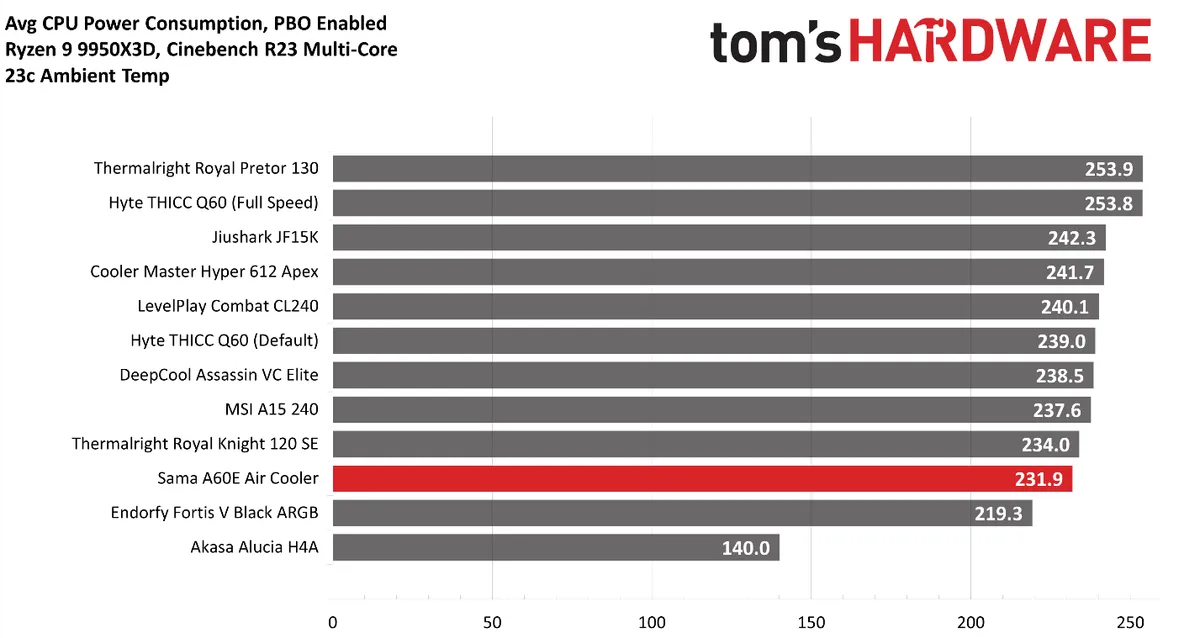
To give a wider variety of comparison examples, I've included a chart of the same tests from our last AMD Ryzen 9 9950X3D cooling test bench. But keep in mind these results aren't 100% comparable, due to a different case and fans being used; the ambient temperature is also slightly higher with the results below.
Our newest test bench used for this and other recent reviews incorporates a Tryx crossblade intake fan as well as a single Noctua NF-A12 G2 intake fan, which results in better air cooling performance.
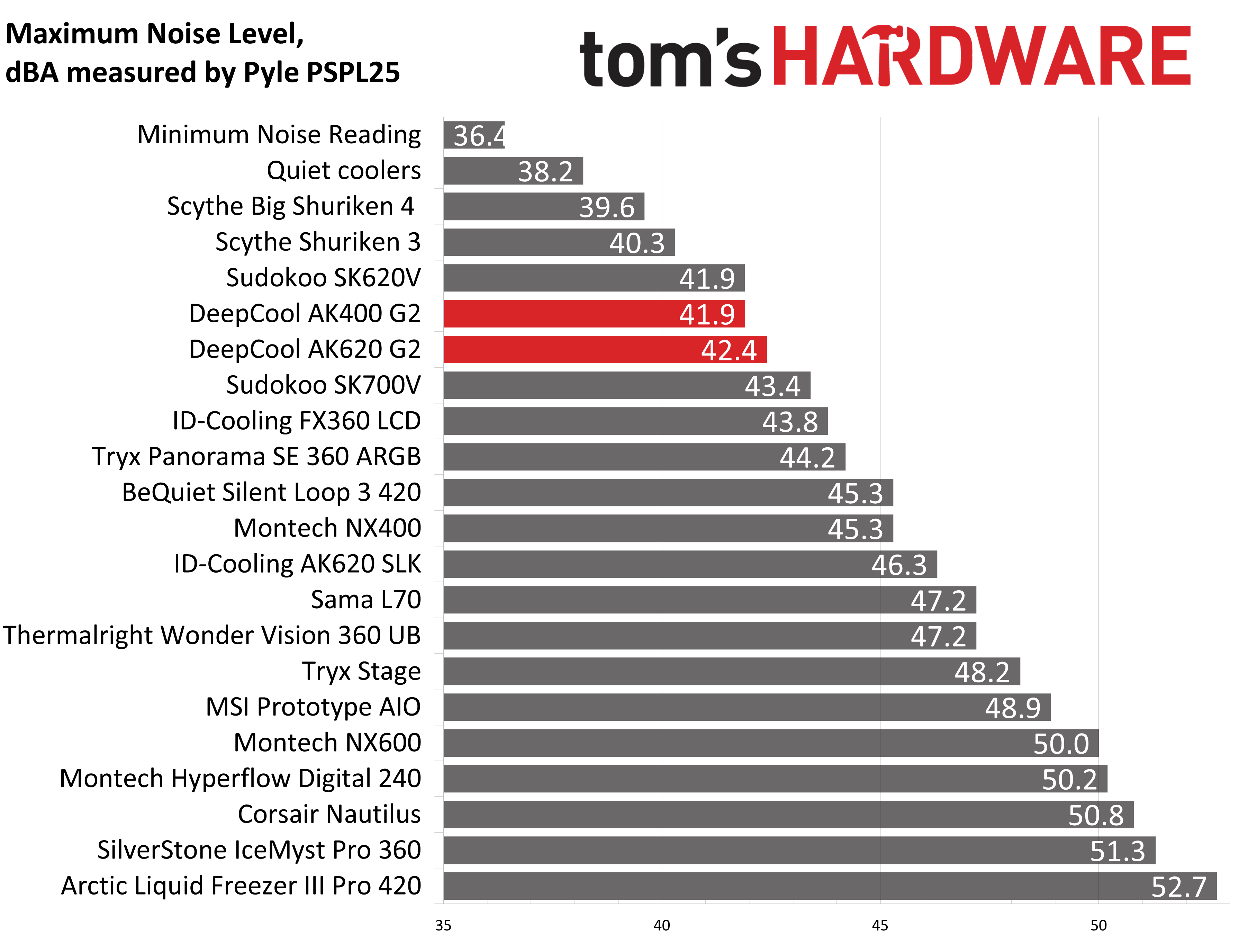
Some coolers perform well in maximum strength tests, but require running loudly to maintain said performance, but that's not the case with DeepCool's AK G2 air coolers. With measurements of 42.4 and 41.9 dBA respectively, their maximum noise levels put them among the quietest coolers featured in our charts.
For the next thermal test, I leave the motherboard settings at their defaults, which results in a power limit of 200W when running Cinebench R23.
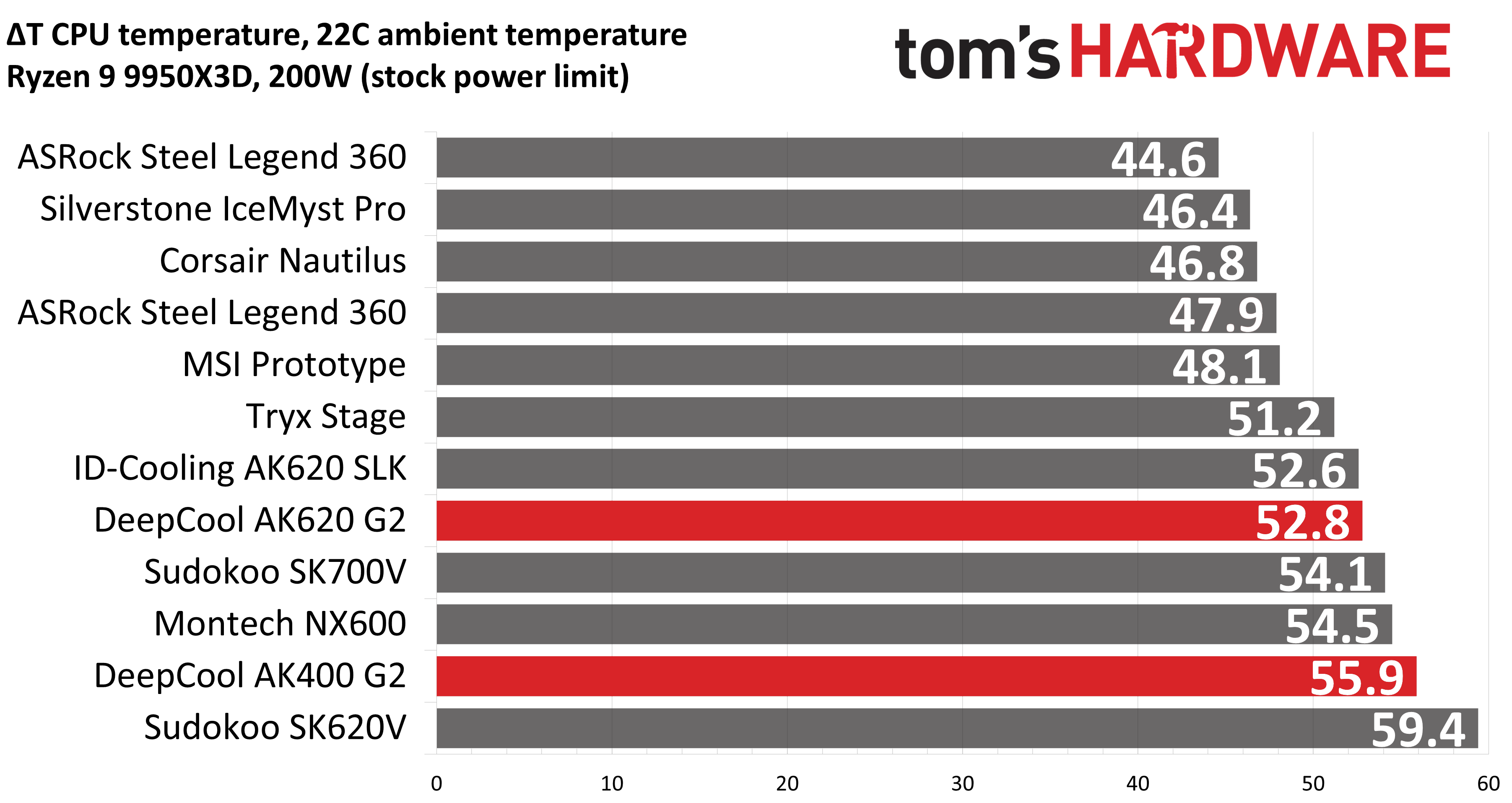
With this thermal test, DeepCool's AK620 G2 slips to the second best result we got from any air cooler. The single tower version, the AK400 G2, still performs well in comparison to dual-tower products, besting Sudokoo's SK620V and just a bit behind Montech's NX600 with its powerful E28 fans.
150W + GPU thermal results, noise levelsOur next test runs Cinebench on the CPU with a 150W power limit, while also running Furmark on MSI's RTX 4070 Ti Super Ventus 3x OC. This causes the GPU to consume ~295W of power. This test is designed to emulate the thermals of games, which primarily stress the CPU and GPU.
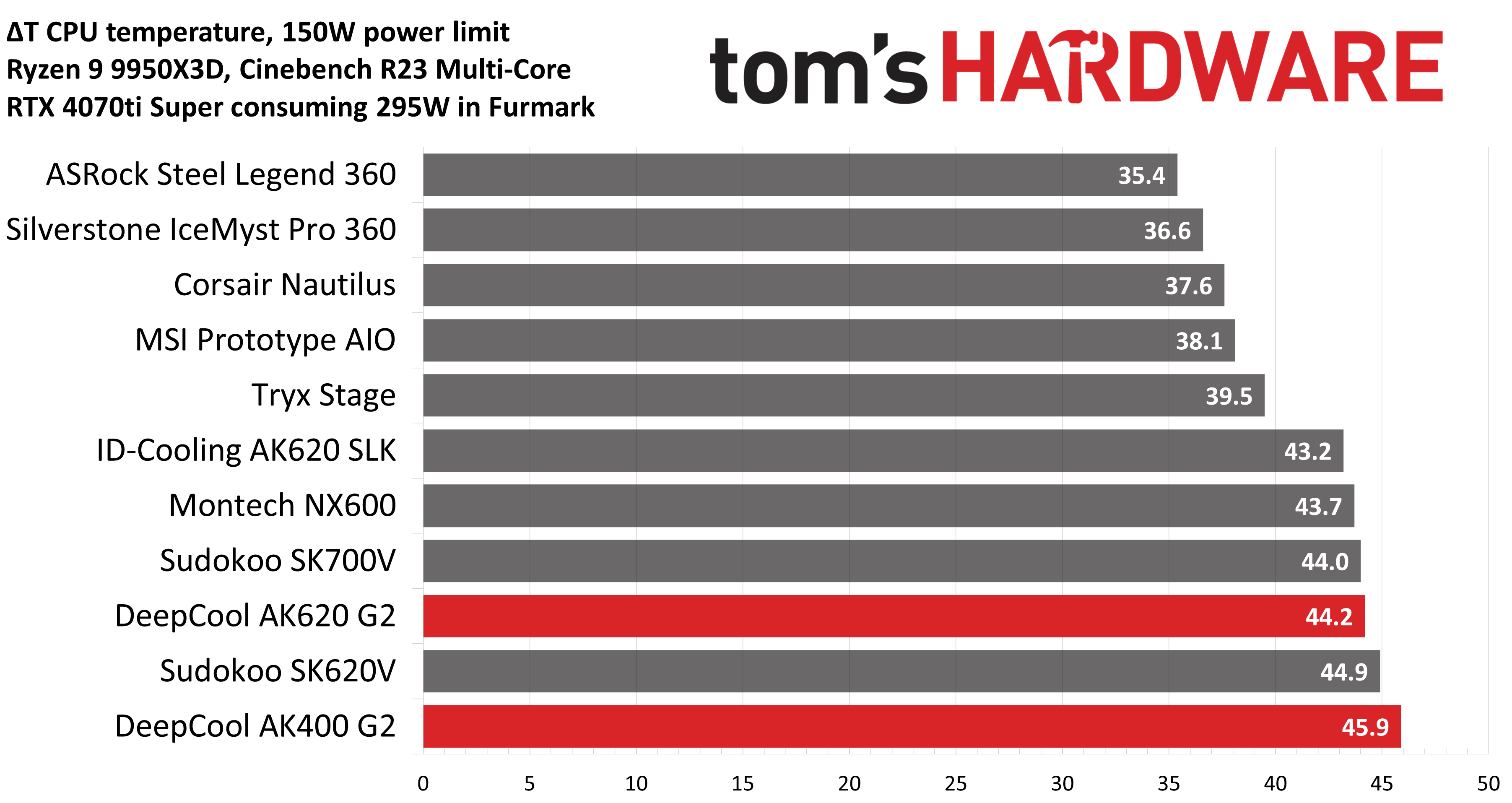
At first glance, you might think the results above - when tied to the default fan curve of MSI's X870E Carbon motherboard - are a little underwhelming compared to the competing coolers shown in the chart.
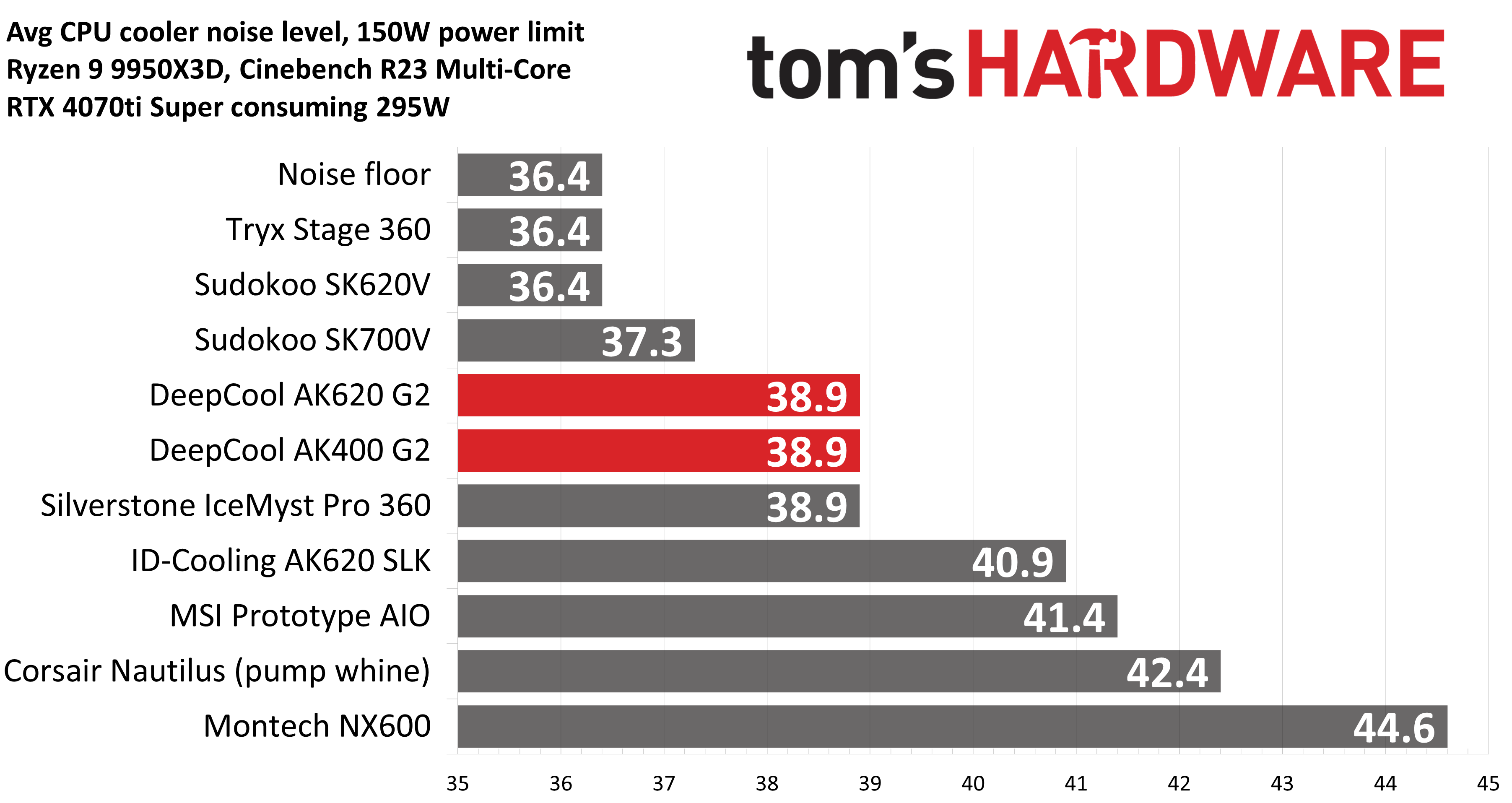
But thermals are only part of the story. Noise levels, especially when you're gaming, are far more important here. With a noise level of only 38.9 dBA measured, the loudness of these coolers won't be an issue while you're gaming. Your GPU fans and / or your case will likely be making more noise in most setups.
Most testing is performed with the cooler tied to the default fan curve of our MSI X870E Carbon motherboard, but many prefer tests with the noise levels of coolers equalized. This is especially important to those of you who prefer silent computers. This next benchmark has the CPU cooler noise-normalized to 38.9 dBA, with PBO enabled for the Ryzen 9 9950X3D CPU.
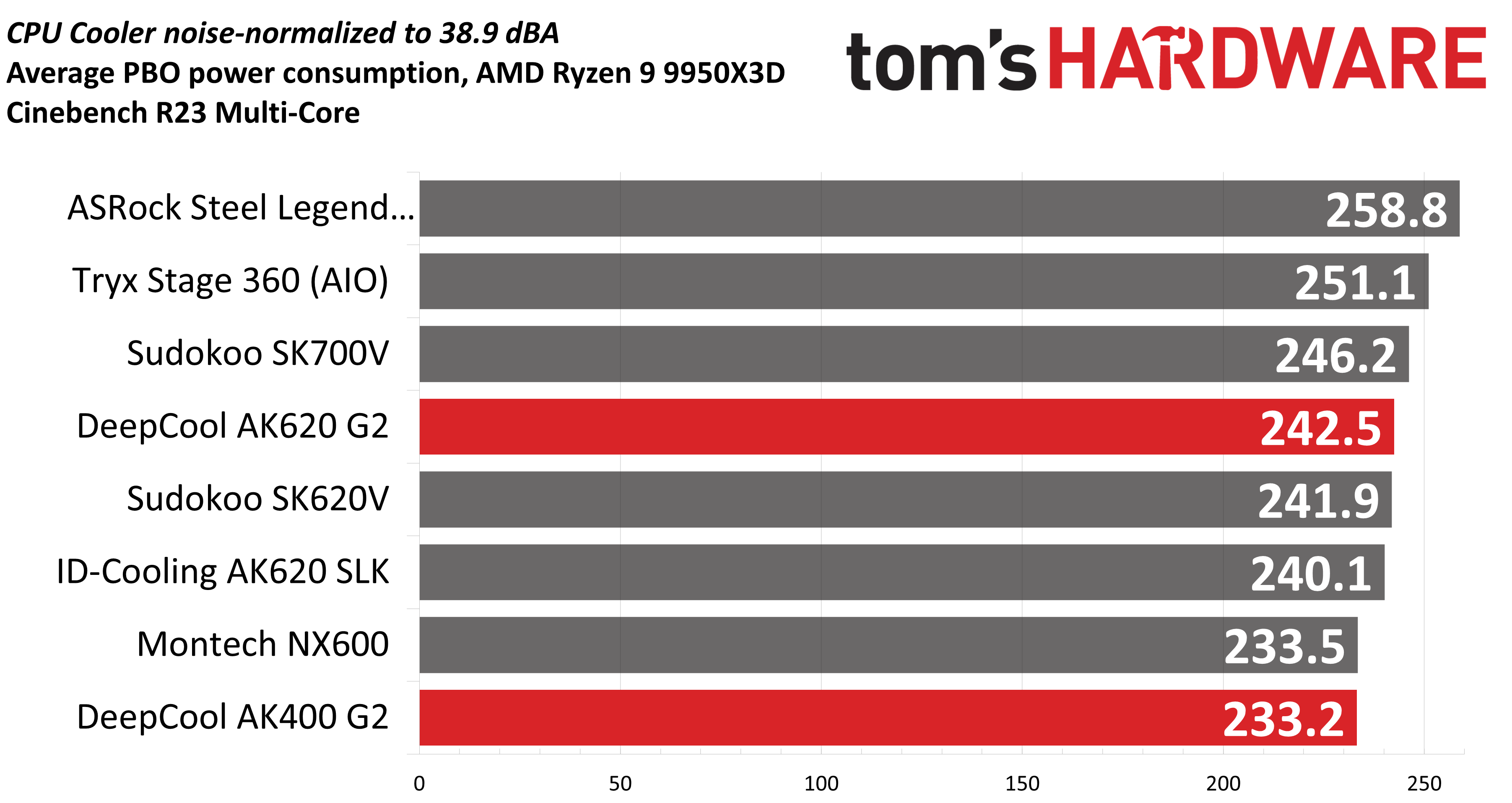
The results here are pretty good. With an average of 242.5W cooled during the course of testing, DeepCool's AK620 G2 shows the second-best performance of the air coolers in this chart. The single-tower AK400 G2 is our bottom result, but even so, its performance is basically on par with Montech's NX600. That's fairly impressive for a single-tower air cooler.
Karhu DDR5 RAM thermals testing!Your CPU cooler does not operate in isolation. It has an impact on not just your CPU's temperatures, but also the other components in your build, like your RAM and GPU. To that end, I've run the Karhu RAM stress test. This places a load of ~153W on the CPU and ensures system RAM (DDR5 in my case) is fully stable. In this type of scenario, most AIOs tend to produce worse results than air coolers.
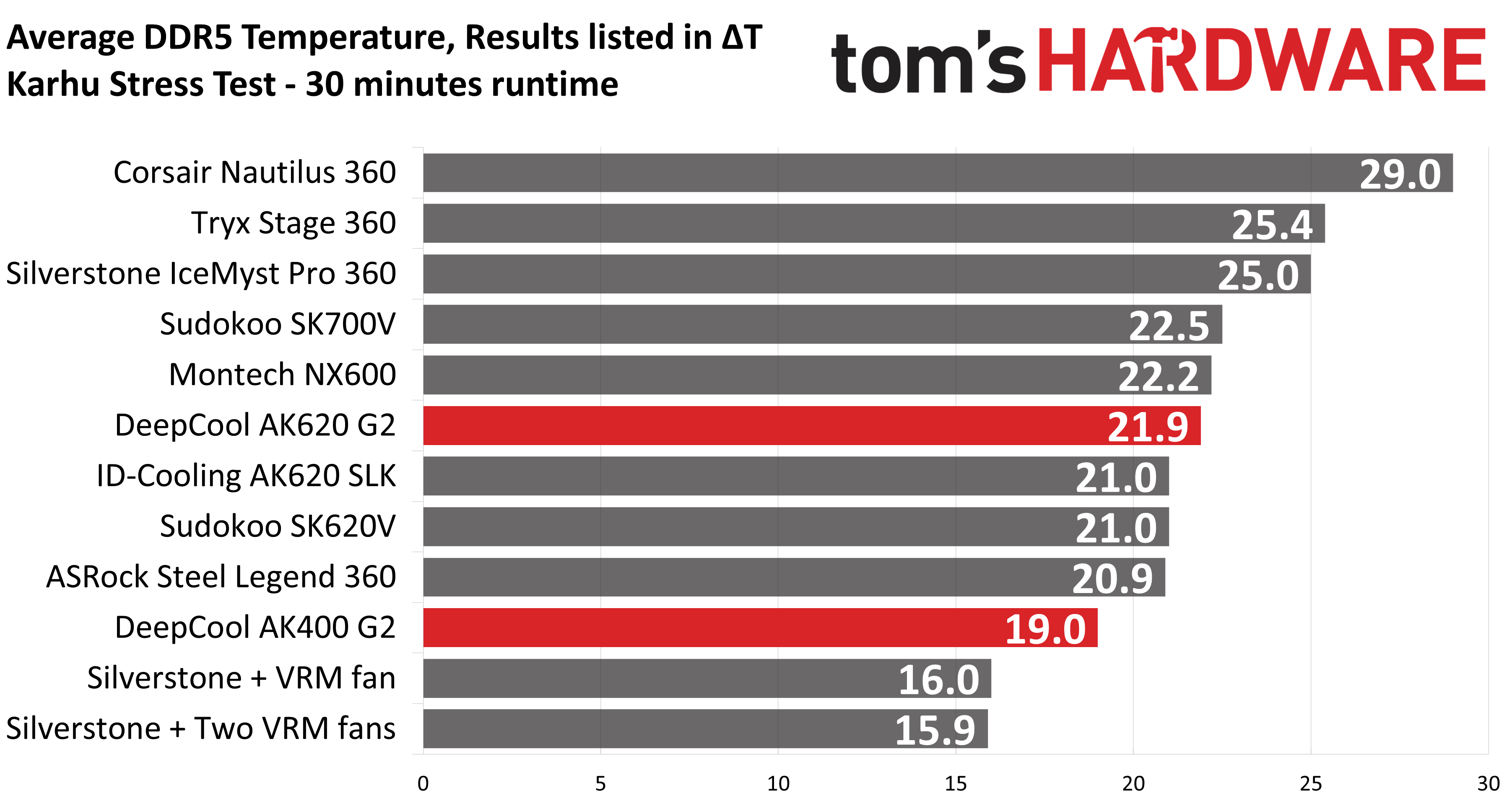
The DDR5 temperature recordings from this test seem to be within expectations compared to other dual-tower air coolers. Temperatures with DeepCool's AK620 G2 were an average of 21.9C above ambient. Curiously, DeepCool's single tower AK400 G2 showed the best RAM temperatures in this scenario of any air cooler.
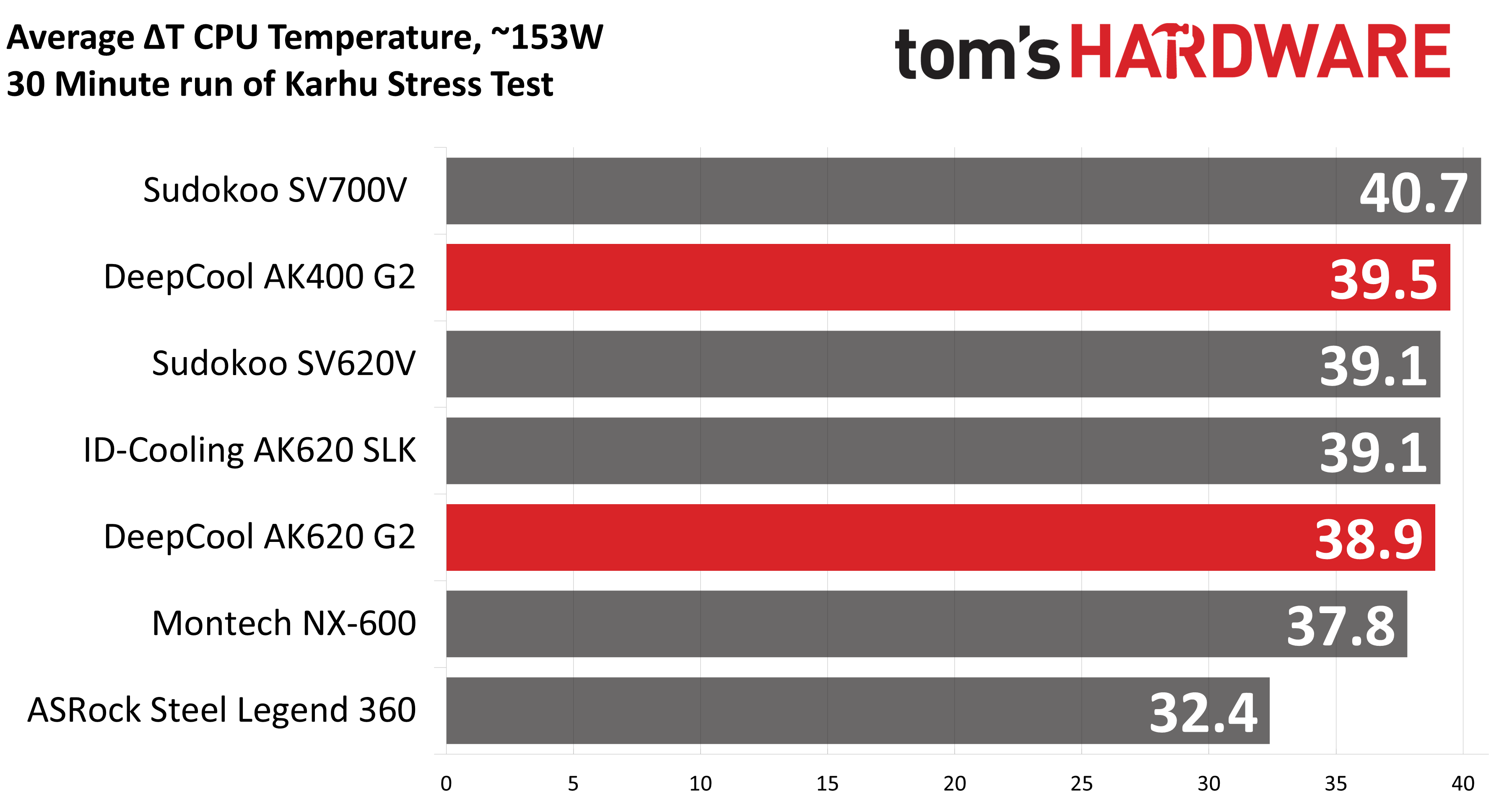
The thermals of the CPU in this test were about as expected, with the AK620 G2 showing some of the best temperatures and the AK400 G2 running warmer than most of the dual-tower coolers here, but notably still outperforming Sudokoo's SK700V.
DeepCool continues to impress with its second-generation AK air coolers, the AK620 G2 and AK400 G2, delivering strong thermal performance and low noise levels. Our only major complaint is that these coolers aren't easily available for purchase in the USA. If you'd rather not go through the hassle of importing, our recommendation would be Thermalright's Royal Pretor 130, which offers similarly strong thermal performance and low noise levels, at a more affordable price of $50 USD.