JSAUX FlipGo Horizon Pro dual-screen portable monitor review: Jack of all trades, master of some
While the overall portable monitor market has exploded over the past few years, one sub-segment that has seen increasing attention is the dual-panel market. We've already reviewed entries from several players in this space, but the latest from JSAUX might be one of the most versatile that we've seen so far.
The JSAUX FlipGo Horizon Pro is a dual-screen portable monitor with a large footprint. Still, it's highly configurable in how you position the display panels, and it even includes an integrated hub with multiple USB-A ports and a gigabit Ethernet port. Those features are rare among the best portable monitors, so let's see what makes the FlipGo Horizon Pro tick.
Design of the JSAUX FlipGo Horizon ProA lot is going on with the design of the FlipGo Horizon Pro, and for good reason. It's trying to accomplish a lot with its various operating modes, and it employs a rather ingenious system to execute on its mission.
At the heart of the FlipGo Horizon Pro is its black aluminum frame. It consists of a wedge-shaped base, on which your laptop rests. Not only does the weight of the laptop provide an additional anchor point (and stability) for the base, but it also positions the laptop on a slight incline.
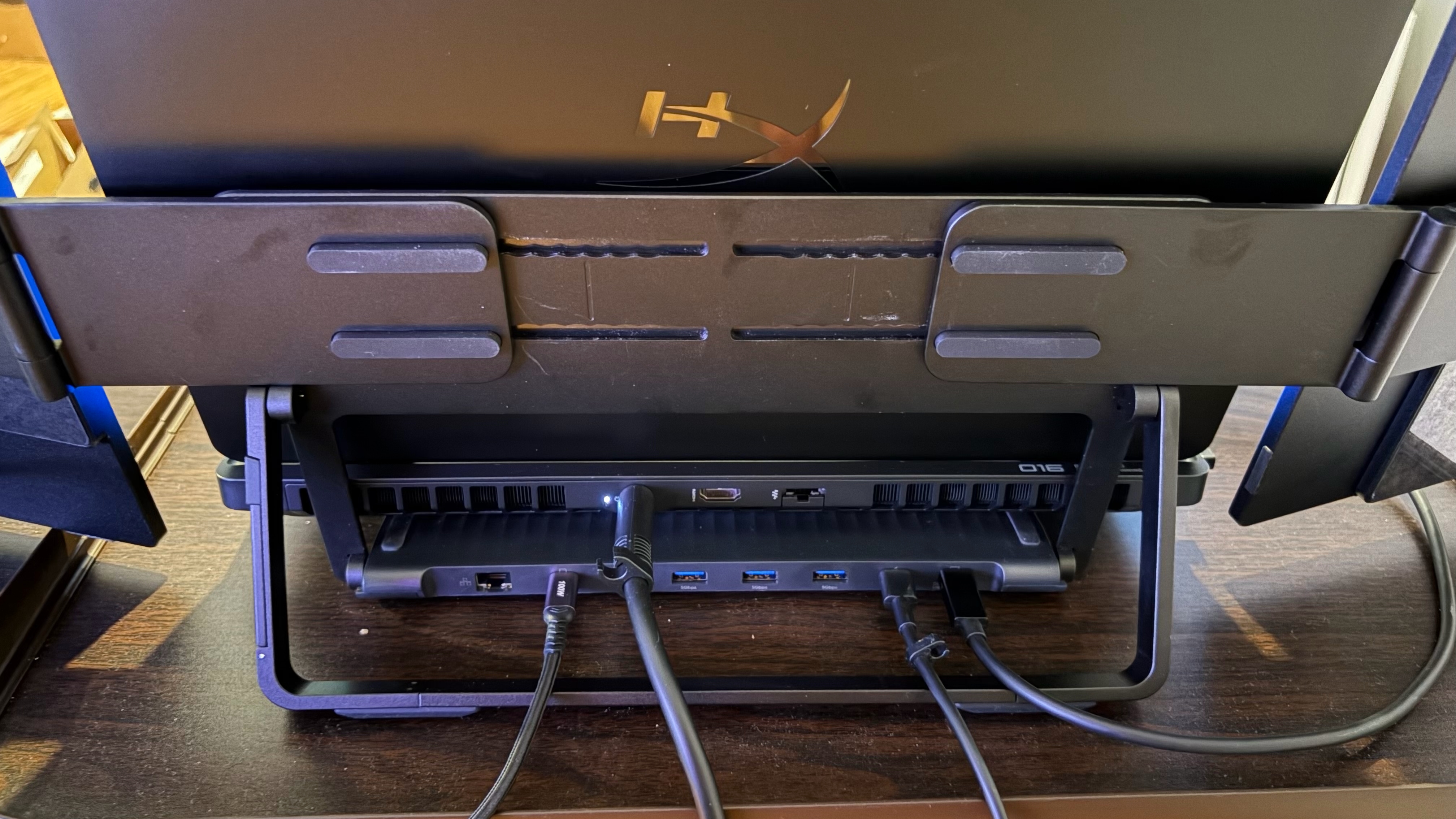
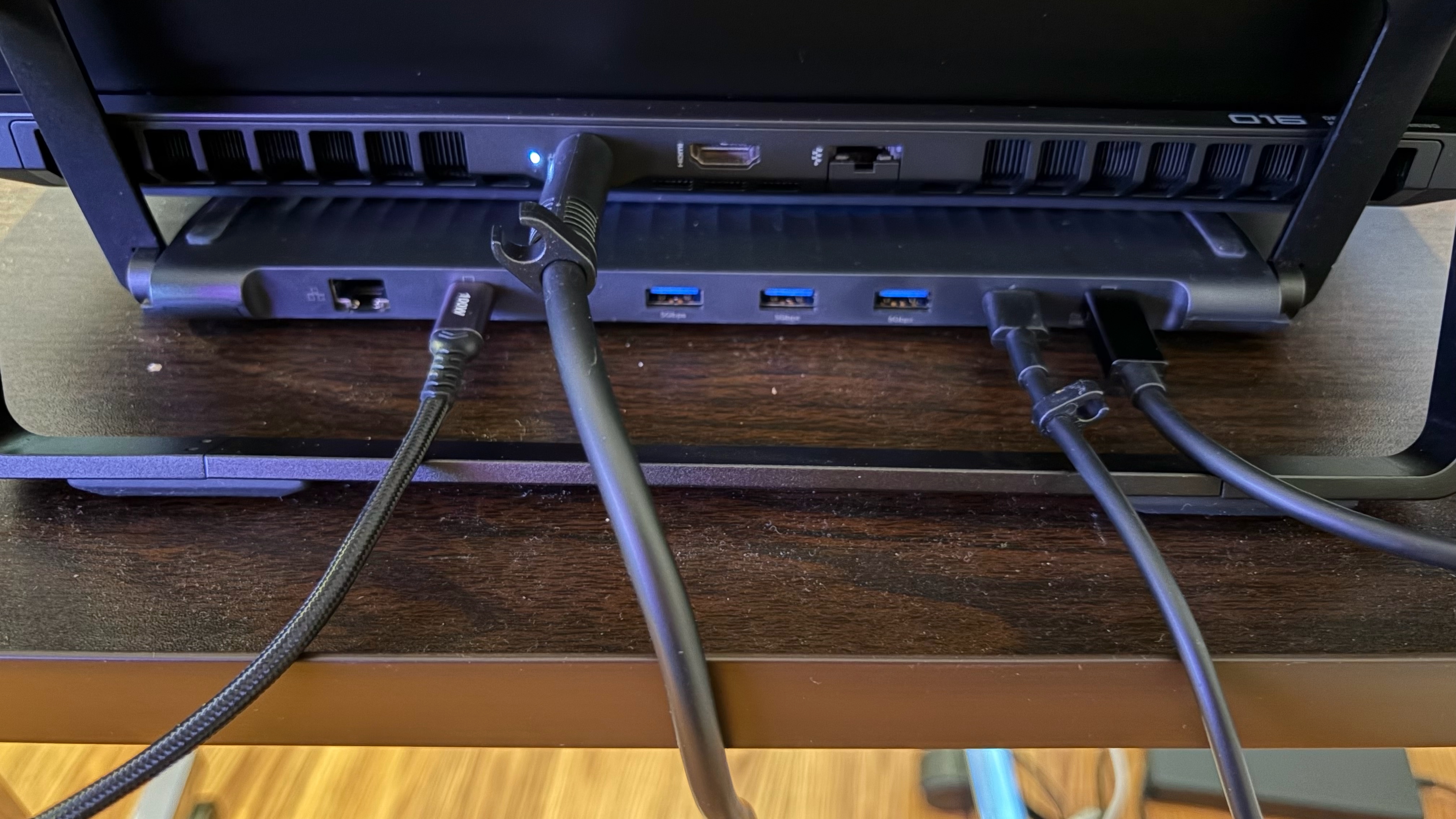
On the back of the base are several ports used for connecting the monitors and expanding port availability for your laptop. You'll find two USB-C inputs for the monitors, a USB-C for power from the included 65-watt power adapter, and a USB-C port for data and video that connects directly to your laptop. In addition, there are three USB-A ports for peripherals and a Gigabit Ethernet port for networking.
 Tom's Hardware
 Tom's Hardware
Sprouting up from the base is a horizontal bar that forms the basis for mounting the monitors. Two sliding platforms attach to the horizontal bar: one for the left monitor and one for the right monitor. The sliders allow you to accommodate both large and small laptops. In addition, each slider can fold forward or back to suit your preferred viewing angle or enable a specific operating mode.
At the end of each slider are magnets that firmly hold each monitor panel in place, whether in landscape or portrait mode. The whole platform can then be adjusted for tilt thanks to the aluminum kickstand that attaches to the horizontal bar.
 Tom's Hardware
 Tom's Hardware
 Tom's Hardware
 Tom's Hardware
 Tom's Hardware
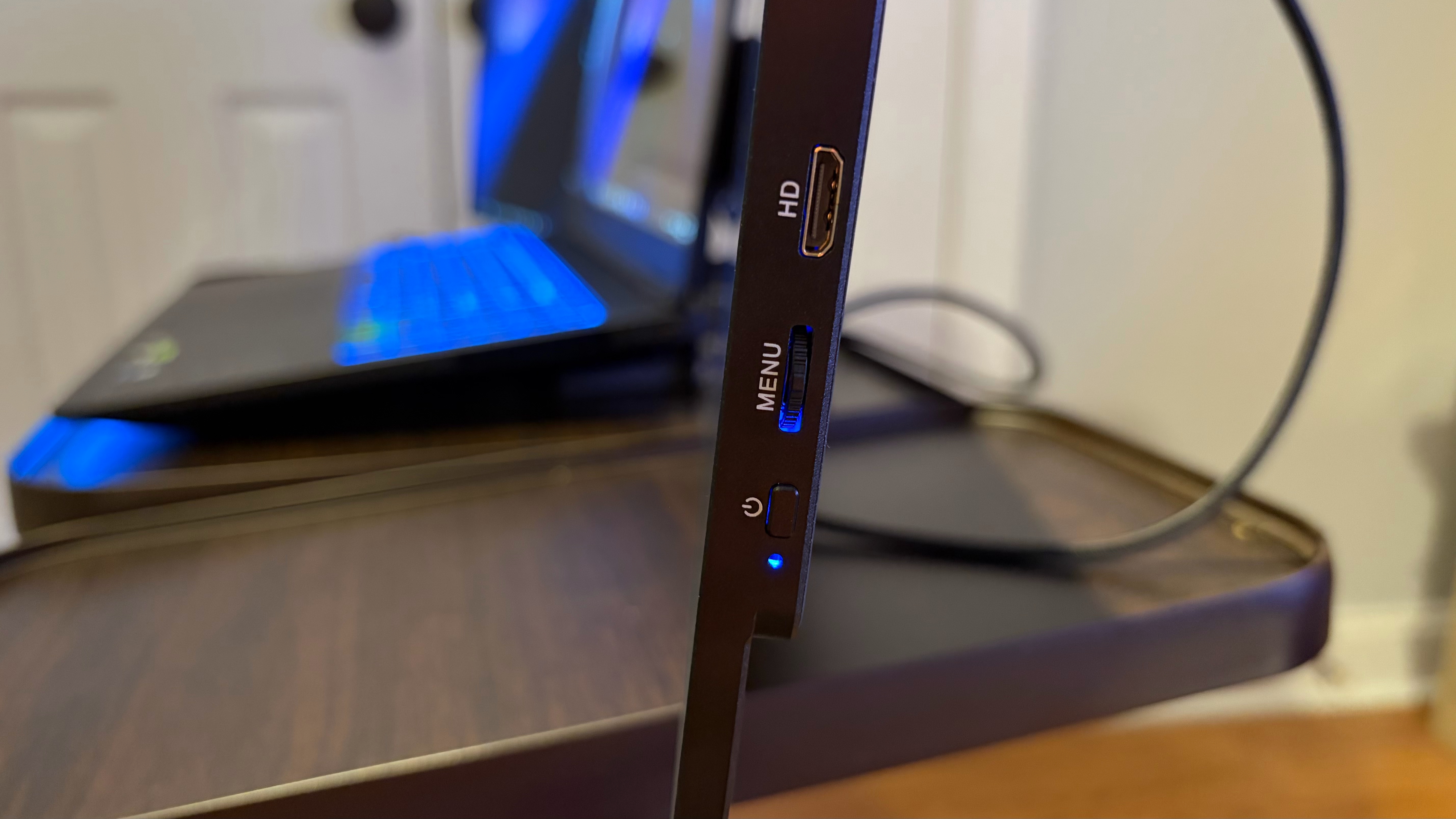
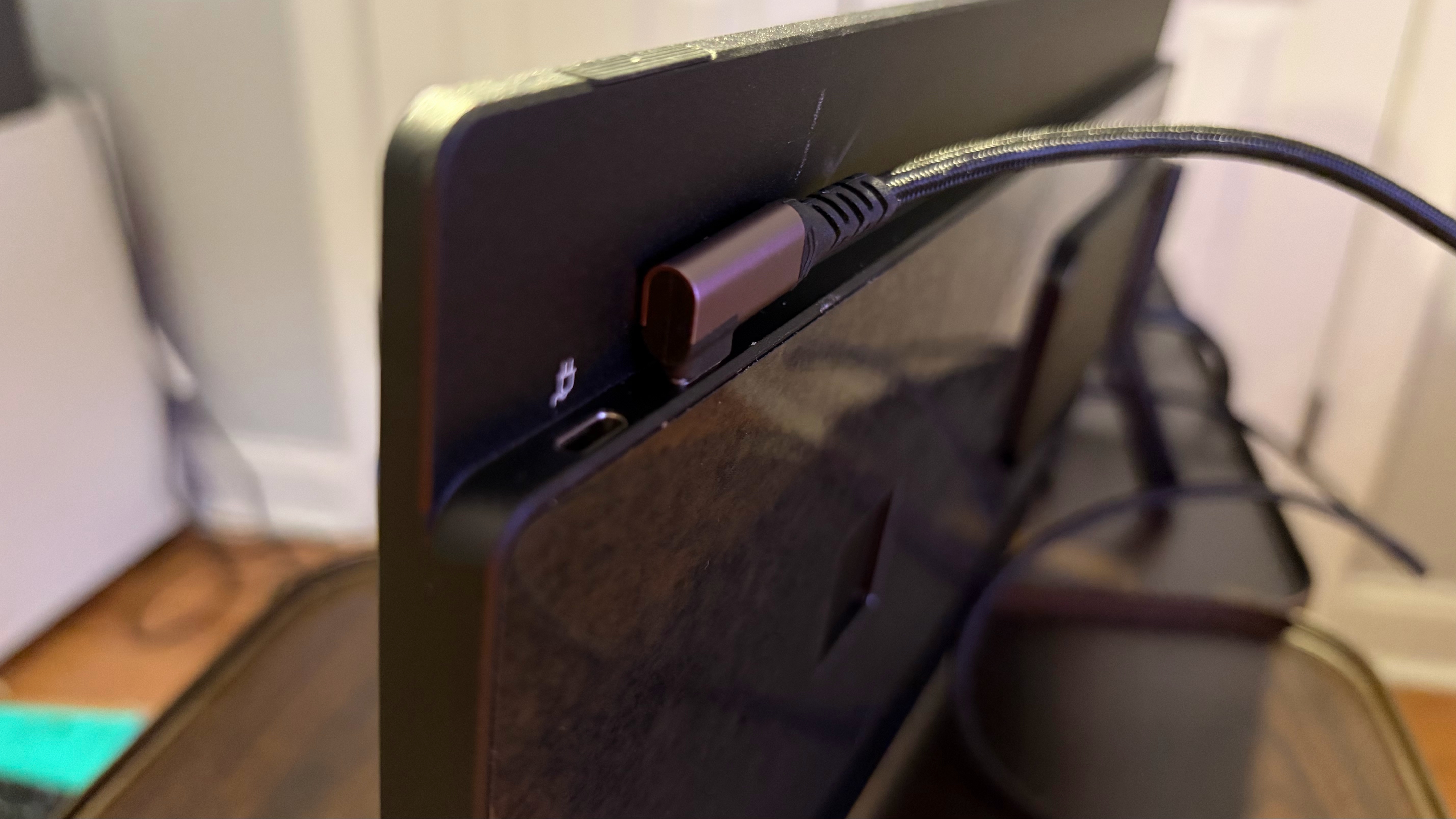
Each monitor is also constructed of aluminum and has two USB-C ports (one for video, one for power) and a micro-HDMI port. You'll also find a jog wheel for the OSD and a power/menu button on each.
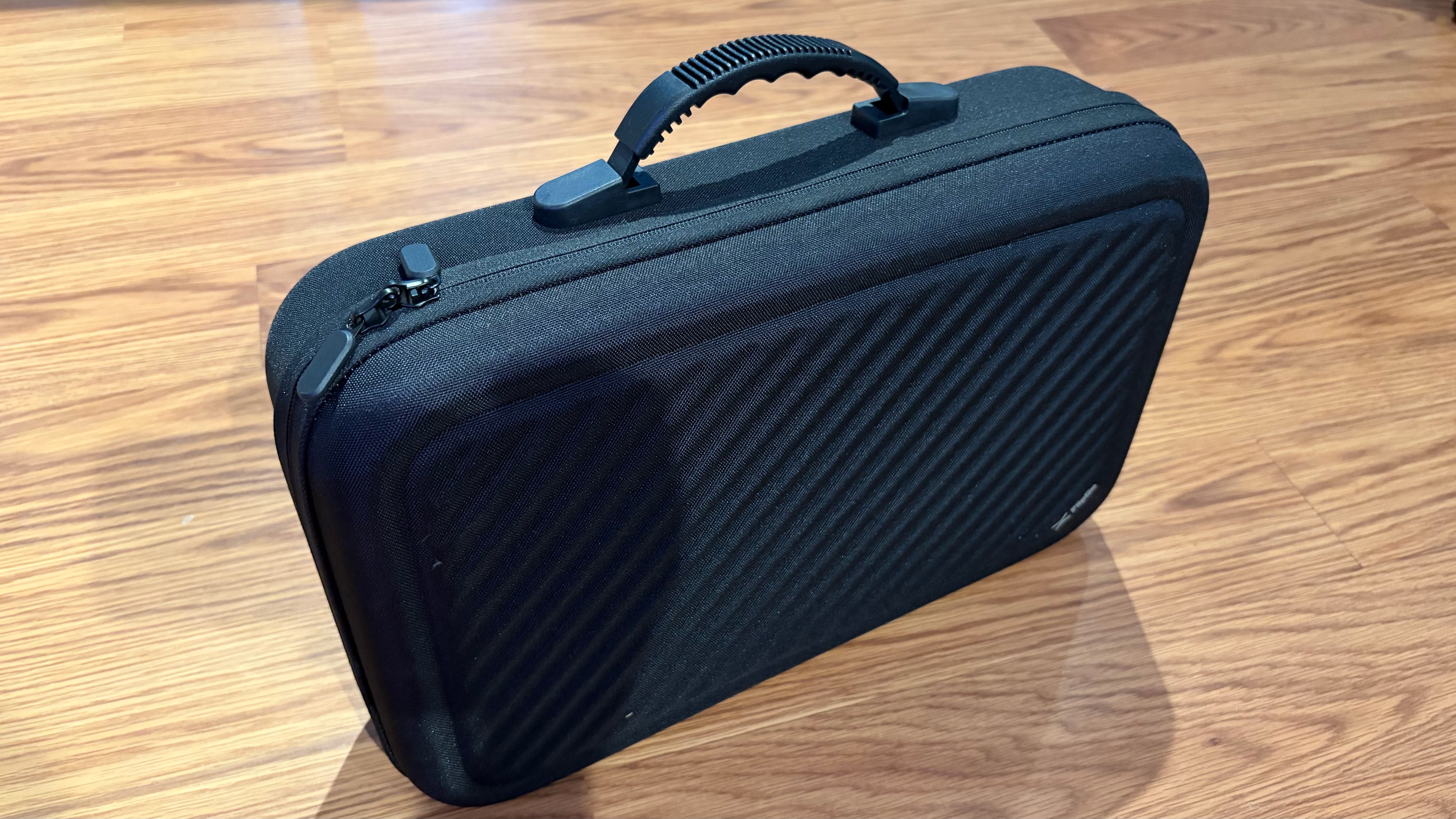
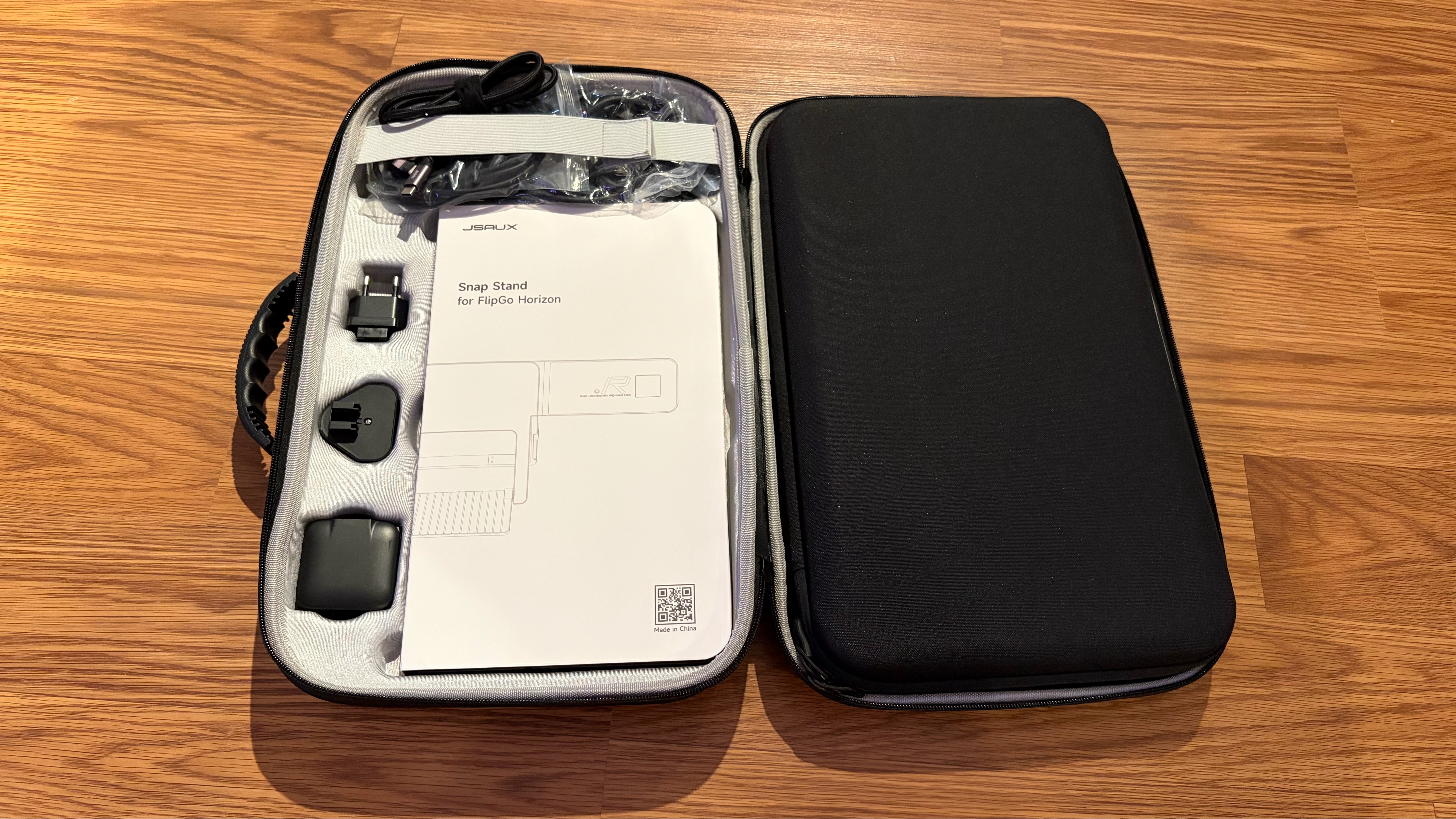
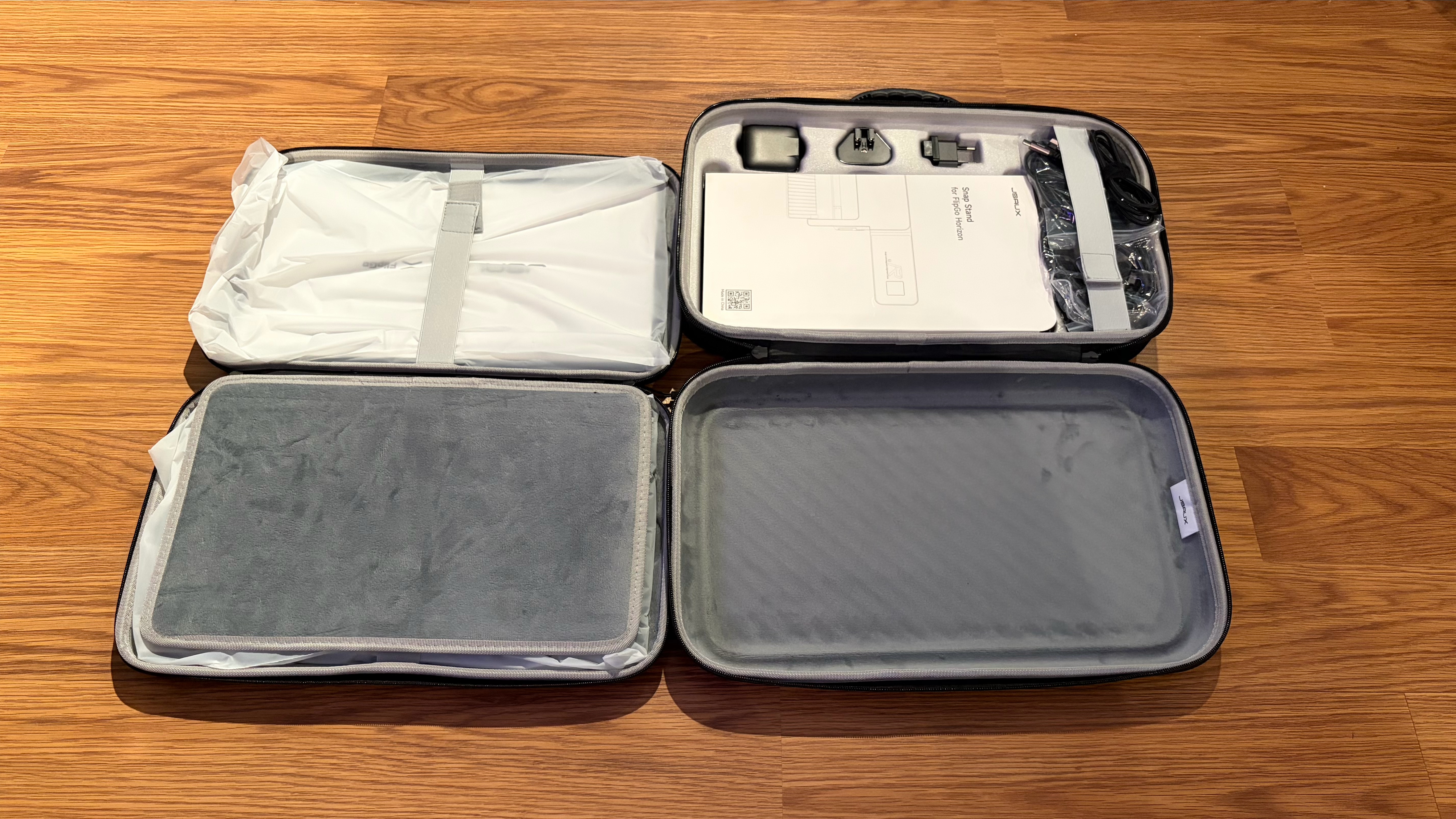
The whole setup comes in dual-carrying cases. A large, foam-padded carrying case opens to reveal a second carrying case that houses the two display panels. Elsewhere inside, you'll find the 65-watt wall adapter, multiple USB-C cables to handle video and power, two HDMI cables, a MagSafe phone mount, and multiple power plug ends for global travel.
JSAUX FlipGo Horizon Pro SpecificationsPanel Type / Backlight | IPS |
Screen Size / Aspect Ratio | 15.6 inches / 16:9 x2 |
Max Resolution & Refresh Rate | 1920 x 1080 @ 60Hz |
Typical Brightness | 300 nits |
Contrast Ratio Typical | 800:1 |
Ports | 2x USB-C, 1x micro-HDMI |
Speakers | None |
Weight | 6 pounds (stand + 2 displays) |
Warranty | 1 year |
Since each display is independent, each has its own on-screen display (OSD). You can access the OSD by pressing in on the jog wheel. Moving up and down with the jog wheel navigates through the OSD, while pressing in goes one level deeper until you select an option. A single press on the power button goes back one menu, while a long press turns off the monitor.
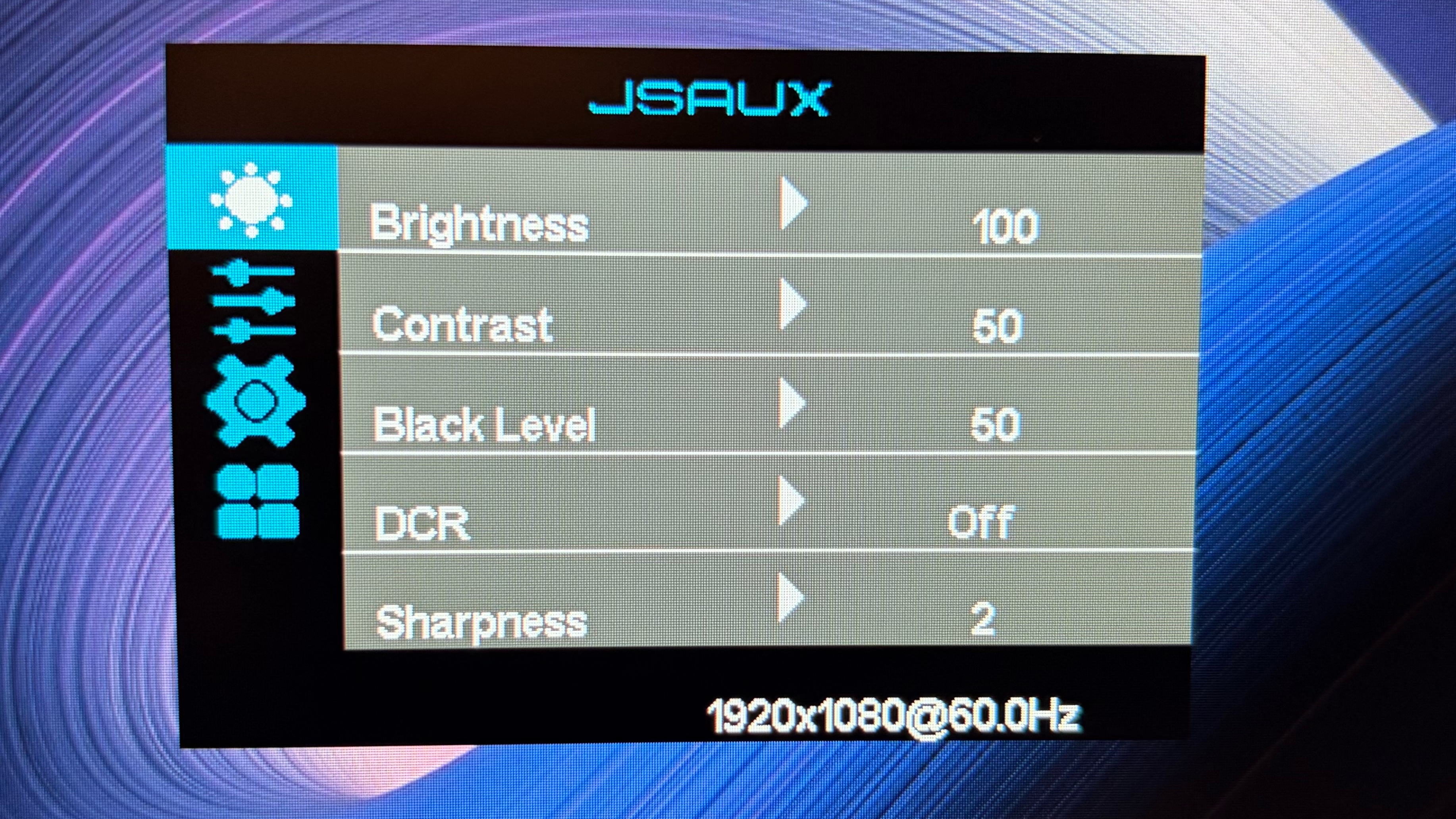
Once in the OSD, there are your typical adjustable settings, including brightness, contrast, and sharpness. There's a separate menu for color temperature, saturation, and hue. You can also switch between HDMI and USB-C connections for the monitors.
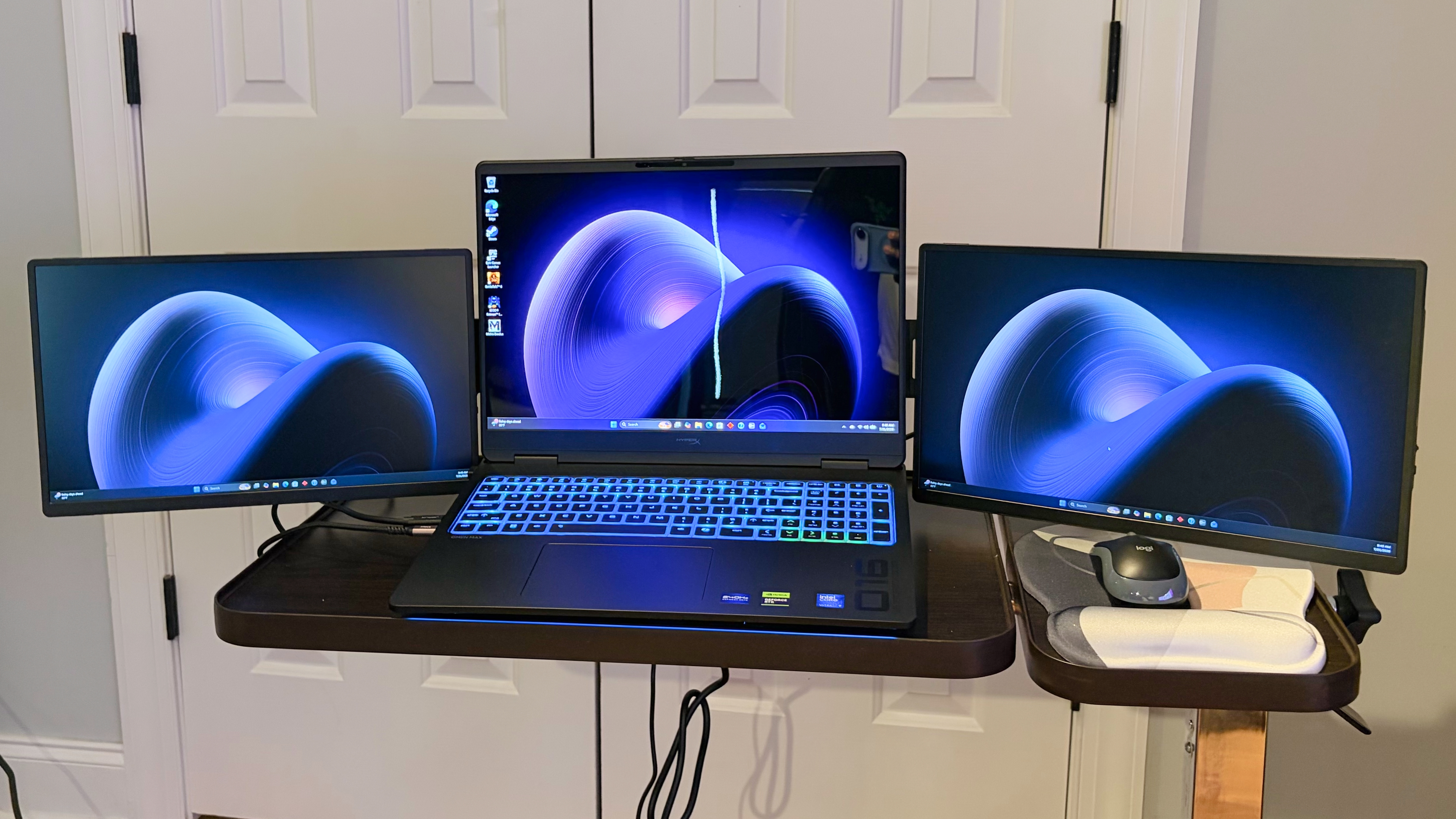
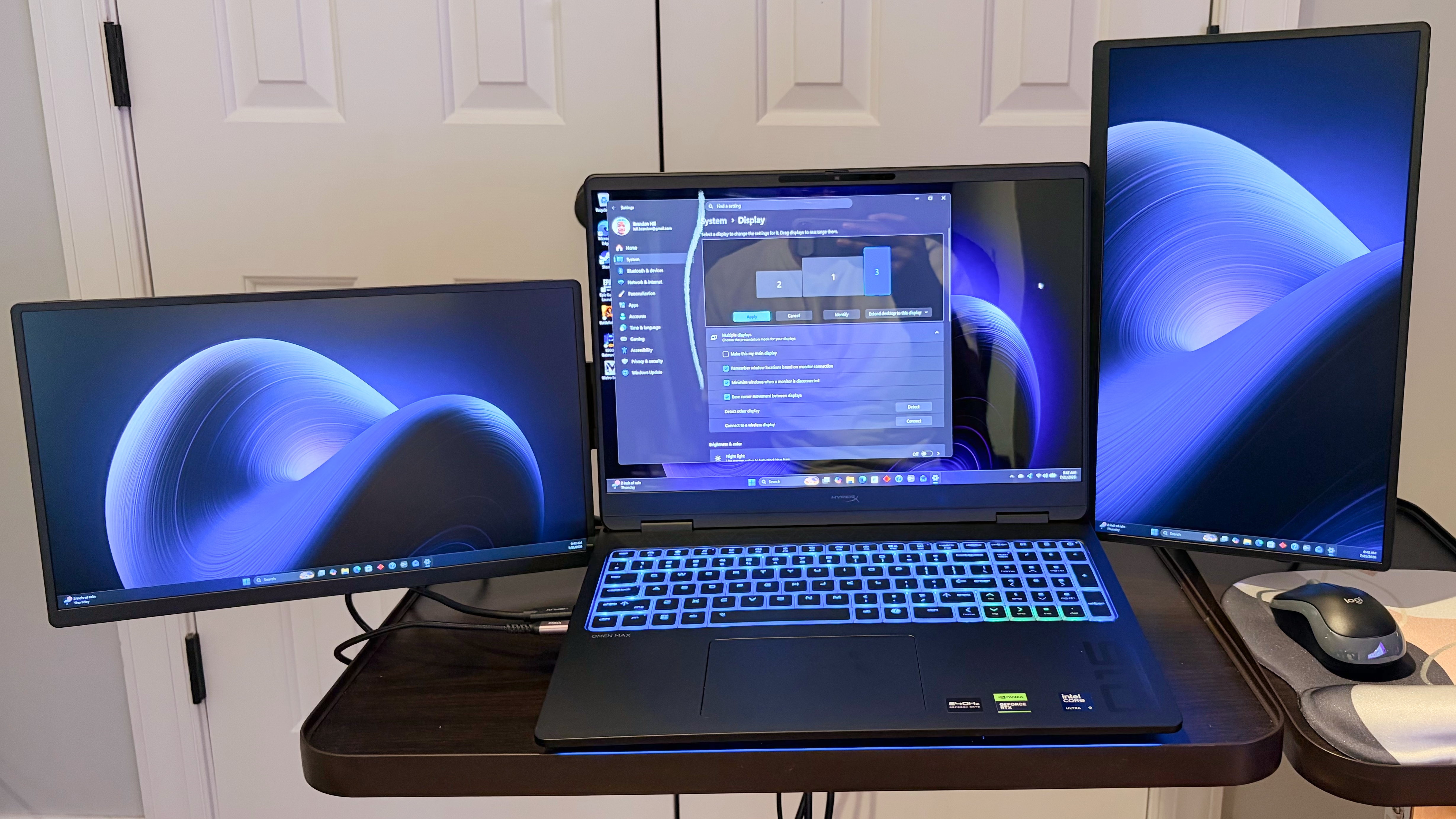
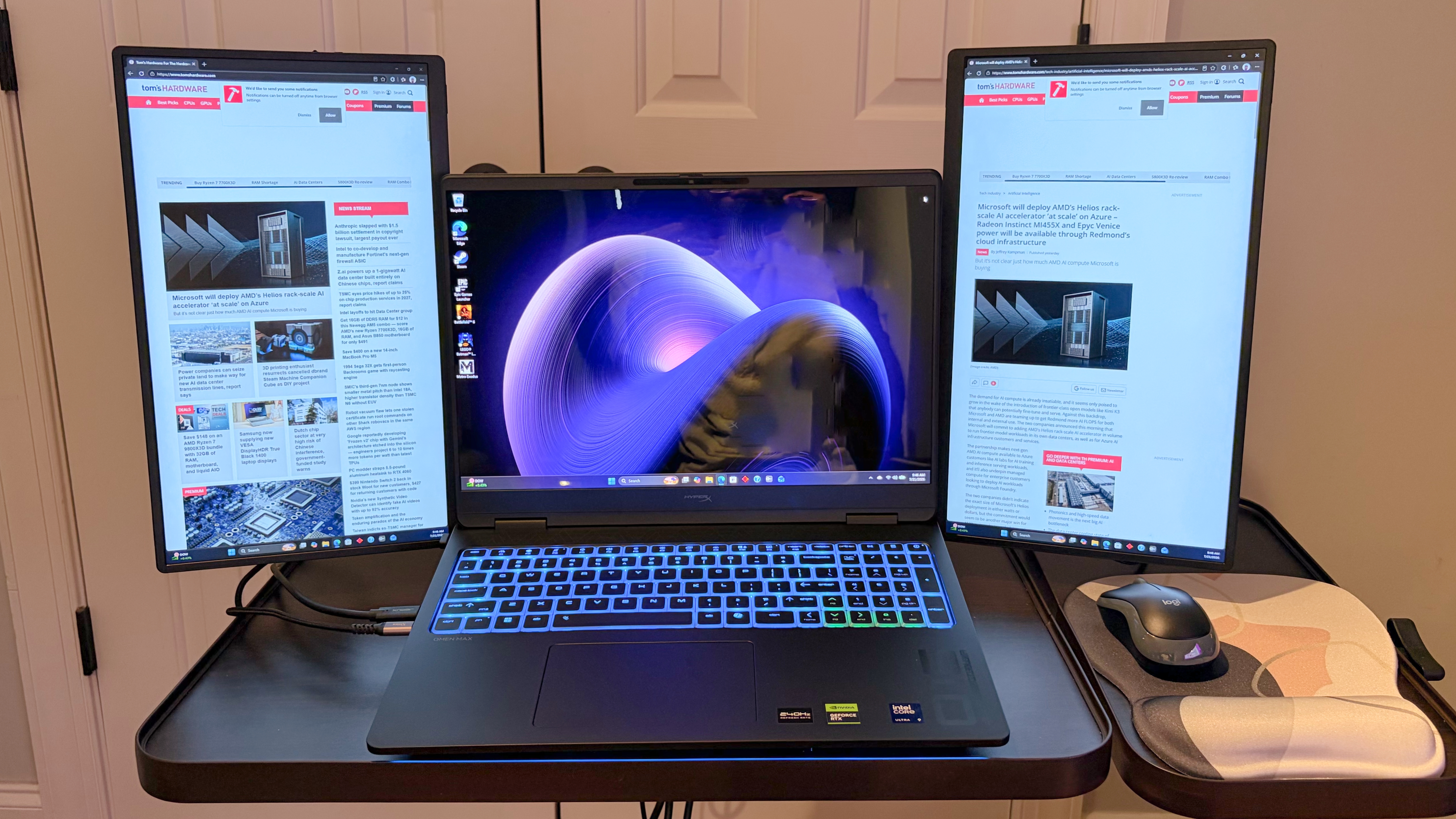
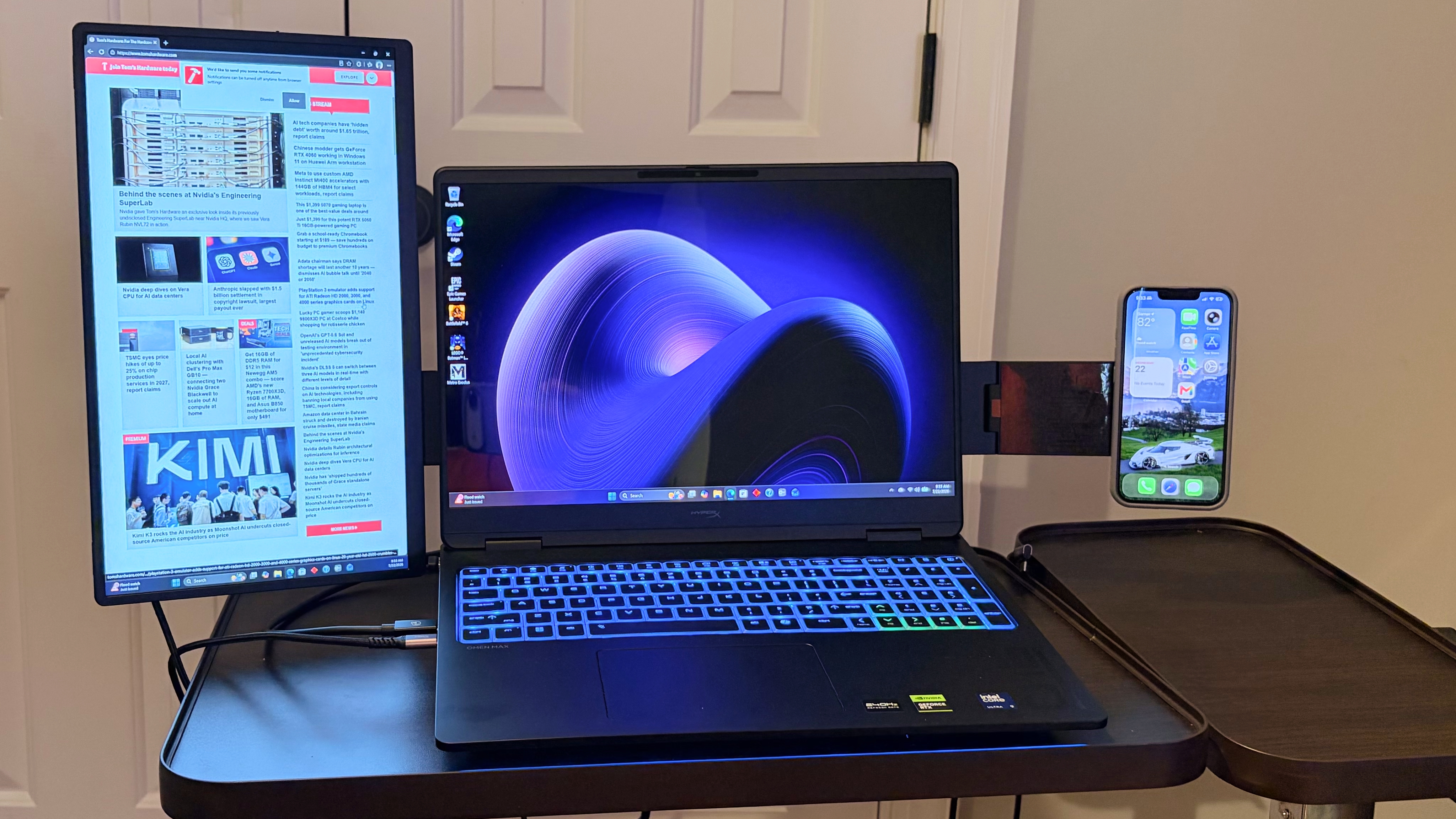
JSAUX FlipGo Horizon Pro Operating ModesThe FlipGo Horizon Pro has an extensive array of operating modes that you can use with a laptop and even a smartphone. Its namesake mode is Horizon Mode," which has both display panels sprouting out from either side of your laptop's display like a big pair of ears. Each display can be presented in landscape mode, portrait mode, or any combination of the two (i.e., one landscape and one portrait or both in portrait).
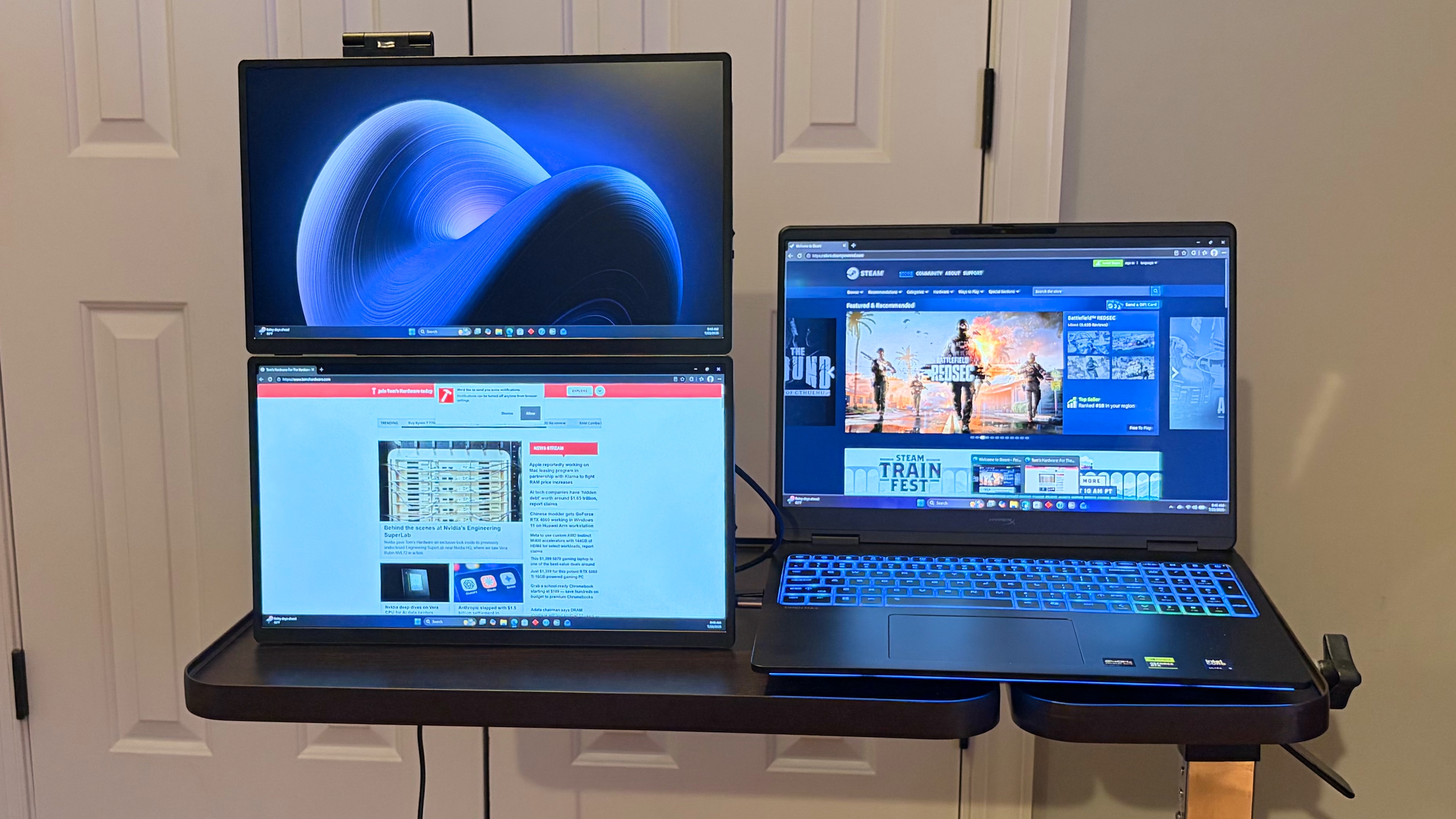
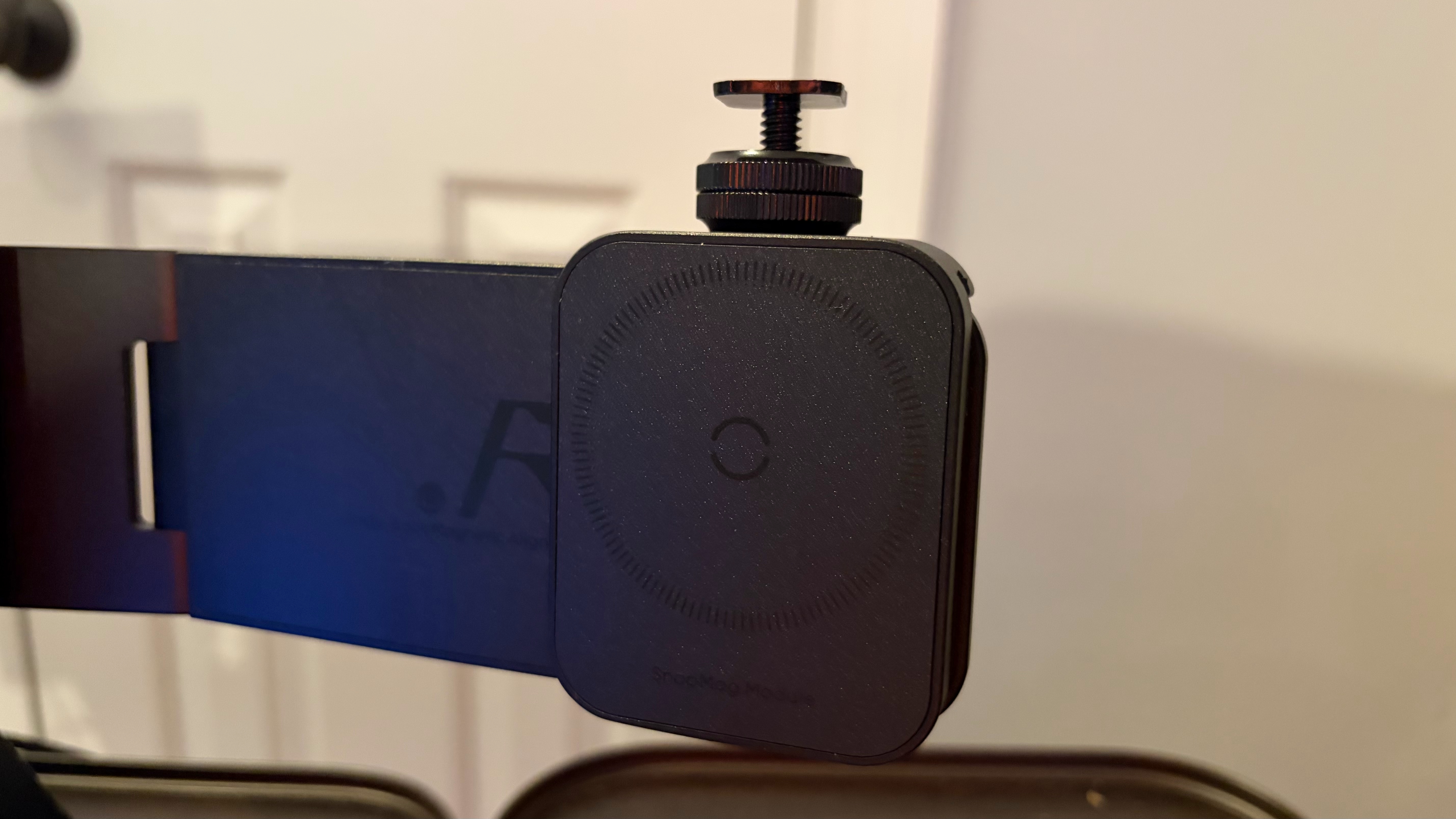
Stack Mode allows you to place the two panels standalone, side-by-side, in portrait orientation or on top of each other in landscape orientation. Solo Mode is for using just a single panel, while Creative Mode uses the included magnetic attachment to mount your smartphone in place of one of the monitors.
 Tom's Hardware
 Tom's Hardware
 Tom's Hardware
 Tom's Hardware
 Tom's Hardware
My preferred arrangement was to use Horizon Mode, with the two display panels in portrait orientation. Creative Mode just seemed like a waste to me, because the point of purchasing a FlipGo Horizon Pro is to have the expanded real estate of two monitors, and ditching one to use a smartphone in its place just rang hollow.
I had similar reservations about Solo Mode due to the unit's weight, even with one display, which is easily twice that of a traditional single-screen portable monitor due to the heavy frame.
With that said, we have to give JSAUX credit for providing a wealth of options for customers to choose from. In the end, having options is a good thing, even if they don't align with my specific tastes.
Display Performance on the JSAUX FlipGo Horizon ProBefore I get into the actual numbers, let me first talk about living with the FlipGo Horizon Pro. When I'm working at my desk, I use a 49-inch DQHD OLED monitor, which gives me plenty of real estate to have multiple Google Chrome and Microsoft Edge windows open, widgets strewn about my screen, along with my photo editing software. However, when I'm on the go, my go-to system is a 13-inch MacBook Air. Needless to say, the fall-off in screen real estate is jarring, which is why I usually travel with a 15.6-inch 1200p portable monitor.
With the FlipGo Horizon Pro, I was able to add two 15.6-inch 1080p monitors to flank my 13-inch MacBook Air. The extra displays are incredibly welcome, especially when I'm performing data entry or researching topics that I'm writing about. With that said, there's room for improvement with respect to the actual panels that JSAUX uses on the FlipGo Horizon Pro.
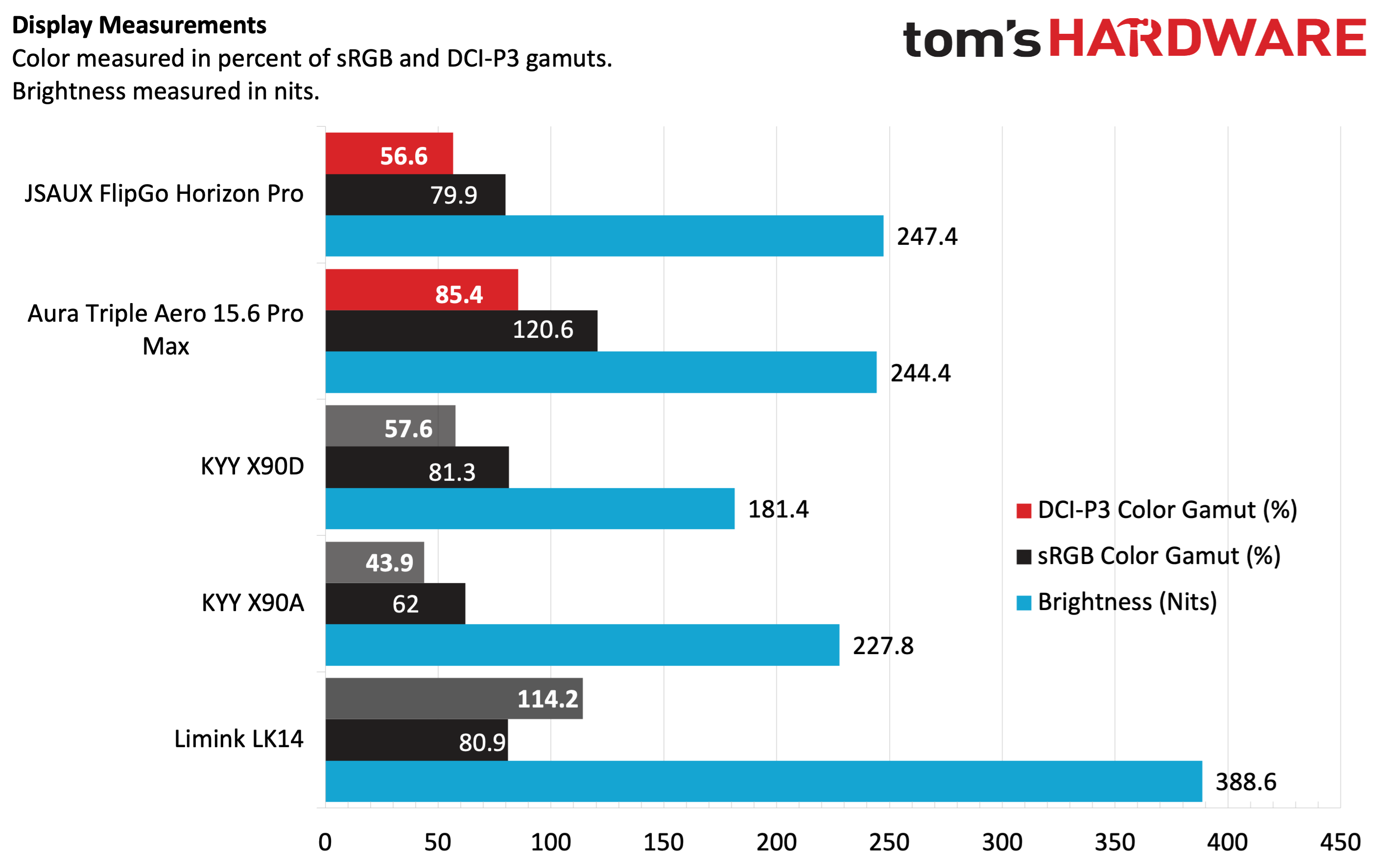
JSAUX claims that each panel is rated for 300 nits of maximum brightness; however, our instrumented test showed just under 250 nits in its default picture mode. Even using the custom setting in User mode, we maxed out at 276 nits. Likewise, color performance was dismal at best. We recorded 79.9 percent coverage of sRGB and just 56.6 percent of DCI-P3. The numbers tell one story, but real-world performance was also rather lackluster. Photos looked lifeless, and colors (particularly reds) seemed off-kilter. In addition, the stark difference in color reproduction between my MacBook Air's native IPS panel and the two panels on the FlipGo Horizon Pro was stark. I saw similar disparities when using the FlipGo Horizon Pro with a HyperX Omen 16 gaming laptop.
With that said, my needs for a portable monitor while traveling aren't incredibly demanding. When I'm editing photos, I do so on my MacBook Air's native display, while the secondary display panels are used for spreadsheets, my word processor, and browsing websites. In other words, the relatively poor quality of the panels did not put a damper on the actual functional usefulness that they provided.
Bottom Line
The JSAUX FlipGo Horizon Pro is a do-everything mobile accessory, offering two screens, a built-in hub, and multiple configuration options. It seems as though JSAUX thought of everything, providing all the necessary cables and a two-tier storage case with separate padded storage for the two display panels.
I encountered no issues while using the displays, although the cable management can get a bit overwhelming. And despite the included suitcase, because of the weight of the entire apparatus, the FlipGo Horizon Pro is more of an accessory that I'd want permanently sitting on my desk than lugging around when traveling.
With that said, the FlipGo Horizon Pro carries a price of $449.99 direct from JSAUX, although the company is currently offering a coupon that takes off $40. For comparison, the KYY X90D is $224; while it doesn't allow the screens to pivot independently into portrait mode, it represents a huge cost saving if all you want are two additional screens. But if you want the added versatility, including features like additional USB ports and an Ethernet port, there aren't many options superior to the FlipGo Horizon Pro in the dual-screen space.