Samsung just made dealing with device repairs way easier on Galaxy phones
- Samsung's new Warranty and care menu in One UI 9 centralizes warranty tracking, diagnostics, repairs, and support inside Settings.
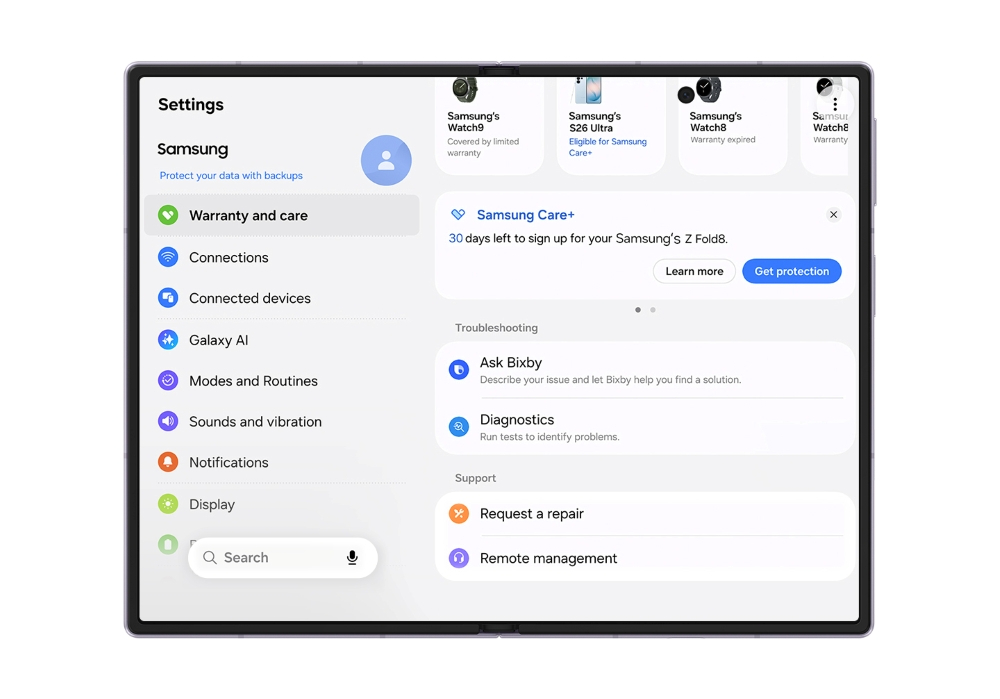
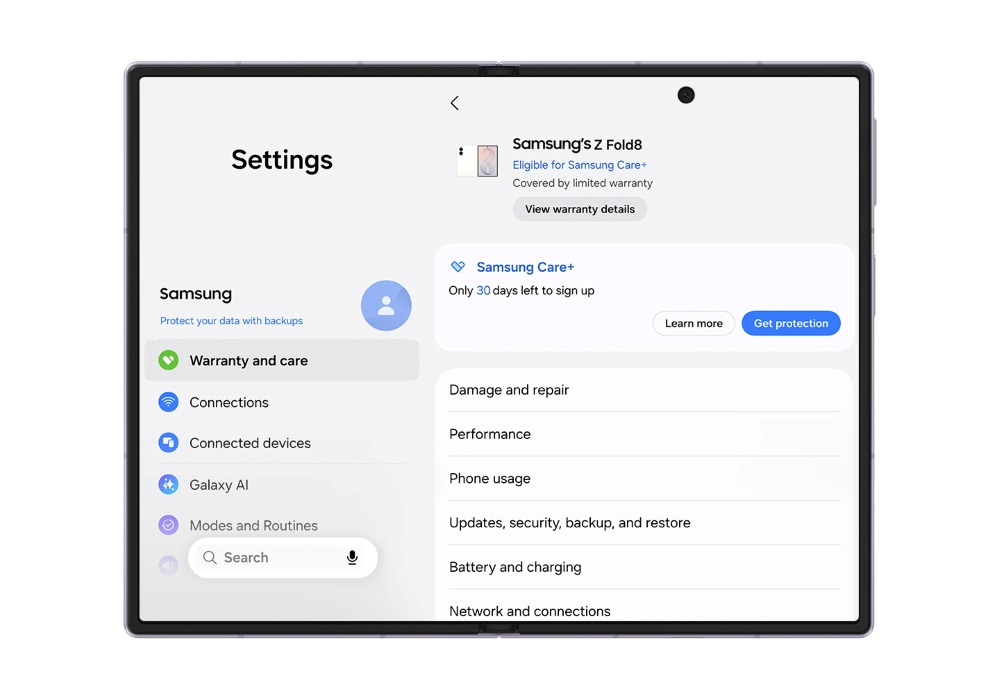
- See remaining warranty period and Samsung Care+ eligibility for your current device, plus coverage details for every Galaxy product linked to your Samsung account.
- Built-in Diagnostics tests battery, charging, sensors, touch response, and connectivity, then suggests fixes or points you to repair options.
Samsung is adding a new Warranty and care hub in One UI 9, giving Galaxy users a single place to check warranty coverage, run device diagnostics, access repair options, and get support.
The feature debuted on Samsung's latest foldables, including the Galaxy Z Fold 8 Ultra, Galaxy Z Fold 8, and Galaxy Z Flip 8. Now Samsung has made clear what the hub actually does, and it goes way beyond checking when your warranty expires.
Open the new hub and you can see the remaining warranty period for your current device, along with Samsung Care+ eligibility. If you have other Galaxy products linked to the same Samsung account, their warranty and coverage information can appear there too.
 Samsung
 Samsung
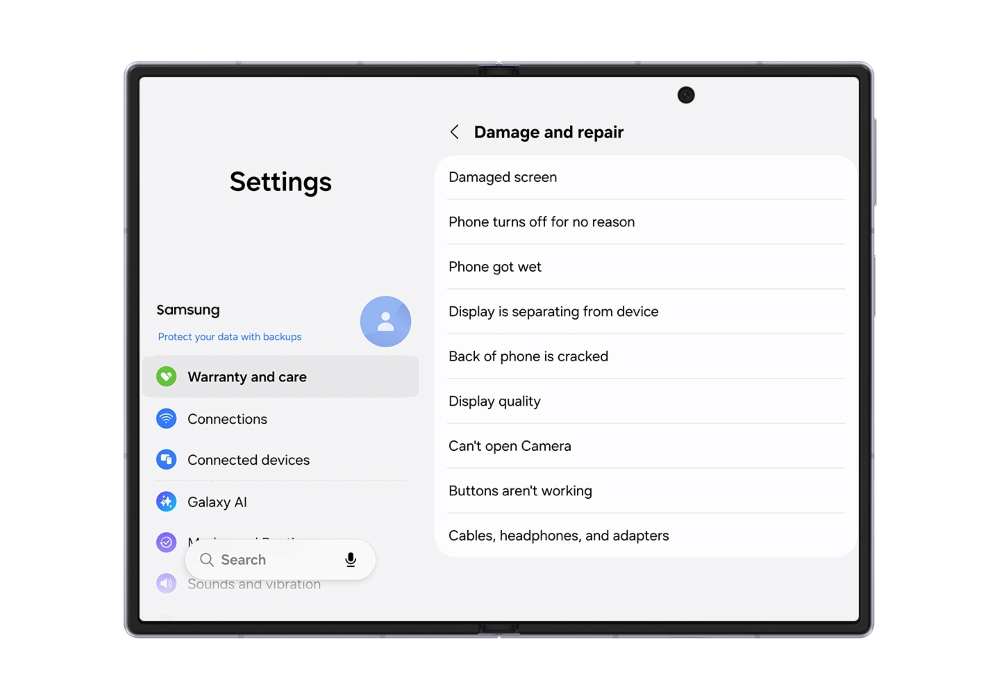
The hub also acts as a troubleshooting center. Its Diagnostics tool can test hardware and functions such as battery, charging system, sensors, touchscreen, and connectivity. If something does go wrong, Samsung can recommend fixes or point you to repair options.
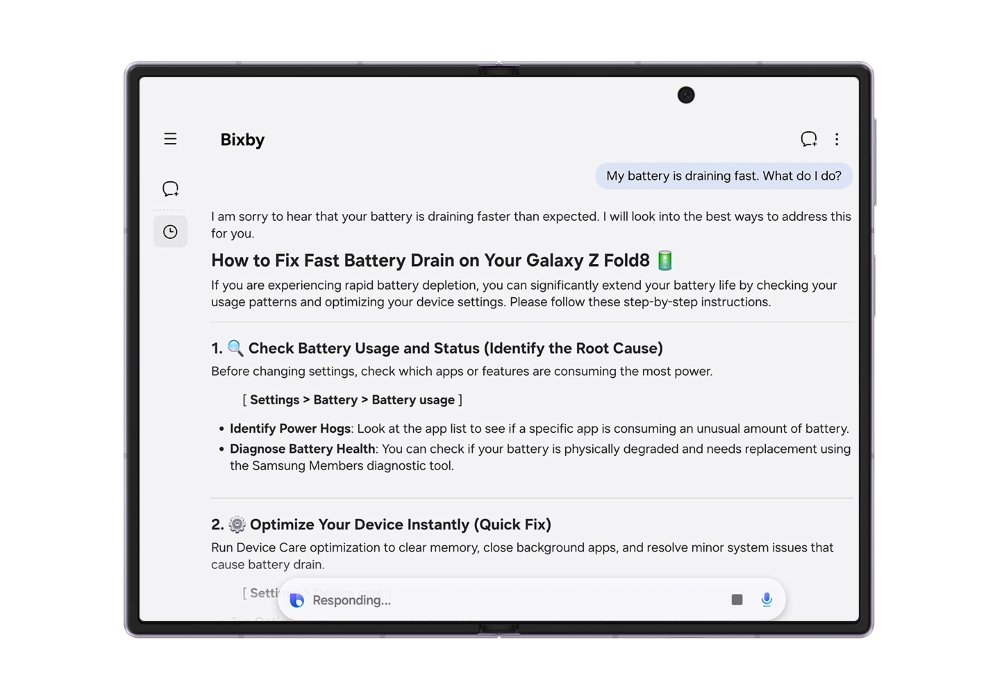
Bixby is also baked into the experience for troubleshooting questions. If something doesn't feel right, you can ask the AI without leaving the Settings app for troubleshooting steps. Samsung's warranty process has always been a nightmare - online forums are full of users stuck in an endless loop between Samsung and service centers, with warranty claims getting lost in a no-man's-land between the standard warranty and Care+ policies. This new hub is designed to cut through that bureaucratic black hole and give you one clear path forward.
When software updates don't work, you can request repairs from a Samsung-authorized service center without leaving Settings. You can also get remote support and compare estimated repair costs with Samsung Care+ pricing.
 Samsung
 Samsung
Warranty and care isn't necessarily identical everywhere. Available services may differ by country, device, and coverage plan.
While this hub currently debuts across Samsung's newest foldables, keep an eye out for the streamlined experience coming to Galaxy S26 series phones and older flagships as One UI 9 spreads its wings.