I was wrong about Pokémon Sleep, and the Fitbit Air is the perfect companion
Pokemon Sleep has been out for a few years, but I only got into it in the past year. And by coincidence, just as I logged a year's worth of sleep into the app, Google released a new Pokemon Sleep edition of the Fitbit Air as part of Pokemon's 30th Anniversary Celebration.
I've been using this special edition of the Fitbit Air to log my sleep in the Pokemon Sleep app, and it might be the best way to play the game. The wearable is lightweight, beautifully crafted, and tracks sleep quite reliably. If you're a Pokemon fan like myself, this might be the
Understanding the basics of Pokemon Sleep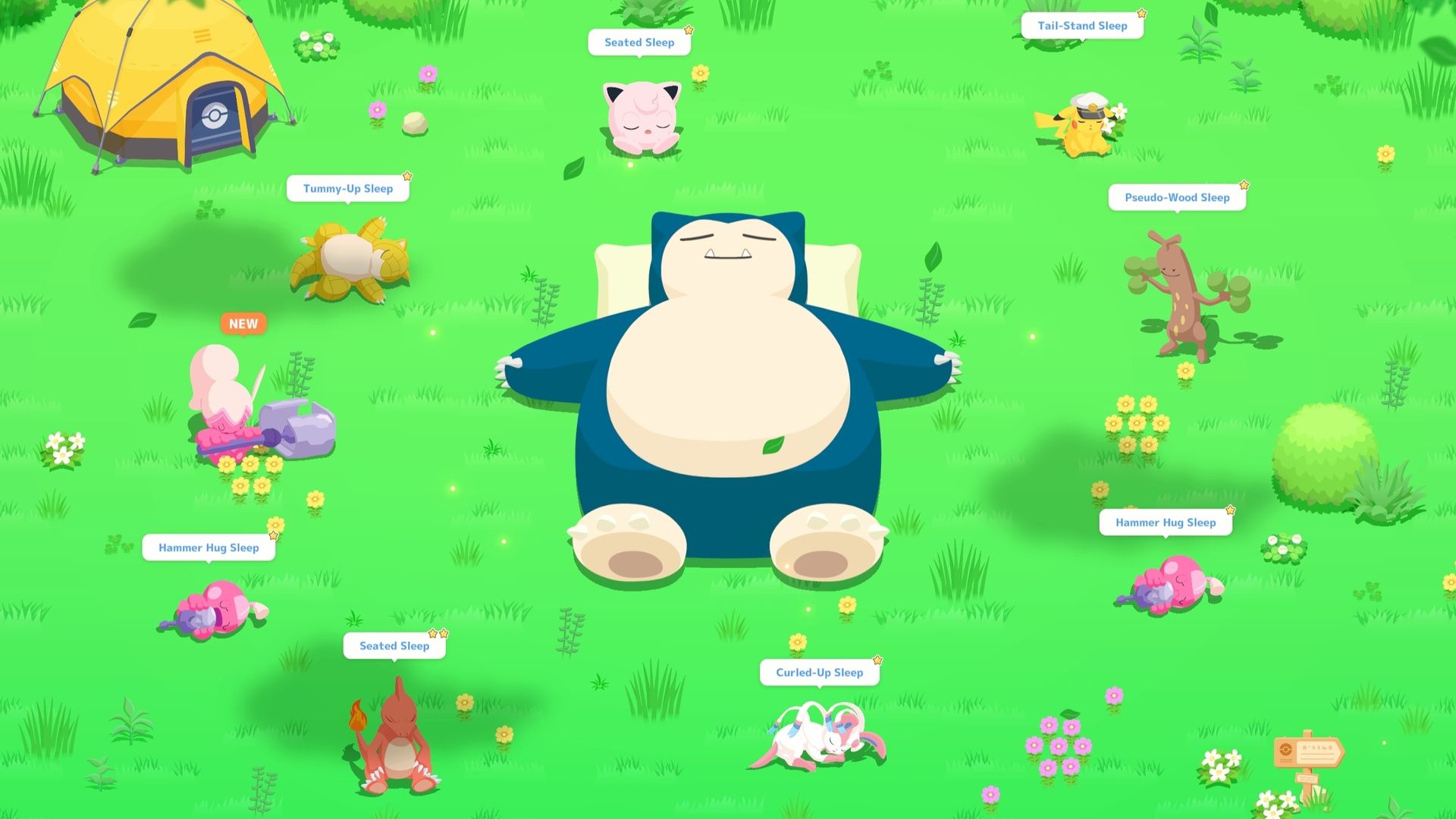
When Pokemon Sleep first launched, I thought it was pretty pointless. I already track my sleep in apps like Google Health (then Fitbit), so why add yet another app? Two years later, something convinced me to finally try it, and boy, was I wrong about Pokemon Sleep.
Turns out, it's a great way to gamify your sleep! The game centers around a Snorlax that does nothing but sleep and eat, while attracting wild Pokemon to sleep around it. The more you sleep, the more points you get, which contribute to the Snorlax's Drowsy Power. The higher your Drowsy Power, the more Pokemon it attracts each day, and your sleep type (based on your sleep cycles) can influence the Pokemon it attracts, including rarer or shiny Pokemon.
You can "catch" these Pokemon by feeding them biscuits and maxing out their friendship points before they get full. It's both enticing and frustrating trying to "catch" certain Pokemon, each with its own attributes to help you throughout the game.
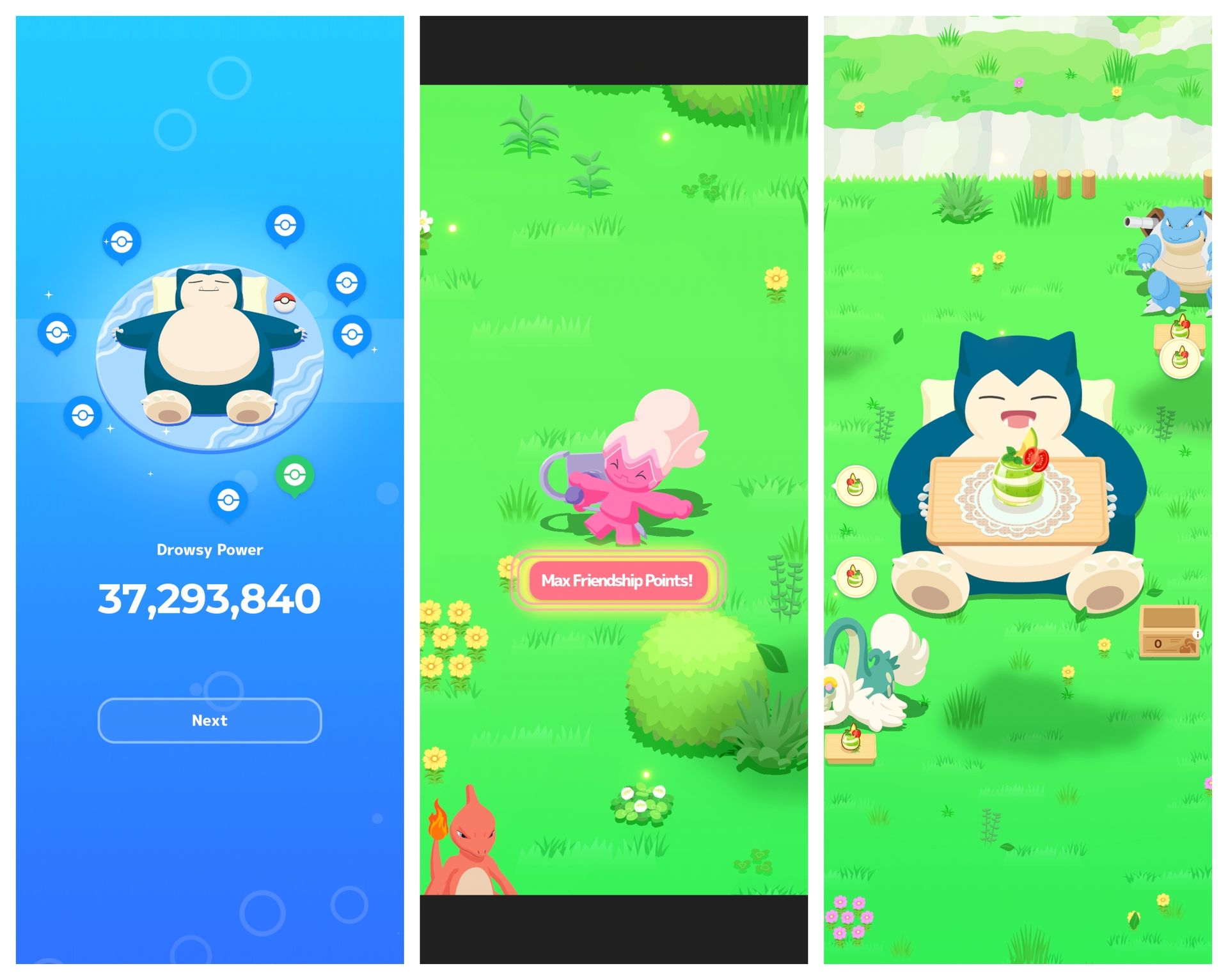
As you watch over this Snorlax, you have to feed it three times a day to build its strength and help it grow. You do this by curating a team of up to five Pokemon, all of which can collect berries and ingredients so you can make various dishes that contribute different amounts of strength. The Pokemon also have special skills that can help in different ways.
You can unlock additional skills and more ingredients, but it often requires careful planning. You have to consider things like a Pokemon's nature, its ingredient list, and other attributes that make it better for what you want. Thus, one Pikachu might be better than another and more worth the candies you collect to level up and evolve it.
Where the Fitbit Air fits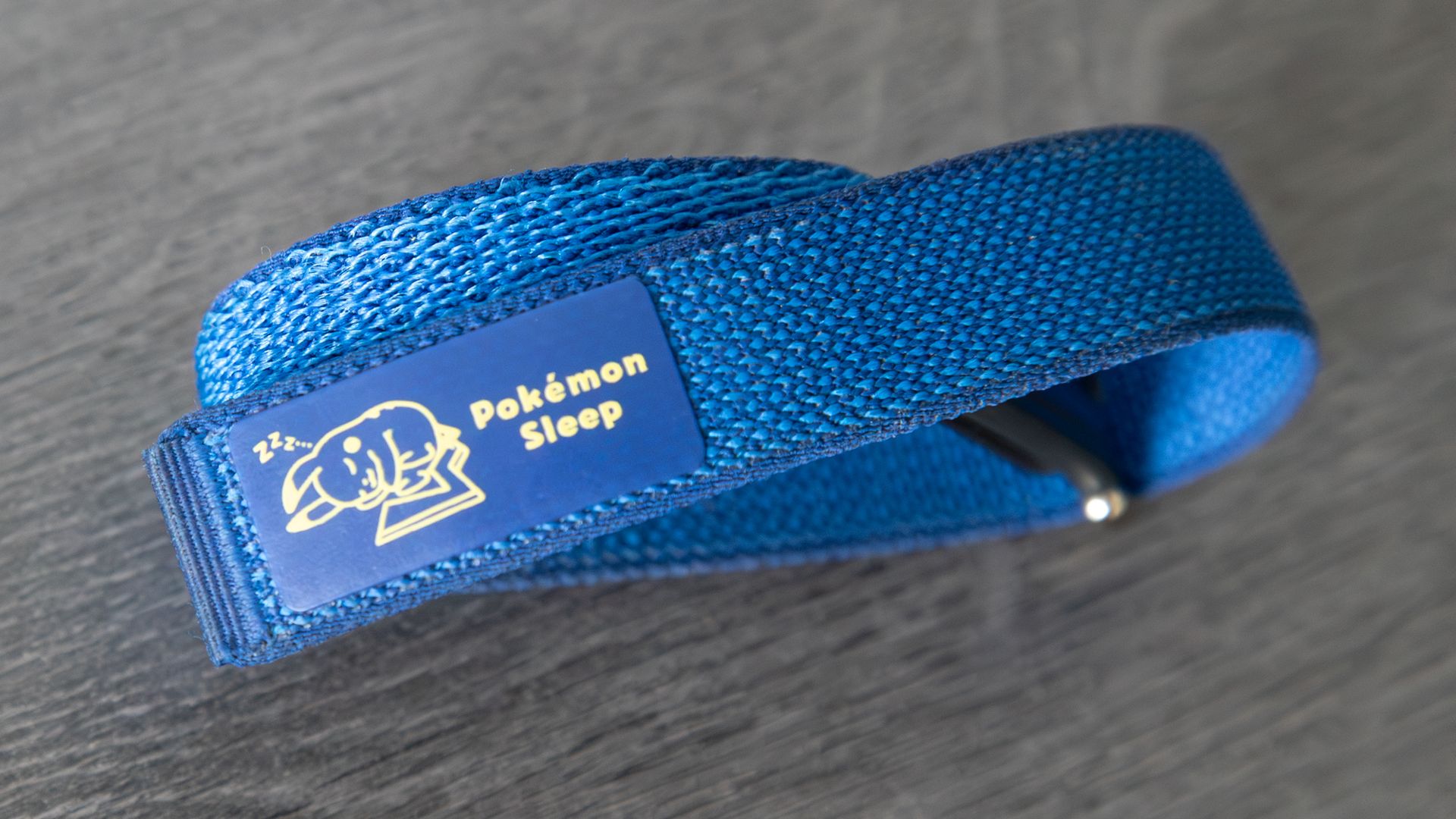
Pokemon Sleep offers a few ways to track your sleep, including the Google Health app. So you can track your sleep with a more traditional smartwatch like the Pixel Watch 5, but I often find them heavy, cumbersome, and uncomfortable to wear while you sleep. That's where the Fitbit Air comes in.
At roughly 12g with the band, it's incredibly lightweight, and it barely feels like I'm wearing anything. This makes it one of the most comfortable wearables I've used to track my sleep, and I recommend it for this alone.
And while there are some nice colors out there, the Special Edition Pokemon Sleep strap is my absolute favorite. It comes in a deep blue color that looks fantastic (it helps that my favorite color is blue) and even has a little sleeping Pikachu on it, which is a pretty nice touch.
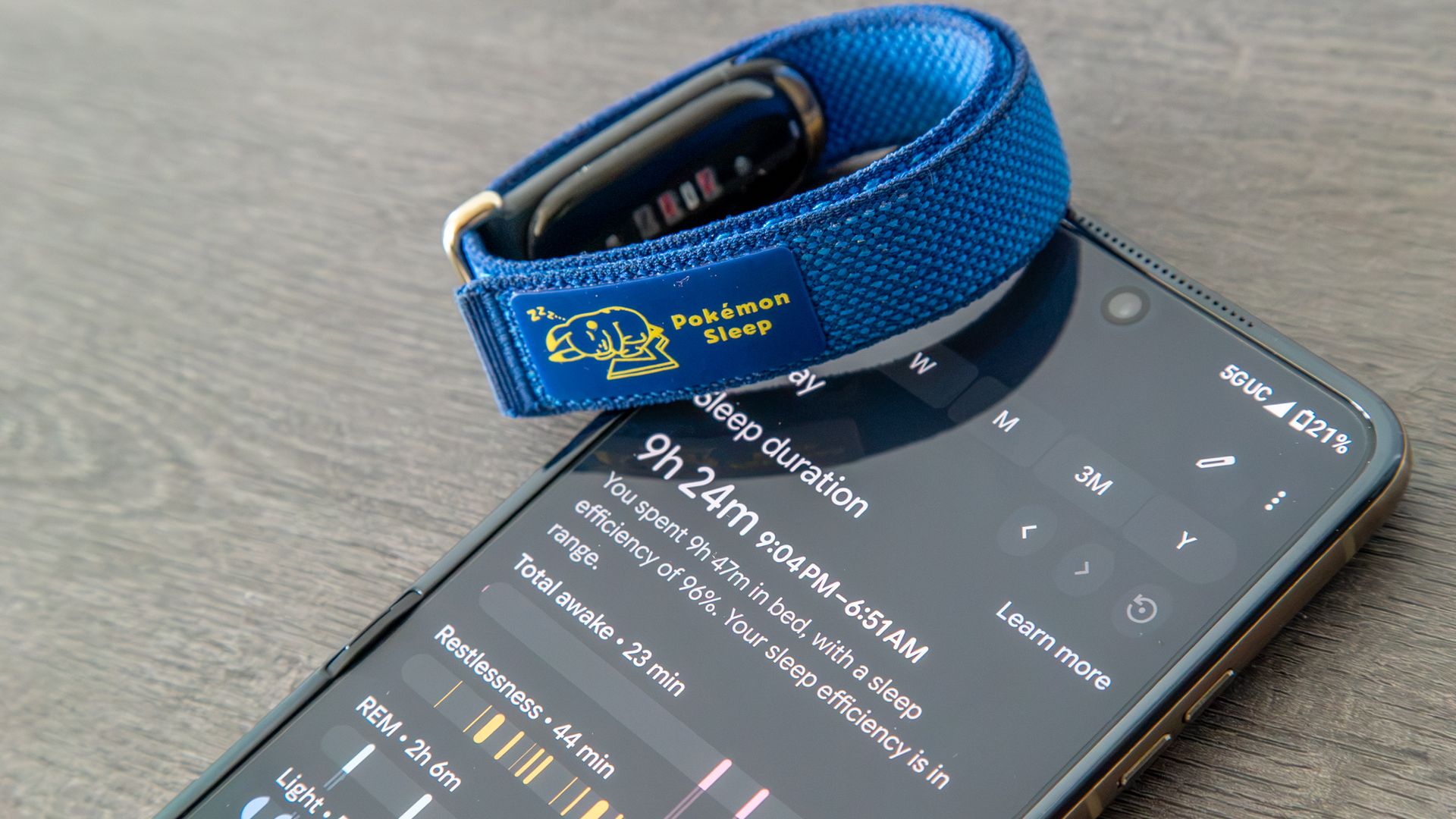
As for the actual tracking, it's actually quite reliable. I often compare my results each morning to my Oura Ring and Garmin watch, and the duration, cycles, and other metrics are usually pretty on par. And of course, the Fitbit Air can do more than sleep tracking, since it's also a solid health and fitness wearable.
It also helps that battery life is quite good, easily lasting about a full week on a single charge. That means you don't have to worry about charging it before bed every night or when you wake up each morning.
Setting up the Fitbit Air to track your sleep in Pokemon Sleep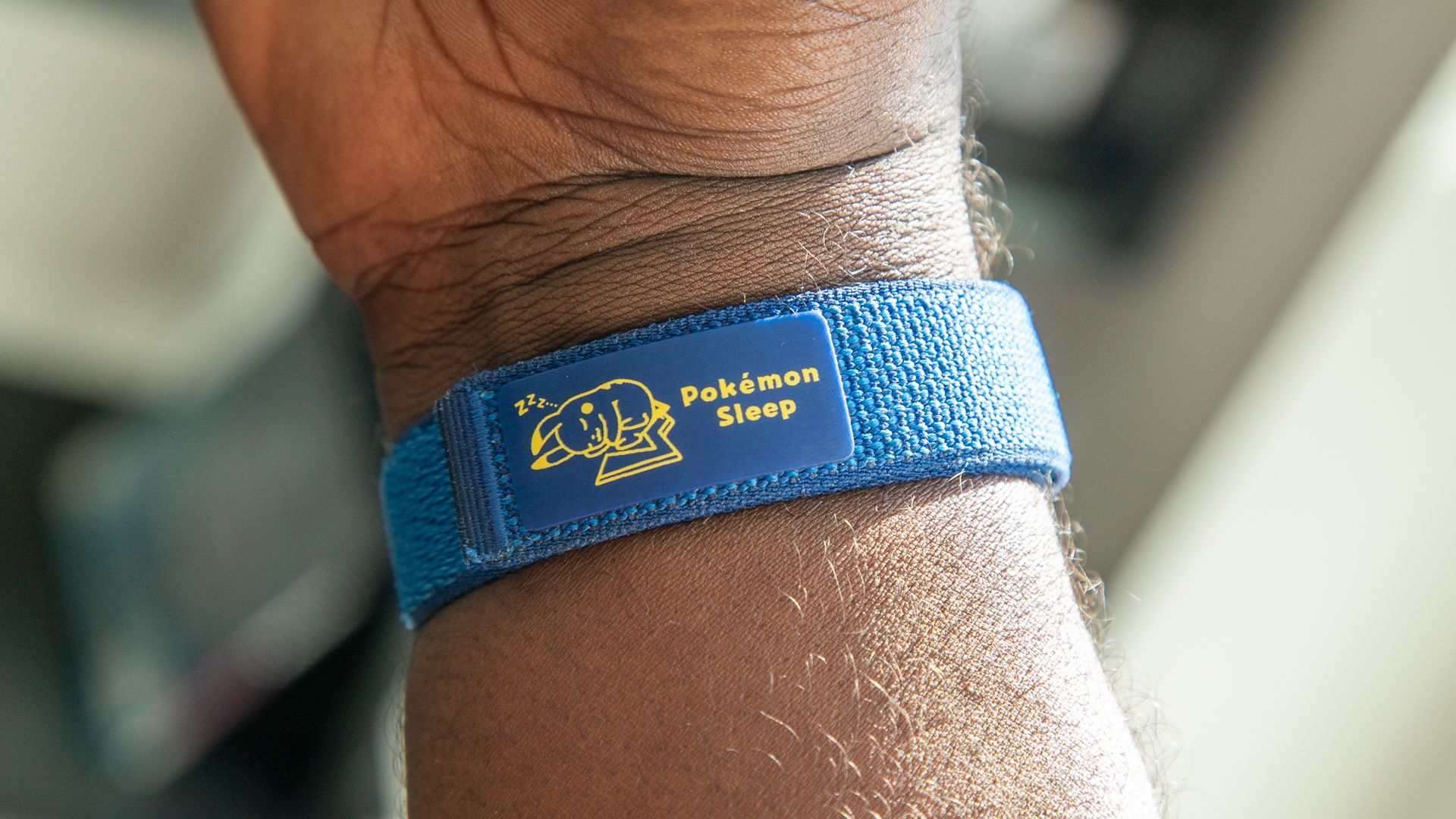
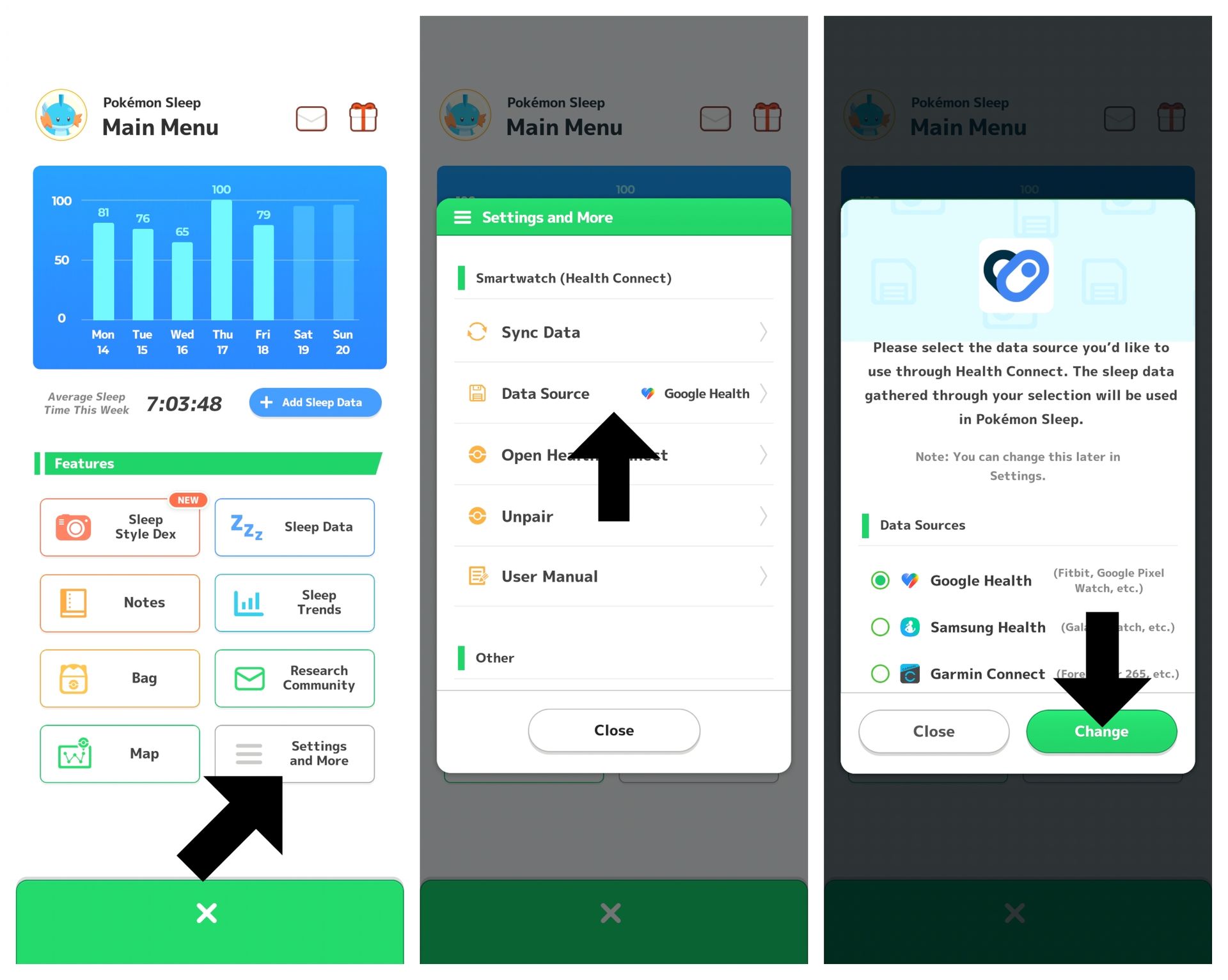
If you're just setting up Pokemon Sleep, you should be able to follow the setup process to get Google Health as your sleep source. You can only choose one, and your options include Google Health, Samsung Health (for Galaxy Watches), and Garmin Connect (for Garmin Watches).
If you're already using another source to track your sleep, changing it to Google Health is relatively easy.
1. From the main menu, tap Settings and More.
2. Under Smartwatch (Health Connect), tap Data Source.
3. Tap Google Health, then tap Change to confirm.
Note: You can also tap the Sync/Settings button in the field view to change your data source. Make sure you've already synced any past sleep data, since changing the data source will leave it unsynced.
If the Fitbit Air is already set up in the Google Health app, you're good to go and ready to catch 'em all while you catch some z's!
It didn't take me very long to fall in love with the app after finally deciding to check it out. It's a fun, low-effort way to catch and interact with Pokemon, while also motivating you to get more consistent sleep (something I definitely need to get better at).
The Fitbit Air with the Special Edition Pokemon Sleep band is available now on the Google Store for $129.