Google Photos causes headaches: users say editing pictures makes the app 'unresponsive'
 What you need to know
- Pixel users say Google Photos is causing problems when editing images as it becomes "unresponsive."
- Many Pixel users on Reddit report similarities, as the app's UI options become useless despite the lack of an error message.
- Google responded to the thread; however, the suggested actions have not worked, and users have been encouraged to submit a proper bug report.
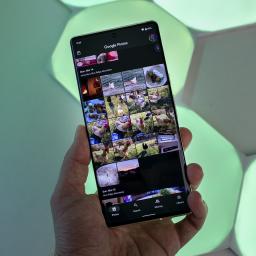
Pixel users are encountering a few frustrating issues late this week in Google Photos. They claim that certain actions make the entire app unresponsive.
Reports were spotted today (Sept. 25) on Reddit (via Android Authority). One report by a user with a Pixel 11 Pro XL says the app becomes unresponsive after editing a photo. In this particular instance, the user was cropping a photo of a newspaper. However, when they finished, they said, "the resulting photo becomes completely unresponsive to several actions." The user provided a video with their Reddit report.
It showed them trying to tap every button on the bottom nav bar: Share, Edit, and Trash. Nothing works. Tapping "Add To" brings up the folder menu, but that's hardly useful in this situation. They go on to say the app never surfaces an error message or a "loading indication." The app is simply stuck. This problem doesn't persist with other, unedited photos. This issue appears only after editing.
The thread is full of other users chiming in, too. Users with a Pixel 9 series device, Pixel 10, and Pixel 11 say the problem has occurred similarly to the original poster. One user said, "I did exactly what you did. Took a picture, edit, crop, save. Opened the photo gallery, none of the options are responsive."
Here's where things evolve. Google responded to the user's report, offering aid; however, nothing seems to have worked. The user states they've attempted their suggestions, as well as suggestions by Google support-nothing has worked. The user was then advised to file an official bug report, meaning this issue might require more attention.
Problems right after an updatePixel 11 Pro XL - Cropped photos become unresponsive in Google Photosfromr/pixel_phones
What's unclear is whether this problem is the result of the latest Google Photos update. We covered the huge app update yesterday, which brings Gemini Spark integration into the mix for Android users. Users can write a prompt to the AI, telling it the changes they'd like to be made. If people are lingering in the background, you can remove them and brighten those that matter. Another huge part of this update was "Moods."
Moods are new styles ("more than filters," per Google) that can give your photos a different feel. If you're going for a vintage aesthetic, there are Moods to choose from. What's more, Google introduced a new "redact pen" to help users blur sensitive details in images.
Since the issues have appeared late this week, it's unlikely that a fix will arrive so soon. We might have to deal with this for now until Google can apply a proper software update.