Google Maps can now turn your boring driving icon into a McLaren F1 car
- Google Maps has added a new McLaren F1 car that you can select as your driving avatar during navigation.
- The new avatar celebrates the United States Grand Prix and will only be available to select until November 23.
- You can find the McLaren F1 car under Settings > Your vehicles > Driving avatar in the Google Maps app.
Google Maps has added a new McLaren F1 car vehicle icon for users.
Google has allowed users to customize the vehicle icon in Maps for quite a while. The icon that appears during navigation used to be the standard blue arrow, but you can now customize its color or replace it with different vehicle types, including trucks and sports cars. And now, Google has added another option in collaboration with McLaren.
In the Google Maps app, if you head to your profile icon > Settings > Your vehicles > Driving avatar, you'll now see a new McLaren F1 car among the available options.
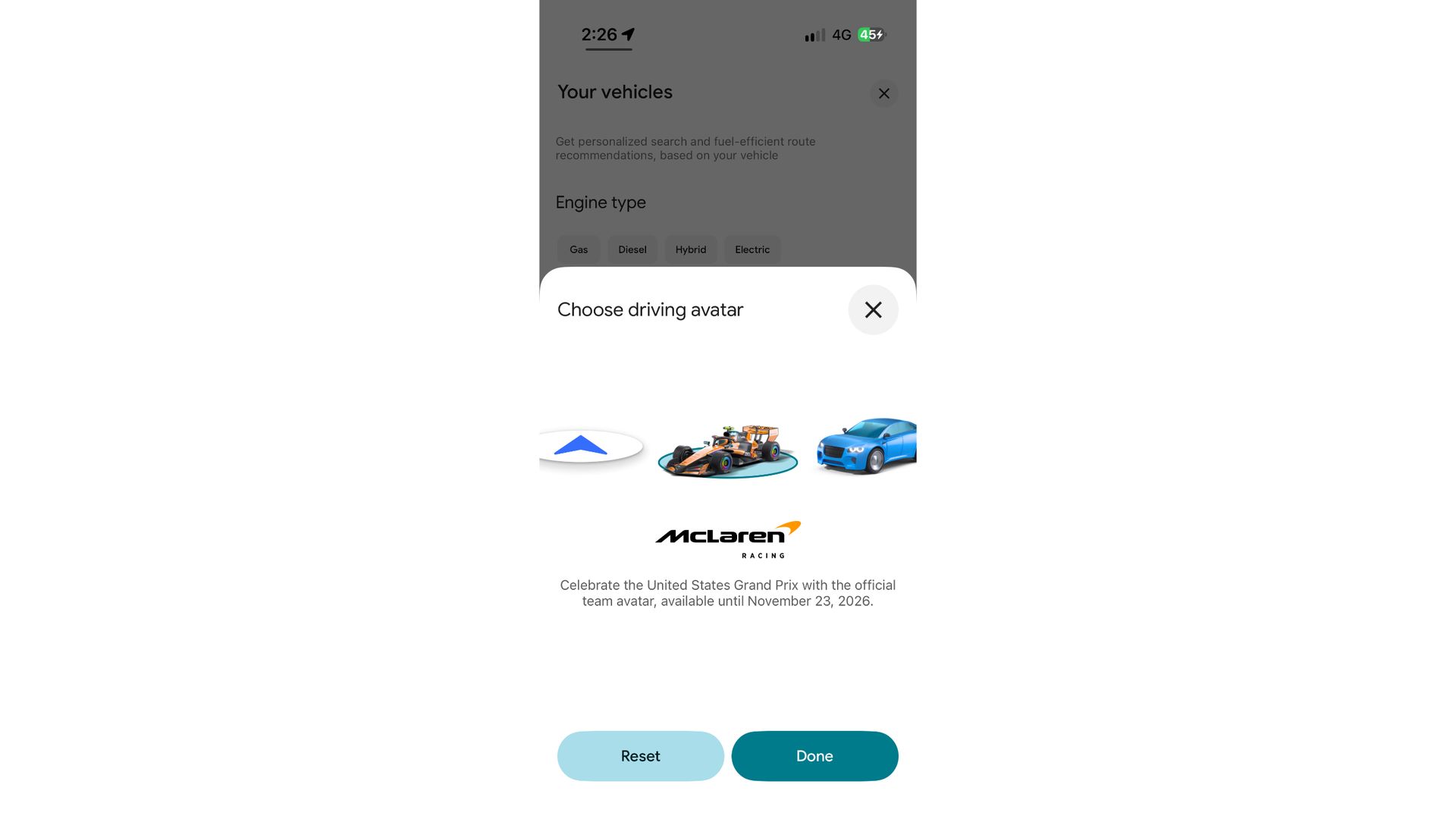
The icon looks quite close to the actual McLaren F1 car, and once selected, you can use it as your driving avatar in Google Maps. So, the next time you start turn-by-turn navigation, the usual vehicle icon will be replaced by the F1 car as you move around the map.
Google says the new avatar has been added to celebrate the United States Grand Prix and is only available for a limited time. You'll be able to select the McLaren F1 avatar until November 23, 2026, after which the option will presumably disappear.
I'm currently seeing the feature live in Google Maps on my iPhone Air, but it hasn't appeared on my Pixel 11 Pro just yet. Both devices are running the latest version of Google Maps, so this appears to be a server-side rollout rather than something tied to a particular app update.
If you don't see the McLaren F1 car on your Android phone yet, it may simply be worth checking again later as Google expands the rollout.