Samsung phones finally support Googlebook cross-device features
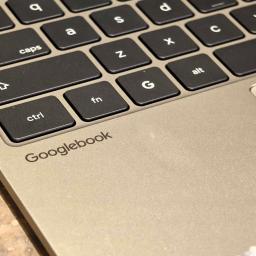 What you need to know
- Googlebook is finally adding Better Together support for Samsung Galaxy phones after leaving them out at launch.
- Samsung phones running One UI 9.0 based on Android 17 can access Continue On, Cast My Apps, Quick Access, and Notification Sync.
- A separate Google Play services update fixes a pairing bug that leaves the QR code onscreen after a successful connection.
Google is finally addressing one of the biggest issues with Googlebook at launch by bringing some of Googlebook's Better Together features to Samsung Galaxy phones and making the initial setup less frustrating.
The big draw for the Googlebook is its deep integration with your phone. You can stream mobile apps to the laptop, sync notifications, access phone files, and use Continue On to pick up supported activities on another device. However, Samsung users were left out when Googlebook launched, despite Samsung being one of the biggest names in the Android ecosystem. Google had promised support would come in the next few weeks.
The rollout, as revealed by Google's Mishaal Rahman on Reddit, is essentially a fix for a pairing bug, but Galaxy owners will need the right software versions before their phones can fully take advantage of the laptop's Android integration.
This update works with Samsung smartphones with One UI 9.0 based on Android 17. Supported features include Continue On, Cast My Apps, Quick Access, and Notification Sync.
Another separate update to Google Play services should make the setup process easier and fix an annoying bug that sometimes leaves the pairing QR code onscreen even after the phone has connected.
Google says the changes will be rolled out automatically in the coming days via updates through Google Play and background services. To get everything working sooner, make sure Google Play services is version 26.37 or newer and Cross-device services is version 1.0.1346 or newer. Both devices need to use the same Google account, with Bluetooth and Wi-Fi turned on.
Your network can make a difference too. Google recommends using a private home network because connections between devices may be blocked on public Wi-Fi networks at hotels, offices, and cafes. Disabling a VPN or DNS blocker temporarily can also help with pairing issues.
Early feedback indicates the rollout is already making a difference. Some Galaxy S26 Ultra owners have reported that app casting now works while others wait for compatibility on their devices.
The update is a welcome fix but also points to a problem with the launch of Googlebook: core features weren't ready for a large percentage of Android users. Samsung support would make the platform more convincing if Google can deliver a consistent experience across supported phones.