Razer Basilisk V4 Pro Review: Tried and true and now with AI
Razer has been updating its gaming mouse lineup systematically over the past two years, and it's finally the Basilisk's turn to get a real update. The last update we saw to the Basilisk line was the Basilisk V3 Pro 35K in October 2024, which was basically just the Basilisk V3 Pro with a new sensor.
The Basilisk isn't Razer's most popular gaming mouse line, but it is the more versatile, all-rounder line for people who aren't chasing performance above all else. The Basilisk V4 Pro maintains the general design of its predecessor - a contoured, right-handed gaming mouse with bright RGB lighting and a handful of extra buttons, for the serious gamer who isn't trying to break esports records. It features Razer's newest Focus Pro 50K optical sensor, gen-4 optical mouse switches, and up to an 8,000 Hz polling rate, plus multiple forms of connectivity and up to 200 hours of battery life (over 2.4GHz at 1,000 Hz).
It is admittedly pricey, like all of Razer's flagship mice, at $169.99 for both colorways (black and white), and it launched with Razer's Mouse Dock V2 Pro - which is sold separately for $69.99.
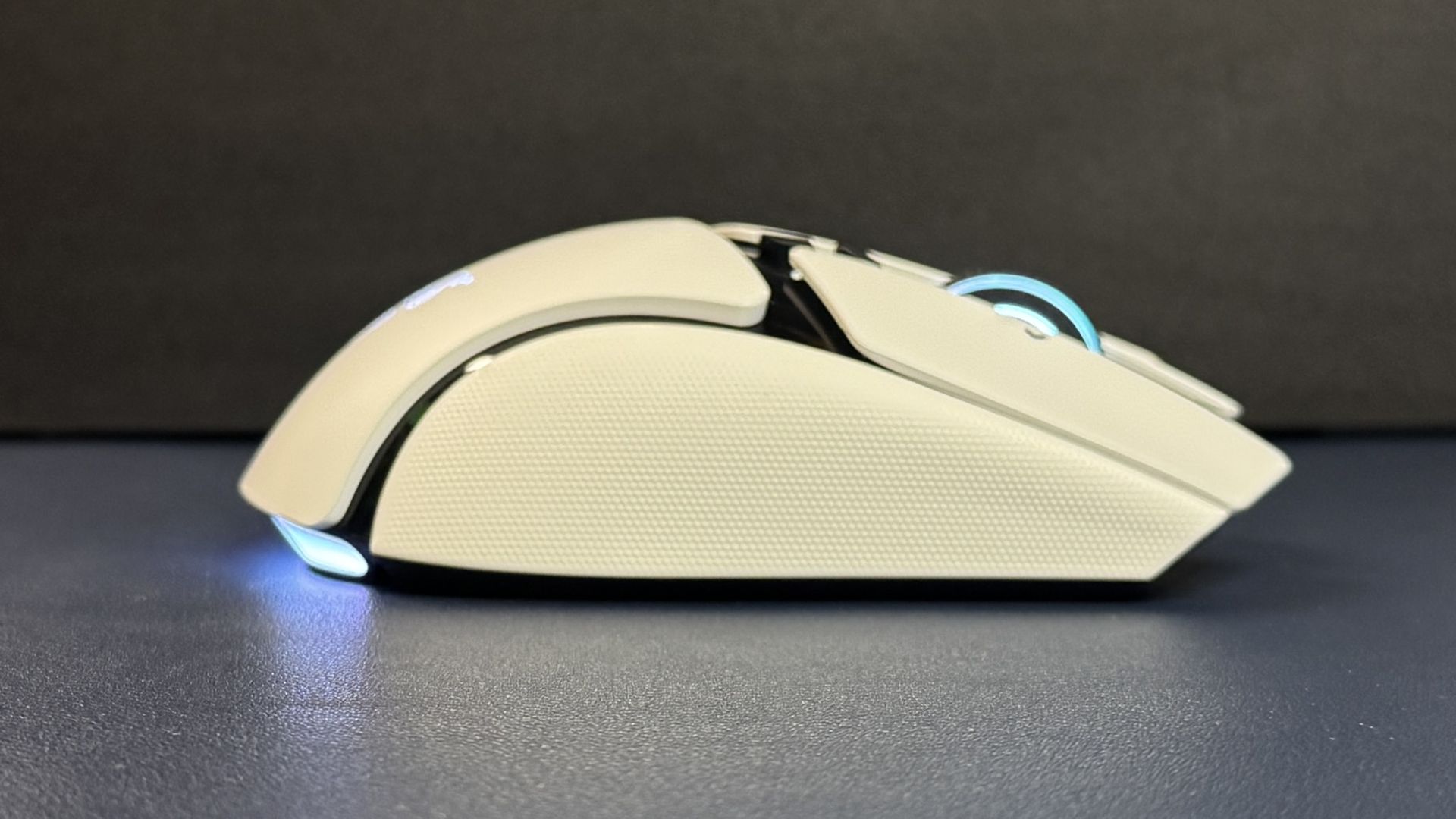
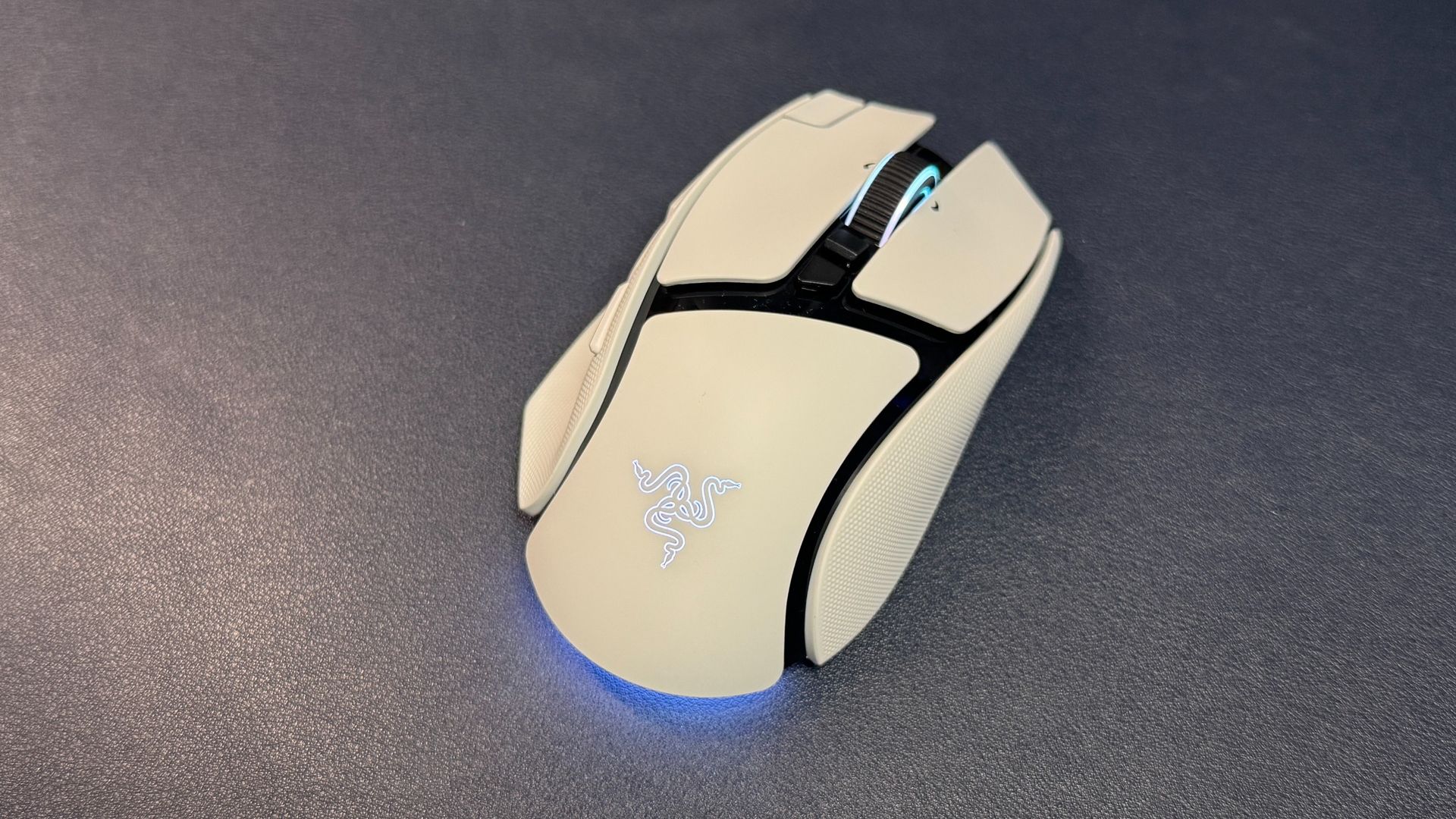
Design and Comfort of the Basilisk V4 ProFollowing in the footsteps of its other recent next-gen mouse launches, Razer has kept the design of the Basilisk V4 Pro largely the same. The Basilisk V4 Pro has basically the same size and shape as its predecessor - it has a right-handed ergonomic shape with a contoured thumb rest and a hump that sits slightly back and to the left. It has large primary mouse buttons with shallow finger grooves, and a slight contour on its outer edge that makes it relatively easy to pick up and move.
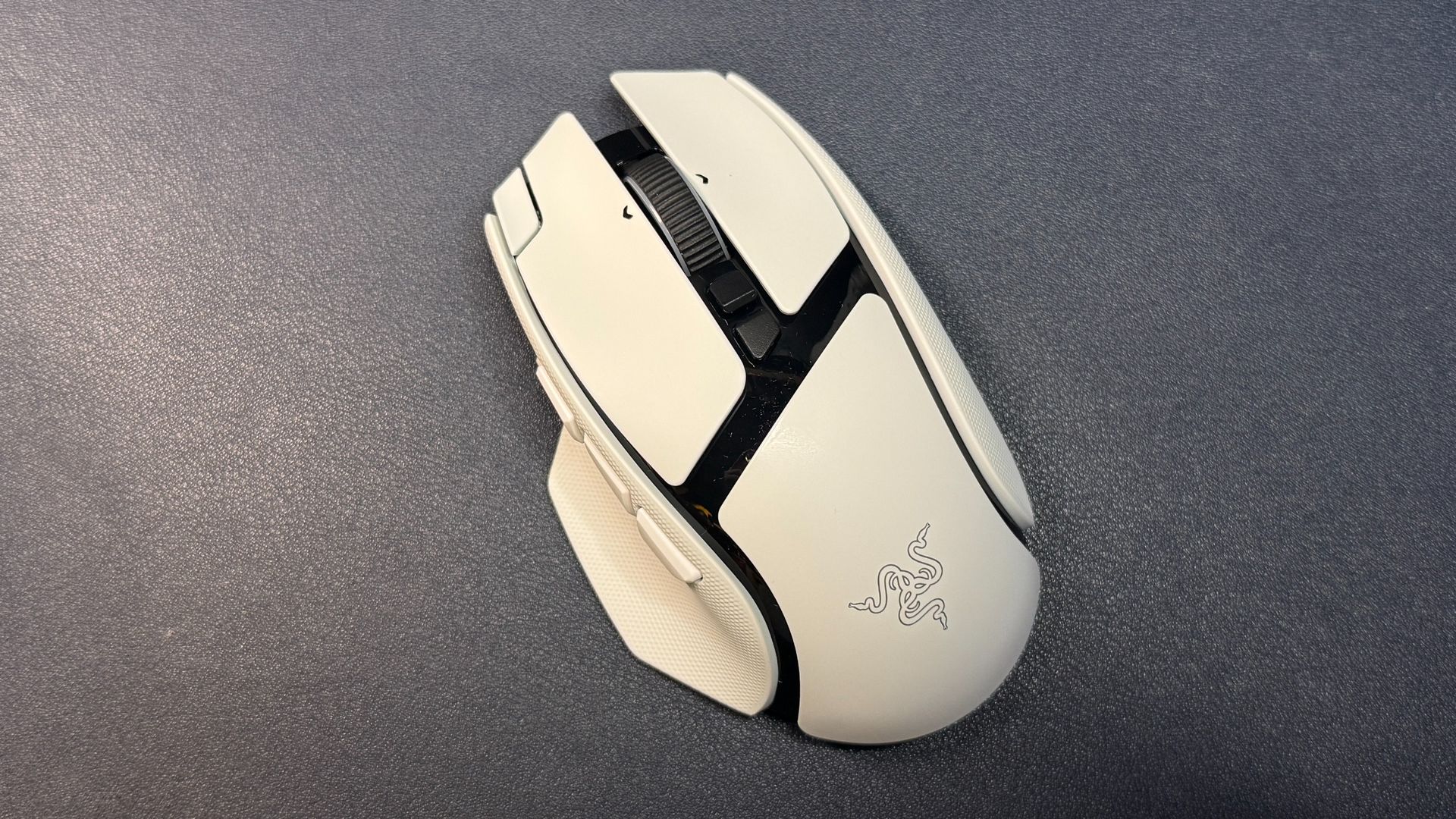
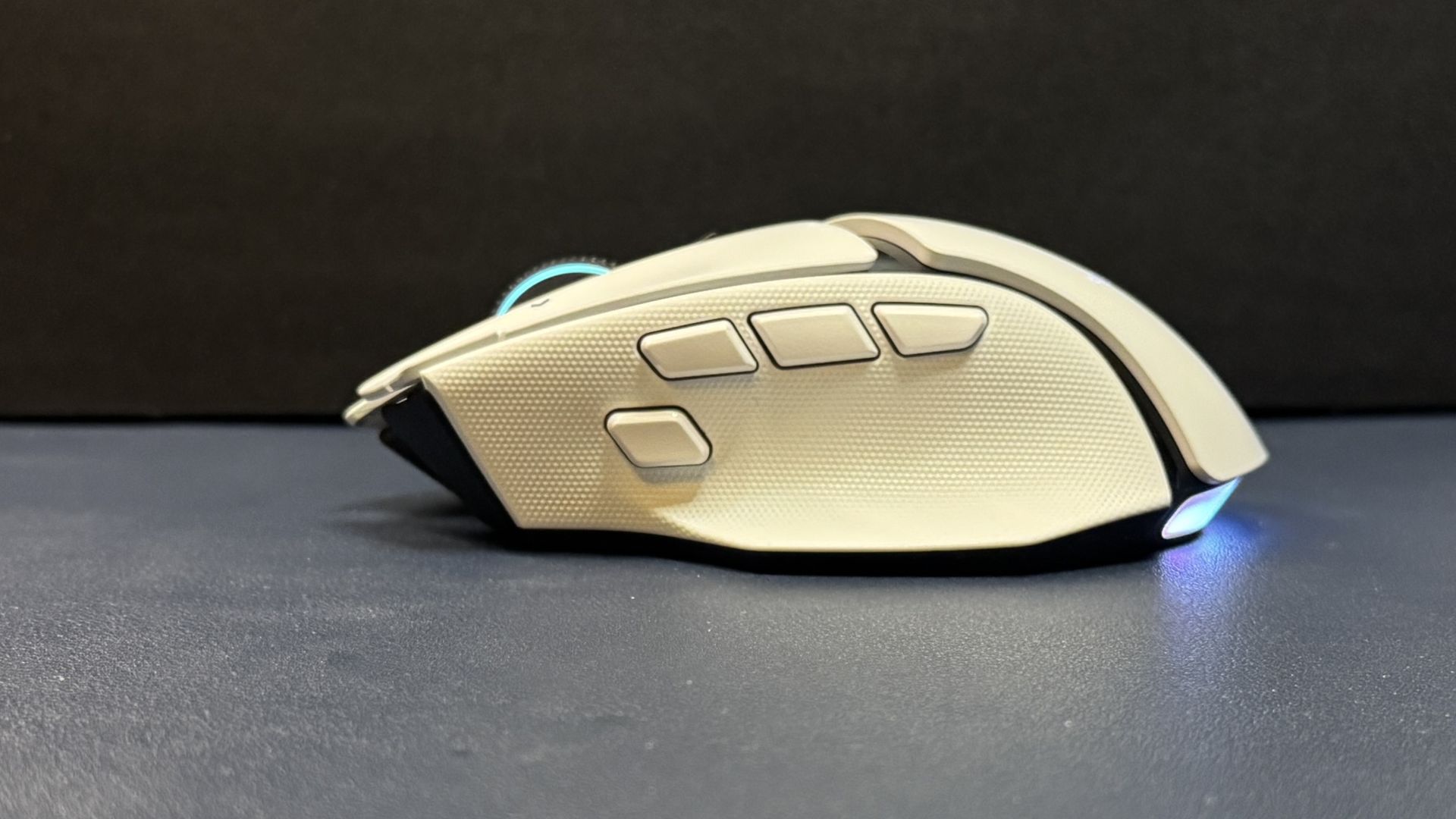
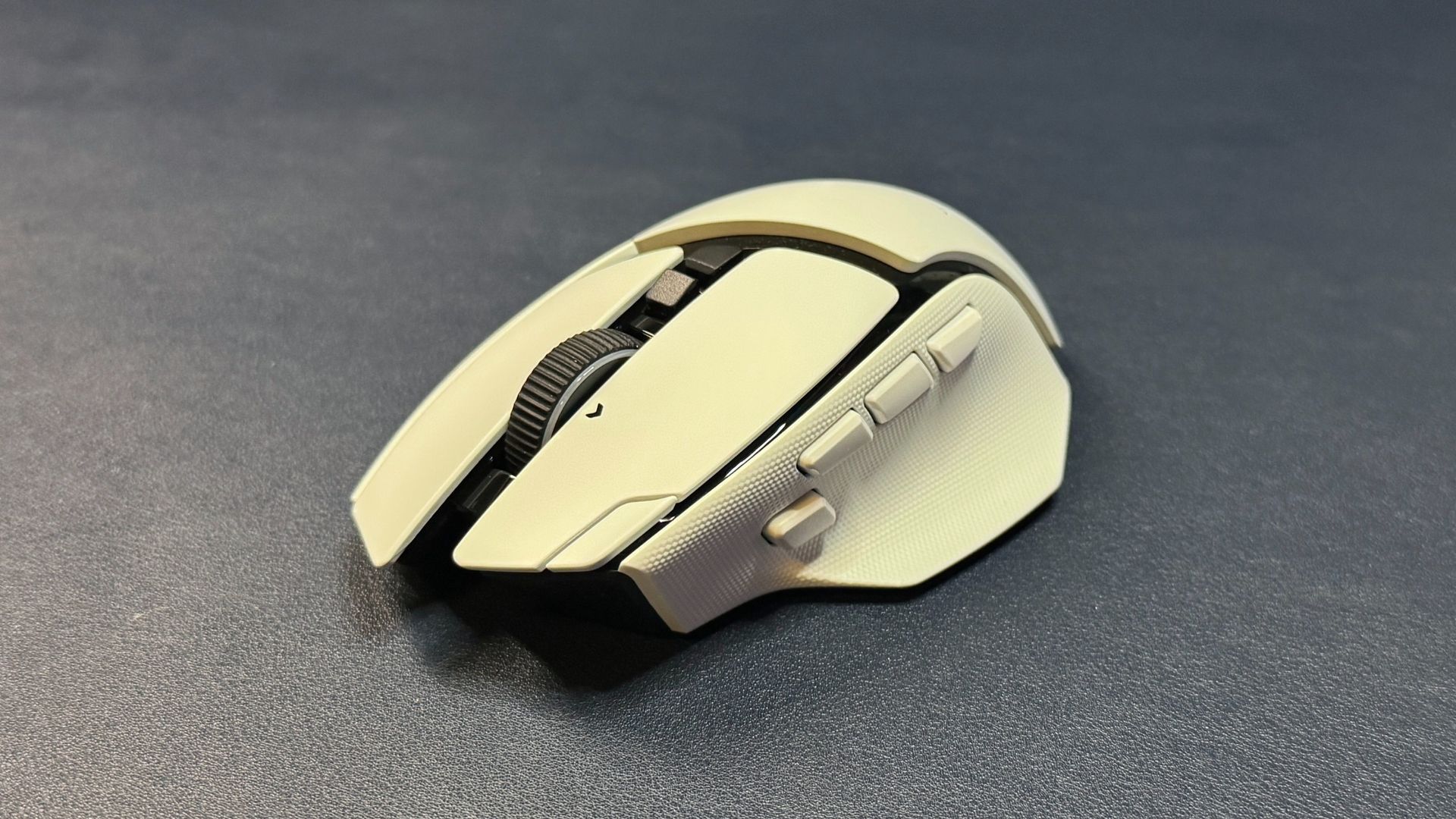
It's not exactly the same as the V3 Pro, however. The V4 Pro has two new buttons, for a total of 12 programmable buttons on the mouse: the left and right primary buttons, three thumb buttons (instead of the usual two) and a trigger button in the thumb groove, a clickable tilt wheel (three "buttons" - center click and left/right click), two buttons above the tilt wheel, and an extra button on the left side of the left mouse button. The third thumb button and the extra button on the left mouse button are the new ones; the third thumb button sits in front of the first two and is set to open up Razer's AI prompt by default, while the extra button on the left mouse button is set to switch through profiles by default.
 Tom's Hardware
 Tom's Hardware
 Tom's Hardware
I'm... actually not a big fan of the new buttons. Or, well, I don't really think they're necessary - the Basilisk already had plenty of buttons for a mouse that's not all about having buttons, and I don't really see myself incorporating these new buttons into my workflow in the near future. The extra button on the left mouse button is a little too far forward - this is a very long mouse (it measures 5.02 inches / 127.5mm long), and the extra button is right at the front edge. I have medium-sized hands and relatively long fingers, and the button felt too far for me to press comfortably. It's not a big deal if you plan to leave it set as a profile switch button (which are often located on the bottom of mice), but it's not really viable as a real extra button.
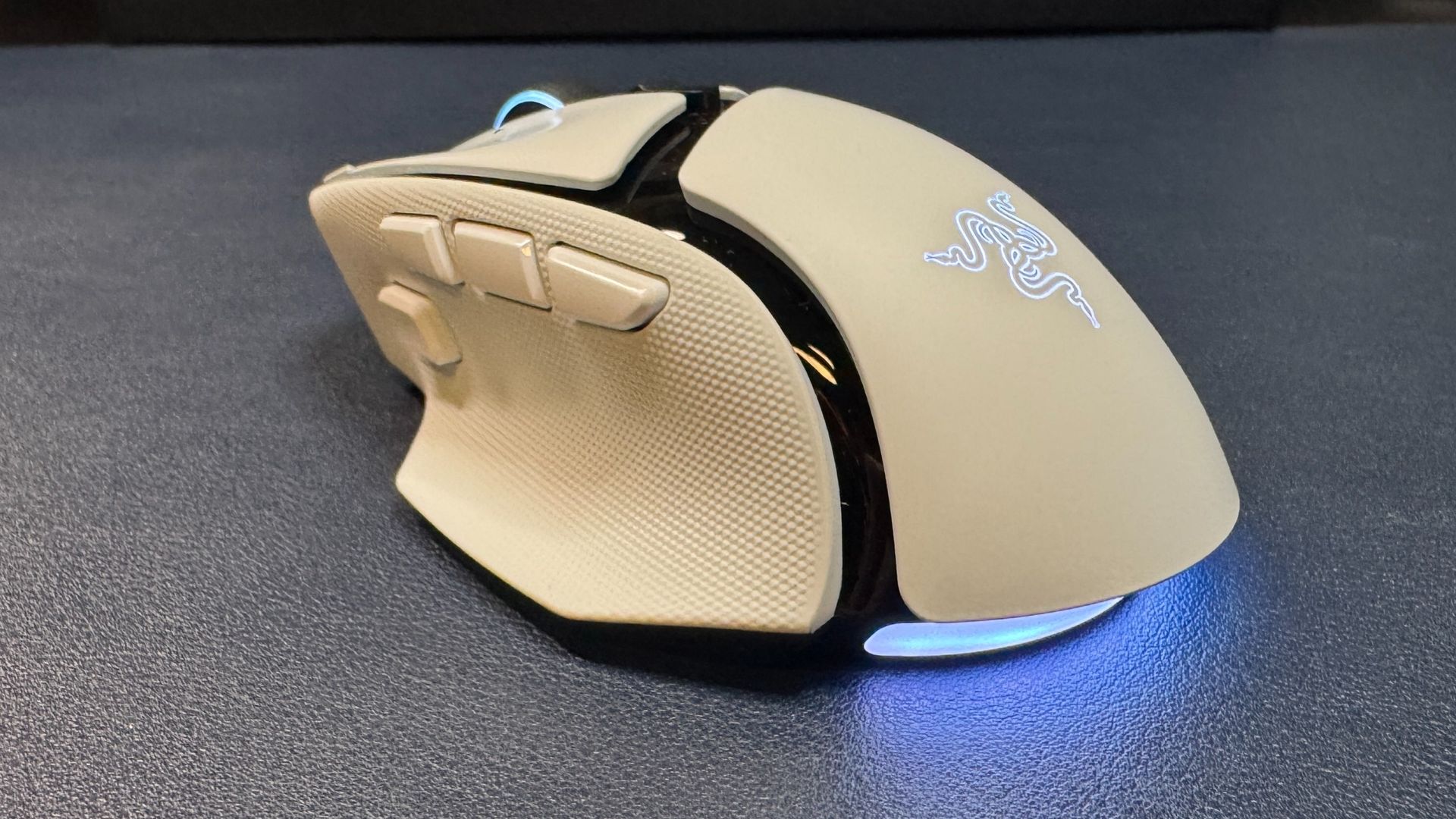
Worse, however, is the location of the third thumb button - the AI prompt button - which is located in line with the other two thumb buttons. I generally have no issue with three rows of thumb buttons, as my daily driver is the Razer Naga V3 Pro, but this new AI button is the same size as the other thumb buttons and it pushes everything back a little. This puts the first thumb button (MB4) back too far to press comfortably (and that's a mouse button I use often). And while you can swap the buttons around, the AI prompt button is slightly too far forward. Basically, there are now three buttons where there should be only two, and they all feel slightly off.
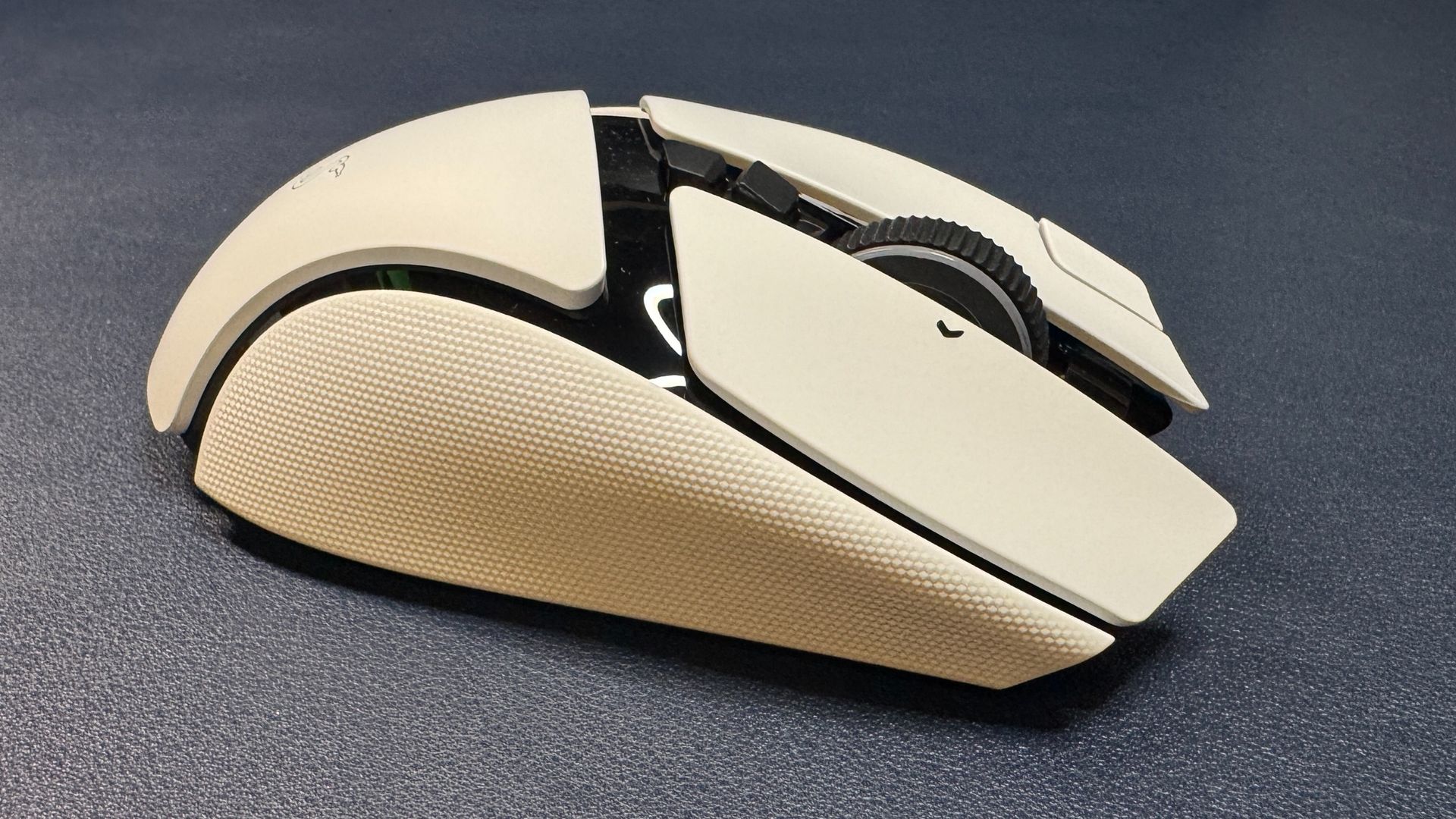
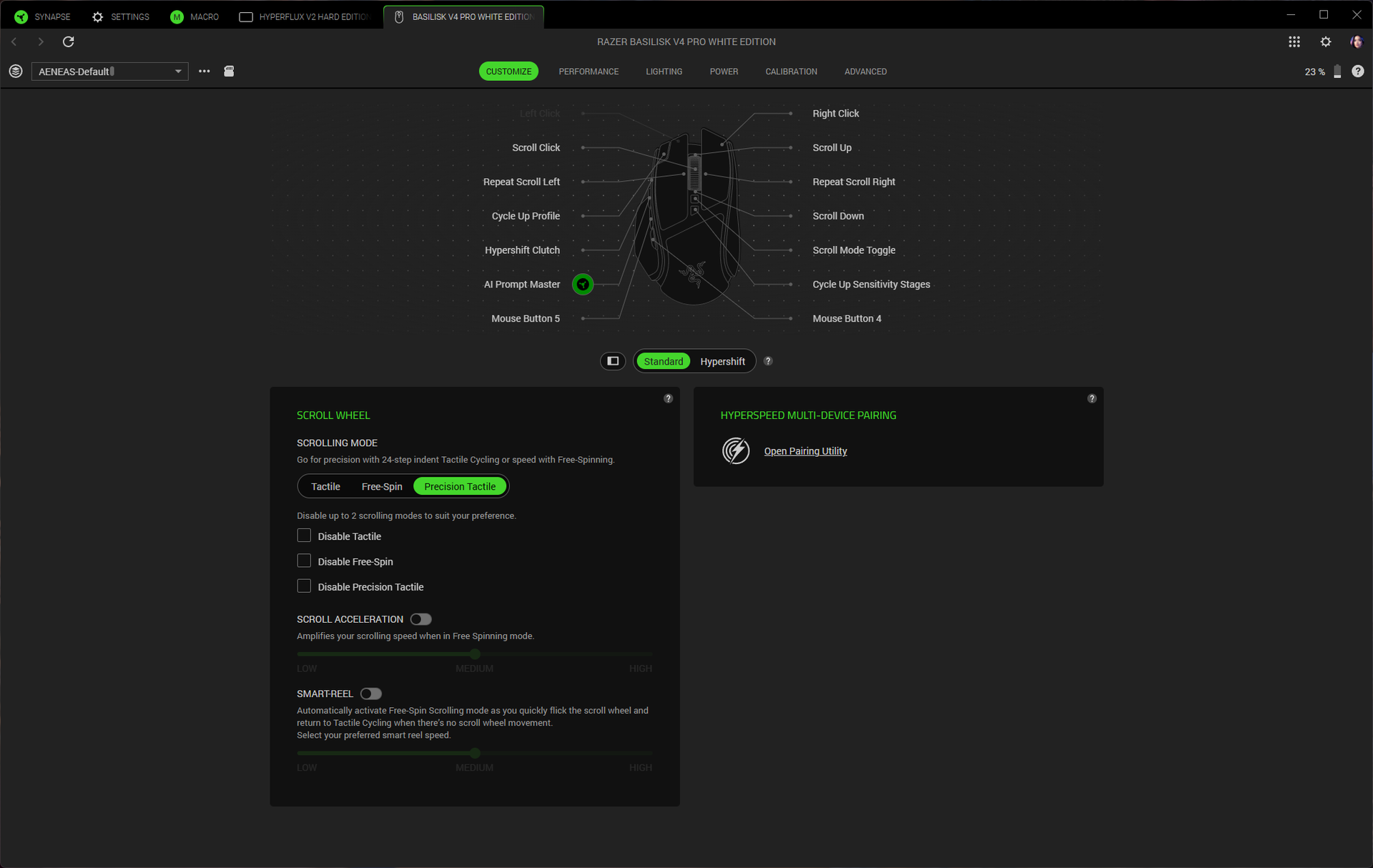
The tilt wheel has three different modes you can switch through with the button right above it: two tactile modes (24 and 48 steps), and free-spin mode. I generally love free-spin mode, but the tilt wheel on the Basilisk V4 Pro is a little too sensitive and will backscroll if you even think about moving your finger near it. The precision-tactile scroll hits a great balance and feels great, however, so this didn't bother me too much.
 Tom's Hardware
 Tom's Hardware
The Basilisk V4 Pro comes in both black and white colorways; ours came in white, which has shiny black accents so it's a little more Stormtrooper than iPod. It has a smooth matte white body with dimpled rubber texturing for grip on both sides. While it's nice to have built-in side grips, I suspect they will wear down like the grips on the V3 Pro - and then you'll have to find or make your own grip tape, as the mouse comes with none. The mouse is roughly the same size as its predecessor, but it weighs less: the black version weighs 3.53 ounces (100g), which is almost half an ounce lighter than the V3 Pro 35K (3.95oz / 112g). It's not an ultralightweight mouse (or anywhere close), but the weight difference is noticeable and the mouse is definitely easier to pick up.
 Tom's Hardware
 Tom's Hardware
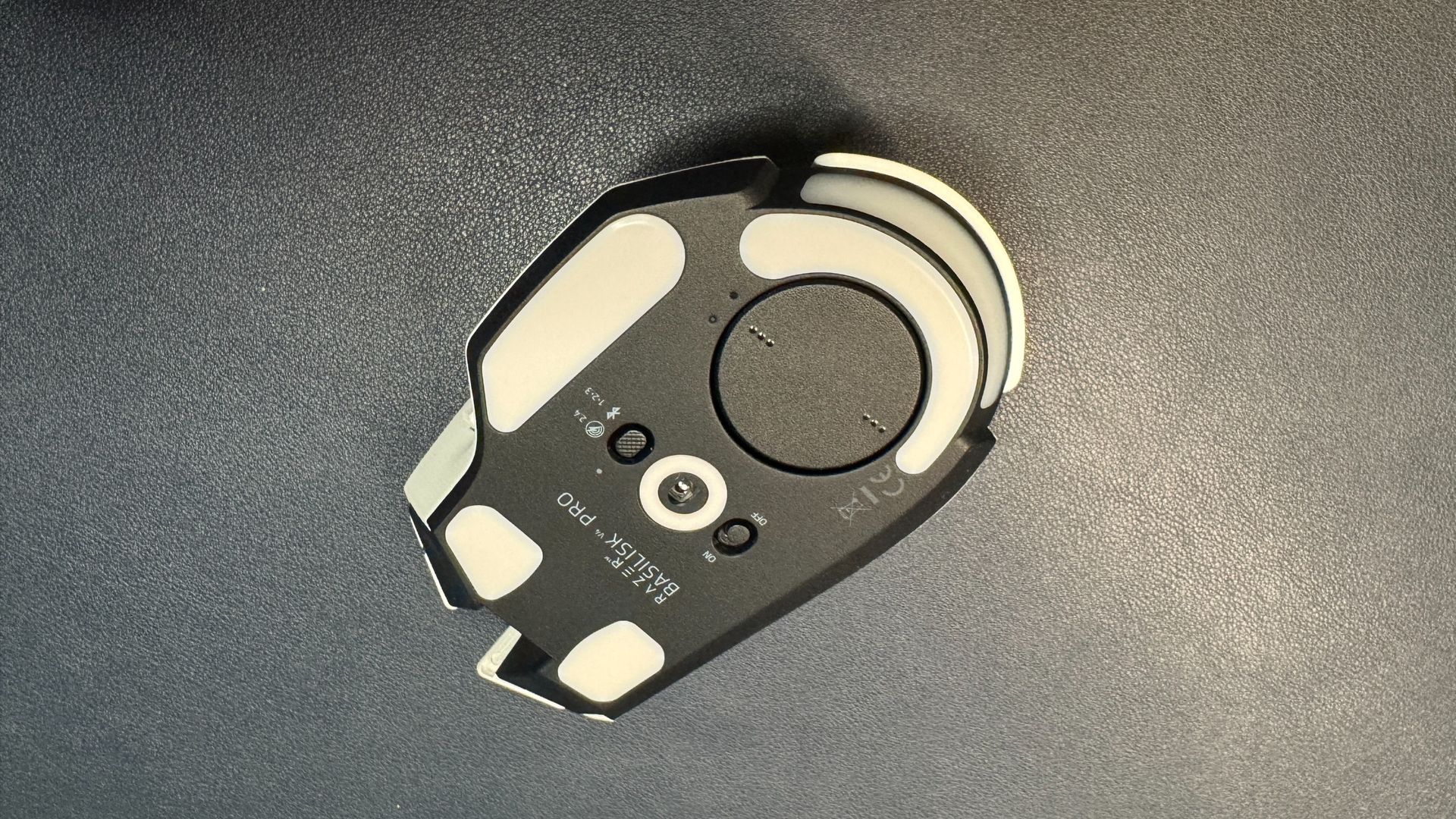
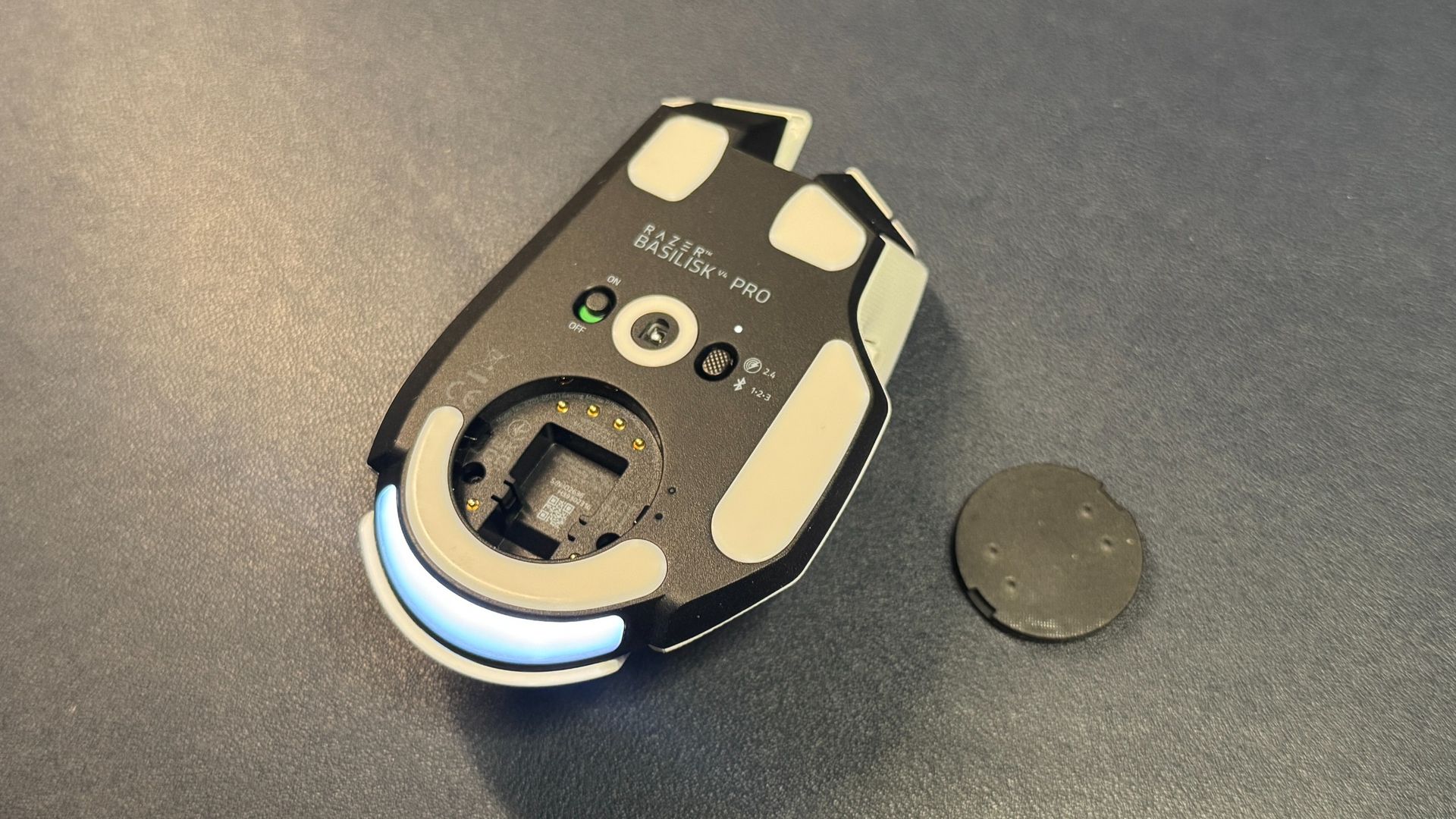
On the bottom of the mouse, you'll find pure PTFE feet - two near the front, a strip at the back, and a strip under the thumbrest, as well as a strip around the sensor, a power switch, and a connection switch button that is not programmable.
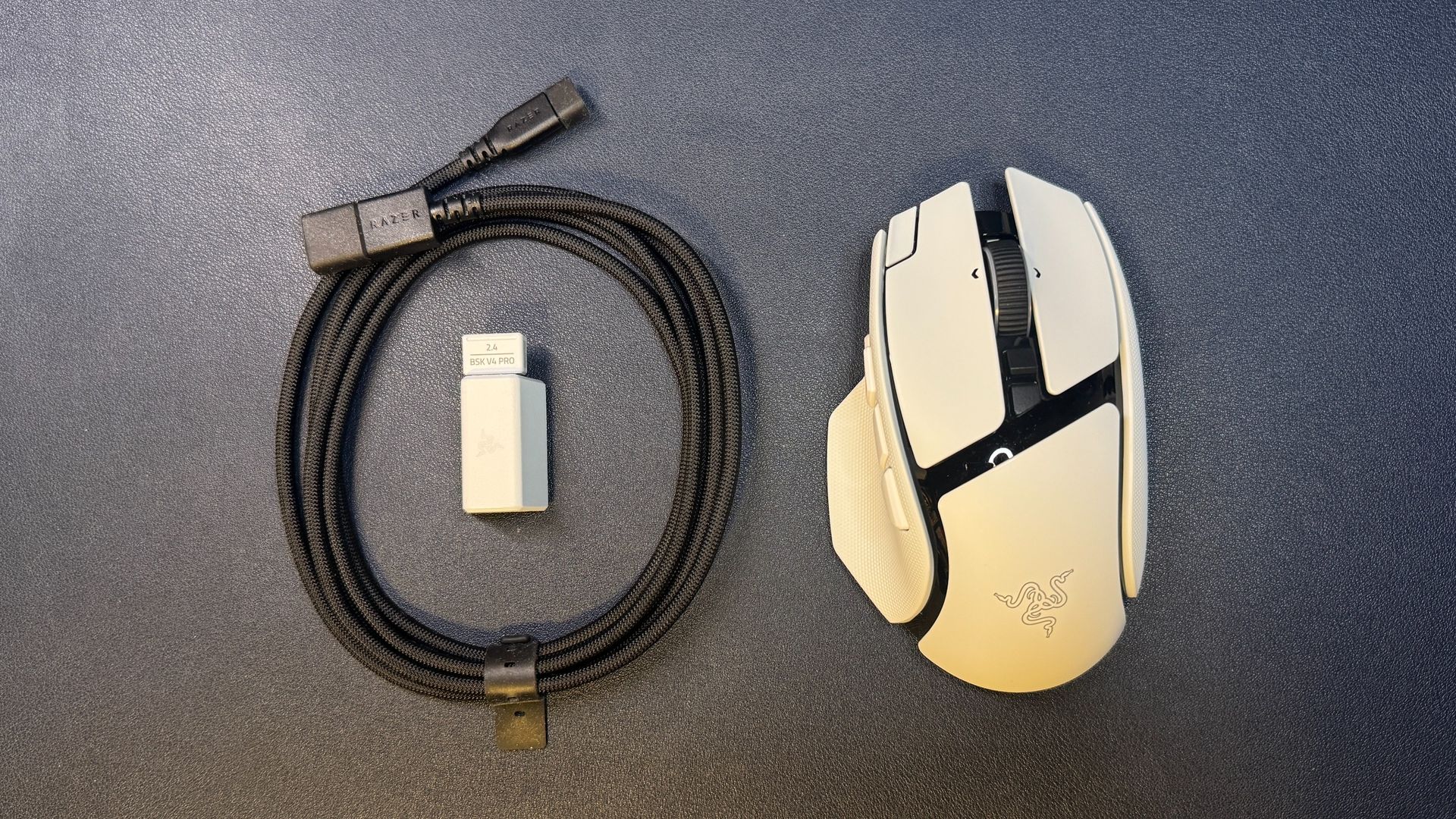
In the box, the Basilisk V4 Pro comes with a USB-A dongle, a USB-A to USB-C converter, and a 6-foot (2m) braided USB-C to USB-A cable. While the cable is braided, it is not one of Razer's flexible HyperFlex cables - it's meant for charging the mouse and plugging the dongle into your PC, not for using the mouse in its wired form.
SpecsSensor Model | Focus Pro 50K Gen-3 optical sensor |
Max Sensitivity | 50,000 DPI |
Max Speed (IPS) | 930 IPS |
Max Acceleration | 90 G |
Polling Rates | 8,000 / 4,000 / |
Programmable Buttons | 12 |
LED Zones | 7 |
Cable | USB-C to USB-A |
Connectivity | 2.4GHz wireless, Bluetooth, wired (USB-C) |
Measurements (L x W x H) | 5.02 x 2.98 x 1.68 inches / 127.5 x 75.8 x 42.5 mm |
Weight (excluding cable) | 100g |
MSRP / Price at Time of Review | $169.99 |
Release Date | Oct. 2026 |
The Basilisk V4 Pro sports Razer's latest optical sensor, which is the Focus Pro 50K Gen-3 optical sensor. It has a maximum resolution of 50,000 DPI and a maximum speed of 930 IPS, and it can handle up to 90 G's of force. This is the third Razer mouse to feature this sensor (others are the Viper V4 Pro and the Naga V3 Pro), and it's a solid sensor that works with Razer's dynamic sensitivity (the sensitivity can be set up to change based on how quickly you move your hand) and rotation tool in Synapse. It tracks well across just about every surface, including glass that's at least 4mm thick.
The Basilisk V4 Pro isn't an ultra-lightweight mouse, but its shape and grippiness mean it's pretty easy to pick up and move quickly if you're playing an FPS. The trigger button is right under your thumb, however, so you may accidentally trigger (haha) it if you have a tendency to pick up your mouse a lot. The Basilisk's shape isn't quite as natural-feeling as that of the DeathAdder V4 Pro, but it's a comfortable mouse for a variety of games - from multi-button-needing MMOs to competitive shooters (though, perhaps not for peak competition). While I still take issue with the placement of the new buttons, it is nice to have a few extra buttons without jumping straight to 19.
The Basilisk V4 Pro sports Razer's Gen-4 optical mouse switches, which are rated for over 100 million clicks. The switches have a nice, crisp sound that's not too loud (not as loud as Logitech's, anyway), though it's not a mouse for those trying to minimize mouse clickiness. The primary buttons have a solid, tactile feel, and I had no issues with misclicks or double-clicks while I was testing. While the tilt wheel's free-spin mode was too sensitive for me to get to work properly, I love the precision tactile mode - it blends speed and tactility perfectly.
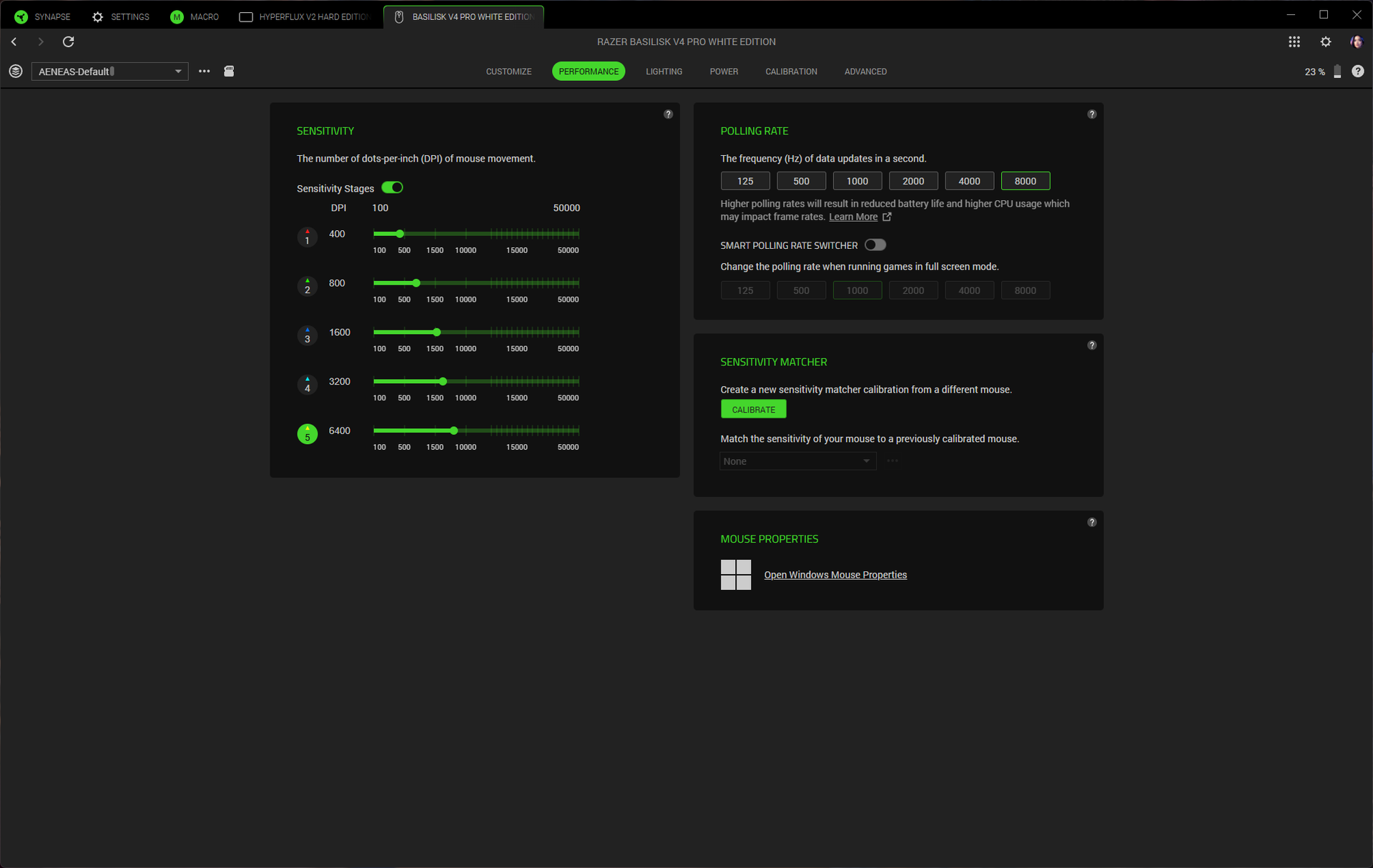
Features and Software of the Basilisk V4 ProThe Basilisk V4 Pro is programmable with Razer Synapse 4 (not Razer's web-based version of Synapse). You can use Synapse to remap the mouse's 12 programmable buttons (14 programmable controls, if you include scroll up/down; the connection switch button on the bottom of the mouse is not programmable). Synapse has a variety of remap options, as well as a built-in macro recorder / editor. Synapse is also where you'll be able to customize the mouse further by tweaking things like the scroll wheel, DPI stages, and surface calibration. There's also a sensitivity matcher that will match the Basilisk V4 Pro's sensitivity to match that of your old mouse.
 Tom's Hardware
 Tom's Hardware
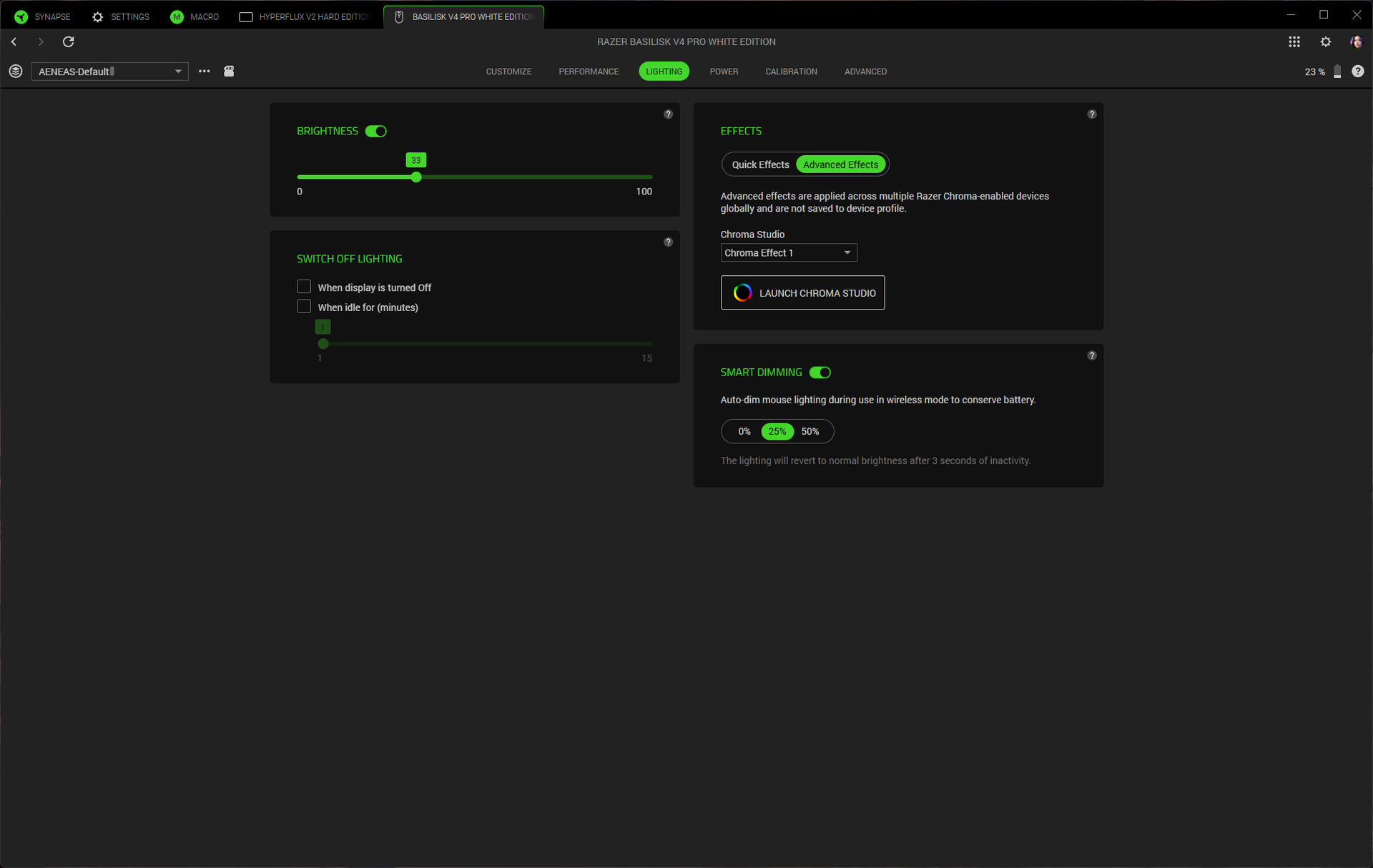 Tom's Hardware
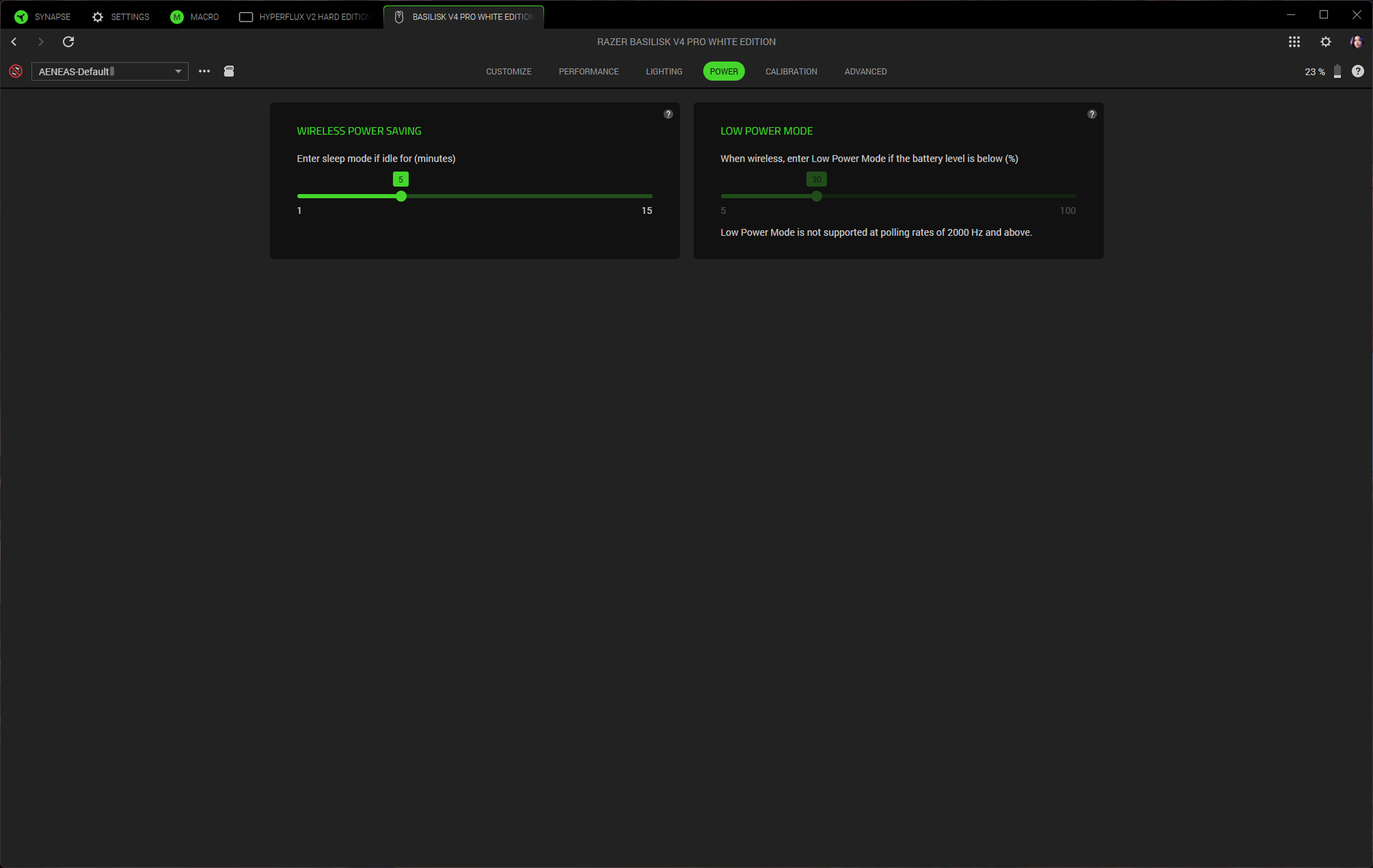 Tom's Hardware
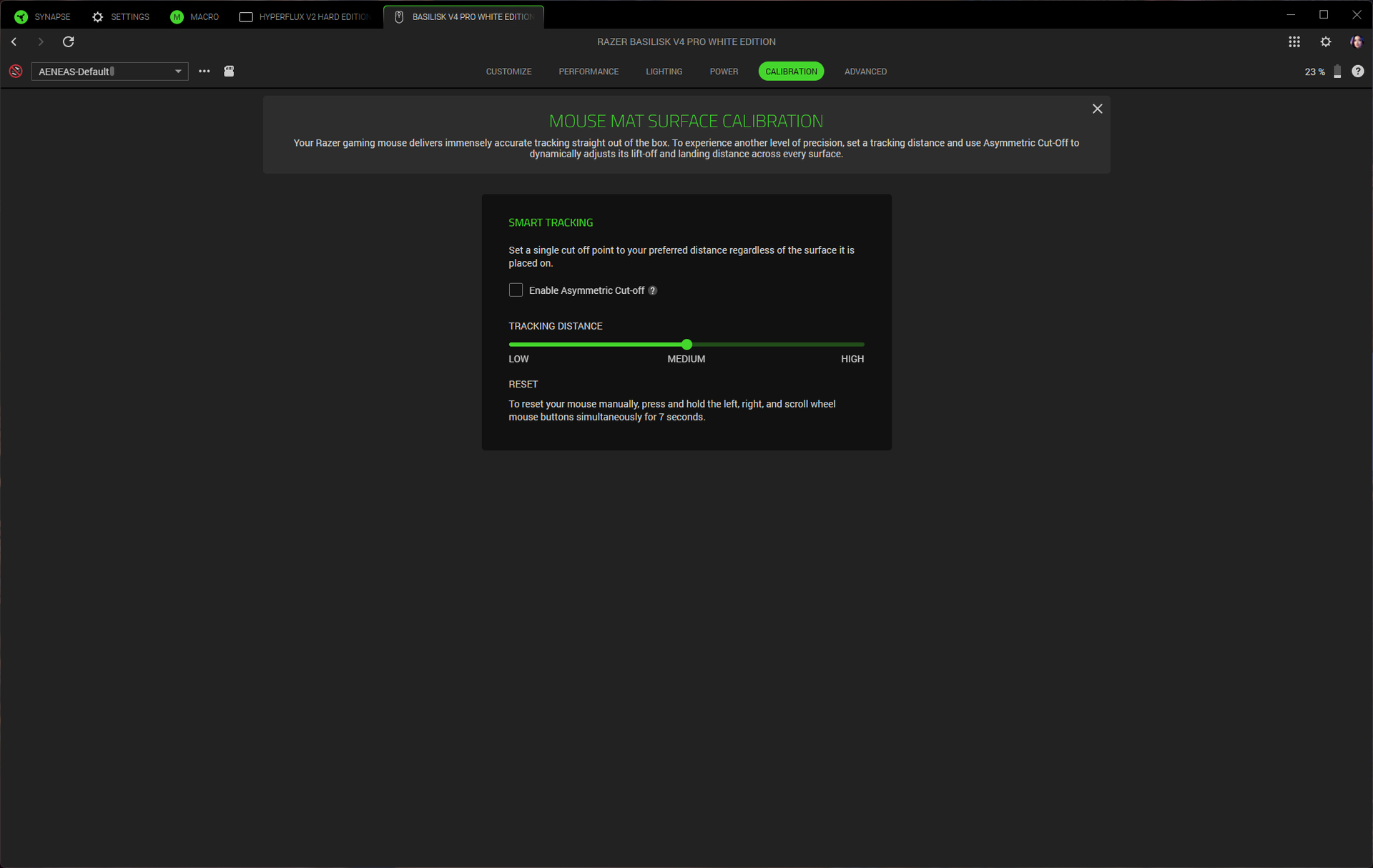 Tom's Hardware
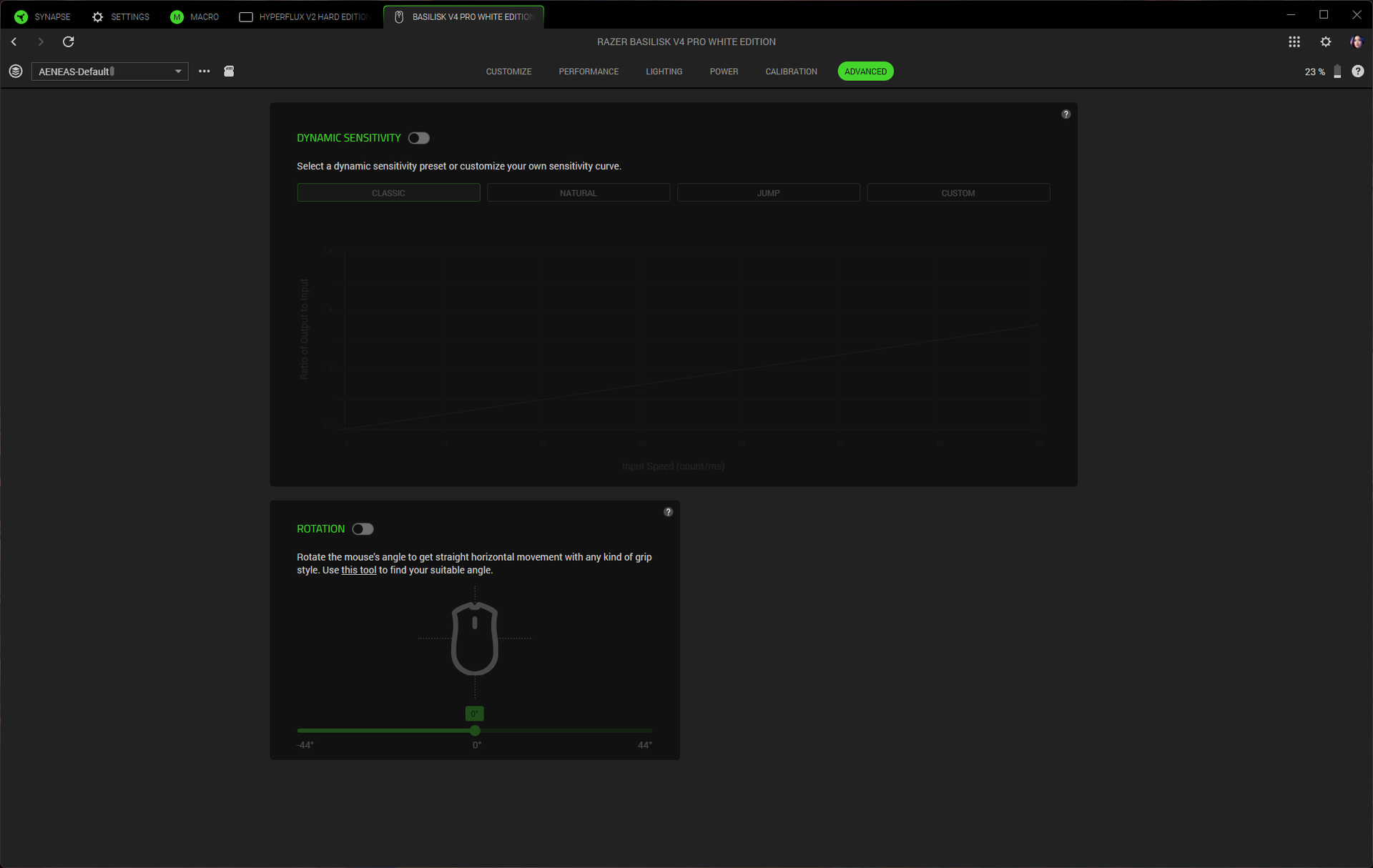 Tom's Hardware
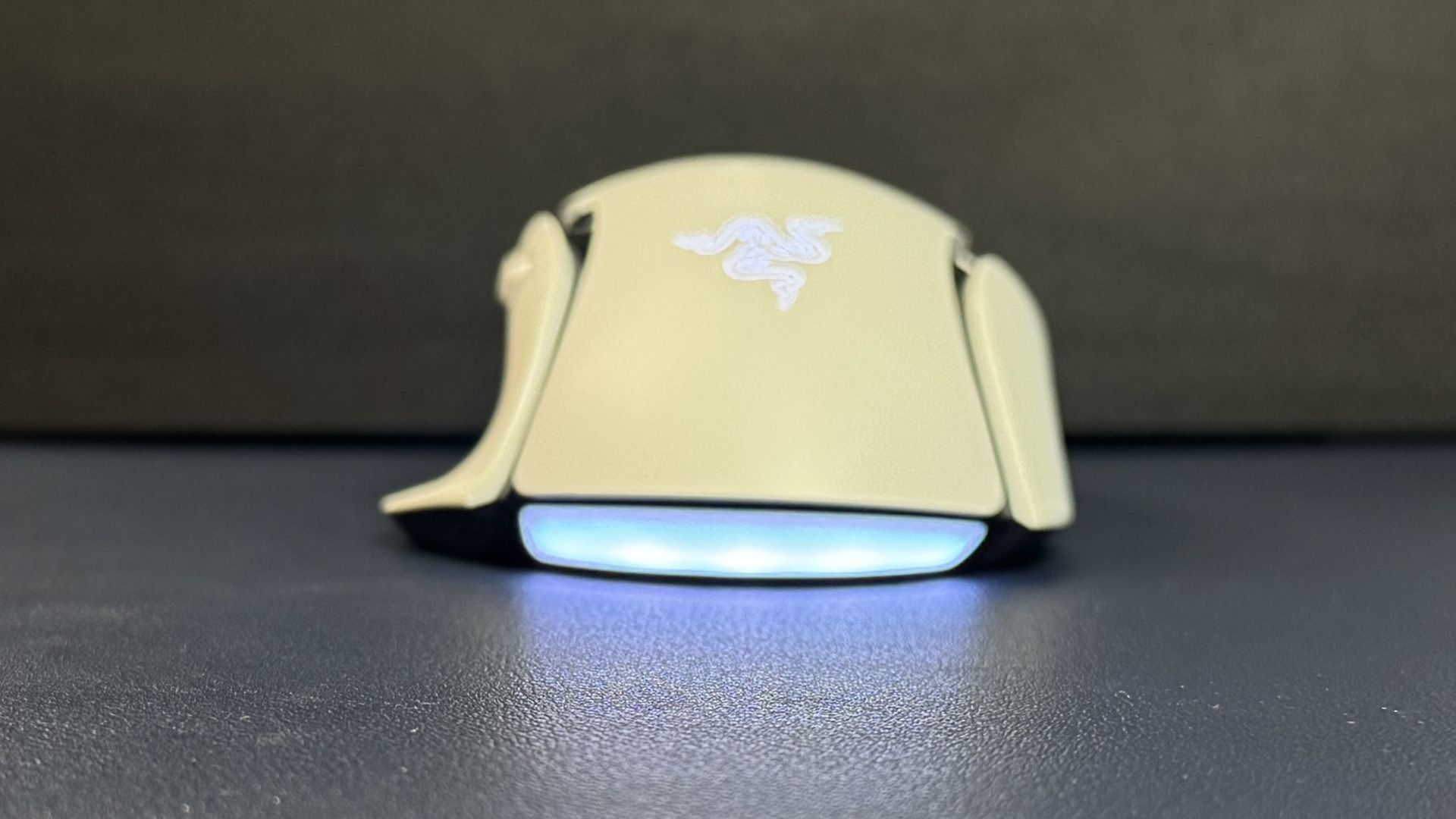
You can also use Razer's Chroma Studio to customize the mouse's lighting and sync it with games and/or your other Razer peripherals. The Basilisk V4 Pro has seven RGB lighting zones: a five-zone underglow strip along the bottom curve of the mouse, as well as one in the scroll wheel and one in the logo on the palm rest. The lighting is bright and the underglow's five zones blend nicely - the underglow strip is tilted outward so it's pretty visible when the mouse is just sitting on your desk.
Wireless Experience and Battery Life of the Basilisk V4 ProThe Basilisk V4 Pro has three forms of connectivity: 2.4GHz wireless, Bluetooth, and wired (via USB-C), though it doesn't really come with a mouse-ready USB-C cable. Razer rates it at 200 hours of battery life over a 2.4GHz wireless connection with a 1,000 Hz polling rate, which is excellent. This number does drop to 54 hours at an 8,000 Hz polling rate, which is... still pretty good, to be honest.
The Basilisk V4 Pro launched alongside Razer's Mouse Dock V2 Pro, which is a wireless charging dock with built-in RGB lighting and an integrated 8,000 Hz wireless receiver. The Mouse Dock V2 Pro is sold separately for $70, and comes with a wireless charging puck that slots into the bottom of the mouse. It sits on your desk (it's small - 3.28 x 2.2 x 1.71 inches / 83.5 x 56 x 43.5mm) and serves as a magnetic dock and wireless receiver for your mouse. It has eight RGB lighting zones around the base, and it lights up to indicate battery level (flashes red when the battery is low). It's made for the Basilisk V4 Pro and V4 HyperSpeed, but it will also work with the Basilisk V3 Pro 35K, the Basilisk V3 Pro, the Cobra Pro, the Cobra HyperSpeed, the Naga V3 Pro, and the Naga V2 Pro (up to 8,000 Hz polling rate for all except the Naga V2 Pro).
The Basilisk V4 Pro is also compatible with Razer's HyperFlux V2 charging mouse pad, but you'll need to connect to your PC via the mouse's dongle for 8,000 Hz polling.
Bottom LineThe Razer Basilisk V4 Pro is an expected update to the Basilisk V3 Pro / 35K. The bump in battery life, from 150 hours in the Basilisk V3 Pro 35K to 200 hours in the Basilisk V4 Pro, is very nice (and 54 hours with an 8,000 Hz polling rate isn't bad, either). While I didn't like the new buttons, I'm sure some people will (although I find it difficult to believe that every mouse and keyboard needs a dedicated AI prompt button), and the reduced weight feels good even if, at 100g, it's still nowhere near the ultra-lightweight category. The Basilisk V4 Pro is a great gaming mouse for gamers who want something a little more exciting and versatile than a DeathAdder V4 Pro, but not as button-heavy (or as heavy) as a Naga V3 Pro.