IQUNIX MQ80 low profile mechanical keyboard review
When it comes to mechanical keyboards, IQUNIX has always been ahead of the curve. Before COVID turned the mainstream onto mechanical keyboards, the company had already been releasing some of the best mechanical keyboards available, quietly making the case for PBT keycaps and premium materials that have since become the norm.
With a catalog of traditional mechanical keyboards under its belt, it's not surprising that the company would be ready to branch into new territory. It has the Hall Effect demographic covered with its EZ series, but the MQ80 goes another direction entirely. It takes all of the lessons the company learned about how to create an exceptional typing and gaming experience and compressed it. It's all aluminum, low profile, and offers some of the best-sounding keystrokes of its kind, but steep competition and poor portability hold it back from being the go-to pick it might otherwise be.
IQUNIX MQ80 SpecsNumber of Keys | 80 |
Switches | IQUNIX Rose Gold (Linear) |
Backlighting | Per-key RGB |
Onboard Storage | 4 Layers/Profiles |
Dedicated Media Keys | Fn Shortcuts |
Additional Ports | None |
Connectivity | USB, 2.4GHz, Bluetooth 5.1 |
Cable | Braided, 6 feet |
Keycaps | High purity PBT plastic |
Construction | Aluminum case, multilayer sound damping |
Software | VIA (web) |
Dimensions (LxWxH) | 12.64 x 4.90 x 0.41 - 1.08 inches |
Weight | 2.6 pounds (1180 grams) |
MSRP | $159.99 |
Release Date | February 25, 2025 |
The IQUNIX MQ80 breaks the mold for IQUNIX, but carries the same 75-percent layout as countless mechanical keyboards before it. The form factor is sometimes referred to as a Compact TKL," since it shares most of the same keys - minus the blank spaces in between. The result is a condensed slab of keys, including a full function row, arrow cluster, and seven navigation and editing keys.
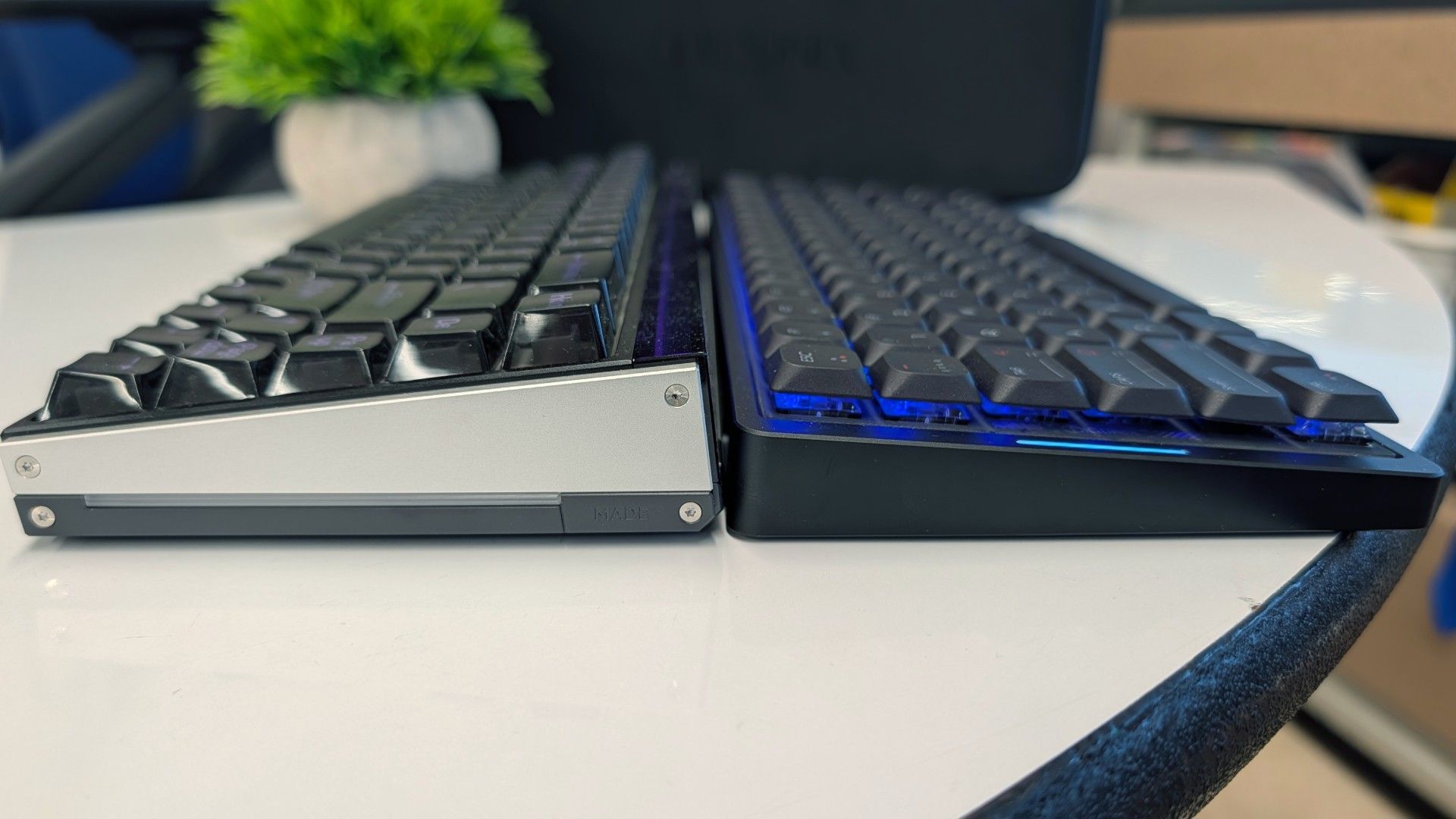
Nothing too out of the ordinary there, but the MQ80 marries that compact layout with an impressively low height of only 0.4 inches (10.8mm) at the front and 1.08 inches (27.5mm) in the rear. The keycaps are the same height across every row, and while they're scooped to keep your finger centered above the switch, they otherwise feel identical below the finger tip. This makes it an easy transition if you're coming from a laptop or Apple Magic Keyboard, but first-time LP users should be prepared for a learning curve.
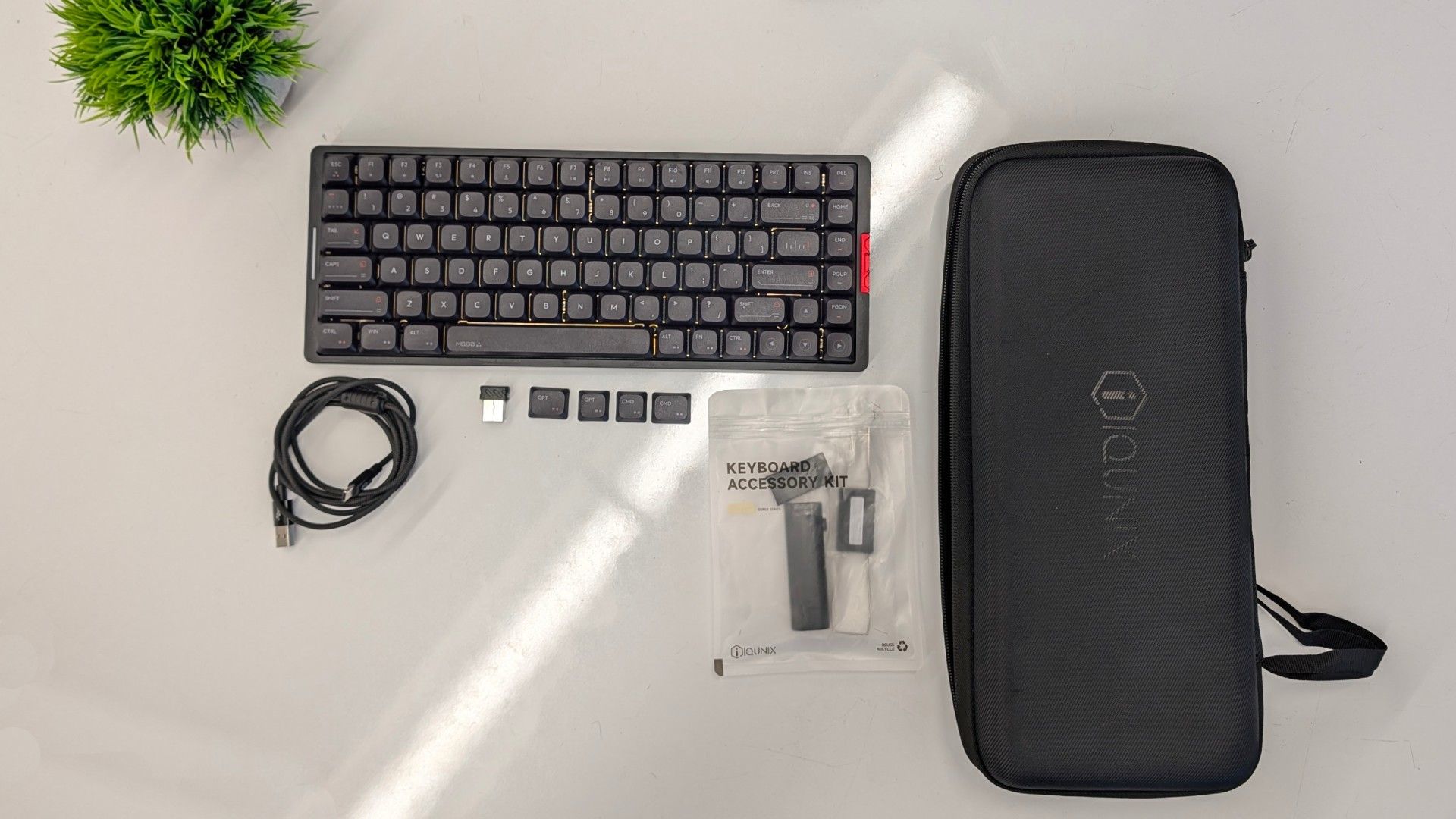
The keyboard is wireless and supports both 2.4GHz and Bluetooth 5.1 connections, as well as wired if you need to use it while it's recharging. It sports a 4,000 mAh battery which IQUNIX claims can sustain the keyboard for up to 350 hours. This is with the usual caveats of that being over Bluetooth with all of the lighting disabled, etc. etc. - but I was able to use it for close to two weeks between recharges, even with the lighting on.
The MQ80 is a bit of a curiosity, if I'm being honest. It's thin, yes, but it's certainly not light. It uses a heavy, CNC-milled aluminum case, just like the company's prior models and countless others aiming for that premium feel." It's a case study in how looks can be deceiving.
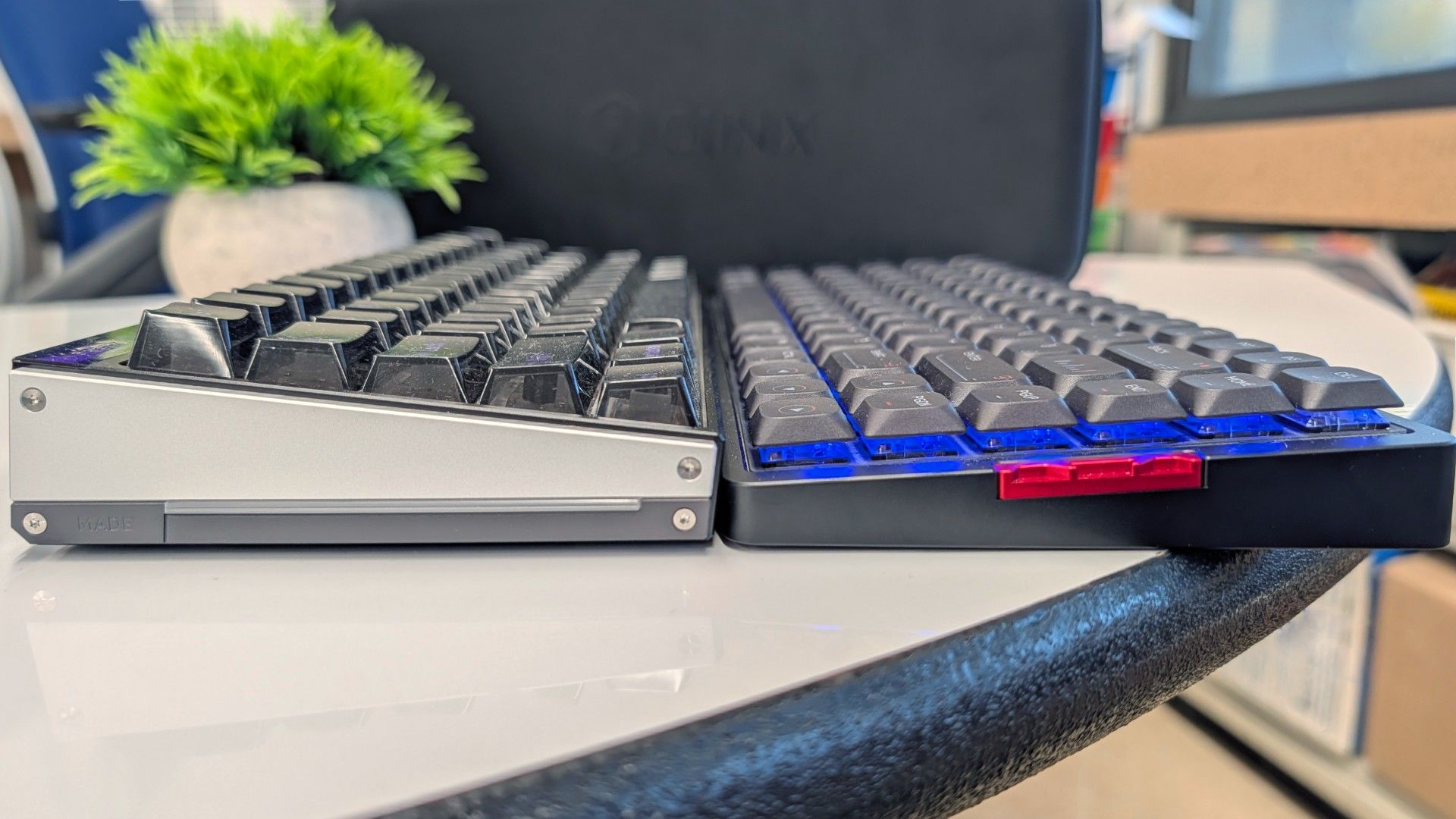
In fact, it has been a pretty common occurrence for people to comment on how surprising its weight is. The keyboard tips the scales at 2.6 pounds, which is around what you encounter with a full-size mechanical keyboard or nicer TKL. From a low profile keyboard that everyone assumes will be airy and effortless to carry around, it flies in the face of what you might expect.
So while technically, yes, it's a portable keyboard (IQUNIX even provides a nice hardshell carrying case to tote it around in), it's not one I could see most people wanting to carry every day. Instead, this seems designed to live on your desk, providing a solid option for fans of the profile who prefer to use it for all of their typing - not just on the go.
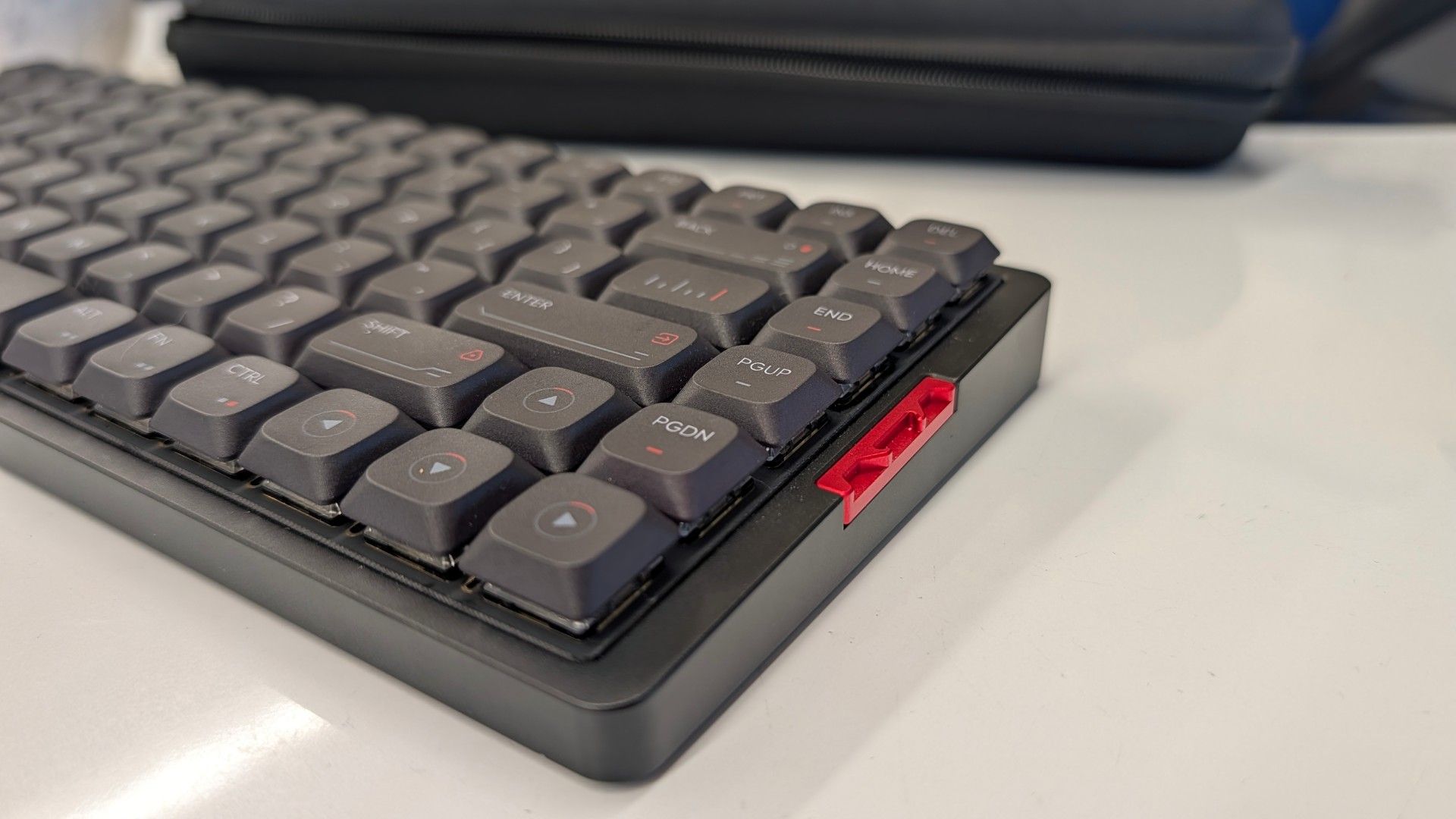
In typical IQUNIX fashion, the MQ80 is built to an enthusiast's standard. The case features intricate milling with plenty of small accents that lend it a vaguely cyberpunk impression. The keycaps feature colored legends and contrasting accents that complete its visual identity. The keyboard is available in white or black with keycaps to match, and both look fetching.
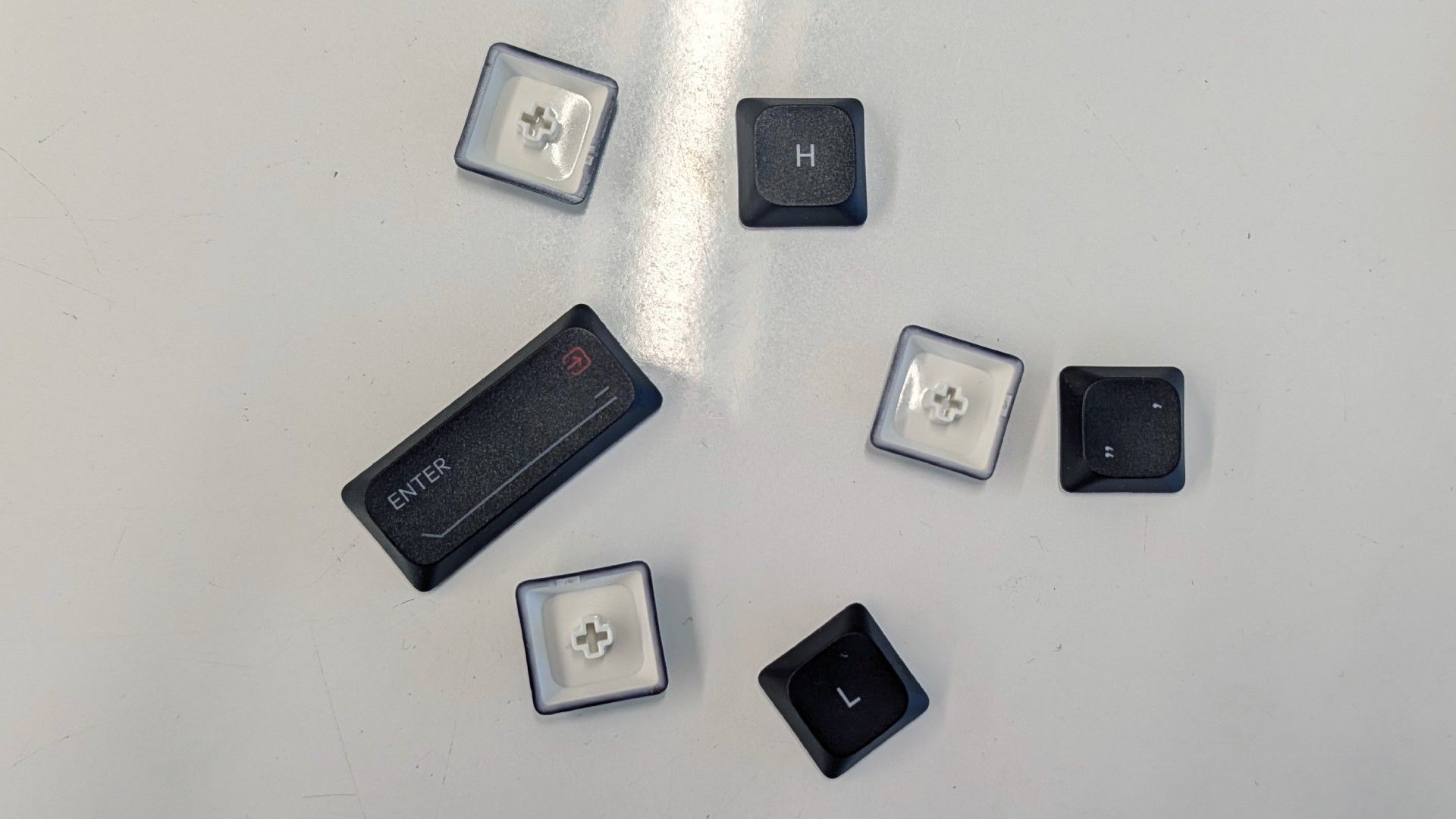
The keycaps are made of thick PBT plastic. They have a light texture to add some grip to your typing experience and use dye sublimated legends that won't chip or fade over time.
The switches below those keycaps are Kailh Rose Red, a lightweight linear switch with a 40g actuation force, 2.8mm of travel distance, and a 1.2mm actuation point. Despite their shortness, they offer 70% of the movement of a full-height switch. This makes them easier to transition to in how they feel to bottom out, but they still feel sensitive. This is a keyboard to use with a light touch or you'll find yourself with strings of single letters or running from cover before you mean to.
The switches are hot-swappable with any Kailh Choc V2 alternative, but there just aren't many options. Gateron has run away with the variety end of the low profile switch market, but you can swap them out if you're inclined to do so.
The keyboard features per-key RGB backlighting, customizable within the VIA web configurator or with shortcut keys. The keycaps aren't backlit, however, so it's not great for use in the dark if you aren't a touch typist.
The internal structure of the keyboard is where things get really interesting. The MQ80 came into the world following a run of pre-built custom keyboards IQUNIX produced under its SUPER product line. It pulled direct influence from the boutique, limited run, group buy custom keyboards popular on r/mechanicalkeyboards. All of those lessons come into play with the MQ80.
Beneath the keys lies a multi-layer assembly that makes even the best gaming keyboards look simple in comparison. It's an intentional system meant to filter and refine the sound and feel of every keystroke without the need to customize or adjust anything yourself.
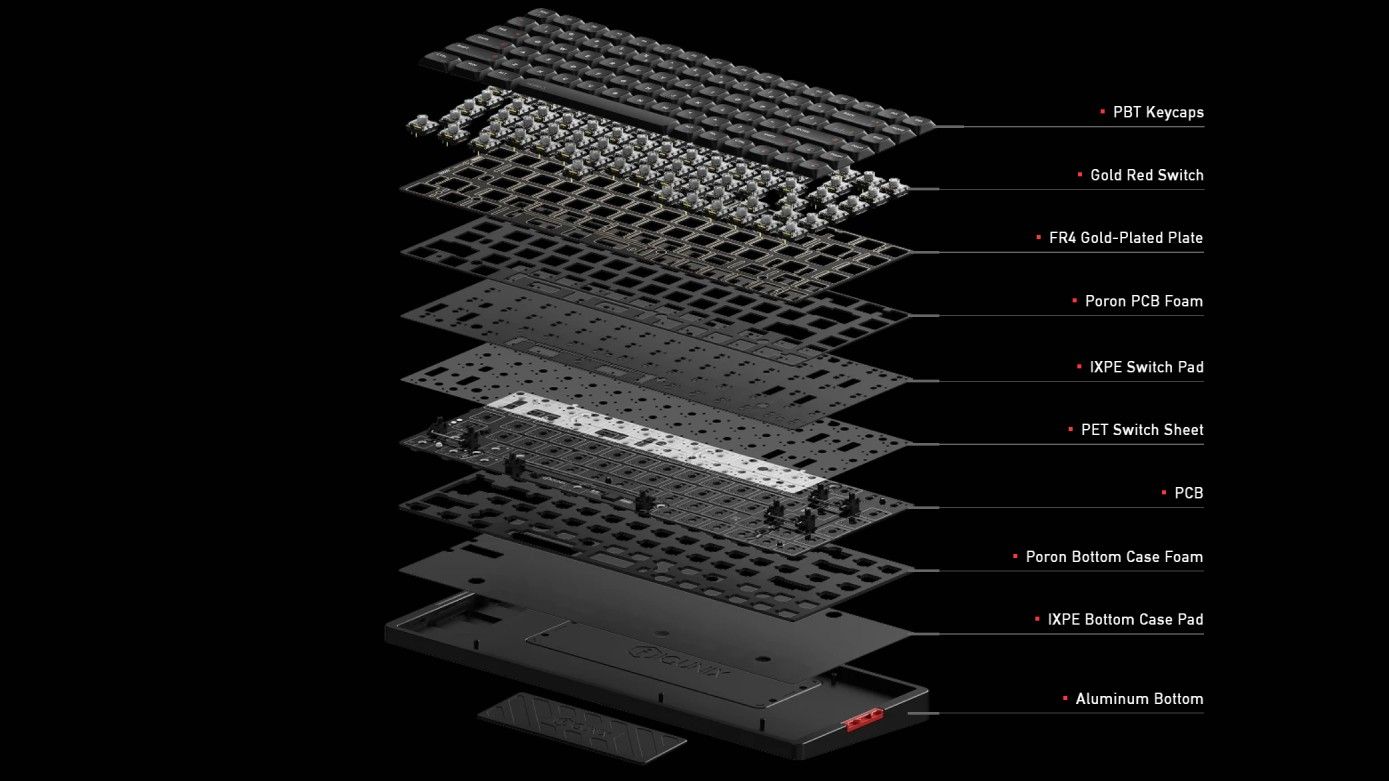
Moving from the top down, the switches snap into a fiberglass (FR4) plate, a middle-ground material that balances firmness with crisp keystrokes.
Beneath the plate and PCB are two layers of foam, each with different acoustic properties, and a plastic film. The first layer of foam is thick PORON and fills in the empty space between the switches, plate, and PCB. It cuts reverb and helps isolate each switch. A much thinner, less dense sheet of IXPE foam and a plastic PET sheet sit below the switches to add a crispness and pop to each keystroke.
Below the circuit board is another layer of PORON foam that filters soundwaves that pass through and cushion each press. Finally, in the very bottom of the case is another layer of IXPE foam intended to reflect mid-range sounds and act as a final buffer before hitting the aluminum of the case.
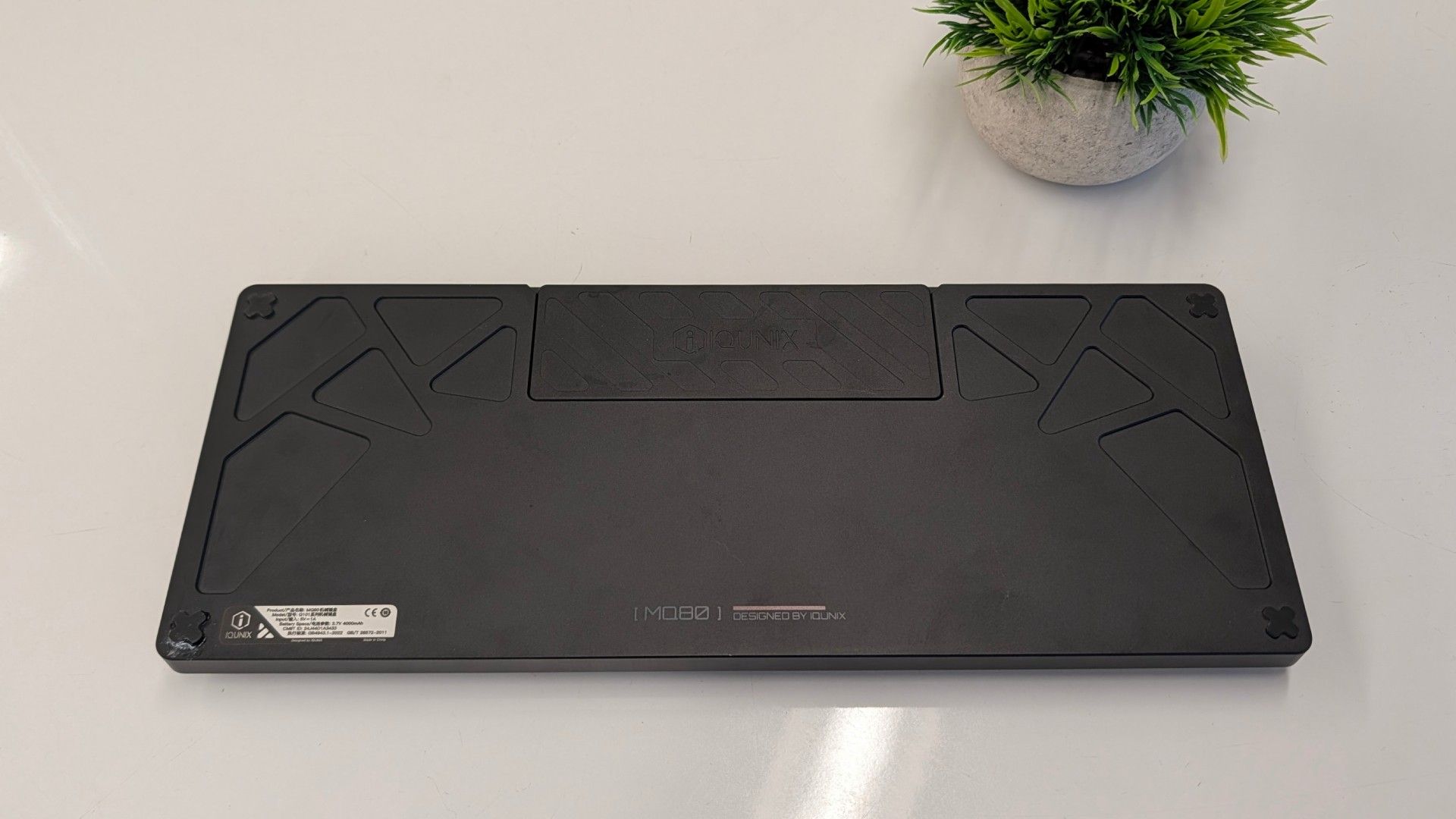
It sounds like a lot and it is, but it doesn't end there. The PCB assembly attaches to the case with a modified gasket mount ("Le-Tray Gasket Mount") that imparts some of the qualities of gasket mounting into this much slimmer design. Six arms from the assembly attach to the case with silicone buffers, holding it aloft to deliver pillowy bottom outs.
As a wireless keyboard, IQUNIX also had to fit a battery into its slim frame. It's surprisingly large given the space constraints with a 4,000mAh capacity. This translates into 350 hours of rated uptime, but only when using Bluetooth and no RGB backlighting. In practice, keeping RGB on high and using 2.4GHz, it lasts around 45 hours but your specific figure will depend on use.
Typing Experience on the IQUNIX MQ80While there's an obvious pre-requisite to prefer low profile keys, you'll also need to be a fan of linear switches. And not just that, you'll need to be a fan of lightweight, fast actuating low profile switches with keycaps that feel identical under your fingers.
If I sound a little salty, I'm not. It's just that I've used hundreds of mechanical keyboards and typed A Song of Ice and Fire worth of words on them, including more than a fair share of competing low profile keyboards, and it's still a pain in the ass to switch back to them.
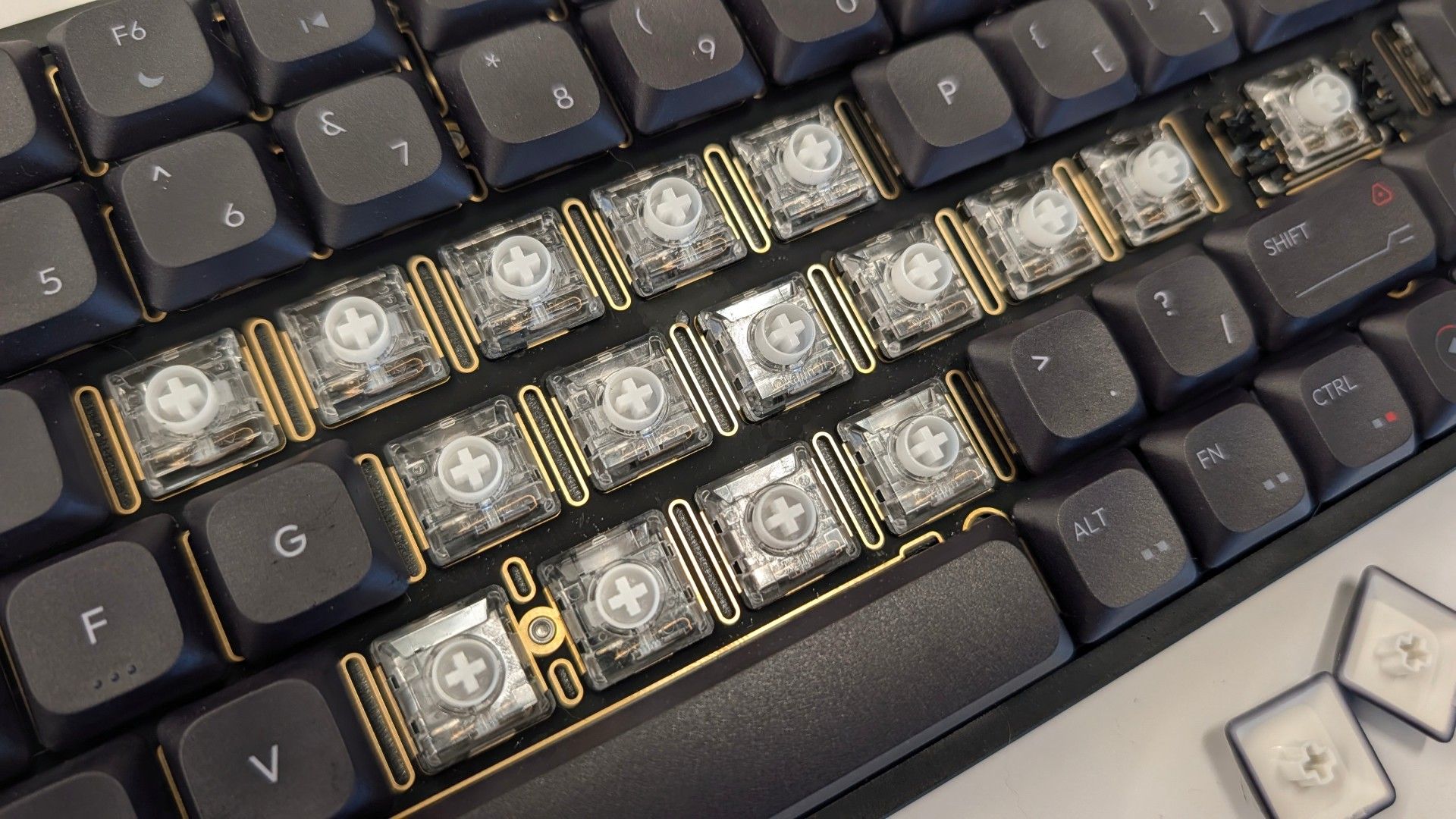
At least at first, because you do get used to it and the light touch required. Before long, I remembered to pay special attention to the navigation bumps on the "F" and "J" keys. Once everything clicked, I honestly felt faster and more nimble as a typist.
Surprisingly, this didn't translate into actual WPM in my case. I average right around 110 WPM on my day-to-day full height keyboard. Swapping to the MQ80, my raw speed increased slightly, likely due to the lightweight switches and the floating posture I adopted to accommodate its height. My actual average words-per-minute on MonkeyType actually decreased to 105 WPM due to having to backspace to correct typos.
So, typing speed is a bit of a wash (at least for me) but it's hard to argue that the sound and feel of typing on the keyboard is less than exceptional. The multiple layers of sound dampening quiet and deepen the sound of each keystroke in a satisfying way. The Le-Tray Gasket Mount system also gives bottom outs a softness that's reminiscent of, but slightly stiffer than, the gasket mounts used on most full height gaming keyboards.
The thing is, since IQUNIX launched the MQ80 to Kickstarter in early 2025, Nuphy released the third iteration of its Air75 series, the Air75 V3, and it delivers a typing experience that I feel is at least as good and is objectively more customizable with its Gateron low profile switches and tactile and silent switch options at checkout.
As a heavy handed typist, I prefer a lot of tactility, especially on a keyboard with perfectly flat rows. The only option for "not a light tactile" were Kailh Black Cloud switches and would have run me half the cost of the keyboard itself.
None of this is to say that the typing experience is bad. It's genuinely not. IQUNIX knows its stuff. All of this is simply to say that there's an important trade-off and if you don't like light linear switches or paying a premium to replace them, the MQ80 probably isn't the keyboard for you.
If you like that light touch, the custom keyboard-esque feel of its keystrokes filtering through all of that foam and milled aluminum, then you're probably going to love it.
Gaming Experience of the IQUNIX MQ80Most of the same considerations from the typing experience apply to gaming as well, but fragging enemies is really where the MQ80 felt most at home to me.
Those lightweight switches that were a liability to typing accuracy suddenly feel like hair triggers. If you're connected using the 2.4 GHz dongle or plugged in via USB, its 1,000 Hz polling rate ensures that every keystroke comes through instantly - though, it still doesn't compare to the growing number of 8,000 Hz keyboards out there on paper. Whether you'll be able to tell the difference is up for debate.
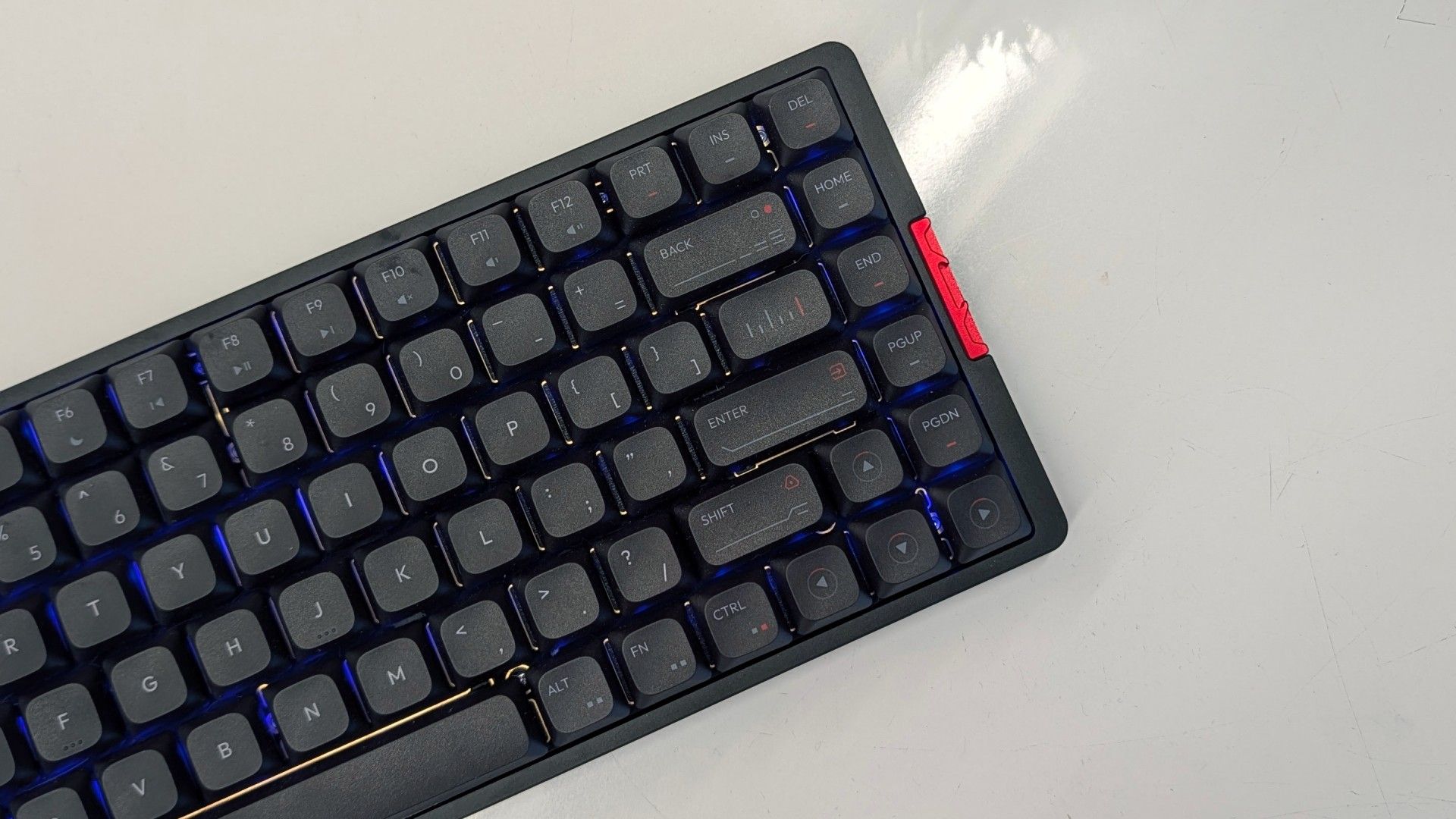
While the layers of cushioning and damping don't have a direct impact on how effective the MQ80 is for gaming, much like typing, they just make the experience that much more pleasant.
Apart from its switches, there's a dearth of dedicated gaming features unique to the keyboard. The keys are reprogrammable and support string macros, but you won't find a fancy software suite to support the experience here. Instead, IQUNIX went open source and the MQ80 is better for it.
Software for the IQUNIX MQ80Where the MQ80 comes into its own is its programmability. Unlike many traditional gaming keyboards, it doesn't have downloadable software that needs to stay running in the background. Instead, IQUNIX opted to support VIA, a web-based configurator that allows you to make changes on the fly while also saving them to the keyboard.
It's simple on the surface, but is surprisingly powerful once you dive into it. Every key can carry up to four different actions or macros, broken into layers for quick shortcut access. Much like holding Shift, you hold or tap a key of your choice and access those additional layers of keymaps.
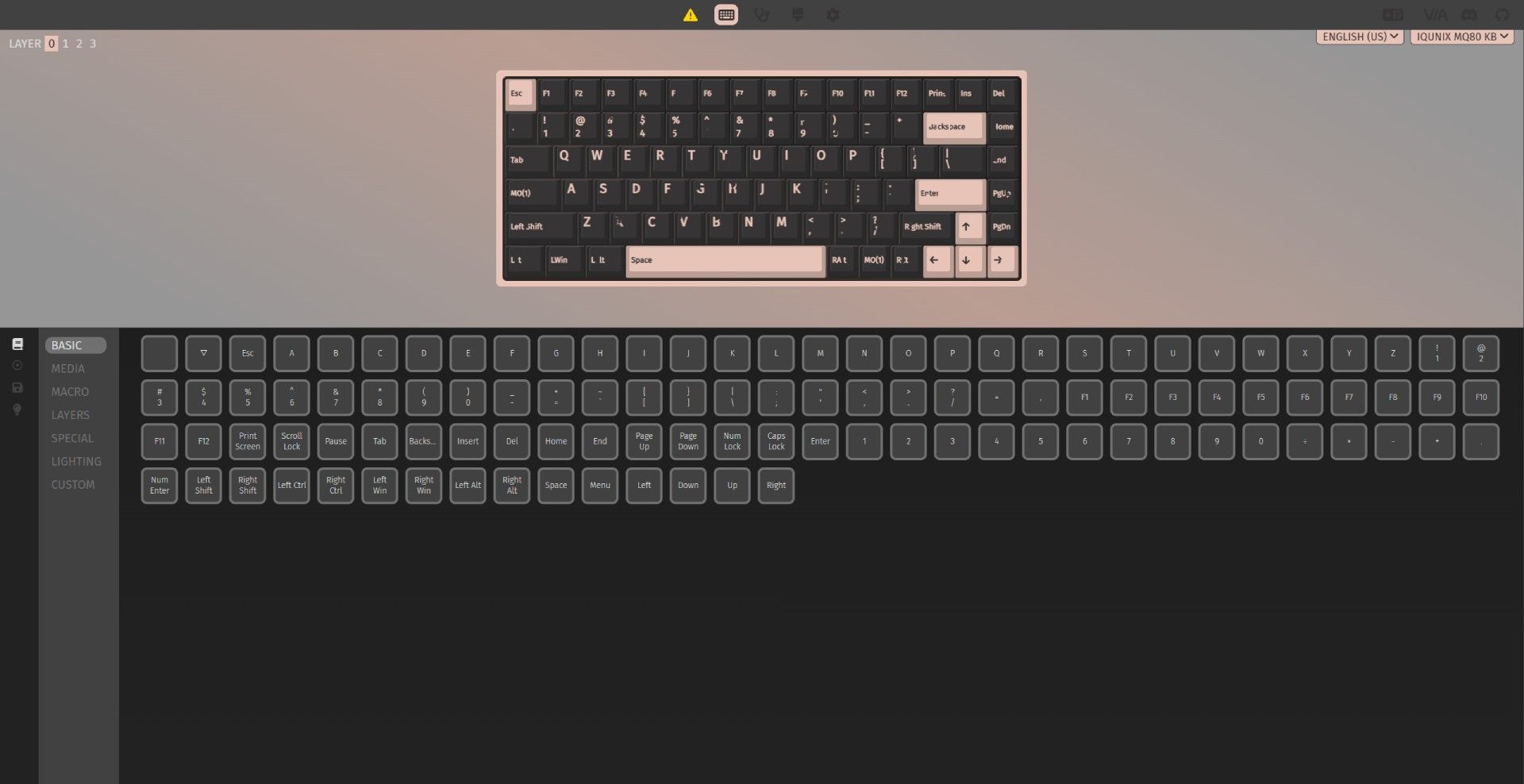
While this functionality isn't unique to VIA or the MQ80 by any means, big gaming companies usually require you to keep their software running to access layered functions (ex. Razer HyperShift). Here, every change is written directly to the keyboard's firmware and will work on any machine, exactly as programmed.
The web client itself is fairly simple. You have a graphic of your keyboard layout with all of your current mappings on display. Underneath are all of the different commands that can be mapped, including things like media controls, additional F-keys (all the way to F24), macros, RGB controls, and virtually anything else you might want to assign to a keystroke.
The biggest feature you'll miss out on, apart from proprietary features like game-synced RGB backlighting, is the ability to assign backlight colors to individual keys. It's possible to change the brightness, hue, and saturation across its dozen or so preset animations, but creating an entirely custom lighting scheme requires creating your own code and flashing it to the keyboard manually.
The Bottom Line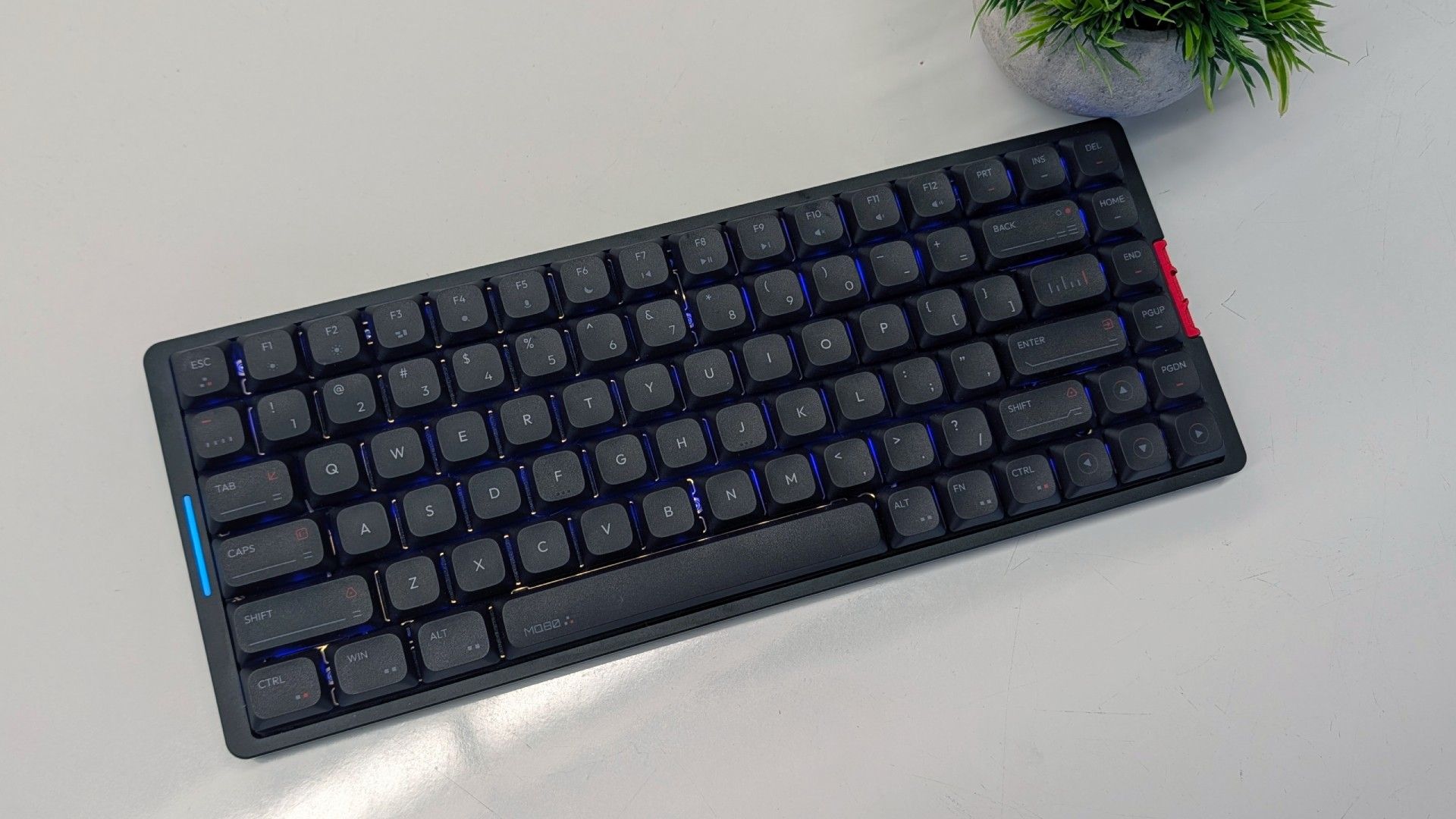
The IQUNIX MQ80 is a very good keyboard. For a lot of users, I'm confident that they would describe it as "Great" or even "Amazing." I wouldn't fault them for that. This is essentially the luxury option in the low profile space at this point.
But it's too heavy to easily tote around without questioning your life choices. If portability is important to you, I highly recommend the Nuphy Air75 V3. Or, if you're looking for something a little more office friendly than the Nuphy, the Lofree Flow 2 is another great choice that also comes with a tactile switch option.
At the end of the day, all three of these options are good for the money but only the MQ80 feels like a luxury option thanks to its heavy case. If you're not planning on carrying it back and forth to work and you like a fast switch, the MQ80 is a solid choice.