Cockpit-Simulator 737X CDU (v2) Review: An Essential Component for Flight Sim Enthusiasts
Thanks to the popularity of Microsoft Flight Simulator 2020, followed by Microsoft Flight Simulator 2024, a growing number of companies have entered the flight simulation peripheral market - offering everything from budget-friendly products to high-end equipment designed for professional and home cockpits.
Cockpit-Master and Cockpit-Simulator were jointly founded in 2018 to develop and manufacture flight simulation equipment. In 2024, the company was split into two divisions, with Cockpit-Simulator focusing on more premium, professional-grade equipment.
Today, we are looking at the CS 737X CDU v2, a 1:1 replica of the Boeing 737 Control Display Unit (CDU). We will examine its build quality, how closely it replicates the real 737 CDU, and how well it integrates with Microsoft Flight Simulator 2024.
The Real Boeing 737 Control Display UnitBefore taking a look at the product itself, let's first look at the real 737 Control Display Unit (CDU) and explain its functionality.
The CDU is the primary interface pilots use to interact with the aircraft's Flight Management System (FMS). The FMS can be thought of as the aircraft's brain," handling a wide range of navigation and performance-related tasks. Pilots use the CDU to enter and modify the flight plan, while the FMS calculates the lateral route and vertical profile of the flight. It also manages performance calculations, monitors fuel and flight progress, and provides guidance to the autopilot.
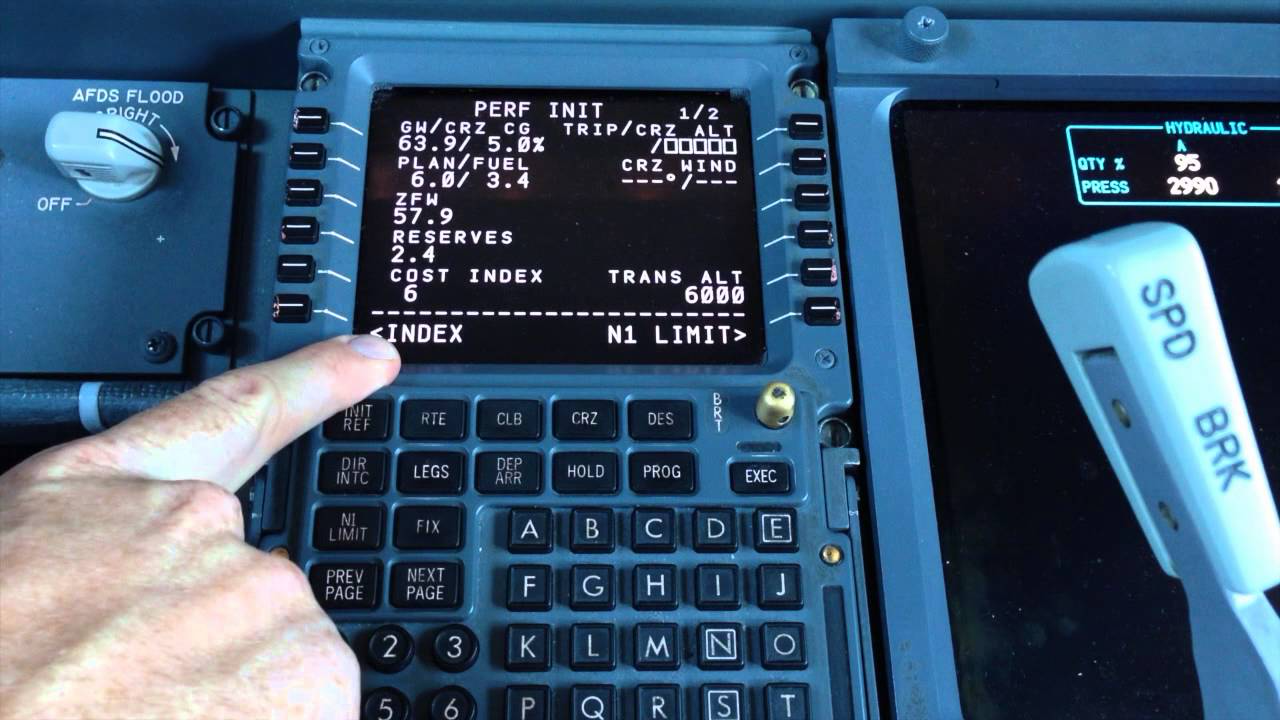
The CDU features a display screen with six line select keys on either side. These keys allow pilots to select and enter information into specific fields on the display, including data entered into the scratchpad. The CDU also includes dedicated function keys for tasks such as accessing performance information and entering instrument departures and approaches. Below the display is an alphanumeric keypad, which pilots use to enter text and other data before transferring it to the selected field using the line select keys.
Build Quality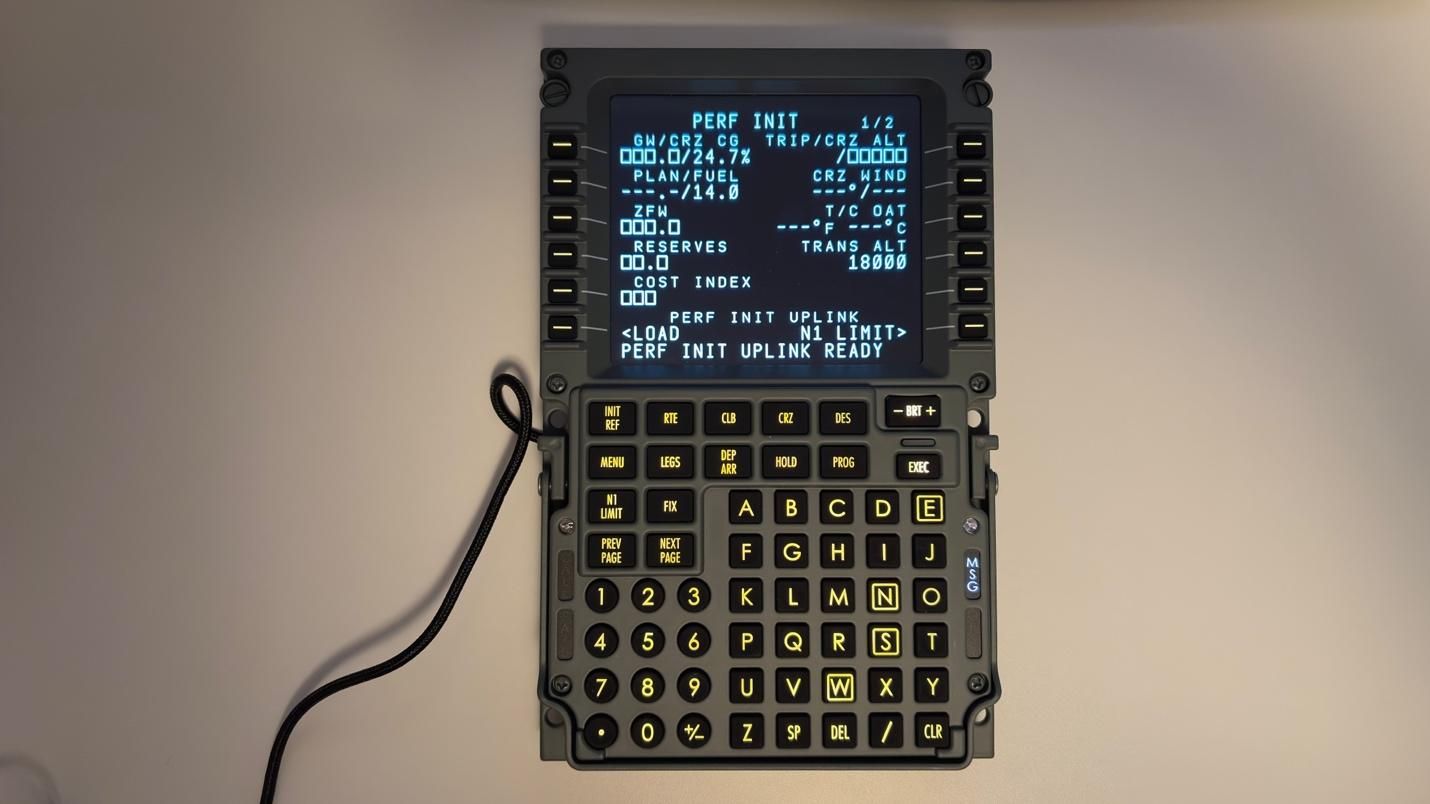 Tom's Hardware
 Tom's Hardware
 Tom's Hardware
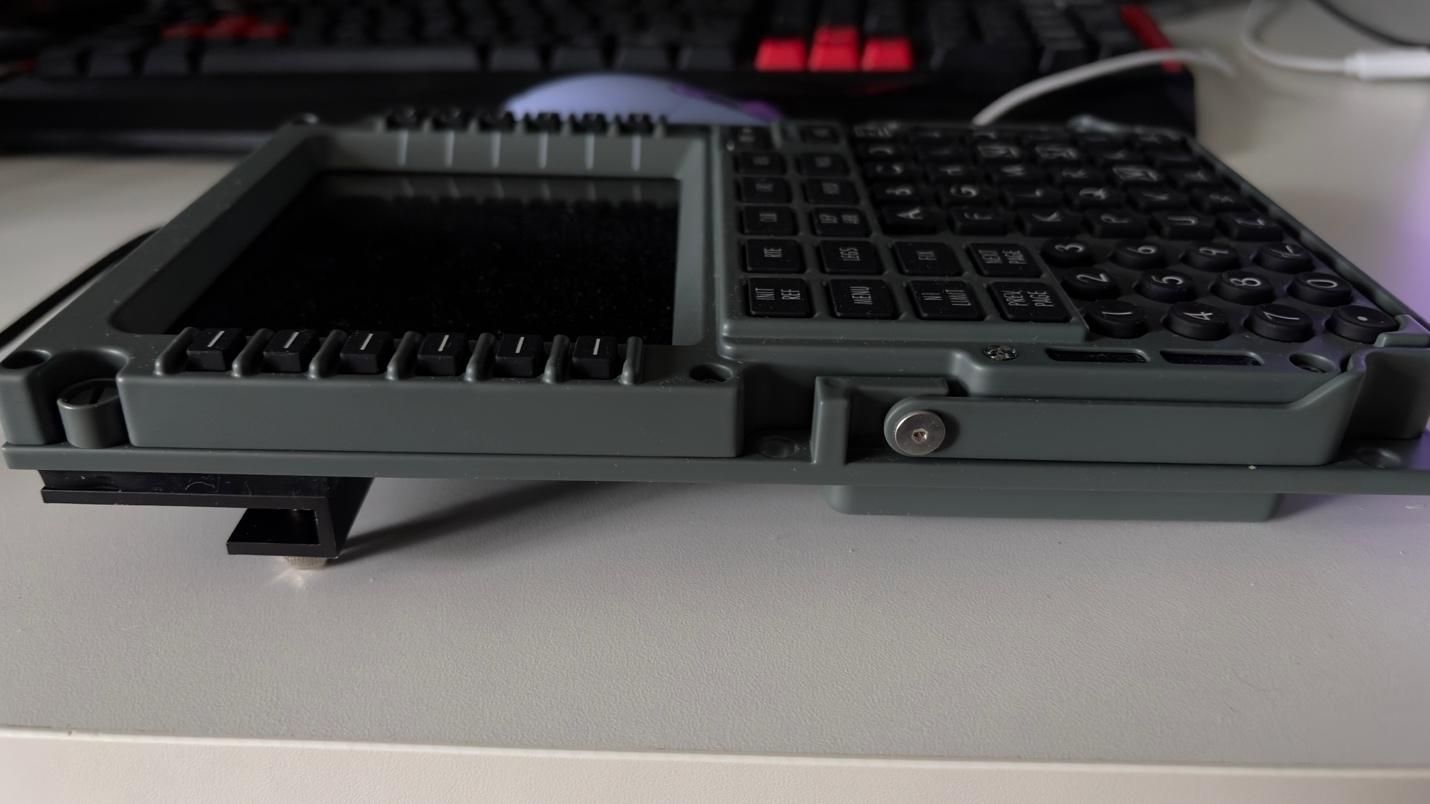
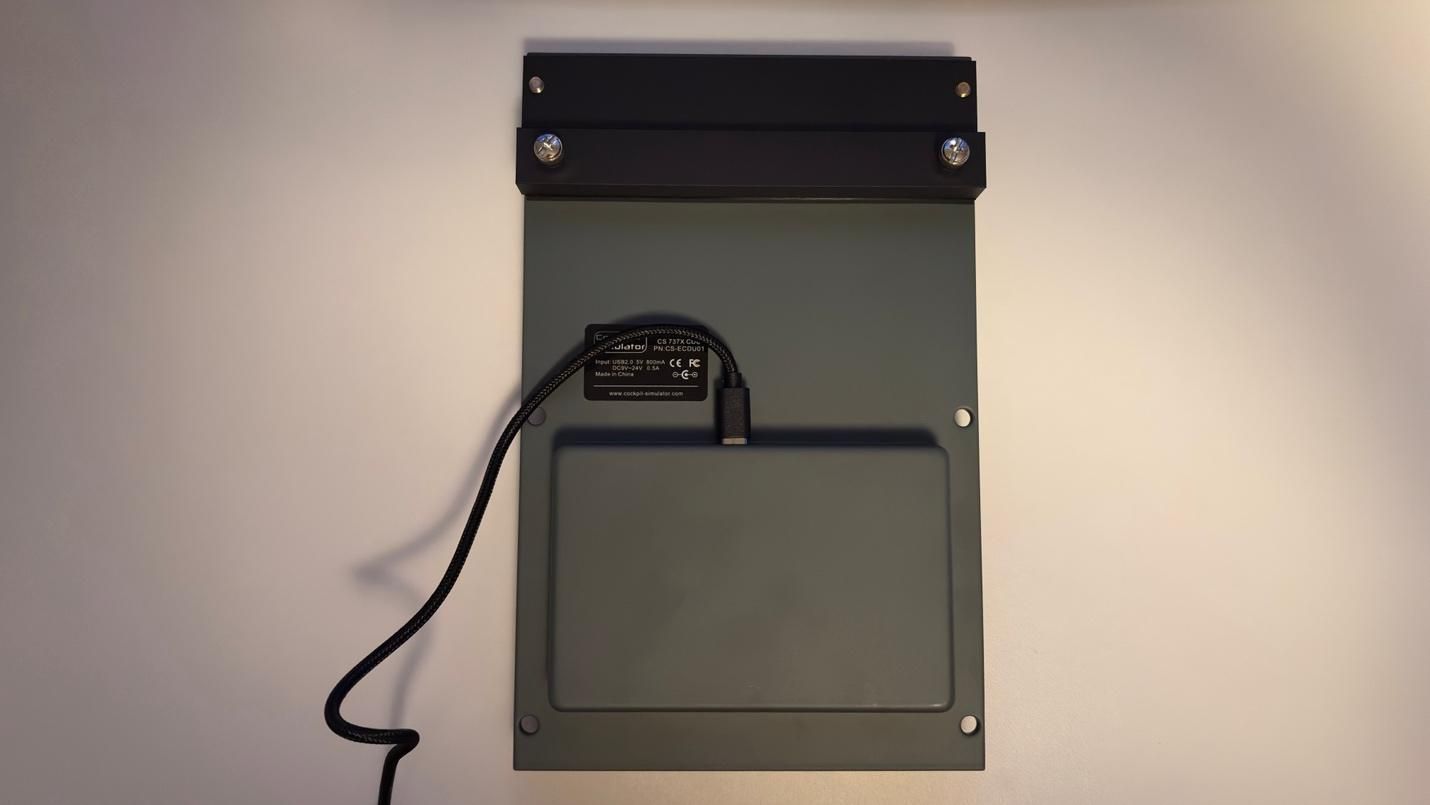
Unlike other consumer grade CDUs on the market, the CS 737X CDU v2 uses a full-metal, CNC-machined aluminum shell.
The buttons are made of silicone rubber, which also closely replicates what we felt in our time on a 737 simulator.
The display is where we noticed the biggest departure from the real 737 CDU. The real unit uses a thick, chemically strengthened, anti-glare optical glass cover, whereas the CS 737X CDU v2 uses a standard commercial display. As a result, there is some glare, although the display itself is excellent and offers very wide viewing angles. Despite this difference, the visual presentation is remarkably close to that of the real 737 CDU. The font styling, image sharpness, and color reproduction all closely match what you would see on the real flight deck.
The CS 737X CDU v2 also features a handle, which on the real aircraft is used for the maintenance crew to remove the CDU. This isn't entirely necessary in a home setup, but it is a nice touch.
The unit can be easily placed on a desk using the included desktop stand, or integrated directly into a larger cockpit setup.
The Feel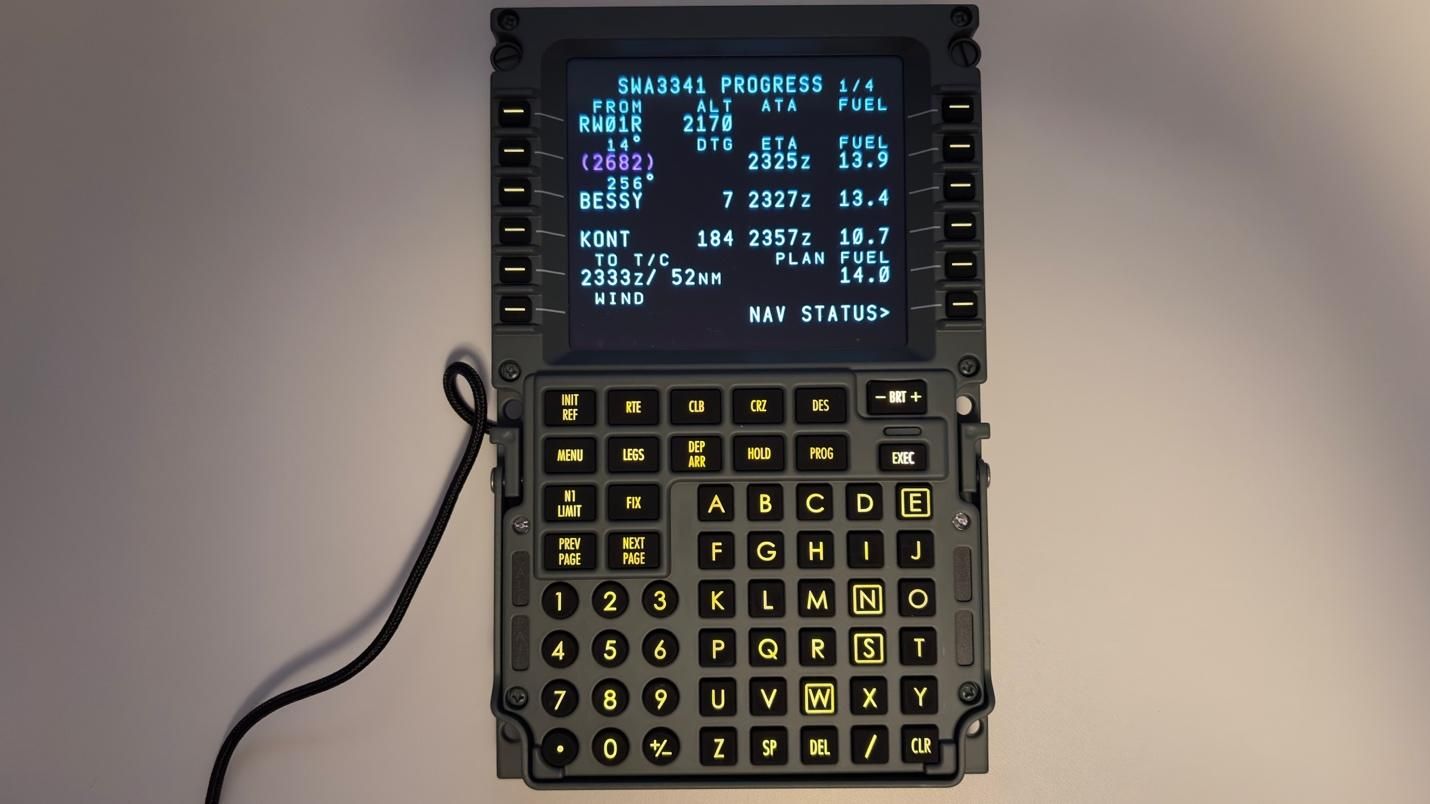
The weight, rigidity, and metallic construction closely replicate the feel of the CDU we experienced in a 737 simulator. The silicone buttons also require a firm, deliberate press to actuate, helping prevent accidental double-inputs during turbulence. This tactile resistance closely matches the experience of using the real unit. Manually entering a long route, rather than importing it from SimBrief, will give your fingers a workout - and will give you a newfound appreciation for the import button.
Microsoft Flight Simulator 2024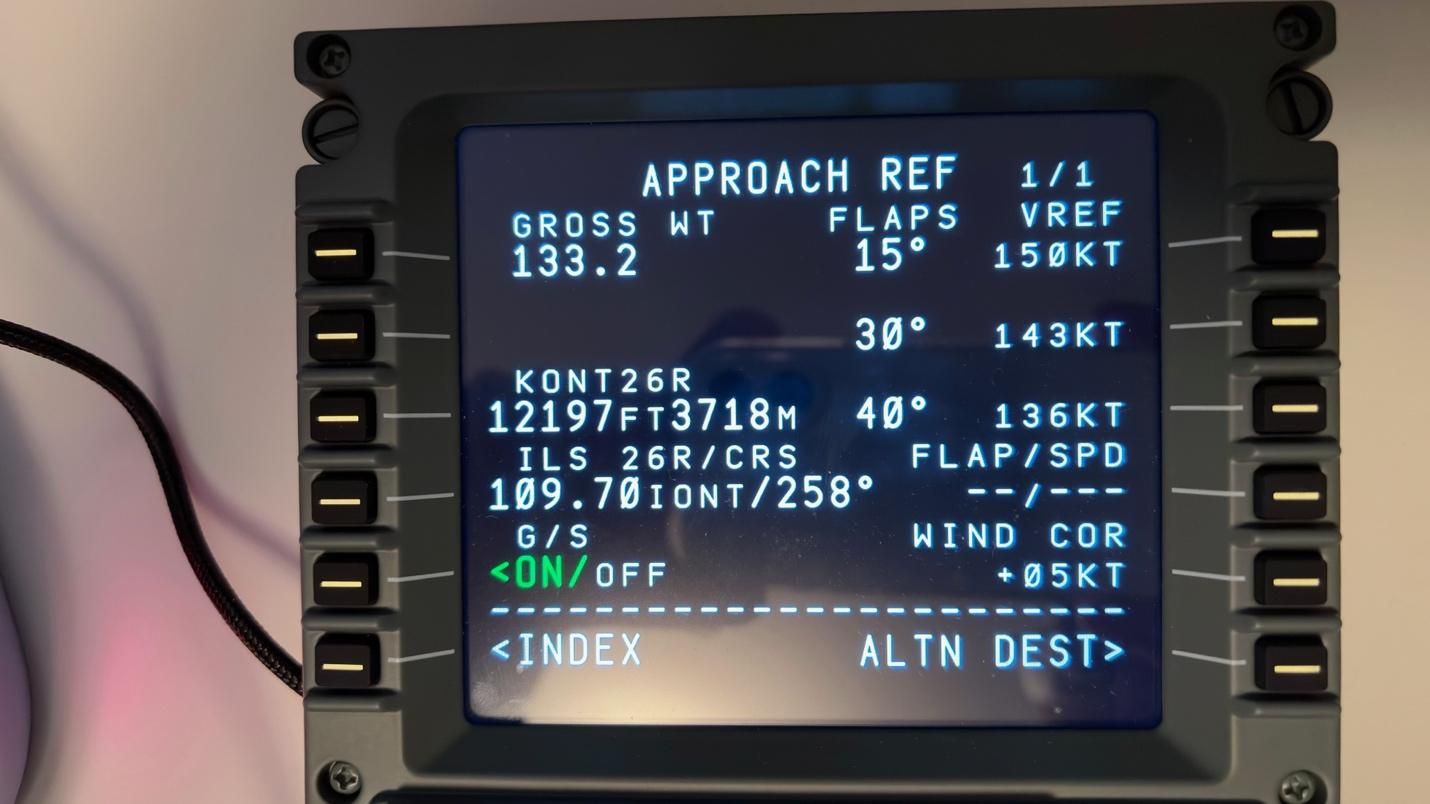
For our testing inside of Microsoft Flight Simulator 2024, we used the PMDG 737-800. We flew the following routes:
- 45 minutes from Las Vegas, Nevada to Ontario, California
- 2 hours from Phoenix, Arizona to San Francisco, California
- 5 hours from Oakland, California to Honolulu, Hawaii
This allowed us to examine how the CS 737X CDU v2 handles routes of various duration.
For hardware, the device only requires a USB connection. It also requires the CockpitSimulator Bridge, which needs to be left open throughout the flight. This can be downloaded from the official Cockpit-Simulator site.
Our flow was similar in each case:
- Import the flight plan from SimBrief
- Import the payload & fuel for the flight
- Select the instrument departure and planned approach
- Import the performance numbers on the PERF INIT page
- Complete the takeoff performance pages
- Import the cruise and descent winds
- Complete the APPROACH REF page as we get closer to the approach phase
The overall feel of the unit, combined with the firm, deliberate key presses, adds another layer of immersion. More importantly, having a physical CDU means we can operate it directly - rather than panning the camera toward the virtual CDU, zooming in, and navigating it with a mouse. This makes interacting with the FMS considerably faster and more intuitive.
This is particularly useful when ATC gives you a direct-to instruction shortly after takeoff, while you are still hand-flying the aircraft. Performing the direct-to operation on a physical CDU is much easier than interacting with the virtual CDU, as it allows you to make the necessary inputs without taking your eyes away from the Primary Flight Display.
One of the first things that stood out was the extremely low input latency. Our key presses were reflected almost instantly on both the unit's physical display and the virtual CDU inside Microsoft Flight Simulator 2024, making the two feel effectively synchronized.
We were also able to switch seamlessly between the various CDU pages, even with longer flight plans loaded into the unit. Everything shown on the virtual CDU was accurately reproduced on the hardware, including aircraft-specific options for the PMDG 737-800 we were flying. The information was presented with accurate fonts, colors, and formatting, making the physical CDU feel like a natural extension of the one inside the simulator.
Overall ThoughtsThe CS 737X CDU v2 is the most premium and immersive Boeing 737 CDU we have tested. From the weight and feel of its metallic construction to the tactile resistance of the silicone keys and the accurate rendering of fonts and colors on the display, nearly every aspect of the unit contributes to an authentic experience. It's a fitting addition to any high-end home cockpit setup.
This level of construction and attention to detail comes at a price: the CS 737X CDU v2 retails for $799, which means it will likely be out of reach for many flight simmers. But if you're building a dedicated, high-end cockpit and looking for a CDU that closely replicates the experience of the real aircraft, it's an excellent addition.