 |
by Harish Jonnalagadda on (#5S1RW)
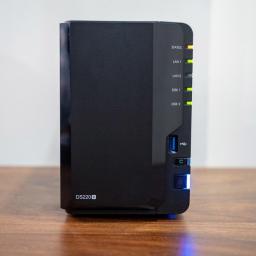
Black Friday is just a few short weeks away, and it is always a great time to buy storage enclosures and hard drives. There have been a few shortages around hard drives in recent months, but availability is thankfully getting back to regular levels as we head into the holiday season.Black Friday NAS deals:Best NAS dealsNAS enclosuresInternal HDDInternal SSDWhile network-attached storage (NAS) enclosures haven't had the same issues with availability, this category hasn't seen as many new launches as in previous years. However, you'll already find a few enticing deals for NAS enclosures, with other deals set to kick off in the coming weeks.If you're already using a NAS enclosure and are looking to make the switch to a new model, looking to increase the storage of your home server with additional hard drives, or are getting your first NAS, Black Friday is the ideal time to do so. In the meantime, we're rounding up a list of NAS enclosures that you should take a look at ...
|
 Latest from Android Central
| Link | https://www.androidcentral.com/feeds.xml |
| Feed | http://www.androidcentral.com/rss.xml |
| Updated | 2026-10-24 04:51 |
 |
by Harish Jonnalagadda on (#5S1RX)
The holiday season is on the horizon, and that means we're starting to see some great Black Friday deals on all kinds of cool tech gear, from the best Android phones to the best headphones and wireless earbuds to pair with them.Black Friday headphone deals:Deals live right nowBest headphone deals Wireless headphonesWireless earbudsWired earbudsWe'll be regularly updating this list collection through the Black Friday weekend, so be sure to check back frequently if you don't see the audio deals that you're looking for. There are pretty stellar Black Friday headphone sales every year, but there can be a lot to sort through to find the best deals.Whether you're looking for something to keep you entertained on a walk or jog, noise-canceling headphones to let you focus while at work, or something that just sounds amazing for your epic video game battles, we've got you covered.Black Friday headphone deals live right nowWith every year, Black Friday deals kick off earli...
|
 |
by Derrek Lee on (#5S1QT)
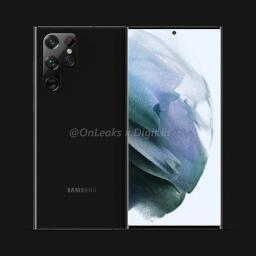
We could see more Snapdragon models globally.What you need to knowQualcomm says it will power up to 50% of Galaxy S-series phones in 2022.CEO Cristiano Amon says that Z-series phones will be powered by Snapdragon chips worldwide.The announcement was made at Qualcomm's Investor day on Tuesday.While the Pixel 6 is doing its own thing with Tensor, Qualcomm will continue to be a top supplier for Samsung smartphones, particularly for the Galaxy S22.During Qualcomm's Investor Day this week, CEO Cristiano Amon took to the stage to lay out some of the company's goals across the industry. When it came to smartphones, he didn't make any product announcements (that's saved for the end of the month), but he did highlight some company wins for 2022.Particularly, he noted that Snapdragon would power up to 50% of Samsung's S-series smartphones next year.Qualcomm appears to have a commitment for 40-50% of the flagship Samsung Galaxy S series phones in 2022. @Qualcomm pic.twitter.com/...
|
 |
by Nicholas Sutrich on (#5S1GH)
As we enter the second year of the Oculus Quest 2's life, we're expecting some seriously great deals for the hardware and accompanying accessories this Black Friday. Many companies have already begun to offer sales and discounts on their accessories, and newly refined designs ensure that the accessories you buy today will be a better experience than the ones you purchased this time last year. Here are the best Black Friday Oculus Quest deals to enhance your gaming experience.Jump to Black Friday Oculus Quest 2 dealsSee Oculus Quest 2 stockCasesController gripsFacial interface replacementsHead strapsCables, batteries, and docksHeadphonesUnlike some other consoles, Meta has been able to keep the Oculus Quest 2 in stock at most retailers without issue over the past year — even despite record-breaking sales for the headset. The new Quest 2 128GB SKU is the best value you'll find, as it's the same price as last year's 64GB SKU but with double the storage. Couple that w...
|
 |
by Michael L Hicks on (#5S1GJ)
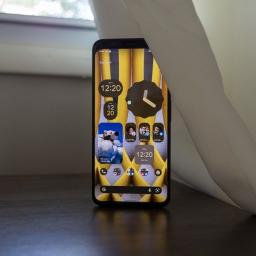
We break down which phones will get Android 12 by manufacturer, with our best-educated guesses as to when.After a seemingly neverending beta period, Android 12 arrived on eligible Google Pixel phones on Oct. 19 — much later in the year than usual. Unfortunately, the long wait gives other Android devs less time to get their Android 12 skins ready on schedule.Samsung appeared to work closely with Google on its One UI 4 update, and its update roadmap is unusually speedy this year. In fact, the Galaxy S21 series is already getting Android 12 in mid-November, which is pretty impressive. But most other manufacturers, including OnePlus, won't have the new OS on their flagships until December 2021 at the earliest.You're here to read which of the best Android phones will get Android 12 — and when. Unfortunately, most companies haven't officially announced this information yet, and it will depend on how long it takes to iron out bugs in their respective betas. But we can extrapol...
|
 |
by Derrek Lee on (#5S1EE)
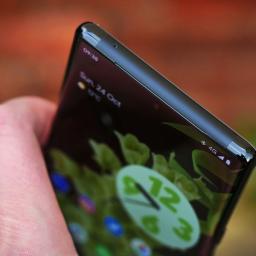
The Tensor chip may excel at AI, but connectivity suffers.What you need to knowPCMag compared the Pixel 6 Pro modem to Qualcomm's using the Galaxy S21.The test compared the connection and speeds on Verizon and T-Mobile, two of the largest U.S. carriers.The comparison shows that the Pixel 6 Pro modem falls short of Qualcomm in most circumstances.Google touts its impressive AI chops with its new Tensor chip, but one area that the company won't be able to boast about is the Pixel 6 Pro connectivity.PCMag ran a comparison between the Pixel 6 Pro and the Samsung Galaxy S21 to see just how the modem paired with Google's new chip holds up against the competition. The tests were conducted on Verizon and T-Mobile's networks to see how the phones paired on two of the best carriers in the U.S.Interestingly, PCMag found that the Pixel 6 Pro was doing something weird with how it reported signal strength, particularly with T-Mobile 5G and LTE. That said, the tests indicate that the G...
|
 |
by Nicholas Sutrich on (#5S1EF)
When you think of successful smartphone companies, what names come to mind first? Samsung, Apple, OnePlus, maybe even Google, right? But over the years, a well-known company that fell off the wagon has slowly been gaining steam again, catching up with and surpassing nearly everyone in the market.It's Motorola, and, as of this time in late 2021, the company has achieved the coveted title of number three smartphone vendor in the U.S. after a year of explosive growth. But this didn't happen on the back of some innovative new flagship phone.Motorola's success wasn't driven by foldables like the Galaxy Z Flip 3, powerful phones with award-winning cameras like Google's Pixel 6, or even uniquely sustainable phones like the Fairphone 4. Quite the contrary.It was driven by the success of boring, everyday phones that do little more than meet expectations at an affordable price.I sat down with Doug Michau, executive director of North American business development at Motorola, and had a ...
|
 |
by Marc Lagace on (#5S1EG)
Did you know it's possible to use an Xbox One controller with your Android device? With the release of the Xbox One S, Microsoft started outfitting its Xbox One controllers with Bluetooth radios. While this feature was made mostly for PC gaming, you'll be happy to know that it works surprisingly well with Android phones and their games. While more appropriate controllers for mobile gaming are available, this is a nice trick to have in your back pocket. So for those wondering how to use an Xbox One controller on Android, here's how.Products used in this guideA simple, quality controller: Xbox One Wireless Controller: $85 at AmazonHow to pair an Xbox One controller with your Android phoneFor starters, you'll want to ensure the Xbox One controller you have uses Bluetooth. As a rule of thumb, newer versions of the Xbox One S and Xbox One X come with Bluetooth by default. If you're buying a new controller, Amazon has them for $50. Assuming your phone works just fine with the Xbox ...
|
 |
by Samuel Contreras on (#5S1EH)
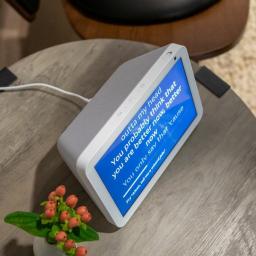
What you need to knowVerizon Wireless customers can use Alexa devices to make calls from their Verizon number.Customers that sign up for Verizon Number Share - Home can get three months of free service.The service costs $5 per month and is an add-on to an existing Verizon Wireless plan.Verizon has announced a new add-on feature for Verizon Wireless customers that enables making and receiving calls with an Alexa device. For $5 per month, customers can ask Alexa to call people or phone numbers as well as take incoming calls. Customers that sign up will also get three months free to try out the service. Once signed up, customers can link their number using the Alexa app.Once signed up, you can use your Alexa device to place a call by asking Alexa to either call someone from your contacts or a specific phone number. You'll be able to use any supported Alexa-enabled device such as the Amazon Echo or Amazon Echo Show.Hands-free calling from home makes it easier to stay connecte...
|
 |
by Hayato Huseman on (#5S197)
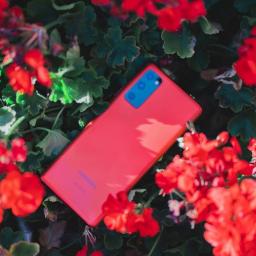
Everything you'd expect from a modern flagship without the modern price.For years, there's been a stigma around using plastic designs in high-end, expensive phones. Consumers have come to expect more luxurious materials like metal and glass, which, despite being more fragile than plastic, typically have a more "premium" feel.I'm definitely guilty of shying away from devices whose spec sheets feature the word polycarbonate. I was reluctant to try the Galaxy Note 20 for precisely that reason. But once my review unit came in, my concerns surrounding creakiness and a cheap in-hand feel disappeared. Build quality, in general, has massively improved since the days when plastic flagships were commonplace, and the Note 20 felt just as solid as any other phone I'd tested in recent memory.The story is similar to the Galaxy S20 Fan Edition — better known as the S20 FE. This phone is the latest in Samsung's crusade to dominate every pricing tier with a well-rounded device that makes ...
|
 |
by Harish Jonnalagadda on (#5S0SM)
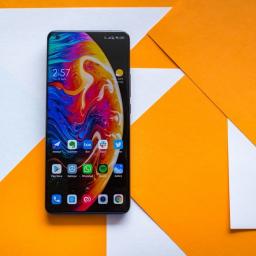
Here's your first look at Xiaomi's 2022 flagship series.Xiaomi had a stellar year for its phone business. The flagship Mi 11 and Mi 11 Ultra are among the best Android phones of the year, and the budget-focused Redmi Note 10 series solidified Xiaomi's position as the leading manufacturer in this category. In fact, strong showing in the budget segment has allowed Xiaomi to overtake Samsung, with the Chinese manufacturer now the world's largest phone manufacturer.With such a strong portfolio in 2021, it will be interesting to see how Xiaomi builds on its flagship series next year. We already know there will be a few changes; for starters, the phones will be sold under the Xiaomi 11 moniker, with the brand getting rid of its Mi label.If last year is any indication, Xiaomi is likely to announce the Xiaomi 12 series in China at the end of the year, with official availability kicking off sometime in Q1 2022. A slate of leaks over the last few weeks have unearthed a lot of details abo...
|
 |
by Namerah Saud Fatmi on (#5S0SN)
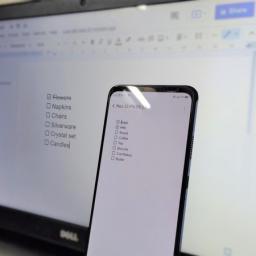
Google offers an excellent array of office software for Android phones and desktop computers alike. Google Docs is undoubtedly one of the most famous of the lot, taking on the likes of the best note-taking apps and word processing platforms at once. It also cancels the need for additional note-taking or to-do apps. So here's how you can make a checklist in Google Docs on Android and desktop.How to make a checklist in Google Docs on AndroidHow to make a checklist in Google Docs on desktopHow to make a checklist in Google Docs on AndroidDownload and install Google Docs on your Android phone, if you haven't already, before starting this guide.Open Google Docs.Tap the plus sign on the bottom right.Tap New document.Tap the bullet list icon at the bottom right corner.Tap the checklist icon at the bottom.Add items to your checklist.Tap on the square to tick off an item.After completing the list of items you want to add to the checklist, save your document and re...
|
 |
by Brendan Griffiths on (#5S0SP)
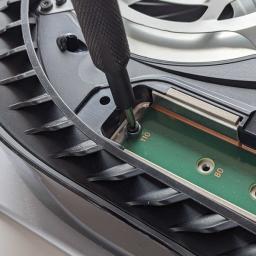
Black Friday PS5 SSD deals are in hot demand and we're seeing some of the lowest ever prices for them right now, so there's no need to wait. Users can finally upgrade the console's internal storage capacity beyond the measly amount the PS5 launched with as Sony recently unlocked the expansion bay.Picking up one of the best PS5 SSD options in the ongoing Black Friday PS5 deals events can save you a lot of cash. This is an excellent turn of events as just a few weeks ago a lot of the best devices had sold out and we could only find scalper listings. That could all change going forwards, of course, so we wouldn't even wait for Black Friday at this point as there are some great PS5 SSDs on sale right now. Be prepared to pay quite a lot more if you want one with a pre-installed heatsink - pro tip, buy one separately for much less (links below). We're constantly testing new PS5-compatible SSDs, so we'll let you know which ones are available too beyond the old favorites likes the Samsung 98...
|
 |
by Harish Jonnalagadda on (#5S0SQ)
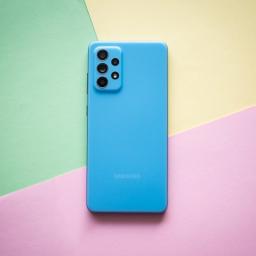
In the market for a new phone? Here's what you need to know about Samsung's best-selling Galaxy A series.The Galaxy A series forms the bedrock of Samsung's mid-range ambitions. The A-series started by bringing features previously limited to Samsung flagships at a much more affordable price point. While it was traditionally focused on the mid-range segment, Samsung got rid of the entry-level Galaxy J series in 2019 and folded them into the Galaxy A lineup.The result is that the Galaxy A series now starts under $150, thanks to devices like the Galaxy A02. While the budget Galaxy A options make it easier to upgrade to one of the best cheap Samsung phones, the mid-range options like the Galaxy A52 and A52 5G offer exciting new features for those who want the latest screen tech and 5G connectivity.Choosing the ideal device for your needs can get confusing, with eight models to pick from across various price points. So if you're looking to pick up a new phone in 2021, here's what you...
|
 |
by Jeramy Johnson on (#5S0NE)
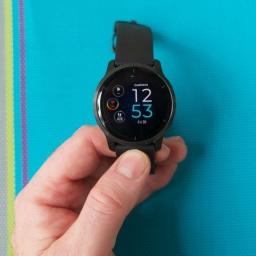
The Venu 2 is a great smartwatch that would be almost perfect if it were $100 cheaper.Perhaps the fastest-growing tech category right now is wearables, specifically smartwatches. Having one of the best smartwatches is important to those of us who need (or want) to stay in constant communication with our friends and family, or who need a quick and easy method to triage notifications or control smart home devices. Particularly in the time of COVID-19, more and more of us are paying more attention to our activity and fitness and want to collect as much of this data as possible to get a better idea of our overall health and wellness picture.When it comes to making fitness wearables, there is arguably no company that does it better than Garmin. Elite athletes seek out Garmin's watches, trackers, and monitors due to their accuracy, feature set, and battery life. The best Garmin smartwatches have traditionally had some compromises compared to others from Apple, Samsung, or even Fitbit i...
|
 |
by Harish Jonnalagadda on (#5S0NF)
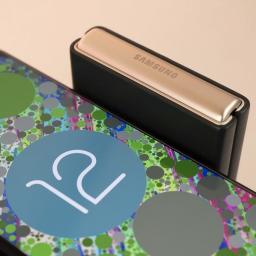
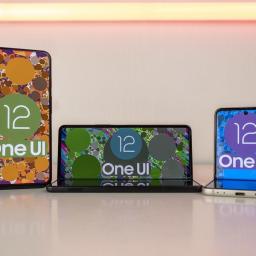
Samsung's Android 12 (One UI 4) stable build is now rolling out — here's when your phone will get the update.Samsung has started to roll out the stable One UI 4 update based on Android 12. The stable release comes after two months of beta builds for the Galaxy S21 series in the U.S., Korea, India, UK, Germany, Poland, and ChinaOne UI 4 doesn't change too many things from a design point of view, with Samsung instead focusing on integrating all the new features that Google introduced in Android 12. That said, there are exciting changes around home and lock screen customization, notification management, privacy and security, and much more.The Galaxy S21, S21+, and S21 Ultra are now receiving the stable update, and Samsung has outlined when other devices in its portfolio will get the update. So let's first take a look at all the devices slated to switch over to the Android 12-based One UI 4, and when the devices will get the stable build.Full list of Samsung Galaxy phones eligi...
|
 |
by Harish Jonnalagadda on (#5S0NG)
Samsung's stable Android 12 update is now rolling out — here's what you need to know about One UI 4.Samsung did a fantastic job with the One UI 3.1 update based on Android 11 to most phones in its portfolio, and with Android 12, it is aiming to outdo itself. Samsung's Android 12 update is One UI 4, and it comes with a slate of new features and a UI refresh. While the design itself isn't too different to the current One UI 3.1, there's a lot to be excited about — Samsung is using a version of the colorful Material You design aesthetic called Dynamic Color to offer much better customization, and there are 60 new features in total.The best part is that the One UI 4 stable update is now rolling out, with Samsung delivering the update just a month after Google released the Pixel 6 series. The One UI 4 stable build is now available for the Galaxy S21 series in select countries, so let's find out what Samsung has to offer with Android 12, what phones will get the update, and a look ...
|
 |
by Harish Jonnalagadda on (#5S0NH)
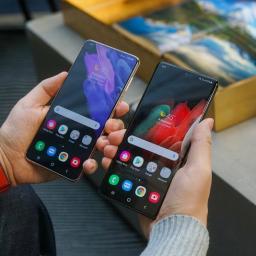
Samsung released the Galaxy Buds 2 alongside the Z Fold 3, offering a lightweight design that's great for all-day use and excellent sound quality. These earbuds debuted for $150 just two months ago, and they're already on sale at Amazon for $110 — a full $40 off their launch price. That's a discount of 27% on one of the best wireless earbuds currently available.The Galaxy Buds 2 deliver the best of what the Buds Pro have to offer, but in a more affordable package. You get a dynamic driver with a focus on low-end, with the earbuds tuned for bass-heavy tunes. You also get fast pairing and the ability to seamlessly switch between your Galaxy devices. The earbuds are also great for calls thanks to the 3-mic design, and Samsung's wind-reduction tech does a good job ensuring calls are clear even when you're outdoors.But the highlight with the Buds 2 is the inclusion of active noise cancellation; these earbuds do an excellent job tuning out ambient sounds in your vicinity, automatically...
|
 |
by Andrew Myrick on (#5S0NJ)
It took long enough, but eSIM support has arrived for the S21What you need to knoweSIM functionality has been enabled for Galaxy S21 owners in the US.The feature was limited to global versions of the device up until this point.Users can access the eSIM on their devices after updating to One UI 4 based on Android 12.Earlier this week, Samsung began rolling out the stable version of One UI 4 based on Android 12 to owners of the Galaxy S21 series. This is one of the most significant updates to Android that we've seen in years, as the One UI 4 update brings Samsung's take on Material You theming with dynamic colors and a new color palette to customize how your device looks and feels. But the update also brings a long-awaited feature for owners of the Galaxy S21 here in the US.According to a post by u/i_love_the_usa1776 on Reddit, the update to One UI 4 also adds eSIM compatibility. This feature has been available for some time on global versions of the Galaxy S21 series, bu...
|
 |
by Derrek Lee on (#5S0NK)
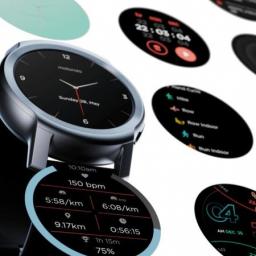
It looks like Motorola is ditching Wear OS in its latest smartwatch.What you need to knowMotorola launches its latest smartwatch.The Moto Watch 100 is an affordable smartwatch running a proprietary Moto Watch OS.The device features a two-week battery life and only costs $100.Following recent leaks, Motorola has silently launched its latest smartwatch, the new Moto Watch 100. First spotted by Droid-Life, the device is a mid-range offering with excellent battery life and a host of health features, but you won't find Wear OS onboard.The Moto Watch 100 features a 1.3-inch LCD tucked into a 42mm aluminum case. Keeping the lights on is a 355mAh battery that Motorola says can last for up to two weeks. That's likely because the company chose to forego Wear OS and include a proprietary "Moto Watch OS."Motorola says that its new Moto Watch OS provides "functionality you need without the battery-draining apps you don't." This includes heart rate, sleep tracking, weight tracking,...
|
 |
by Nicholas Sutrich on (#5S0NM)
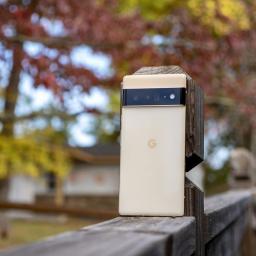
An undocumented update comes at a very strange time of the month.What you need to knowThe Pixel 6 and Pixel 6 Pro just got their second November update, this one coming mid-month on November 16.Google didn't provide a changelog for the update, but it still retains the November 5 security patch date.Google typically only updates Pixel phones at the beginning of the month.Owners of the Google Pixel 6 and Pixel 6 Pro have already received one November update — bringing the phone up to date with the November 5, 2021 security patch — and now Google is sending out another update that appears to be addressing something else entirely.The mysterious update was spotted by 9to5Google and goes by the build number SD1A.210817.037. That number is a small bump from the current build number of .036 to .037, likely indicating a quick patch to one of the Pixel 6's many nagging little issues.There's a slight possibility that it could address a security exploit found in the Google Tens...
|
 |
by Christine Persaud on (#5S0NN)
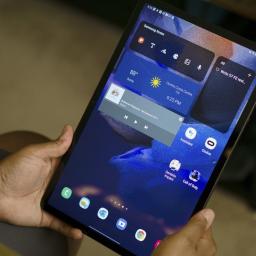
In many cases, the deals are for older-model tablets, and not just for the best Android tablets either. So if you have been looking for a budget tablet you can use to knock around with at home, a premium one to use for work or bring on vacation, or one you can comfortably hand over to the kids, now is the time to save. A tablet is a great gift under the tree, ideal for playing games, watching videos, or, with some models, even for doing work when you attach a keyboard or use a stylus pen.Best tablet deals:Amazon FireAppleSamsungOther Black Friday Android tablet dealsMajor online retailers like Amazon, Best Buy, and Walmart are already giving a sneak peek into the kinds of deals they will be offering and even starting to discount items.Have a look through this list to see some deals you can get right now, and check back as we'll be updating it as new deals become available.Where to find the best Black Friday tablet dealsCompared to the best Black Friday phone deal...
|
 |
by Derrek Lee on (#5S00B)
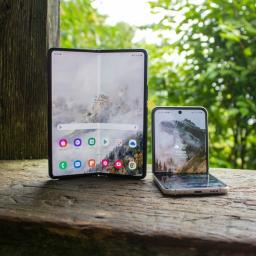
Second One UI 4 beta contains plenty of bug fixes.What you need to knowSamsung is rolling out the second One UI 4 beta for its foldable phones.The update comes with several bug fixes related to the display, gallery, cover screen, and more.The Galaxy Z Fold 3 and Z Flip 3 are expected to receive the stable update in December.While stable One UI 4 (Android 12) rolls out on the Galaxy S21 series, Samsung continues to prepare the update for its other flagship phones, particularly for its latest foldable phones. As such, the company has announced that it has released the second beta update for the Galaxy Z Fold 3 and Z Flip 3.The update includes several bug fixes related to the displays, cameras, Gallery app, and more. For instance, on the Galaxy Z Flip 3, it fixes issues with the Cover Screen that kept widgets from running or caused text to overlap. On the Galaxy Z Fold 3, it addresses a problem that would keep apps from running when switching from the external display to the...
|
 |
by Rebecca Spear on (#5S00C)
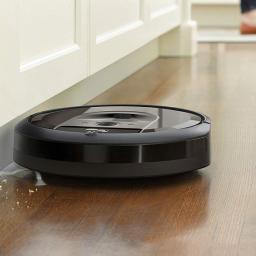
Using one of the best robot vacuums to help you keep your house clean may be one of the best decisions you can make. Over the past few years, robot vacuums have become much smarter; they last longer and clean better. Options like the Roborock S5 Max, which happens to top the list of our best robot vacuums, lets you control it with just your voice. It can be set to run on a schedule, always vacuums in tidy, back and forth lines, and its sensors help prevent it from bumping into everything.What are the best robot vacuums you can buy today?There are a LOT of great robot vacuum models available right now, and picking the right one can be a difficult task. We've done the research, though, and narrowed down all the picks into a concise list of only the top robot vacuum picks.Our complete list is below, but we believe that when you look for a single best overall pick, the Roborock S5 Max is the best robot vacuum on the market today for most people. It offers all the standard features yo...
|
 |
by Michael Hicks on (#5S00D)
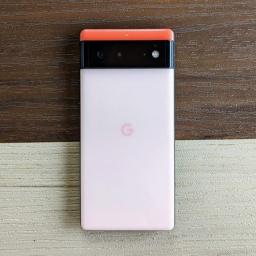
It's that time of year again. Black Friday is nearly upon us if you can believe it! Much like last year, many of the best deals will be available not only in person at retail stores but also online. It's never too early to start looking for bargains on the best Android phones, so here is a running list of Android phone deals that we've got our eye on leading up to the biggest shopping weekend of the year.Best Black Friday Android phone deals:SamsungGoogle PixelOnePlusMotorolaThere are some pretty stellar Black Friday phone deals every year, though you have to know where to shop if you want to find the best offers. So whether you're hoping for the best Samsung deals, Google Pixel deals, some other Android phone, or even an iPhone (gasp!), this is truly the best time of the year to find one.So far, Moto and OnePlus have begun their Black Friday phone deals early. The OnePlus 9 and 9 Pro will sell at some of their lowest prices of the year throughout November (if you kn...
|
 |
by Chris Wedel on (#5S00E)
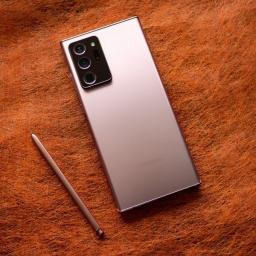
Samsung didn't give us a new Galaxy Note device in 2021, but that just means that you can get an incredible deal on the Note 20 Ultra from last year. The Note 20 Ultra is hands-down the best Android phones you can get if you are someone who wants to use a stylus and one of the best Android phone deals too. Though Samsung has brought S Pen functionality to more of its phones, like the Galaxy S 21 Ultra and the Galaxy Z Fold 3, none of them can match the Note 20 Ultra.Though the Note 20 Ultra was released in 2020, it's still a beast of a phone. It has one of the absolute best displays — even by 2021's standards. Its 6.9-inch AMOLED display provides rich, vibrant colors and deep blacks to make all of your images look fantastic. When you are interacting with your screen, everything will flow smoothly thanks to the 120Hz high-refresh-rate.Powering the phone is the Snapdragon 865+ along with 12GB RAM. You'll have 128GB of internal storage, but as one of the few devices in recent hist...
|
 |
by Nicholas Sutrich on (#5S00F)
What you need to knowA Google Cloud outage was acknowledged by Google Cloud support at 10:10am PT.This outage involves Google's cloud networking architecture, which is affecting access to many Google services.If you're experiencing strange 404 errors or having a difficult time accessing any Google services, it's likely due to this outage.If you're seeing 404 errors on the web or generally having a difficult time accessing your Gmail or Google Drive, you're not alone. Users began reporting problems around 1:10pm Eastern Time (10:10am Pacific), and the issue has been acknowledged on the official Google service status page as a networking issue.Right now, it's not clear how many services are affected or if outages are largely on a regional scale, even though Google lists it as a global issue. Down detector outage reports show reports mainly coming from New York City and the San Francisco area.As this is an issue with Google's cloud networking infrastructure, nothing can be...
|
 |
by Michael L Hicks on (#5S00G)
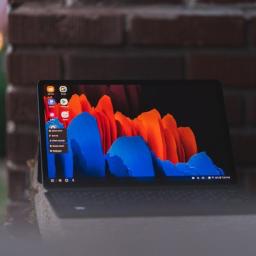
Don't look at any other Android tablets for Black Friday.The Galaxy Tab S7 and Galaxy Tab S7 Plus are the two best Android tablets available, full stop. They have gorgeous and lightweight designs, massive displays with ultra-smooth 120Hz refresh rates, durable battery lives, and better software than other stock Android tablets or Fire tablets. And thanks to an exclusive early Black Friday deal, you can get them at a significant discount.Android Central readers have access to an early Samsung.com deals page for the Galaxy Tab S7 and S7+. You'll get an instant rebate on either tablet that increases the more storage you buy: $150 off for the 128GB models, $200 off for the 256GB models, or $230 off for the 512GB models. That equates to $499 for the cheapest Galaxy Tab S7 model or $699 for the baseline Galaxy Tab S7+.To find the sale price, go to the links below, select the model and storage you want, and choose "No trade-in." Scroll down, and you should see your "instant rebate" in...
|
 |
by Ted Kritsonis on (#5S00H)
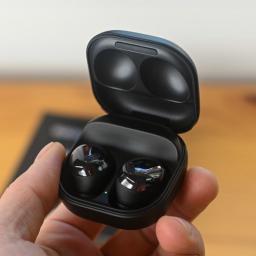
Going ProSamsung Galaxy Buds Pro$150 at Amazon $170 at Best Buy $170 at B&HProsBolder soundMore custom fitSolid ANC performanceDynamic ambient modeSignificant water resistanceBetter battery lifeConsFit requires more fidgetingAmbient mode not as goodSamsung built the Galaxy Buds Pro to include as many features as possible, and the outcome generally leads to performative success. Active noise cancelation, ambient mode, and 360 Audio all come together to offer a deep audio experience made only better by increased water resistance.Not there yetApple AirPods (3rd Gen)$175 at Amazon $180 at Best Buy $179 at B&HProsImproved audio qualitySpatial audio supportMore durable build this timeExcellent call qualitySmall charging caseConsNo ANCNo EQ optionsLightning for chargingNot as resistant to water and sweatApple took its entry-level earbuds and gave them a look befitting the AirPods Pro, with a fit more in line with the previ...
|
 |
by Jim Metzendorf on (#5RZX6)
Our adventuring party is back at full strength! Plus, special guest Zachary Boddy joins us for a review of Forza Horizon 5 and a whole lot more.Hosted by: Jennifer Locke, Carli Velocci, and Rebecca SpearGot feedback? Hit up Podcast@androidcentral.com and tell us something!LISTEN NOW:LINKS:Zachary Boddy (@BoddyZachary) / TwitterNintendo recap: The Pokémon Company takes action against leakers and future Switch plans revealed | iMoreForza Horizon 5 cloud gaming review: Diet Forza tastes nearly as sweet | Android CentralForza Horizon 5 review: The unchallenged champion of open-world racers | Windows Central...
|
 |
by Ara Wagoner on (#5RZX7)
Disney Plus is not just home to Star Wars, the Marvel Cinematic Universe, and all your Pixar favorites, but educational entertainment like National Geographic and storied series like The Simpsons. Oh, and all the Disney movies and TV shows you could ever want to watch. Available in over a dozen countries — with more on the way — Disney has finally given us an all-in-one destination we Disney fans have been waiting almost two decades for. Welcome to Disney Plus (Disney+).A Guide to Disney+What is Disney Plus?Where is Disney Plus available now?What devices support Disney Plus?What shows and movies are on Disney PlusWhat is Premier Access on Disney Plus?Parental controls, profiles, and account limitsDisney Plus tips, tricks & moreWhat is the best Disney Plus deal?How does Disney Plus compare to Netflix and others?A magical streaming serviceDisney+Free trial at Disney+All your Disney favorites, and so much moreFrom DCOMs to National Geographic, from ...
|
 |
by Ara Wagoner on (#5RZX8)
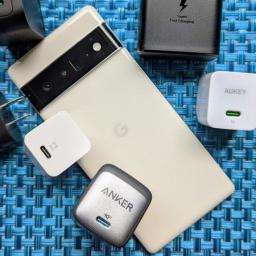
The Google Pixel 6 and Pixel 6 Pro are the first Pixels to go above the basic 18W Power Delivery for wired charging, but there's been some controversy over exactly how many watts it actually can pull down. You don't need Google's 30W charge, but here are the best Pixel 6 chargers that will also charge all the other gear in your life.Compact and powerfulAnker Nano II 45W Fast ChargerStaff pickAnker's 45W charger has everything your Pixel 6 needs except a cable. This 1.4-inch cube is a hefty little charger ready to fast charge your laptop, your tablet, or your Pixel 6, thanks to PPS support.$40 at AmazonCharge more at onceAukey Omnia Mix3 90W 3-Port PD ChargerWant to fast-charge your Pixel 6 Pro and your laptop at the same time? Not a problem for the Omnia Mix3; when both USB-C ports are used, your laptop can charge up to 60W while your Pixel can pull down up to 30W.$50 at AukeyGalaxy-geared, Pixel perfectSamsung 25W Travel AdapterWhile this charger is mad...
|
 |
by Babu Mohan on (#5RZSY)
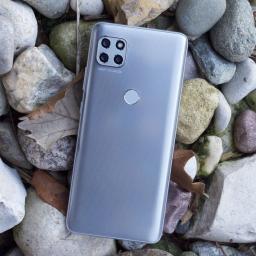
Rumors suggest the upcoming Moto G71 will be a lot more impressive than previous mid-range 5G phones from Motorola.What you need to knowA new leak has revealed a few key specs of Motorola's rumored Moto G71.The mid-ranger is tipped to be powered by Qualcomm's Snapdragon 695 5G chipset. It could also come with a 6.43-inch OLED screen and a 50MP main camera. Last week, a leak revealed the design and key specs of Motorola's Moto G Power (2021) successor. A new report from TechnikNews claims the Lenovo-owned company is also working on a new mid-range Moto G series phone with 5G connectivity and Qualcomm's latest Snapdragon 600 series chipset.As per the report, the upcoming mid-ranger is codenamed "Corfu5G" and could be launched as the Moto G71. It is said to feature a 6.43-inch OLED display with FHD+ resolution. Under the hood, it will apparently be powered by Qualcomm's Snapdragon 695 5G chipset.Announced last month, the Snapdragon 695 5G is a 6nm chip with support for up ...
|
 |
by Rajat Sharma on (#5RZSZ)
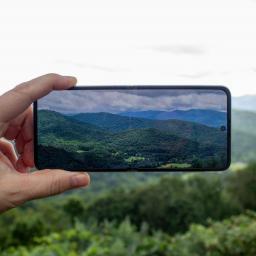
There's no denying the Samsung Galaxy Z Flip 3 is one of the best foldable phones available right now. The futuristic clamshell packs a lot of improvements over its predecessor from 2020. These include a more prominent external display, water resistance, and, more importantly, a gorgeous foldable OLED panel that comes pre-installed with a harder screen protector. That said, you can never be too careful with a device this fragile (and expensive), so here are some of the best Samsung Galaxy Z Flip 3 screen protectors you can get for your swanky new foldable.Fully coveredOrzero Samsung Galaxy Z Flip 3 screen protector - 3 packStaff PickOrzero's soft TPU screen protectors guard the inside, outside, and even the hinge of your Galaxy Z Flip 3 from damage. These are made with an ultra-thin material for that barely-there feel and also have hydrophobic and oleophobic coatings that reduce smudges and fingerprints.$16 at Amazon $17 at WalmartCase-friendly protectionLK Sams...
|
 |
by Ara Wagoner on (#5RZT0)
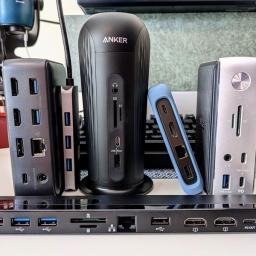
The best Chromebook docking stations can turn your laptop from on-the-go ready to comfortably cozy by plugging in a single USB-C cable. When you're home and want to use a clicky mechanical keyboard, an ergonomic mouse, or add a secondary display, docking stations are here to keep things tidy and organized. While you could maybe get by with some tiny USB-C hub, the cables are usually too short and leave your desk cluttered, while docking stations help keep things connected while staying out of your way. If you need to get your Chromebook connected, these are the best docking stations.Keep it tidyPlugable USB-C Mini Docking Station with 85W ChargingStaff PickThis compact docking station won't take up much desk space, but it still has enough space for four USB-A peripherals, an HDMI monitor, Ethernet, and an audio jack for some speakers. It can also charge your Chromebook at full speed.$149 at Amazon $149 at WalmartTall or flat, your choiceBaseus 16-in-1 USB-C Dock...
|
 |
by Courtney Lynch on (#5RZPB)
Best answer: Nest Renew Basic is free and helps users understand the quality of the energy coming into their homes so they can make more informed decisions regarding their electricity usage. Nest Renew Premium is available for a fee and offers extra features, including Clean Energy Match.What is the difference between Nest Renew and Nest Renew Premium?When you're shopping for the best smart thermostat, you'll come across a wide range of options. One of the most popular products on the market is the Nest Thermostat. This easy-to-install thermostat offers a sleek design and an intuitive user interface that can be navigated through a series of taps and swipes.One of the best features is that you can control your thermostat via Google Assistant or the Google Home app from anywhere in the world. Additionally, users will have access to Nest Renew. The basic option is available to join for free and will provide important information regarding your home's energy.Nest Renew will tell ...
|
 |
by Samuel Contreras on (#5RZPD)
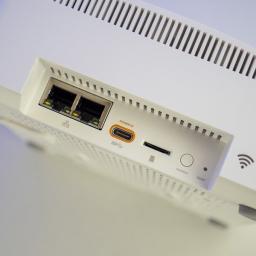
Best answer: Yes, but you may need to upgrade your system to support it. The Ring Alarm Pro has a microSD card slot that can store Ring camera footage locally.Can a Ring Video Doorbell record locally?Storage for your Ring camera video is primarily handled on the cloud with a Ring subscription enabling recording for your devices. Until recently, this was the only way to view your camera's footage. This makes a lot of sense for those trying to keep an eye on things while they're away from home, but it's not a perfect solution.If you upgrade to the Ring Alarm Pro with built-in Eero 6 mesh Wi-Fi, you can use a microSD card to store video locally. While it would be great to have more recording flexibility, it's a good option with microSD cards offering a lot of storage for relatively low prices. Not only that, but since it's all contained in the Alarm Pro base station, your setup can remain simple and clean.Finally, you'll need a reliable microSD card. Any of the best microSD ca...
|
 |
by Ted Kritsonis on (#5RZPC)
Yup, it's Palm, and yes, they're making earbuds now.Some of you reading this may remember Palm as an upstart phone manufacturer that ultimately met its demise, beginning the day HP acquired it. It's a long story, but in any case, the Palm brand never really died once TCL bought it in 2014. After one attempt to bring it back with the Palm Phone, we now have a pair of earbuds to consider.These earbuds aren't a TCL project but more likely a white or private label arrangement with a different unnamed Chinese manufacturer. Nor do they have any relation whatsoever to the original Palm of over a decade ago. Either way, they're out now, trying to compete with every other pair of earbuds that sell for around the same price. It's a bold undertaking, and while branding may pique interest, the results may not be convincing enough yet.Palm Buds Pro review:Price and availabilityWhat's good What's not goodThe competitionShould you buy?At a glancePalm Buds Pro ...
|
 |
by Babu Mohan on (#5RZK7)
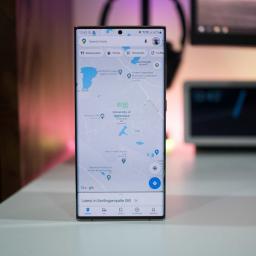
You'll soon be able to use Google Maps to avoid the crowded parts of town.What you need to knowGoogle Maps is gaining new tools to help users avoid crowds and maximize their time with loved ones.The new Area Busyness feature will help you instantly spot when a part of town is at its busiest. Google is also expanding the Directory tab globally for Android and iOS users. Google is introducing new Maps tools that it says will allow you to "keep it chill" this holiday. Along with a few new features, Google is also expanding some existing features to more locations around the world.Google Maps' new Area Busyness tool will allow users find out when a neighborhood is near or at its busiest. Not only will the new feature help people who hate crowds see places to avoid, but also allow travelers to find out which parts of town are lively.You can also view more information such as how busy an area is at different times of day, along with all the major attractions within it. Goog...
|
 |
by Jerry Hildenbrand on (#5RZK8)
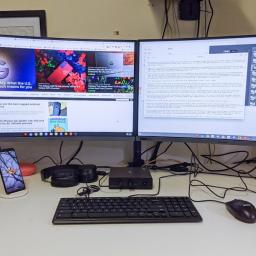
Chrome OS comes on two types of devices: laptops called Chromebooks and desktop machines called Chromeboxes. While the best Chromebooks are more widely known and more diverse in their options, Chromeboxes are a relatively small market where you have one option from each of the major manufacturers that gets updated every few years. 2021 is a good year to be a Chromebox user, as we're getting updates to the two most popular Chromeboxes on the market. While we may see another Chromebox or two come out in the second half of 2021, the ASUS Chromebox 4 is the one you'll want to buy for the extra ports and the extra power.Best overall: ASUS Chromebox 4ASUS makes some of the best Chromebooks for work, and it's never afraid to squeeze in every little feature and port it can to try and stand out in an increasingly competitive Chrome Enterprise space. This means that whether you're buying the business version or consumer-grade, we all benefit from ASUS's dedication to being the most power...
|
 |
by Anthony J Nash on (#5RZK9)
We finally got a good look at what PvP will look like.Earlier this month, Blizzard once again opened the gates to the world of Diablo Immortal, allowing fans to jump into another round of closed beta. This time, Blizzard has given players tons of new things to experience, including a new class, new updates to the Cycle of Strife, and more updates to the game's blossoming PvP mode.After a couple of weeks playing through the new content, I'm more confident than ever that Diablo Immortal has what it takes to not only deliver an authentic Diablo experience, but to quickly become one of the best Android games available when it launches.Much needed changes to PvPWhen Diablo Immortal last had its closed alpha test, one of the many drawbacks that players noted was how barebones the PvP mode felt. This time around, Blizzard has delivered some big updates to the section, and instead of feeling like something that's tacked on, they feel like a proper extension of the game. A taste of ...
|
 |
by Alex Dobie on (#5RZGS)
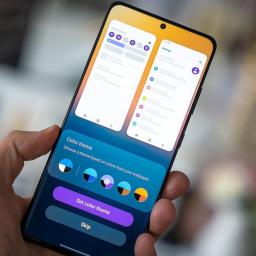
The next era of Android design will bring a mix of dynamic color implementations — as well as potentially dull-looking apps for Android 11 and below.Material You is one of the most prominent new features of Android 12 on Pixel phones, and a major part of that is the dynamic color feature. With dynamic color, the entire system UI — and many of the built-in apps — are decorated with a color scheme from the "Material" color palette based on your choice of wallpaper.Per recent reports, it also appears other manufacturers will be getting in on dynamic color. Recent code commits confirmed the feature will be heading to phones from major brands like Motorola, OnePlus, and Oppo.But based on what we've seen from early dynamic color implementations so far, it's likely we'll see plenty of variation in the feature's implementation across the Android ecosystem. What's more, as apps move towards adopting dynamic color, the countless phones running Android 11 and earlier could find upda...
|
 |
by Namerah Saud Fatmi on (#5RZGT)
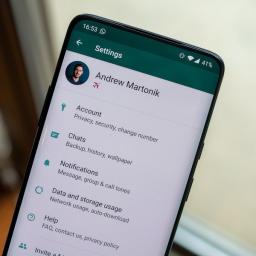
Maybe you like to use WhatsApp for work because it's one of the best messaging apps out there. On the other hand, perhaps it's just a convenient (and free!) way to keep in touch with friends. Either way, you probably have some pretty important messages and media in there, and it'd be a shame if it all suddenly disappeared. That's why it's a great idea to back up your messages, photos, and videos. Here's how to do just that using Google Drive.Products used in this guideMessaging at its best: WhatsAppFlagship for less: OnePlus 7 ProHow to back up between Android and iPhoneIf you're planning on switching from Android to iPhone and want to take your WhatsApp messages with you, you're kind of out of luck.When you back up WhatsApp on your Android phone, you back up to Google Drive. The Android WhatsApp app uses Google Drive to back up and restore. The iOS app uses iCloud to do both of those.Even if you have the iOS Google Drive app, you still won't be able to restore your An...
|
 |
by Babu Mohan on (#5RZES)
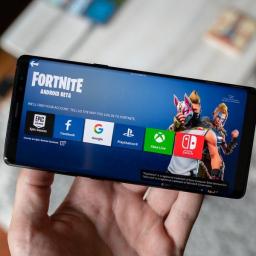
Epic says Google rushed to "get the word out" regarding a potential security problem for users sideloading Fortnite.What you need to knowA legal filing by Epic Games has revealed that Google formed a "Fortnite Task Force" after the company sidestepped the Play Store.The task force apparently met daily in 2018. Epic has also claimed that the task force disregarded the security of users and tried to deter developers from launching their apps outside of the Play Store. Google created a task force after Epic Games launched Fortnite through Samsung's Galaxy Store and its own website in 2018, according to a new legal filing by the game developer (via Bloomberg). Citing internal Google documents, Epic Games has claimed that the task force, which was launched to cope with Fortnite sidestepping the Play Store, met daily in 2018.The filing also reveals that the task force "latched onto" a potential security issue for users sideloading the game on their phones. Even though Google's ...
|
 |
by Joe Maring on (#5RZET)
Whether you use them for working out at the gym, listening to tunes at the coffee shop, or just for ambient noise while working around the house, headphones and earbuds are essential tools. Unfortunately, if you use them for too long without proper cleaning, they can turn into disgusting messes. To avoid catching nasty ear infections, here are a few helpful cleaning tips that'll make it quick and easy to keep your audio gear in tip-top shape.Products used in this guideANC beast: Bose QC35 IITruly wireless buds: Aukey Key Series EP-T18NCHow to clean your headphonesWhen it comes to cleaning headphones, you'll want to make sure you clean both the headphones themselves and, perhaps more importantly, the speaker pads covering them. Starting first with the outside of your headphones, here's what you'll want to do:Remove the earpads on both ends.Wipe down the exterior of the headphones with a cloth that's been dampened with soap and warm water.Dry everything off with paper...
|
 |
by Jay Bonggolto on (#5RZEV)
You can now livestream your Stadia gameplay to YouTube in 4K resolution.What you need to knowStadia has added support for 4K streaming on YouTube at up to 60fps and in HDR.It's likely that the new resolution capping is determined by the game you're playing.The higher streaming resolution begins automatically, so there is no need for you to do anything.Stadia's direct YouTube streaming capability was launched last year, allowing players to stream from the Stadia web app directly to YouTube with no additional software requirements. Now, the feature has picked up a highly-requested upgrade.As per a Twitter user who goes by the name Nohinn, you can now stream your Stadia gameplay directly to YouTube in 4K resolution (via 9to5Google). The stream also supports up to 60 frames per second and HDR. Previously, the stream was limited to 1080p at 60 frames per second, regardless of whether the title supported higher resolution.This is direct streaming from earlier. pic.twitter.com...
|
 |
by Jay Bonggolto on (#5RZCP)
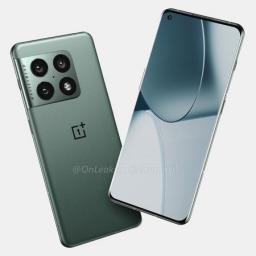
The upcoming phones are tipped to boast a 125W fast charging speed next year.What you need to knowA new rumor claims some upcoming phones from OPPO, OnePlus, and Realme will offer 125W fast charging speeds.These smartphones are the OnePlus 10 Pro, Realme GT 2 Pro, OPPO Find X4 series, Oppo N series, and Reno 8 Pro.All these devices are expected to debut in 2022.It is no secret that a number of Chinese phone makers have been working on bumping up the charging speeds of their respective smartphone offerings. OPPO and Realme are among the companies that are betting big on super fast charging, and now a new tip points to 125W wired charging for a handful of their upcoming devices.Reliable tipster Mukul Sharma tweeted that the OnePlus 10 Pro, Realme GT 2 Pro, Oppo Find X4, Oppo N phone, and Reno 8 Pro will all have a 125W charging speed (via Android Authority). It's important to note that this is wired charging; there's no word on how fast their wireless charging will be.Rea...
|
 |
by Babu Mohan on (#5RZAS)
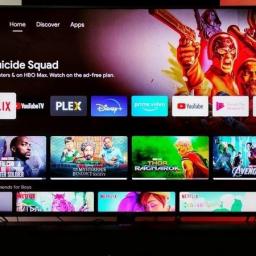
The ability to install apps on Android TVs from the Play Store mobile app is rolling out to users via a server-side update.What you need to knowGoogle is rolling out a new feature that makes it easier to find and install apps on Android TV devices.You no longer have to open the Play Store on their TV to install new apps. It is now possible to install apps on your Android TV directly from the Play Store on your phone. Google is finally making it easier to discover and install new apps on Android TV devices. Android TV users can now install an app on their device from the Google Play Store on their phone (via XDA Developers). Until now, users had to either open the Play Store on their Android TV or use the Play Store's web version to find and install apps.According to a post from Reddit user u/avigi, the feature has already been rolled out to some users. However, it could take a few weeks for the feature to become widely available on all the best Android TVs. It is also wor...
|
 |
by Jay Bonggolto on (#5RZ91)
It's reportedly going to license its smartphone designs to partners.What you need to knowHuawei will reportedly license its future smartphone designs to third-party companies to sidestep the U.S. ban.The collaboration could allow the company to obtain smartphone components from suppliers without having to worry about legal issues.Huawei is reportedly in licensing talks with at least two companies.Amid an ongoing trade tension between China and the U.S., Huawei continues to be caught in the crossfire. The latest fallout that befell the Chinese company was the passage of a new law that would block its application for network equipment with the Federal Communications Commission.Now, Huawei may have found a way to circumvent the various trade sanctions it's currently facing. According to Bloomberg, the smartphone maker is currently in talks with third-party companies over a licensing agreement for its smartphone designs. The deal is expected to give Huawei access to critical ...
|
 |
by Jay Bonggolto on (#5RZ4P)
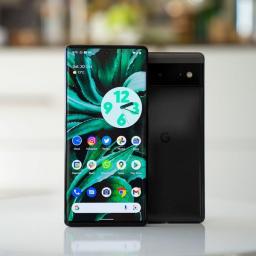
It's the latest feature to arrive on older Pixel phones after being previously exclusive to the Pixel 6.What you need to knowThe Live Translate feature is now available on older Google Pixel devices.You can get it to work by installing the Pixel 6 version of the Android System Intelligence on your phone.The app has been spotted working on a Pixel 4a, for example.Google doubled down on AI and machine learning with its custom-built Tensor chip, the processor that powers its latest flagship phones. For example, the Google Pixel 6 series boasts smarter calling features, Magic Eraser, and Live Translate.However, according to Mishaal Rahman, the latter appears to be no longer limited to the Pixel 6 and 6 Pro. Live Translate appears to be functional on older Pixel phones such as the Pixel 4a. To enable the feature, you must sideload the Pixel 6 version of the Android System Intelligence app, available to download from APKMirror. Keep in mind that you must first upgrade your devi...
|