 |
by Derrek Lee on (#5M87C)
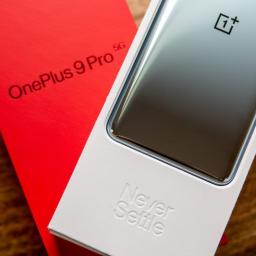
OnePlus went about it all wrong.OnePlus has been under fire lately over its decision to quietly implement app optimization in its latest flagship smartphones. However, while the act itself has been seen as problematic by some, experts are saying that throttling apps wasn't the biggest problem. The main issue is that the company was not upfront about its decision to throttle app performance on the OnePlus 9 and OnePlus 9 Pro.After an initial investigation by Andrei Frumusanu at Anandtech, it was discovered through benchmarking is that the OnePlus 9 Pro seems to perform worse than some of the best Android phones on the market when it comes to running many apps. This would include devices like the Samsung Galaxy S21 Ultra and Xiaomi Mi 11 Ultra, both of which use the same Qualcomm Snapdragon 888 processor.Frumusanu points out that in regular usage, it's not very apparent that this is happening. "In isolation, you'd probably not notice it...I hadn't immediately noticed it myself," ...
|
 Latest from Android Central
| Link | https://www.androidcentral.com/feeds.xml |
| Feed | http://www.androidcentral.com/rss.xml |
| Updated | 2026-10-25 22:48 |
 |
by Adam Oram on (#5M87D)
With all of the streaming, gaming, and working we do from home these days, it's never been more important to have a reliable internet connection. If you've experience drop outs or dead zones, or just have a bunch of devices and smart home gear on your network at all times, then you ought to invest in a mesh networking system for broader coverage.Eero mesh Wi-Fi systems are some of the most popular and widely regarded as some of the best mesh Wi-Fi routers on the market, but you don't have to pay full price to get set up. Here are the best Eero deals out there.Whether you're looking for a basic mesh Wi-Fi system, upgrading to an Eero Pro system, or just want to add some extra coverage with an Eero Beacon, we've got you covered. We've rounded up the best deals right here so you can snag something without breaking the bank. Be sure to check out the list and give Eero a try today!Best Cheap Eero DealsThere are a few different Eero models on the market, and there are plenty of retai...
|
 |
by Joe Maring on (#5M87E)
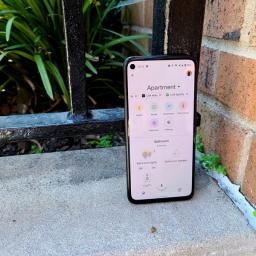
In just a few short years, big phones have gone from being an outlier to the norm in the smartphone industry. Just about every major device released these days has a larger physical size, and while that's great for watching movies and playing games, it can be a challenge for those who prefer our phones to be small and compact. Thankfully, there are still plenty of options out there — including the Google Pixel 4a as our top overall pick. So if you're looking eagerly at that iPhone 12 mini but don't want to switch over to iOS, these are the best small Android phones you can buy.Best overall: Google Pixel 4aRegardless of size, the Pixel 4a is just one of the best Android phones you can buy right now. Admittedly, it isn't the most technically impressive handset on the market, but the value on offer is tremendous.As you'd expect from any Pixel, the Pixel 4a takes incredible photos. Whether you're shooting in broad daylight or trying to take a picture of the night sky using the ...
|
 |
by Rachel Mogan on (#5M84V)
The perfect cure for a rainy day or your morning transit commute.Not everyone wants to commit hours of their day to playing games on their phones. That's why casual games exist! These games have proven wildly successful, championed by iconic mobile games such as Angry Birds and Candy Crush Saga. They're designed to be played on the go and at your own pace — as laid back or competitive as you want.Most casual games are free, offering in-app purchases and some ads. Some may cost you a dollar or two, but they're worth it. We've collected some of our favorites from the past, along with some newer games that are great to keep on your phone for a little gaming break during your day. It should come as no surprise that you'll find quite a few of these on our list of best Android games.The gamesSuper Mario RunAlto's Odyssey The Battle for PolytopiaReignsTwo DotsSmash HitPiano Tiles 2Candy Crush SagaFruit Ninja FreeAngry Birds 2New Words With FriendsBattlelands RoyaleM...
|
 |
by Michael L Hicks on (#5M84X)
Get ready to study the Township Tale wiki. This game has depth.Some gamers gravitate to early-access games because of sheer potential. The initial product is rough, but each patch generates hours of new content or redefines the gameplay itself, making it an event to experience with friends or discuss on the Discord. But it's not a complete package, nor does it provide the structured, polished experience other gamers want.Launching today on the Oculus Quest 2 in version 0.0.1, A Township Tale is all about that raw potential. It was available on PC VR headsets since 2018, but fantasy RPG multiplayer games are almost nonexistent outside of App Lab games on the Oculus Quest 2. Its money-to-time ratio is much better than even the best Oculus Quest 2 games, costing just $10 for likely dozens of hours of questing with friends.The flipside of A Township Tale's potential is that, in its current form, the game feels unpolished. While graphically pretty for an open-world game on a mobile ...
|
 |
by Olivia Lipski on (#5M84W)
VerizonData powerhouseFrom $30/mo. at VerizonProsVerizon 4G LTE and 5G networkPremium data access Multi-line discountsEntertainment perks International benefits ConsExpensiveNot all unlocked phones supported5G network is spottyThere are some fantastic plans you can get with Verizon on its 4G LTE and 5G network, including postpaid unlimited plans, prepaid plans, and even MVNO options. But Verizon's core offering includes four top unlimited plans, all of which include a nice set of perks, multi-line discounts and can be mixed and matched for better savings.Mint MobileBundled savingsFrom $15/mo. at Mint MobileProsT-Mobile 4G LTE and 5G networkAffordableMulti-month savingsFree calling to Mexico and Canada Free mobile hotspot Cons5GB mobile hotspot cap (unlimited plan)35GB data cap (unlimited plan)SD streamingMust buy in bulk Mint Mobile's 4GB, 10GB, 15GB, and unlimited plans are some of the most affordable plans you'll find on ...
|
 |
by Babu Mohan on (#5M84Y)
The move could help Netflix stay ahead of Disney+ and other rival streaming services.What you need to knowA new report claims Netflix is working on a game streaming service of its own.The streaming giant is tipped to add games to its platform sometime next year.It has fired former Facebook executive Mike Verdu to lead its game streaming efforts. Netflix could begin offering games on its streaming platform within the next year, according to Bloomberg. The news doesn't come as a surprise, as The Information had reported in May that Netflix had approached veteran game industry executives for an expansion into video games.The company has hired Mike Verdu, who was previously in charge of AR and VR content at Facebook. Prior to joining Facebook, Verdu was the chief of mobile games at EA. The executive has joined Netflix as vice president of game development and will be reporting to the company's Chief Operating Officer Greg Peters. Android Central reached out to Netflix to conf...
|
 |
by Harish Jonnalagadda on (#5M811)
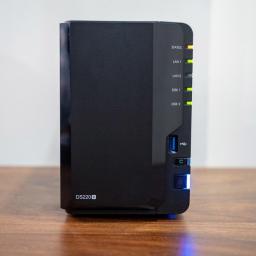
The best NAS for Plex, which stands for network-attached storage, lets you easily stream your media library on all devices across your home network. The DiskStation DS220+ illustrates this point perfectly — it transcodes content so that any device can playback any file without running into issues and doubles up as a reliable solution for backing up photos and videos from your connected devices.1. Synology DiskStation DS220+: Best overallRight now, the DiskStation DS220+ is the best NAS you can buy for Plex streaming. The NAS is powered by an Intel Celeron J4025 chipset and comes with 2GB of RAM — with the ability to add another 4GB — and there are two drive bays that can hold 16TB of storage each, taking total storage to 32TB. The DS220+ has two Gigabit Ethernet ports at the back with Link Aggregation, and you can just bridge these ports and double data transfers. There are two USB 3.0 ports as well, and overall, the DS220+ is the best NAS for home use, particularly if yo...
|
 |
by Anthony Spadafora on (#5M812)
The terrifying true story of Dr. Christopher Duntsch comes to life in the latest Peacock original Dr. Death and we have all the details on how you can watch the new crime drama on TV or online."Based on Wondery's hit podcast of the same name, Dr. Death tells the story of a rising star in the Dallas, Texas medical community (played by Joshua Jackson) whose flourishing neurosurgery practice takes a turn for the worse when patients undergoing complex but routine spinal surgeries are left permanently maimed or dead.As Dr. Duntsch's victims begin to pile up, two fellow physicians, neurosurgeon Robert Henderson (Alec Baldwin) and vascular surgeon Randall Kirby (Christian Slater), along with Dallas prosecutor Michelle Shughart (AnnaSophia Robb) set out to stop him once and for all."Although the series is set in Dallas, it was actually filmed in New Mexico at the beginning of this year and all eight episodes will be available to watch at once on NBC's streaming service Peacock in the U...
|
 |
by Rachel Kaser on (#5M7Y0)
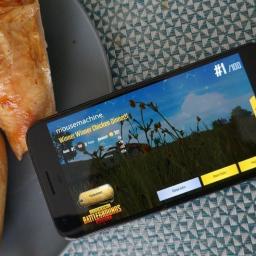
Players are spending over $200m a month this year.What you need to knowPUBG Mobile is the mobile port of the popular battle royale game, in which players have to compete to be the last man standing.According to a new report, PUBG Mobile is the highest grossing mobile game so far this year, at $832 million in player spending.The next-highest games on the list are Honor of Kings and Genshin Impact.PUBG Mobile was the highest-grossing mobile game for the first half of 2021, according to a recent report, grossing over three-quarters of a billion dollars just in the last six months. If these numbers are accurate, it's the most successful game out there by a considerable margin.The report comes from Safe Betting Sites, which lists the income for PUBG Mobile as being around $832 million from January to June 2021. The next-highest-grossing game was Honor of Kings, which grossed around $664 million, then Genshin Impact at $576 million, and none of the other games in the report gro...
|
 |
by Jeramy Johnson on (#5M7Y1)
The best cheap standing desks are those that are flexible enough to work well in your existing workspace or just about anywhere around your home. Standing while working — even in short spurts — is one of the best things you can do for your health if you are physically able to. The trouble with standing desks is that they are often expensive and replace otherwise perfect office furniture, but thankfully there are several affordable and portable alternatives. Our favorite overall is the VariDesk Pro Plus 36 because it sits on top of an existing desk or tabletop, and it is incredibly spacious, sturdy, and adjustable.Best overall cheap standing desk: VariDesk Pro Plus 36"VariDesk is one of the most well-known manufacturers of standing desks. In addition to the stand-alone electronic and manual desks, it also makes several desktop units that you can place on existing workspaces. Out of these, my favorite is hands-down the Pro Plus 36. The unit consists of two levels — an upper...
|
 |
by Kevin Lynch on (#5M7Y2)
First announced via show creator Ryan Murphy's Instagram last year, the wait is at last over for this spin-off of FX's hugely successful American Horror Story.Read on to find out how to stream American Horror Stories and watch the new anthology series online from anywhere in the world.With a new cast and a standalone plot for every tale, scant details have so far been released about what's in store beyond a hint of the terrors of episodes 1 and 2.The first installment, "Rubber(wo)Man," promises a return to the Murder House of AHS season 1, telling the tale of a teenager Scarlett and her Dads Michael and Troy as they become the new tenants of a property with a decidedly dark past which starts to reveals itself as they begin renovating. Episode 2, meanwhile, is the similarly titled "Rubber(wo)Man Part Two," which promises to follow Scarlett as she embarks upon a twisted new romance.Past American Horror Story stars Billie Lourd, Matt Bomer, John Carroll Lynch and Charles Melto...
|
 |
by Babu Mohan on (#5M7TJ)
Amazon is also said to have worked on an Alexa-powered Karaoke microphone.What you need to knowAmazon reportedly considered making an Alexa-powered wearable for kids.The wearable would feature built-in GPS and provide access to Amazon Kids Plus content. The voice-activated wearable would also enable parents to monitor and communicate with their kids.Amazon mulled creating an Alexa-powered wearable that would allow parents to track their kids, as per a Bloomberg report.The retail giant is said to have started exploring the concept of the tracking device in mid-2019 for its 2020 product roadmap. Unfortunately, the current status of the project isn't known. If launched, the device would go up against the likes of the Fitbit Ace 3, Garmin Vivofit JR3, and Apple Watch SE. Android Central reached out to Amazon to confirm the report, but did not hear back in time for publication.The wearable, codenamed Seeker, would be targeted at kids aged four to twelve and "could take the f...
|
 |
by Andrew Martonik on (#5M7TK)
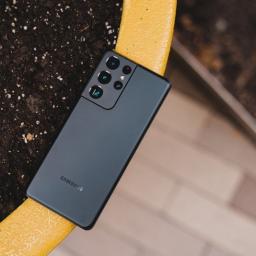
Whether you're planning an international trip or you just prefer not to be financially tied to your carrier, it's never a bad idea to buy your next phone unlocked. Amazon sells the best unlocked phones, covering everything from the highest-end flagships to the absolute cheapest phone for someone on a tight budget.The bestSamsung Galaxy 21 UltraStaff PickThe Galaxy 21 Ultra is one of the most versatile and powerful phones on the market. You get top-end specs across the board, plus all of the hardware features you expect: an incredible 120Hz display, waterproofing, bilateral wireless charging, and of course, the S Pen. The 108MP primary camera is incredible, and 10MP sensors offer both 3x and 10x native zooms.From $1,000 at AmazonBest under $800Samsung Galaxy S21 5G Android Cell PhoneThe Galaxy S21 5G offers incredible value, bringing the core Samsung flagship experience to a more affordable price. You even get the same top-tier processor and cameras you'd expect....
|
 |
by Nicholas Sutrich on (#5M7QW)
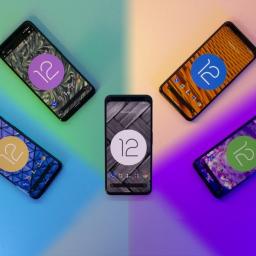
Almost exactly two months ago today, Google unveiled Android 12 and it's fantastical new look. The third beta is available right now for several of the best Android phones and can be downloaded at your leisure. While Google only highlights 3 big additions to beta 3, our Android 12 beta 3 hands on proves there's a lot more to the new build than that.I conducted this hands on with a Pixel 4 XL. This particular vision of Android 12 is most certainly the "Pixel experience", however, you can expect most of these features will make it to phones that sport a more vanilla version of Android 12. Manufacturers with more customized skins, like Samsung, will likely employ a version of any new features being added in the future. Other features, like the new games dashboard, can already be found on many phones and represents Google adding in features that build up the base operating system functionality.The colors, Duke. The colorsAndroid 12 beta 2 introduced automatic color theming as par...
|
 |
by Jennifer Locke on (#5M7QX)
You don't want to miss out on this limited time offer.What you need to knowPokémon Unite releases on July 21 for Nintendo Switch.It is expected to come to Android and iOS sometime in September.Players on Nintendo Switch and mobile will be able to get the Mythical Pokémon Zeraora as a playable character just for logging in.Ahead of Pokémon Unite's Nintendo Switch release on July 21, The Pokémon Company announced that Zeraora would be joining the game as a playable character. This Mythical Pokémon was first introduced in Pokémon Ultra Sun and Ultra Moon a few years ago, and is a powerful electric-type.Those who play Pokémon Unite on Nintendo Switch before August 31 will get Zeraora as a playable character just for logging in. Though the mobile versions of Pokémon Unite don't release until September, the publisher confirmed that mobile players would be able to get Zeraora as well. It's likely that a similar limited time offer will take place after its release on ...
|
 |
by Jennifer Locke on (#5M7QY)
This is by far Genshin Impact's biggest expansion to date.Genshin Impact Update 2.0 will be the game's biggest yet, expanding the world of Teyvat and finally adding the region of Inazuma along with new quests, characters, and more. The update, dropping on July 21, will be coming to PS4, PS5, PC, Android, and iOS free for all players. We'll run through everything you can expect in the coming weeks.Ever since its launch, Genshin Impact has become one of the best Android games out there, with frequent updates adding new content that keeps players constantly engaged. Mix that with a winning gameplay formula and its gacha system, AND you can see why it's become so popular.Genshin Impact Update 2.0 New RegionOf the seven nations of Teyvat, Genshin Impact has only taken us to Mondstadt and Liyue. With Update 2.0, players will be able to travel to the region of Inazuma, which worships the Electro Archon Baal. The Japanese-inspired nation features six main islands, one of which is N...
|
 |
by Jeramy Johnson on (#5M7QZ)
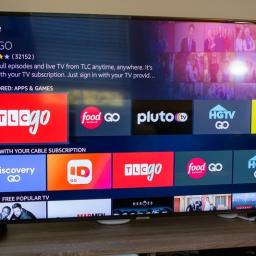
Amazon's offering more ways to control your smart TV and smart home.What you need to knowAmazon announced that it's bringing more interactive features to several of the smart TV platforms it works with, including webOS and Fire TV.The first major announcement is that Alexa will soon be available on many third-party TVs powered by LG's webOS platform.The other major announcement is that the company has brought support for Apple's AirPlay2 and HomeKit protocols to two of its newest Fire TV Edition sets.This week Amazon and its partners announced a range of new interactive features that will be rolling out to a couple of major smart TV platforms, including existing Fire TV Edition sets and current and forthcoming webOS-powered devices.Amazon and LG are adding push-to-talk Alexa capability to new and existing webOS smart TVs. Once the update goes live, webOS TV owners will simply need to long-press on the Amazon Prime Video button and speak into their TV's Magic Remote microp...
|
 |
by Jodi Owan on (#5M7R0)
The best RC helicopters are a fun hobby to pick up for those who love the idea of flying but want to keep their feet on the ground. Many of today's crafts do 3D aerobatics and stunts, some are lightweight and made to push speed boundaries, and a few are aimed right at beginners and also kids. No matter what your skill level, we have a chopper for you. My favorite is the Syma S107G-W. This small copter works for beginners or more advanced pilots, is fun to get up in the air, and is the cheapest heli on the market. There are a few helis that catch my eye this year. Here's my list of the best RC helicopters of the year.Best overall: Syma S107G-WThe best RC helicopter on our list and also one of the most affordable is the Syma S107G. Charge the heli's battery up in less than half an hour, and the Syma is ready to go right out of the box, no assembly required.The Syma S107G is a blast to fly. The controller is a cinch to use, even for total newbies. With tactile buttons, you contr...
|
 |
by Anthony J Nash on (#5M7NJ)
It's no secret that the PS5 is one of, if not the biggest consoles to have ever released. Unfortunately, WIth its bulky and honestly weird shape, the system isn't the easiest to move around or fit in an entertainment center. However, if you happen to travel a lot or are simply going on vacation and want to take your console with you so you don't miss out on any of the best PS5 games, finding a good way to transport it while keeping the system safe might leave you scratching your head. Thankfully, there are already a handful of great options available for finding the best travel cases for PS5 in 2021. These are our picks for the best around.King of the hillCase Club PlayStation 5 Portable Gaming StationStaff PickThe Case Club PS5 Portable Gaming Station does it all when it comes to travel management. It can carry your console, hold remotes, store games, cables, and headsets, and even sports a full HD monitor for you to play the games on, should you choose to do so. Of cour...
|
 |
by Babu Mohan on (#5M7NK)
Google's next flagship could be the camera phone to beat.What you need to knowThe latest Google Camera update suggests the upcoming Pixel 6 XL may have a 5X zoom "ultra tele" camera.Leaked renders of the phone had also hinted at the presence of a periscope camera.The upcoming flagship is also rumored to have a 50MP main sensor and a 12MP ultrawide lens. A teardown of the latest Google Camera v8.3.252 suggests the upcoming Pixel 6 XL will have an impressive "ultra tele" camera with 5X zoom. According to XDA Developers, the new Google Camera update includes references to an "ultra tele" zoom toggle with a "real" optical zoom level of 4.3X.Google's Pixel 4, for reference, had a "real" optical zoom level of 1.6X. The ultra-wide camera on the Pixel 6 XL may also be different compared to the Pixel 5 and Pixel 4a 5G. The ultra-wide camera on Google's current best Android phones has a 0.670X zoom level, while the one on the Pixel 6 XL is tipped to have a 0.615X zoom level.A lea...
|
 |
by Rebecca Spear on (#5M7NN)
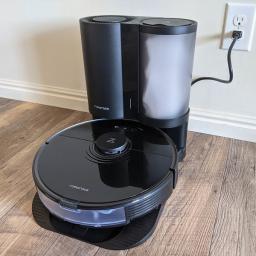
Make cleaning your floors even more convenient.Owning some of the best robot vacuums has made my life so much better. Roborock vacuums, in particular, are some of my absolute favorites as they work well on hard floors and carpets. I love being able to come into my living room at the end of a long day to find perfect vacuum lines and a tidy home. But daily dustbin emptying is not my favorite thing. In addition to being a tedious task, it makes my allergies flare really badly whenever I empty all that debris. That's what makes auto-empty stations so appealing. They keep all that dust contained in a sealable bag and only have to be emptied every few weeks rather than every day.Roborock just launched its Auto-Empty Dock, which works with select Roborock robot vacuums, including the recently launched Roborock S7. I've been able to test it out for a few days and have absolutely fallen in love with it. It really does suck up everything the robot vacuum collects, including dust, pet food...
|
 |
by Nicholas Sutrich on (#5M7NM)
Linking your phone and desktop.While most people use more than one type of device throughout their day, plenty of people spend the bulk of their day staring at a computer screen. While it's fine to pick up your phone and send a message or browse the web, even the best Android phones have a relatively small screen when compared to a PC monitor. It stands to reason, then, that linking your phone and PC together could be a huge boon to productivity and just makes communication and multitasking easier.That's where the Microsoft Your Phone app comes in. Your Phone helps link your phone and your PC together in a way that helps you keep track of what's happening on your smartphone without having to constantly pick it up. The Microsoft Your Phone app helps link your PC with your Android phone in a way that's similar to how Apple links macOS with iOS, or how Google links Chrome OS with Android.It helps you read and reply to text messages, view and manage photos on your phone, manage and...
|
 |
by Chris Wedel on (#5M7K0)
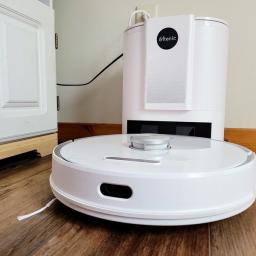
The Ultenic T10 vacuums up all the debris from your floors with ease, and when it's done, my hands stay clean with the self-emptying base station.It's been about six months since I reviewed the Roborock S6 Pure. Though it has continued to do a great job of helping out around my house, the idea of not manually emptying the dustbin after each cleaning cycle sounds lovely. So, when I got the opportunity to do an Ultenic T10 vacuum review, I was very excited.While Ultenic isn't one of the names most commonly thought of when it comes to robot vacuums, it should be watched. The T10 is a system that is comprised of both an advanced robot 2-in-1 vacuum/mop combo and a self-emptying charging station. No, this isn't the only system like it on the market today, but the Ultenic T10 has many features missing from the offerings of more recognizable names usually found on the best robot vacuums lists.I've spent the last two months with the Ultenic T10 at my rural Kansas home. Has it done the ...
|
 |
by Babu Mohan on (#5M7H3)
Your linked devices will automatically be disconnected if you don't use your phone for over 14 days.What you need to knowFacebook is rolling out a limited public beta test of WhatsApp's multi-device capability.Multi-device support lets you use your WhatsApp account on your phone and up to four other devices simultaneously. WhatsApp plans to add a few additional features before rolling out multi-device support more broadly. Facebook has finally started rolling out WhatsApp's multi-device capability in beta. The new multi-device experience lets you use WhatsApp on your phone and up to four other devices at the same time, even if your phone battery is dead. All your messages, media, and calls will still be end-to-end encrypted.To maintain message privacy, a pairwise encrypted session is established between each of the sender's and recipient's devices in a one-on-one chat. However, there are a few features that are currently not supported in the first version of multi-device ...
|
 |
by Jeramy Johnson on (#5M7H4)
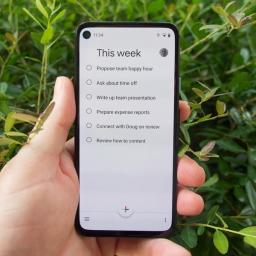
Taking other apps to task.Even though there is a robust network of third-party app developers on Android, some of my favorite apps come from Google itself. It's probably no surprise that I spend a ton of my time — both on my phone and on my computer — in apps like Gmail, Calendar, and YouTube, but there's another Google app that I rely on which probably doesn't make it on many home screen setups, and that is Google Tasks.I'll give you a minute to clean up the coffee you probably just spit up after reading that sentence, but I meant it. I think Google Tasks is one of the most underrated Google apps available, though there are certainly many others that could make this claim. Like my colleague Ara Wagoner, I, too, have a soft spot in my heart for Google Keep, but as much value as I get from that app, several days may go by between using it. That's just not the case for Google Tasks. It's the low-key top-level productivity app for me.What is Google Tasks?Google Tasks is an...
|
 |
by Harish Jonnalagadda on (#5M775)
The Reno 6 Pro shows off the potential of the Dimensity 1200 — at a hefty price.OPPO is doing all the right things in 2021; the Find X3 Pro is one of the best Android phones, and the Reno series is a viable alternative to the likes of the Galaxy A52. The Reno 5 Pro 5G debuted just six months ago, but its successor is already here.The Reno 6 Pro is now available in global markets, and there are a few standout features: the MediaTek Dimensity 1200 platform offers the latest Cortex A78 cores, and there's a larger 4500mAh battery that uses 65W fast charging. As upgrades go, there isn't much to talk about here. The Reno 6 Pro shares the same 90Hz AMOLED screen, same 64MP camera and 32MP front shooter, and a similar design aesthetic as its predecessor. But the updated hardware should give it an edge over the Reno 5 Pro, and the marginally larger battery allows it to last longer.Ultimately, the Reno 6 Pro is as iterative as updates get in 2021, but the fact that this phone serves as...
|
 |
by Derrek Lee on (#5M75K)
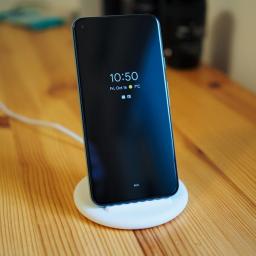
Google is making sure your Pixel battery is protected under the most extreme conditions.What you need to knowGoogle introduced a new battery health feature in Pixel smartphones.The feature limits Pixel batteries to 80% charge under certain extreme conditions.There is no toggle for the feature, but users can disable it by unplugging their phones.Regardless of which of the best Android phones you own and how big their batteries are, protecting your smartphone's battery health is important. Google aims to do just that with a new feature it quietly introduced on its Pixel smartphones for "optimizing for battery health."Spotted by XDA-Developers, the new feature keeps your phone from fully charging under certain extreme conditions, of which only two are listed: when your Pixel has been charging for four days straight and when it detects continuous charge "under high battery drain conditions, like game play."Under these conditions, phones from the Google Pixel 3 to the Google...
|
 |
by Michael Allison on (#5M75M)
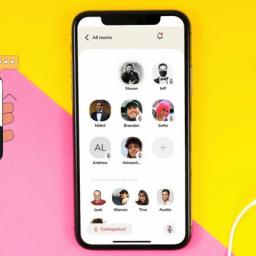
Clubhouse now has DMs, just like every other social media app.What you need to knowClubhouse today announced Backchannel, its take on direct messaging.This is rolling out on iOS and Android today, albeit with only basic support for text chats.A V2 update with more features is planned soon.The longer a social media app exists, the more likely that it'll start picking up features from other social messaging apps. In a change from being pillaged for features by other apps, Clubhouse today launched Backchannel, its own direct messaging service for the eponymous app.As you'd expect, Backchannel offers rudimentary messaging support. Clubhouse users can opt for group chats, or they can go for 1-1 chat. While you can do the basics such as send and respond to messages, it doesn't support more advanced yet common tasks like sending images, gifs, or videos.An update that'll bring more features is planned soon, the company said. While no features were specified, it would be likel...
|
 |
by Andrew Myrick on (#5M74D)
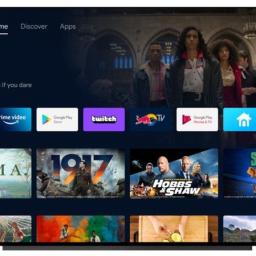
Beta 3 lands for the Android TVWhat you need to knowGoogle has released Android 12 Beta 3 for the Android TV platform.The update includes improvements to UI elements and more.New privacy controls have been added to manually turn off microphone and camera access to Android TV apps.Earlier today, Google released Android 12 Beta 3, which includes the long-awaited arrival of native scrolling screenshots and more. But the Android TV platform is also getting some love as Android 12 Beta 3 also has arrived.The update primarily focuses on improving UI elements when viewing the interface on the best 4K Android TVs. Google has also included some new privacy controls for those who don't want the microphone or a connected camera always being active.Starting with the 4K UI elements, this has been a big complaint for a few years, as the main interface is only rendered in 1080p. It's not until you select something to watch that the UI switches over to 4K, which tends to cause some "...
|
 |
by Andrew Myrick on (#5M73A)
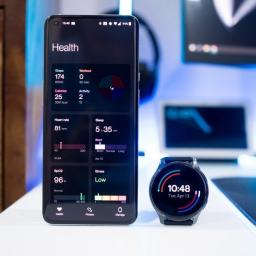
Another update to fix a problem has arrived.What you need to knowA new update is rolling out to the OnePlus Watch with version B.62.The update includes a few changes to the UI along with a potential for GPS issues.OnePlus is rolling out the update in stages, with it arriving for everyone in the coming days.Another update is rolling out to the OnePlus Watch, but instead of bringing new features, this one aims to fix some issues plaguing the smartwatch. This update comes with version number B.62 and includes a potential fix for the "accuracy and speed" regarding GPS positioning. Also included in the update are an array of design changes for various aspects of the UI.A OnePlus Forums post detailed all of the changes that are arriving. Here's the full changelog of what you can expect to find:DesignOptimize the design details of some dials, make them look better, and add some information such as date;Optimize the layout of some interface buttons, making them more intuit...
|
 |
by Derrek Lee on (#5M71V)
The OnePlus 9 Pro is likely the latest victim of the global chip shortage.What you need to knowThe base OnePlus 9 Pro will reportedly not reach the United States or Canada.OnePlus cites "supply constraints" as the reason that it's not releasing the model stateside.The higher-specced OnePlus 9 Pro will continue to be the company's focus in North America.OnePlus is apparently not launching the cheaper OnePlus 9 Pro model in the United States, according to a statement provided to Android Police.When the company launched the OnePlus 9 series smartphones, the lower-specced 8GB/128GB 9 Pro was nowhere to be found. OnePlus initially pointed to delays, but today the company seems to make it clear that it won't arrive. The OnePlus 9 Pro 8x128 GB variant was originally set to be sold in North America for $969. Unfortunately, due to unforeseen supply constraints specific to North American devices, we recently concluded it is no longer possible to bring this configuration to the ...
|
 |
by Christine Persaud on (#5M70J)
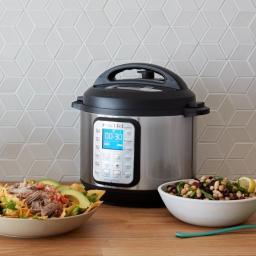
The last thing you want to do while your hands are dirty with food or wet from washing dishes is tap a button on your smart speaker. When entertaining, don't you find that so many parties congregate in the kitchen? Smart kitchen products are pretty standard nowadays, but most useful, in particular, are those you can control by voice. They help simplify things when you're multitasking and make for a super-cool kitchen that will be the envy of all your guests. If you set up voice assistant routines, you can even enjoy various things happening at once with different Alexa devices, like the kitchen lights turning on, music playing, and coffee brewing with a single command. Here are some of the best kitchen products with Alexa to make your life a little easier, some of which are actually the best Alexa devices, overall.Versatile multicookerInstant Pot Smart WiFi MulticookerStaff PickThe best multicooker you can get is the Instant Pot, and this smart version allows you to remotel...
|
 |
by Ara Wagoner on (#5M6YC)
There are a lot of fun new features coming in Android 12 and chief among them is the first major update to Android's design and user interface (UI). Material Design was unveiled in 2014, dragging us out of the beautiful #HOLOYOLO darkness and into the multi-layered blindingly white of most Material Designed apps. Now, we're getting Material You, a fun new evolution that helps bring back a more cohesive look for Android while offering you the chance to make your phone look and feel totally unique and personal.What's new in Material You theming — and who can take advantage of itWhile many parts of Material You will be available to all manufacturers and ROM-builders when Android 12 releases this fall, one aspect — in my opinion, the most important aspect — will be Pixel-exclusive at launch: Dynamic Color themes that will automatically theme your phone with colors extracted from your wallpaper. While the automatic Dynamic Color theming first arrived on Beta 2, you couldn't swit...
|
 |
by Samuel Contreras on (#5M6YD)
What you need to knowVerizon won RootMetrics best overall network performance and reliability award for the 16th consecutive time.Verizon came in first in five of the seven categories.AT&T took the lead for the fastest speeds and data score from Verizon.T-Mobile improved its media download speeds by 50%, from 20.1Mbps to 30.3Mbps.Verizon announced that has been awarded the best overall network performance and reliability by RootMetrics for the sixteenth time in a row. In its report for the first half of 2021, RootMetrics found Verizon to have the top network in five of its seven categories. This report includes results for network reliability, speed, and performance, including data, calls, and text. Verizon took top marks in the reliability, accessibility, call, and text performance categories giving it the top spot overall.Verizon points out that it has won or shared 738 out of 875 Metro Area RootScore Awards. Verizon also had 43 markets with at least 40Mbps. RootMetr...
|
 |
by Keegan Prosser on (#5M6YE)
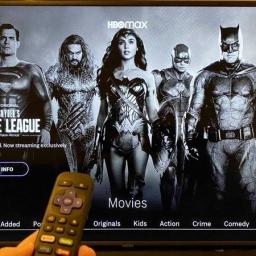
Best answer: Yes. As of December 2020, the HBO Max app is available to download on all Roku devices running Roku OS 9.3 and higher.How to install HBO Max on RokuIf you already subscribe to HBO or HBO Max but have yet to add either app to your Roku device, these are the steps you need to follow to install HBO Max on Roku:Turn on your Roku device or Roku TVNavigate to the Roku home page.Select Streaming Channels and Search channels. Search for HBO Max and select Add Channel to pin it to your Roku home page. Sign in to the HBO Max app using your existing credentials.If you're not currently subscribed to HBO Max, you should subscribe to the service at HBOMax.com before downloading the app on your Roku. It's also possible to register for HBO Max directly on your Roku and pay via Roku Pay.My HBO app didn't update to HBO MaxIt's worth pointing out that, since the launch of HBO Max on Roku streaming devices, users have reported issues with the app. If you used the HBO a...
|
 |
by Courtney Lynch on (#5M6WJ)
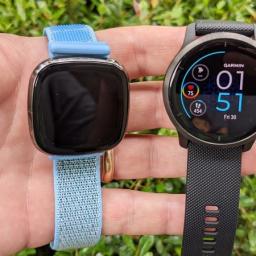
Cheaper & more advancedFitbit SenseFrom $229 at AmazonProsGPS, HRM, NFCActivity/sleep trackingMore reasonably pricedECG, EDA, SpO2 trackingBuilt-in microphone & speakerConsOnly one size optionShorter battery life than Venu 2If you want an advanced health smartwatch with many sensors and features, you'll likely lean toward the Fitbit Sense. You get a full 6 days of battery life on a single charge, activity/sleep tracking, Fitbit Pay, and a mic/speaker with voice assistants. In comparison to the Venu 2, it's also a much better value.Pricey & slightly lackingGarmin Venu 2$400 at AmazonProsGPS, HRM, NFCActivity/sleep trackingPulse Ox & Body BatterySuperior battery lifeTwo size optionsConsInsanely expensiveNo mic or speakerLacks ECG/EDA sensorsThose who are already fans of Garmin might not mind paying a bit more for the Venu 2. It's available in two sizes and offers amazing battery life. You get activity/sleep trac...
|
 |
by Jeramy Johnson on (#5M6WK)
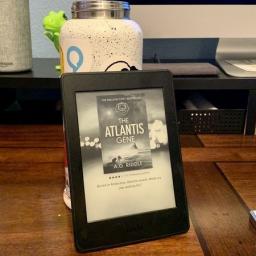
Best answer: Amazon's devices with Special Offers (now called Ad-Supported devices) are products like the Kindle e-readers and Fire tablets that feature targeted lock screen ads but come at a reduced price to the consumer.What are Kindle and Fire Tablet ad-supported devices?You may have come to this article wondering just what Kindle and Fire tablet special offers, or Ad-Supported devices, are, so let's take a minute to explain what this idea is. Amazon introduced the concept of devices with Special Offers a while back as a way to reduce the entry cost into the Kindle, and then later, the Fire Tablet ecosystems.Amazon has always offered relatively low-cost hardware, particularly during major shopping events like Black Friday or Prime Day, but it pitched the Special Offers as a way to offset those expenditures further. The devices with Special Offers, now called Ad-Supported devices, consist of lock screen/screensaver ads that are personalized to you based on your shopping pre...
|
 |
by Aimee Hart on (#5M6WM)
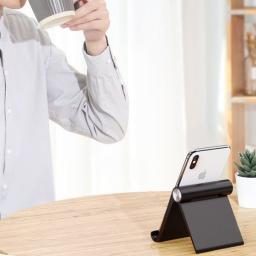
Whether you want to use your tablet to view a recipe while cooking or watch a movie in bed, you'll want to have one of the best tablet stands out there to do its job: free up your hands. There's nothing worse than trying to relax after a long day only to have your arms get tired from holding your tablet up for hours. Fortunately, these tablet stands we've chosen will make that problem seem like a thing of the past.Foldable and lightUGreen Multi-Angle Adjustable Tablet StandStaff PickThis stand is wide enough to accommodate most tablets and has internal padding to keep your device from sliding off. It's also lightweight and foldable.$9 at Amazon $12 at Walmart $20 at NeweggStylish and trendyLamicall Adjustable Tablet StandThe Lamicall tablet stand is easily adjustable and even works for other devices like your phone. The base has anti-skid cushions to keep it in place.From $17 at Amazon $20 at WalmartEasy-to-use clampSRMATE Gooseneck Tablet Stand...
|
 |
by Rebecca Spear on (#5M6T4)
Can't get inside that massive wind dome? We're here to help.Exploring the massive open world of Genshin Impact can give the same sense of wonder felt while playing The Legend of Zelda: Breath of the Wild for the first time. There are so many interesting things to see and plenty of puzzles to solve as your journey around. It's one of the best Android games and one of the best free PS5 games available. Perhaps the biggest puzzle players face early on is figuring out how to break the seal on Stormterror's Lair.If you've been dying to figure out how to get inside this enormous wind bubble or are having trouble defeating the dragon, we're here to help. Here's everything you need to know about Stormterror's Lair, regardless of whether you're playing on mobile or on PS5.Stormterror guideEnter the wind domeBreak the sealsDefeat StormterrorEntering the wind domeFirst off, no matter how curious you are, you won't be able to get past the storm barrier until you are given t...
|
 |
by Olivia Lipski on (#5M6T5)
Though it's equipped with a solid metal frame, the best Samsung Galaxy Tab A7 Lite cases will help protect your new, compact tablet and its shiny 8.7-inch LCD from any mishaps. After all, life happens. Like the Samsung Galaxy Tab A7, this latest lighter model could quickly join the ranks of some of the other best cheap Android tablets. These are the best cases to keep your tablet looking new and convenient to use.Perfect matchGalaxy Tab A7 Lite Book CoverStaff PickThere's no greater match for your new Galaxy Tab A7 Lite than Samsung's official book cover. This slim case will fit like a glove. It's offered in both gray and silver like the tablet itself, and it's guaranteed to look as good as it feels. And when you want to watch a video or a show, you can quickly prop the tablet up thanks to a flexible hinge.$30 at Samsung $30 at Best Buy $30 at B&HBest defenseOtterBox Defender Series CaseYou can count on OtterBox to provide your new tablet with multi-laye...
|
 |
by Derrek Lee on (#5M6T6)
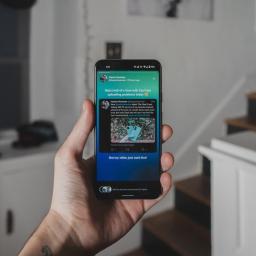
It was only here for a fleeting moment.What you need to knowTwitter has announced that it is ending its Fleets experiment on August 3.The company admits that it didn't have as much usage as it would have hoped.Twitter teases Fleets features coming to the tweet composer and Twitter Fleets is dead. The company announced that it is ending its Fleets experiment in roughly two weeks' time, on August 3.Twitter's head of product, Ilya Brown, said in a blog post that it saw Fleets as an engaging new way for users to participate in conversations, but the feature did not meet the company's expectations. ...in the time since we introduced Fleets to everyone, we haven't seen an increase in the number of new people joining the conversation with Fleets like we hoped.The feature rolled out globally on the best Android phones in November 2020 as an alternative to Snapchat, which popularized expiring photos and videos. Twitter Fleets were placed at the top of the timeline, and the ...
|
 |
by Michael L Hicks on (#5M6T7)
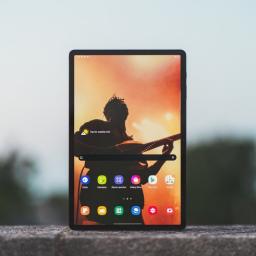
Can Samsung's upcoming tablets compete against the iPad Pro?Among the best Android tablets available today, the only real toss-up is between the Samsung Galaxy Tab S7 and its upgrade, the Galaxy Tab S7+. But considering both tablets are about a year old with aging chipsets, we're eagerly anticipating when the new Galaxy Tab S8 will arrive.We've only just begun to see initial Galaxy Tab S8 rumors and leaks in July, making it unlikely that the highly scrutinized and leaky company will release the new tablet anytime soon. Instead, we've learned that Samsung may mimic the Galaxy S21 series and release three new tablets, including a Tab S8 "Ultra" version that could go toe-to-toe with the iPad Pro. But we'll know more in the coming months.The Samsung Galaxy Tab S8 likely won't arrive for some time, but anyone considering buying an Android tablet will have to decide whether to wait for it or buy something now. So here's what we know about its potential release date, price, specs, and...
|
 |
by Samuel Contreras on (#5M6T8)
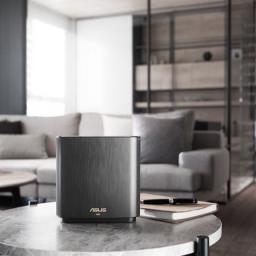
The best Wi-Fi 6 mesh routers take whole-home wireless speeds to the next level. Wi-Fi 6 (802.11ax) has allowed mesh systems to deliver full gigabit speeds easily throughout a large house by getting even more performance out of the available spectrum. Wi-Fi 6 lets compact routers hit gigabit speeds on their own and over 500Mbps while deployed as a mesh. With more phones than ever, including Wi-Fi 6 support, and families asking more of their internet connections than ever, it's a good time to upgrade to Wi-Fi 6.What are the best Wi-Fi 6 mesh routers?If you're looking for a great balance that's a great fit for an internet connection over 500Mbps, the Netgear Orbi RBK752 is a great choice, thanks to a tri-band AX4200 setup. This Orbi system dedicates a fast Wi-Fi band to connecting the mesh keeping speeds high and consistent throughout your home.The second best option is the Netgear Nighthawk MK62, designed for people who want a compact mesh system with enough speed for most people....
|
 |
by Ara Wagoner on (#5M6PH)
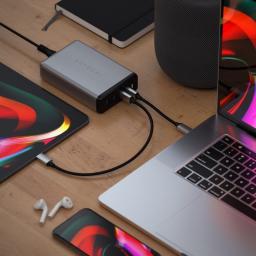
Once upon a time, getting one of the best 100W USB-C chargers meant it would be bulky, expensive, and proprietary. Now with Power Delivery, you can now find 100W chargers, with 160W charging on the way, that will charge even the most powerful laptops quickly and will charge even lower-powered devices like Chromebooks and phones, alongside your laptop with ease. The scene is shifting on 100W chargers pretty quickly these days as gallium nitride (GaN) starts making its way into this class of charger, but right now, we have a clear winner in the AUKEY Omnia 100W PD Charger.Smart powerAnker PowerPort Atom PD 4 ChargerStaff pickThis desk-friendly charging station can charge at up to 20V/5A for one device or intelligently breaks it up to charge 2-4 devices at once. The form factor and split of two USB-C and 2 USB-A make it great for charging a wide variety of devices in a variety of situations.$100 at Amazon$110 at Best BuySleek styleSatechi 108W Pro USB-C PD Desktop Charg...
|
 |
by Babu Mohan on (#5M6PJ)
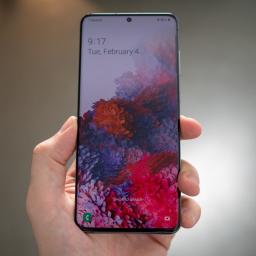
The issue appears to affect all three Galaxy S20 series phones.What you need to knowA small number of Galaxy S20 phones appear to be experiencing major screen issuesThe screen turns green or white on affected units without any evident reason.Samsung is yet to acknowledge the issue. The Galaxy S20, Galaxy S20 Plus, and S20 Ultra were three of the best Android phones of 2020 and are still great options to consider if you don't want to spend over $700 on a new Samsung flagship. Unfortunately, it looks like some owners of the Galaxy S20 series phones are experiencing a severe display issue that basically renders them useless (via Android Police).According to complaints from affected users on Samsung's Community forum, Reddit, and YouTube, the issue causes the entire display to turn green or white. Most of them say that they began noticing flickering issues a few days before their screens started turning green or white. They also claim that their phones weren't damaged in any ...
|
 |
by Derrek Lee on (#5M6KY)
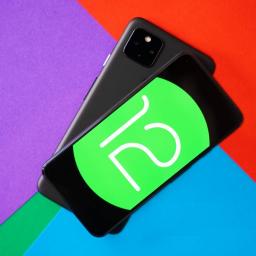
Android 12 is close to platform stability.What you need to knowGoogle releases the 3rd Android beta with a few notable features.The update brings native scrolling screenshots and on-device search for app content.Auto-rotate uses the camera to detect phone orientation more quickly.Google has begun rolling out Android 12 Beta 3 as the upcoming update nears platform stability. While Beta 2 was all about introducing new privacy enhancements, Beta 3 focuses more on utility, bringing some highly requested features while improving on others.Scrolling screenshotsThe first major feature coming to the new beta is native scrolling screenshots. This is a feature long requested by many Android users on phones like the Google Pixel 5, while many of the best Android phones already have their own implementation.When taking a screenshot, users will see a "Capture more" button to capture the full page, which can then be cropped to get just what you need.Better, faster auto-rotate...
|
 |
by Daniel Bader on (#5M6KZ)
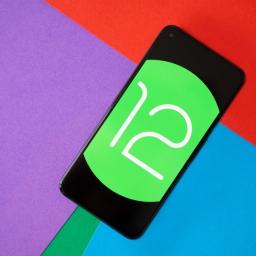
The newest version of Android is finally here, and you can install it right now.After long months of testing, the Android 12 beta is here, which means that the build is now more stable and ready for use as a daily driver.Along with a major change to the look called Material You, Android 12 comes with a bunch of new privacy features that may or may not be useful.The public Android 12 beta is available for Pixel phones along with the best Android phones from the likes of Xiaomi, ASUS, OPPO, TCL, OnePlus, and more (full list below). Here's how to get the Android 12 beta installed on your phone, whether you're using a Pixel or any of the 15 third-party phones that have joined the beta.Jump to:Eligible devicesAndroid Beta program Android Flash ToolAndroid Factory ImagesWhich phones can download the Android 12 Beta?There are nine phones from Google that are eligible for the Android 12 beta:Pixel 3Pixel 3 XLPixel 3aPixel 3a XLPixel 4Pixel 4 XLPixel 4aPixel 4...
|
 |
by Samuel Contreras on (#5M6M0)
What you need to knowAT&T 5G now covers more than 250 million people six months ahead of schedule.5G+ continues to expand with coverage in parts of more than 40 cities and 40 venues by the end of 2021.5G+ is already available in one airport, with seven more planned by the end of the year and 25 by the end of 2022.AT&T has a lot to say about 5G, announcing it has reached 250 million people covered by its 5G network in July 2021. This is six months ahead of schedule and is a major step towards achieving full nationwide 5G coverage. This coverage is mostly made up of AT&T's low-band 5G and shared DSS 5G. The announcement also included updates to its 5G+ (mmWave 5G) expansion and a plan for C-Band deployment.AT&T's 5G+ currently has coverage in parts of 38 cities and 20 venues. This is expected to grow to more than 40 cities and 40 venues by the end of 2021. 5G+ uses mmWave technology to deploy high-speed 5G connectivity with a ton of capacity in areas with a la...
|
 |
by Samuel Tolbert on (#5M6M2)
There's room for improvement but not for panic.In light of how Microsoft vastly expanded the Xbox first-party portfolio through buying ZeniMax Media, I previously argued that Sony didn't need to acquire a publisher and based on the company's current trajectory, it seems we're in agreement. While nowhere near as splashy or headline-grabbing as Microsoft's purchase of ZeniMax Media, Sony is expanding the PlayStation first-party family with smaller but strategic acquisitions. Recent announcements indicate that Sony is interested in acquiring companies to grow Sony Worldwide Studios where appropriate, with the company buying Finnish developer Housemarque and PC porting team Nixxes Software within the same week.In fact, when you look at what Sony has chosen to purchase, both are fairly obvious decisions, which is a good thing! Housemarque is a longtime partner, having worked on PS3 titles like Dead Nation, as well as Resogun, Alienation, and Nex Machina for the PS4. Even before the cr...
|