 |
by Lawrence Bonk on (#6YFVA)
Jack Dorsey just released a decentralized, peer-to-peer messaging app that functions entirely over Bluetooth networks, as reported by CNBC. It's called Bitchat and doesn't need the internet to work, as there are no central servers.The Twitter co-founder calls it an experiment in "Bluetooth mesh networks, relays and store and forward models, message encryption models and a few other things." It works by enabling encrypted communication between nearby gadgets. Basically, it sends messages directly from one device to another, but each device is also a node that widens the network a little bit.
|
 Engadget - Technology News & Expert Reviews
| Link | https://www.engadget.com/ |
| Feed | https://www.engadget.com/rss.xml |
| Updated | 2026-10-26 18:05 |
 |
by Ian Carlos Campbell on (#6YFRV)
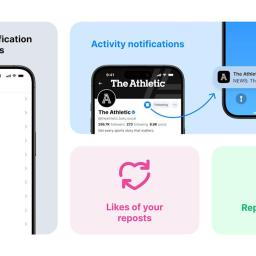
Bluesky has updated its notification settings so that users have more control over when and why the social media app sends them a ping. Besides more granular controls over which things will trigger a notification, you can now receive alerts for any activity from a chosen account.As a fledgling app, Bluesky has lacked the in-depth notification toggles you might find in something like Instagram, which has had over a decade to figure out when people want to be contacted. With this update, the situation on Bluesky has improved significantly. Now you can choose between receiving notifications from everyone, just the people you follow or no one. And those options can be applied to nearly every interaction in the app now, including when someone reposts something you repost or likes something you repost.BlueskyYou can now also turn on Activity Notifications for any account you choose, if you want to receive notifications about what they're doing in the app. Bluesky imagines it being useful if you follow news organizations who post about breaking news, but if you want to be the first person to like a friend's new post, now you have an easier way to keep tabs on their account.Bluesky's new notification options join other recent updates to the X and Threads competitor, like the company's new verification program for "authentic and notable accounts" and an experimental live streaming feature that will let you know when select accounts you follow are live on Twitch or YouTube.This article originally appeared on Engadget at https://www.engadget.com/apps/bluesky-is-finally-adding-more-ways-to-filter-notifications-185542105.html?src=rss
|
 |
by Devindra Hardawar on (#6Y8NP)
This week, I chat with Sam Chapman, Engadget's new security reporter who's been reviewing VPNs and related products. He dives into what led him to security, the VPNs he likes the most and his thoughts on potential cyberattacks. Additionally, we discuss Microsoft's latest news around the Windows 10 Extended Security Update, and Devindra explains why M3GAN 2.0 absolutely rules.Subscribe!
|
 |
by Lawrence Bonk on (#6YFRW)
Arkane Studios founder Raphael Colantonio had some harsh words for Game Pass in a thread on X, calling it an "unstainable model" that's "damaging the industry." He also said that Microsoft's ability to throw "infinite money" at the platform will eventually wane because "reality has to hit."Colantonio continued by saying Microsoft will "kill everyone else, or give up" and that gamers only like the service because "the offer is too good to be true." He also wrote that these same players will turn on the platform when "they realize the effects on the games," alluding that the Netflix-style approach allows for underwhelming titles.
|
 |
by Daniel Cooper on (#6YFPJ)
Just a month after his explosive fallout with Donald Trump, Elon Musk is floating the idea of forming his own political party. In a poll on X, 1.24 million of his followers voted, with 65.4 percent saying they would like to see such a thing happen. The America Party would offer independence" from a political system Musk says is too focused on waste & graft." Like so many things Musk says, it's not worth paying too much attention to unless he puts his money where his mouth is. But, also like so many things Musk says, it's likely the idea of an America Party" will wither away as quickly as it was conceived.Naturally, where Musk's putative America Party stands on the big issues will be a key focus for some voters. So far, the billionaire has outlined the party would [CITATION NEEDED], [TO BE DECIDED] and [RON SWANSON MEME]. It's likely Musk would, as he did at the Department Of Government Efficiency (DOGE), swing the hammer at whatever remains of the government. To justify such destruction, Musk would likely say he is interested in reducing the US' debt burden and curbing inflation. It has already drawn interest from a number of wealthy high profile figures who see some value in having a billionaire in control of a political party.If all the talk about shrinking the government sounds familiar, it's because it's the position of both the Libertarian Party and the crap your 12 year-old nephew says after spending too much time on Reddit and YouTube. It will likely contain the same lapses in logic you find whenever you listen to anyone in that sphere for too long. For example, demanding the US reduce the effective tax rate to zero while still, somehow, funding lavish R&D projects to maintain the country's technological lead.As of now, this party's goal presumably is not to get Musk into the White House. He was born in South Africa and is consequently ineligible to run for high office unless he can get two thirds of the House and Senate to amend the Constitution. Consequently, the America Party may have Musk as its figurehead, but people will actually be voting for his patsy electoral proxy. But, while I'm sure there are hundreds of credulous citizens willing to take on the role of Elon's Puppet (I'm sure the DOGE staff list alone would do), it might be a harder sell to the voters en masse.Not to mention the US has a structural disclination toward anything but the two-party system, where third party candidates are treated with disdain. At best, third parties act as spoilers for the Democratic and Republican nominees, like Ralph Nader's run in 2000. You might argue that we're living in a different world now, where a tech-friendly, and tech-savvy figure would do differently. That's because you, like pretty much everyone else, have forgotten about Andrew Yang's hang-on-let-me-Google-it Forward Party.And that's before we get to the biggest issue of them all, which is the near-mortal wounding of Musk's own reputation. In the last decade, Musk's mainstream brand has gone from well-respected innovator (regardless of if that was justified or not) to erratic manchild. He may own a vast bully pulpit in the form of Twitter / X, but that may only endear him to the sorts of people who would pay for Verification and buy Cybertrucks, but nobody else. Is that broad enough of a coalition to overcome the entrenched advantages the big two parties have in American society?It's a significant challenge since Musk has alienated a large portion of those well-heeled EV-buying progressive types in his customer base. They may have been volunteer evangelists for the technology and, by extension, his car company, but they aren't too thrilled about the chaos DOGE has wrought, or anything else Musk has done. Meanwhile, his recent spat with Dear Leader, too, has likely rendered him persona non grata with many Republicans. Ironic, really, given that there's actually plenty of energy in the US for a real alternative political party - in 2023 Gallup found 63 percent of Americans were in favor of one.But while some pollsters believe Musk's brand would carry a third party, his actual record in politics does not. Earlier this year, Musk got directly involved in the Wisconsin Supreme Court election, spending $25 million to support Republican-affiliated candidate Brad Schmiel. Musk also offered voters gifts" of $1 million and wore a Cheesehead Hat at a campaign rally. But it was Schmiel's opponent, the Democratic-backed Susan Crawford, who won with 55.02 percent of the vote.It's likely undecided voters might also wonder if Musk's negotiating savvy is good enough for a seat at the top table. After all, Musk successfully backed Trump's election, but may have done so with the hope of preserving many of Tesla's carve-outs. Given the so-called Big Beautiful Bill will swiftly do away with all of the EV tax credits that helped make Teslas attractive, it's not as if Musk succeeded. In fact, given the backlash against Musk has seen Tesla deliveries fall by nearly 60,000 cars compared to the same period last year, perhaps he's the last person who voters would want representing them on the international stage.So, a political party founded by someone with an erratic track record in business whose personal brand has fallen quite sharply in recent years and who is mired in controversies. Unfortunately, it turns out the American electorate loves an unstable weirdo who sucks at business! Voters can take heart, though, by remembering that Musk's words so rarely turn into action.This article originally appeared on Engadget at https://www.engadget.com/general/im-not-losing-sleep-over-elon-musks-political-ambitions-160116542.html?src=rss
|
 |
by Andre Revilla on (#6Y6P7)
Picking up a new MacBook can be pricey, so we always like sharing when a great model is having a steep sale. Prime Day deals have brought a high-end configuration of the 15-inch Apple MacBook Air M3 down to $1,249 - or a whopping $450 off its regular price. This model includes 24GB of RAM and 512GB of storage and typically costs $1,699. The M3 MacBook Air was our top budget pick for MacBooks, and we were impressed with its fast performance thanks to the M3 chip, as well as its sturdy and sleek design. We also enjoyed the six-speaker array on the 15-inch model, as well as the 3K Liquid Retina display. Thanks to these features and more, it earned a score of 90 in our hands-on review. Our only real gripe was that the charging and USB-C ports are all on one side of the MacBook Air, which can make arranging peripherals a touch cluttered. It can also make charging just a little more complicated if you have to drape a charging cable around the laptop to reach the port on the other side.This article originally appeared on Engadget at https://www.engadget.com/deals/prime-day-deals-include-450-off-apples-15-inch-m3-macbook-air-154537557.html?src=rss
|
 |
by Andre Revilla on (#6YFPK)
Thanks to new reporting from WinFuture's Roland Quandt, we have a slew of presumptive details and specs for the next generation of Samsung's foldable phones. Reportedly lifted from official Samsung promotional materials, Quandt is reporting that the Galaxy Z Fold 7 will be the thinnest iteration yet, measuring just 8.9mm when folded and 4.2mm unfolded. He also claims it will be the lightest Z Fold so far, weighing just 216g.Details reported by Quandy on the battery size, storage options and camera for the Z Flip 7 and Flip 7 FE line up confirmed much of what we are expecting Samsung to announce. Among the more interesting morsels of information is Quandt's claim that the Flip 7 will feature a 4.1-inch cover screen, which is a fairly substantial bump from the 3.4-inch cover screen on the Flip 6. The Flip 7 is also reported to be 70 percent thinner than its predecessor while carrying a larger battery.Not included in the leaks was any information about the Galaxy Z Fold Ultra that Samsung teased back in June. In a press release alluding to the new device, Samsung waxed poetic about AI integration into Galaxy hardware. With just a couple of days to go, it seems we'll have to wait until the event to learn more.Engadget will be liveblogging the Galaxy Unpacked event, which starts at 10AM ET on July 9.This article originally appeared on Engadget at https://www.engadget.com/mobile/smartphones/galaxy-z-fold-7-will-reportedly-be-the-thinnest-one-yet-154330045.html?src=rss
|
 |
by Kris Holt on (#6YAYV)
Amazon Prime Day deals are in full swing now and we're seeing record-low prices on a lot of our favorite gadgets. That even applies to some Apple devices, which do see regular discounts but it's not often they see all-time lows. Right now, the USB-C AirPods Max headphones are on sale for $450, which is $100 off their usual price and the best discount we've seen. They previously dropped this low during the Black Friday shopping season last year, and currently the discount applies to all colorways. Apple finally refreshed the AirPods Max with a USB-C charging port and new colorways last fall. Earlier this year, the company updated the headphones with some new features, but only for the USB-C model. That version of the AirPods Max now supports lossless audio and ultra-low latency audio, though only in wired mode. That update and the switch to USB-C charging are the only major changes Apple has made to the AirPods Max, which still otherwise use hardware from 2020. Even so, the headphones deliver high-quality audio with good active noise cancellation. We gave the original version of the headphones a score of 84 in our review back in 2020. At the time, the lack of high-res music streaming was one of our main misgivings, but that has since been resolved. Another major negative for us was the price, though this offer mitigates that issue.This article originally appeared on Engadget at https://www.engadget.com/deals/apples-usb-c-airpods-max-are-cheaper-than-ever-in-this-prime-day-deal-144105836.html?src=rss
|
 |
by Lawrence Bonk on (#6YDFX)
Shark robot vacuums are on sale for Prime Day and there are some good deals to be had. For instance, the AI Ultra is on sale for just $280. This is 50 percent off, as the regular price is $550. This model topped our list of the best robot vacuums, so it's the real deal. The AI Ultra boasts fantastic suction power and the bagless self-emptying base is incredibly handy. There's a simple mobile app that lets users control the vacuum when not at home. This app also displays home maps made by the vacuum that can be edited to create "no-go" zones. The battery life is decent, at 120 minutes per charge. Like most modern robovacs, it'll head back to the power outlet on its own. During use, we found that the vacuum did a pretty good job at avoiding obstacles and managed to sidestep the many cat toys strewn across the floor. The only caveat worth mentioning is that this particular model includes a debris canister that needs to be manually emptied every 30 days. There's a version with a larger canister that's also on sale. It's down to $298 from $600, which is also a discount of around 50 percent. Many other Shark products are also on sale right now. This includes other robovacs, but also standard upright designs. This article originally appeared on Engadget at https://www.engadget.com/deals/get-up-to-50-percent-off-shark-robot-vacuums-with-these-prime-day-deals-170023662.html?src=rss
|
 |
by Sarah Fielding on (#6YFHR)
Apple doesn't want to fork over half a billion euros to the EU. The tech giant is officially appealing a 500 million ($587 million) fine brought by the European Commission in April, 9To5Mac reports. The Commission fined both Apple and Meta earlier this year for violating the Digital Markets Act through anti-competitive activities.In Apple's case, the Commission found that the company stopped developers from providing customers with information about sales and offers outside of the App Store. The large fine for anti-steering policies reflected the "gravity and duration" of Apple's practices. In contrast, Meta received a 200 million ($235 million) fine.Shockingly, Apple doesn't agree with its steep punishment. "Today we filed our appeal because we believe the European Commission's decision - and their unprecedented fine - go far beyond what the law requires," a statement from Apple to 9To5Mac reads. "As our appeal will show, the EC is mandating how we run our store and forcing business terms which are confusing for developers and bad for users. We implemented this to avoid punitive daily fines and will share the facts with the Court."The European Commission started its investigations into Apple and Meta in March 2024. Their subsequent fines were the first levied under the DMA.This article originally appeared on Engadget at https://www.engadget.com/big-tech/apple-appeals-the-eus-anti-steering-fine-120015154.html?src=rss
|
 |
by Kris Holt on (#6YFFN)
ByteDance is said to be building a new, US-only version of the TikTok app that it will release on September 5. According to The Information, the company is moving ahead with this plan to comply with legislation requiring it to sell its TikTok business in the US or face a nationwide ban.The report suggests that folks in the US will have to switch to the new app (dubbed "M2") in order to keep using TikTok. It's said that ByteDance will remove the existing TikTok app (which the company internally calls "M") from US app stores when the new one debuts. It's believed that the current version of the app will stop working in the US next March, though that timeline may shift.This is the latest development in a long-running saga over the future of TikTok in the US. A law that former President Joe Biden signed last year gave ByteDance a deadline of January 19 to sell its US TikTok business or face a ban in the country. President Donald Trump took office on January 20 and swiftly paused enforcement of the law - he has delayed it twice more since then. As things stand, the ban is set to take effect on September 17.In late June, Trump said there was a buyer in place for TikTok's US operations. He claimed that a "group of very wealthy people" is set to buy the app and that the identity of the collective would become clear in "about two weeks" - so around June 13. Trump added that the deal would likely need approval from the Chinese government since ByteDance is based in China, but said on Friday that he was "not confident" of getting it rubber stamped. On Monday, a Chinese government spokesperson dodged a question related to Trump's claims.This article originally appeared on Engadget at https://www.engadget.com/apps/us-tiktok-users-may-soon-have-to-switch-to-a-new-version-of-the-app-110013943.html?src=rss
|
 |
by Cheyenne MacDonald on (#6YF5N)
We've officially made it to the end of Playdate Season Two, and what a season it's been. Despite having half the number of titles as Season One, this latest round of weekly game releases has made a much stronger impression (on me, at least). If nothing else, it's just been cool to experience the new games in real time with other Playdate owners all at once, which the staggered rollout of the console didn't really allow for with the first season. In an email ahead of the final release, the team at Panic noted that Season Two has sold 12,000 units.It ends on a high note with Taria & Comoand Black Hole Havoc, the formeran emotional physics-based platformer and the latter an action-puzzle game about blasting black holes with black holes. While the weekly game drops may be over, we still have several weeks left of new Blippo+ content to help fill the void (not to mention the reruns, once it all wraps up).Taria & ComoPopseed Studio Inc/JuVee ProductionsTaria & Como would surely resonate no matter when it were released, but at a time in the US when families are being forcibly separated and access to adequate healthcare for millions of people is under threat - an issue that comes on top of the many existing flaws of the system - it hits particularly hard. The pace of this puzzle platformer is relatively chill, but the journey it takes you on is really moving.You play as Taria, a girl whose parents have been kidnapped by the medtech company and apparent authoritarian overlord, Toxtum Inc. Taria uses a couple of mobility aids to get around, including a prosthetic leg that allows her to jump and a flying health robot, Kit, that has a tether so she can swing. But after a disaster one day, Taria wakes up in a Toxtum facility to find that her younger sister Como is gone, her prosthetic leg has been taken and replaced with one that cannot jump (the Toxtum-approved design), and her healthbot has been swapped with one that's programmed to do everything in its power to restrict her freedom. The subsequent adventure is Taria's quest to find her sister, no matter what it takes.There is a lot to love about this game, but there's one silly little thing at the beginning that needs a shoutout: an unexpected folder in Kit's files labeled "Ferrets." Inside that folder? Two pictures of ferrets wearing bonnets. As a longtime ferret owner, all I have to say is hell yeah. Anyway, the game. Taria & Como is a wonderful experience from start to finish. Each chapter is preceded by a beautifully illustrated crank-to-scroll comic that moves the story forward, and the game's unique mechanics overall made this a really compelling play for me.Since Taria can't jump post-disaster, most of the game is spent swinging (and arguing with the new, not-cool healthbot). Moving around this way requires some planning, as the platforms Taria can stand on are often separated by walls and other obstacles, and some surfaces aren't safe for landing. You use the crank to aim the bot at a grabbing point, and you can crank forward/backward to reel Taria in and out. Swinging left and right will give you momentum to launch yourself farther so you can cross bigger gaps, and you can kick off of walls. I had so much fun with this, and loved how the design of it all slowed me down and made me think a little harder.As you progress, you'll collect pieces from Como's diary as well as Tuxtum files and codes to hijack the healthbot in your favor. The means by which you access these files is one of my favorite parts of the game. There are kiosks scattered throughout the map and they all contain a single minigame, which features a turtle wearing a top hat. Crank to make the turtle dance - and crank really fast, so he can't keep up, and the whole thing will glitch out and bring you to the system files. I was perhaps too excited the first time I encountered that, and enjoyed it every time after that too.Over the course of her adventure, Taria runs into other people who have also been failed by the system: someone who can no longer take the medication they need because it isn't "company approved," someone whose has been waiting in vain to be reunited with their wheelchair, etc. All the while, the healthbot talks down to Taria with the most painfully infantilizing rhetoric. The commentary here is pretty blatant, and I can't say I didn't appreciate it as someone who has been burned by the healthcare system many times over my lifetime of trying to manage chronic illnesses.There were a few hiccups in my playthrough. The game seemed to lag a lot with every chapter change, briefly making me worry each time that it was going to crash. And my Playdate didn't always respond properly to certain actions, like when you want to just look around to survey Taria's environment. You need to dock the crank to do that, which in itself felt a little disruptive, and I often found myself just launching Taria into the unknown to find out what was down there the hard way instead. On several occasions when I did dock the crank, my Playdate didn't register that I'd done so, especially toward the end of the game, so I had to repeatedly dock and undock it until it eventually worked.These things ultimately didn't detract much from my enjoyment of the game, though. Taria & Como is definitely one of my favorites from this season. It's a beautiful story, and it couldn't have come at a better time.Black Hole HavocCosmic BrosYears of playing the Neopets game Faerie Bubbleshas prepared me for this moment.The story behind Black Hole Havoc is pretty easy to glean from the title - black holes are popping up everywhere and threatening civilization, and you have to stop them. Thankfully, you and your pal are equipped with just the right equipment to generate black holes of your own, which you can fire from a cannon at the evil black holes to cancel them out. But they have to be the right size or they won't effectively vanquish their targets. You aim using the D-pad and pump with the crank (or A/B) to adjust the size of your own black holes before shooting them out. Hit a black hole with another of the wrong size and you'll take damage.Initially, it all seems fairly easy. You'll have aim assist for the first few levels, which provides a clear visual indicator of the path and size of your black holes. But after that, you're on your own to line everything up right (you can turn aim assist back on in the settings, if need be). The further you get, the more obstacles are thrown your way. The black holes start growing in numbers; space tourists show up and get in the way of everything; the ceiling starts collapsing, pushing the black holes down onto you; blocks of ice will send black holes bouncing back your way if you hit them; weird giant bugs. It all goes from chill to extremely unchill pretty fast.The Story Mode is great, with 80 levels and fun cutscenes (which are skippable if you're impatient, but they really are worth watching) to introduce the new areas you'll have to clear. That sounds like a lot of levels, but I was absolutely flying through them and was 40 levels deep before I knew what was happening. There have been a few games this season that I've found to be super addicting, but Black Hole Havoc kind of takes the cake for me in that category. It just ticks all the right boxes. There's also an Arcade Mode if you want to just jump right in and chase after higher and higher scores.From the art and animations to the music, developer Cosmic Bros really knocked it out of the park with this one. Not a bad way to finish a fantastic season.This article originally appeared on Engadget at https://www.engadget.com/gaming/playdate-season-2-review-taria--como-and-black-hole-havoc-210042109.html?src=rss
|
 |
by Jackson Chen on (#6YF4P)
A petition to preserve video game access recently achieved an important milestone of one million signatures, but it has two more challenges to overcome before reaching the final level. The "Stop Killing Games" movement reached a million votes earlier this month, meaning the European Union will have to consider adopting legislation addressing this issue. However, the petition first has to deal with the threat of potentially fake signatures and the resistance from major game studios and publishers.The Stop Killing Games initiative, created by Ross Scott, aims to pass new laws to ensure that video games still run even when developer support ends. The petition was a direct response to when Ubisoft delisted The Crew from online stores, shut down the game's servers in 2024, and revoked licenses from players who bought the game. Scott and other critics felt Ubisoft's actions set a dangerous precedent for gamers who may lose access to their purchased games at a developer's whim.Even though there are enough signatures to move to the next step, Scott explained in a YouTube video that many of these may have been incorrectly filled out, while others could have been falsely submitted. The movement's founder said, "This is not a change.org petition, this is a government process," adding that "spoofing signatures on it is a crime." To ensure enough legitimate signatures are collected, Scott said that there needs to be at least 10 percent more to cover the potentially invalid ones. As of July 6, the petition has earned more than 1.2 million signatures.Beyond the signatures, a European advocacy group that includes major gaming studios and publishers like Electronic Arts, Microsoft and Nintendo released a statement opposing the movement."Private servers are not always a viable alternative option for players as the protections we put in place to secure players' data, remove illegal content, and combat unsafe community content would not exist and would leave rights holders liable," the statement read. "In addition, many titles are designed from the ground-up to be online-only; in effect, these proposals would curtail developer choice by making these video games prohibitively expensive to create."In a longer report, the Video Games Europe group said that this initiative would "raise the costs and risks of developing such games," create a "chilling effect on game design" and "act as a disincentive to making such games available in Europe."This article originally appeared on Engadget at https://www.engadget.com/gaming/the-stop-killing-games-initiative-has-hit-a-major-milestone-but-the-fights-just-begun-190431644.html?src=rss
|
 |
by Jackson Chen on (#6YF3B)
Just a day after former White House advisor Elon Musk claimed on X that he's creating a new political party in the US, some deep-pocketed figures have offered support and potential interest. Replying to an X post that said the America Party would offer "independence from the two-party system," billionaire Mark Cuban and investment banker Anthony Scaramucci both replied to Musk, providing some possible next steps.After celebrating the America Party announcement post with emojis, Cuban said that he works with the Center for Competitive Democracy and could help get Musk's party on ballots. Scaramucci also responded on X, saying he would "like to meet to discuss."
|
 |
by Jackson Chen on (#6YEP8)
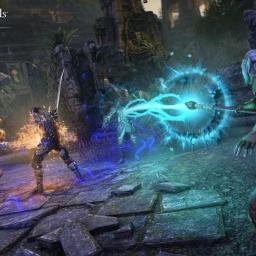
Xbox was well on its way to delivering a sci-fi stylized game with plenty of exciting movement mechanics before an abrupt change of heart. The upcoming third-person shooter RPG codenamed Blackbird from ZeniMax Online Studios, which developed The Elder Scrolls Online, has been "shelved indefinitely," according to an exclusive report from Bloomberg. The report added that Xbox execs were "blown away" by the game and had "nothing but complimentary words," according to Bloomberg's sources.The exciting new IP was expected to rival the Destiny franchise with its looter-shooter gameplay in an alien noir-themed world. The Bloomberg report revealed that a sci-fi setting would be paired with movement-based abilities like "double-jumping, air-dashing, a grappling hook and wall climbing." The project was reportedly gaining momentum recently and was set to be released in 2028, after the studio expanded its team to 300 people.Microsoft didn't provide comments to Bloomberg or any explicit reasoning why the Blackbird project was dropped. Not much was known about the game, but TrueAchievements uncovered a plot that revolves around players uncovering a notorious murder in a capital city called Exodus. Along with Blackbird, Microsoft canceled Everwild, a fantasy game from Rare that's been in development since 2014, and a reboot of the Perfect Dark first-person shooter.This article originally appeared on Engadget at https://www.engadget.com/gaming/xbox/xboxs-sci-fi-looter-shooter-blackbird-was-scrapped-even-after-leaving-execs-blown-away-191305493.html?src=rss
|
 |
by Jackson Chen on (#6YEN1)
One of Tesla's fully autonomous robotaxis grazed a parked car after completing a ride recently in Austin, Texas. In a video recorded by YouTuber DirtyTesla, a self-driving Model Y is seen turning and accelerating into a Toyota, making light contact with its tire. As seen in the video, the Model Y already dropped off its passenger, but had trouble navigating out of the dark alleyway afterwards. Tesla's robotaxi service launched in Austin just two weeks ago with a small fleet.According to DirtyTesla, there were no serious injuries or damages and the robotaxi's safety monitor eventually swapped to the driver's seat and drove off. Although the sideswipe was minor, it's unclear what caused the Tesla to drive into the parked car instead of driving off normally after completing the ride.Outside this incident involving another car, other invited guests have shared their unexpected experiences with Tesla's robotaxi service. So far, we've seen the robotaxi service abruptly stop for emergency lights that aren't on the road and briefly drive on the wrong side of a double yellow line. It's important to note that Tesla's self-driving software relies mostly on cameras and artificial intelligence. That's unlike some of its competition, like Waymo, which uses a combination of cameras, lidar and radar for its robotaxi service. However, Waymo isn't without its own incidents, one of which led to a voluntary recall of its fleet in Phoenix, Arizona, following a collision with a telephone pole last year. More recently, Waymo issued another recall for its robotaxis, which were reportedly prone to hit roadway barriers that are harder to see.This article originally appeared on Engadget at https://www.engadget.com/transportation/a-tesla-robotaxi-inexplicably-drove-into-a-parked-car-171004400.html?src=rss
|
 |
by Mariella Moon on (#6YEJA)
You can now send your reMarkable notes and doodles straight to Slack. The companies have announced Slack integration for reMarkable tablets, letting you send whatever you want from the e-paper device straight to your workplace chat in one tap. "...we realized that when there's friction between thinking and producing, you risk losing time, ideas, and momentum," reMarkable Chief Technology Officer Nico Cormie said in a statement. By linking the tablet with Slack, there's less friction between coming up with ideas and sharing them with your team, so you can more easily collaborate with others.reMarkable is an e-paper tablet designed to work with a stylus. Simply put, it's a digital notebook, where you can sketch, write notes, draw, annotate documents and even read ebooks if you want to treat it more as an eReader like the Kindle. If you want to share your notes with Slack, you simply have to go to the menu on the left-hand corner of your device and choose "Send to Slack." When you do, it opens into a canvas in Slack containing an image of your file with AI-generated notes. If there's handwritten text in the image, the canvas will also include your notes that AI has converted to editable text.To be able to use the Slack integration, you'll need to be subscribed to reMarkable Connect, which gives you access to unlimited cloud storage and sync for $3 a month. You'll also need to have a Slack account with a Pro, Business+ or an Enterprise Grid plan.This article originally appeared on Engadget at https://www.engadget.com/apps/slack-now-integrates-with-remarkables-e-paper-tablets-140015983.html?src=rss
|
 |
by Kris Holt on (#6YEHB)
Welcome to our latest roundup of indie game news and releases. It's a shorter edition than usual this week, but there are still a few interesting games here that are worth having on your radar.Also, there's still plenty of time to pick up some bargains in the Steam Summer Sale. So if you're planning on bringing your Steam Deck (or ROG Ally or whathaveyou) to a cookout this July 4 weekend and have some change to spare, why not pick up a game or two and try it out? There are a bunch of quality options available for less than the cost of a cup of coffee. We've highlighted some of the juicier deals too.Technically, 8BitDo is an indie gaming company in that it's an independent enterprise that makes third-party gaming controllers. That's relevant, because I read a cool story this week in Endless Mode (a new gaming- and anime-focused publication from Paste Media). It's about how medical students are using tiny 8BitDo controllers to help them study with a flashcard program called Anki. And here's me thinking those controllers would be most useful for on-the-go Mario Kart World sessions with friends.New releasesAtuel is one of the more interesting new(ish) games that popped up on my radar this week. After debuting on Itch.io back in 2022, this experimental project just landed on Steam and Google Play.It's a short, free experience that should take around half an hour to finish. Atuel is billed as a surrealist documentary about climate change "in which you explore beautiful, dreamlike landscapes inspired by the topography and wildlife of the Atuel River Valley in Argentina." Add an eye-catching trailer into the mix and I'm quite happy to spend 30 minutes checking this one out.We probably shouldn't expect to see much more from the team behind this one - the crew at indie game co-op Matajuegos called it a day last year. However, the developers have been working on other projects, including their own games.UpcomingIt's been a decade since the debut of Turbo Kid, one of my favorite films of all time. It's a low-budget love letter to Saturday morning cartoons with bucketloads of blood and heart. I love it so very deeply.A video game that serves as a quasi-sequel arrived on PC in 2024. I enjoyed it quite a bit, and it's coming to Nintendo Switch soon. This is a Metroidvania (in other words, an action platformer) from Outerminds. It has wonderfully gruesome pixel art and a cracking soundtrack from Le Matos, the composers of the film's score.I'd highly advise watching the Turbo Kid movie before playing this one. You have a few weeks to do so before the Switch release date of August 5.FMV games never really went away, and an upcoming one from Tales of Kendra: Zau developer Surgent Studios and Palworld creator Pocketpair's publishing arm caught my eye this week. Surgent founder Abubakar Salim is an actor himself, so it's perhaps not too much of a surprise that he'd want top-notch talent for his latest project.Dead Take stars two of the most highly regarded game actors around In the lead roles: Neil Newbon (Baldur's Gate 3, Resident Evil Village) and Ben Starr (Final Fantasy XVI, Clair Obscur: Expedition 33). In this game, you'll play an actor who is seaching for a missing frined after a Hollywood party. You'll solve escape room-style puzzles and piece together videos you find along the way to find out what really happened. Sounds promising!This article originally appeared on Engadget at https://www.engadget.com/gaming/a-surrealist-documentary-about-climate-change-and-other-new-indie-games-worth-checking-out-110021975.html?src=rss
|
 |
by Aaron Souppouris on (#6YEA9)
It's been a rough week at Microsoft. Following the news that 9,000 people are being laid off at the company, one Xbox executive offered some questionable words of advice for people on their way out: Find solace in Microsoft Copilot.As reported by Aftermath, Matt Turnbull, an executive producer at Xbox Game Studios Publishing who clearly did not lose his job recently, took to LinkedIn to let folks know, "You're not alone and you don't have to go it alone." In the same breath as acknowledging that AI evokes "strong feelings in people," Turnbull suggested that LLMs like ChatGPT and Copilot could "help reduce the emotional and cognitive load that comes with job loss."Turnbull went on to provide specific AI prompts that he recommended for recently laid-off people, including, "Write a warm intro message for reaching out to someone at [studio name] about a job posting." He explained how an LLM could aid overwhelmed developers in planning their careers and punching up their resumes, and also help with "emotional clarity and confidence."The post was circulated on Bluesky by Necrosoft Games director and Insert Credit host Brandon Sheffield, where it received a predictably negative reaction. According to Video Games Chronicle,LinkedIn users were similarly unimpressed. Turnbull deleted the post a few hours later. Here's the full text from the LinkedIn post:These are really challenging times, and if you're navigating a layoff or even quietly preparing for one, you're not alone and you don't have to go it alone.I know these types of tools engender strong feelings in people, but I'd be remiss in not trying to offer the best advice I can under the circumstances. I've been experimenting with ways to use LLM Al tools (like ChatGPT or Copilot) to help reduce the emotional and cognitive load that comes with job loss.Here are some prompt ideas and use cases that might help if you're feeling overwhelmed:Career Planning Prompts:
|
 |
by Matt Tate on (#6YE7V)
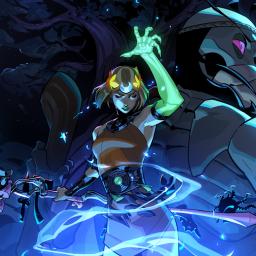
Despite it having upward of 61,000 reviews on Steam, Hades II isn't actually out yet. The sequel to Supergiant Games' hugely successful roguelite dungeon crawler has been in early access on PC for over a year, and even the early builds were extremely polished and content-rich for what is still a work-in-progress game. But we (and Switch owners) have been waiting patiently for that 1.0 release date, and it looks like it might be just around the corner, with Supergiant confirming that the latest Unseen Update patch is likely to be the final one ahead of the full launch.The third major early access update arrived on June 17, and was focused primarily on combat tweaks, as well as adding a new Vow of Rivals that not only made Guardian encounters tougher, but forced players to switch up their strategies for each bout. The latest patch is mainly a host of minor adjustments to existing items and abilities, as well as some balancing on the aforementioned Vow of Rivals Encounters. No more new story content or areas are due to be added ahead of the v.10 launch, with Supergiant confirming back in June that the game's true ending is being held back for the full release. If you're a console player or just wanted to hold out until the game is finished, it's probably safe to start getting excited.That said, PlayStation and Xbox owners are going to have to wait a little longer, because while we still don't know Hades II's release date, we do know that the game is launching on PC and both the Switch and Switch 2 initially, mirroring the release roadmap of its predecessor. The developer has already assured fans that both Nintendo consoles can run the game at a smooth 60 fps, with the Switch 2 version benefiting from the console's larger 1080p display in handheld mode.This article originally appeared on Engadget at https://www.engadget.com/gaming/supergiants-latest-hades-ii-patch-is-likely-its-last-before-launch-190005440.html?src=rss
|
 |
by Andre Revilla on (#6YE64)
Dutch company Fairphone continues to lead the charge on consumer- and planet-friendly electronics, proving that a great phone doesn't have to be impossible to repair or environmentally unsustainable. The Fairphone 6 has just been released, coming two years after the last generation of the phone built to last. The folks over at iFixit wasted no time in conducting a teardown of this new entry to see how it stacks up against previous generations. The Fairphone 6 scored a perfect 10 out of 10, like every generation of Fairphone bar the very first.Fairphones are modular, and have been designed with easy repair in mind, but there is one change from the previous generations that makes things harder. Whereas the last few Fairphones have used hard batteries that could be flipped out with your fingernail, the new handset packs a soft-pouch cell that's thinner than its predecessors. That's slimmed the phone down, but it does mean the battery is now held in place with five screws.It's the same with every other component on the handset, since none of the components are held in with glue. The lack of adhesives does account for the phone's IP 55 rating, which is lower than the rest of the industry. But given you can't exactly get Samsung to send you a video guide telling you how to open your phone with nothing more than a T5 Torx screwdriver, so there's give and take.iFixit is quick to point out that the Fairphone 6 isn't a bleeding-edge smartphone, nor is it intended to be. It's designed from the ground up to be as sustainable and repair-friendly as possible, and this means some trade-offs compared with flagship devices. The Fairphone 6's use of USB 2.0, a less pixel-dense screen, and only 8GB of RAM are all necessary design choices when built with longer life cycles in mind. Nevertheless, this almost certainly won't affect the day-to-day use of the handset for most consumers, and owning a device you can truly repair yourself just might be worth it.This article originally appeared on Engadget at https://www.engadget.com/mobile/fairphone-6-lands-a-perfect-10-for-repairability-190001687.html?src=rss
|
 |
by Matt Tate on (#6YE65)
Less than a month after Capcom's surprise announcement of the next Resident Evil game, another new entry has been confirmed. But before Resi fans get too wild with excitement, this one is a mobile spin-off for iOS and Android called Resident Evil Survival Unit. It's a strategy game that somehow fits into the broader universe, even if it's not clear how at this point.We don't have a lot of concrete information at the moment, with the game set to be fully revealed in a showcase scheduled July 10 at 6pm ET, but we do know that it's being co-developed by Aniplex Inc and Korean developer Joycity. The latter is currently working on another strategy game called Disney Realm Breakers, with access to various Disney IP including Toy Story and The Incredibles. Joycity is also the studio behind Pirates of the Caribbean: Tides of War, a free-to-play real-time strategy game that has an average rating of 4.4 from 210 thousand reviews on the Google Play Store.Strategy is clearly the studio's favored genre, then, and in its announcement message for Resident Evil Survival Unit it promises the game "expands the global fanbase of Resident Evil to mobile, allowing players to enjoy the world of the series with a new approach that is different from the existing series." It was also confirmed in a press release that the mobile game is being developed in close collaboration to "ensure authenticity and quality."Resident Evil Requiem (the official name for what is technically Resident Evil 9) was announced back in June at SGF 25, and centers on a new character called Grace Ashcroft. For the first time in the series' history, both first-person and third-person gameplay perspectives will be an option from launch.This article originally appeared on Engadget at https://www.engadget.com/gaming/resident-evil-is-getting-a-new-mobile-spin-off-game-160044931.html?src=rss
|
 |
by Mariella Moon on (#6YE45)
Samsung has reportedly pushed back the completion of its semiconductor plant in Taylor, Texas, because it has no customers. According to Nikkei Asia, the company is in no hurry to install equipment in the facility due to lack of clients and even though the facility is over 90 percent done. The factory was supposed to come online in 2024, but the company has since pushed back its opening date to sometime in 2026 to upgrade its foundry process. Samsung's fab was only supposed to be able to manufacture 4-nanometer chipsets, but the company adjusted its plans to give it the capability to manufacture more advanced 2-nanometer chips to be able to compete with rivals like TSMC. Still, the problem persisted.If you'll recall, the plant in Taylor is part of Samsung's planned $44 billion investment in Texas. When the Biden administration announced that it was giving Samsung up to $6.4 billion in grants as part of the CHIPS Act funding, the company said that the money was going to be spent finishing up the campus in Taylor. But the facility's development has been troubled for quite a while now. Last year, Reuters reported that Samsung had delayed the deliveries of advanced-chipmaking equipment from ASML to its Taylor facility, since it had yet to sign up any major customer for the plant.When Samsung cut jobs around the world last year, some jobs from its Texas operations were reportedly also cut due to production delays. And it's not just the company's employees who were affected by the delays: Samsung's suppliers, some of which are small companies, are also impacted and have had to look for other customers while the facility's completion is on hold. While Samsung has assured Nikkei Asia that it's still planning to open the fab in 2026, analysts previously called that into question seeing as it has yet to land volume clients. In fact, South Korean publication The Elec claimed in April that Samsung is now targeting a February 2027 opening date instead of sometime in 2026. The publication said that in addition to the lack of customers, Samsung's contractors had also pulled out of the project and its on-site workforce is now a fourth of its original size.This article originally appeared on Engadget at https://www.engadget.com/big-tech/samsungs-texas-chip-plant-is-reportedly-delayed-due-to-lack-of-customers-140034619.html?src=rss
|
 |
by Daniel Cooper on (#6YDZM)
The so-called Big, Beautiful Bill" has passed with plenty of nasty treats for the US technology and manufacturing industries. As well as swinging the sword at basic environmental protection measures, the bill sticks its thumb in the eye of the EV industry. Tim Stevens takes you on a tour of the most salient changes, like the imminent end of the EV tax credit. Joining that on the bonfire is the used EV incentive, as well as the rebates for the purchase of commercial EVs.Similarly, for all of this administration's talk of bringing manufacturing back to the US, the bill is a middle finger for domestic solar companies. The US is the only credible manufacturing rival to China in solar panels, but the bill cuts these businesses off at the knees. I spoke to people inside the US solar industry who know that, despite whatever tariffs are implemented, this bill opens the door to a flood of cheap, Chinese-made solar panels to usurp their US rivals.An earlier version of the bill also contained moves that could only be described as weirdly vindictive. It previously proposed an annual EV tax of $250 (and $100 for hybrid owners) as well as a general levy on all wind and solar projects. Why? A cynic might suggest it was due to the bill being drafted to benefit fossil fuel companies at the expense of literally everyone else.Anyway, hopefully you can enjoy the holiday and won't need to spend it panic-buying an EV and US-made solar panels. Although that's not actually a bad way to spend a long weekend.- Dan CooperGet Engadget's newsletter delivered direct to your inbox. Subscribe right here!The news you might have missed
|
 |
by Karissa Bell on (#6YDNV)
More than six months after TikTok was briefly banned, we still don't know exactly what its fate in the US will be. But we do have new insight into the legal wrangling that has allowed Apple, Google and other platforms to continue to support the app.If you remember, TikTok was only "banned" for a matter of hours shortly before President Donald Trump took office in January and delayed enforcement of the law. The app's service was promptly restored January 19, 2025, but the app didn't return to Apple and Google's app stores until February 13. Reporting at the time suggested the companies had lingering concerns about potential liability for running afoul of the Protecting Americans from Foreign Adversary Controlled Applications Act.Back in February, Axios and others reported that the Justice Department had given "assurances" to tech platforms that they wouldn't be penalized for violating the law. Now, we know exactly what Attorney General Pam Bondi told the companied as letters sent to Apple, Google, Amazon, Oracle and other firms have been made public. The letters were disclosed in a Freedom of Information Act Request made by Tony Tan, a software engineer and Google shareholder suing the search giant for not complying with the TikTok ban.In a letter dated January 30, 2025, Bondi tells Apple and Google that "the President has determined that an abrupt shutdown of the TikTok platform would interfere with the execution of the President's constitutional duties to take care of the national security and foreign affairs of the United States." It goes on to state that Apple and Google "may continue to provide services to TikTok ... without incurring any legal liability."A followup later dated April 5, 2025 (the day after Trump gave TikTok another 75-day reprieve), Bondi told the companies that "the Department of Justice is also irrevocably relinquishing any claims the United States might have had against" them "for the conduct proscribed in the Act during the Covered Period and Extended Covered Period, with respect to TikTok and the larger family of ByteDance Ltd. and TikTok, Inc. applications covered under the Act."The letters can be read in full below.The law has now been paused three times since Trump took office. Earlier this week, he said that details about TikTok's new ownership could be made public in "about two weeks."This article originally appeared on Engadget at https://www.engadget.com/big-tech/here-are-the-letters-that-let-apple-and-google-ignore-the-tiktok-ban-220630588.html?src=rss
|
 |
by Ian Carlos Campbell on (#6YDM1)
E Ink, the company behind the highly readable displays you'll find in ereaders the world over, has created a new touchscreen trackpad for some reason. And rather than act as an extension of your laptop's screen, E Ink thinks it should be a dedicated home for AI interactions.The new touchscreen trackpad appears to use a color E Ink display, not unlike what you'll find on the Kobo Libra Colour or the Kindle Colorsoft, and is supposed to offer the normal swiping, tapping, dragging and clicking functionality of a normal trackpad. When you're not using it like that, E Ink imagines the trackpad offering "second-screen capabilities," like quick access to "frequently used shortcuts and system notifications and GenAI contents like text/image summaries, gaming tactics, or custom AI tasks."E Ink says it leveraged several different Intel technologies to prototype its AI tools, and it specifically designed the trackpad so it's useable even if your laptop is off. Unfortunately, that doesn't make the idea of cramming a touchscreen into a laptop trackpad any less whack.E InkUsing an E Ink display is novel, sure, but plenty of attempts have been made to turn the seemingly untapped resource of the trackpad into another place for content, and none of them have caught on. ASUS in particular has taken multiple bites at the apple with its ScreenPad feature, which it first introduced on the ZenBook Pro 15. The ScreenPad could be an extension of your main display, but it also ran simple apps and widgets. E Ink believes one of the advantages of its trackpad is that it'll consume less power than those previous versions, but was anyone worried about a laptop's trackpad affecting its battery life before they also had to be screens?Putting a display in a trackpad isn't going to be the reason anyone upgrades to a premium laptop. Beyond that, it's just not intuitive. You have to both learn to look down to see what's on the trackpad and learn not to cover it, something hands naturally do while using a laptop.If you're not dissuaded, E Ink hasn't actually shared when its trackpad will be available. Given the use of the Intel tech, though, odds are good it shows up in an expensive "AI PC" at some point in the future.This article originally appeared on Engadget at https://www.engadget.com/computing/laptops/neither-ai-nor-e-ink-can-make-touchscreen-trackpads-a-good-idea-202505733.html?src=rss
|
 |
by Igor Bonifacic on (#6YCJ8)
At the start of last year, Crunchyroll President Rahul Purini told The Vergethe company was "very focused on testing" generative AI tools for subtitling and captioning speech to text. The comment came just months after the streamer temporarily took down the debut episode of one of its newest shows, The Yuzuki Family's Four Sons, after people complained about poor subtitles.Much of the translation was nonsensical, with missing punctuation in many sentences. At the time, some fans speculated the company had used AI to translate the episode. Earlier this week, fresh accusations of AI use came up when an episode of new anime showed evidence ChatGPT was used to write the subtitles.Igor Bonifacic for EngadgetOn July 1, Bluesky user Pixel spotted an issue with the German subtitles for Necronomico and the Cosmic Horror Show, one of the new series Crunchyroll is streaming this anime season. Beyond a general sloppiness, one line began with the words "ChatGPT said..." during a pivotal scene in the show's debut episode. Engadget was able to independently verify the episode contains the AI-generated translation. If you're curious, the English subtitles aren't much better, as seen in the screenshots above and below."We were made aware that AI-generated subtitles were employed by a third-party vendor, which is in violation of our agreement," a Crunchyroll spokesperson told Engadget. "We are investigating the matter and are working to rectify the error."People were understandably upset about the subtitles. Crunchyroll subscriptions start at $8 per month, and since its acquisition by Sony, service has been the dominant player in the anime streaming market outside of Japan. "This is not acceptable. How can we be expected to pay for a service that clearly doesn't care about the quality of its products?" wrote Pixel in their original post. As of the writing of this article, their post has been quoted more than 300 times and reposted by thousands of other people. Many fans say they're turning to torrented fansubs, calling the official AI-generated translations "unwatchable." People on Reddit have expressed similar frustrations.CrunchyrollIronically, when Purini revealed Crunchyroll was testing generative AI tools for subtitles, he said part of the motivation was to prevent piracy. He reasoned the tech would allow the company to start streaming new, translated anime episodes as close to their original Japanese release as possible, adding the lag between official releases was sometimes what pushed fans to torrent shows.Update 3:58PM ET: Added comment from Crunchyroll.Have a tip for Igor? You can reach him by email, on Bluesky or send a message to @Kodachrome.72 to chat confidentially on Signal.This article originally appeared on Engadget at https://www.engadget.com/entertainment/streaming/crunchyroll-blames-third-party-vendor-for-ai-subtitle-mess-145621606.html?src=rss
|
 |
by Lawrence Bonk on (#6YDHV)
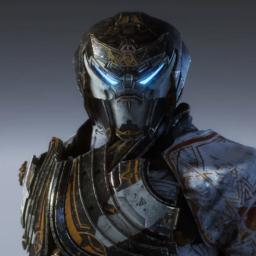
EA's beleaguered online shooter Anthem is shutting down for good on January 12, 2026. The game will be removed from the company's storefront ahead of that on August 15. It'll be available for download after that date so long as it's already in your library.Some aspects of the game have already begun winding down. Players can no longer purchase premium in-game currency as of today, though they can still use existing balances to buy stuff. Anthem is a game that can only be played online, so once the servers shut down in January it will be bricked.The game launched in 2019 to poor reviews that called out the reliance on grinding and an overall lack of polish. This wasn't helped by a number of bugs that plagued early builds. Developer BioWare promised fixes, but those took a while to get implemented.By then, the damage to the brand was too severe. BioWare ceased active development of Anthem in 2021, which was followed by the game's director leaving the company. In other words, we all kind of knew this shutdown was coming.EA says that no layoffs occurred at the company as a result of this decision. However, that's likely because BioWare has already been through several steep staffing cuts. EA laid off 50 BioWare employees in 2023. This was followed by even more layoffs after Dragon Age: The Veilguard underperformed.BioWare currently has an operating staff of less than 100 people. The company is currently focused on the development of Mass Effect 5.This article originally appeared on Engadget at https://www.engadget.com/gaming/anthem-is-officially-shutting-down-on-january-12-185236926.html?src=rss
|
 |
by Will Shanklin on (#6YDHW)
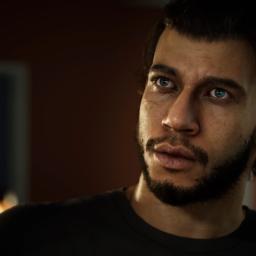
Microsoft isn't the only gaming company talking about layoffs this week. MindsEye developer Build a Rocket Boy (BARB) notified around 300 employees that they risk losing their jobs. However, the drama doesn't end there. The studio has reportedly blamed saboteurs for its woes... again.BARB workers posted on LinkedIn this week about receiving "risk of redundancy" emails. (That followed confirmation last month that the company formally began a layoff process.)Unfortunately, layoffs are par for the course these days. As for the rest of BARB's story? That's where things get weird.IGN reported that BARB founder Leslie Benzies addressed staff in a video call this week. (He's a former Rockstar North president and GTA producer.) Benzies is said to have blamed BARB's and MindsEye's problems on internal and external saboteurs.That echoes comments made by co-CEO Mark Gerhard ahead of MindsEye's launch. He claimed pre-release negative feedback was "100 percent" financed by someone. Who did Gerhard blame? Well, he didn't say outright. But he seemed to hint that Rockstar was involved. "Doesn't take much to guess who," he said. (Benzies departed the GTA developer on rocky terms, legal disputes in tow.)BARB / IOIIn yesterday's call, Benzies also reportedly vowed to relaunch MindsEye. That's a tough trick to pull off. Just look at the industry's few success stories. Final Fantasy XIV is part of an established franchise that has been a gaming household name for decades. And then you have titles like No Man's Sky and Cyberpunk 2077 that were gradually updated. They both arrived with considerably more interest from the gaming world than MindsEye. The latter's appeal largely came from Benzies' involvement. Will that even carry much weight after all the drama surrounding the launch?That isn't to say MindsEye couldn't improve dramatically and find a following. The single-player action-adventure game has a noticeable GTA influence, which will appeal to many. Criticism was aimed at its bugs (fixable), well-worn storyline (greedy humans and robot armies) and gameplay (drive, shoot, repeat). But it also has impressive cinematics and a tight linear arc. A tighter, bug-free version could scratch an itch for fans of Cyberpunk and Watch Dogs.MindsEye is also published by IO Interactive, which worked on Hitman: World of Assassination for years after launch. If BARB can hustle to regain players' trust, perhaps it could at least live to fight another day.Still, MindsEye's list of ingredients doesn't exactly scream "gamers will come back." And with around 300 fewer employees working on it, that's an even taller order.This article originally appeared on Engadget at https://www.engadget.com/gaming/mindseye-dev-warns-staff-about-layoffs-amid-talk-of-saboteurs-and-relaunch-183934780.html?src=rss
|
 |
by Andre Revilla on (#6YDHX)
Helldivers 2, the third-person co-op shooter developed by Arrowhead Game Studios, is finally coming to Xbox on August 26. The sequel to the 2015 top-down shooter was released for PlayStation 5 and Windows in early 2024 and supports cross-platform play.After launch, Helldivers 2 was a huge success, selling over 15 million copies and reaching 450,000 concurrent players on Steam, the highest number ever among PlayStation games released for the PC. In fact, there were so many players online that Sony briefly attempted to mandate PlayStation Network account linking, which set off a wave of negative reviews from frustrated gamers. The policy was eventually reversed.In the announcement of the game's Xbox launch, Game Director Mikael Eriksson said, we know gamers have been asking for this for some time and we are so excited to bring more Helldivers into our game. We have so much more in store for the future months and years - and the more players we have the more stories we can tell! The fight for Super Earth has only just begun."This is a rare instance of a Sony-published game coming to Xbox systems, following the MLB: The Showseries. Time will tell if this is just another rare exception, or the start of a new trend by Sony allowing their games to reach more players. Players can pre-order digital copies of both the standard edition and the Super Citizen Edition for Helldivers 2 now. It's unclear if a physical copy of the game will be released.Correction, July 3, 2025, 2:02PM ET: This story originally stated that Helldivers 2 was a first-party PlayStation game. While it was published by Sony Interactive, the company doesn't own Arrowhead.This article originally appeared on Engadget at https://www.engadget.com/gaming/xbox/helldivers-2-is-coming-to-xbox-on-august-26-172937757.html?src=rss
|
 |
by Matt Tate on (#6YDHZ)
Microsoft was rocked by more than 9,000 job cuts this week. A significant number have come from its gaming division, resulting in the closure of multiple game studios and the cancellation of numerous in-development projects at Xbox and its contracted studios. We've already learned that Microsoft has closed the studio that was developing the much-anticipated Perfect Darkreboot, and Rare's Everwildhas also been sunsetted. And now Romero Games - the studio headed up by Doom creator and veteran developer John Romero - is another major casualty of the sweeping cuts.The news was initially confirmed in a statement signed by Brenda Romero and posted on X. "Last night, we learned that our publisher has canceled funding for our game along with several other unannounced projects at other studios," it said. "This was a strategic decision made at a high level within the publisher, well above our visibility or control." It went on to say that the studio was powerless to change the outcome, and that the decision was not reflective of the quality of work its team has produced.Ireland-based Romero Games is not owned by Microsoft, but it appears the company's financial support was crucial to keeping the studio alive - a fact that wasn't publicly known until the shutdown occurred. IGN is now reporting that the entire Romero Games workforce has been let go, and many Romero Games employees confirm on Linkedin that they no longer have jobs.According to the company website, Romero Games was founded by John and Brenda Romero in 2014, and had more than 100 developers on its staff. Its most recent release was 2023's Sigil II, the unofficial sixth episode in the Doom series, which John Romero co-created in 1993 with id Software, the studio he also co-founded. The upcoming game was described by Romero Games as an "all-new FPS with an original, new IP working with a major publisher."This article originally appeared on Engadget at https://www.engadget.com/gaming/xbox/xbox-was-funding-romero-games-new-game-but-layoffs-have-left-the-project-in-crisis-172234905.html?src=rss
|
 |
by Nathan Ingraham on (#6YDFY)
I really wanted to love season two of HBO's The Last of Us. For the most part, I did - but it was also impossible to ignore the online masses saying that showrunners Craig Mazin and Neil Druckmann had lost the thread in season two. Some of that comes from creative choices the pair made in adapting the first half of the PlayStation game The Last of Us Part II to TV; it's a story with a sprawling plot that asks a lot of the player and, as it turns out, even more of a passive audience. The season two cliffhanger ending and tease of what's to come in season three just didn't land for a lot of people, and (spoiler alert) there are a lot of questions from viewers as to whether the show can survive the loss of Pedro Pascal's Joel. It feels like fans of the games are mad at the changes the TV show has made, while people who haven't played the game aren't vibing with the story as presented in season two.As such, I haven't put up a full-throated defense of season two when, say, a colleague tells me it's a bummer that the show is now mid." Even though there are plenty of toxic fans" who trash the cast and seem to hate the show telling stories with gay characters, I can admit there are also legitimate issues with season two. But despite that admission making its way into my Last of Us-loving heart, I was still shocked at the news that Druckmann, co-creator of both the game and the show, was leaving the project for season three. Shortly after Druckmann's announcement, Co-writer on The Last of Us Part II and season two of the show Halley Gross also said she was leaving, which means that the two most prominent people who worked on the games are now gone.
|
 |
by Matt Tate on (#6YDD2)
Everyone's been hit with a bitingly pass-agg "?" text after waiting just a bit too long to reply. And you might soon get similar (though likely more upbeat) treatment from AI chatbots you've previously engaged with on Meta platforms like Instagram or WhatApp. A new report from Business Insiderclaims that the Mark Zuckerberg-owned company is trialling a proactive feature in customizable chatbots created using its no-code AI Studio software, that will enable them to send unprompted follow-up messages based on previous conversations.Known internally to data labeling firm Alignerr as "Project Omni", the training project will "provide value for users and ultimately help to improve re-engagement and user retention," according to guidelines in the documents BI claims to have seen. Meta advertises AI studio as a platform where "anyone can create an AI character based on their interests" and encourages creators to view the bots as an AI extension of themselves. You can customize a chatbot's appearance, choose the content it's trained on and decide which Meta-owned application you want it to appear in, all without "any technical expertise."According to the BI report, Alignerr's Project Omni guidelines use the example of a film-focused AI bot it calls "The Maestro of Movie Magic" that might send a user message such as: "I hope you're having a harmonious day! I wanted to check in and see if you've discovered any new favorite soundtracks or composers recently. Or perhaps you'd like some recommendations for your next movie night? Let me know, and I'll be happy to help!"As BI notes, there is a business incentive for Meta to keep people engaged with its chatbots. Prolonged engagement is vital for increasing revenue, and this year Meta expects to bring in $2 billion to $3 billion from its generative AI products alone. By 2035, the company estimates that figure could be as high as $1.4 trillion. Those kinds of forecasts will only be possible if its AI tools are being used consistently, so a friendly reminder from a chatbot every now and then feels like an obvious move.The proactive messages are currently still just a test feature. And while it definitely feels like remembering conversations and initiating new ones without invitation is approaching a user consent gray area, a Meta spokesperson told BI that the AI will only send a follow-up message if a user has first initiated the conversation, and it won't send another message if the first one is ignored. Responses must also be consistent with the AI's personality and the nature of the previous conversation, maintaining a positive tone while staying away from controversial or sensitive topics unless the user themself has mentioned them.Last month, Meta started warning its users not to share intimate details in Meta AI's public feed after it emerged that a large number of users appeared to be doing so unwittingly.This article originally appeared on Engadget at https://www.engadget.com/big-tech/meta-is-reportedly-training-its-ai-chatbots-to-send-unprompted-messages-143229039.html?src=rss
|
 |
by Andre Revilla on (#6YDD3)
The developer beta for iOS 26 has been out for a few weeks, and as always,tech sleuths are uncovering features and details that weren't explained during WWDC. Among the latest discoveries stirring up conversation online is a safety and privacy feature for FaceTime that blurs your feed when it detects you in a state of undress. Should FaceTime detect nudity, it will display a message reading "Audio and video are paused because you may be showing something sensitive. If you feel uncomfortable, you should end the call."Originally discovered by X user @iDeviceHelpus, the feature is off by default and can be enabled in FaceTime settings under "Sensitive Content Warning." The feature reads, "Detect nude photos and videos before they are viewed on your device, and receive guidance to help make a safe choice. Apple does not have access to the photos or videos."It seems the feature is intended for child accounts, though it can currently be enabled in the beta for adults as well.The Apple support page for the company's "Communication Safety" features reads, "Communication Safety uses on-device machine learning to analyze photo and video attachments and determine if a photo or video appears to contain nudity. Because the photos and videos are analyzed on your child's device, Apple doesn't receive an indication that nudity was detected and doesn't get access to the photos or videos as a result."Features in beta come and go, as testing and feedback are partly the point of the beta system, so this may or may not see broader adoption. The public beta for iOS 26 is slated for July.This article originally appeared on Engadget at https://www.engadget.com/mobile/ios-26-can-freeze-your-facetime-video-if-it-detects-nudity-135329941.html?src=rss
|
 |
by Mariella Moon on (#6YD9S)
EA's next Battlefield game is supposedly arriving sometime in spring 2026, but its development is reportedly fraught with issues, leading some of its developers to worry that certain parts of the game won't be well-received. According to a lengthy Ars Technicapiece about the game's development troubles and problems facing AAA titles' development as a whole, EA had lofty goals for the next Battlefield (codenamed Glacier) to the point that team members working on the project think they're near unrealistic.The publisher's executives apparently believed that Glacier could match the popularity of Call of Dutyand Fortnite and set a 100 million player target over a certain period of time. An employee told Ars that the franchise has never achieved those numbers before, with Battlefield 2042 getting only up to 22 million players within that same period. The first Battlefield, which was the most successful in the franchise so far, only got to "maybe 30 million plus" within that timeframe.One of the reasons why Fortnite has over 100 million active users is because it's free-to-play. In CoD's case, well, aside from having free-to-play titles, it's also the biggest gaming franchise and has a lengthy history, so it's no surprise that it already has a solid fanbase who would play its latest releases. Players had to pay for previous Battlefield games up front, but executives thought that if EA made Glacier free-to-play like its competitors, it could achieve the same numbers. And that is why the publisher promised a free-to-play Battle Royale mode with a six-hour single player campaign for the upcoming game.Ridgeline, the external studio working on the single player mode, however, shuttered in 2024 after working on the project for two years. The studio reportedly found EA's objectives unachievable, since it was expected to reach milestones in the same rate as more established studios when it didn't have the same resources. Now, three other EA studios (Criterion, DICE and Motive) are working on the single-player mode. But since they had to start from scratch, single player is the only Glacier game mode remaining that has yet to reach alpha status.Due to the wider scope of the next title in the franchise and the issues it has faced, it has become the most expensive Battlefield to date. It had a budget of $400 million back in 2023, but the current projections are now apparently "well north" of that. Whether the next Battlefield launches on time remains to be seen. Ars' sources said that if it does ship as intended, they expect some features and content to be cut from the final product.This article originally appeared on Engadget at https://www.engadget.com/gaming/eas-next-battlefield-game-may-be-in-trouble-and-over-budget-130046636.html?src=rss
|
 |
by Mariella Moon on (#6YD9V)
Uber drivers in British Columbia, Canada have joined a union and are now seeking the first collective deal for ride-share drivers in the country, according to Bloomberg. Drivers from Greater Victoria, in particular, have joined UFCW 1518, the province's largest private sector union, which currently represents over 28,000 workers across multiple sectors. "The organizing victory represents a new chapter for app-based workers, demonstrating that all workers deserve a voice in their working conditions, regardless of how technology shapes their workplace," UFCW 1518 said in a statement.The company told Bloomberg that the bargaining unit was certified after enough drivers in Victoria signed union cards. It was made possible by a change of labor laws in the province last year that allowed app workers to unionize. Drivers in the city have been organizing for months to influence their working conditions and have a say in future changes to the ride-sharing platform. Specifically, they're seeking greater transparency around trip rates and earnings, improved health and safety protections, as well as fair processes when it comes to account deactivations. Uber told Bloomberg that it will now meet with the union to hash out the terms of the collective agreement.In 2024, a group in Quebec formed the first union for Amazon warehouse workers in Canada. That group of workers accused Amazon of blocking its organizing efforts, though it eventually succeeded in getting the company to come to the negotiation table.This article originally appeared on Engadget at https://www.engadget.com/apps/uber-drivers-in-british-columbia-canada-have-unionized-122434476.html?src=rss
|
|
by Anna Washenko on (#6Y47A)
Samsung has announced that its next Galaxy Unpacked event will be taking place on July 9 at 10AM ET. This is the third major Unpacked event of the year, following launches of the Galaxy S25 series in January and, more recently, a virtual unveiling of the Galaxy S25 Edge. This time, if previous years are any indication, the company should be showing off new foldables and wearables.A lot of it may be business as usual, but the company has hinted that some possibly exciting new additions are in the works. Engadget will be liveblogging the event that day, so make sure to come back here for our coverage. We'll also continue to update this roundup of what we expect to see next week with the latest reports and rumors.Galaxy Z Fold 7, Galaxy Z Flip 7 and Galaxy Z Fold UltraSamsung Galaxy Z Fold 6Sam Rutherford for EngadgetBased on the usual annual cadence, this summer Unpacked 2025 will most likely introduce the Galaxy Z Fold 7 and Galaxy Z Flip 7. One recent leak claimed that Gemini Live will be a core part of the foldables' presentation, and considering AI is the buzzword for every tech presentation these days, it would be strange if Unpacked didn't follow suit. AI features got a positive reception from both our Fold 6 and Flip 6 reviewers, although they fell more under the umbrella of parlor tricks than valuable assets.Android Headlines is back with renders of what it claims show the design of the Galaxy Z Fold 7. The foldable sports a slimmer profile than the prior model and the navy blue chassis is certainly pretty. It also indicates that both the cover display and inner display are reportedly bigger in this design, up to 6.5 inches and 8.2 inches, respectively. The publication also showed purported images of the Galaxy Z Flip 7 that also pointed to increased screen real estate.There may be a third player in the foldables lineup for this Unpacked. A teaser from Samsung last month pointed toward a Galaxy Z Fold Ultra that will come with Galaxy AI. There are no specs in the blog post, but the company insists that this will have "industry-leading hardware, cutting-edge performance and seamless AI integration optimized for the foldable format." This doesn't appear to be the tri-fold design we've heard rumblings about, but that would be a fun reveal if Samsung does pull that off as a surprise announcement.Galaxy Watch 8Samsung Galaxy Watch 7Amy Skorheim for EngadgetOn the wearables front, the only thing we're really anticipating is news about the Galaxy Watch 8. But the anticipation is pretty mild.This smartwatch collection from Samsung hasn't really pushed the envelope for several years; the Galaxy Watch 7 was the third iteration where our reviewers felt the new model offered only incremental improvements over the previous generation. So either this Unpacked will be yet another round of small gains on the specs or Samsung will surprise us with some substantial upgrades. Improved battery life would be a big plus.Galaxy S25 FEFor the past few weeks, Samsung fans have been speculating that a new smartphone announcement could be on the way soon. Although the company's standard mobile hardware is usually unveiled at the start of the year, we've seen some credible rumors that a new Galaxy S25 FE is in the works. If Samsung is looking to release a new version to that line in the fall, it would make sense to announce and open pre-orders at the summer Unpacked.The Galaxy S24 FE had some solid specs but was a little pricey to be a true budget model, especially with an underwhelming set of AI features. So far, the leaks about the S25 FE also point toward continued underwhelm, with claims that its cameras won't be seeing much in the way of upgrades, although it may be getting a boost to performance and battery if rumors that it will use the Exynos 2400 processor turn out to be true.Update, July 3 2025, 8:00AM ET: This story has been updated to include confirmed dates for the Unpacked event.This article originally appeared on Engadget at https://www.engadget.com/mobile/what-to-expect-at-samsung-galaxy-unpacked-next-week-150001011.html?src=rss
|
 |
by Steve Dent on (#6YD9X)
OpenAI has condemned online brokerage firm Robinhood's sale of "OpenAI tokens," saying they will not give consumers stock in the company. "We did not partner with Robinhood, were not involved in this, and do not endorse it," the company said in a post on X, adding that the tokens are not equity and that it did not give approval for any transfer.The statement addresses a recent move by Robinhood to provide European investors access to what it calls a limited stock token on OpenAI and SpaceX. "These tokens give retail investors indirect exposure to private markets, opening up access, and are enabled by Robinhood's ownership stake in a special purpose vehicle," Robinhood said in its own X missive.So what is a special purpose vehicle (SPV)? Robinhood is suggesting that it owns private shares in OpenAI that it keeps in a separate company, the SPV, to isolate risk. So it's offering investors a chance to buy tokens (shares basically) in that private SPV and thus indirectly gain access to OpenAI's private shares that aren't available to retail investors."They aren't technically 'equity'... [but]the tokens effectively give retail investors exposure to these private assets," Robinhood CEO Vlad Tenev wrote in a post on X. "Our giveaway plants a seed for something much bigger and since our announcement we've been hearing from many private companies that are eager to join us in the tokenization revolution."Such SPVs are fairly common as TechCruch points out, but OpenAI still isn't happy with Robinhood's tokens. If you're an eligible investor thinking of jumping in, keep in mind that SPVs can be overpriced compared to the underlying private stock. In addition OpenAI has an outrageous valuation compared to its earnings and has yet to show how it will achieve its sky-high $125 billion revenue forecast by 2029.This article originally appeared on Engadget at https://www.engadget.com/ai/openai-disavows-online-broker-robinhoods-sale-of-openai-tokens-120033084.html?src=rss
|
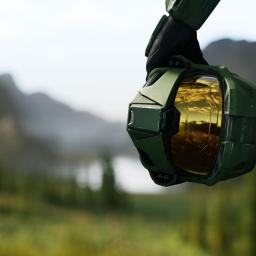 |
by Jessica Conditt on (#6YD08)
At least five employees at Halo Studios have been fired as part of company-wide layoffs at Microsoft on Wednesday, according to a developer with knowledge of the situation. An estimated 200 to 300 people remain at the studio.Employees across Microsoft's Xbox division received an email from Microsoft Gaming CEO Phil Spencer Wednesday morning addressing "organizational shifts" hitting the team over the coming days. Halo Studios employees who were laid off received an additional invite to a meeting with organization leaders, and two (very long) hours later, the Teams call began. Amid discussions of severance packages, the reasons provided for the firings aligned with Spencer's memo - to "increase agility and effectiveness.""I'm personally super pissed that Phil's email to us bragged about how this was the most profitable year ever for Xbox in the same breath as pulling the lever" on the layoffs, the developer told Engadget. "I wasn't sure what part of that I was supposed to be proud about."Halo Studios is currently working on multiple games, including the next mainline Halo installment, and it's the steward of Halo: Infinite, which is quietly spinning down its content cadence. The mood at the studio is tense, especially when it comes to one project that was recently in crisis, according to the developer."I don't think anybody is really happy about the quality of the product right now," they said. "There's been a lot of tension and pep talks trying to rally folks to ship." The studio recently teased that it would reveal what it's been working on at this year's Halo World Championship in October.Halo Studios was rocked by layoffs in 2023, back when it was still called 343 Industries, and that culling mostly affected people on the campaign and narrative teams, including Halo veteran Joe Staten. (This is also the reason Halo: Infinite hasn't had a continuing storyline since that time period). Today, Halo Studios employs a blend of full-time employees and contractors, with junior producers and quality assurance roles generally contracted out.343 Industries came under fire from fans for the launch state of Halo: Infinite, and over the years several ex-employees have spoken out about the studio's reliance on contractors, who typically work with the company for a maximum of 18 months.The employee I spoke with said that, since 2023, there's been a general shift toward working with contracted studios - rather than individual contractors - in the United States and Europe to speed up Halo production. This mirrors the way other major FPS franchises like Call of Duty and Battlefield are developed."Xbox in general feels years behind the curve in game development, and it leads to a lot of wasted time and effort," the employee said. At the same time, multiple departing team members have spoken warmly about their time at Halo Studios and the people they worked with.The layoffs at Microsoft on July 2 affected 9,000 employees globally, including 830 in Washington, where Halo Studios is based. The Xbox division endured significant firings, game cancellations and studio closures. A Microsoft spokesperson said the Xbox team did not absorb the majority of the layoffs, but given its relatively small size in the organization, that framing may not accurately reflect the impact.Under the Xbox banner, Rare's Everwild and The Initiative's Perfect Dark reboot were cancelled, and The Initiative was fully shut down. Forza Motorsport developer Turn 10 Studios reportedly lost a "vast majority" of its employees, and Rare, ZeniMax Online Studios, King, Raven, Sledgehammer Games and Halo Studios have all reportedly been affected. ZeniMax president Matt Firor is out after 18 years leading the studio, and it's being reported that veteran Rare designer Gregg Mayles is also gone after decades with his team. And to top it all off, Blizzard is sunsetting Warcraft Rumble.Microsoft has increasingly focused on AI, a shift that's propelled its stock price to new highs. At Meta's Llamacon in April, CEO Satya Nadella said that as much as 30 percent of the company's code is now written by AI. Activision in February admitted to using AI in Black Ops 6. It's unclear how much AI has to do with this latest round of layoffs, but use of Copilot is "no longer optional" within Microsoft.The developer I spoke with said, "They're trying their damndest to replace as many jobs as they can with AI agents."News about specific Xbox teams popped up throughout the day as employees shared their experiences on social media and spoke with various publications. Microsoft laid off 1,900 Xbox employees in January 2024 and 650 more in September, and last year it closed Arkane Austin, Alpha Dog Games and Tango Gameworks (the latter of which was acquired by Krafton). Microsoft reported a net revenue of $25.8 billion in the first three months of 2025, with an eight percent yearly increase in revenue from Xbox content and services.Microsoft told Engadget that the layoffs will affect less than four percent of the company's global workforce. A statement from a Microsoft spokesperson reads as follows: "We continue to implement organizational and workforce changes that are necessary to position the company and teams for success in a dynamic marketplace."This article originally appeared on Engadget at https://www.engadget.com/gaming/xbox/even-before-the-xbox-layoffs-there-was-tension-at-halo-studios-002031995.html?src=rss
|
 |
by Andre Revilla on (#6YCJ9)
Last week, it was rumored that Microsoft was getting ready for a major round of layoffs within the Xbox team. Bloomberg is now reporting that employees in the company's gaming division were informed of job cuts Wednesday morning. The PC giant has been on a cost-cutting mission lately, announcing it would let go of 3 percent of its global workforce earlier this summer, and announcing a further 9,000 job cuts on Wednesday.According to Bloomberg, Microsoft's Stockholm-based King division, famous for Candy Crush, is laying off 10 percent of its staff, representing roughly 200 jobs. While some other European gaming offices are also cutting, US units are reportedly being informed later Wednesday.Phil Spencer, CEO of Microsoft Gaming, sent an email to all Microsoft Gaming employees regarding the layoffs, which was obtained by Windows Centraland confirmed as authentic by Microsoft. In it, Spencer said, "I recognize that these changes come at a time when we have more players, games, and gaming hours than ever before. Our platform, hardware, and game roadmap have never looked stronger. The success we're seeing currently is based on tough decisions we've made previously. We must make choices now for continued success in future years and a key part of that strategy is the discipline to prioritize the strongest opportunities."Here's Phil Spencer's full note to staff:Today we are sharing decisions that will impact colleagues across our organization. To position Gaming for enduring success and allow us to focus on strategic growth areas, we will end or decrease work in certain areas of the business and follow Microsoft's lead in removing layers of management to increase agility and effectiveness. Out of respect for those impacted today, the specifics of today's notifications and any organizational shifts will be shared by your team leaders in the coming days.I recognize that these changes come at a time when we have more players, games, and gaming hours than ever before. Our platform, hardware, and game roadmap have never looked stronger. The success we're seeing currently is based on tough decisions we've made previously. We must make choices now for continued success in future years and a key part of that strategy is the discipline to prioritize the strongest opportunities. We will protect what is thriving and concentrate effort on areas with the greatest potential, while delivering on the expectations the company has for our business. This focused approach means we can deliver exceptional games and experiences for players for generations to come.Prioritizing our opportunities is essential, but that does not lessen the significance of this moment. Simply put, we would not be where we are today without the time, energy, and creativity of those whose roles are impacted. These decisions are not a reflection of the talent, creativity, and dedication of the people involved. Our momentum is not accidental-it is the result of years of dedicated effort from our teams.HR is working directly with impacted employees to provide severance plan benefits (aligned with local laws), including pay, healthcare coverage, and job placement resources to support their transition. Employees whose roles were eliminated are encouraged to explore open positions across Microsoft Gaming, where their applications will be given priority review.Thank you to everyone who has shaped our culture, our products, and our community. We will move forward with deep appreciation and respect for all who have contributed to this journey.As part of today's layoffs, several games, including Rare's Everwild, have been cancelled and The Initiative, the Xbox studio which was producing the Perfect Dark reboot, has been shut down. The news was broken to the team by Matt Booty, head of Xbox Game Studios, who said Microsoft "did not make these choices lightly, as each project and team represent years of effort, imagination, and commitment."Here's Matt Booty's full note to staff:Following Phil's note, I want to share more about the changes to the Studios business units.We have made the decision to stop development of Perfect Dark and Everwild as well as wind down several unannounced projects across our portfolio. As part of this, we are closing one of our studios, The Initiative. These decisions, along with other changes across our teams, reflect a broader effort to adjust priorities and focus resources to set up our teams for greater success within a changing industry landscape. We did not make these choices lightly, as each project and team represent years of effort, imagination, and commitment.Our overall portfolio strategy is unchanged: build games that excite our players, continue to grow our biggest franchises, and create new stories, worlds, and characters. We have more than 40 projects in active development, continued momentum on titles shipping this fall, and a strong slate headed into 2026.For those directly affected, we are working closely with HR and studio leadership to provide support, including severance, career transition assistance, and where possible, opportunities to explore roles on other teams.To everyone across our studios: thank you. Your creativity and resilience continue to define who we are. I believe in the strength of our teams and the direction we're taking on the path ahead.Last year, Microsoft slashed almost 2,000 jobs from its gaming division, affecting employees across Xbox and Activision Blizzard. In the same year, it also shuttered a trio of ZeniMax game development teams after having acquired the video game holding company in 2021. This will be the fourth round of cuts at Xbox in the last 18 months. These layoffs come against the backdrop of Microsoft's $69 billion acquisition of Activision Blizzard in October 2023.The gaming industry has had a rocky couple of years, with an estimated 11 percent of game developers losing their jobs in 2024. Microsoft's profits have been on a steady upward trajectory, with the company reporting over $25 billion in net income in its last quarterly report. When asked for comment, a Microsoft spokesperson told Engadget that the company "[continues] to implement organizational and workforce changes that are necessary to position the company and teams for success in a dynamic marketplace."Update, July 2, 6:45PM ET: This story has been updated multiple times since publishing to include confirmation of the particulars of the layoffs, the cancellation of several games, the shuttering of The Initiative, and an infuriatingly vague comment from a Microsoft spokesperson.This article originally appeared on Engadget at https://www.engadget.com/gaming/xbox/microsoft-gaming-division-suffers-further-layoffs-142430386.html?src=rss
|
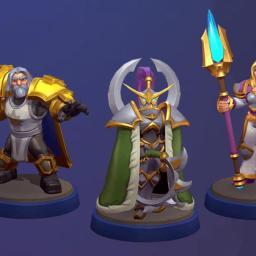 |
by Ian Carlos Campbell on (#6YCXK)
It's nearly the end of the road for Warcraft Rumble. Blizzard has announced that it will no longer be developing new content for the free-to-play mobile strategy game, and instead focus on "regular, systemic in-game events and bug fixes." The change comes as the rest of Microsoft's business is in upheaval: The company is laying off as many as 9,000 employees across its global workforce.Blizzard's statement doesn't get into the details of what motivated the decision, but is clear that Warcraft Rumble hasn't been living up to expectations. The game "struggled to find its footing" relative to Blizzard's ambitions, prompting the studio to explore different options to improve it over the last few years. "Some of that work showed signs of progress, but ultimately wasn't enough to put the game on a path to sustainability," Blizzard writes.Warcraft Rumble was announced in 2019 as Warcraft Arclight Rumble. Much like Hearthstone, the game was a high-profile attempt to translate a popular Blizzard franchise into something that works on smartphones and tablets. Warcraft Rumble plays like a more flexible version of Clash Royale, where miniaturized armies face off in PVP or singe-player challenges, and the biggest strategic choices are when and where characters are placed.Aftermath reports that winding down Warcraft Rumble is a direct result of the wider Microsoft layoffs effecting Blizzard. While some of the team who created new content for Rumble will be given new roles at the studio, others will be let go, according to a staff email sent by Blizzard president Johanna Fairies that Aftermath viewed. Blizzard's public statement doesn't acknowledge these layoffs beyond a mention that the studio is "focused on supporting [its] teammates," which is telling in context.While Warcraft Rumble will live on for now in a diminished state, some future Xbox games have been outright cancelled as a result of Microsoft's restructuring, including Everwild and Perfect Dark. The bigger damage is the loss of talent. Greg Mayles, the lead designer on Donkey Kong Country and creative director of Sea of Thieves, is leaving Rare, according to Video Game Chronicle. ZeniMax Online Studios shared on X that director Matt Firor is also making an exit following the cancellation of the studio's next MMO.This article originally appeared on Engadget at https://www.engadget.com/gaming/blizzard-is-giving-up-on-its-warcraft-mobile-game-amid-layoffs-215021940.html?src=rss
|
 |
by Tim Stevens on (#6YCXM)
President Trump's "Big Beautiful Bill" has squeaked through the Senate in time for this weekend's pyrotechnic celebrations. The bill festively shoots down a long list of environmental protection measures of all shapes and sizes, with the red glare of those rockets looking set to burn all current federal EV rebates in particular.While the exact timing is still in flux, as things stand the $7,500 federal rebate for electric vehicles would expire not in 2032 as originally specified, but as soon as the end of September. It's an abrupt, ignominious end to a series of incentives that, in some form or another, dates back to the George W. Bush administration.This change doesn't just cover new consumer vehicles, like the Kia EV9 or Volkswagen ID.Buzz. It also eliminates the $4,000 federal credit on used EVs, and even stands to kill rebates for commercial vehicles of the sort that inspired a whole new and weird generation of electric vans like those from Rivian and Arrival (RIP).All those initiatives were meant to drive down the environmental impact of a transport industry that, combined, makes up 29 percent of total US greenhouse gas emissions. While that unfortunate environmental impact might not be immediately felt, for anyone considering buying an EV, some pain in the wallet is coming much sooner.But it could have been worse.A proposed annual EV taxEarlier versions of the bill imposed a $250 annual fee for EV owners, and a still-spiteful $100 for hybrid owners. That fee would go into effect regardless of when you bought your wheels, so even if you were doing the electric thing before it was cool, you'd have been stuck with a substantial annual premium.That fee was to be directed to the Highway Trust Fund, ostensibly ensuring that EV owners are paying their fair share for federal transportation infrastructure maintenance. The bulk of that funding comes from an 18.4 cents per-gallon tax on gasoline, which imprecisely ensures that drivers are paying roughly their fair share for highway use.This supposed attempt at EV equivalence, however, was structured in a wildly disproportionate way. The average American drives 11,318 miles per year, according to the Department of Energy, which works out to just under $100 annually in taxes on gasoline. That's less than half the proposed annual fee for EVs. Yes, electric cars and their heavy batteries do indeed wear out roads more quickly, but not to that degree.That felt more than a little unfair, but lawmakers faced an even bigger roadblock: They literally couldn't make such a fee structure work. "There is no mechanism today for the federal government to collect an annual fee," Ohio Republican Senator Bernie Moreno told Politico.Regardless of the reasoning, for now at least, this fee is no longer part of the bill.The industry impactAmerican EV sales haven't exactly been following the hockey stick growth that most industry experts had formerly been projecting. Still, it has been steadily trending upward. American EV sales in the first quarter of this year were up 10 percent, according to Cox Automotive, and that's despite Tesla's precipitous slide of late.Considering the average cost of a new car in the US is $48,799, and the average cost of a new EV is $57,734, that $7,500 federal EV tax credit clearly makes a substantial difference in bridging that gap. Assuming the Big Bill passes, that bridge will be demolished in just a few months time.While it's impossible to say how much the American EV market's growth has been driven by those incentives, we can look at the impact such cuts have had in other markets. Germany's Climate and Transformation Fund paid out 10 billion between 2016 and 2023, chipping in towards the purchase of 2.1 million EVs.EV sales declined in Germany by 16.4 percent through the first half of 2024 after that program ended. Meanwhile, elsewhere in Europe, EV sales continued to grow by nearly 10 percent. It's looking like it was only a temporary setback, though. In the first five months of this year, German EV registrations are up more than 40 percent. That, again, is despite Tesla's particularly steep decline there.Brands and chargersAs to which manufacturers will be most impacted, it stands to reason that buyers looking for with lower-priced EV offerings - cars from brands like Hyundai, Kia and Nissan - will take this change the hardest; buyers of premium brands - like Mercedes-Benz, BMW and Porsche - will be a little less dissuaded. Regardless, it should come as no surprise that not a single vehicle manufacturer is found in the list of endorsements for the "Big Beautiful Bill."You will, however, find a who's who of players in the petrochemical world, like the American Petroleum Institute, Chevron, ConocoPhillips and Coterra.The bill won't just kill incentives for EV buyers or leasers. America's charging infrastructure is also set to take a hit thanks to the repeal of the Alternative Fuel Vehicle Refueling Property Credit. This covered up to 30 percent of the cost of EV charger installation, encouraging more businesses to put more chargers in more places.Deleting that credit certainly won't help the stubbornly slow buildout of America's charging infrastructure.Silver liningCritics of the American federal credit program have long said that it was too frequently used by wealthy buyers to chip a little off the cost of their next luxury EV. That, at least, is being addressed in one of the bill's other transportation-related changes, something that could actually be a positive for many Americans.The bill includes a new tax deduction that could help modern shoppers saddled with debt after a car purchase. If passed, the bill would allow buyers with car or motorcycle loans to claim up to $10,000 in interest per year on their taxes.This applies to vehicles regardless of propulsion type, meaning EVs and hybrids qualify, but there are plenty of other criteria, including that the vehicle must be for personal use, cannot have a salvage title, and must have undergone final assembly in the United States. Beyond that, to claim the full deduction, individuals must have an adjusted gross income (AGI) of less than $150,000 if filing as an individual, or $250,000 for a married couple filing jointly.What now?If you're a shopper who's been on the fence about buying an EV, it's safe to say that now would be a very good time to pull the trigger. And I do mean now. The federal rebate may carry through September, but extra dealer incentives will be drying up quicker than crocodile tears.If, on the other hand, you're a manufacturer of EVs, chances are there's not a lot you can do right now. The auto industry was not designed to react to the whims of our current presidential administration and the gasoline-loving special interests that fuel it. Hopefully, the success of your business wasn't tied to the continued existence of federal incentives - or, indeed, a lack of import tariffs.Going forward, American EV offerings will need to be one of two things: Priced on par with the internal combustion competition, or so fundamentally compelling that they're worth the extra cost. If your vehicles don't meet that criteria, come October you might have a problem.This article originally appeared on Engadget at https://www.engadget.com/transportation/evs/trumps-big-beautiful-bill-is-bad-for-american-evs-but-it-could-have-been-worse-210155196.html?src=rss
|
 |
by Igor Bonifacic on (#6YCV0)
You can add Perplexity to the growing list of AI companies offering $200+ per month subscription plans to users who want unlimited access to their most advanced products and tools. As of today, Perplexity Max is available on iOS and the web.The subscription comes with unlimited monthly usage of Labs, the agentic creation tool Perplexity released this past May. People can use Labs to generate spreadsheets, presentations, web applications and more. Perplexity is also promising early access to new features, including Comet, a new web browser the company claims will be a "powerful thought partner for everything you do on the web." The company adds Max subscribers will receive priority customer support, as well as access to top frontier models from partners like Anthropic and OpenAI.Perplexity will continue to offer its existing Pro plan, which remains $20 per month. Admittedly, the company is courting a small demographic with the new subscription, noting it's primarily designed for content designers, business strategists and academic research.OpenAI was the first to open the floodgates of very expensive AI subscriptions when it began offering its ChatGPT Pro plan at the end of last year. Since then, Anthropic, Google have followed suit.This article originally appeared on Engadget at https://www.engadget.com/ai/perplexity-joins-anthropic-and-openai-in-offering-a-200-per-month-subscription-191715149.html?src=rss
|
 |
by Ian Carlos Campbell on (#6YCR9)
The Initiative, the Xbox studio developing a modern reimagining of Perfect Dark, is being shut down, and development of the game is ending. As first reported by Windows Central, the studio's closure is part of major cuts Microsoft is making across its business, affecting around four percent of the company's global workforce.Based on a memo from Xbox Game Studios head Matt Booty obtained by Windows Central, which Microsoft has confirmed is genuine, the decision to close The Initiative was born out of the cancellation of Perfect Dark, rather than the other way around. "We have made the decision to stop development of Perfect Dark and Everwild as well as wind down several unannounced projects across our portfolio," Booty wrote. "As part of this, we are closing one of our studios, The Initiative."Rare's Everwild was previously reported to be one of the projects impacted by Microsoft's layoffs. The game was announced in 2019 but has had a troubled development, even starting from scratch in 2021. Perfect Dark, based on the older Rare game of the same name, was supposed to be The Initiative's first project. The game was being co-developed in partnership with Crystal Dynamics. The first gameplay footage of the Perfect Dark reboot was shown in 2024.While cancelled games are the most visible impact of Microsoft's layoffs, it increasingly sounds like countless studios will end up being affected in one way or another. Bloomberg's Jason Schreier writes that Call of Duty studio Raven is also facing cuts, and Forza Motorsport developer Turn 10 could end up losing around 50 percent of its staff.This article originally appeared on Engadget at https://www.engadget.com/gaming/xbox/microsoft-is-closing-the-studio-developing-the-perfect-dark-reboot-and-cancelling-the-game-182257902.html?src=rss
|
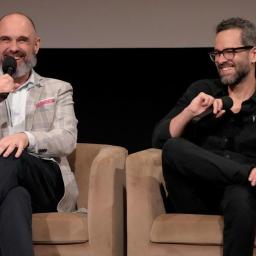 |
by Nathan Ingraham on (#6YCRA)
Neil Druckmann, head of the PlayStation studio Naughty Dog and co-creator of The Last of Us, is stepping away from the HBO show based on the 2013 game and its 2020 sequel to focus his work on Naughty Dog's next game. On Instagram, the studio published the following statement from Druckmann:"I've made the difficult decision to step away from my involvement in The Last of Us on HBO. With work completed on season 2 and before any meaningful work starts on season 3, now is the right time for me to transition my complete focus to Naughty Dog and its future projects, including writing and directing our exciting next game, Intergalactic: The Heretic Prophet, along with my responsibilities as Studio Head and Head of Creative."He went on to thanks showrunner Craig Mazin (on the left in the above photo) as well as the cast and crew he worked with on the first two seasons and called working on the show a "career highlight" Druckmann was credited as executive producer and co-creator of the show and he directed one episode in each of the show's two seasons as well as contributing writing to several others. The bulk of the show itself was written by Mazin.
|
 |
by Kris Holt on (#6YCRB)
Awesome Games Done Quick and Summer Games Done Quick aren't the only speedrunning marathons in town. There are others dotted throughout the year, such as Frost Fatales and Flame Fatales. Those all-women and femmes events are also operated by the Games Done Quick organization. The schedule for this year's Flame Fatales has just dropped, and there are lots of fascinating runs on deck.For one thing, you'll be able to watch an Any% run (i.e. beating the game with any percentage) of Hollow Knight. What's more, SawaYoshi will do this one-handed. The runner is expected to pull this off in around 45 minutes - it typically takes around 27 hours to beat that game.Some newer titles are in the mix as well, such as Blue Prince. It might seem odd that a puzzle game with a heavy randomization element is on the schedule. ProfessorBurtch will be undertaking what's known as a "B Quest Bingo" run. The idea here is to get to the Antechamber while using a bingo board. Here's an example of such a run (it contains spoilers, of course):Elsewhere, we have Any% runs of the wonderful Neva, The Legend of Zelda: Twilight Princess and New Super Mario Bros. in the mix, along with speedrunning staples like Celeste and The Legend of Zelda: A Link to the Past. The bonus runs include the first act of Clair Obscur: Expedition 33 and all regions of Hades II. I'm very intrigued by the Stardew Valley finale, which is a "Marriage% Co-Op Haley/Penny (Lesbian%)" run.In all, there will be more than 50 speedruns during this edition of Flame Fatales, which runs from September 7 - 14. This year's edition is being held in support of Malala Fund, which is a non-profit that helps girls around the world to have safe, secure and quality education. The event will be livestreamed on the GDQ Twitch channel.This article originally appeared on Engadget at https://www.engadget.com/gaming/the-flame-fatales-2025-speedrunning-event-includes-blue-prince-hades-2-and-clair-obscur-runs-171451081.html?src=rss
|
 |
by Will Shanklin on (#6YCNV)
In today's gaming world, a decade of development can sometimes amount to nothing. Parent company Microsoft has reportedly cancelled Rare's long-in-development project Everwild. The news comes amid broader layoffs across Microsoft's Xbox division.Rare employees will likely be part of the Xbox layoffs, according to Video Games Chronicle. VGC and Bloomberg's Jason Schreier were the first to report the game's cancellation. (Schreier added that an MMORPG project from Zenimax, codenamed "Blackbird," was also scrapped.)Rare officially announced Everwild in 2019. But the game had been in development since around 2014. Its trailer finally arrived five years ago, hinting at a lush and magical atmosphere. However, the footage offered no hints about gameplay. That may have been intentional. Its development reportedly suffered from a lack of clear direction.Rare / XboxIt was even said to have survived a "restart from scratch" in 2021 when Gregg Mayles took over direction. (He's known for titles like Donkey Kong Country, Banjo-Kazooie, Viva Pinata and Sea of Thieves.) Xbox explained the lack of official updates by saying it was waiting until it had "something cool to show."As recently as February, the game seemed to be on track. Microsoft's Phil Spencer said, "It's nice to see the team with Everwild and the progress that they're making." Words, words, words...That brings us to today, with the coda of an all-too-familiar story. Developers lose jobs. Gamers miss out on the chance to play something that had countless resources poured into it. And the gaming industry tightens its belt even further. How much tighter can it get?This article originally appeared on Engadget at https://www.engadget.com/gaming/everwild-has-reportedly-been-cancelled-amid-xbox-layoffs-162200526.html?src=rss
|
 |
by Matt Tate on (#6YCNW)
The software used by EU border security forces to prevent undocumented immigrants and suspected criminals from travelling in the region is allegedly riddled with holes and vulnerable to cyber attacks. The Second Generation Schengen Information System (SIS II) is an IT system and database shared between most EU states for law enforcement and public security purposes. And according to a new collaborative report between Bloomberg and investigative non-profit Lighthouse Reports, SIS II - which has been used since 2013 - is plagued with "thousands" of cybersecurity issues, to the extent that an EU auditor flagged them to be of "high" severity in a report filed last year.The report notes that there is no evidence of any data theft, but the "excessive number" of accounts that unnecessarily have access to the database means it could be fairly easily exploited. During its initial rollout, SIS II's major additions included fingerprint technology and photographs in alerts, and in 2023 the software was updated with upgraded data and enhancements to its existing functionality, including the ability to signal when someone has been deported from a country. Bloomberg reporters spoke to Romain Lanneau, a legal researcher at an EU watchdog called Statewatch, who warned that an attack would be "catastrophic, potentially affecting millions of people."Right now SIS II operates within an isolated network, but will soon be rolled into the EU's Entry/Exit system (EES), which will make registering biometric details a requirement for individuals travelling to Schengen-associated areas when it comes into effect, likely later this year. As the EES will be connected to the internet, a hack on the SIS II database will become significantly easier.Bloomberg and Lighthouse note that while most of the SIS II system's estimated 93 million records pertain to objects such as stolen vehicles, there are around 1.7 million linked to people. It adds that people usually aren't aware that their details are logged in the database until law enforcement gets involved, so if the information was leaked, wanted individuals may find it easier to evade the authorities.SIS II's development and maintenance is managed by a Paris-based contractor called Sopra Steria. According to the report, as vulnerabilities were reported, they took between eight months and upward of half a decade to resolve. This is despite it being contractually obligated to fix issues deemed to be of critical importance within two months of releasing a patch.A spokesperson for Sopra Steria did not respond to Bloomberg regarding the detailed list of allegations concerning SIS II's security holes, but said in a statement printed in the report that EU protocols had been adhered to. "As a key component of the EU's security infrastructure, SIS II is governed by strict legal, regulatory, and contractual frameworks," it said. "Sopra Steria's role was carried out in accordance with these frameworks."EU-Lisa, the EU agency that oversees large-scale IT systems like SIS II, regularly farms out duties to external consulting firms as opposed to building its own in-house tech, according to the investigation. The audit accused the agency of not informing its management about security risks that had been flagged, to which it responded by saying that all systems under its management "undergo continuous risk assessments, regular vulnerability scans, and security testing."This article originally appeared on Engadget at https://www.engadget.com/cybersecurity/the-eus-border-security-software-is-reportedly-full-of-holes-162033816.html?src=rss
|
 |
by Lawrence Bonk on (#6YCNX)
A US judge has ruled that Huawei must stand trial following a 16-count indictment from 2019 accusing the Chinese telecommunications company of trying to steal trade secrets from its US rivals and selling surveillance equipment to Iran despite trade sanctions, according to a report by Reuters. A trial is currently set for May 4, 2026.US District Judge Ann Donnelly found sufficient evidence in the indictment to refute the company's bid for dismissal. In a 52-page decision, the Brooklyn judge ruled that its arguments for dismissal were premature. The indictment alleges that Huawei engaged in racketeering, stole trade secrets from six companies and committed bank fraud by misleading the financial organizations about its work in Iran.The Iran accusations stem from Huawei's alleged control over a Hong Kong-based company called Skycom, which did business in that country. Donnelly said that prosecutors successfully alleged that Skycom "operated as Huawei's Iranian subsidiary and ultimately stood to benefit" from over $100 million in money transfers through the US financial system.Huawei has pleaded not guilty and sought to dismiss 13 of the 16 counts, referring to itself as "a prosecutorial target in search of a crime." The case goes all the way back to 2019 during President Trump's first term and coincided with the Department of Justice launching an investigation into China's alleged theft of intellectual property.Chinese officials have accused the US government of "economic bullying" and of using national security concerns as a pretext for "oppressing Chinese companies." The company's CFO Meng Wanzhou, whose father founded the company, was arrested and detained in Canada for three years on allegations that Huawei violated sanctions with Iran. Wanzhou was eventually released and the charges were dismissed.The US government began restricting Huawei's access to American technology in 2019, citing security concerns. The company struggled to maintain its market share with these restrictions in place, but has since ramped up its own development of chips and related technologies. The company also shifted its focus to the Chinese market.This article originally appeared on Engadget at https://www.engadget.com/big-tech/us-judge-rules-huawei-must-answer-criminal-charges-about-alleged-iran-deal-161552940.html?src=rss
|
 |
by Daniel Cooper on (#6YCP0)
The so-called Big, Beautiful Bill" will, if passed, make sweeping changes to the US' clean energy market. While some of the worst provisions affecting the industry were stripped out during Senate proceedings earlier this week, it's still pretty bad. In fact, the current language of the bill might as well be a middle figure to the domestic solar manufacturing industry.As it stands, the bill guts many of the clean energy programs of Joe Biden's signature 2022 Inflation Reduction Act. That includes killing off incentives for domestic and utility-scale solar power as well as the Clean Electricity Production Credit. Even worse, the bill axes the Domestic Content bonus that incentivized the use of US-made gear.There were a number of provisions that did not survive its journey through the Senate, like the excise tax on renewable energy. As CBS News reported, the levy would have imposed an additional charge on projects that used materials from foreign countries. As CNN explained, this would have cut renewable energy projects in favor of extending the life of coal and gas turbine plants.Rob Gardner is Vice President of Congressional and Regulatory Affairs for SEMA, the Solar Energy Manufacturers for America coalition. He walked me through the bill, explaining the effects of the changes for the US solar industry. A positive is that it maintains production tax credits for manufacturers of clean energy components," he said.One tweak from an earlier version of the bill was the speed at which the existing tax credits would be withdrawn. As it stands, projects that are already approved will qualify for the present regime, as will any project beginning construction before June 2026. Basically, a year after enactment [companies have] to begin construction on utility-scale solar projects to receive the full amount of the credit," said Gardner. And, according to 70512 (4)(a) those plants will need to be placed in service" no later than December 31, 2027.The bigger issue, however, is that the bill creates uncertainty for long-term demand for US products," according to Gardner. Put simply, American-made solar panels are more expensive than their Chinese counterparts due to higher manufacturing costs. By removing the incentives, including the Domestic Content bonus, the US is opening the door for Chinese-made alternatives. Gardner added after the tax credits that incentivize domestic production and consumption expire, you will see a flood of Chinese product [in the market.]"The US's Environmental Information Administration projects that the US' total domestic energy consumption will grow by almost two percent in the next year. A slowdown in new energy additions is the last thing the US needs, especially as renewables made up almost 90 percent of all new power generation capacity in 2024. But it's likely that even with all of the changes in the bill, solar will remain the biggest technology used to implement new power generation capacity.Abigail Ross Hopper, CEO of the Solar Energy Industries Association pulls no punches in her statement. She said the bill undermines the very foundation of America's manufacturing comeback." Hopper added that families will face higher electric bills, factories will shut down, Americans will lose their jobs and our electric grid will grow weaker."Jason Grumet, CEO of the American Clean Power Association described the bill as a step backward" for American energy policy and an intentional effort" to undermine one of the fastest-growing sources of electric power."Environmental groups also believe the bill's passing marks a dark day in the world's fight against climate change. Greenpeace USA Deputy Climate Program Director John Noel, said in a statement that this is a vote that will live in infamy" for its role in doling out fossil fuel industry handouts."Environmental Defense Fund's Vice President for Political and Government Affairs Joanna Slaney agreed. She said that the bill is effectively cutting off supply of cheap energy right when the US needs it most." In contrast, the bill offers a 10-year reprieve from paying a fee on wasteful methane pollution," a gas significantly more harmful than carbon dioxide to the environment.Research by clean energy company Cleanview suggests the bill may jeopardize up to 600GW of new renewable energy capacity. This is because of the tight deadlines the bill imposes to qualify for the existing credits, which again, need to begin construction before June 2026. That 600GW figure includes solar farms and battery storage projects in California and Texas that would need to be rushed to get working.This article originally appeared on Engadget at https://www.engadget.com/general/trumps-big-beautiful-bill-is-a-middle-finger-to-us-solar-energy-152042835.html?src=rss
|