Microsoft's dueling Copilot apps have combined into a single entity
by from www.theregister.com - Articles on (#77P1T)
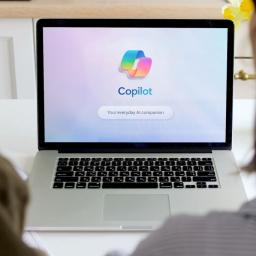 Microsoft's consumer Copilot app and Microsoft 365 Copilot are separate no more, with a unified Copilot app beginning its rollout Thursday - minus a few features. The Windows maker and AI pusher announced the Copilot superapp rollout in a help page update Thursday, describing the move as a way to simplify its app ecosystem and make the entire Copilot-first experience more cohesive" for both consumer and business users. Depending on the account and device you use, you will see changes to the Copilot app including changes to appearance and functionality, such as navigation, feature availability, or sign-in experience," Microsoft explained on the help page. The new Copilot app brings not only new branding but structural changes as well. The Copilot bot and its image generation features now live alongside the Microsoft 365 suite, files, and other content, allowing users with an account supporting the classic Office package to access their productivity software alongside Redmond's chatty LLM. Copilot users without a paid subscription, naturally, face lower usage limits and fewer features, but support for multiple accounts means users can switch between personal and work or school profiles instead of having to hop between entirely separate apps. You can continue to chat with Copilot, create images, upload files and more for free, subject to available capacity and limits," Microsoft said. For higher limits to chat and create, use agents, or tackle complex multi-step tasks, purchase a Microsoft 365 subscription." Whether the new combined app will come with nag messages is up to users to find out. What this change will look like in practice varies based on the sort of account a Copilot user had before the merger. Those who just use Copilot with a personal account will be moved to an updated version of Copilot," with chat history and most content transferring to the updated app. Files shared and generated with the old standalone Copilot app will be shunted to OneDrive if you're wondering where they went. Users of Microsoft 365 Copilot, the name Redmond slapped on the Microsoft 365 (Office) app in January 2025, may notice some updates to appearance and navigation," so get ready to rediscover where certain options and buttons are. What Microsoft left behind Microsoft is abandoning a few features from the old Copilot apps as part of the merger: It is removing Podcasts and Group Chat and scrapping Deep Research from the consumer Copilot app, while Microsoft 365 Premium subscribers can instead use the separate Researcher feature. All of this will be effective as of August 18. Podcasts that were created or saved in Copilot will be entirely unavailable, per an FAQ page, and links to any shared podcasts will stop working. Microsoft recommends downloading any podcasts users want to save before updating to the new app, or they'll be lost. Group chats, along with any shared content and images created in group chats, will be wiped. Microsoft recommends downloading any messages and content users want to save and tossing them in a document, as Redmond doesn't appear to be offering an automated way to preserve them. As for Deep Research, which offered standalone Copilot app users a version of Microsoft's chatbot able to look stuff up on the web and compile reports, those reports are being preserved in chat history for Microsoft 365 Personal and Family subscribers, while Premium subscribers can access saved research through Researcher. Researcher offers similar abilities to Deep Research, but sorry free and lower-tier users: It's only available to premium customers now. Windows Central reported on Thursday that the rollout of the unified Copilot app is beginning now, with mobile and web coming in the initial wave and an early-access option for Windows and Mac, ahead of a broader desktop rollout expected in the middle of next month. We've been unable to confirm that timeline with Microsoft. (R)