by Cherlynn Low from Engadget is a web magazine with obsessive daily coverage of everything new in gadgets and consumer electronics on (#722EQ)
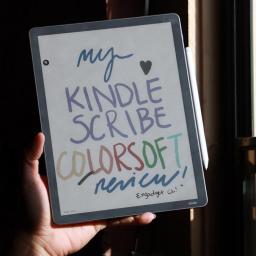
In a world where notifications persistently compete for our attention, distraction-free ereaders and writing tablets have found an audience. Putting your phone, laptop or iPad aside and curling up with a Kindle or a reMarkable tablet have become an almost ironic way for the tech-savvy to disconnect from online noise and focus on reading and writing. It's debatable how broad the appeal of these devices is, but even in what appears to be a relatively small slice of the industry, the competition is fierce. Amazon is arguably the biggest name in the space, with its Kindles dominating the ereader market for years. When it introduced the Kindle Scribe in 2022, the company made a play for the burgeoning E Ink writing tablet category, and just last year it launched its first color ereader with the Kindle Colorsoft. Put all those features - reading, writing and color - together, and you've got the ingredients for Amazon's latest contender: the Kindle Scribe Colorsoft. This time, Amazon expanded the Scribe line by releasing three new Scribes at once. The entry-level model is the black-and-white tablet without a front light, which costs $430. For $70 more, you'll get the front light, and then the Colorsoft version goes for $630. There are upgrades from last year's Scribe across the trio, and for this review we'll be looking mostly at the Colorsoft, which has all of the new features. Like with previous models of the Scribe, Amazon doesn't indicate the generation number in the name, simply calling this lineup the all-new Kindle Scribe," attaching the word Colorsoft to the edition that renders colors. To avoid confusion, I'll occasionally be referring to this generation of the device as the Scribe 3, and the version from last year as the Scribe 2. Editor's note: As I only received the Kindle Scribe Colorsoft on December 7 due to shipping delays, I won't be assigning a score to this device until I have had more time to test it. My colleague Valentina Palladino received the new Kindle Scribe a few days before that, and has contributed testing and impressions to this review. It's also worth noting that some new features, like Send to Alexa+," Story so far" and Ask this book" aren't available to test yet. We will update this review with a score after spending more time with it so we can better gauge things like battery life and the usefulness of some software features. What's new with the Kindle Scribe Colorsoft Aside from the obvious, which is that the Colorsoft can now render colors, the latest Kindle Scribes also feature a refined design, improved front light system, updated screen architecture, new quad-core chip, more memory and Oxide display technology. It has a larger 11-inch screen compared to the 10.2-inch display on its predecessor, and still manages to weigh 33 grams less at 400 grams (0.88 pounds). There's also a revamped Home page that houses a Quick Note for easier access to the writing interface as well as some software and AI tools that aren't available to test yet. A lot of the hardware tweaks translated to a snappier, more responsive device overall. In my testing, the Scribe Colorsoft's AI summarization and handwriting refinements took a bit less time than the Scribe 2, which I attribute most to the processor, but I also noticed improved fluidity in the writing experience. Drawing on the Scribe Colorsoft brings me right back to my younger days testing out pens at bookstores. Amazon's stylus feels like a pen with ink that flows more freely and consistently onto the page than others, and between the nib and the texture of the page there is a lack of resistance and overall smoothness that is very satisfying. Cherlynn Low for Engadget Amazon said that the Premium Pen that comes with the Scribes has been refined with a thicker and more rounded silhouette. With its latest Oxide display, the Scribe Colorsoft's screen response rate of 14 milliseconds and the non-Colorsoft Scribe 3's rates of 12ms are both much higher than the 20-21ms for the Scribe 2. Together, this probably is the main reason that the new Scribe feels more responsive in general, and why writing on it seems so smooth. Although, that new front light system might also be contributing to the overall feeling of freshness. Speaking of, I put the Scribe 2 and Scribe Colorsoft side by side in my friend's living room and the difference was stark. When I brought both devices next to the window, under direct sunlight, they both seemed similarly bright, with the typical glare-free finish you'd expect of ereaders. But when I took them into a darkened bedroom, the auto-adjusting panel on the Colorsoft lit up its screen and made it easier to read. Colors popped, and while I felt that there was a slight blue tinge to the light, it wasn't something I would've noticed without a side-by-side comparison. It's not an issue though because you can also adjust the warmth here like you can on other Kindles. One of my complaints in my review of the Scribe 2 was the flimsy attachment method of magnets holding the pen to the tablet. While Amazon hasn't built an onboard slot or holder for the stylus, it did increase the magnetic force on the Scribe 3. This was already noticeable during my hands-on with the device back in October, and in real-world use I appreciated this upgrade in keeping the Premium Pen tightly attached to the Scribe Colorsoft. I would still prefer a more secure approach, since I still do worry about the stylus getting lost in my purse and don't want to have to buy a case just for this purpose. But it's a small quibble and my concerns have largely been allayed with the increased magnetism. Cherlynn Low for Engadget I still need to test some software features like Send to Alexa+, Ask This Book and Story So Far, but they're not available yet. I've been focusing my testing on the Notebook section and need to spend more time marking up and annotating books to better evaluate that use case. But not much has changed there since Amazon rolled out the collapsible margins in February, and you can read my review of the Scribe 2 for my impressions there. The new home page and AI-powered Notebook search At the moment, I can speak to one of the new features: AI-powered Notebook search. The Search bar at the top of the Scribe can now answer questions about the contents of all your Notebooks (and books). At the time of the Scribe's announcement, I thought this would be helpful in pulling together all the tasks I'd assigned to specific team members across the to-do lists I drew up for various events. When I asked the Scribe what tasks have I assigned Sam," its results page showed six categories, pulling information from my library, notebooks, the Kindle Store, the Audible Store, Goodreads and text within books. Only the second one had any findings. Under Results in your notebooks," there was a label AI-powered insights" followed by a header Sam's Assigned Tasks." Below that was a bulleted list, which I'll transcribe and include an image of here: