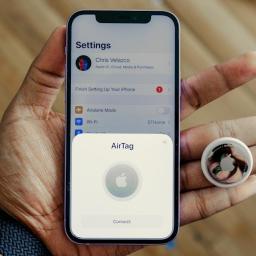
by Georgie Peru from Engadget is a web magazine with obsessive daily coverage of everything new in gadgets and consumer electronics on (#73QTS)
Apple's AirTag is designed to help people keep track of personal belongings like keys, bags and luggage. But because AirTags and other Bluetooth trackers are small and discreet, concerns about unwanted tracking are understandable. Apple has spent years building safeguards into the AirTag and the Find My network to reduce the risk of misuse and to alert people if a tracker they don't own appears to be moving with them.If you're worried about whether an AirTag or similar tracker might be following you, here's how Apple's unwanted tracking alerts work, what notifications to look for and what you can do on both iPhone and Android.How AirTag tracking alerts workAirTags, compatible Find My network accessories and certain AirPods models use Apple's Find My network, which relies on Bluetooth signals and nearby devices to update their location. To prevent misuse, Apple designed these products with features that are meant to alert someone if a tracker that isn't linked to their Apple Account appears to be traveling with them.If an AirTag or another compatible tracker is separated from its owner and detected near you over time, your device may display a notification or the tracker itself may emit a sound. These alerts are intended to discourage someone from secretly tracking another person without their knowledge. Apple has also worked with Google on a cross-platform industry standard, so alerts can appear on both iOS and Android devices, not just iPhones.How to make sure tracking alerts are enabled on your iPhoneIf you use an iPhone or iPad, tracking notifications are on by default, but it's worth confirming your settings.To receive unwanted tracking alerts, make sure that: