 |
by Muhammad Jarir Kanji on (#4ZBH0)
The new controls will go even beyond what Android 10 offers.What you need to knowXiaomi is reportedly working on beefing up security in MIUI 11.It's working on a feature that notifies users when an app uses sensitive permissions.Potentially suspicious behavior, like opening another app or autostarting in the background, will also be flagged.Privacy controls are all the rage these days, and it's no wonder, with every day bringing a new story about how our digital privacy is being violated, either with intent or mistakenly, by mega corporations and even Uncle Sam himself.Google's certainly taken big steps toward improving privacy in Android 10 by providing users with more granular controls. It's also expected to continue this trend with future Android releases. And while phone makers' custom skins are generally not known for their tough privacy stances, Xiaomi seems to be working on making its MIUI stand out from the rest in this regard.XDA Developers reports that the com...
|
 Latest from Android Central
| Link | https://www.androidcentral.com/feeds.xml |
| Feed | http://www.androidcentral.com/rss.xml |
| Updated | 2026-08-01 12:33 |
 |
by Anthony J Nash on (#4ZBA4)
Pokémon HOME is finally here!Pokémon HOME is now officially out. After getting used to the ridiculous new Professor Oak, players are beginning to dive in and learn the basics of how the storage and cloud service works. Signing up for Pokémon HOME is free, but there is a Premium subscription available for players who want it. The premium subscription includes the ability to transfer Pokémon from your Pokémon Bank account into your HOME account and expands the number of Pokémon that can be deposited from 30 to a whopping 6,000, among other features. The subscription comes in various price points, but the cheapest plan starts at $16 per year.Fans have been waiting a long time for a service like this, and now that it's out, the only step left is to sign up. The methods vary slightly depending on what platform you'll be using, but we've got you covered for both.A new Professor Oak kicks off the surprise launch of Pokémon Home on the Nintendo Switch?How to sign up for Pokém...
|
 |
by Muhammad Jarir Kanji on (#4ZBA6)
As you'd expect, the company quickly 'fixed' its mistake.What you need to knowThe Android Developer Preview website was the subject of much curiosity earlier today.The page made several references to Android 11, fueling rumors of an impending Developer Preview for the next version of Android.The page was quickly taken down, though, with all mentions of Android 11 expunged.Is a new Android Developer Preview afoot? Google's website dedicated to Android previews certainly seemed to suggest so earlier today, with the folks at Android Police catching several references to the Android 10 successor on the page.Of course, since the company hasn't made any official announcements on this issue yet, the change was almost certainly a mistake on someone's part, and Google has now taken down the Android Developer Preview page in its entirety. Going to the link now redirects you to the developer page for Android 10.But, of course, being the good journalists our friends at Android Poli...
|
 |
by Dan Thorp-Lancaster on (#4ZBA7)
The motion was granted as part of a suit Amazon brought protesting the Defense Department's selection process for the contract.What you need to knowA judge ordered a temporay halt on Microsoft's work on a $10 billion contract with the U.S. Department of Defense.Amazon filed a motion asking the court for the order in January.Amazon is pursuing a lawsuit alleging bias in the government's selection process for the contract.A federal judge granted a motion from Amazon to halt Microsoft's work on a $10 billion contract cloud contract with the Department of Defense. Amazon originally filed the motion in January as part of a suit alleging bias in the selection process for the contract. Amazon was among the companies competing to win the contract.The Joint Enterprise Defense Infrastructure (JEDI) contract was awarded to Microsoft last October. Amazon later alleged bias on the part of President Donald Trump against Amazon CEO Jeff Bezos resulted in an unfair process. The Departme...
|
 |
by Kelly Peirce on (#4ZBA9)
The developers behind Bulletstorm are back with a new IP.From the publishing team of Square Enix and the studio People Can Fly comes a new game, Outriders. It's listed as a "drop-in-drop-out co-op shooter set in an original, dark and desperate sci-fi universe" that can support up to three players. We haven't been give a lot of information about this game just yet, but here is what we know so far.What is Outriders?It takes place on a dark alien world and features co-opWill there be microtransactions?How does the multiplayer work?It is expected to release Holiday 2020Alien planetOutriders$60 at AmazonFollow the signalBecome an Outrider and follow a mysterious signal across the alien planet of Enoch, full of hellish threats waiting around every corner. Outriders features drop-in, drop-out co-op for up to three players so you can have a couple of friends at your side.What is Outriders?As stated by the Co-Heads of Studio, Square Enix External Studios, Jon Bro...
|
 |
by Samuel Tolbert on (#4ZBAA)
New to Doom but eager to slay demons? This trailer has everything you need.What you need to knowThere's a new trailer for Doom Eternal, going over the main points newcomers should know.Doom Eternal is scheduled to release on March 20.You can preorder Doom Eternal on PlayStation 4 for $60 from Amazon.If you somehow don't know what Doom Eternal is, fret not fearless friend, Bethesda has you covered with a new trailer specifically geared towards newcomers. This new trailer has all the answers you could possibly need, including details on the campaign, Battlemode multiplayer and more. Plus, you get to see even more demons being obliterated. You can check out the trailer below.Doom Eternal appears to be taking everything from the first game and ramping it up. For more on the the story, you can check out a previously released trailer here. If you're interested in the multiplayer but you're concerned about possible microtransactions, don't worry, as the creative director has...
|
 |
by Ara Wagoner on (#4ZBAC)
With the OnePlus 7 Pro and 7T Pro, you get 6.67 inches of beautiful, notchless, curved Gorilla Glass 5 on its 90Hz Fluid AMOLED screen, which means there's more reason than ever to protect it. However, that curvature also presents more challenges for a proper screen protector that fits well and adequately protects the glass. Here are the best screen protectors that will keep the 7 Pro/7T Pro safe without compromising the user experience.Note: The OnePlus 7 Pro and 7T Pro come with a built-in screen protector, but it's made of thin plastic and easily scratches and dents. These screen protectors are meant to be used instead of, not with, the existing screen protector.Case and protector bundleOlixar Sentinel Case And Glass Screen ProtectorStaff pickOlixar's tempered glass screen protector is great on its own, but this bundle with a Sentinel TPU case lets you protect the front and back at an insanely good price. The screen protector is sculpted around the top earpiece.$8 at...
|
 |
by Muhammad Jarir Kanji on (#4ZBAD)
Servers will officially shut down on April 30, 2020.What you need to knowAndy Rubin's Essential announced its plan to close shop earlier this week.Alongside the end of updates to the Essential Phone, this also means that the Newton Mail app will be shutting down.Existing users of the app will have until April 30, 2020 before they lose access.Newton Mail just can't catch a break, it seems. The award-winning app that's a favorite for many is shutting down once again following Essential's announcement that it could no longer support itself and is going under.This would be the second time the CloudMagic-made app met an untimely demise. The company first closed its doors back in September of 2018 until it was miraculously acquired by Andy Rubin's Essential Products. The app found a new lease on life and could be found on the Play Store and the App Store once again in February of 2019.And exactly one year later, parent company Essential has announced that users will have to p...
|
|
by Muhammad Jarir Kanji on (#4ZB25)
The dialer also gets some one-handed improvements.What you need to knowOnePlus is rolling out a new OxygenOS beta to OnePlus 7 Pros.The update brings with it the January 2020 security patch for Android.There are also a number of fixes and optimizations, as you'd expect.Compared to the last open beta for OxygenOS, the Open Beta 9 currently rolling out to OnePlus 7 Pros is a little less exciting. While we got a brand-new one-handed mode via Open Beta 8 last month, this time around, OnePlus is focusing mostly on tweaks and fixes.Here's the full changelog:SystemEnhanced one-hand usage for dialer appOptimized network for a better gaming experienceUpdated Android security patch to 2020.01Improved system stability and fixed general bugsZen Mode V1.5.0Supported OnePlus Account login, synchronization of badges and historical dataWeatherFixed the weather app crashing issuePerhaps the most significant component of the update is the January 2020 security patch....
|
 |
by Samuel Tolbert on (#4ZB27)
Players can finally jump back into the world of Half-Life with a new game.What you need to knowHalf-Life: Alyx is the first full new Half-Life game since the release of Half-Life 2: Episode Two in 2007.Half-Life: Alyx now has a release date and is set to release on March 23.The game requires a VR headset and was built from the ground-up for VR. While we've known for some time that Half-Life: Alyx was scheduled to release in March 2020, the exact day hasn't been known, until now. The release date for Half-Life: Alyx has been revealed and the game is set to be available on March 23, 2020!Half-Life: Alyx was built from the ground-up for VR and it will be compatible with all PC VR headsets, running on the Valve Index, HTC Vive, Oculus Rift and Windows Mixed Reality headsets.Half-Life: Alyx takes place between the events of Half-Life and Half-Life 2, letting players control Alyx as she works in a resistance against the unstoppable Combine forces. If you'd like a look at the ...
|
 |
by Nicholas Sutrich on (#4ZB29)
Built with the new Wi-Fi 6E standard in mind.What you need to knowThe Broadcom BCM4389 supports the new Wi-Fi 6E standard for faster, more reliable wireless connections in your home.It also includes a new Bluetooth 5 radio that claims better performance, battery life, and faster pairing times.This chipset is expected to make its way into smartphones launching later in 2020 and beyond.A new chip by one of the world's largest Wi-Fi chipset makers is slated to significantly increase the Wi-Fi speed of your next phone. According to CNet, Broadcom's BCM4389, a name that no one really needs to remember, will utilize the newly minted Wi-Fi 6E standard which was just announced last month at CES 2020. It's likely that this new chipset will be included in major flagship phones later in the year, so don't expect them on the recently announced Galaxy S20 or Galaxy Z Flip (although those phones do support regular Wi-Fi 6).That new standard utilizes the 6GHz spectrum to deliver speeds ...
|
 |
by Marc Lagace on (#4ZB2D)
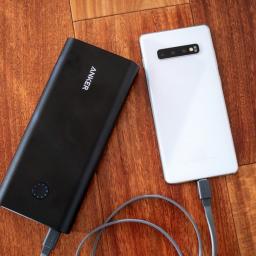
With the Galaxy S20 is just around the corner, you might be noticing that your Galaxy S10's battery life doesn't last as long as it once did. Fortunately, you can alleviate any low-battery stress with a portable battery that's also handy for all your traveling needs. Here we've rounded up the most reliable battery packs for the Galaxy S10.Multiple portsAUKEY 10,000mAh Portable ChargerStaff pickAUKEY's 10,000mAh battery pack has everything and the kitchen sink. It features a USB-C port with Power Delivery 2.0 that will charge your Galaxy S10 the fastest, but you also get two USB-A ports, one with Quick Charge 3.0 and an additional port with AirPower for other devices. It's also super thin and portable, which makes it perfect for sharing your portable power with friends.$30 at AmazonAn absolute unitAnker PowerCore+ 26800 PD battery packAnker is one of the most trusted brands in charging accessories, and its PowerCore+ 26800 is an absolute beast. You'll be able to ge...
|
 |
by Samuel Contreras on (#4ZB2B)
More speed and capacity than LTE with room to grow.Carriers like to cover their ads with phrases that you would not know unless you had been following 5G news closely. 5G is using technology in more sophisticated ways than ever before and bringing in much more technical phrases to explain its coverage and speed. These are some of the phrases you should know and understand if you are thinking about making the move to 5G.5G NR5G New Radio is the name of the standard being used to build out 5G coverage. When it comes down to it, all 5G equipment needs to work together consistently and for years to come. Anything you see today called 5G is going to be using this standard, except for one major outlier.5GeThe major outlier when it comes to 5G is 5Ge, which isn't 5G NR. It actually isn't 5G at all. 5G Evolution is the marketing name AT&T has given to its LTE Advanced network. While this represents the best of 4G with MIMO support and fiber optic backhauls, it really has nothin...
|
 |
by Michael Allison on (#4ZB2F)
Huawei is also being dinged for allegedly trading with North Korea and Iran.What you need to knowHuawei has been indicted for racketeering and conspiracy to steal trade secrets by the U.S. DOJ.The firm reportedly offered bonuses for employees who could steal secrets from competitors.This marks a significant escalation in the U.S. government's campaign against the Chinese firm. The U.S. Department of Justice today charged the Chinese telecoms giant Huawei and its subsidiaries with conspiracy to steal trade secrets as well as violations of the Racketeer Influenced and Corrupt Organizations (RICO) Act in a new 16-count superseding indictment returned on Wednesday.The indictment names, as defendants, Huawei itself and its subsidiaries including Huawei Device Co. Ltd. (Huawei Device), Huawei Device USA Inc. (Huawei USA), Futurewei Technologies Inc. (Futurewei) and Skycom Tech Co. Ltd. (Skycom), it also names officials like as well as Huawei's Chief Financial Officer (CFO) Wanz...
|
 |
by Kelly Peirce on (#4ZB2H)
If you've just started The Witcher game series with 3, and skipped over one and two, it is easy to get confused about who you should romance and why. This is how it is for a majority of people starting out with The Witcher 3 but we are here to help. We don't want to tell you who to romance but with a little more information about Yennefer, Triss, and the relationship between our leading ladies, we hope you can make the decision for yourself.There are no wrong choices when it comes to Geralt and romance.Geralt and YenneferGeralt and Yennefer's relationship goes back to the books written by Andrzej Sapkowski. During their travels, Geralt and his friend Dandelion came to a lake and while fishing, Dandelion accidentally found and released a jinn (more commonly known as a genie). It was during this process that Dandelion was badly injured and fell ill. This is how Geralt meets Yennefer. He searched for a sorceress to heal his friend and the sorceress he found was Yennefer....
|
 |
by Ara Wagoner on (#4ZB2J)
Samsung has supersized the Galaxy experience with the Galaxy S20 Ultra, and with that big beautiful 6.9-inch screen comes a larger and heavier phone than even last year's Galaxy Note 10+. While I can understand not wanting to bulk up your S20 Ultra, a case is not optional on a phone this big; you need a protective case to add grip to that big glass back and add some cushions or shock-absorbing bumpers to the corners. From clear and thin to big and functional, these are the best cases to buy your new flagship.Clear but sturdyRingke Fusion XWant to show off your S20 Ultra's glass-backed beauty while still protecting it from scratches, slips, and the oh-so-dreaded shatter? This case gives you robust bumper and corner protection and a crystal clear back.$8 at AmazonGo beyondArmadilloTek Vanguard SeriesThe Vanguard Series is one of the better heavy-duty kickstand cases for Galaxy phones, and this year we have the more subdued Red as a launch color alongside the brighter ...
|
 |
by Jason England on (#4ZAR6)
The web portal allows users to play via desktop, Android, and iOS.What you need to knowGoogle's Area 120 incubator has a new project called GameSnacks.The goal of GameSnacks is to create a quick and easily accessible way for users in emerging markets to play casual games.The games are compressed and optimized, allowing them to run on devices with 1GB of RAM and load quickly even over 3G networks.Google's in-house Area 120 incubator has a new project called GameSnacks that features "bite-sized HTML5 games, accessible to everyone." It launched on February 13, 2020, with the primary goal of bringing easy to play, fast loading games to developing markets.Each day, users in the developing world experience the internet for the first time on a mobile device. Oftentimes, in these markets, that means using an entry-level phone low on memory and running on a slow network with expensive data plans.These conditions can lead to a less than ideal experience when apps and services are...
|
 |
by Android Central on (#4ZAR8)
It's hard to imagine, but the era of the dot com boom has been over for a good while. And yet, big companies continue to shell out huge sums for even the most obscure .com domains while the vast majority of startups settle for awkward variations on their brand for a website name.And why? Conditioning, mostly. Businesses flock toward .com and .net extensions because they've always been there. But they're far from the best option anymore, especially for those working in the vast tech sector. Because .tech domains are not only here, they're wide open.Think about it: ".com" is shorthand for "commercial," and that casts a wide net. With a .tech domain extension, customers already have a clear picture of what you do and a strong impression that you're on the cutting edge. It's perfect for a wide but targeted range of commercial sectors: Web development, app development, medical innovations, gaming, robotics, gadget review sites – the list goes on.The best part? That domain name won't...
|
 |
by Asher Madan on (#4ZARA)
The Serious Sam Collection exists!What you need to knowGoogle Stadia is getting a number of new games soon.Panzer Dragoon Remake and Serious Sam Collection highlight the list. Some smaller games will also be timed exclusives. We all know that Doom Eternal, Orcs Must Die 3, Baldur's Gate 3, and more titles are coming to Google Stadia this year. However, there are a few other titles that were just announced that look incredible. I'll be honest, I'm mostly excited for the Serious Sam Collection.You can read about all the new games that were announced for Stadia below. It's unclear when these titles will hit the cloud gaming service though.Serious Sam Collection Step into the shoes of the legendary action hero Sam Stone and experience one of the most explosive shooter game series of all time as you save the world from a merciless alien invasion. The Serious Sam Collection includes all content from Serious Sam HD: The First Encounter, Serious Sam HD: The Second Encoun...
|
 |
by Kelly Peirce on (#4ZARC)
Dragon Age 4 is actually happening, here is what we know, but be aware... Dragon Age 2 and Inquisition spoilers are ahead.BioWare has left us with one of gaming's most open secrets for years, as at the end of Dragon Age: Inquisition the dialog so openly expressed that the story was not yet over. We have known from that moment on there would be another Dragon Age game in our future. While we remain without a proper title, Dragon Age 4 will have to suffice.Dragon Age 4: What we know is trueDragon Age 4: What could be trueDragon Age 4: Release dateSo, #TheDreadWolfRises with an ominous greeting, "So, you found me at last. I suspect you have questions." Yes... yes, we do.What we know is true about Dragon Age 4Whispers of Dragon Age 4 have been growing as Mark Darrah, BioWare executive producer, teased us with Dragon Age screenshots in December.This has led to conjecture that Dragon Age 4 may be further revealed soon. Until then, all we know is what we have played...
|
 |
by Alex Smith on (#4ZARE)
Having a comfortable pair of Bluetooth headphones can't be beat. Luckily, the Anker Soundcore Life Q10 Headphones are on sale today at Amazon for just $27.99. You'll just need to clip the coupon on their product page and then use promo code SDLIFEQ10 during checkout to score this low price. That saves you $12 off their usual cost of $40.Anker's Soundcore Life Q10 headphones feature an over-ear design and utilize Bluetooth 5.0 for a stable wireless connection and a range of up to 50 feet. With Anker's BASSUP technology, your music's low frequencies are analyzed in real-time and adjusted for enhanced bass. That power combined with 40mm dynamic drivers provides these headphones with audio that's hard to believe at this price, while more popular companies charge up to three times as much for similar models. There's a button on the headphones that lets you turn BASSUP on and off.One of the best features of the Soundcore Life Q10 headphones is the amazing battery life. These headphones...
|
 |
by Sean Endicott on (#4ZARG)
A gorgeous Pokémon VR is available on the Oculus Quest, though it probably won't last long.What you need to knowAn unofficial Pokémon VR game is available on the Oculus Quest.The game is currently in an alpha preview and has to be sideloaded.The game features all Pokémon through generation 7.An unofficial Pokémon VR game is now available for the Oculus Quest. The game features all Pokémon through generation 7. The game is in an alpha preview, so its early stages. It can also only be sideloaded at the moment. Many fan games like this are shut down quickly by Nintendo, which the developers of the game realize is a possibility.I spoke with one of the people behind Pokémon VR to find out more about the development process, and what they'll do if Nintendo shuts them down. According to this person, this game took four months to reach its current form. It has more than 791 Pokémon, with every Pokémon included from Gen 1 through Gen 7.If Nintendo forces the developers...
|
 |
by Samuel Tolbert on (#4ZARJ)
This new add-on lets players expand their controller buttons simply. While it's no Elite controller, it's well worth taking a look at.Late last year, PlayStation announced the DualShock 4 Back Button Attachment, a small device to expand your controller and add two new programmable buttons. The buttons can be remapped through a simple interface on the OLED screen of the attachment. Due to how it attaches, this attachment it also includes a 3.5mm headset jack, so you can still use your wired headset.Back buttons or paddles are increasibly popular on custom or special edition controllers, as they allow extra flexibility when playing. I'm an avid fan of the Xbox Elite Series 2 Controller, so I was curious if this attachment could bring a small bit of that experience over to the PlayStation ecosystem at a reasonable price.After getting my hands on it and using it for some time, I'm quite happy with it. Actually setting it up and attaching it to your DualShock 4 isn't ideal, but once...
|
 |
by Joe Wituschek on (#4ZARM)
Heads up! We share savvy shopping and personal finance tips to put extra cash in your wallet. Android Central may receive a commission from The Points Guy Affiliate Network. Please note that the offers mentioned below are subject to change at any time and some may no longer be available.How how of a credit limit can you get with the Citi Double Cash Card?Best answer: While there is no official credit limit that has been revealed by Citi, we have seen cardholders report credit limits ranging from as little as $500 to as much as $50,000.More card details: Citi® Double Cash Credit CardThe Citi® Double Cash Card is a fantastic cash back credit card that allows you to earn cash back not once, but twice. Cardholders can earn 1% on every purchase, then another 1% when you pay down your balance. It's the only card on the market like it, and makes it a great option for anyone's wallet.You might be wondering what kind of credit limit you can get for the Citi® Double Cash Card, a...
|
 |
by Michael L Hicks on (#4ZADN)
Best answer: Depending on your level of mobility, yes. The Quest has plenty of experiences with a seated mode option, and the lack of wires allows wheelchair users to play without any problematic upkeep. Yet, Oculus lacks an accessible-height option in Steam VR. Users with limited motion may find moving around the room or using Touch controllers more difficult than a simpler device with 3DoF (head tilting only) tracking like on the Go.No wires, no problem: Oculus Quest ($400 on Amazon)Limited, easier-to-use features: Oculus Go ($150 on Amazon)Advanced accessibility settings: Valve Index ($999 on Steam)Standalone VR, without standingPurely in terms of hardware, the Quest offers a much better starting point for VR than most wired headsets for movement-restricted users. Spinning around while in a virtual world could lead to inadvertently running over and damaging wires. The Quest leaves you unencumbered and doesn't require any physically taxing setup.Keep in mind that you wi...
|
 |
by Matt Brown on (#4ZADQ)
Microsoft takes Xbox on-the-go with Project xCloud Preview, its upcoming game-streaming service. Here's everything you need to know so far, and how to play ongoing tests.Xbox One soon reaches for the skies, with Microsoft on track to deliver its Project xCloud game-streaming service. Bringing full-fledged console gaming to smartphones, the ambitious platform provides the best of Xbox while on-the-go. Here's what to expect from ongoing Project xCloud preview trials across the globe.What is Xbox Project xCloud?Poised to mobilize Microsoft's gaming portfolio, Project xCloud is an upcoming cloud-based game streaming service based on the existing Xbox One family. Leveraging the firm's cloud dominance, Project xCloud expands Xbox gaming beyond physical consoles, reaching an untapped gaming crowd. First targeting low-latency mobile streaming, the service brings the power of an Xbox One to your existing mobile. And for select registrants, the service is finally on track for at-home...
|
 |
by Joe Maring on (#4ZADS)
Chatting with the AC forums.Earlier this week, we witnessed what will likely be one of the biggest events of the year for the mobile technology space. On February 11, the merger between T-Mobile and Sprint was officially approved.This marks a big shift for U.S. wireless providers, as we'll essentially be moving from the Big Four to the Big Three in regards to the major carrier options.Taking a look through the AC forums, here's what some of our members have to say about the completed deal. Ms Charli 02-11-2020 12:58 PM “ So the acquisition of Sprint has been approved. I'm happy about the decision in hopes that service is improved. Just interested in some of your opinions on the merger and what your looking forward to as far as changes or hoping for? https://clark.com/cell-phones/t-mobile-sprint-merger-approved/ Reply B. Diddy ...
|
 |
by Babu Mohan on (#4ZADV)
Super Slow-mo clips shot with the Galaxy S20 Ultra may not look as smooth or sharp as ones from the other two Galaxy S20 models.What you need to knowUnlike the Galaxy S20 and S20+, the Galaxy S20 Ultra does not support 'true' 960fps Super Slow-mo video.Instead, the phone captures 1 second of HD video at 480 fps and then digitally enhances it to 960 fps. In addition to a higher frame rate, the Galaxy S20 and S20+ are also capable of shooting Super Slow-mo videos at Full HD resolution. Samsung's new Galaxy S20 Ultra is the most expensive, as well as the most impressive of the three new Galaxy S20 series phones that Samsung announced earlier this week. It happens to be the only Galaxy S20 series phone to come with a 108MP primary sensor and also sports a 40MP selfie camera. Surprisingly, however, the phone isn't as impressive as its more affordable siblings when it comes to super slow-mo video capture.Well, it looks like the S20 Ultra doesn't have true Super Slow Mo. pic.twi...
|
 |
by Ara Wagoner on (#4ZADX)
Best answer: Like the Samsung Galaxy Note 10+, the Samsung Galaxy S20 Ultra can charge at 45W under very specific conditions including PPS, PDO, 10V/4.5A speed, and more. Because these specific conditions haven't been used on many phones so far, there are few third-party chargers that reliably charge the S20 Ultra at 45W right now.Top choice for top speed: Samsung 45W USB-C Super Fast Charging Wall Charger ($39 at Amazon)Just a few minutes slower: Samsung 25W USB-C Super Fast Charging Wall Charger ($20 at Amazon)45W on the go: ELECJET PowerPie 20000mAh Power Bank ($60 at Amazon)Why can't I just use any 45W Power Delivery charger with the S20 Ultra?Samsung took several extra steps in the way it handles high speed charging in order to prevent overheating and long-term battery damage. Unfortunately, those steps are a series of hoops that accessory makers and users like you and me have to jump through when we want to charge our S20 Ultra at top speeds. In order to get 45W charg...
|
 |
by Joe Maring on (#4ZADZ)
Latest specsGalaxy S20 UltraFrom $1,400 at SamsungProsLatest Qualcomm processor120Hz displayMore impressive camera systemHuge 5,000 mAh batterySupports 5G networksConsSame old smartphone form factorMight be too big for someThe Galaxy S20 Ultra may not be as flashy as its Z Flip cousin, but when looking at all of its core components, it's actually the more impressive device. You get Qualcomm's newest Snapdragon 865 processor with native 5G support, a new camera system with up to 100x zoom, and a downright massive 5,000 mAh battery.Futuristic foldableGalaxy Z Flip$1,380 at Best BuyProsFuturistic folding designTwo AMOLED displaysLarge primary screenPocket-friendlyConsLesser specs across the boardNo 5GVisually, the Galaxy Z Flip stands out much more than the S20 Ultra. When it's shut, the Z Flip is extremely pocketable and can be hidden just about anywhere. Open the phone up, and you're treated to a 6.7-inch AMOLED panel just like ...
|
 |
by Hayato Huseman on (#4ZAE0)
The hardware advancements that come with the Z Flip are just as interesting as the phone itself.The Galaxy Z Flip was the clear showstopper of Samsung's Unpacked event this Tuesday. The presentation opened with it before they had even made mention of the much more mainstream Galaxy S20 series. This is, of course, after Samsung had leaked its own phone days in advance with a televised ad during the Oscars.But if Samsung is so confident in its new clamshell-style foldable, why are there so many dissenters? There's been no shortage of tweets criticizing the Flip for being an otherwise regular phone that simply folds into a smaller form factor, as opposed to the preceding Galaxy Fold which expands out into a tablet. Claims that modern flip phones like the Motorola RAZR are just nostalgia grabs for people clinging to the past.In a way, those claims aren't totally unfounded; clamshell foldables are certainly a throwback to the first cell phones I had growing up. But the Galaxy Z Flip...
|
 |
by Sean Endicott on (#4ZAE1)
The Oculus Quest recently gained preview support for hand tracking. The feature allows you to navigate menus and even play some games with nothing but your hands. It's a new and exciting feature for the Oculus Quest, but it's still in its early stages and doesn't always work. There are a few things you can do to help get the best hand tracking experience.Products used in this guideStandalone VR: Oculus Quest ($400 at Best Buy)Darkness my old friend: Mellons Unisex Winter Knit Classic Solid Color Gloves (black) ($7 at Amazon)Light it upThe Oculus Quest's hand tracking works with the headset's monochrome cameras. This is great because that means it doesn't require any external hardware. However, it also means that hand tracking on the Oculus Quest isn't as precise as dedicated VR gloves, at least for now. Oculus uses AI to make the experience better, but there's still some work to do.To get the best hand tracking experience, you need to have enough light for the cameras to...
|
 |
by Babu Mohan on (#4ZA6B)
The two phones are expected make their global debut very soon.What you need to knowXiaomi has launched two new 5G flagship phones – the Mi 10 and Mi 10 Pro.Both phones are powered by the Snapdragon 865 processor and feature 90Hz displays with a 180Hz touch sampling rate. The Mi 10 will go on sale in China starting February 14 for a starting price of 3,999 yuan ($573). Popular Chinese smartphone maker Xiaomi today introduced two new 5G-enabled flagship smartphones in China. Due to the Coronavirus outbreak, however, the phones were launched at an online-only event.The Xiaomi Mi 10 and Mi 10 Pro smartphones feature a 6.67-inch AMOLED display with Full HD+ resolution, 90Hz refresh rate, and a 180Hz touch sampling rate. They have a hole-punch cutout at the top-left corner, housing a 20MP selfie camera.Under the hood, the two phones run on the Snapdragon 865 chipset, paired with up to 12GB of LPDDR5 RAM. In the camera department, however, the two phones are slightly differ...
|
|
by Babu Mohan on (#4ZA1A)
You can take 33MP stills directly out of 8K videos shot on the Galaxy S20.What you need to knowRecording videos in 8K on a Samsung Galaxy S20 will take up 600MB of storage per minute.Since 8K video recording requires a lot of processing power, Samsung has limited 8K recording to 5 minutes on all three Galaxy S20 phones. Five minutes of 8K video will take up approximately 3GB of storage space. The ability to shoot videos at up to 8K resolution is one of the headline features of Samsung's new Galaxy S20 series phones. Unsurprisingly, however, shooting videos in 8K will take up a lot of storage space. According to Samsung, a minute of 8K footage will require 600MB of storage.In addition to the high storage requirement, SamMobile reports that the maximum recording time for 8K videos has been capped at five minutes by Samsung. Another limitation is that 8K recording is only possible at 24 fps. Even though both Qualcomm's Snapdragon 865 and Samsung's own Exynos 990 chips suppor...
|
 |
by Harish Jonnalagadda on (#4ZA1C)
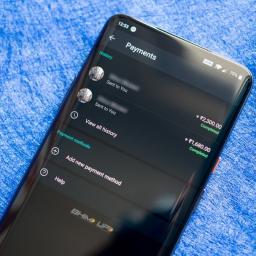
WhatsApp Pay is launching officially this year, but in the meantime you can make payments on the messaging platform provided you're in India. WhatsApp is using the country's Unified Payments Interface (UPI) framework to facilitate money transfer. Here's how you can get started with payments on WhatsApp.Products used in this guideSmooth as silk: OnePlus 7 Pro (₹39,999 at Amazon India)How to set up payments on WhatsApp for AndroidTo get started with payments on WhatsApp, you'll first have to link your bank account to the service. UPI works primarily with your phone number, and the service works with all major banks in India. The best part is that even if you don't have a UPI account set up with your bank, you will be able to use the payments option as WhatsApp will create a UPI ID for you. Here's what you need to know:Open WhatsApp from the app drawer or home screen. Select the action overflow menu (three vertical dots on the top right corner). Hit Payments.Select A...
|
 |
by Marc Lagace on (#4Z9RZ)
There are no shortage of great cases available for the Galaxy S20 and its larger variants, but the most compelling ones are offered by Samsung itself. We've rounded up all the Samsung cases available for the new Galaxy S20 models.Galaxy S20Galaxy S20 PlusGalaxy S20 UltraGalaxy S20Premium look and feelLeather Back CoverSamsung's leather cases are made with genuine leather and come at a premium price. They are incredibly well made with soft microfiber lining and aluminum buttons. They also come in multiple colors, including black, blue, silver, gray, red, and brown.See at SamsungSparkle and shineSamsung LED Back CoverThese sparkling cases feature LEDs scattered around the back, which fade in and out when you place your phone screen down on the table. It can also display notifications for incoming calls or messages, or as a countdown for snapping photos on a tripod. It's also available in black, blue, pink, white, and gray.See at SamsungComfortabl...
|
 |
by Muhammad Jarir Kanji on (#4Z9S1)
Huawei may soon find itself even more isolated in the global supply chain.What you need to knowHuawei may soon be the subject of additional attacks by the U.S. government.A plan to impose further restrictions on Huawei was previously curtailed due to opposition from the Pentagon.The Department of Defense is now reportedly walking back on its position, paving the way for additional measures against the company.The battle between Huawei and the U.S. government continues. On the same day that the U.S. government claimed it had proof of Huawei illegally accessing backdoors in telecom equipment as far back as 2009, the Department of Defense is reportedly walking back on its opposition against further sanctions on the company.The Commerce Department was set to impose further restrictions on Huawei's suppliers last month. The move was aimed at further isolating the Chinese tech giant in the global supply chain, and to make it even more difficult for the company to procure the co...
|
 |
by Andrew Martonik on (#4Z9K0)
Competition makes for better products, and the Android ecosystem is more competitive than ever. If you want a new Android phone at any price range, we've done the research to separate the great from the good, and the good from the bad. This list will help you make your next purchase easier.Best Overall — Samsung Galaxy S10+No matter your smartphone needs, the Galaxy S10+ is a great starting point — if not the best pick without any other consideration. Think of just about any spec or feature you want from a smartphone, and the Galaxy S10+ will have you covered. And it does so in a complete package of great hardware and a beautiful display. Think of any spec or feature you want in a smartphone, and the GS10+ has it.Samsung takes everything that people crave in a high-end smartphone and packages it all up into a single device: the Galaxy S10+. It matches or beats the competition in hardware, with every little spec and feature you could ask for, and ties it up in beautif...
|
|
by Muhammad Jarir Kanji on (#4Z9K1)
Foldables are going to be a big part of Android's future.What you need to knowAlongside the Galaxy Z Flip, Samsung this week unveiled 'Flex Mode', which allows for content to be split across the screen when the device is folded.According to Google, the Flip won't be the only phone with that feature. Other phone makers can also build it into their foldable phones.The Mountain View giant didn't provide an ETA, however.If you were impressed by the Galaxy Z Flip's 'Flex Mode' — it splits the screen into two usable regions when the phone is folded at an angle — rest assured that the feature is also coming to other foldable phones and is not a Samsung exclusive.That's according to Google, which recently told The Verge that the feature can also be built into other phone makers' products.This type of split-screen multitasking is, of course, one of the biggest benefits of using a foldable phone. An example from Samsung's marketing materials for the Galaxy Z Flip talks about ...
|
 |
by Muhammad Jarir Kanji on (#4Z9K3)
It doesn't come with a keyboard, though.What you need to knowSamsung and LG are reportedly working together on a proof-of-concept external screen for phones.Dubbed Dexbook by Samsung, the product will not have a keyboard attached to it.Samsung's model will have a 10,000mAh battery, while LG's variant will have a 5,000mAh cell.Samsung and LG are brewing an interesting, and perhaps ultimately irrelevant, product, according to ETNews. According to the Korean publication, the duo is working on creating a proof-of-concept external, portable display for smartphones. Think something like the Asus ZenScreen GO, but for your new Galaxy S20, instead of your Galaxy Chromebook.The idea here is, of course, to use the external display — both companies' models feature a 14.1-inch panel — to boost productivity for those tasks where a smartphone screen is a little too small. It's an interesting idea and would certainly work well with Samsung's Dex technology.There's just one problem...
|
 |
by Marc Lagace on (#4Z9K5)
The Samsung Galaxy A-series doesn't get as much love as the S and Note flagships, but just at a glance the Galaxy A70 looks way more similar to it's premium bretheren than its competition in the mid-range smartphone space. Samsung has opted to use "Glasstic" on the back side (basically a really glossy plastic material) so you're going to want a case to avoid any unsightly scratches and scuffs.Modern classicSpigen Rugged ArmorStaff pickThe Spigen Rugged Armor is my go-to case for any phone that it's available for, so of course it gets top billing for the A70. It's an ultra-thin design that features stylish and functional carbon fiber accents that look great and help with grip.$11 at AmazonRugged and clearRingke Fusion XThe Ringke Fusion X is the perfect case for anyone looking to balance rugged protection with a clear case style. This refined design features reinforcement around the corners and edges to protect against drops along with a transparent back to s...
|
 |
by Rebecca Spear on (#4Z9B5)
Best answer: Yes, there is a front-facing camera that you can use for video chat. Amazon has included a shutter that slides over the camera to better protect your privacy.Compact display: Echo Show 5 ($65 at Amazon)What is the Echo Show 5?It's the latest smart display created by Amazon. With it, you can ask Alexa to play music, open Amazon Prime Video, check your calendar, make video calls, and much more. You'll also be able to control your smart home, both by giving verbal commands to Alexa and by adjusting things like thermostat temperatures on the screen.The display makes it ideal for showing your smart home security camera feeds. If you use it in conjunction with the Ring Video Doorbell, you'll also be able to see who's on your front porch. When not actively being used, Echo Show 5 continues to be useful by functioning as a clock.One of the best things about it is that the compact size and abilities make it usable just about anywhere in your home. Additionally, it off...
|
 |
by Joe Maring on (#4Z9B7)
Going beyond the headlines.Samsung's Unpacked event on February 11 was jam-packed with information. The unveilings of the Galaxy Z Flip and Galaxy S20 family were obviously the highlights, and as you might expect, some of the smaller announcements came and went without much fanfare.It can be difficult to keep up with all of the news coming out of an event like Unpacked, so in this article, we're going through the top ten interesting tidbits you might have missed. Some of these were talked about very briefly, whereas others didn't get any stage-time at all.Without further ado, here's what you (maybe) missed.Galaxy Buds+ announcedGoogle Duo integrationThe S20 5G conundrumLive Caption coming to the S20Samsung getting exclusive Netflix contentInsane trade-in valuesNew 25W battery packsThe Fold joins the Z familyZ Flip's split-screen mode is expandingWhatever Samsung did with the Galaxy Home MiniGalaxy Buds+ are now available for $150The Galaxy Z Flip and S20 were...
|
 |
by Android Central on (#4Z9B9)
Smartphone manufacturers are slowly but surely removing headphone jacks from their flagship models, and soon enough, your reliable wired headphones will be obsolete. Luckily, Bluetooth earbuds are more accessible than ever, and popular choices like the Apple AirPods dominate the market. Not just anyone can buy a pricey pair of AirPods though, but you can get these AirPods alternatives for just $35.The AirSounds Pro is a pair of true wireless Bluetooth earbuds featuring an AirPods-inspired design. They offer great sound quality for a fraction of the AirPods' price, and they use Bluetooth 5.0 to deliver up to 33 feet of operating range. They deliver 4 hours of battery life, which is perfect for gym sessions and office usage. However, these wouldn't be true AirPods alternatives without a charging case; the included case offers an additional 8 hours of battery life and can even be charged wirelessly.The headphone jack apocalypse is already here, but you can stay ahead of the purge with ...
|
 |
by Marc Lagace on (#4Z9BB)
Samsung has released another lineup of sleek and sexy smartphones that you're going to want to show off and keep protected at the same time. For the Galaxy S10, one of the best accessories you can buy is an awesome clear case. It will protect your phone from any unsightly scratches or other damage while letting the phone's color and unique design elements shine through.Clearly greatSpigen Liquid CrystalStaff pickIf you want ample protection from a case that doesn't cover up all the fine details of the S10, you'll want to get the Spigen Liquid Crystal. It offers protection against scratches and drops, is shock absorbent, and is easy to apply and remove. It also offers the best value for a clear case.$11 at AmazonCrystal clear protectionX-Doria Defense Shield SeriesX-Doria's Defense Shield proves a clear case can be ruggedly handsome, too, drop tested to 10 ft and rock-solid in the hand with a clear back and a colored bumper. The Black and Red bumper variants are fi...
|
 |
by Rebecca Spear on (#4Z9BD)
Best answer: Yes, the Echo Show 5 allows you to interact with several different Ring products, including the video doorbell, alarm system, and security cameras. However, you'll first need to enable the Ring Skill in your Alexa app.Commander: Echo Show 5 ($65 at Amazon)Chime in: Ring Video Doorbell ($100 at Amazon)Sound the alert: Ring Alarm 5 Piece Kit ($140 at Amazon)What is the Echo Show 5?The Echo Show 5 is one of Amazon's newest Alexa displays that's currently available for purchase. It costs less and is more compact than the Echo Show (2nd Gen) or Echo Show 8 while offering the same capabilities. We've tested and reviewed the Echo Show 5 to see how well it works. For more information on how it differs from the Echo Show (2nd Gen) or Echo Show 8, check out our comparison articles. Before you can interact with various Ring devices on your Echo Show device, you'll need to go into your Alexa app and enable Ring functions.Which Ring products can you use with Echo Show 5?...
|
 |
by Joe Maring on (#4Z9BE)
It's become "impossible" for the show to go on.What you need to knowMobile World Congress 2020 has been canceled.John Hoffman, GSMA CEO, announced the news in a statement.He says it's "impossible" for the event to go on due to Coronavirus.It's official. Mobile World Congress, the largest trade show for mobile technology, isn't happening this year. Per a report from Bloomberg, GSMA CEO John Hoffman said that it's now "impossible" for the event to continue due to rising concerns and effects of Coronavirus.JUST IN: The 2020 Mobile World Congress has been canceled by GSMA because of #coronavirus fears.In an emailed statement, John Hoffman, the CEO of GSMA, said the outbreak has made it "impossible" to hold the event #MWC2020 pic.twitter.com/PS1BqTCzU8— QuickTake by Bloomberg (@QuickTake) February 12, 2020Shortly after that initial report came out, the GSMA issued an official press release. It reads: With due regard to the safe and healthy environment in Barcelona an...
|
 |
by Muhammad Jarir Kanji on (#4Z9BF)
"What's more important than the folding technology itself is the kind of value to be offered for consumers."What you need to knowSamsung's newly appointed mobile chief boasted that the company could make phones with even more folds in the screen.However, it's not going to do so for now because it doesn't think it'll add value for customers.He also stated that the Galaxy Fold took seven years to develop.Spurred by the Galaxy Z Flip's triumphant launch, the new head of Samsung's mobile division took to the press to boast of the company's engineering prowess vis-a-vis foldable phones. In an interview with the Korea Herald, Roh Tae-moon stated that the company was already capable of producing phones with more than two folds in the screen."The foldable phone market is yet in infancy," he said. As a result, not only does Samsung have tempered expectations regarding the sales of the nascent product category, but it's also reluctant to push the technology too far when the foldabl...
|
 |
by Michael Allison on (#4Z9BH)
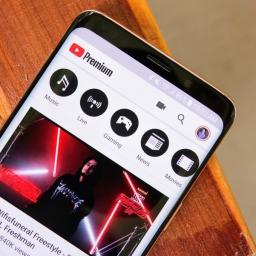
It's available in a select few regions.What you need to knowGoogle is adding a Twitch-like Viewer applause feature to YouTube.Users will be able to pay $2 to clap for a video they like.It's limited to Australia, Brazil, India, Japan, Korea, Mexico, New Zealand, and the U.S at this time.YouTube is testing a new way for viewers to support creatives on YouTube in select countries through an Applaud feature (via The Verge).In essence, users pay a small sum of money to YouTube ($2 or local equivalent) for a clap, of which 70% is then paid to the creator and 30% goes back to Google. It's not on by default, YouTubers will have to switch it from their account dashboard if eligible. Once they do, then their fans will be able to support them if they choose to do so.The new Applaud feature is another way of YouTube to keep content creators on its platform full time. It's a better alternative than them using YouTube as a free taster session of sorts and offering a fuller, more sup...
|
 |
by Quentyn Kennemer on (#4Z90C)
Get ready for another exciting trip to Tamriel.Ever since Skyrim's launch in 2011, Elder Scrolls fans have been clamoring for a new game to sink their teeth into. It's fair for them to do so, with us having yet to receive a mainline Elder Scrolls game on a next-generation console. And no, The Elder Scrolls Online — despite its wholesome charm and awesomeness — simply doesn't count.Luckily, at E3, Bethesda finally broke radio silence on The Elder Scrolls 6. Here's everything you need to know.What is The Elder Scrolls 6?The Elder Scrolls 6 would be, you guessed it, the sixth mainline game in the Elder Scrolls universe. For the uninitiated, Elder Scrolls games tend to be open-world RPGs that feature the classic Bethesda formula: critical decision making, rich and deep lore, massive breathtaking open worlds, memorable characters, and some of the most fun sidequests you'll find.Elder Scrolls followed this formula even in the earliest days when technology wasn't fully sup...
|